The Power of Digital Animation: Transform Your Ideas into Captivating Videos
Table of Contents
If you want to create a custom digital animation, you’re in the right place! Video Igniter’s guide to creating digital animations teaches everything you need to know about working with an animator to create them including:
✅ What it costs to make a digital animation?
✅ How long it takes to create a digital animation?
✅ What to expect during the production process?
✅ How to save money on your digital video production budget?
✅ and more!
Let’s dive in.
Examples of Digital Animations You Can Get From Video Igniter
Video Igniter can create any kind of 2D or 3D animated video for you. Check out the example videos below.
To start your project contact us, schedule a call with our production team or request access to our new pricing page.
Are you looking for an example of a different style of animation? Send us a message to let us know what kind of animation example you want to see and we will follow up with relevant production samples.
What is Digital Animation?

Digital animation is the process of creating moving images using computer-generated graphics or manipulating digital assets. It relies on the principles of traditional animation and leverages advanced technology and software to streamline the production process and achieve stunning visual effects. By combining artistry and technical skills, digital animation allows for the creation of lifelike characters, environments, and narratives that captivate audiences.
Digital animation enables endless creative possibilities, allowing animators to bring your imagination to life. It offers flexibility in visual styles, ranging from cartoonish and whimsical to photorealistic and immersive. Animators can manipulate characters, objects, and environments in ways that defy the limitations of the physical world, opening up opportunities for storytelling in fantastical settings or complex scenarios.
By understanding the core principles of digital animation and exploring the different techniques available, businesses and individuals can harness the power of animation to tell compelling stories, engage audiences, and bring their ideas to life. The creative possibilities are limited only by the imagination of the animators.
Benefits of Digital Animation for Businesses
Most businesses create live action videos to promote themselves. These days, a growing number of businesses are starting to leverage the power of digital animation because it gives their content a few distinct advantages to help them get their messages out into the world:
Increased Chance Of Engaging With Content

Most digital videos are live action content. When someone produces animated content, the colorful thumbnail and animated visuals stand out visually and increase the odds of your target audience clicking play and watching your video.
Enhanced Storytelling
Digital animation enhances storytelling by using custom designed visuals that help convey complex ideas and narratives. Animation enables businesses to visually tell stories that wouldn’t be possible with a video camera.
Increased Comprehension + Retention
Animation utilizes simplified visuals that make it quicker and easier for people to understand and remember what they’re being told.
Increased Conversion Rate

Because animated videos keep viewers engaged longer and increase their retention of the information presented, viewers are more likely to watch to the end of your digital animated video and engage with the Call To Action (CTA) at the end of your video.
How to Create A Digital Animation Video
Video Igniter has developed an online workspace that streamlines the digital animation production process to make it faster, easier and more cost effective to produce custom animated videos online. Here’s an overview of the production experience so that you can get an idea of what to expect during each stage of production:
Digital Animation Kick Off

Production begins with a kickoff call and or a questionnaire to help us learn:
✅ Who is your target audience?
✅ What do you want to communicate in your video?
✅ What do you want viewers to do after they finish watching your digital animation?
✅ What visual style do you want to use for your digital animation?
Script

Download Video Igniter’s Free Script Writing Template
Next, our team will develop the script for your digital animation. You will receive the draft of the script to review and request edits. Our script writing team will integrate your feedback and share the updated script with you to review and approve for production.
Need more edits? No worries! Our standard projects include unlimited revisions so we’ll continue to work with you until you love the script at no extra cost.
Storyboard

Download Video Igniter’s Free Storyboard Template
Now, we’ll turn your script into a storyboard. The storyboard is the blueprint for your digital animation. It is a document that describes what the illustrators need to create for each sentence in your script. It also includes instructions for the animators so they understand how to make the visuals move in each scene. We will send you the first draft of the storyboard to review and request edits. After we integrate your feedback, we’ll send the storyboard back to you to review and approve for production.
VoiceOver

You will receive several voiceover auditions. Give them a listen and let us know which one you prefer. Then, we’ll oversee the recording of the full voiceover. You get to review the voiceover and request edits before approving it for production.
Soundtrack

We will identify several soundtracks that will enhance the presentation of your digital animation. Let us know which one you prefer and then we’ll acquire the broadcast rights for the music so that you can legally use it in your digital animation.
Illustrations

Our art director will develop custom concept art for your digital animation. Let us know which concept you prefer and whether or not you want to make any refinements to your preferred visual concept. Once you are satisfied with the concept art, we will create all of the illustrations for your digital animation. You will get an opportunity to review all of the art and request revisions before approving the art for production.
Animation

Now that everything is approved, we can create your digital animation. When the first draft is ready, we recommend reviewing it with your internal team and members of your target audience. Collect everyone’s feedback and send it to us. We’ll incorporate your edits and render out the final draft of your digital animation.
What does it cost to create a digital animation?

Digital animation production costs range widely from a few hundred dollars to over $1,000,000 to create just 1 minute of a Pixar animated film. Most 2D digital animated videos can be produced for $1,500-$10,000 for each 60 seconds of animation. 3D digital animations cost 2-4x more to produce.
Get a quote for your digital animation.
How long does it take to create a digital animation?

Digital animations can take weeks, months or years to produce. Pixar-quality digital animations can take years to produce. Shorter 2D content can be produced in a few weeks. Most 60-second 2D animated videos can be produced in 3-6 weeks. 3D digital animations take 2-4x more time to create.
to figure out how long it will take to create your digital animation.
How to save money on your digital animation production budget?
Here are 5 tips to help reduce your digital animation production budget:

1). Write the script for your digital animation. Our team can write the script for your video but you can save $500 or more if you write the script for your video. Download our free script writing template to get the ball rolling. We’ll happily review your script for best practices before moving your script into production.
2). Create the storyboard for your digital animation instead of hiring us to create it for you. You can save $500 or more if you create the storyboard for your digital animation. Download our free storyboard template. You don’t need to have any artistic ability to create a storyboard. Just document your ideas and we’ll review your storyboard to ensure you included enough detail for our production team to know what you want us to create.

3). Record the voiceover for your digital animation. You can record professional quality voiceover’s at home or in the office for free. No expensive software or fancy equipment needed. Check out 1:31 in this video to learn how to record your own voiceover.
4). Use free, legal music in your digital animation. Music licensing costs can add hundreds or thousands of dollars to your production budget. Websites like Incompetech and Facebook’s Sound Collection offer free music that you can legally use in your digital animation.

5). Use stock assets. Instead of creating your video 100% from scratch, consider using stock assets like icons, clip art, and 3D models to help save money on your production cost.
For more tips on keeping your production budget low, check out our companion article about creating affordable animations.
Types of Digital Animation
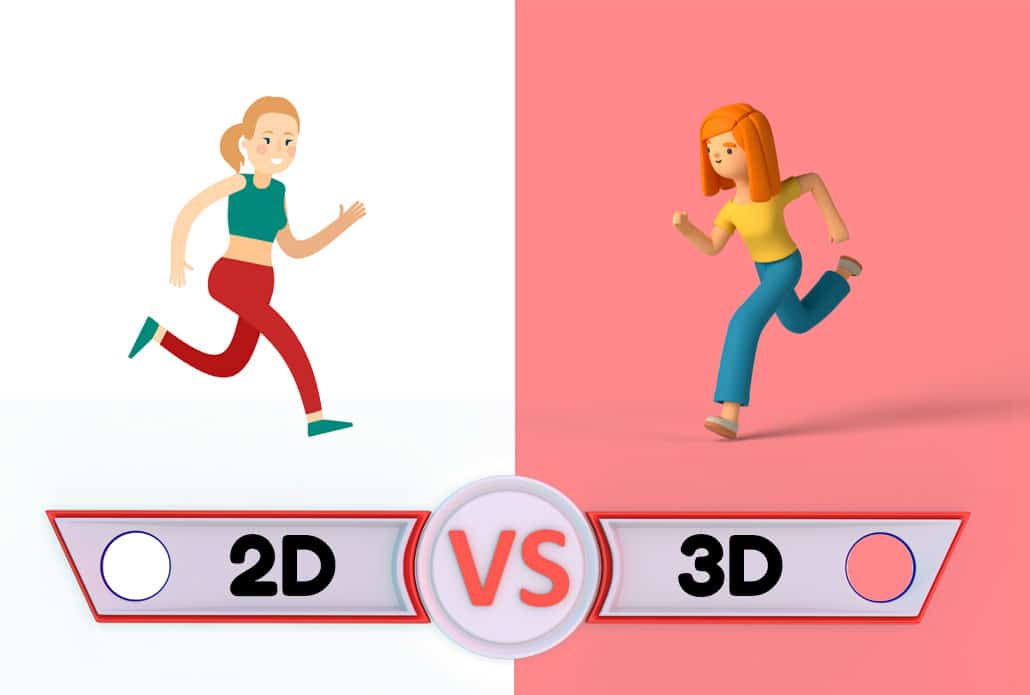
Digital animation encompasses many different techniques and visual styles. While some digital animations are designed to look like traditional cartoons, others can be highly realistic, cinematic, abstract, or completely graphic. Understanding the different types of digital animation can help you determine which approach is best suited to your project.
2D Digital Animation
2D digital animation creates movement within a two-dimensional visual space. Characters, illustrations, objects, backgrounds, text, and other graphic elements can all be animated to create a finished video.
Because virtually any illustration style can be used, 2D digital animation is popular for explainer videos, advertisements, educational content, social media videos, product demonstrations, and corporate communications.
2D animation can range from simple graphic movements to highly detailed character animation. It can also incorporate motion graphics, typography, visual effects, and other techniques to create a unique visual style.
3D Digital Animation
3D digital animation creates objects and environments within a three-dimensional digital space. Instead of appearing as flat illustrations, objects can have depth, realistic lighting, textures, shadows, and camera perspectives.
3D animation is particularly useful when a project needs to demonstrate how a physical product works or show an object from multiple angles. It can also be used to create realistic environments, architectural visualizations, product advertisements, simulations, and cinematic sequences.
A major advantage of 3D animation is the ability to control the virtual camera. Animators can move the camera around a digital object or environment in ways that would be difficult, expensive, or impossible to accomplish with traditional video production.
Motion Graphics

Motion graphics animation combines graphic design and animation to create movement using text, shapes, icons, illustrations, charts, logos, and other visual elements.
Unlike character-focused animation, motion graphics does not necessarily require characters or a traditional narrative. It can instead use movement to emphasize statistics, explain a process, highlight product features, or direct the viewer’s attention to important information.
Digital animation and motion graphics are often combined within the same project. For example, an animated character might interact with charts, diagrams, interface designs, or typography to create a more dynamic presentation.
Stop Motion and Digital Stop-Motion Styles
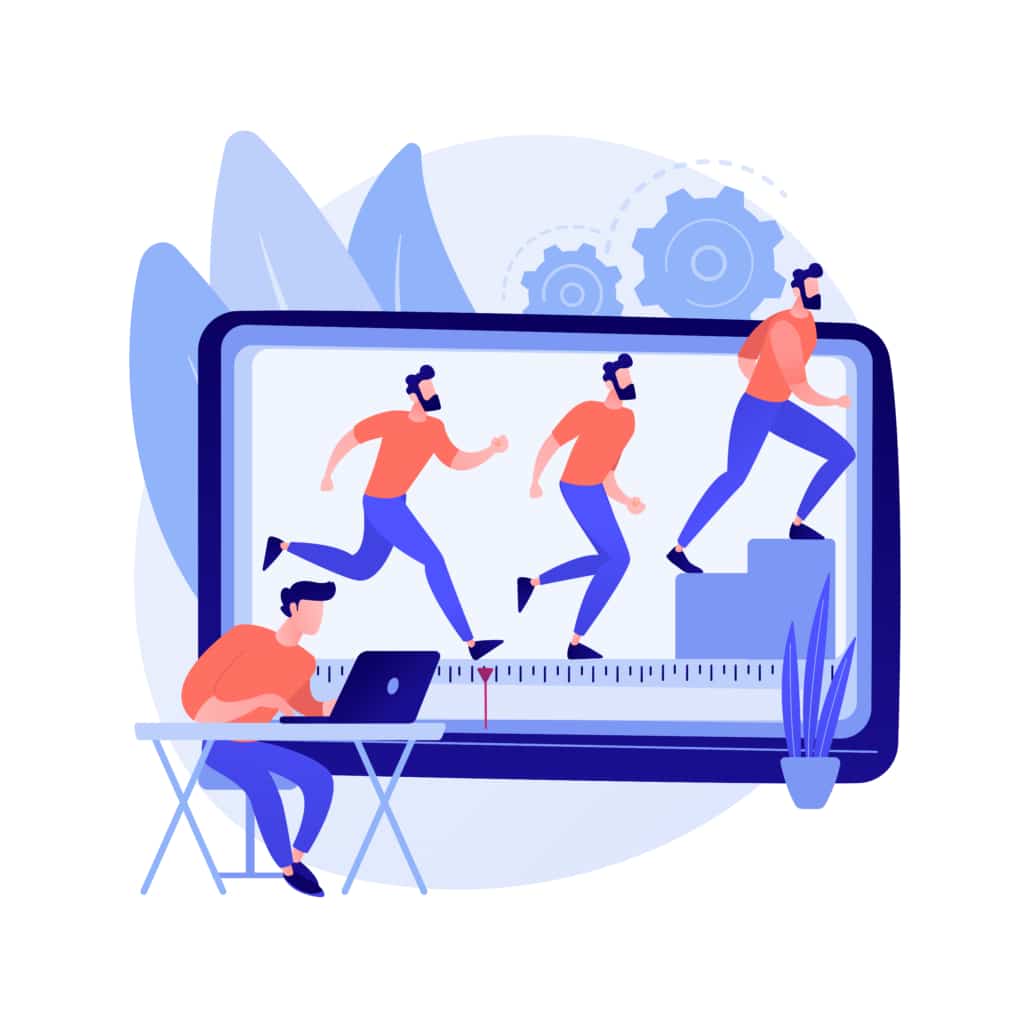
Stop motion traditionally involves photographing physical objects one frame at a time and moving them slightly between photographs. Digital production techniques can also be used to recreate or enhance a stop-motion aesthetic.
A digital animation can be designed to mimic the handmade appearance of paper cutouts, clay animation, puppets, or physical objects while being produced entirely or partially using digital tools. This can give a project a tactile and handcrafted appearance without requiring a physical stop-motion set.
Different animation techniques produce different types of movement. Choosing the right technique can influence the appearance, production requirements, and flexibility of the finished animation.
Keyframe Animation
Keyframe animation establishes important positions at specific points in time. Animation software then calculates the movement between those positions.
For example, an animator could place a logo on the left side of the screen at the beginning of a scene and place it on the right side several seconds later. The software creates the movement between those two keyframes.
Keyframe animation is commonly used for objects, characters, text, logos, camera movements, and visual effects.
Rigging
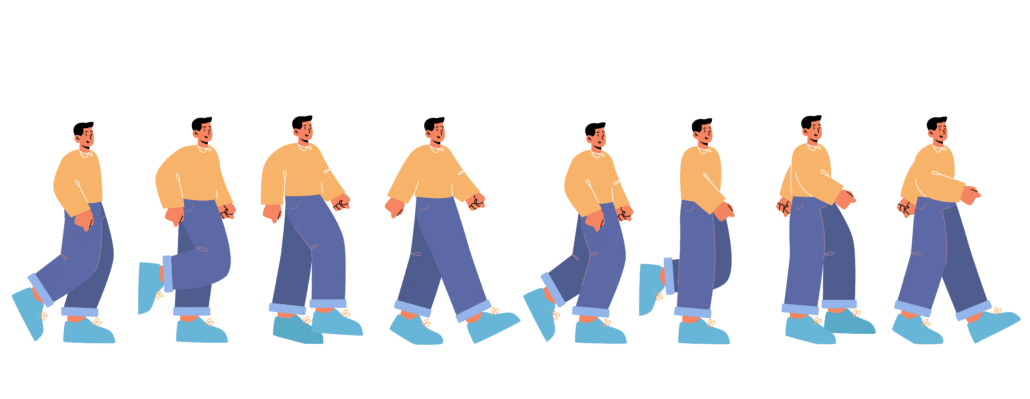
Rigging creates a digital control system that allows an animator to manipulate a character or object. A character can be given controls for its arms, legs, head, eyes, hands, and other parts.
Rigged animation can make recurring characters easier to animate and maintain consistency across multiple scenes. It can also be useful for businesses developing a series of digital animated videos featuring the same characters.
Visual Effects
Digital animation can be combined with visual effects to create elements that would be difficult to capture with a camera. These can include particles, smoke, fire, explosions, glowing objects, environmental effects, simulated physics, and other visual elements.
Visual effects can also be subtle. Lighting changes, transitions, shadows, reflections, and animated textures can make a digital scene feel more dynamic without becoming the focus of the video.
Digital Animation for Different Platforms
The way an animation will be viewed should influence how it is designed. A video created for a website may have different requirements than one created for social media, digital advertising, television, or a presentation.
Website Animation

Website animations can be used to explain a product, introduce a company, demonstrate software, or communicate a complex concept. Short animations can also be incorporated into landing pages and other digital experiences to guide visitors toward important information.
Social Media Animation

Social platforms often require viewers to make a decision about whether to keep watching within the first few seconds. Digital animation can use movement, visual contrast, text, and distinctive artwork to immediately establish what a video is about.
Square, vertical, and widescreen formats can be created depending on the platform and intended placement. Designing the animation for the final viewing environment from the beginning can prevent important visual elements or text from being cropped later.
Digital Advertising

Animated advertisements can communicate a product’s value proposition quickly while maintaining control over the visual environment. Instead of relying on locations, actors, props, or physical demonstrations, a digital animation can create whatever environment is needed to present the product or idea.
This makes animation particularly useful when the subject of an advertisement is abstract, highly technical, expensive, microscopic, futuristic, or otherwise difficult to film.
Choosing the Right Digital Animation Style

The right digital animation style should support the purpose of the video rather than simply look impressive. Before selecting a visual approach, consider the audience, message, brand personality, distribution channel, and desired action.
A technology company might benefit from clean motion graphics and interface animation, while an educational organization could use illustrated characters and diagrams. A consumer product might benefit from 3D animation that demonstrates its physical features.
It is also worth considering whether the animation will be used once or become part of a larger content library. Developing reusable characters, environments, illustrations, 3D models, or motion graphics templates can make future videos more efficient to produce.
The most effective digital animation is ultimately the one that makes the intended message easier to understand and more memorable. Technology provides the tools, but creative decisions about design, movement, pacing, composition, and storytelling determine how well those tools communicate with an audience.
Digital Animation Production Resources

These articles are popular among people researching and reading about digital animation:
- What are the benefits of using animated videos with your digital marketing?
- How To Make An Animated NFT
- 100 Ways Animation Can Improve The World
- Video Igniter’s Animation Production FAQ
- How To Make An Animation
Still have questions about digital animation?
Do you have a question about digital animation that wasn’t addressed in this FAQ? Use this form to send us your question and we’ll follow up with an answer. We’ll also post the question and answer to this page so other people can benefit from the knowledge.

What is Video Igniter Animation?
Video Igniter is an online animated video production service. By working with our team online, you can get your custom animated video produced faster and for less than hiring a brick and mortar animation studio.
Watch our explainer video on our home page to learn more about how we can help you create an animated video. For examples of the kinds of animation our team can produce, check out the demo reel below:
Looking For A Digital Animation Video Production Company In The U.S.?
Video Igniter is headquartered in Seattle, Washington.
Digital Animation Success Stories & Testimonials
Don’t just take our word for it – these testimonials highlight Video Igniter’s reliability, creativity, flexibility and ability to deliver animations that exceed expectations. When you choose Video Igniter Animation, you can rest assured that you are working with a trusted and reputable studio.
“Video Igniter were very easy to work with and the entire process for creating and suggesting edits was seamless and stress-free. I would work with them again and would recommend to others looking to create a modern and stylish explainer video.”
Clair Simpson – VP Marketing, Repool.com
“I run a video production company and outsource animation. The team at Video Igniter did a great job in taking the concept I very crudely drew out and making it into a beautiful animation. The review process was easy and their turnaround time was very quick. I’d def recommend them if you’re looking for an animation project.”
Pat Henderson – Founder, Path8 Productions
“Video Igniter offered us the critical combination of creative value, clear communication, and patience with stakeholder feedback. We ended up with truly high-quality design assets for our video series largely due to the extra level of commitment — and the right balance of efficiencies with flexibility in the process when called for.”
Larry Schlessinger – Sr. Creative Program Manager, Amazon Web Services
“Video Igniter came to us with a number of creative and engaging ideas and were able to create an exciting, impactful video in a short period of time. And the best part was that it cost much less than other options of similar quality. The video they made is a great marketing tool for us.”
Alex Raymond – Founder, Kapta Systems

Get in touch!
Schedule a call to discuss your animated video project.
Get a quote for us to create your animated video.
Request access to our newest price sheet.
Create your Video Igniter account, fill out a creative brief for your video and we’ll begin production as soon as we receive your production deposit.