How To Make An Animation
Table of Contents
If you want to learn how to make an animation, you’re in the right place! Video Igniter Animation’s guide teaches you step by step what to expect when you hire an animated video production company to create a custom animated video for you. At the end, we’ve included some tips to help you save over $1,000 off the cost of making your animated video.

Examples of Animations You Can Make With Video Igniter
Video Igniter can create any kind of 2D or 3D animated video for you. Check out our animation portfolio here. Request access to our demo reels and price sheet here.
Contact us or schedule a call to start making your video.
Are you looking for an example of a different style of animation? Send us a message to let us know what kind of animation example you want to see and we will follow up with relevant production samples.
How To Make A Custom Video Animation?
Here we’re going to teach you how to make an animation. The production process goes step by step starting with the script and storyboard and ends with the final animation.

1). Project Kickoff

To get production started, we will schedule a kickoff call and or have you fill out this questionnaire so that we can understand the key details that need to be included in your animation. Here’s the info we’re looking for:
✅ What is the target audience for your animation?
✅ What visual style do you want to use for your animation?
✅ What are the main talking points that need to be conveyed in your animation?
✅ How long is your animation going to be?
✅ What do you want viewers to do after they watch your animation?
2). Write The Script

Download Video Igniter’s Free Script Writing Template
Now that we have an understanding of what needs to be communicated in your animation, our team will develop the first draft of the script for your video. We’ll review the script with you and collect your feedback. Then we will incorporate your edits and share the updated script with you to review and approve for production.
3). Make The Storyboard

Download Video Igniter’s Free Storyboard Template
After the script is approved, we can make the storyboard for your animation. The storyboard is the blueprint for your animation. It tells the illustrators and animators how to make your animation. Each sentence of your script is paired with a visual mockup and directions to explain what needs to be created and how everything should move for that specific part of your animation’s script. You get an opportunity to review the storyboard to request revisions and ensure it contains enough detail in the instructions for our production team to accurately create what you envision in your mind.
4). Record The VoiceOver

Our team will source multiple voiceover artists to audition for your animation’s narration. Give the auditions a listen and let us know which one you prefer. Then, we’ll oversee the recording of the full voiceover. You will get an opportunity to review the voiceover and request edits before approving the recording for your animation.
5). Create Illustrations

Video Igniter’s art director will develop custom concept art for your animation after reviewing your brand guidelines, storyboard and design trends that are used in digital communications for your target audience. Let the art director know which concept you prefer. You can work with our art director to refine your preferred visual concept until you love it!
After you’re thrilled with the approved concept art, our illustration team will make all of the custom illustrations for your animated video. You will get an opportunity to review all of the art and request edits before approving the art for production.
6). Review Soundtracks

Video Igniter’s sound team will select a handful of soundtracks to compliment and enhance the presentation of key moments in your animation. Let us know which soundtrack you prefer. Then, we’ll buy the broadcast license for that soundtrack so you can legally use that song in your animation.
7). Make Your Animation

Now that your script, storyboard, voiceover, illustrations and soundtrack are approved, we can make your animation! When the first draft is ready, we recommend giving it a detailed review with your team and members of your target audience. Collect everyone’s feedback and send it to us. We’ll incorporate your revisions and render out the final draft of your animation for you to start using.
How much does it cost to make an animation?

Animated video projects range from $1,000/minute to over $10,000,000 per minute for PIXAR-quality animation. Most 2D animated videos can be produced for $1,500-$10,000 per 60 seconds of animation. 3D animated videos tend to cost 2-4x more to produce.
The amount it costs to make an animation varies based on the following criteria:
✅ The length of your video.
✅ Are you providing the script and or storyboard – or are you hiring the animator to make those for you?
✅ The visual style used for your animation (2D, 3D or Cel Animation).
✅ The deadline for your project.
Want to figure out the production budget for your project? Get a quote for your animation.
How long does it take to make an animation?

Animations can take days, weeks, months or years to produce. To give you a better ballpark estimate, a 60-second 2D animated video can typically be produced in 3-6 weeks. 3D animated videos take 2-4x more time to produce. Production timelines vary based on the following criteria:
✅ The length of your video.
✅ Are you providing the script and or storyboard – or are you hiring the animator to make those for you?
✅ The visual style used for your video (2D, 3D or Cel Animation).
✅ The deadline for your project.
Need your animation produced fast for an upcoming deadline? Video Igniter offers a rush delivery animation service to speed up production.
How to save money when making an animation?

Here are 5 ideas that you can combine to save over $1,000 for each minute of video you want an animator to create:
Use free, legal music
Broadcast licenses for soundtracks can cost $100-$500 or more. You can shave that off your production budget by sourcing free, legal music from sites like Incompetech. If you are making a video for Facebook or Instagram, check out Facebook’s sound collection for free music you can use on their platforms.
Write the script for your animation
You can save time and money when making your animation by writing the script for your video instead of hiring Video Igniter to write it for you! Download our free script writing template to get started.

Record the voiceover for your animation
Did you know you can record professional quality voiceovers for free at home? That’s right! No expensive software or professional equipment needed. Just watch 1:31 in this video to see how you can record your own voiceover for free.
Make the storyboard for your animation
You can save even more time and money on the animation production process by making the storyboard for your video instead of hiring Video Igniter to create it for you. Download our storyboard creation template to get started. No artistic experience necessary – just document your ideas and we’ll turn them into a beautiful custom animated video.

Use pre-made stock assets
It may be possible to reduce part of your production budget by using pre-made assets rather than having our production team create everything from scratch. Consider using things like:
✅ Pre-made clip art/vector art
✅ Stock photos and videos
✅ Animated video templates
✅ Icons
✅ Text animations
✅ Pre-made 3D models
For more tips on how to make animation more affordable, check out Video Igniter’s guide to affordable animation.
What Type of Animation Is Right for Your Project?
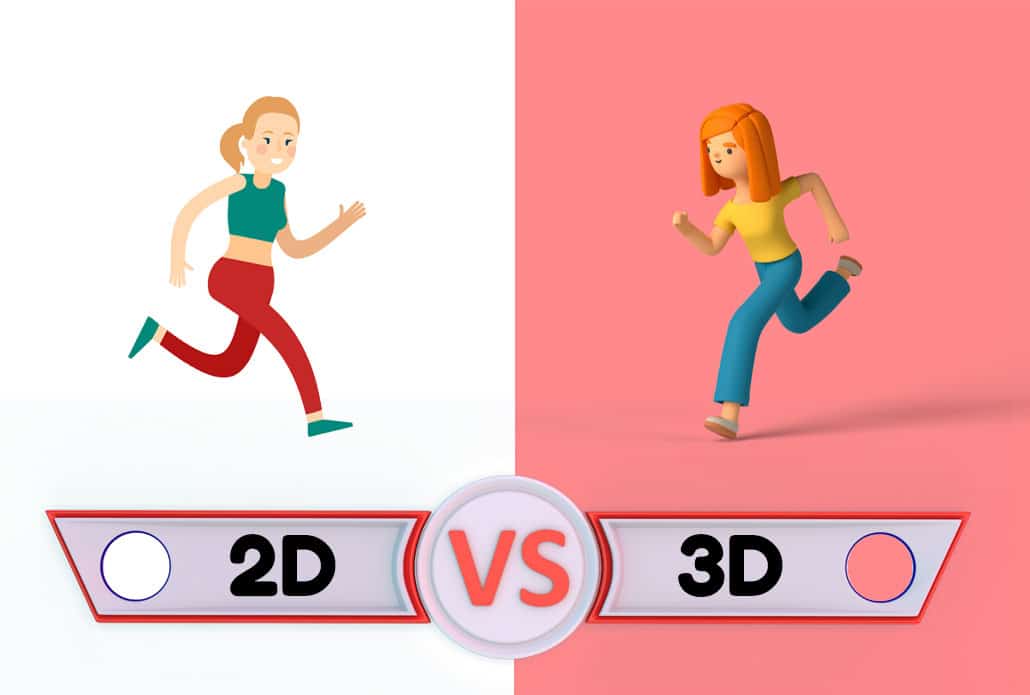
Before you learn how to make an animation, one of the most important decisions you’ll make is choosing the right animation style. Each style communicates differently and suits different budgets, audiences, and goals.
2D Animation is the most popular and affordable format for explainer videos, marketing content, and educational material. Characters and objects are drawn and animated on a flat, two-dimensional plane. If you’ve seen animated explainer videos for apps or startups, chances are they were 2D.
3D Animation creates the illusion of depth and dimension. It’s commonly used in product visualization, architectural walkthroughs, medical animations, and premium brand content. Because every object must be modeled and rigged in three dimensions before it can be animated, 3D production takes significantly more time and budget — typically 2 to 4 times the cost of comparable 2D work.
Motion Graphics combine text, icons, shapes, and simple characters to explain data, processes, and concepts. This style is particularly effective for corporate communications, annual reports, and anything involving statistics or step-by-step processes.
Whiteboard Animation simulates a hand drawing illustrations on a white background as a narrator speaks. It has a clean, educational feel and tends to perform well for training content and instructional videos.
Cel Animation (also called frame-by-frame animation) is the classic cartoon style where each frame is drawn individually. It produces fluid, expressive movement and is often used for character-driven stories and entertainment content. It’s also one of the most labor-intensive and expensive styles to produce.
Stop Motion Animation involves photographing physical objects frame by frame to simulate movement. While less common in commercial production, it creates a distinctive, handcrafted aesthetic that stands out.
Choosing the wrong style for your project can waste budget and fail to resonate with your audience. When deciding how to make an animation, always ask: what style will my target audience find most credible and engaging?
How to Write a Script for Your Animation

Writing a strong script is the single most important step in learning how to make an animation. Everything else — the storyboard, the voiceover, the illustrations, the timing — flows directly from the script. A weak script produces a weak animation no matter how good the visuals are.
Here are the key principles to follow when writing your animation script:
Lead with the problem. Your viewer needs to immediately recognize that this video is relevant to them. Open by describing the pain point, challenge, or situation your audience faces every day. This hooks their attention in the first five seconds.
Keep sentences short. Animation narration is read aloud, so long, complex sentences are hard to follow. Write the way people actually speak. Read every sentence out loud as you write it — if you run out of breath, break it up.
One idea per scene. Each section of your animation should communicate one clear concept. Trying to pack multiple ideas into a single visual sequence leads to confusion. Pair each main point with a dedicated visual moment.
Write to your visuals. Unlike a blog post or a podcast, an animation script needs to account for what will be happening on screen. As you write each line, ask yourself: what would a viewer be looking at right now? If you can’t picture it, neither can your animator.
End with a clear call to action. Every animation should tell the viewer exactly what to do next — visit a website, schedule a call, download a guide, or make a purchase. Don’t leave the ending vague.
Target length by purpose: A social media ad animation runs 15–30 seconds. An explainer video runs 60–90 seconds. A product demo or training video may run 2–5 minutes. As a rule of thumb, plan for roughly 130–150 words of script per minute of finished animation.
How to Make a Storyboard for Your Animation
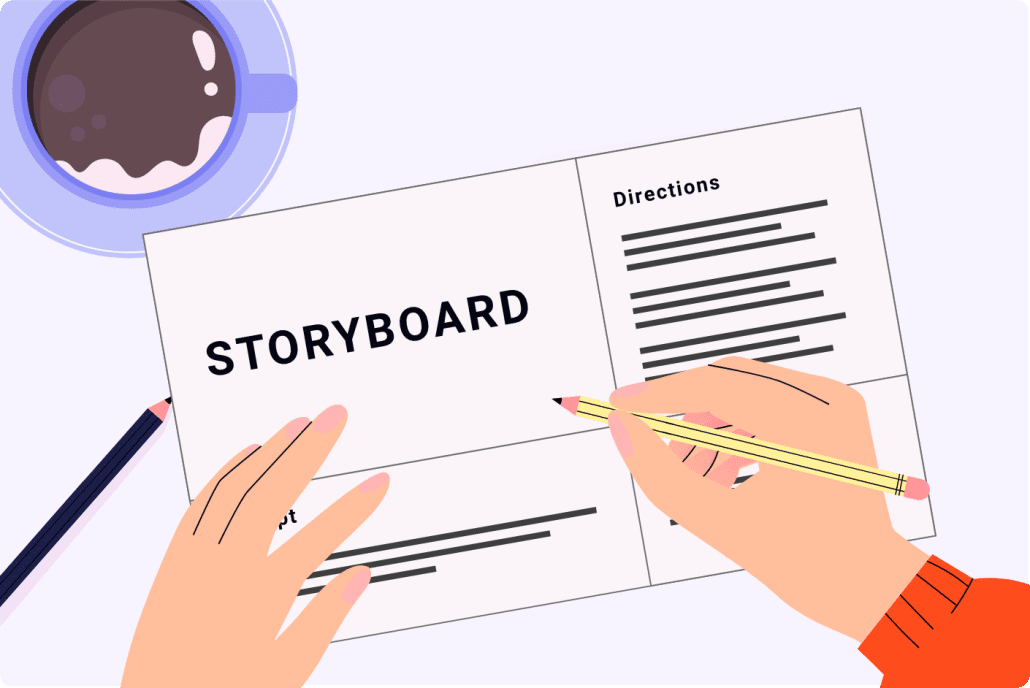
Once your script is locked, the next step in making an animation is building the storyboard. The storyboard is a visual outline — a panel-by-panel sketch that maps out what appears on screen for each line of the script.
You do not need to be an artist to make a storyboard. Simple stick figures and rough shapes are completely acceptable. The goal of a storyboard is to communicate intent, not to produce finished artwork. Your animator will use it as a blueprint, not as final reference.
Here’s how to build an effective storyboard:
Divide your script into scenes. Each scene change — a new location, a new character, a new concept — gets its own panel or set of panels.
Sketch the key frame. For each scene, draw the most important visual moment. What is on screen? Where is the character or object positioned? What text or icons appear?
Add movement notes. Arrows, labels, and short written directions tell the animator how elements move. Does the character walk left? Does a graph bar grow upward? Does text fly in from the right? Write it down.
Note transitions. How does the video move from one scene to the next? A cut, a fade, a wipe, a zoom — these small details affect the pace and feel of the final animation.
Include timing. If you know roughly how long each scene should last, note it. This helps animators plan pacing and ensures your finished video hits your target runtime.
A detailed storyboard reduces revision cycles, cuts production time, and significantly lowers the overall cost of making your animation — which is why doing it yourself is one of the most effective ways to save money on an animated video project.
How to Choose a Voiceover Artist for Your Animation

The voiceover is the voice of your brand for the duration of your animation. A mismatched voice can undermine even the most beautiful visuals, while the right voice adds authority, warmth, and credibility that visuals alone cannot achieve.
When selecting a voiceover artist for your animation, consider these factors:
Tone and personality. Should your animation sound energetic and upbeat? Calm and authoritative? Friendly and conversational? The voice should match the overall personality of your brand and the emotional tone of your script.
Audience alignment. Consider who is watching your animation. A legal services firm speaking to corporate executives needs a different vocal quality than a consumer app targeting college students.
Gender and accent. Research on audience preferences varies by industry and geography. When in doubt, listen to your target audience — what voices appear in the media they already consume and trust?
Pacing and clarity. A great voiceover artist reads at a pace that gives viewers time to absorb each idea. They enunciate clearly without sounding robotic, and they know how to emphasize the right words to reinforce meaning.
Professional quality recording. A professional voiceover should be free of background noise, breathing artifacts, and inconsistent volume levels. Poor audio quality is one of the fastest ways to make an animation feel unprofessional regardless of the visuals.
Most animation studios will source several auditions for you to compare. Take your time reviewing them — playing each one while reading along with your script is the best way to evaluate fit.
Common Mistakes to Avoid When Making an Animation

Understanding how to make an animation also means knowing what not to do. These are the most common mistakes that derail animation projects and drive up costs:
Skipping the script review. The script stage is the cheapest and fastest point at which to make changes. Every revision you push past the script phase — into the storyboard, illustrations, or animation — becomes significantly more expensive and time-consuming.
Being vague in feedback. “I don’t like it” is not actionable feedback. “The character feels too stiff — can we add more expressive facial movement?” is. Specific, descriptive feedback leads to faster revisions and better results.
Overloading the video with information. More content does not mean more value. Animation works best when it distills a message to its essentials. A 90-second animation that communicates one idea memorably outperforms a 4-minute animation that exhausts the viewer.
Ignoring mobile viewers. A significant portion of your audience will watch your animation on a smartphone. Text that is readable on a desktop may be illegible on mobile. Make sure your production team is designing with mobile viewing in mind.
Choosing style over substance. A stunning visual style that doesn’t match your brand or resonate with your audience creates cognitive dissonance. Always choose a style that serves the message, not the other way around.
Approving without watching on mute. Watch your animation draft with the sound off. If the visuals alone tell a clear story, you’re in good shape. If the animation only makes sense with narration, your visuals are not working hard enough.
How to get started making an animation?

Ready to begin production on your custom animation? Here are 5 ways you can get the ball rolling:
1). Schedule a call with our production team.
2). Get a quote for your video.
3). Request access to our current price sheet.
4). Fill out this questionnaire about your animation.
5). Send an email to Hello@VideoIgniter.com to discuss your project.
Animation Production Resources

These guides and resources are popular among people researching and reading about animated video production options:
- How To Make A Video Animation
- How To Make Animations
- How to Create A Custom Animation Video
- How To Make A 2D Animation
Still have questions about how to make an animation?
Do you have a question about how to make an animation that wasn’t addressed in this FAQ? Use this form to send us your question and we’ll follow up with an answer. We’ll also post the question and answer to this page so other people can benefit from the knowledge.

What is Video Igniter Animation?
Video Igniter Animation is an online animated video production service. By working with our team online, you can get your custom animated video produced faster and for less than hiring a brick and mortar animation studio.
We can help you create any kind of 2D or 3D animated video you can imagine. Check out our animated video portfolio!
Watch our explainer video on our home page to learn more about how we can help you create an animated video. For examples of the kinds of animated videos our team can produce, check out the demo reel below:
Looking For An Animation Production Company In The U.S.?
Video Igniter is headquartered in Seattle, Washington.
Animation Success Stories & Testimonials
Don’t just take our word for it – these testimonials highlight Video Igniter’s reliability, creativity, flexibility and ability to deliver animations that exceed expectations. When you choose Video Igniter Animation, you can rest assured that you are working with a trusted and reputable studio.
“Video Igniter were very easy to work with and the entire process for creating and suggesting edits was seamless and stress-free. I would work with them again and would recommend to others looking to create a modern and stylish explainer video.”
Clair Simpson – VP Marketing, Repool.com
“I run a video production company and outsource animation. The team at Video Igniter did a great job in taking the concept I very crudely drew out and making it into a beautiful animation. The review process was easy and their turnaround time was very quick. I’d def recommend them if you’re looking for an animation project.”
Pat Henderson – Founder, Path8 Productions
“Video Igniter offered us the critical combination of creative value, clear communication, and patience with stakeholder feedback. We ended up with truly high-quality design assets for our video series largely due to the extra level of commitment — and the right balance of efficiencies with flexibility in the process when called for.”
Larry Schlessinger – Sr. Creative Program Manager, Amazon Web Services
“Video Igniter came to us with a number of creative and engaging ideas and were able to create an exciting, impactful video in a short period of time. And the best part was that it cost much less than other options of similar quality. The video they made is a great marketing tool for us.”
Alex Raymond – Founder, Kapta Systems

Get in touch!
Schedule a call to discuss your animated video project.
Get a quote for us to create your animated video.
Request access to our newest price sheet.
Create your Video Igniter account, fill out a creative brief for your video and we’ll begin production as soon as we receive your production deposit.