Explainer Video Production
Table of Contents
If you want to learn about explainer video production for an upcoming video project, you’re in the right place! Video Igniter’s guide to explainer video production teaches everything you need to know including:
✅ Explaining the explainer video production process
✅ How much does explainer video production cost
✅ How long does the explainer video production process take
✅ How to save money on the explainer video production process
✅ And more!

What are explainer videos?
Explainer videos are concise educational videos that break down big topics and make them easier to understand. Explainer videos can be made using live action filmed footage, animated videos or a combination of mixing live action footage with animated motion graphics.
Explainer Video Examples
Video Igniter can create any kind of 2D or 3D animated video for you. Check out our animation portfolio here. Request access to our demo reels and price sheet here.
Contact us or schedule a call to start making your video.
Are you looking for an example of a different style of explainer video? Send us a message to let us know what kind of explainer video you want to see and we will follow up with relevant production samples.
How does the explainer video production process work?
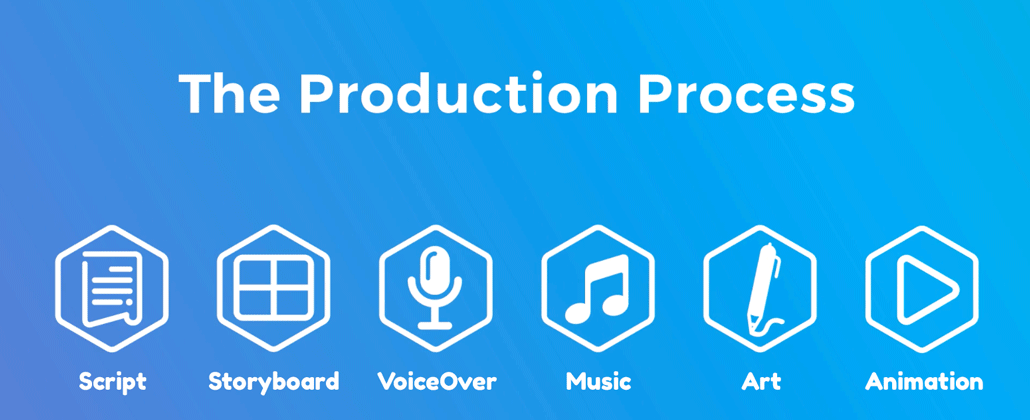
Here’s a quick overview of the explainer video production process so that you can wrap your head around what’s involved at each stage of the experience.
1. Explainer Video Production Kickoff

Production kicks off with a phone call and or a questionnaire. The goal here is for us to learn:
✅ What are your main talking points
✅ Who is your target audience?
✅ What visual style do you want use for your video?
✅ What do you want viewers to do when they’re done watching your explainer video?
2. Script

Download Video Igniter’s Free Script Writing Template
Now that we understand what kind of video you want to create, our team develops a script that includes your key talking points and tailors the presentation of the messaging to your target audience. You will receive the first draft of the script as soon as it’s ready to review. Send us your revision notes and we will update your script for you. You get another opportunity to review your script before approving it for production.
3. Storyboard
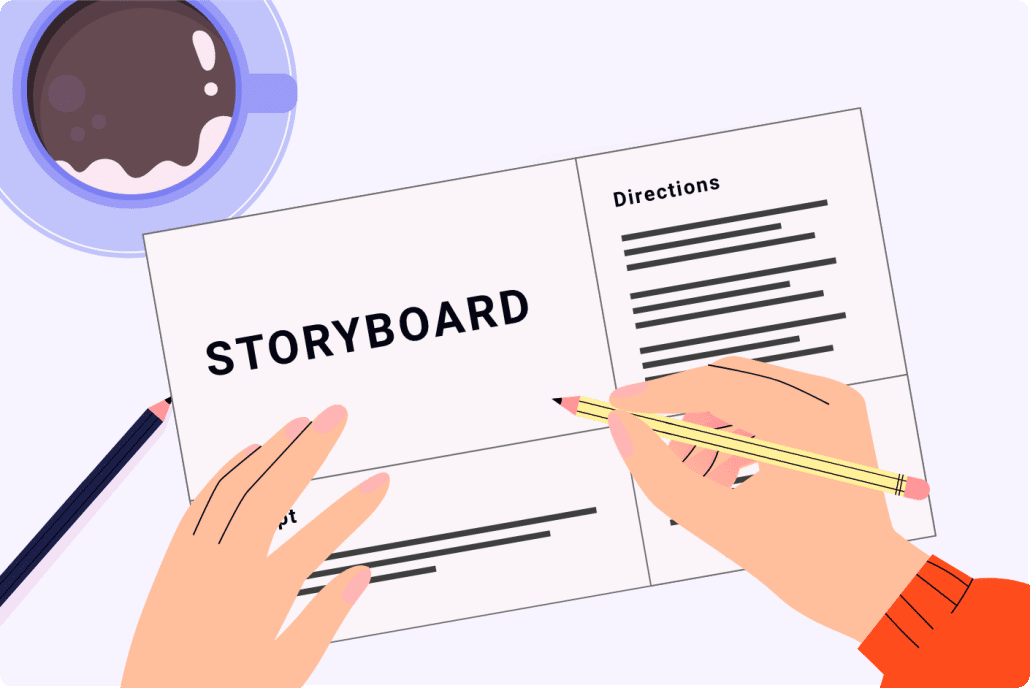
Download Video Igniter’s Free Storyboard Template
Next, we’ll turn your script into a storyboard. The storyboard is the blueprint for your explainer video. It tells the illustrators and animators what to create. We’ll create a simple visual mockup to illustrate what happens during each part of your script. The storyboard also includes a brief writeup to explain how the visuals move about the scene. We’ll send you the first draft of the storyboard as soon as it’s ready to review. Send us your revision notes and we will update your storyboard for you. You’ll get to review the storyboard again to see if it needs any more refinements before you approve it for production.
4. VoiceOver

You will receive several voiceover auditions from our team. Select your favorite voiceover talent and then we will oversee the recording of the full voiceover. You get to review the full voiceover and request edits if you fee anything sounds off. After you approve the voiceover, we’ll acquire the usage rights to use the audio recording in your video.
5. Soundtrack

Our team will select several soundtracks that we feel will enhance the presentation of your explainer video. Let us know which one you prefer and we’ll acquire the broadcast license to use it in your explainer video.
6. Illustrations
You will receive several pieces of concept art from our art director. Pick you preferred concept and collaborate with our art director to refine the concept art until you absolutely love it!
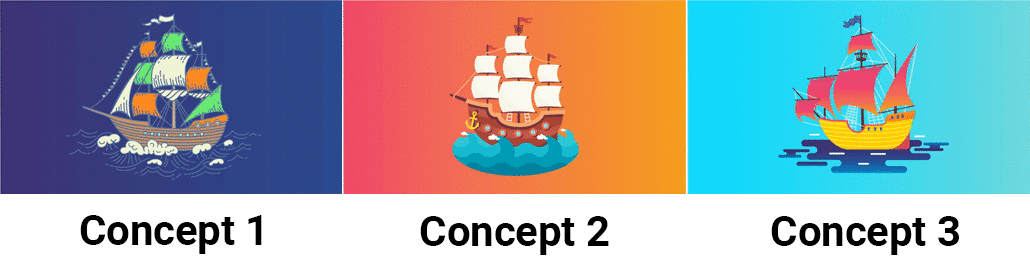
Then, our art team will produce all of the illustrations needed for your explainer video. You’ll receive a copy of all the art to review. Give it a detailed review and send us your feedback. Our team will revise your illustrations until you are completely happy with them.

7. Animation
Once the illustrations, voiceover and soundtrack are approved, our team can wrap up production on your explainer video. As soon as it’s ready, we’ll send you the first draft of your explainer video. Give it a detailed review (ideally with members of your target audience). Collect everyone’s feedback and send it to us. We’ll incorporate your edits and send you the final draft of your explainer video.

What are the benefits of explainer videos?
Businesses and organizations use explainer videos to help communicate new information because explainer videos:
✅ Make it easier for people to learn and comprehend new information.
✅ Retain the information they learned.
✅ Make it more likely for a person to click play (if the thumbnail is animated/illustrated).
✅ It’s easier to update and improve an explainer video over time to improve it’s conversion rate (very difficult and expensive do to with non-animated explainer videos).
✅ Animated explainer videos captivate and hold viewers attention longer than long form filmed content.
How to save money on the explainer video production process?

Here are 6 things you can do to save over $1,100 off of your video’s production cost:
1). Write the script for your animated video instead of hiring us to write it for you. Download our free script writing template here.
2). Create the storyboard for your animated video instead of hiring us to create it for you. Download our free storyboard template here.
3). Record the voiceover for your video. Watch this video to learn how you can record professional quality voiceovers at home or in the office for free, without having to buy any fancy equipment or expensive software.
4). Use free, legal music in your video. Facebook’s sound collection offers a vast library of music you can use for free in videos that you produce for Instagram and Facebook. Incompetech offers royalty free music you can use in all your videos as long as you credit the artist.
5). See if you can use free stock images, stock footage, icons, clip art, text and pre-created 3D models to help lower parts of the visual production cost of your video.
6). Use a simpler visual style for your explainer video that doesn’t take as much time and money to produce. Check out our rates for different levels of production quality.
For more budget saving tips, out this article for more tips on how to create affordable animation.
Tips for creating effective explainer videos

Here are the top 5 tips for creating highly effective explainer videos that connect with your target audience and deliver conversions:
1). Define your target audience
Sounds like a simple one but without doing this step, it’s easy to muddle your message. Defining your target audience makes it easier for the creative team to make decisions that speak directly to the needs of your target audience.
2). Call To Action
end your video with a call to action. Whether it’s teaching people where to get more information, encouraging them to download up or make a donation, it’s important to end your video with a direct request after using the build up of your explainer video to make a case for them to take action.
3). Test Your CTAs
It isn’t enough to just end your video with a call to action. We recommend creating alternate CTAs to test so that you can see which CTA is more likely to get people to take action after watching your video. Testing CTAs can increase conversion rates by 10% or more!

4). Unique Visual Style
The world of animation opens up infinite visual possibilities. The best way to keep people engaged with your video is to develop a unique visual style that’s fun and entertaining to watch.
5). Test Different Thumbnails
Your video’s thumbnail is the first impression for your video. consider testing different thumbnails to see which one gets more people to click play.
For a deep dive on how to A/B test variations of your explainer video to get more views, more engagement and more conversions, check out our companion article called, “How to improve your video conversion rate.”
What does explainer video production cost?

Most explainer videos cost $1,500-$10,000 to make for each minute of video that’s being created. Explainer videos that include 3D visualizations can cost a few thousand dollars more.
Looking for a quote for your explainer video’s production cost? Get a quote from our team!
How long does explainer video production take?

A 1-2 minute long explainer video takes 2-6 weeks to create. The variation in production timeline depends on how much animation is included in the explainer video and whether or not production is starting with a pre-approved script or storyboard.
Need to speed up production for your deadline? We offer rush delivery animation to help speed up explainer video projects.
Want to figure out how long production will take for your explainer video? Reach out to get a quote & production timeline or schedule a call.
How To Get The Explainer Video Production Process Started?

Ready to start production on your explainer video? Here’s how to get the ball rolling:
1). Get in Touch With Our Team
You can send us an email, schedule a call, get a quote, request access to our price sheet or fill out this questionnaire about your project.
2). Production Proposal
We’ll get back to you asap with a production budgte and a production proposal to produce your explainer video.
3). Pay The Production Deposit
We’ll send you an invoice for 50% of the estimated production budget for your video. The explainer video production process begins as soon as we receive your payment.
How to Choose the Right Type of Explainer Video
One of the first decisions you’ll need to make when planning an explainer video is choosing the right production style. Different animation techniques and video formats are better suited to different types of messages, audiences, and budgets.
Here are some of the most popular types of explainer videos to consider:
1. 2D Animated Explainer Videos
2D animation is one of the most popular formats for explainer video production. It uses illustrated characters, objects, backgrounds, and motion graphics to communicate information in an engaging visual format.
2D animation is particularly effective for:
- Explaining software, products, and services.
- Introducing a company or organization’s value proposition.
- Breaking down complicated concepts.
- Creating educational and training videos.
- Producing advertisements and promotional content.
- Explaining processes that would be difficult to film in real life.
One of the biggest advantages of 2D animation is its flexibility. Almost anything you can imagine can be illustrated and animated. You aren’t limited by physical locations, actors, props, or filming conditions.
2. 3D Animated Explainer Videos
3D animation uses three-dimensional models, environments, lighting, and camera movements to create a more realistic visual experience.
This style is particularly useful when you need to showcase the appearance, functionality, or internal components of a physical product.
Common applications include:
- Product demonstrations and virtual product tours.
- Architectural and real estate visualizations.
- Medical and scientific explanations.
- Industrial and manufacturing processes.
- Technology and engineering demonstrations.
3D animation can also be combined with 2D motion graphics, text, and other visual elements to create a more dynamic presentation.
3. Motion Graphics Explainer Videos
Motion graphics use animated typography, shapes, icons, illustrations, charts, and other graphic elements to communicate information.
They’re particularly effective for explaining statistics, presenting research findings, visualizing data, and communicating business concepts.
Motion graphics are often less expensive to produce than highly detailed character animation because they can use simpler illustrations and movement.
4. Live-Action Explainer Videos
Live-action explainer videos use filmed footage of real people, locations, products, and events.
This format is particularly useful when establishing a personal connection with viewers is important. For example, a company might use its CEO, employees, customers, or subject matter experts to explain a product or service.
Live-action footage can also be combined with animated graphics to highlight important information, visualize concepts, or explain things that aren’t easily captured on camera.
5. Hybrid Animated and Live-Action Videos
Hybrid videos combine filmed footage with animated elements. For example, you could film someone explaining your product while animated graphics illustrate the features they’re discussing.
This approach offers the best of both worlds: the authenticity of real people and the creative flexibility of animation.
Hybrid explainer videos are particularly useful for:
- Software demonstrations with animated UI elements.
- Educational videos featuring instructors and animated diagrams.
- Product demonstrations with animated feature callouts.
- Corporate videos combining interviews and motion graphics.
When choosing an explainer video style, consider your audience, messaging, visual preferences, and production budget. The best format is the one that communicates your message effectively rather than simply the one with the most impressive visuals.
How Long Should an Explainer Video Be?
The ideal length of an explainer video depends on the complexity of your subject matter, the amount of information you need to communicate, and where people will be watching it.
Here are some general recommendations:
- 15–30 seconds: Short promotional videos, advertisements, and social media content designed to communicate one primary message.
- 30–60 seconds: Product highlights, introductory videos, and concise explanations of individual features or services.
- 60–90 seconds: Traditional business explainer videos that introduce a problem, explain a solution, and communicate the benefits of a product or service.
- 90–120 seconds: More detailed explanations of products, services, and business processes that require additional context.
- 2–5 minutes: Educational content, technical explanations, software tutorials, and training videos that require more detailed instruction.
These are guidelines rather than strict rules. A complicated product might require three minutes to explain properly, while a straightforward value proposition might only need 30 seconds.
The most important consideration is how much time your audience needs to understand your message. Avoid adding unnecessary information simply to make your video longer.
A useful approach is to create one primary explainer video that communicates your core message and then produce shorter versions highlighting individual features, benefits, or talking points.
What Information Should You Prepare Before Hiring an Explainer Video Production Company?
Preparing some basic information before contacting an explainer video production company can make the entire experience easier and help you receive a more accurate production estimate.
You don’t necessarily need to have everything figured out before reaching out. However, having answers to the following questions will help your production team understand what you want to accomplish.
1. What is the primary objective of your video?
Are you trying to generate leads, increase product sales, explain a new service, educate customers, train employees, or raise awareness about an issue?
Identifying your primary objective helps determine the messaging, visual approach, and call to action.
2. Who is your target audience?
Consider who will be watching your video and what they already know about your subject.
For example, an explainer video targeting potential customers might focus on the benefits of your product. A video targeting experienced professionals might need to include more technical information.
3. What problem are you trying to solve for your audience?
Effective explainer videos connect a product or service to a problem that viewers actually experience.
Think about the challenges your audience faces and how your product, service, or organization helps address them.
4. What are your main talking points?
Make a list of the most important information you want viewers to understand.
Prioritize your talking points rather than trying to include every detail about your company or product. This makes it easier to develop a focused script.
5. Do you have examples of videos you like?
Collect examples of animations, advertisements, and explainer videos that demonstrate the visual style, pacing, and presentation you want.
You don’t need to find an example that matches everything you’re looking for. Even a few references can help your production team understand your creative preferences.
6. Where will your video be published?
Consider whether your video will appear on your website, YouTube, LinkedIn, Instagram, a paid advertising campaign, or an internal company platform.
This information can influence the video dimensions, pacing, text placement, and overall creative approach.
7. What is your production budget and deadline?
Having a target budget and deadline helps your production company recommend an appropriate approach.
If your budget is limited, the team might suggest simplifying the animation style, shortening the video, or using existing assets to reduce production costs.
What Makes an Effective Explainer Video Script?
Your script is arguably the most important part of the explainer video production process. Even beautiful animation can’t compensate for confusing messaging or a poorly structured presentation.
A good explainer video script communicates the most important information in a way that’s easy for your target audience to understand.
Here is a simple structure you can use when developing your script:
1. Introduce the problem.
Start by identifying a challenge, frustration, or need that your target audience can relate to.
This helps viewers recognize that your video is relevant to them.
2. Present the solution.
Introduce your product, service, or idea as a way to address the problem.
Explain what it does without overwhelming viewers with technical details.
3. Explain the benefits.
Show viewers how the solution improves their situation. Focus on meaningful outcomes rather than simply listing features.
For example, instead of saying that your software includes automated reporting, explain how automated reporting saves employees time and helps them make better decisions.
4. Establish credibility.
Depending on your subject matter, you might include customer testimonials, statistics, certifications, recognizable clients, or other evidence that supports your message.
5. End with a call to action.
Tell viewers what you want them to do next. This might include visiting your website, scheduling a demonstration, requesting a quote, downloading a resource, or making a purchase.
When writing your script, remember that people speak differently than they write. Use conversational language, short sentences, and terminology your audience understands.
You should also read your script aloud to estimate its runtime. A typical voiceover averages approximately 130–150 spoken words per minute, although pacing varies depending on the subject matter and delivery style.
How to Get More Value From Your Explainer Video
An explainer video shouldn’t be limited to a single placement on your website. With some planning, you can turn one production into several marketing assets that support different stages of your marketing funnel.
Here are some ways to get more value from your video production investment:
1. Add your explainer video to your website.
Your homepage, product pages, and service pages are natural places to publish explainer videos. A video can help visitors understand what you offer without having to read several paragraphs of text.
2. Publish your video on YouTube.
YouTube provides another opportunity for people to discover your content through search. Write a descriptive title, create a relevant description, and include a custom thumbnail.
3. Create shorter social media versions.
Edit your primary explainer video into shorter clips that highlight individual features, benefits, or talking points. These can be published on LinkedIn, Instagram, Facebook, and other social platforms.
4. Use your video in email marketing.
Include your explainer video in relevant email campaigns, sales outreach, and customer onboarding sequences. A short video can help introduce a product or explain a concept before a sales conversation.
5. Give your sales team access to your video.
Sales representatives can use explainer videos to introduce products, answer frequently asked questions, and communicate complicated concepts to prospective customers.
6. Incorporate your video into presentations.
An explainer video can make presentations more engaging by providing a visual demonstration of your product, service, or business concept.
7. Create multiple versions for different audiences.
If you sell products or services to different customer segments, consider creating variations of your explainer video that address each audience’s specific needs.
For example, a software company might create separate versions highlighting the benefits for business owners, marketing professionals, and IT departments.
Planning these additional uses before production begins can help you get more mileage out of your original video and potentially reduce the cost of creating future marketing assets.
How to Measure the Success of Your Explainer Video
Once your explainer video has been published, it’s important to evaluate whether it’s accomplishing the goals you established at the beginning of the project.
The right performance metrics depend on where your video is being used and what you want viewers to do after watching it.
Here are some metrics worth tracking:
Video views: How many people are watching your video? This provides a basic indication of its reach, although views alone don’t tell you whether people are interested in your message.
Average watch time: How long are people watching before leaving? This helps you understand whether your video is holding viewers’ attention.
Audience retention: At what point do viewers stop watching? Look for significant drop-off points that might indicate confusing messaging, unnecessary information, or pacing issues.
Click-through rate: If your video includes a link or call to action, measure how many viewers click through to the next step.
Conversion rate: How many viewers complete your desired action, such as submitting a contact form, requesting a demonstration, making a purchase, or downloading a resource?
Engagement: Depending on the platform, you can also measure likes, comments, shares, and other interactions.
For website videos, analytics tools can help you compare the behavior of visitors who watch your video with those who don’t.
You can also experiment with different thumbnails, video introductions, calls to action, and placements on your website.
Remember that a successful explainer video isn’t necessarily the one that gets the most views. A video that attracts fewer viewers but generates more qualified leads or sales might deliver significantly more value to your business.
Common Explainer Video Production Mistakes to Avoid
Even with a talented creative team, certain decisions can make an explainer video less effective. Here are some common mistakes to watch out for:
Trying to communicate too much information. An explainer video should simplify information, not overwhelm viewers with every detail about your business. Focus on your most important messages and save additional information for your website or supporting materials.
Using too much technical jargon. Unless you’re specifically targeting an expert audience, avoid complicated terminology that might confuse viewers. Explain concepts in language your audience already understands.
Focusing on features instead of benefits. Viewers want to understand how your product or service helps them. Make sure your video communicates the practical value of what you’re offering.
Choosing an animation style based exclusively on price. The cheapest production option isn’t necessarily the best value. A visual style should complement your messaging and represent your brand appropriately.
Making revisions after animation begins. Changes to an approved script or storyboard can create additional production work. Take the time to carefully review these materials before approving them for animation.
Forgetting about sound design. Voiceover, music, and sound effects all contribute to the viewing experience. Even relatively simple animation can feel more polished when the audio is thoughtfully produced.
Not including a clear call to action. Don’t leave viewers wondering what to do next. Give them a specific, relevant action to take after watching your video.
By avoiding these mistakes and investing time in planning, you can create an explainer video that’s more engaging, easier to understand, and better aligned with your business objectives.
Explainer Video Production Resources
These articles are popular among people reading and researching about how to make an explainer video:
- Explainer Video Examples & How To Make One
- How To Work With An Explainer Video Production Company
- What Goes Into The Cost Of An Explainer Video?
- Which Explainer Video Services Does Video Igniter Offer?
Still have questions about explainer video production?
Do you have a question about explainer video production that wasn’t addressed in this FAQ? Use this form to send us your question and we’ll follow up with an answer. We’ll also post the question and answer to this page so other people can benefit from the knowledge.

What is Video Igniter Animation?
Video Igniter Animation is an online animated video production service. By working with our team online, you can get your custom animated video produced faster and for less than hiring a brick and mortar animation studio.
We can help you create any kind of 2D animated video or 3D animation you can imagine. Check out our animated video portfolio!
Watch our explainer video on our home page to learn more about how we can help you create an animated video. For examples of the kinds of animation our team can produce, check out the demo reel below:
Looking For An Explainer Video Production Company In The U.S.?
Video Igniter is headquartered in Seattle, Washington.
Explainer Video Production Success Stories & Testimonials
Don’t just take our word for it – these testimonials highlight Video Igniter’s reliability, creativity, flexibility and ability to deliver animations that exceed expectations. When you choose Video Igniter Animation, you can rest assured that you are working with a trusted and reputable studio.
“Video Igniter were very easy to work with and the entire process for creating and suggesting edits was seamless and stress-free. I would work with them again and would recommend to others looking to create a modern and stylish explainer video.”
Clair Simpson – VP Marketing, Repool.com
“I run a video production company and outsource animation. The team at Video Igniter did a great job in taking the concept I very crudely drew out and making it into a beautiful animation. The review process was easy and their turnaround time was very quick. I’d def recommend them if you’re looking for an animation project.”
Pat Henderson – Founder, Path8 Productions
“Video Igniter offered us the critical combination of creative value, clear communication, and patience with stakeholder feedback. We ended up with truly high-quality design assets for our video series largely due to the extra level of commitment — and the right balance of efficiencies with flexibility in the process when called for.”
Larry Schlessinger – Sr. Creative Program Manager, Amazon Web Services
“Video Igniter came to us with a number of creative and engaging ideas and were able to create an exciting, impactful video in a short period of time. And the best part was that it cost much less than other options of similar quality. The video they made is a great marketing tool for us.”
Alex Raymond – Founder, Kapta Systems

Get in touch!
Schedule a call to discuss your animated video project.
Get a quote for us to create your animated video.
Request access to our newest price sheet.
Get a custom quote for your animated video and our production team will follow up with next steps.