
How Long Does Explainer Video Production Take?
Table of Contents
If you’re wondering how long does it take to make an animated explainer video, you’re in the right place!
Each stage of the production process takes a different amount of time. The length of your video and complexity of the illustrations and motion design also factors in. This outline presents a breakdown of what to expect during the explainer video production process. You’ll also learn how long each stage of the production process takes.
Explainer Video Production Process Timeline
- Pre-Production
- Script
- Storyboard
- Voiceover + Auditions
- Soundtrack
- Concept Art
- Illustrations
- Animation
If you have a question about the animated explainer video production process that isn’t answered in this article, you can use our contact form to ask your question or click the image below to with a member of our production team:

Pre-Production
Before you start looking for an animation studio or freelancer to make your custom animated video, spend some time getting clear about what kind of animation you want to create. We created a guide to help you think through the important details. Once you’ve spent some time identifying the important criteria, you’ll be better prepared to pick out a video animator that can produce the video you want, within your desired budget and timeline.
After you’ve hired a 2D animation studio or Video Igniter to produce your video, we will send you a questionnaire to learn more about your video.

While you’re in the pre-production stage, you should also spend some time organizing files like fonts, logos, icons, branding documents and more.
Not sure which animation style is right for your video? Read out our pros and cons list to learn what’s involved with producing different styles of animated videos:

Script
Under a normal production timeline, the script writing phase takes about 1 week for an animated video that’s 1 minute long. After the animator learns about your video idea, they will take 1-3 days to create the first draft of the script.

Download Video Igniter’s Free Script Writing Template
When the first draft is ready, take a day or two to review the script and organize your feedback for the production team. Once the writer receives your feedback, they can typically turn around a revised script in 24 hrs or less. Scripts typically take 1-3 rounds of edits to get to the final draft.
If you are writing the script yourself, allow 1-2 weeks for your team to review it and contribute their feedback. Ensure everyone has approved the script before you share it with your production team.

Storyboard
The next step of the explainer video production process is to turn the script into a storyboard. A storyboard is a document that explains what visuals and what motion design needs to happen during every sentence of your script. It’s essentially a blueprint for the design and animation teams so that they know what to create.
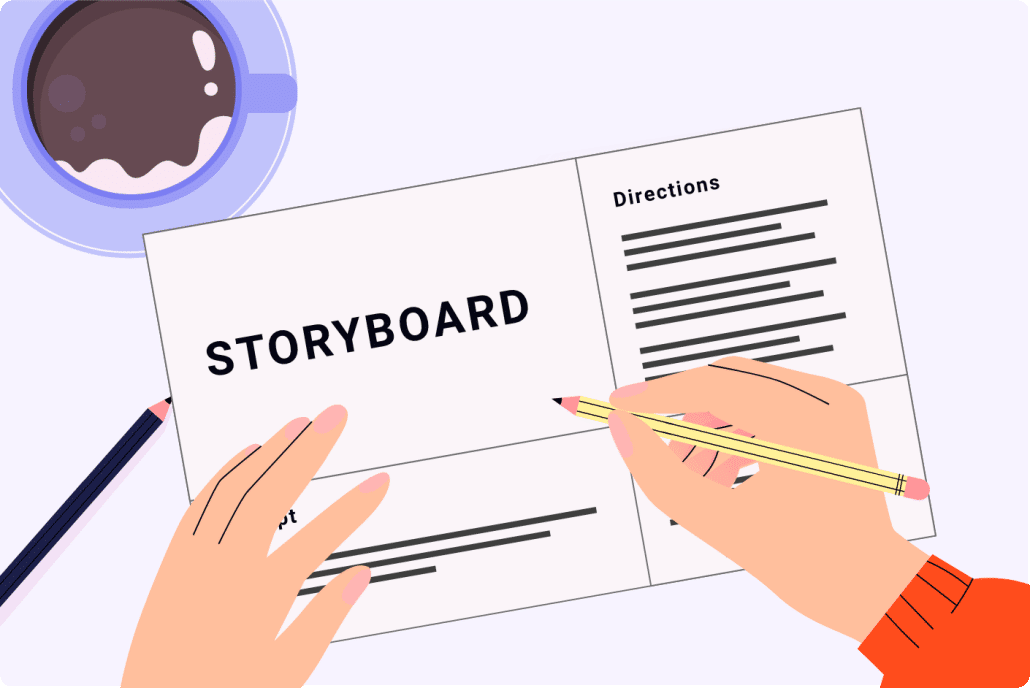
Download Video Igniter’s Free Storyboard Template
A storyboard for a 1-2 minute video typically takes 1-4 days to produce. Then, it takes about 2-3 days to review the storyboard with the client and incorporate their edits.
You can save money on your production budget by creating your own storyboard. To learn how to create your own storyboard, check out this companion article. We also have a free storyboard template and storyboard creation guide which you can access here:

VoiceOver + Auditions
Once your storyboard is approved, the next step of the animated explainer video production process is to get voiceover auditions for you to review. It takes about 1-3 business days to get voiceover auditions recorded and delivered from multiple artists. You should take a day or two to review the options with your team. Then, notify your animator about which audition is your favorite option. Tell your animation team if you want the voiceover artist to modify their tone when recording the full voiceover.
Your animation team will then get the full voiceover recorded in 1-3 business days. When the VO is ready to review, give it a detailed listen with your team. If you love the voiceover as is, let your animation team know. Otherwise, send them detailed feedback so that the voiceover artist will know which parts to rerecord. Provide specific instructions about how you want them to change the timing, energy or inflection used. It is also helpful to list what time in the recording the changes need to be made.

If you want to save time and a little money on your production budget, check out this video we made with tips on how to record your own professional sounding voiceover – even if you don’t have a studio or a professional microphone.
Soundtrack
Your animation team will also help select soundtracks that will enhance the presentation of your animated video. If you love one of the options, we’ll purchase the broadcast rights. Otherwise, we can select new options or wait until the first draft of your animated video is ready to view. That way, you can preview the video while listening to the different soundtrack options to feel which one is best.

Check out this guide to learn more about where to find soundtracks for your animated video.
Concept Art
After your storyboard is approved, the next phase of the explainer video production process is to create the concept art for your video. Depending on the size of your budget, you can expect to receive 1-5 different visual concepts showing how one scene of your animated video can be designed. This typically takes 2-5 days depending on the # of samples being created and the level of detail used in your animation.
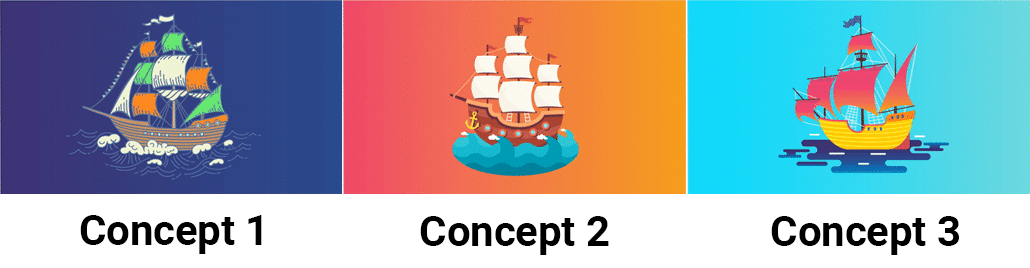
Once you receive your concept art, take a day or two to review the concepts with your team. Let your design team know which style you prefer. If you want to make visual refinements to the styleframe, now’s the time to speak up. If you like design elements from multiple concepts, tell your design team. They can combine the best design elements into a single visual concept for you to review and approve. This typically takes another day or two for the designers to create and then run by you for approval.
Illustrations

Now that your concept art is approved, the designers will create the rest of the art for your video. It takes about one week to create all of the art for a one minute animated video. Give your illustrations a thorough and detailed review. It’s important you are happy with the art before animation begins. If you love it as-is, let them you know you approve the art. Otherwise, submit your feedback to the design team and wait 1-3 days for the update. It’s not uncommon to do a 2nd round of edits on the illustrations for an additional layer of polish.
Animation
When the art, soundtrack and voiceover are approved, the animation team will start animating your video. One animator can animate about one minute of 2D animated content in one week. Revisions can typically be turned around in 1-2 days after the animator receives your feedback.

When you receive the first draft of their video, circulate the first draft among your stakeholders. It’s a good idea to get different people’s impressions and feedback. This way, when you come back with your list of edits, all the ideas are consolidated and can be addressed at once. Going through multiple rounds of revisions at this stage will likely increase your final production cost and the amount of time it takes to get your animation completed.
Post-Production
The final stage of the animated explainer video production process is called, “Post-Production.” Post-Production includes adding little details like sound effects, or rendering out multiple versions of the video with slight variations (perhaps you want to show a different business location’s address at the end of each video). These kinds of edits are typically simple and take 1-2 days to process after the final draft draft is approved.
Client Expectations and How to Set Realistic Timelines

Setting clear and realistic timelines for animated explainer videos is crucial to ensure the project progresses smoothly and meets both the client’s and the production team’s expectations. Often, clients may not be aware of the time commitment required for each stage of the process, from initial scriptwriting to final animation tweaks.
To avoid delays, it’s important to communicate the different phases of the project clearly. For example, the time spent on feedback rounds and revisions should be factored in early on. Be transparent about potential delays and set clear milestones so that both parties are on the same page.
By establishing a realistic production schedule upfront, both the animation studio and the client can ensure a smooth workflow and a timely delivery, reducing the risk of rushed decisions that could compromise quality.
The Impact of Animation Style on Production Time
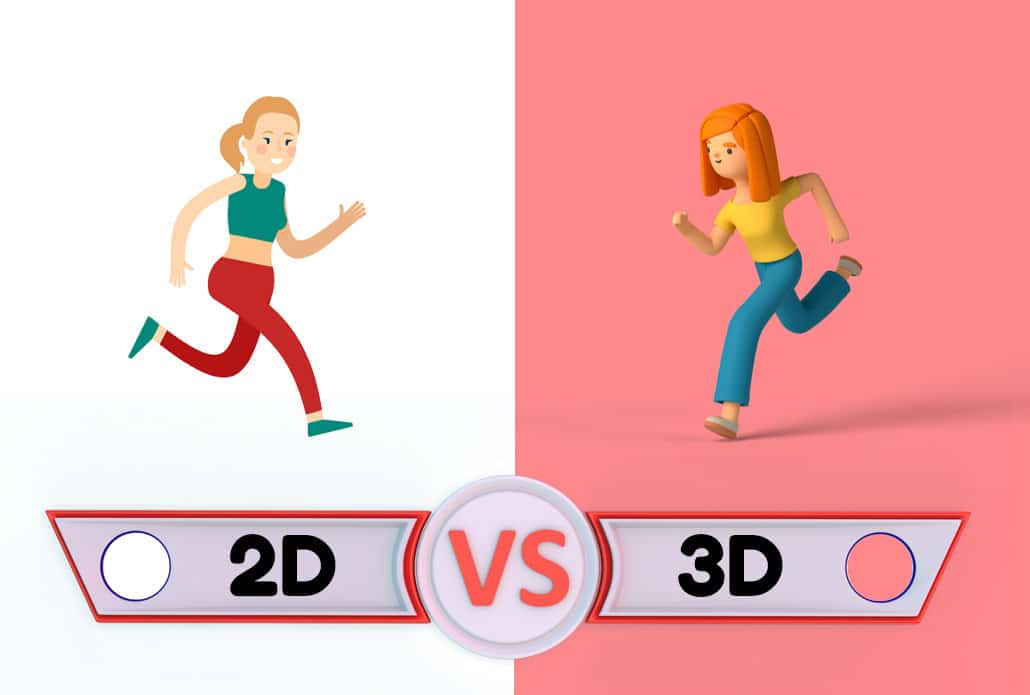
The animation style chosen for an explainer video can significantly impact the production timeline. Simple 2D animations often take less time to produce compared to more complex 3D or motion graphics. A simple character animation might require fewer frames and less detailed design work, while a high-quality 3D animation requires detailed modeling, texturing, lighting, and rendering, which takes more time. Additionally, motion graphics with advanced visual effects may involve intricate sequencing and rendering, adding extra production time.
When deciding on the animation style, it’s essential for clients to understand that more elaborate animation styles typically require more time to complete. For businesses looking to meet tight deadlines, opting for a simpler style can help keep the production time shorter while still delivering a high-quality video.
VoiceOver and Audio Considerations

VoiceOvers and sound design are integral components of any animated explainer video, and they play a crucial role in setting the tone of your video. The process of selecting a voice actor, recording the voiceover, and synchronizing it with the animation can add a significant amount of time to the production timeline. Additionally, clients may need to be involved in reviewing and approving the voiceover before finalizing the audio.
Factors like accent, tone, and pacing can all affect the time spent in this phase. Furthermore, sound design, which includes background music, sound effects, and audio mixing, also takes time to perfect. Clients should be prepared for the time it takes to incorporate these elements and ensure that all audio elements align perfectly with the visuals for a seamless final product.
Time for Iterations and Explainer Video Revisions

An animated explainer video typically goes through several iterations and rounds of revisions. After the initial draft is created, the client will usually provide feedback on elements such as animation, pacing, and overall messaging.
The number of revision rounds can greatly impact the overall timeline, so it’s important for both the animation team and the client to agree on the expected number of revisions beforehand. To ensure a quicker turnaround, clients should provide clear, constructive feedback rather than vague or general comments. This allows the animation team to make precise adjustments, rather than spending time trying to interpret unclear instructions. By planning for at least two or three rounds of revisions and setting realistic expectations about feedback time, clients can avoid unnecessary delays.
Pre-Production Time and Its Importance

Pre-production is a crucial phase in the creation of an animated explainer video, and it can often be the most time-consuming. During this phase, the script is written, the storyboard is developed, and the overall concept for the video is fleshed out.
Clients should understand that skipping or rushing through pre-production can lead to inefficiencies later on in the process. A well-developed script, storyboard, and plan will help ensure that the animation is aligned with the desired message and tone, reducing the likelihood of major revisions later.
Furthermore, the pre-production phase allows the animation team to establish a clear timeline and budget, which sets expectations for the remainder of the project. Clients who invest the necessary time in this phase can enjoy a smoother production process and a more effective final video.
Hiring Freelancers vs. Agencies For Your Explainer Video

When choosing between freelancers and agencies for animated explainer video production, it’s important to understand how each option affects the project timeline. Freelancers often have a more flexible schedule and may be able to start and complete a project faster than a larger agency.
However, agencies typically offer a more structured process, with specialized teams handling different parts of the production. This can lead to a higher-quality final product, but it may take longer, as the agency may need more time to coordinate various departments (e.g., animation, sound design, voiceovers).
For clients working with tight deadlines, freelancers may be an attractive option, but for more complex projects requiring specialized skills, an agency might be worth the additional time and investment.
The Role of Feedback in Speeding Up Production

Providing structured and timely feedback is one of the best ways to speed up the production process of an animated explainer video. Delays in receiving feedback or unclear instructions can cause the animation team to spend valuable time revising work that doesn’t meet the client’s expectations.
To avoid unnecessary back-and-forth, clients should provide specific feedback on each aspect of the video, from visuals to pacing to messaging. The more precise and prompt the feedback, the faster the production team can implement the changes, resulting in a quicker turnaround for the final video.
Cultural and Linguistic Considerations in Global Projects

For businesses creating animated explainer videos for a global audience, cultural and linguistic considerations can add additional time to the production process. Localization involves translating the video script, adapting the animation for different cultural contexts, and sometimes even adjusting the voiceover to reflect different accents or dialects.
This process ensures that the video resonates with audiences in different regions while maintaining the integrity of the original message. Clients should factor in the time it takes to localize content when planning their production timeline. Depending on the number of languages and regions involved, localization can add a few weeks to the project timeline, so it’s essential to plan accordingly.
Tracking Progress and Managing Timelines with Project Management Software

Using project management software can greatly improve communication and help track the progress of an animated explainer video project. Tools like Trello, Asana, or Monday.com allow both clients and the animation team to set deadlines, track milestones, and communicate in real-time. This helps ensure that everyone is on the same page throughout the production process.
Project management software can also help identify potential delays early on, allowing teams to make adjustments to the schedule before they become bigger issues. Clients who use these tools are more likely to stay informed about their project’s progress and can quickly address any roadblocks that arise.
Finalizing and Distributing the Video

Once the animation is completed, there are still a few crucial steps before the video is ready for distribution. The final steps include exporting the video in different formats (such as MP4, MOV, or AVI) for different platforms, performing a quality check to ensure there are no errors, and optimizing the video for web usage. Depending on the platforms where the video will be distributed (e.g., YouTube, social media, website embedding), certain adjustments might be necessary, such as adjusting the video size, aspect ratio, or adding captions. Clients should factor in time for these final steps when planning the project timeline. Having a clear plan for distribution ensures that the video will be properly optimized for the audience and platforms, leading to a successful launch.
Explainer Video Production Timeline by Project Type
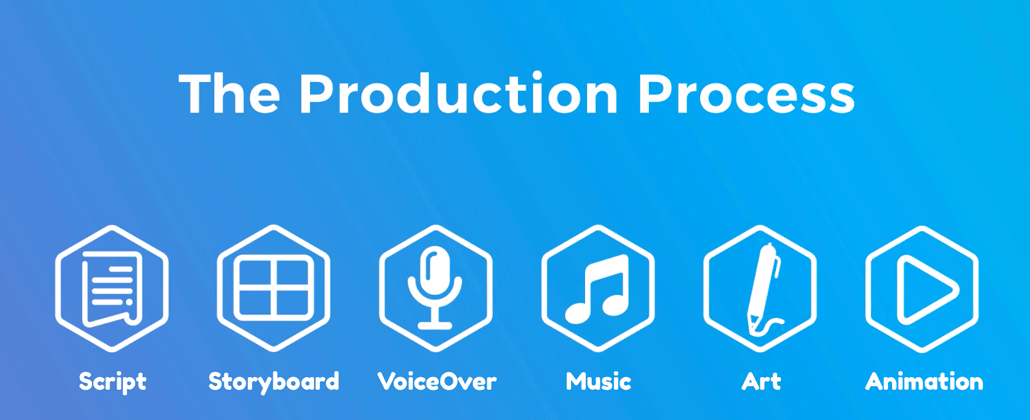
When businesses ask, “How long does it take to make an animated explainer video?”, they’re often surprised to learn there isn’t a universal answer. The production timeline depends heavily on the type of video you’re creating, the complexity of the visuals, and how many people are involved in reviewing the project.
Below are some general production timelines for different types of animated videos.
Simple Motion Graphics Videos
These projects typically include:
- Animated icons
- Text animations
- Basic transitions
- Limited custom illustrations
Average timeline:
2-4 weeks
These projects are ideal for startups, product announcements, and internal communications because they require fewer custom assets.
2D Character Explainer Videos
Most marketing explainer videos fall into this category.
Production usually includes:
- Script writing
- Storyboarding
- Character design
- Custom illustrations
- Voiceover
- Animation
- Sound design
Average timeline:
4-8 weeks
This allows enough time for revisions throughout each production milestone while maintaining high visual quality.
3D Animated Explainer Videos
3D production introduces several additional stages including:
- 3D modeling
- Rigging
- Lighting
- Texturing
- Rendering
- Simulation
Average timeline:
8-16+ weeks
Highly detailed product visualizations, medical animations, and architectural animations often require even longer production schedules.
Whiteboard Animation
Whiteboard videos generally involve fewer design decisions than fully illustrated animations.
Average timeline:
2-5 weeks
Because the illustration style is relatively simple, production can often move faster.
Training & Educational Videos
Training videos are frequently longer than marketing videos.
Although the animation style may be simple, longer runtimes naturally increase production time.
Average timeline:
6-12 weeks
Large employee onboarding projects may be delivered in phases rather than all at once.
What Causes Delays During Explainer Video Production?

Most production delays don’t happen because animation is slow.
Instead, delays usually occur during communication and approvals.
Here are the most common reasons production timelines expand.
Delayed Client Feedback
Animation teams often cannot begin the next stage until the current stage has been approved.
For example:
- Storyboard approval
- Concept art approval
- Voiceover approval
- Illustration approval
- Animation approval
If feedback takes several days—or several weeks—to arrive after each milestone, the project timeline can grow considerably.
Whenever possible, gather feedback from all stakeholders before sending revision requests to your animation studio.
Too Many Decision Makers
Projects involving multiple departments often take longer.
Marketing may want one thing.
Sales may request another.
Leadership may have additional revisions.
Legal may require compliance updates.
Consolidating everyone’s comments into one revision request saves significant time throughout production.
Scope Changes
One of the biggest production delays occurs when the project changes after work has already begun.
Examples include:
- Rewriting the script
- Adding new scenes
- Changing animation styles
- Updating branding
- Introducing new products
- Replacing screenshots
Even small changes can affect multiple production stages.
For example, adding one sentence to the script may require:
- Storyboard updates
- New illustrations
- Additional voiceover recording
- Extra animation
- Updated sound effects
Finalizing your messaging before production starts helps prevent these delays.
How to Speed Up Explainer Video Production
If your business has an important launch date approaching, there are several ways to shorten the production schedule.
Prepare Your Brand Assets Early
Before production begins, gather everything your animation team will need.
Examples include:
- Logo files
- Brand guidelines
- Fonts
- Product screenshots
- UI mockups
- Company colors
- Existing illustrations
- Photography
Having these assets ready eliminates unnecessary waiting later.
Finalize the Script First
The script influences nearly every stage of production.
Illustrations, voiceover, animation, and timing all depend on having an approved script.
Resist the temptation to continue editing the script after production begins.
Assign One Project Owner
Rather than having multiple people communicate directly with the animation team, designate one person to:
- Collect internal feedback
- Resolve conflicting opinions
- Submit consolidated revisions
- Approve milestones
This greatly improves communication efficiency.
Schedule Review Meetings in Advance
Many projects lose days simply waiting for stakeholders to schedule review meetings.
Instead, schedule milestone reviews before production begins.
For example:
- Script review
- Storyboard review
- Concept art review
- Illustration review
- Animation review
Having review dates already on everyone’s calendar keeps the project moving.
Why Rushing an Explainer Video Can Increase Costs

Businesses occasionally ask whether an animation can be completed in just a week or two.
While rush production is sometimes possible, it often increases production costs.
Rush projects may require:
- Multiple designers working simultaneously
- Evening or weekend production
- Expedited voiceover recording
- Priority rendering
- Overtime for animators
More resources are needed to compress the schedule without sacrificing quality.
Whenever possible, begin production several months before your planned launch.
To learn more about rush delivery, you can read Video Igniter’s companion article about rush delivery animation.
Questions to Ask Before Starting Your Animation Project

Before hiring an animation studio, ask these questions to better estimate your timeline.
- How many revision rounds are included?
- How quickly should we provide feedback?
- What happens if our deadline changes?
- Will one project manager oversee production?
- How frequently will we receive progress updates?
- What files should we prepare before kickoff?
- Can multiple production stages happen simultaneously?
- Is there a rush production option if needed?
Understanding these expectations early helps prevent scheduling surprises later.
Sample Timeline for a 60-Second Animated Explainer Video

While every project is unique, a typical production schedule might look something like this:
Week 1
- Creative brief
- Discovery meeting
- Script writing
Week 2
- Script revisions
- Storyboard creation
Week 3
- Storyboard approval
- Voiceover auditions
- Concept art
Week 4
- Final voice recording
- Illustration production
Week 5
- Illustration review
- Animation begins
Week 6
- First animation draft
- Client revisions
Week 7
- Final animation polish
- Sound effects
- Music mixing
- Exporting final deliverables
Projects with longer runtimes or more sophisticated animation styles naturally require additional time.
Planning Ahead Leads to Faster, Better Explainer Videos

The answer to “How long does it take to make an animated explainer video?” depends on far more than the length of the finished video. Factors like animation style, project complexity, stakeholder feedback, revision cycles, asset preparation, and production scheduling all influence the timeline.
The most successful projects are typically the ones that begin with careful planning. Businesses that finalize their messaging early, organize their brand assets, provide prompt feedback, and work collaboratively with their animation studio often experience a smoother production process and faster delivery. Rather than focusing solely on speed, aim for a production schedule that provides enough time for thoughtful creative development and quality assurance. A well-planned explainer video not only launches on time but also delivers stronger messaging, better viewer engagement, and a higher return on investment for years after it’s published.
Animated Explainer Video Production Resources

Now that you can answer the question, “how long does it take to make an animated explainer video,” here are some additional resources that will help you turn your idea into a custom animated explainer video:
- How to make video animations
- What explainer video services does Video Igniter offer?
- How much does it cost to hire an explainer video production company?
- How to make a 3D explainer video
- What is it like work with an animated explainer video company?
What is Video Igniter Animation?
Video Igniter is an animated video production company that creates 2D and 3D videos. Check out our animated video portfolio to see our latest and greatest creations!
Interested in learning about pricing for your video project? Request access to our pricing page here.


