How To Make 3D Animation: A Step-by-Step Guide
Table of Contents
Are you interested in creating stunning 3D animations but don’t know where to start? Look no further! In this article, we’ll take you through all the steps of the production process so you can understand how to make 3D animation, how long it takes, and how much it costs. Plus, we’ll show you how to make 3D animated videos with Video Igniter, a powerful and easy way to make custom 3D animated videos – even if you have zero animation or video production experience! Let’s dive in:
Examples of 3D Animations You Can Make With Video Igniter
Video Igniter can create any kind of 3D animation video for you. Check out our animation portfolio here. Request access to our demo reels and price sheet here.
To start your project contact us or schedule a call with our production team.
Are you looking for an example of a different style of 3D animation? Send us a message to let us know what kind of animation example you want to see and we will follow up with relevant production samples.

How to Make a 3D Animation?

1. Plan Your Animation
Before you start making your 3D animation, it’s essential to plan out what you want to show in your video. That way, you can figure out what kind of animation program to use or which animation studio to hire to create your particular type of 3D animation.
2. DIY or Hire An Animation Studio
There are many different 3D animation programs and 3D animation studios that you can work with to create your custom 3D animated video (including us, Video Igniter). You can use programs like Blender, Maya, and Cinema 4D to create your video. Or, you can find an animator or animation studio to hire to create the video for you. Check out this guide for more tips on how to hire an animator.
3. Develop Your Script

Download Video Igniter’s Free Script Writing Template
Before diving into the technical aspects of production, start by developing the script for your animation. You can write the script yourself or hire your animator to do it for you. Either way, it’s important to develop your script now so that you know what the general structure of your animation is going to look like. Check out this article for tips on how to create the script for your video.
4. Create Your Storyboard
Download Video Igniter’s Free Storyboard Template
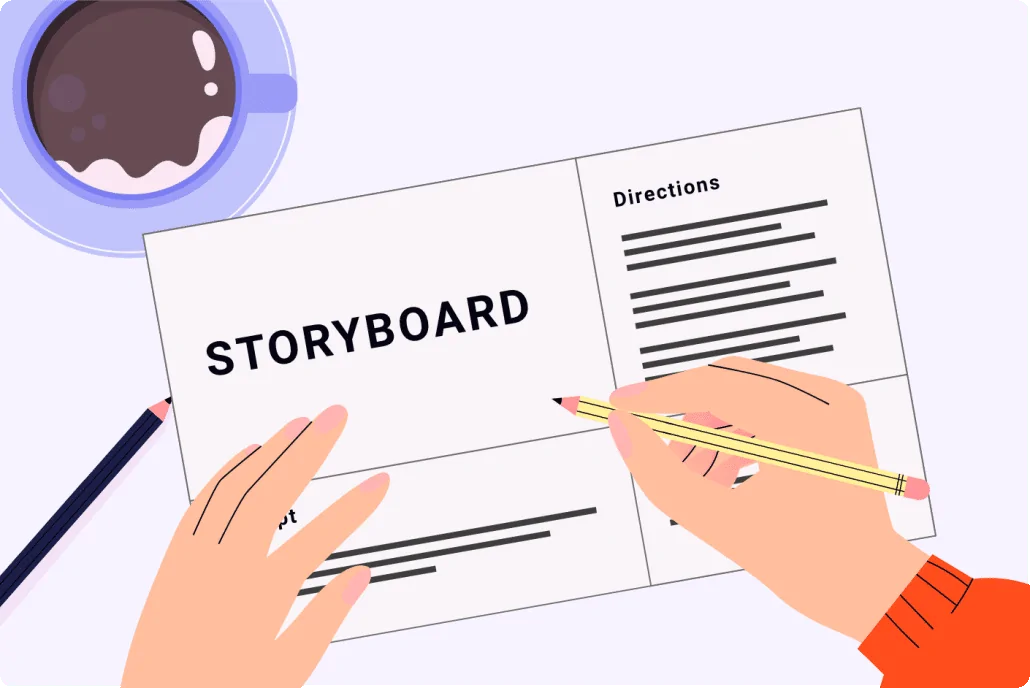
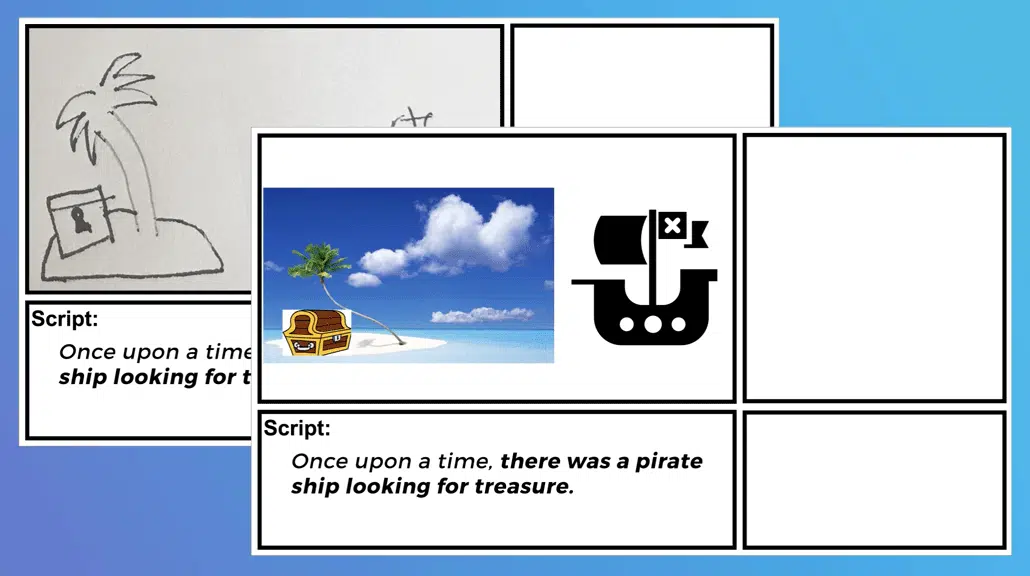
After your script is locked in, create a storyboard for your animation. The storyboard provides a simple visual representation of what you’re going to show for each sentence of your script. You can use sketches, clip art or free images you find online to lay out your storyboard. Creating a storyboard helps the production team understand what camera angles, character movements and scene transitions to use throughout your video. Download our free storyboard creation template here.
5. Produce The VoiceOver & Source Soundtracks

Now is a great time to start sourcing voiceover actors for your animation. The voiceover sets the timing and pacing of your animation which is why it’s important to get the full voiceover produced early so that it doesn’t prevent the animation team from getting started when the illustrations are finalized. Check out this article for tips on how to record the voiceover for your video. We also recommend sourcing soundtracks to play in the background of your animation to help enhance the presentation of your 3D animation.
6. Design and Model
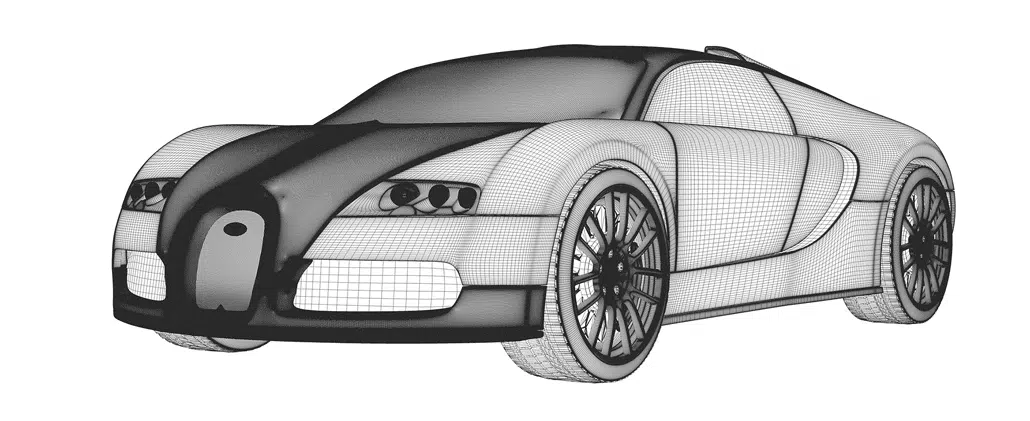
Using 3D modeling software, design your characters, objects, and environments. This involves sculpting, texturing, and rigging the models to prepare them for animation. This is one of the most complicated phases of production when you make a 3d animation. If you don’t have the time or skills to do this yourself, scroll down to the section in this article that explains how Video Igniter can make your 3D animation for you.
7. Animation
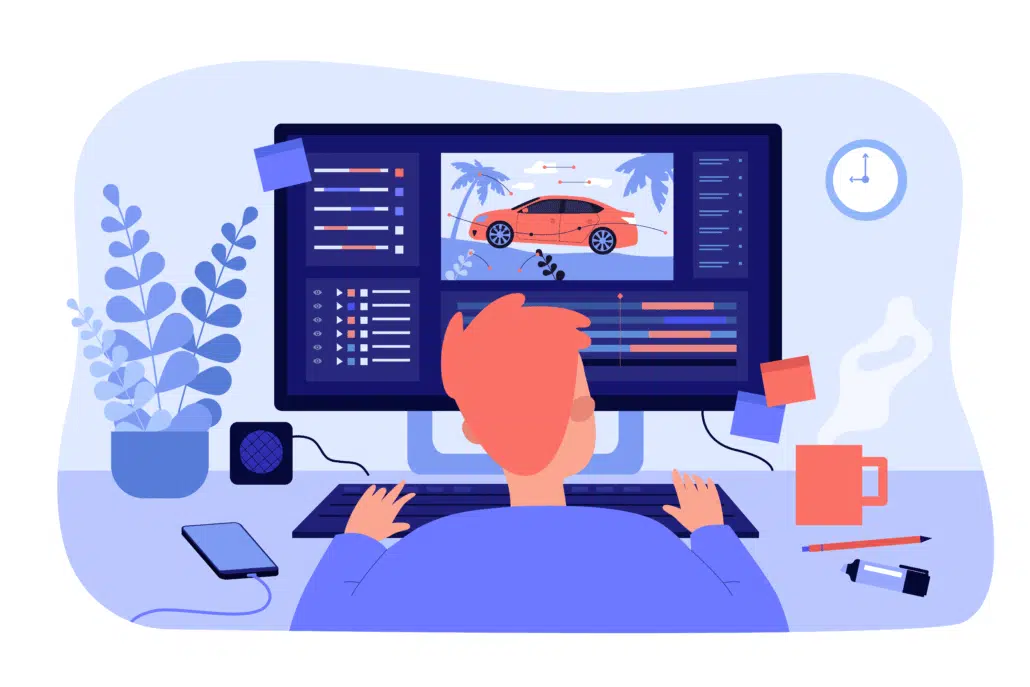
After all of the scenes, objects and characters are designed and approved for your animation, it’s time to add them all into your video animation software and add motion to them so that they are in sync with the timing of your voiceover.
8. Lighting
Set up lights in your scene to create the desired mood and atmosphere. Experiment with different light types, colors, and intensities to achieve your vision.
9. Special Effects
Now that the core of your 3d animation is created, you can add special effects to enhance key moments of your animation.
10. Rendering
Once you have your animation, lighting, and camera angles set, render the final output. This process involves converting the 3D scenes into a 2D video or image sequences.
11. Post Production
Now we can edit the rendered footage by adding sound effects, music and any final touches to make your 3D animation pop!
How long does it take to do 3D animation?

Now that you know how to make a 3D animation, you’re probably wondering: how long does it take to make a 3D animation?
The time it takes to create a 3D animation varies depending on factors like the complexity of the project, the level of detail, the skill of the animator, and the software and hardware used. A simple animation can take a few days to create, while a more complex project can take weeks or even months. Feature-length animated movies can take years to make. Remember that practice and experience can significantly reduce the time needed for future projects.
To give you a rough idea of how long it takes to make a 3D animation, here are some ballpark figures for a 60-second animated video:
- Script Writing: 1-2 weeks
- Storyboard Creation: 1-2 weeks
- VoiceOver & Music Selection: 1 week (happens simultaneously while concept art is being developed)
- Concept Art: 1-2 weeks
- Creating 3D Models: 1-3 weeks
- Coloring & Rigging Models For Animation: 1-3 weeks
- Animation: 1-3 weeks
- Post-Production: >1 week
How Much Does it Cost to Make 3D Animations?

If you are making a 3D animation yourself, then the cost comes down to your time + the cost of the animation software (free – $1200/yr), hiring voiceover actors ($50-$500) and paying for a license for stock music to use in your video ($9-$399).
On the flip side, if you’re hiring an animation studio to make your 3D animation for you, the cost depends on several factors, including the length and complexity of the animation, the skill level of the animator, and the software used. A basic animation might cost a few hundred dollars, while a high-quality, professional 3D animation costs thousands to hundreds of thousands of dollars to produce. Keep in mind that investing in the right tools, talent and expertise can save you time and yield better results in the long run.
Get a quote for your 3D animated video.
How to Make 3D Animated Videos with Video Igniter
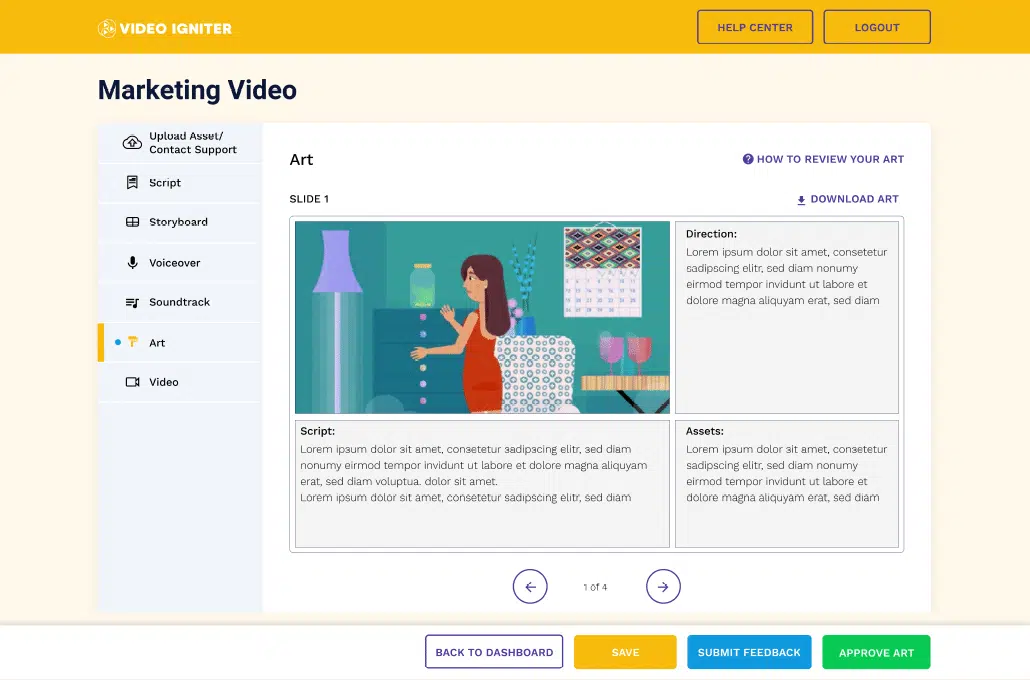
Video Igniter is an animated video production service that you can use to create 3D animated videos quickly and easily – even if you have no experience creating 3D animations. Video Igniter does all the work for you – all you have to do is describe what you want and provide feedback during the production process. Our team of professional animators does all the work for you behind the scenes to turn your idea into a real 3D animation.
Follow these steps to make a 3D animated video with Video Igniter:
1. Get a Quote
Get a quote for your project to make sure Video Igniter is a good fit for your project budget. You can request access to our current price sheet here.

2. Create Your Video Igniter Account
Video Igniter’s video production service runs in your web browser in order to make it easier to share files and feedback between you and your 3D animated video production team. Create your account here.
3. Fill Out a Creative Brief
Describe the animated video you want Video Igniter to create for you using the online creative brief. Here’s an example of the types of questions you will be asked.
4. Pay 50% of Your Production Budget
Production begins after you pay 50% of your estimated production budget.
5. Review Your Script
Video Igniter’s script writing team will review your creative brief and develop the first draft of the script for your 3D animation. If needed, a member of our production team will reach out with questions to help us write your script. When your script is ready, give it a detailed review and share your feedback via Video Igniter’s online production dashboard.

6. Review Your Storyboard
After you approve the script for your animation, our storyboard team will develop ideas for what to show during each part of your animation. 3D animations can be more technical and detailed than 2D animations. As such, a member of our production team may reach out to ensure we have clarity around all the details that we need to include in your storyboard. You get an opportunity to review the storyboard and request revision before approving your storyboard for production.
7. Review Your VoiceOver(s)
Video Igniter will audition voiceover talent for your video and send you some audio files to review. Let us know how you feel about the option(s) we send you. From there, we’ll get the full voiceover produced and give you a chance to request edits before approving the voiceover for production.
8. Review Your Concept Art
Video Igniter will develop some custom concept art for your 3D animation. Give it a detailed review and share your feedback with us so that our art director can refine the visual style and make it perfect for your brand.

9. Review Your 3D Models
After the concept art is approved, Video Igniter will create 3D models for every scene, object, and character featured in your 3D animation. These models will eventually have color, texture and rigging added to them so that they can be animated in your video. You get an opportunity to review the models and request edits.
10. Review Your Animation
Once the models and voiceovers have been approved, it’s time for us to animate! Video Igniter’s production team will animate your video, add lighting, special effects and music to enhance the presentation of your video. Give it a detailed review (ideally with members of your target audience). Collect everyone’s feedback and send us your notes so that we can make final revisions and render out the final draft of your 3D animated video.
Deep Dive: Learn More About 3D Animation
Check out this article for a more in depth look at ways to make 3D animated videos. Interested in outsourcing the production of your video? Check out our companion article to learn more about 3D animation outsourcing.
Advanced Tips to Improve Your 3D Animation Quality
Now that you understand how to make 3D animation from start to finish, let’s explore professional-level techniques that elevate your animation from “good” to “studio quality.”
1. Focus on Strong Previsualization (Previs)
Before committing to full animation, many professional studios create a rough animated draft called a previsualization or animatic. This is a simplified 3D version of your storyboard using basic shapes, temporary camera moves, and placeholder animation.
Why this matters when learning how to make 3D animation:
- It helps test pacing before heavy rendering begins
- Identifies camera problems early
- Prevents expensive rework
- Allows stakeholders to approve structure before details are finalized
Previs dramatically reduces production risks — especially for commercial or marketing 3D animation projects.
2. Master Camera Movement in 3D Space
One advantage of learning how to make 3D animation (instead of 2D animation) is full control of camera movement.
You can:
- Orbit around characters
- Create cinematic push-ins
- Add depth-of-field blur
- Simulate handheld motion
- Build immersive product fly-throughs
When designing camera movement, remember:
- Slow and intentional is better than overly complex.
- Movement should support the story — not distract from it.
- Avoid excessive spinning or floating unless stylistically justified.
If your animation feels “flat,” it’s often a camera issue — not a modeling issue.
3. Optimize Your 3D Models for Performance

Many beginners learning how to make 3D animation create models that are far too complex. High polygon counts dramatically increase render times and slow down production.
Professional workflows focus on:
- Clean topology
- Efficient polygon counts
- Proper edge flow for animation
- Reusable assets
If you’re creating a 60-second 3D animation for marketing, you don’t need feature-film-level modeling detail. Optimize for speed and clarity.
4. Understand Keyframe Interpolation & Graph Editors

One of the most important skills when learning how to make 3D animation is controlling motion curves.
When you animate, you place keyframes. But what happens between those keyframes is determined by interpolation curves.
Professional animators refine movement using:
- Ease-in and ease-out curves
- Bezier handles
- Motion smoothing
- Anticipation and follow-through
If your animation feels robotic or stiff, the problem usually isn’t the keyframes — it’s the curve refinement.
Spending time mastering the graph editor can instantly upgrade your animation quality.
5. Lighting Principles That Make 3D Animation Look Cinematic

Lighting is one of the biggest differentiators between amateur and professional 3D animation.
When learning how to make 3D animation, experiment with:
- Three-point lighting setups
- Rim lighting for subject separation
- HDRI environment lighting
- Volumetric lighting for atmosphere
- Color temperature contrast
Pro tip: Avoid evenly lighting everything. Strong animations use contrast to guide viewer attention.
Good lighting:
- Directs the eye
- Creates depth
- Establishes mood
- Enhances realism
Many beginners over-focus on modeling and under-focus on lighting — when lighting often has a bigger visual impact.
How to Make 3D Animation for Different Use Cases

The process of how to make 3D animation changes depending on your goal. Here’s how workflows differ across industries:
1. 3D Product Animation
Ideal for:
- Tech startups
- Consumer products
- Medical devices
- SaaS platforms
Focus areas:
- Clean materials
- Smooth camera movements
- Accurate proportions
- Realistic lighting
Product animation often prioritizes polish over character performance.
2. 3D Character Animation
Used for:
- Explainer videos
- Entertainment content
- Brand mascots
- Educational videos
Focus areas:
- Rigging quality
- Facial animation
- Expressive timing
- Body mechanics
Character animation takes significantly longer than product animation due to rig complexity and performance nuance.
3. 3D Architectural Visualization
Used for:
- Real estate marketing
- Construction previews
- Urban development projects
Focus areas:
- Real-world scale accuracy
- Environmental lighting
- Camera fly-through realism
- Material realism
Architectural 3D animation often requires advanced rendering for photorealistic output.
Common Mistakes to Avoid When Learning How to Make 3D Animation

Avoiding these pitfalls will accelerate your progress:
❌ Skipping Planning
Jumping straight into modeling without a script or storyboard leads to wasted time.
❌ Overcomplicating Early Projects
Start simple. Master fundamentals before attempting hyper-realistic simulations.
❌ Ignoring Sound Design
Even the best 3D animation feels incomplete without sound effects and music.
❌ Rendering at Maximum Settings Too Early
Test render small sections first. Don’t waste hours rendering drafts.
❌ Neglecting Audience Perspective
Always ask: Who is this animation for? What action should they take?
When learning how to make 3D animation for marketing purposes, clarity always beats complexity.
Should You Learn 3D Animation or Outsource It?

A common question after researching how to make 3D animation is whether it’s worth learning internally.
Learn It Yourself If:
- You want long-term in-house creative control
- You’re passionate about animation
- You have time to invest in skill development
Outsource If:
- You need high-end results quickly
- Your team lacks technical expertise
- Deadlines are tight
- The animation impacts revenue directly
Many companies start by attempting DIY 3D animation before realizing the learning curve is steep. Outsourcing to professionals often reduces long-term cost, especially when brand perception matters.
The Future of 3D Animation

If you’re researching how to make 3D animation today, you’re entering a rapidly evolving industry.
Emerging trends include:
- Real-time rendering engines
- AI-assisted animation tools
- Virtual production pipelines
- Motion capture democratization
- Interactive 3D web experiences
3D animation is no longer limited to film studios. Brands, startups, educators, and content creators are all using 3D animation to stand out in competitive digital spaces.
Understanding how to make 3D animation now positions you ahead of the curve as demand continues to grow.
Final Thoughts on Mastering How to Make 3D Animation

Learning how to make 3D animation is both technical and creative. It requires planning, modeling, animation principles, lighting mastery, rendering knowledge, and strong storytelling.
Whether you decide to produce animations yourself or partner with professionals, understanding the full process empowers you to:
- Make smarter creative decisions
- Avoid production pitfalls
- Manage budgets effectively
- Deliver visually compelling content
3D animation is one of the most powerful storytelling tools available today — and mastering the process unlocks limitless creative possibilities.
Still have questions about how to make a 3D animation?
Do you have a question about how to make 3D animation that wasn’t addressed in this FAQ? Use this form to send us your question and we’ll follow up with an answer. We’ll also post the question and answer to this page so other people can benefit from the knowledge.

What is Video Igniter Animation?
Video Igniter Animation is an animated video maker service that uses real animators to turn your ideas into reality. By working with our team online, you can get your custom animated video produced faster and for less than hiring a traditional brick and mortar animation studio.
We can help you create any kind of 2D animated video or 3D animation you can imagine. Check out our animated video portfolio!
Do you want to create an animated cryptocurrency video or an animated blockchain explainer video that explains how your technology works? We can help with that too.
Need help syndicating your animated video? Ask us about video promotion!
Watch our explainer video on our home page to learn more about how we can help you create an animated video. For examples of the kinds of animation our team can produce, check out the demo reel below:
Looking For An Animated Video Company In The U.S.?
Video Igniter is headquartered in Seattle, Washington.
Success Stories & Testimonials
“Video Igniter offered us the critical combination of creative value, clear communication, and patience with stakeholder feedback. We ended up with truly high-quality design assets for our video series largely due to the extra level of commitment — and the right balance of efficiencies with flexibility in the process when called for.”
Larry Schlessinger – Sr. Creative Program Manager, Amazon Web Services
“Video Igniter came to us with a number of creative and engaging ideas and were able to create an exciting, impactful video in a short period of time. And the best part was that it cost much less than other options of similar quality. The video they made is a great marketing tool for us.”
Alex Raymond – Founder, Kapta Systems
“I am beyond satisfied with my experience with Video Igniter. The first drafts of the work were almost exactly what I had in my head when developing the concept. After that each step along the way was seamless until arriving at a perfect finished product. And all this at a tremendous value. Anyone who has considered creating a marketing video should check out Video Igniter.”
Anonymous Customer Feedback

Get in touch!
Schedule a call to discuss your animated video project.
Get a quote for us to create your animated video.
Request access to our newest price sheet.
Create your Video Igniter account, fill out a creative brief for your video and we’ll begin production as soon as we receive your production deposit.