How To Improve Your Video Conversion Rate
Table of Contents
In this episode of The Video Igniter Show, we’re teaching sales and marketing teams how to improve their video conversion rate.
If you have a question about improving your video conversion rate that isn’t answered in this article, you can use our contact form to ask your question or click the image below to with a member of our production team:

Episode 3 Transcript
How To Improve The Conversion Rate Of Your Marketing Video
Lots of marketers use A/B testing to improve their website and conversion rates. But rarely do people think about A/B testing the main video on their homepage.
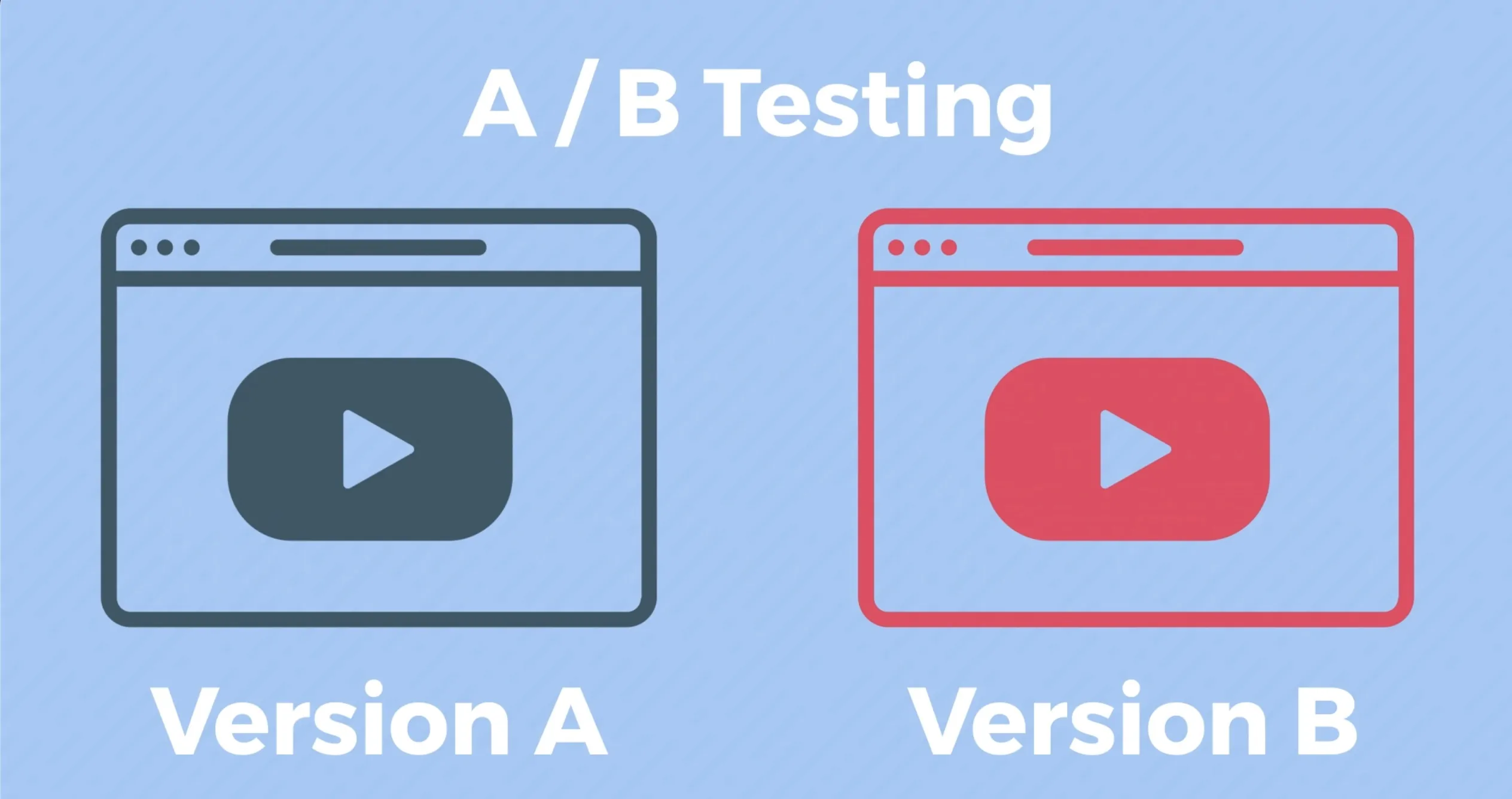
The three most beneficial things you can A/B test in your video to improve its overall conversion rate are: Testing different thumbnails to see what gets more people to click play. You can test different introductions to see what hooks people into watching longer. And you can test different calls to action at the end of your video that people can click on like: ‘download our app’ or ‘sign up for a free account.’
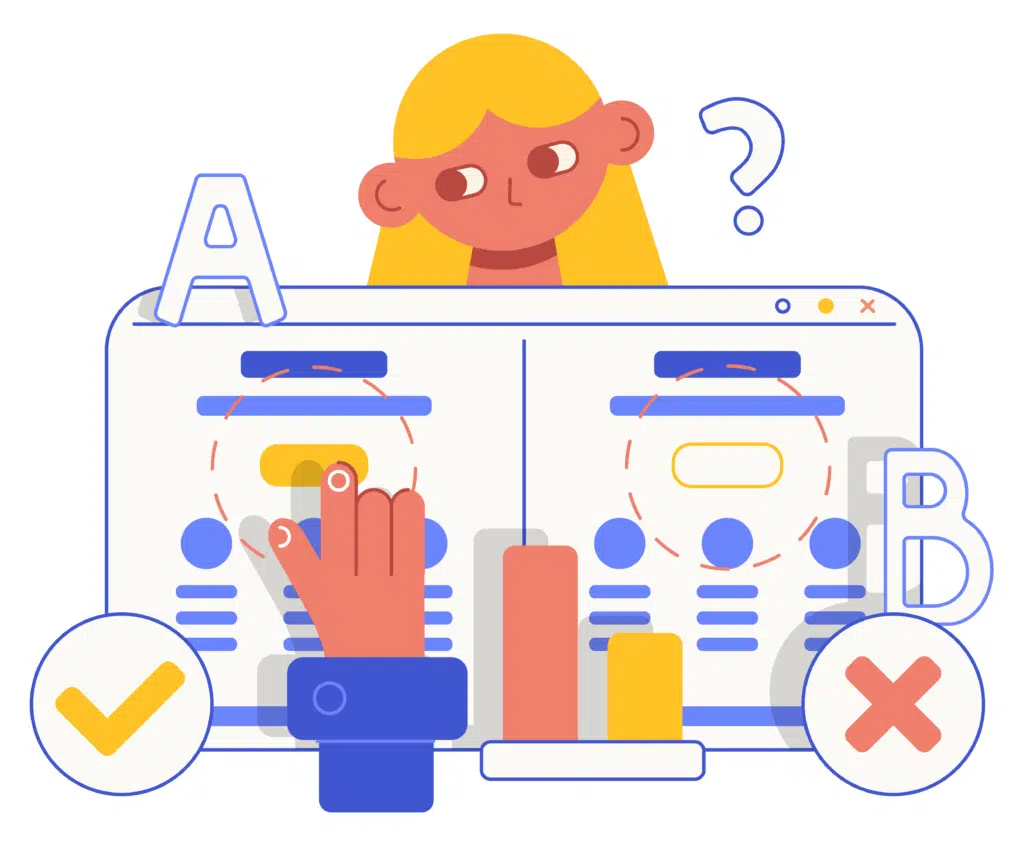
I’ll start by showing you how to A/B test different thumbnails for your video. Then, I’ll explain how the same method can be used to A/B test other parts of your video.
Increase Your Video’s Play Rate
Another way you increase your video’s conversion rate is by increasing the number of people who click play on your video by testing different thumbnails.
To test your video thumbnail you’ll need two different thumbnails for your video that entice people to click play. You’ll also need two copies of your video uploaded to a video hosting site.
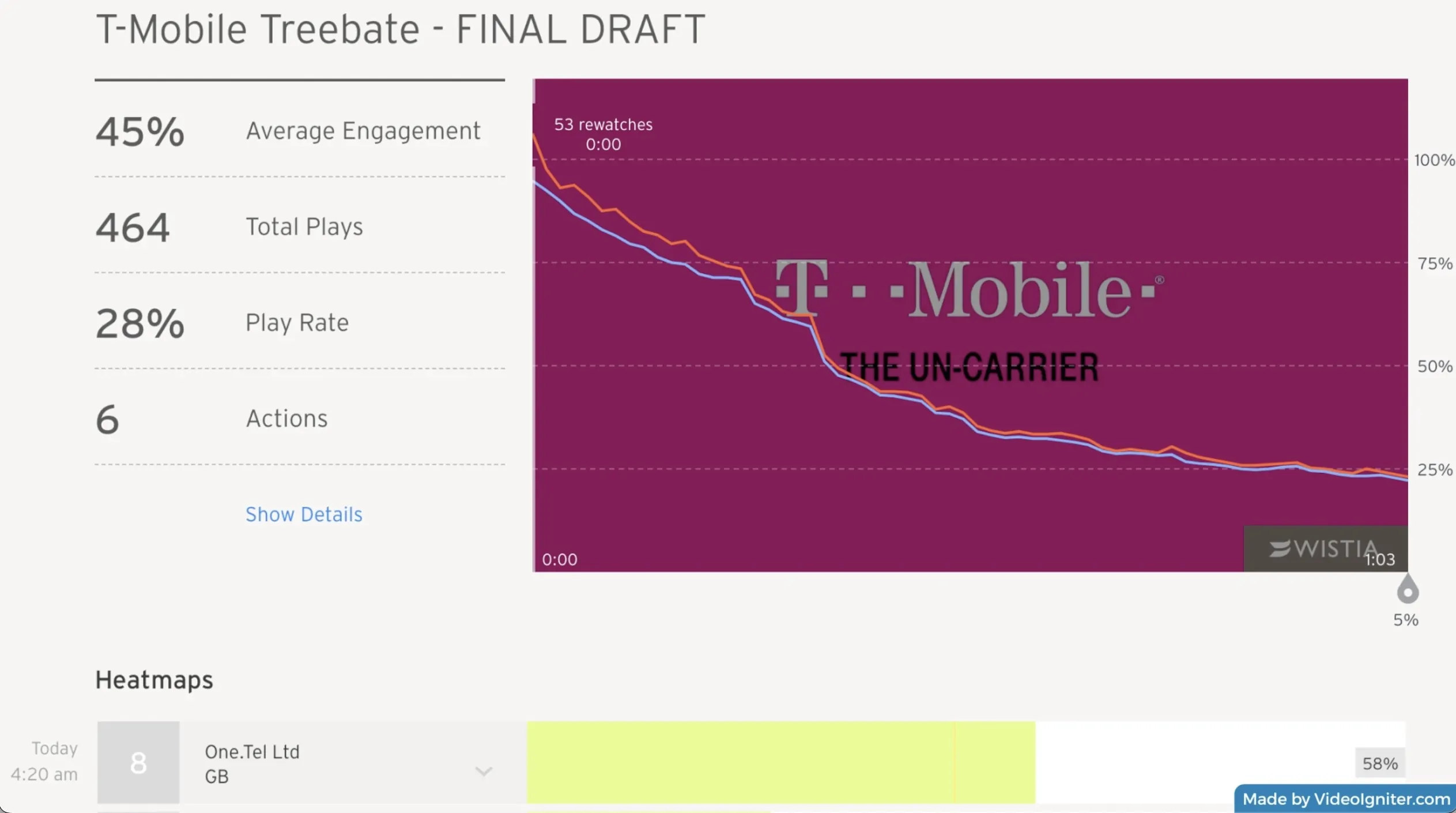
I recommend using Wistia because you can start using it for free. More importantly, their stats and analytics enable you to see what percentage of people who visit your site are clicking play on your video. They also tell you how long people are watching your video.
How to get more people to click play to watch your animated explainer video?
After you upload two copies of the video to Wistia, go to the customize section and upload Thumbnail A to the first copy of the video and Thumbnail B for the second copy.
Once that’s done, grab the embed code for Version A and Version B of your video because you’re going to need those in a second.
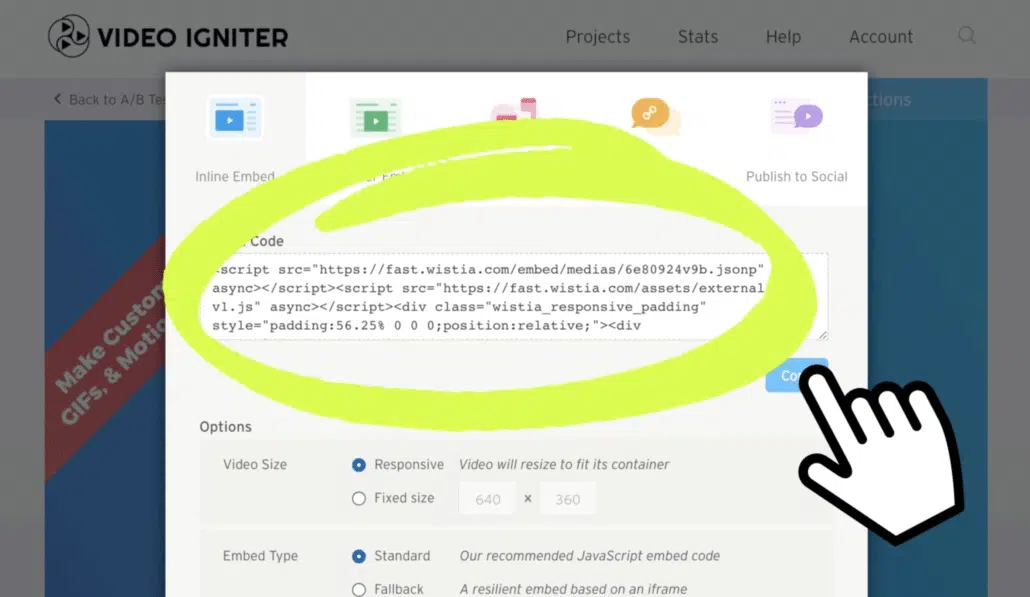
You’re also going to need to copy a small piece of code that randomly displays Version A to 50% of the people who visit your website and Version B to the other 50% of the people who visit your site.
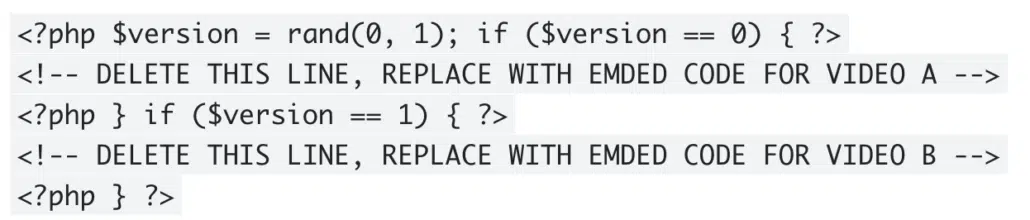
Use this code to split test variations of your video to see which version converts more viewers.
To set this up copy and paste the code into a document. In the first section of the code where it says delete this line replace with embed code for Video A delete that line and then paste in the embed code for Version A of your video. Then repeat this in the second section with the embed code for Version B. Finally take the whole piece of code and copy and paste it into your website in the place where your video is currently embedded.
Analyzing Your Video Optimization Data
That’s it now you can sit back and let your video run for a few days so it can collect some data. When you’re ready to review the stats and analytics to see which version gets more people to click play on your video search for a stat called, “Play Rate.” That’s the percentage of people who visit your website and click play on that version of your video.
Whichever version has a higher percentage of plays should become the default version of your video. When you’re confident you have a winner you could remove the code I had you add earlier and simply embed whichever version of your video has the higher play rate.

Improve Your Video’s Engagement Rate
Now, if you’re interested in A/B testing different intros for your video repeat the same steps however instead of uploading different thumbnails you’re going to upload two different versions of your video with different intros. Paste their embed codes into the special code like I showed in the first example. Then paste the whole thing onto your website. When you want to figure out which version keeps people watching your video longer, take a look at the stat called, “Average Engagement.” This tells you how much of the video your average viewer watches. Whichever version has the highest average engagement should become the default version of your video.
Increasing Your Video Conversion Rate
If you want to test different calls to action at the end of your video, upload two versions of your video that have different endings. You could test different ways to ask the viewer to sign up for a free account. Or maybe you want to test two completely different things like click here to download our app versus click here to watch another video and learn more.
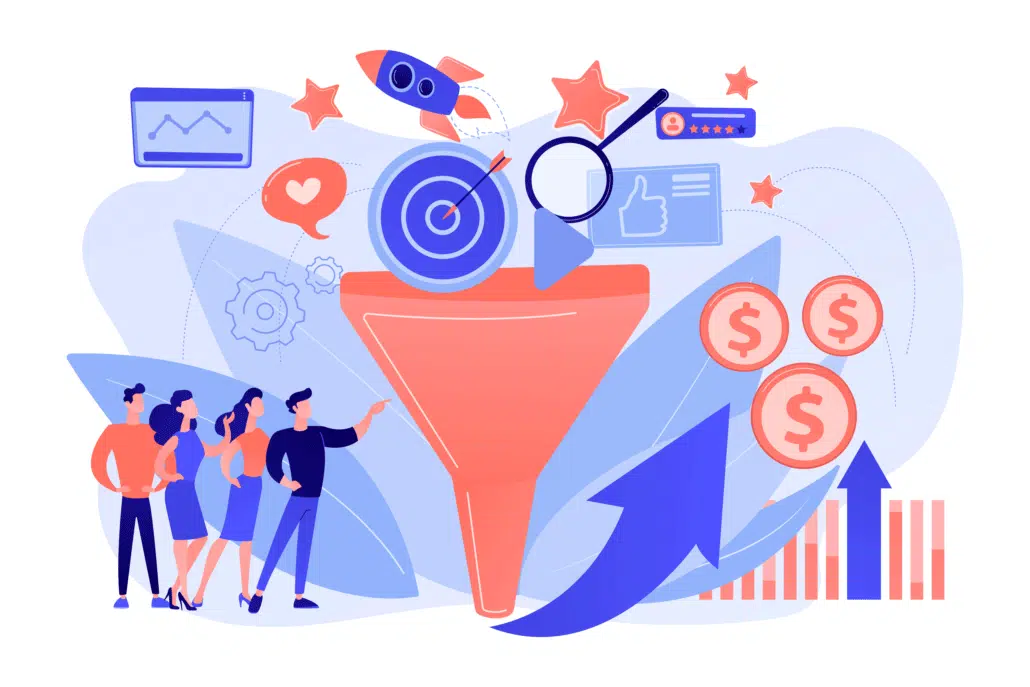
In order to figure out which one people click on more, get the link for people to click on to download your app and the link for the page where people can watch the other version of your video to learn more and paste those links into a site called Bit.ly. That will shorten a link for you and it’s going to enable you to see how many times people click on that link. Next go into Wistia and in the customize section for each video add a clickable call-to-action at the end of each video. Then, paste in the appropriate Bit.ly link for your viewers to click on.
After your video has run for a few weeks take each of your Bit.ly links and add a plus sign (+) in front of them. Then, paste each link into your browser. These modified links will take you to pages that show how many times each link has been clicked. This way, you can determine which call-to-action is more effective.
That’s all for this episode. Thank you for watching. We hope you learned some new ways to improve your video conversion rate. If you want to support the show share it with someone who will find this useful and you can subscribe or like the content on any of these channels.
<End transcript>
Common Mistakes to Avoid with Video Conversion Optimization
Creating videos that drive conversions is a fine art. Small mistakes can negatively impact the performance of your video content. In this section, we’ll highlight the most common pitfalls animation studios face and how to avoid them.

Mistake 1: Poor Video Quality
- Why It Matters: Low-resolution animations or poor editing can turn viewers away quickly. With high expectations around visual quality, delivering anything less than HD can hurt your credibility.
- Solution: Always prioritize high-definition videos and ensure the animations are polished and seamless. Use professional-grade animation software and invest time in the editing process to maintain a smooth flow and high visual appeal.
Mistake 2: Misleading Thumbnails
- Why It Matters: Thumbnails are the first impression viewers get of your video. If they don’t align with the content or are too generic, they might create unrealistic expectations, leading to lower engagement.
- Solution: Create custom thumbnails that are vibrant, eye-catching, and directly representative of your video’s content. Avoid clickbait—your thumbnail should reflect the value of the animation inside.
Mistake 3: Weak Calls-to-Action (CTAs)
- Why It Matters: If your video ends without prompting viewers to take the next step, you’re missing an opportunity to convert them into leads or customers.
- Solution: Place clear, direct CTAs within your video and at the end. Whether it’s subscribing to a newsletter, watching another video, or contacting your company, make the CTA actionable and easy to follow.
Mistake 4: Overloading Videos with Information
- Why It Matters: Animation videos are engaging, but overstuffing them with too much information can overwhelm the viewer and detract from the message.
- Solution: Keep your videos focused and concise. Stick to one key message per video, ensuring it remains digestible and impactful.

Advanced Strategies for Boosting Video Engagement
In an age where audiences are bombarded with content, making your animated video stand out is crucial. Here are some advanced strategies to maximize engagement and ultimately drive higher conversions.
Strategy 1: Use Interactive Elements
- What It Is: Interactive videos allow the viewer to click, choose options, or even participate in decisions throughout the video.
- Why It Works: Interactive features increase engagement by encouraging viewers to actively participate, rather than passively watch.
- How to Implement: Integrate clickable links, decision points, or quizzes within your animation. This keeps the viewer engaged longer, which can directly improve conversion rates.

Strategy 2: Personalize Your Content
- What It Is: Personalization involves tailoring the video to a specific audience segment, based on their preferences, behaviors, or demographics.
- Why It Works: Personalized videos feel more relevant and are more likely to resonate with the viewer, resulting in a higher likelihood of conversion.
- How to Implement: Utilize data analytics to segment your audience and create videos that speak directly to their needs, showcasing how your animation studio can solve their problems.
Strategy 3: Retarget Viewers with Follow-Up Videos

- What It Is: Retargeting uses data from previous video viewers to serve them relevant follow-up content, keeping them engaged with your studio’s offerings.
- Why It Works: It reinforces your message and increases the chances of conversion by reaching people who have already shown interest.
- How to Implement: After a viewer watches a specific video, retarget them with additional content related to the same subject or a call-to-action they might find valuable.
Video Conversion Rate Analytics: Tools & Metrics
Understanding how your animated videos are performing is key to improving your strategy. Here are the best tools and metrics to track the effectiveness of your videos and optimize for higher conversions.
Tool 1: Wistia

- Why It’s Useful: Wistia offers in-depth analytics on how viewers engage with your videos, including heat maps that show which parts of the video people are re-watching.
- Key Metrics to Track: Play rate, completion rate, average watch time, and conversion rate (e.g., how many viewers took the desired action after watching).
Tool 2: Google Analytics
- Why It’s Useful: Google Analytics can track user behavior on your website, including video views and interactions.
- Key Metrics to Track: Bounce rate, exit rate, and goal completions from video views (such as form submissions or purchases).
Tool 3: YouTube Analytics

- Why It’s Useful: If you’re using YouTube as a platform, YouTube Analytics provides a comprehensive breakdown of audience demographics and engagement metrics.
- Key Metrics to Track: View duration, click-through rate (CTR), and subscriber growth after watching specific videos.
Metrics to Focus On:

- Engagement Rate: Measures how much of your video people are watching.
- Conversion Rate: Tracks how many viewers take the desired action (e.g., fill out a form, sign up for a newsletter).
- Click-Through Rate (CTR): If you have links or CTAs in the video, CTR tells you how many people clicked on them.
Why Video Length Matters for Conversion Rates
Video length plays a pivotal role in engagement and conversions. You may be wondering: how long should my video be? Let’s dive into how video length impacts viewer behavior and conversion rates.

Why Length Matters:
- Attention Span: Shorter videos tend to perform better in retaining attention, especially for mobile audiences.
- Conversion Correlation: For certain industries, like e-commerce or SaaS, short, to-the-point videos may yield better results, while in-depth animated educational videos may require more length for context.
Optimal Video Length:
- For Explainers/Promos: Aim for 30 to 90 seconds for most promotional or animated explainer videos. This is enough time to deliver the core message without losing interest.
- For Educational/Training: If you’re offering deeper value, 5-10 minutes might be more suitable. Make sure the content justifies the length.
Testing Video Length: A/B testing is a great way to determine what video length works best for your audience. Try running different versions of a video with varying lengths and track conversion rates.
Video Conversion Rate Benchmarks: What Is Considered Good?

One of the most common questions marketers ask after launching a video is, “Is my video conversion rate actually good?”
The answer depends on several factors, including your industry, audience, traffic source, and the action you’re asking viewers to take. A video promoting a free newsletter signup will typically have a much higher conversion rate than one asking viewers to schedule a product demo or purchase enterprise software.
Instead of comparing your video against every other marketing video online, compare it against videos with similar goals.
Here are a few useful benchmarks to monitor:
- Play Rate: What percentage of page visitors click play?
- Engagement Rate: How much of the video does the average viewer watch?
- Completion Rate: How many viewers finish the video?
- Click-Through Rate (CTR): How many viewers click your call-to-action?
- Conversion Rate: How many viewers ultimately complete your desired action?
Rather than chasing industry averages, focus on improving your own numbers over time through continuous testing and optimization.
Where You Place Your Video Can Dramatically Affect Conversion Rate

Many companies spend months perfecting their marketing video but never experiment with where it’s displayed.
Placement often has just as much impact on conversions as the video itself.
Consider testing your video in different locations such as:
- Homepage hero section
- Product pages
- Pricing page
- Landing pages
- Sales pages
- Blog posts
- Knowledge base articles
- Email campaigns
- Webinar registration pages
- Thank-you pages
A homepage visitor may still be researching your company, while someone visiting your pricing page is often much closer to making a purchase. Showing different videos to different audiences throughout the buyer’s journey can significantly improve overall conversion rates.
How to Increase Video Conversion Rate Throughout the Customer Journey

Not every video needs to convince someone to buy immediately.
The highest-performing video marketing strategies often use multiple videos throughout the sales funnel.
Top of Funnel
The goal here is awareness.
Create videos that:
- Explain a common problem
- Introduce your company
- Educate your audience
- Build trust
- Generate curiosity
Calls-to-action might include:
- Read another article
- Subscribe
- Download a guide
- Join your email list
Middle of Funnel
Prospective customers now understand they have a problem and are comparing solutions.
Videos at this stage might include:
- Product demonstrations
- Explainer videos
- Customer success stories
- FAQ videos
- Industry education
- Feature walkthroughs
The goal is helping buyers understand why your solution is the right fit.
Bottom of Funnel
These viewers are close to making a decision.
High-converting videos often include:
- Testimonials
- Case studies
- Product comparisons
- Personalized sales videos
- Implementation walkthroughs
- Pricing explanations
The call-to-action becomes much stronger:
- Schedule a demo
- Start a free trial
- Request a quote
- Buy now
Using different videos throughout the customer journey often produces significantly better conversion rates than relying on a single marketing video for every audience.
Psychological Principles That Improve Video Conversion Rates

Successful marketing videos aren’t just visually appealing—they use proven psychological principles that encourage viewers to take action.
Build Trust Quickly
People decide within seconds whether they trust a company.
Ways to establish credibility include:
- Display customer logos
- Include industry certifications
- Show awards
- Feature recognizable clients
- Use authentic customer testimonials
Trust reduces friction before asking viewers to convert.
Reduce Uncertainty
People hesitate when they don’t understand what happens next.
Your video should clearly explain:
- What your product does
- How it works
- What happens after someone signs up
- How long implementation takes
- What support they’ll receive
Removing uncertainty often increases conversions.
Focus on Benefits Instead of Features
Many videos spend too much time discussing product features.
Instead of saying:
“Our software has automated reporting.”
Show the benefit:
“Your team saves five hours every week because reports generate automatically.”
Benefits connect emotionally while features explain functionality.
End With One Clear Next Step
A surprisingly common reason for low video conversion rates is presenting too many options.
Avoid ending your video with several competing calls-to-action such as:
- Subscribe
- Follow us
- Read our blog
- Watch another video
- Contact sales
- Download an ebook
Instead, guide viewers toward one primary action that aligns with your campaign goals.
How to Optimize Videos for Mobile Viewers
Mobile devices now account for a large percentage of online video consumption.
If your video isn’t designed for mobile viewing, your conversion rate may suffer.
Here are several best practices:
- Use large readable text.
- Keep scenes visually simple.
- Make calls-to-action easy to understand.
- Ensure buttons and interactive elements are mobile-friendly.
- Design thumbnails that remain recognizable on smaller screens.
- Avoid tiny interface details that disappear on phones.
Testing your videos across desktop, tablet, and mobile devices helps identify usability issues before launching a campaign.
Why the First 10 Seconds Matter Most
Viewer drop-off is highest during the opening moments of a video.
If the introduction fails to capture attention, viewers may never hear your value proposition or see your call-to-action.
Strong openings typically accomplish three things quickly:
Identify the Problem
Show viewers you understand the challenge they’re facing.
Create Curiosity
Introduce an interesting statistic, surprising fact, or compelling question that encourages viewers to continue watching.
Promise a Solution
Let viewers know they’ll receive valuable information if they stay engaged.
A strong opening improves audience retention, which frequently leads to higher conversion rates later in the video.
Video Conversion Rate Optimization Checklist

Before publishing your next marketing video, use this checklist to maximize your chances of success.
✔ The thumbnail encourages clicks.
✔ The opening captures attention within the first few seconds.
✔ The video focuses on one primary message.
✔ The pacing keeps viewers engaged.
✔ Branding is present without overwhelming the content.
✔ Text is readable on desktop and mobile devices.
✔ The value proposition is explained clearly.
✔ Customer benefits receive more attention than product features.
✔ The call-to-action is obvious.
✔ The landing page matches the messaging in the video.
✔ Analytics are configured to measure performance.
✔ Multiple versions are available for A/B testing.
Reviewing this checklist before launch helps identify opportunities to improve your video conversion rate before spending money driving traffic to the page.
Improving Your Video Conversion Rate Is an Ongoing Process

Many marketers expect a new video to perform perfectly on launch day. In reality, the highest-converting videos are usually the result of continuous optimization.
Small improvements can compound over time. A slightly stronger thumbnail may increase play rate. A better opening may improve audience retention. A more compelling call-to-action can boost click-through rates. Together, these incremental gains can significantly increase your overall video conversion rate without increasing your advertising budget.
The most successful organizations treat every marketing video as an opportunity to learn. They monitor viewer behavior, identify where audiences lose interest, test new creative approaches, and continually refine their messaging. Whether you’re creating an animated explainer video, SaaS product demo, customer testimonial, nonprofit video for a fundraising campaign, or product launch video, ongoing testing and data-driven optimization are the keys to turning more viewers into qualified leads and loyal customers.
Video Conversion Rate Conclusion
By addressing these essential factors—avoiding common mistakes, analyzing case studies, using advanced strategies, tracking analytics, and perfecting your video length—you can significantly improve your animation video conversion rates. Don’t forget, every audience is unique, so continuously test and optimize your video content for the best results!
More ways you can improve your video:
– 7 Tips to help you write a great script.
– Pick the right visual style for your promo video.
– 6 Tips To Increase Viewer Engagement.
– Review the Do’s and Don’ts of Promotional Explainer Videos.
– 7 Tips For Using and Improving Your Businesses’s Video.
– Learn how to interpret your video’s viewer data to see if it needs improvement.
Hire Video Igniter to Help You Get More Conversions From Your Videos
World class design talent at prices small businesses can afford.
We can make any kind of 2D or 3D animated explainer video you can imagine.
Check out our portfolio!
+20 reasons companies love hiring us to create animated videos.
Do you want to create an animated cryptocurrency video or an animated blockchain explainer video that explains how your technology works? We can help with that too.
Examples of Videos You Can Create With Video Igniter
Video Igniter can create any kind of 2D or 3D animated video for you. Check out our animation portfolio here. Request access to our demo reels and price sheet here. Contact us or to start making your video.

Success Stories & Testimonials
“Video Igniter came to us with a number of creative and engaging ideas and were able to create an exciting, impactful video in a short period of time. And the best part was that it cost much less than other options of similar quality. The video they made is a great marketing tool for us.”
Alex Raymond – Founder, Kapta Systems
“Video Igniter offered us the critical combination of creative value, clear communication, and patience with stakeholder feedback. We ended up with truly high-quality design assets for our video series largely due to the extra level of commitment — and the right balance of efficiencies with flexibility in the process when called for.”
Larry Schlessinger – Sr. Creative Program Manager, Amazon Web Services
“My whole family and everyone on Facebook thinks you are amazing. My whole office is freaking out.”
Patricia Shields – Real Estate Agent
“I am beyond satisfied with my experience with Video Igniter. The first drafts of the work were almost exactly what I had in my head when developing the concept. After that each step along the way was seamless until arriving at a perfect finished product. And all this at a tremendous value. Anyone who has considered creating a marketing video should check out Video Igniter.”
Anonymous Customer Feedback

Get in touch
Schedule a call to discuss your animated video and optimization goals.
Get a quote for your animated video.
Request access to our newest price sheet.
Create your Video Igniter account, fill out a creative brief, and then we’ll start making your animated video.
What is Video Igniter Animation?
Video Conversion Rate Bonus Resources
Looking for more tips to help you improve your video conversion rate? These free resources will help you create and optimize your video to help you generate more awareness, leads and sales!
Get More Eyeballs On Your Animation With Video SEO
Create An Animated Sales Video That Helps You Close More Sales
What Is The Explainer Video Production Process Like?
How Much Are Explainer Video Rates To Create A Video?