The Ultimate Guide to Choosing an Animation Creator for Your Project
Table of Contents
If you’re looking for an animation creator to help you turn your idea into a custom animated video, you’re in the right place! Whether you’re looking to create an explainer video for your startup, an educational series, or a promotional ad, finding the right animation creator is crucial to the success of your project. This comprehensive guide will help you navigate the production process and help you find the perfect animated video creator for your project.

Examples of Videos You Can Get With Video Igniter
Video Igniter can create any kind of 2D or 3D animated video for you. Check out our animation portfolio here. Request access to our demo reels and price sheet here.
Contact us or schedule a call to start making your video.
Are you looking for an example of a different style of animation? Send us a message to let us know what kind of animation example you want to see and we will follow up with relevant production samples.
Understanding the Role of an Animation Creator
An animation creator is a professional or team of professionals who use computer software to create animated 2D or 3D images. These professionals use their unique blend of creativity, storytelling, and technical skills to bring your ideas to life. They can work in various industries from advertising and gaming to film and education, creating everything from short animated clips to full-length feature films.
Key Factors to Consider When Choosing an Animation Creator

Experience, Expertise & Creativity
The animation creator’s experience and expertise should align with the requirements of your project. Consider their portfolio and previous work experience. Do they have experience in your industry or with the type of animation you need? If you require a specific animation style or technique, ensure the creator is well-versed in it.
Technical Proficiency
Creating a custom animation requires proficiency in multiple software programs. The animation creator should be skilled in using industry-standard software like Adobe After Effects, Maya, Cinema 4D, or Blender. Their technical skills will impact the quality and effectiveness of your animation.

Communication and Collaboration
Good communication and collaboration are crucial for a successful project. The animation creator should be open to your ideas, provide valuable input, and keep you updated on the project’s progress. They should understand your vision and be able to translate it into a compelling animation.
What are the different types of animation creators?
There are several types of animation creators you can work with, each with their own unique pros and cons. Let’s explore some of the most common types:
Traditional Animation

Traditional animation involves the use of hand-drawn or painted frames, which are then photographed or scanned to create the illusion of movement. This method has a rich history and is still cherished for its artistic appeal. Traditional animation can also be referred to as ‘frame by frame’ animation or cel animation.
Pros:
- Offers a distinct handcrafted and organic look.
- Allows for intricate details and expressive character animations.
Cons:
- Time-consuming and labor-intensive process.
- One of the most expensive forms of animation.
- Requires skilled artists and animators.
- Limited flexibility for making quick changes or revisions.
2D Digital Animation

2D digital animation involves creating animated content using computer software that mimics traditional animation techniques. Artists draw characters and backgrounds using digital tools. Then, animators use software programs to help manipulate the images and add motion.
Pros:
- Faster workflow compared to traditional animation.
- Easier to make modifications and revisions.
- Offers a wide range of unique visual styles and effects.
- Less expensive than traditional animation.
Cons:
- Still requires strong drawing and animation skills.
- Limited depth and dimension compared to 3D animation.
- May lack the organic feel of traditional animation.
3D Animation

3D animation utilizes computer-generated imagery (CGI) to create realistic or stylized animations in a three-dimensional space. It involves modeling, rigging, texturing, and animating virtual objects or characters.
Pros:
- Provides a high level of realism and depth.
- Allows for complex and dynamic camera movements.
- Offers a wide range of visual effects and rendering options.
Cons:
- Requires specialized software and technical expertise.
- Long rendering times for complex scenes.
- 3D animation is the most expensive form of animation.
- Can be resource-intensive in terms of hardware and software requirements.
Stop Motion Animation

Stop motion animation involves capturing a series of still images of physical objects or models, moving them slightly between each frame, and then playing them back rapidly to create the illusion of movement.
Pros:
- Creates a unique and tangible aesthetic.
- Allows for creative use of different materials and textures.
Cons:
- Requires meticulous attention to detail and patience.
- Time-consuming due to the manual manipulation of objects.
- Limited flexibility for making changes once filming is complete.
Motion Graphics

Motion graphics combine elements of animation, graphic design, and filmmaking to create visually engaging and dynamic content. It often involves the use of typography, shapes, icons, and graphical elements.
Pros:
- Ideal for conveying information and enhancing visual storytelling.
- Offers flexibility in terms of style and design.
- Can be integrated seamlessly with live-action footage or other media if you want to add animation to your video.
Cons:
- Less suitable for character-based narratives.
- Requires a good understanding of design principles.
- May require specialized software & plugins for advanced effects.
DIY Animation Templates
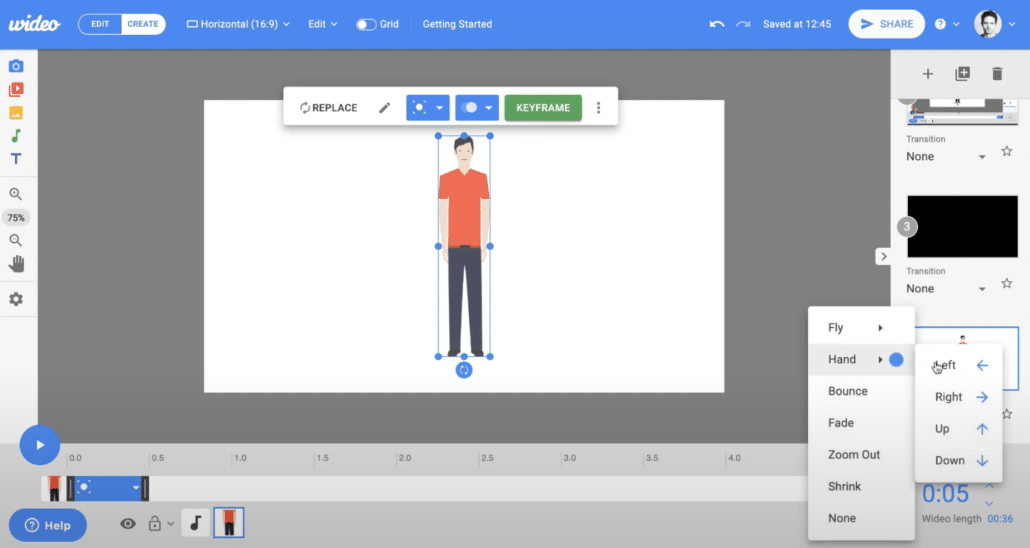
Sites like Wideo, Vyond, Powtoon and Animaker provide libraries of video templates and pre-created characters, scenes and objects that you can use to create your own animations using their online editing platforms.
Pros:
- Costs less than hiring a professional animation creator.
- You can produce videos whenever you want.
- Videos can be made in a few hours or days.
Cons:
- You have to do all the work yourself.
- Your videos will look like everyone else’s videos because they use the same templates, characters and designs.
- There are limitations to the types of animations you can create with these services.
Video Igniter Animation

Video Igniter is an online animation creator that does all the work for you. You can use Video Igniter to create any kind of animated video you can imagine. Simply describe the video you want and sit back while Video Igniter’s team of professional animators creates your 100% custom animated video for you.
Pros:
- Video Igniter does all the work for you.
- Zero video production experience needed.
- Video Igniter can create any kind of 2D or 3D animated video you can imagine.
- Costs less than hiring a traditional animated video production company.
Cons:
- Production takes several weeks because everything is custom made.
Assessing the Animation Creator’s Portfolio and References

When choosing an animation creator for your project, it’s essential to thoroughly assess their portfolio and references. This step will give you valuable insights into their style, capabilities, and previous client experiences. Here are some key points to consider when evaluating an animation creator’s portfolio:
Animation Quality
Pay close attention to the quality of the animations in the creator’s portfolio. Look for smooth movements, attention to detail, and overall visual appeal. High-quality animations demonstrate the creator’s technical proficiency and artistic skill, ensuring that your project will be executed at a professional level.
Check out Video Igniter’s portfolio here:

Animation Styles and Techniques
Consider the variety of animation styles and techniques showcased in the creator’s portfolio. Look for diversity in their work to ensure they can adapt to your specific needs. Whether you require 2D, 3D, character-based, motion graphics, or any other style, make sure the creator has experience and expertise in the style you desire.
Storytelling Abilities
Animation is not just about visuals; it’s also a powerful storytelling medium. Evaluate the creator’s ability to tell compelling stories through their animations. Assess how effectively they convey narratives, evoke emotions, and engage viewers. A skilled animation creator will understand the importance of storytelling and craft animations that resonate with your target audience.

Client References and Testimonials
Request references or testimonials from past clients to gain insights into their experience working with the animation creator. Reach out to these references to inquire about the creator’s professionalism, communication skills, adherence to deadlines, and overall client satisfaction. A positive track record and satisfied clients are strong indicators of a reliable and competent animation creator.
You can scroll down to the bottom of this article to read testimonials about working with Video Igniter Animation.
Understanding the Animation Creation Process
Before you start working with an animation creator, it’s good to have an understanding of the process that goes into making an animated video. Here’s a quick rundown of the production process:

Project Kick Off
Production begins with a questionnaire to learn about your video project and goals. This is your opportunity to explain what you want to communicate in your video in addition to providing information about your target audience and your preferred visual style for the animation.

Script
The animation creator will digest your information and draft a script for your video. You get an opportunity to review the script and request revisions before approving the script for production

Download Video Igniter’s Free Script Writing Template
Storyboard
Next, the animation creator will turn your script into a storyboard. The storyboard acts as a blueprint of instructions for the illustrators and animators so that they know what they’re supposed to create. You will be given an opportunity to review the storyboard and request edits before approving the storyboard for production.

Download Video Igniter’s Free Storyboard Template
VoiceOver
You will receive voiceover auditions for your video’s narration. Let the animation creator know which one you prefer and then they’ll get the full voiceover recorded. You will get an opportunity to review the full voiceover and request revisions.

Illustrations
The art director will develop concept art for your video. You select favorite visual concept and collaborate with the art director to refine the visual style until you love it.

Then, the illustration team will create all of the art for your video and give you a chance to request revisions before approving the art for production.

Sound
The production team will select several soundtrack options and sound effects that will enhance the presentation of your animated video. Select your favorite soundtrack and the animation creator will license the soundtrack for use in your video.

Animation
After everything is approved, the animation creator will animate your video. Review the first draft with your team and share your revision notes with the production team. They will incorporate your edits and render out the final draft of your animated video.
Animation Creator Budget and Timelines
When selecting an animation creator, it’s crucial to consider your budget and project timelines. Animation projects can vary significantly in terms of complexity, duration, and costs. Here are some points to keep in mind when discussing budget and timelines with an animation creator:
Project Scope and Complexity
Clearly define the scope and complexity of your animation project. This includes factors like the duration of the animation, the number of scenes, the level of detail required, and any additional elements like translating your video or editing shorter versions for social media. Providing this information upfront will help the creator provide an accurate estimate and ensure that the project can be completed within your desired timeline.
Cost Factors

Discuss the cost factors involved in the animation creation process. These may include the number of hours required for concept development, storyboarding, animation production, revisions, and rendering. Additionally, if you require original character design or custom assets, it may impact the overall cost. Ensure that you have a clear understanding of the pricing structure and any potential additional charges.
Flexibility and Communication
Maintain open communication with the animation creator regarding any budget or timeline constraints you may have. Discuss potential trade-offs or alternatives that can help meet your requirements without compromising the quality of the animation. A flexible and collaborative approach from both parties can lead to a successful project outcome that aligns with your budget and timeline expectations.
Timelines and Deadlines

Establish realistic timelines and deadlines for your animation project. Discuss the creator’s availability and their estimated turnaround time. Keep in mind that quality animations often require sufficient time for concept development, storyboarding, and production. Balancing your desired timeline with the animation creator’s schedule is essential to ensure a smooth and timely delivery of the final product. In some cases, rush delivery animation is available to speed up production.
What does it cost to hire an animation creator?

Most 2D animated videos can be produced for $1,500-$10,000 per minute of animation. More detailed forms of animation can cost $20,000-$50,000+ for each minute of video that is created. Most 3D animated videos cost $10,000-$100,000+ for each minute of animation that’s produced.
What Should You Expect From an Animation Creator?

Hiring an animation creator is about more than receiving a finished video file. Depending on your project, you may need multiple versions, creative assets, captions, audio files, or other deliverables that allow you to use the animation across different marketing and communication channels.
Before production begins, ask your animation creator what will be included in the final delivery. Clarifying the deliverables early can help prevent unexpected costs and make sure the finished animation is useful beyond its original purpose.
Animation Creator Deliverables

A typical animated video project may include a high-resolution master video, but there are many other deliverables you may want to consider.
Depending on your project, an animation creator may provide:
- A high-resolution master video
- Web-optimized video files
- Social media versions
- Short promotional clips
- Different aspect ratios
- Captions or subtitle files
- Voiceover and audio files
- Video thumbnails or still images
- Custom illustrations and graphics
- Reusable visual assets
If you know that your animation will eventually be used for advertising, social media, presentations, sales outreach, or other purposes, tell your animation creator before production starts. Designing the project around these requirements can be more efficient than adapting the finished animation later.
Some animators charge extra to provide the packaged up production files at the end of your project – be sure to ask if production files are extra or if they’re included in the price.
Choosing the Right Video Format for Your Animation

Where you plan to publish your animation can affect how it should be created. A video designed primarily for a website may have different requirements than an animation intended for mobile social media.
Common video formats include:
16:9 Landscape Animation
The 16:9 format is commonly used for websites, YouTube, presentations, online video players, and other traditional video applications.
9:16 Vertical Animation
Vertical animation is designed for mobile-first viewing and can be useful for platforms that prioritize full-screen vertical content.
1:1 Square Animation
Square videos can work well in social media feeds and other environments where a landscape video may not use the available screen space effectively.
If you need multiple formats, discuss this with your animation creator before production begins. Creating a flexible visual composition from the beginning can make it easier to produce alternate versions.
Animation Ownership and Usage Rights
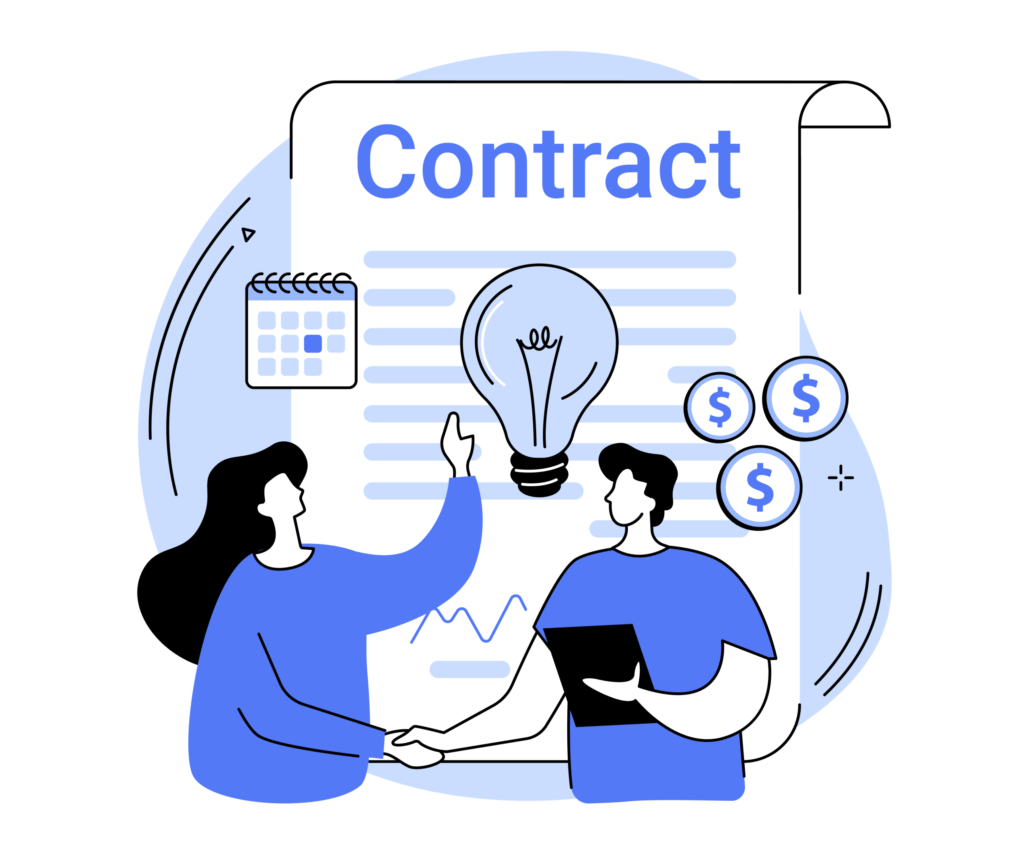
Another important consideration when hiring an animation creator is understanding who owns the finished work and how you are permitted to use it.
Your agreement should clearly explain the rights associated with the completed animation. This may include the finished video, original artwork, illustrations, character designs, music, voiceover, stock assets, and other components used in the production.
Music and voiceover can also have specific licensing requirements. A video that is licensed for one type of use may have restrictions depending on where and how it is distributed.
Before approving a project, ask your animation creator:
- Who owns the finished animation?
- Who owns the original artwork?
- What usage rights are included?
- Are music and voiceover licenses included?
- Can the video be used in paid advertising?
- Can the animation be edited or repurposed later?
- Can individual creative assets be reused in future projects?
Getting these details in writing can help avoid confusion after production is complete.
Using an Animation Creator for Brand Content

An animation creator can do more than produce one standalone video. If your company expects to create animated content regularly, consider developing a consistent visual system that can be used across multiple projects.
For example, your organization might establish recurring design elements such as:
- A specific illustration style
- Brand colors
- Typography
- Character designs
- Iconography
- Animation and transition styles
- Recurring visual motifs
A consistent animation style can make separate videos feel like part of the same brand. This can be especially useful for companies creating ongoing educational content, product videos, social media campaigns, sales materials, or training programs.
Instead of starting from scratch every time, your animation creator can use established visual guidelines as a foundation for future projects.
Repurposing Animation for Multiple Marketing Channels
One of the advantages of custom animation is that a single production can potentially become the foundation for multiple pieces of content.
For example, a longer animated video could be divided into shorter segments covering individual topics. Those segments could then be used for social media, digital advertising, email campaigns, presentations, or website content.
You could also create alternate versions for different audiences. A product animation might have one version designed for prospective customers and another designed for existing customers who need more detailed information.
Planning for repurposing before production begins can influence how the animation is scripted, storyboarded, and designed.
Making Animated Videos Accessible

Accessibility is another factor to discuss with your animation creator. Captions can make videos easier to understand for people who cannot hear the audio or who are watching in environments where sound is unavailable.
On-screen text should be readable, and important information should not depend entirely on narration. Visual communication should support the spoken message whenever possible.
If accessibility is an important requirement, communicate it at the beginning of the project. Your animation creator can then account for captions, text placement, pacing, contrast, and other considerations during production rather than attempting to address them after the video is finished.
Creating Animated Videos for International Audiences

If your organization operates in multiple countries, consider whether your animation will eventually need to be translated.
Translation can affect animation because different languages may require different amounts of screen time. On-screen text may also need to be redesigned or repositioned after translation.
A professional animation creator can help plan for localization by designing scenes that have enough flexibility to accommodate translated text and different voiceover lengths.
Planning for international versions at the beginning of a project can make future localization considerably easier.
How to Measure the Success of an Animation

A visually impressive animation is not necessarily a successful animation. Before publishing your video, determine how you will evaluate its performance.
The appropriate measurement depends on the purpose of the animation. A marketing video might be evaluated using metrics such as views, engagement, click-throughs, leads, or conversions. An educational animation could instead be evaluated based on completion rates, comprehension, or whether viewers successfully complete a desired task.
Consider the intended outcome when reviewing the finished animation. If the goal is to explain a complicated product, for example, simply generating a large number of views may not be the most important measurement.
Giving your animation creator a clear understanding of the desired outcome can help the creative team make better decisions about the video’s structure, pacing, visuals, and messaging.
Questions to Ask an Animation Creator Before Starting

In addition to reviewing an animation creator’s portfolio and discussing budget and timelines, consider asking these questions before signing a production agreement:
- What exactly is included in the final deliverables?
- Can you create multiple video formats?
- Can the animation be adapted for social media?
- Are captions included?
- What usage rights will I receive?
- Are music and voiceover licenses included?
- Can the artwork be reused in future projects?
- Can you create additional versions after the original project?
- Can the animation be localized into other languages?
- What happens if I need to update the video in the future?
These questions can help you choose an animation creator who can support not only the initial production but also the future needs of your content strategy.
The best animation creator is not necessarily the person who can produce the most elaborate animation. The right partner is one who can create visuals that communicate your message, fit your brand, work across the channels where your audience will see them, and provide enough flexibility for the content to remain useful over time.
How to save money when working with an animation creator

✅ Write the script for your animation. Download our free script writing template.
✅ Create the storyboard for your video. Download our free storyboard creation template.
✅ Use free, legal music from Incompetech or Facebook’s Sound collection.
✅ Record your own voiceover. Learn how to record yours at home for free.
✅ Consider using stock assets like icons, clip art and 3D models to save money on your production cost.
Why Companies Prefer Using Video Igniter as Their Animation Creator
Video Igniter has helped hundreds clients create engaging and effective animations. We are proficient in creating all styles of animation, ensuring we have the talent to bring any vision to life.
In addition to our technical skills, Video Igniter values communication and collaboration. We work closely with our clients, ensuring the final product aligns with your vision and meets your goals.
Schedule a call with our production team to discuss your animated video project.
Tips for Collaborating with an Animation Creator
Collaborating effectively with an animation creator is crucial to ensure the success of your project. By establishing a strong working relationship, you can bring your vision to life and achieve the desired results. Here are some tips to help you collaborate smoothly with an animation creator:
Clearly Define Your Goals

Before diving into the animation process, clearly define your project goals and objectives. Outline the key messages you want to convey, the target audience, and the desired outcome. Sharing this information with the animation creator will help them understand your vision and align their efforts accordingly.
Provide Detailed Briefs
A well-structured brief is essential for the animation creator to understand your project requirements. Include relevant information like the desired animation style, duration, key scenes, and any specific visual elements you want to incorporate. The more details you provide, the better the animation creator can tailor their work to meet your expectations.
Maintain Open Communication

Regular and open communication is vital throughout the animation process. Schedule regular check-ins or progress updates to stay informed about the project’s status. Encourage the animation creator to ask questions and provide feedback. This collaborative approach ensures that both parties are on the same page and can address any concerns or modifications promptly.
Trust the Expertise
While it’s important to provide clear guidance, it’s also crucial to trust the expertise of the animation creator. Remember that they are professionals in their field and bring valuable insights and creative ideas to the table. Be open to their suggestions and recommendations, as they can contribute to enhancing the quality and impact of the final animation.
Provide Timely Feedback To Your Animation Creator

Promptly providing feedback throughout the animation process is essential to keep the project on track. Clearly communicate your likes, dislikes, and any necessary revisions. Timely feedback ensures that adjustments can be made efficiently, avoiding delays and ensuring that the final product aligns with your expectations.
Animation Creator Production Resources

These resources are popular among people researching and reading about animation creators
Unleash Your Creativity With The Perfect Animated Video Creator
How to Create 3D Animations With Video Igniter
How To Create An Animation Online
How To Use Video Igniter’s Explainer Video Maker
How To Create Animated Video Content With Video Igniter
Animation Creator Conclusion
Finding the right animation creator for your project is a significant step towards creating compelling and engaging content. By focusing on factors like the animation creator’s experience, creativity, technical proficiency, and communication, you can find a creator that can bring your vision to life. Consider Video Igniter for your next project, and experience the difference a professional animation creator can bring to the table.
Remember, the right animation creator doesn’t just create animations—they tell your story, engage your audience, and help achieve your goals. Choose wisely!
Still have questions about animation creators?
Do you have a question about animation creators that wasn’t addressed in this FAQ? Use this form to send us your question and we’ll follow up with an answer. We’ll also post the question and answer to this page so other people can benefit from the knowledge.

What is Video Igniter Animation?
Video Igniter Animation is an online animated video production service. By working with our team online, you can get your custom animated video produced faster and for less than hiring a brick and mortar animation studio.
We can help you create any kind of 2D animated video or 3D animation you can imagine. Check out our animated video portfolio!
Watch our explainer video on our home page to learn more about how we can help you create an animated video. For examples of the kinds of animation our team can produce, check out the demo reel below:
Looking For An Animation Creator In The U.S.?
Video Igniter is headquartered in Seattle, Washington.
Animation Creator Success Stories & Testimonials
Don’t just take our word for it – these testimonials highlight Video Igniter’s reliability, creativity, flexibility and ability to deliver animations that exceed expectations. When you choose Video Igniter Animation, you can rest assured that you are working with a trusted and reputable studio.
“Video Igniter were very easy to work with and the entire process for creating and suggesting edits was seamless and stress-free. I would work with them again and would recommend to others looking to create a modern and stylish explainer video.”
Clair Simpson – VP Marketing, Repool.com
“I run a video production company and outsource animation. The team at Video Igniter did a great job in taking the concept I very crudely drew out and making it into a beautiful animation. The review process was easy and their turnaround time was very quick. I’d def recommend them if you’re looking for an animation project.”
Pat Henderson – Founder, Path8 Productions
“Video Igniter offered us the critical combination of creative value, clear communication, and patience with stakeholder feedback. We ended up with truly high-quality design assets for our video series largely due to the extra level of commitment — and the right balance of efficiencies with flexibility in the process when called for.”
Larry Schlessinger – Sr. Creative Program Manager, Amazon Web Services
“Video Igniter came to us with a number of creative and engaging ideas and were able to create an exciting, impactful video in a short period of time. And the best part was that it cost much less than other options of similar quality. The video they made is a great marketing tool for us.”
Alex Raymond – Founder, Kapta Systems

Get in touch!
Schedule a call to discuss your animated video project.
Get a quote for us to create your animated video.
Request access to our newest price sheet.
Get a custom quote for your animated video and our production team will follow up with next steps.