Explainer 101: Learn How To Make Video Explainers
Table of Contents
Do you want to make an explainer but aren’t sure how to get started? In this article, we’ll teach you everything you need to know about how to make effective explainer videos including how much they cost, how long they take to make and what to look for when hiring an explainer video producer.

What is an explainer?
Explainers, sometimes referred to as explainer videos or animated explainer videos, are short concise videos that break down large topics and explain them in simple terms. Explainers can be made with video animation, they can be filmed, they can mix stock footage with motion graphics and they can even be made as whiteboard animations.
Examples of Explainer Videos You Can Get From Video Igniter
Video Igniter can create any kind of 2D or 3D explainer video for you. Check out our animation portfolio here. Request access to our demo reels and price sheet here.
Contact us or schedule a call to start making your video.
Are you looking for an example of a different style of explainer video? Send us a message to let us know what kind of explainer you want to see and we will follow up with relevant production samples.
How to Make An Explainer
There are a variety of online animation makers you can use to create video explainers or you can hire an animation studio or Video Igniter to create your explainer for you. Regardless of which production option you choose, here’s a quick overview of the production process for creating an explainer.

Explainer Kick Off
When you start creating an explainer, you should identify a few key details before you begin production:
– What do you want to communicate in your explainer?
– What are the main sub categories that you need to break your main topic down into?
– Who is the target audience for your explainer?
– What kind of visual style do you want to use when creating your explainer?
– What is the main takeaway that you want people to remember at the end of your explainer?

Explainer Script
Now that you’ve identified the main talking points for your explainer, it’s time to create the script for your explainer. Our team will develop the first draft of the script for your explainer and share it with you for your feedback. Let us know if you want to make any revisions and we’ll incorporate your feedback before moving forward with production.
FYI – You can save money on your explainer’s production cost by writing the script yourself. Download our free explainer script template here.

Download Video Igniter’s Free Script Writing Template
Explainer Storyboard
After the script is approved, it’s time to create the storyboard for your explainer. A storyboard is a blueprint that tells the production team what to create for reach part of your video script. It can include a list of stock footage, filmed shots and animated sequences that need to be created for your explainer. You get an opportunity to review the storyboard and request revisions before approving your storyboard for production.
Budget saving tip: You can create your own storyboard to help save money on your explainer’s production cost. Download our free storyboard template.

Download Video Igniter’s Free Storyboard Template
Voiceover
Now that your script is locked in, it’s time to record the voiceover. Our team will audition multiple voiceover talents and share their auditions with you so that you can pick your favorite one. Then, we’ll hire your preferred voiceover artist to record the full script for your explainer. You get an opportunity to listen to the recording and request edits before approving the voiceover for production.

Explainer Illustrations
Our art director will develop concept art for your project and let you choose your favorite option. You then collaborate with our art director to refine your preferred visual style until you absolutely love it.

Then, our art team will create all of the illustrations for your explainer. You get an opportunity to review all the art and request edits before approving the art for production.

Soundtrack & SFX
You will receive several soundtrack options for your explainer. We recommend adding a soundtrack and light sound effects to enhance the presentation of your explainer. After you select your preferred soundtrack, we will acquire the license so that you can legally use the music in your explainer.

Animating Your Explainer
Finally, it’s time to animate! Your explainer’s audio and visual elements have been approved and the animation team can get to work creating your explainer. It typically takes 1 week to animate most 2D animations. More complicated 2D animations and 3D animations take more time to produce.

When the first draft of your video is ready, give it a detailed review. Collect everyone’s feedback and send it to us so that we can incorporate all of your edits and once. Then, we’ll render out the final draft of your explainer so that you can start posting it and sharing it with people.
How Much Does An Explainer Cost To Make?

Explainer production costs vary based on the following factors:
– The length of your explainer
– The visual style of your explainer
– 2D vs 3D animation
– Who is creating the script & storyboard (you or the video producer?)
Most explainers can be produced for $1,000-$7,500 for each minute of video that’s being created. You can also use a DIY online animation maker to create your explainer video for less. For more tips on lowering your production cost, check out this article on affordable animation tips.
How long does it take to create an explainer?

Explainer production timelines vary based on the following factors:
– The visual style of your explainer
– How quickly you respond to questions and share feedback
– 2D vs 3D animation
Typically, a 1-2 minute explainer can be produced in 2-6 weeks. Want to figure out how long it’ll take to create your explainer? Schedule a call with our production team or use this page to send us a message about your project and we’ll get back to you with a production timeline.
Do you have a deadline that’s coming up quick and want to speed up the production timeline? Rush delivery is available to help you get your explainer produced faster.
How to save money when making an explainer?

Here are 6 ways you can save money on your production cost when creating an explainer:
1). Write the script yourself instead of hiring an animation studio, freelancer or production company to create it for you. Download our free script writing template to help you write your script.
2). Create the storyboard for your explainer instead of hiring someone else to create it for you. Download our free storyboard template here.
3). Use free, legal music for your explainer. You can find free legal tracks on Incompetech and Facebook’s Sound Collection.
4). Consider using stock images, assets and pre-created 3D models. Instead of making a completely custom animated video, you can use pre-created assets to save money on your production cost.
5). Record the voiceover for your video instead of hiring someone to record it for you. Did you know you can record professional quality voiceovers at home for free without spending any money on high end equipment or software? Check out the video in this article to learn how.
6). Create your own explainer by using an online animation maker to customize one of their video templates so it shows and says what you want it to explain.
Check out this article for more tips on how to create affordable animations.
How long should my explainer be?

Most explainers are under 5 minutes long. Many companies that create animated explainer videos to promote their business aim for a target length of 30-120 seconds. Long form explainers exist too – digital journalists and publications create explainers that can be 5-30+ minutes long.
How to find a producer to make my explainer?

Here are several ways you can find a producer to make your explainer:
– Look on sites like Fiverr, Freelancer and Upwork.
– Look for animators on Instagram and Behance
– Hire Video Igniter to create your video.
– Create your video yourself using a DIY animation tool like Vyond or PowToon.
What to look for when hiring a producer for your explainer?

✅ Check out their portfolio to see if they produce the quality you are looking for.
✅ Check out their reviews and testimonials. Scroll down to read some of ours. Don’t be afraid to ask for references.
✅ Ask what their rates are.
✅ Ask how many revisions are included in the price.
Where to Place Explainers for Maximum Impact

Publishing your explainer is only half the battle. Strategic placement dramatically affects how many people actually watch it and how well it performs in both traditional and AI-powered search results.
Your website’s homepage is the highest-impact placement for most businesses. Visitors who watch an explainer on a homepage convert at significantly higher rates than those who don’t, because the video answers the core question — “what does this company do?” — faster than any block of text can. Place it above the fold when possible, or directly below your primary headline.
Landing pages and paid ad destinations benefit enormously from explainers. When a potential customer clicks an ad and lands on a page with a matching explainer video, their trust increases because the video reinforces the ad’s message in a more personal, humanized format.
Email campaigns that include the word “video” in the subject line see higher open rates. Embedding a thumbnail screenshot of your explainer (linked to the video) inside a nurture email sequence gives recipients a low-friction reason to re-engage with your brand.
Sales decks and proposals are often forgotten as distribution channels. Embedding your explainer directly inside a PDF proposal or linking to it in a sales deck means prospects can watch your explanation even when your sales team isn’t in the room.
Knowledge bases and help centers are excellent placements for educational explainers. A well-placed explainer in a customer support article reduces inbound support tickets because users absorb information from video faster than from written instructions alone.
How to Write an Explainer Script That Actually Converts

Most explainers fail not because of poor animation or bad voiceover — they fail because the script doesn’t respect the viewer’s attention or answer questions in the right order. Here’s a proven structure that professional scriptwriters use:
The hook (0–5 seconds): Start with the problem, not the solution. Viewers need to recognize themselves in the problem before they care about your answer. A script that opens with “Are you tired of manually tracking invoices?” hooks an accountant immediately. A script that opens with “Introducing InvoiceBot Pro” does not.
The agitate (5–15 seconds): Make the problem feel real by adding specific, relatable consequences. “This means hours wasted every week, errors that lead to late payments, and clients who lose trust in your business.”
The solution introduction (15–30 seconds): Now introduce your product, service, or concept as the solution. Keep this tight — one or two sentences maximum.
The explanation (30–90 seconds): Walk through how the solution works, but focus on outcomes and benefits rather than features. Instead of “our software uses AI to categorize transactions,” try “transactions sort themselves automatically, so you only review exceptions.”
The call to action (final 5–10 seconds): Give the viewer one specific next step. “Start your free trial,” “Download the guide,” or “Schedule a demo.” Avoid listing multiple options — decision paralysis kills conversions.
A commonly cited benchmark in video production is roughly 125–150 words per minute of finished video at a natural speaking pace. For a 90-second explainer, that means your script should be about 200 words long.
Types of Explainer Videos: Which Format Is Right for Your Project?
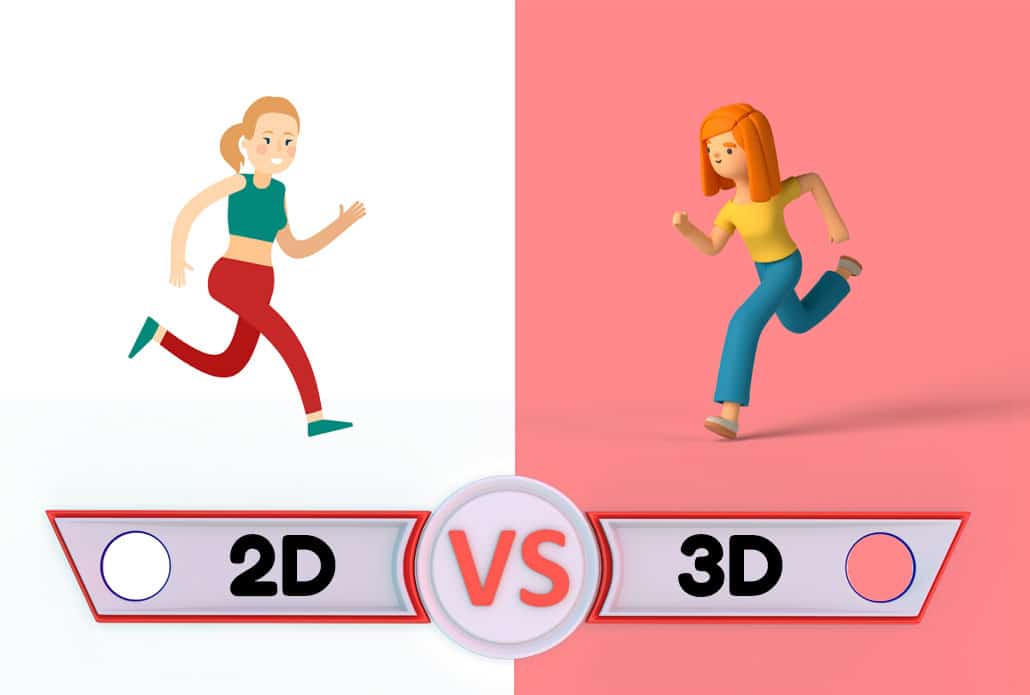
Not all explainers are the same. Choosing the right format for your message, audience, and budget is one of the most important early decisions in production.
2D character animation is the most common format for business explainers. Characters make abstract services feel human and approachable. This format works especially well for software products, HR communications, healthcare services, and any topic where relatability matters.
Motion graphics and kinetic typography use animated text, shapes, icons, and data visualizations — without characters. This format excels for data-heavy topics, financial services, technical concepts, and any situation where a clinical, authoritative look is preferable to a warm, narrative tone.
Whiteboard animation simulates the look of a marker drawing on a white surface in real time. Whiteboard animation is widely used in education and training because the “live drawing” effect mimics the feeling of watching someone explain something in person, which studies suggest aids comprehension and memory retention.
Screencast explainers use recorded screen footage — often combined with a voiceover and basic motion graphics — to show exactly how a software product or digital process works. These are fast and cost-effective to produce and are especially effective for software onboarding and tutorial content.
Live-action explainers use real footage of people, places, or products. This format carries high credibility because viewers see real humans rather than animations. It works well for healthcare, hospitality, real estate, and any category where trust and authenticity are paramount.
Hybrid explainers mix live-action footage with animated overlays, text, and graphics. A common example is a talking-head video with animated statistics and diagrams appearing on screen as the speaker references them.
Measuring the Success of Your Explainer

Producing a polished explainer is an investment. To understand whether it’s working — and to justify future video production budgets — you need to track the right metrics.
Play rate measures what percentage of page visitors actually click play on your explainer. A play rate below 15–20% often indicates that the video is poorly positioned on the page, the thumbnail is uninspiring, or the page itself isn’t getting relevant traffic in the first place.
Watch-through rate (also called completion rate) measures how far into the video the average viewer watches. For explainers under 90 seconds, a healthy watch-through rate is 60–75%. A sharp drop-off at a specific timestamp is a strong signal that a particular section of the script or animation is losing viewers — useful data for future revisions.
Conversion rate is the ultimate metric for marketing explainers. Track what percentage of people who watch your explainer complete the desired action (sign-up, download, purchase, demo request) compared to visitors who don’t watch it. Most analytics platforms (Google Analytics, Wistia, HubSpot) allow you to segment conversions by video viewers vs. non-viewers.
Assisted conversions capture cases where someone watched your explainer during an earlier session and later converted after a subsequent visit. Attribution models that only credit the last touchpoint undercount the contribution of explainers, which often function as “trust builders” earlier in the buying journey.
Shares and embeds are useful proxy metrics for educational and informational explainers where direct conversion isn’t the primary goal. A video that gets embedded on third-party sites or shared in industry newsletters is generating brand awareness and inbound links.
Using AI Tools to Speed Up Explainer Production

A new generation of AI-powered tools has significantly changed the economics and timelines of explainer production. While they don’t replace professional animators for high-end branded content, they offer real advantages for teams working with tighter budgets or faster timelines.
AI scriptwriting tools (including Claude and similar assistants) can generate first-draft scripts based on a product description, target audience, and desired tone. These drafts typically need significant refinement — especially for technical topics — but they eliminate the blank-page problem and can cut initial script development time substantially.
AI voiceover tools like ElevenLabs, Murf, and Descript offer synthetic voices that have become convincingly natural-sounding for many use cases. For training content, internal communications, or rapid prototyping, AI voiceover can reduce both cost and production time. For customer-facing marketing explainers where brand warmth matters, a professional human voiceover artist still typically delivers superior results.
AI-assisted animation tools are still emerging but increasingly capable. Platforms like Runway and Adobe Firefly are developing features that let creators generate or modify animated sequences with text prompts, though these tools currently require skilled operators to produce professional-quality output.
Automated captioning tools (including YouTube’s auto-captions, Descript, and Otter.ai) can generate transcripts and captions in minutes rather than hours. Always review AI-generated captions for accuracy — technical terms, product names, and proper nouns are frequent sources of errors — but the base accuracy is typically high enough to use as a starting point rather than building captions from scratch.
Explainer Video SEO: How to Rank in Search and AI Results
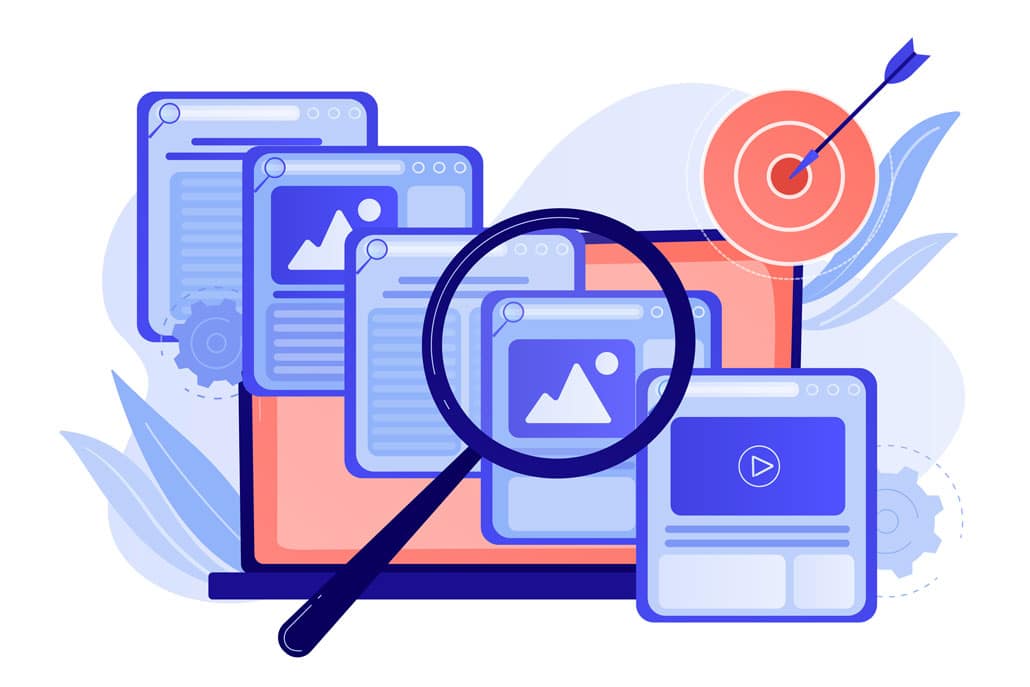
Producing a great explainer is only valuable if people can find it. Here are the technical and content-level steps that help explainers rank in both traditional search engines like Google and newer AI-powered results from tools like ChatGPT, Perplexity, and Google’s AI Overviews.
Choose a reliable video host and embed the video on a relevant page. Third-party players can be used on your website. For video discovery, check that the embed is crawlable and that Google can access a stable thumbnail and the video resources required for the features you want. Choose hosting for viewer experience and operational needs, not a promised ranking benefit.
Create a dedicated watch page when watching the video is its main purpose. Give it a descriptive title and useful supporting context. Videos can also complement articles and service pages, but these are not necessarily watch pages eligible for video features. Write enough to help the reader; Google specifies no minimum word count for ranking.
Provide an accurate transcript and reviewed captions. A transcript gives readers a text alternative, while captions help viewers follow the spoken content. They support accessibility and comprehension; do not assume that adding them doubles indexable content or guarantees broader search visibility.
Use accurate video structured data where appropriate. VideoObject markup can describe a video and help Google understand it. It must match the visible video, and the page and video must meet the relevant indexing requirements. Markup does not guarantee a video rich result.
Optimize your video’s title, description, and tags on YouTube. YouTube is the world’s second-largest search engine. A video titled “What Is [Topic]? Explained in 90 Seconds” is more searchable than a title like “Company Name Intro Video.”
For Google’s generative AI search features: Follow foundational SEO practices and publish helpful, reliable information that answers the reader’s questions. Use headings and plain language for clarity, not as a promise of AI citations. Google does not require special AI schema. These Google-specific recommendations should not be presented as proof of how other AI services select sources.
Accessibility Best Practices for Explainer Videos

An explainer that only works for some viewers is an explainer that’s leaving value on the table. Building accessibility into your explainer from the start is both an ethical best practice and a practical one — it expands your potential audience and improves SEO through additional text content.
Closed captions are the most important accessibility feature for video. Captions allow Deaf and hard-of-hearing viewers to follow along, but they also benefit viewers who are watching in a noisy environment, watching without headphones in a public place, or who process information better by reading along simultaneously. Research consistently shows that a significant percentage of viewers watch online video with the sound off by default.
Audio descriptions are a separate narration track that describes visual elements that aren’t communicated by the spoken voiceover alone. For example, if your animation shows a diagram that the voiceover doesn’t describe in detail, an audio description track would explain what’s being shown visually for blind and low-vision viewers.
Transcripts (as mentioned above in the SEO section) serve double duty: they help search engines index your video and they give users who prefer reading — or who use screen readers — a way to access the full content of your explainer.
Color contrast in on-screen text is particularly relevant for explainers that include kinetic typography or on-screen labels. Text displayed over animated backgrounds can be difficult to read for viewers with low vision or color vision deficiencies. The Web Content Accessibility Guidelines (WCAG) recommend a contrast ratio of at least 4.5:1 for normal text.
Avoid flashing animations. Rapid flashing or strobing effects can trigger seizures in viewers with photosensitive epilepsy. If your explainer uses fast-moving animations, have the final cut reviewed against guidelines that specify safe flash frequency thresholds.
Explainer Video Production Resources

These guides and resources are popular among people researching and reading about how to make explainers:
What Is A Video Explainer?
How To Make Educational Explainers
Explainer Video Examples & How To Make One
How To Choose The Right Explainer Video Production Company For Your Project
Still have questions about explainers?
Do you have a question about explainers that wasn’t addressed in this FAQ? Use this form to send us your question and we’ll follow up with an answer. We’ll also post the question and answer to this page so other people can benefit from the knowledge.

What is Video Igniter Animation?
Video Igniter Animation is an online animated video production service. By working with our team online, you can get your custom animated video produced faster and for less than hiring a brick and mortar animation studio.
We can help you create any kind of 2D animated video or 3D animation you can imagine. Check out our animated video portfolio.
Watch our explainer video on our home page to learn more about how we can help you create an animated video. For examples of the kinds of animation our team can produce, check out the demo reel below:
Looking For An Animated Video Production Company In The U.S.?
Video Igniter is headquartered in Seattle, Washington.
Success Stories & Testimonials
Don’t just take our word for it – these testimonials highlight Video Igniter’s reliability, creativity, flexibility and ability to deliver animations that exceed expectations. When you choose Video Igniter Animation, you can rest assured that you are working with a trusted and reputable studio.
“Video Igniter were very easy to work with and the entire process for creating and suggesting edits was seamless and stress-free. I would work with them again and would recommend to others looking to create a modern and stylish explainer video.”
Clair Simpson – VP Marketing, Repool.com
“I run a video production company and outsource animation. The team at Video Igniter did a great job in taking the concept I very crudely drew out and making it into a beautiful animation. The review process was easy and their turnaround time was very quick. I’d def recommend them if you’re looking for an animation project.”
Pat Henderson – Founder, Path8 Productions
“Video Igniter offered us the critical combination of creative value, clear communication, and patience with stakeholder feedback. We ended up with truly high-quality design assets for our video series largely due to the extra level of commitment — and the right balance of efficiencies with flexibility in the process when called for.”
Larry Schlessinger – Sr. Creative Program Manager, Amazon Web Services
“Video Igniter came to us with a number of creative and engaging ideas and were able to create an exciting, impactful video in a short period of time. And the best part was that it cost much less than other options of similar quality. The video they made is a great marketing tool for us.”
Alex Raymond – Founder, Kapta Systems

Get in touch!
Schedule a call to discuss your animated video project.
Get a quote for us to create your animated video.
Request access to our newest price sheet.
Get a custom quote for your animated video and our production team will follow up with next steps.