
3D Animation Maker: Software vs Done-for-You Production
Table of Contents
A 3D animation maker can mean software you operate yourself or a production team that creates the animation for you. Blender, Maya, and Cinema 4D are professional applications for hands-on 3D work. Video Igniter is a done-for-you production service: you describe the project, review each production stage, and receive a custom finished animation.
Use this comparison to decide whether to build the animation yourself, hire an individual specialist, or work with a managed production team.
| Option | Type | Best for | What to consider |
|---|---|---|---|
| Blender | Free, open-source installed 3D suite | People and teams prepared to model, rig, animate, light, and render | The software is free, but production still requires suitable hardware, time, and 3D skills. |
| Autodesk Maya | Professional installed 3D software | Established animation and visual-effects pipelines | Commercial licensing and a substantial learning curve; verify current plans with Autodesk. |
| Cinema 4D | Professional installed 3D software | Motion design and 3D production teams | Commercial licensing; verify current plans and system requirements with Maxon. |
| Freelancer | Individual production provider | A defined scope that matches a specialist’s portfolio and availability | Pricing, capacity, and continuity vary by person and project. |
| Animation studio | Managed production provider | Projects requiring multiple 3D disciplines and structured production | Scope, visual target, schedule, and team requirements determine the quote. |
| Video Igniter | Done-for-you managed production service | Buyers who want custom 3D animation without operating the software themselves | You provide goals and feedback; the production team manages the workflow. Review the portfolio, current price sheet, or request a quote. |
3D Animation Software or Done-for-You Production?
Choose software when you have the time, hardware, and skills to build the project directly. Choose a freelancer when a specific specialist fits a clearly defined scope. Choose a studio or Video Igniter when the project needs coordinated modeling, rigging, animation, lighting, rendering, sound, and review management.
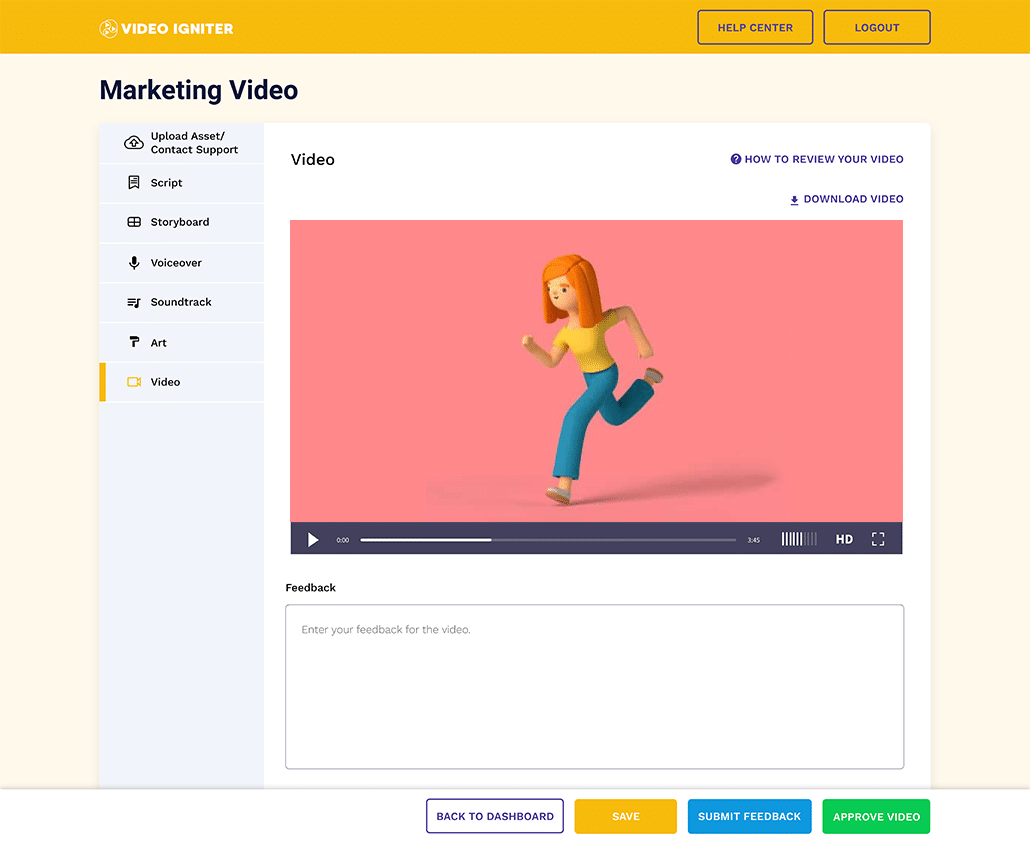
Examples Of 3D Animated Videos You Can Get From Video Igniter
Video Igniter can create any kind of 2D or 3D animated video for you. Check out our animation portfolio and request access to our price sheet.
Contact us or schedule a call to start making your video.
Photorealistic 3D Animation
3D Character Animation
Product Animation With 3D Rendering
3D Commercial
Are you looking for an example of a different style of animation? Send us a message to let us know what kind of animation example you want to see and we will follow up with relevant production samples.
What is a 3D animation maker?
Well, that depends what you mean – because there are a few different types of “3D animation makers.”
There are freelance animators that can make 3D animated videos….
Animation studios that create 3d animations….
… and there are new software and hardware-based ways to make 3D animations.
Pros and Cons of Hiring A Freelance 3D Cartoon Maker
There are many talented freelance animators on the Internet who can help you make 3D animations. Be sure to review their portfolio to see if they produce the style and quality of animation you are looking for.

Freelance 3D Animation Makers
Pros:
Freelancers can offer 3D animated video production services on demand. Their pricing, availability, and production capacity vary by person and project scope.
Cons:
3D animations take a long time to create; freelancers working by themselves will require more time to make your 3D animation.
Pros and Cons of Hiring A 3D Animation Studio
3D animation studios are fully equipped to help create specific styles of 3D animations. Their large teams are capable of collaborating to create long, detailed intricate 3D models, scenes, animations and full length movies.
Pros:
Large animation teams can take on long, complex projects.
Cons:
Studio pricing depends on the project scope, visual target, schedule, and the mix of specialists required.
Pros and Cons of Using A Technology-Based 3D Animation Creator
Professional 3D creation tools continue to add assisted workflows, while scanning tools can help turn physical objects into digital assets. DreamFusion is a 2022 text-to-3D research project, not a consumer animation-maker product. Evaluate any AI or scanning workflow by output quality, controllability, licensing, and whether the resulting assets are suitable for animation.
Pros:
Some assisted workflows can reduce the time required for particular modeling or ideation tasks.
Cons:
Output quality and control vary. Generated or scanned assets may still require cleanup, retopology, rigging, texturing, and professional animation work.
Pros and Cons of Hiring Video Igniter For 3D Animation Online
Video Igniter is a 2D and 3D animated video production service. We can help you make any kind of 2D or 3D animation you can imagine. All you have to do is describe the animation you want and we take care of everything for you. You get regular check ins during the production process so you can provide feedback and ensure the 3D animation is still on track.
Pros:
A managed remote production workflow with access to multiple creative and technical disciplines. Review our portfolio and request a scope-specific quote for your project.
Cons:
If you want to work with our team in-person, this is only possible in Washington state. Most of our animated video projects are produced remotely for clients around the world.
How do I find and hire someone to create 3D animation?

If you’re interested in hiring a studio , a freelancer or Video Igniter to make a 3D animation for you, we recommend you:
- Take a look at their video portfolio to see if they can create the level of quality you expect for your video.
- Ask about their design process
- Figure out their pricing structure
- And make sure you check to see how many revisions you get when working with them (some will charge you extra for more revisions).
Additional resources to help you find and hire a 3D animation maker online:
- How do you outsource an animated video project?
- How do you hire an animator?
- 9 Things to look for when hiring an animator.
- What goes into production cost of an animated video?
- What is Video Igniter Animation?
- What’s the difference between hiring an animation studio, a freelance animator and Video Igniter?
- Pros and Cons of Different Animation Styles
- Need your video fast? Learn about rush delivery.
How To Make A 3D Animation With An Online 3D Animation Maker

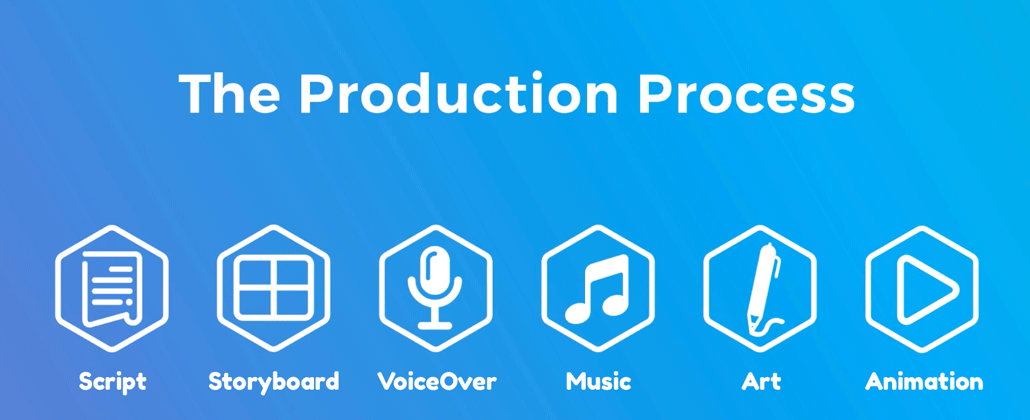
Creating a 3D animated video is a collaborative process. You will provide information to the 3D animation maker. They will create part of your video (script, storyboard/animatic, voiceover, soundtrack, illustrations, & animation). You will get a chance to review it and ask for revisions. The 3D animation maker will address your revision requests and send the file(s) back to you to review and approve so that production can move to the next stage of the production process.
Questionnaire / Phone Call
Production for a 3D animation starts with an online questionnaire and/or a phone call to learn about what you want to communicate in your video. It also gives the 3D animator an opportunity to learn about what kind of visual style you want to use in the video.

Script
The 3D animation maker will review the information from the call/questionnaire and use it to develop the first draft of your video script. Sometimes, they will include notes [in brackets like this] to suggest what visuals will be on screen during each part of the script.

Example Of A Written Storyboard For A 2D Animated Video
As you review your script, pay attention to the content that is being presented. Does the script cover all the main talking points? Does it communicate things in a way that will resonate with your target audience?

Download Video Igniter’s Free Script Writing Template
If you want any revisions, send your requests to the 3D animation maker and they will incorporate your edits. Otherwise, let them know it’s approved and production can move forward.
Storyboard / Animatic
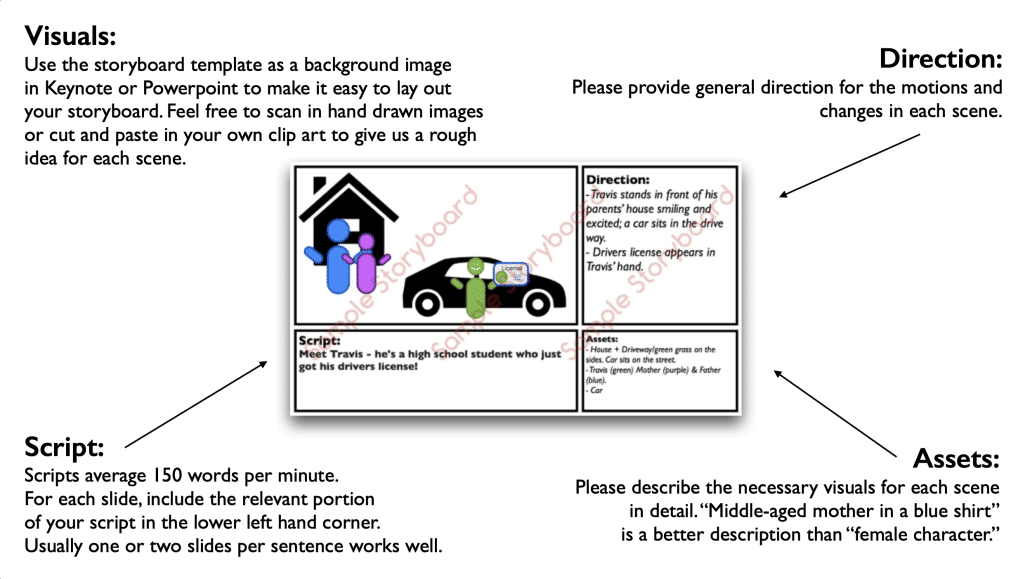
Now that your script is ready for production, the 3D animation team will develop your storyboard – and maybe an animatic. The storyboard is the blueprint for your 3D animated video. It tells the illustrators what to create. It also tells the animators how to make the visuals move.

Download Video Igniter’s Free Storyboard Template
Sometimes, the 3D animation producer will also create an animatic after your storyboard is approved. The animatic is detailed version of the storyboard that focuses on the timing of the motion design so that the animators know what pace things should move at.
Reviewing your storyboard
When you review your storyboard, your feedback should focus on the visuals that are going to be created in each scene. Make sure each one makes sense. Ensure enough detail is included in the description so that the 3D animation makers know what to create. If certain details need to be shown a specific way, say so. Otherwise, you are providing space for the production team to create their own execution. Consider including images of specific things that need to be modeled accurately.
If you love the storyboard as-is, let the production team know it’s approved. Otherwise, send them your feedback so they can incorporate your edits.
Reviewing your animatic
The purpose of the animatic is to refine the timing of animated sequences in your video. This helps the animated video production company get accurate timing for key details before they dive in to animating your video. The animatic helps them properly time the animation for details like mouth movements, dramatic effects and comedic moments. In the long run, this extra step helps save time and money on production by ensuring the animators know exactly what to create.
VoiceOver

After your storyboard is approved, the 3D animation maker will help audition voiceover artists for your video. You will receive sample recordings from one or more artists. Let your production team know which audition(s) you like best. They will hire the VO artists to record the full voiceovers. If you aren’t satisfied with any of the auditions, let the production team know why. Then, they can source new options for you to review.
You will get an opportunity to review the full voiceover and request revisions before you approve it for production.
Soundtrack

Your 3D producer will also select some soundtracks to enhance your animation. (Note, not all 3D animations include music or sound effects.) If you love one of the soundtrack options, let the 3D animation maker know.
What if you’re not a fan of any of the options? Let them know why so they can select new options for you to review.
Can’t decide which soundtrack you like best? Tell the production team and they can help you preview your favorite options when the first draft of your animation is ready to watch.
Illustrations
Creation of the illustrations begins once your storyboard is approved. The art director will review your style references and brand guidelines. Then, they will select a key scene from your storyboard and design it using one or more unique visual styles. For 3D animated videos, this usually starts with pencil concepts which are refined with your feedback.
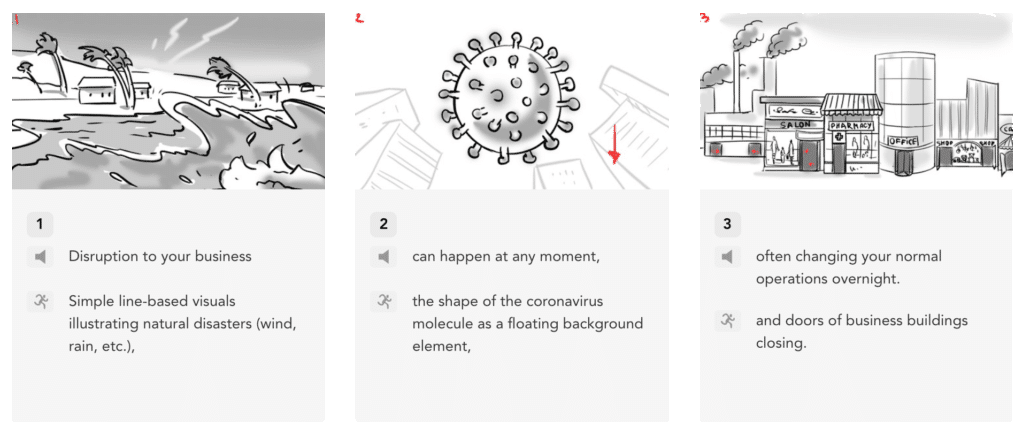
Hand Drawn Concept Art
After the concept art for all the characters, objects and scenes are approved, the 3D animation maker will turn them into 3D models for the animation.
The 3D models are created from the sketches and typically start as wireframes with no color or textures within the 3D animation program.

The models are refined with your feedback.
Then color, lighting, shading and textures are added. You get another opportunity to review everything before approving the assets for production.
Animation

Now that your assets are approved, animation can begin. Animation for 3D projects takes time and shouldn’t be rushed. It can take several weeks to animate a single minute of 3D content.
When the first draft is ready, review the animation with your internal team and members of your target audience (if available).
Collect everyone’s feedback and send it to the 3D animation maker so they can incorporate the last edits and render the final draft.
How long does it take a 3D animation maker to create a video?
Depends on the size of the team, the amount of time available for production and the complexity and length of the animation. For context, a 60 second 3D animated video takes about 6-10+ weeks to produce. Longer content (+20 min TV episodes) can take several months to produce. To figure out how long it will take to make your 3D animated video, get in touch with our team. Let us know what your deadline is (if any) and we’ll work with you to figure out a production schedule for your timeline.

I need my animation fast! Is it possible to get my video faster?
Yes, rush delivery animation is possible. If you need to make your 3D animation quickly for an upcoming launch date, fill out this form to get a custom quote. Let us know you are interested in rush delivery for your 3D animation. We’ll prepare an accelerated production schedule and rush delivery production quote to get your animation made on time.

What does it cost to make 3D animation?
The cost depends on the length, visual style, modeling requirements, character or product complexity, rendering approach, revisions, schedule, and assets you can provide. Because those inputs vary, a reliable project price requires a defined scope. Review our current price sheet or request a custom quote; we will ask follow-up questions and prepare an estimate for the specific production.

How can I save on my production budget while making a 3D animated video?
Write your script
Writing your own production-ready script may reduce the amount of script-development work included in your quote. Check out all our scriptwriting resources here.

Create your storyboard
Same story for your storyboard. Lots of budget saving to be had if you create your own storyboard. Check out our storyboard template and storyboard creation guide here.
Record your own voiceover
Check out 1:31 in this video to learn how you can record your own professional sounding voiceover for free without having to buy any fancy equipment or special software.
Use stock 3D models
Not every part of your animation needs to be custom made. Consider asking your animator if it’s possible to decrease your budget by buying pre-created 3D models of common objects – instead of paying your video animator to make them from scratch.
Use free (legal) music for your 3D animation
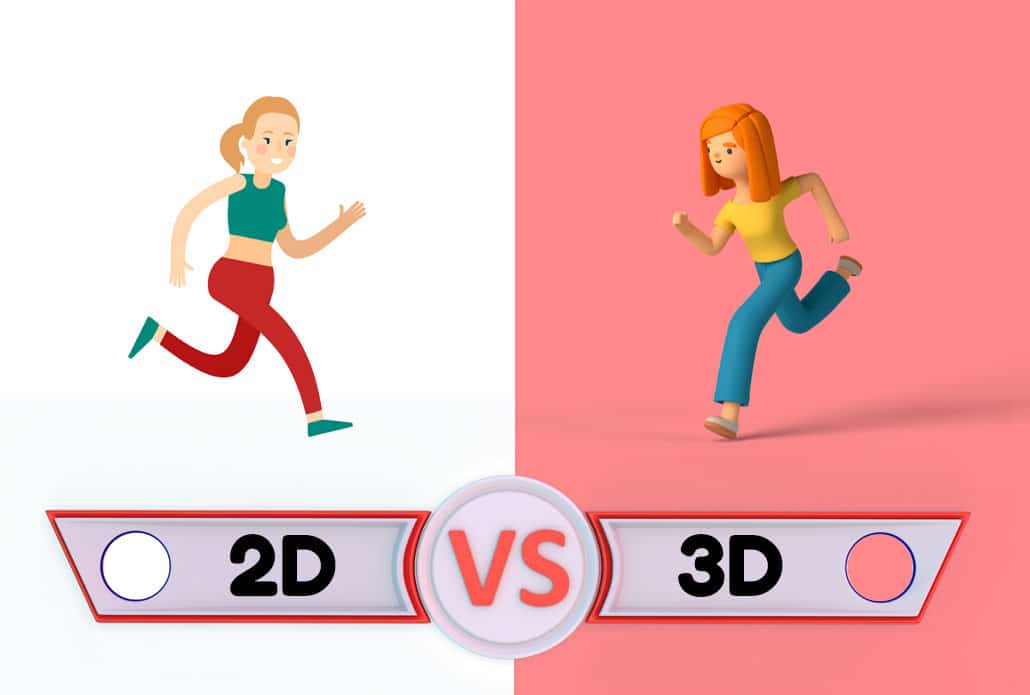
When To Create a 2D vs 3D Animation?
3D animated videos are able to show extra details that can’t be shown in 2D animated videos. It’s like the difference between looking at a picture of something vs having a model of that thing (or the real thing itself) to understand it. Sure, the picture shows you what something looks like, but a 3D animation shows you how something is. You can look inside it, you can go around it. It can be manipulated and changed to show how it evolves under certain conditions. These details can be abstractly represented in 2D animation with different techniques but it’s far from seeing what’s actually going on.
3D Animation For Manufacturing & Architecture
When it really matters – when you need to see the details of what is going on, 3D animation is the best way to visualize what you want to show or communicate to people. This is particularly useful for mechanical and technical companies that want to show off how their physical creations function.
Marketers Stand Out with 3D Animations
The Internet is becoming an ocean of videos – and very few of those videos are 3D. If you want your message to stand out, investing a little more time and money in a 3D animated video can help your message rise above the noise.
3D Animation For Science & Medical Procedures
Want to demonstrate how a medical procedure works? How about demonstrating how brain neurons fire? Even if you were to get up close with a video camera, you wouldn’t be able to see all the fine details that are going on. By using 3D animation, it’s possible to visually show what’s happening at a microscopic level.
3D Entertainment
The best kind of 3D animation is the good ol’ Pixar Animated video! These animations used to require budgets in the 10’s or 100’s of millions of dollars. Now, thanks to modern animation software and virtual animation teams, the cost to produce 3D animated videos for entertainment purposes is coming down. More organizations can now afford to create entertaining 3D animated videos to extend their brand.
Avoiding Common Pitfalls When Using a 3D Animation Maker

While 3D animation makers are powerful tools, they come with their own set of challenges. One common pitfall is overcomplicating designs, which can lead to unnecessary complexity and increased rendering times. It’s essential to simplify your models and focus on the core elements that will convey the message effectively. Another mistake is neglecting the importance of lighting, which can make or break the realism of your animation. Ensuring that lighting is properly set up can dramatically improve the visual quality of your work.
Additionally, many creators underestimate the hardware requirements of 3D animation software, which can lead to frustration with slow rendering speeds and system crashes. To avoid these pitfalls, always keep your hardware in mind, stay organized, and seek feedback throughout the creation process to ensure that your animation project is both effective, high-quality, and on track with client expectations.
The Evolution of 3D Animation Makers: From Simple Tools to Advanced Software
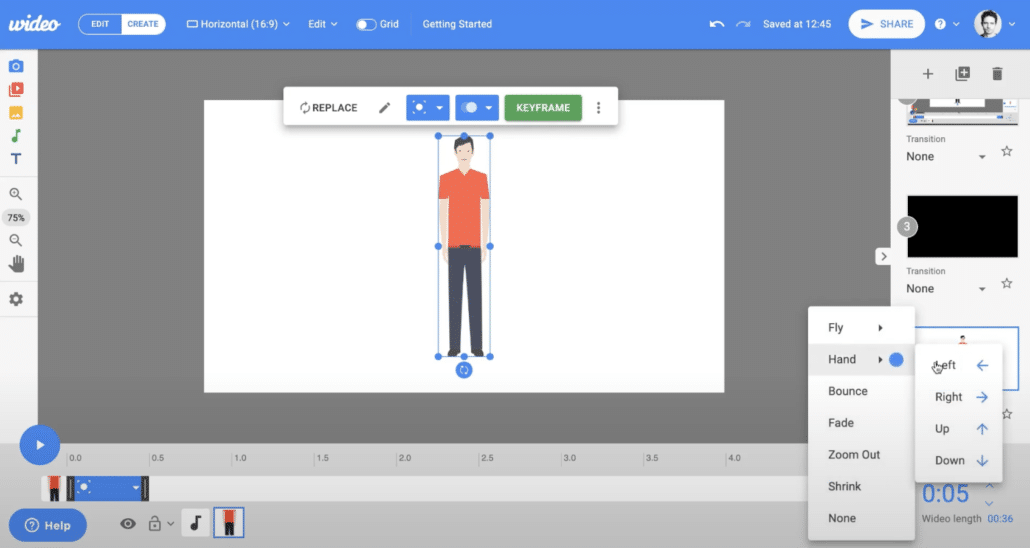
The journey of 3D animation makers has been an exciting evolution, from simple graphics tools to advanced software that powers high-quality animations today. Early 3D animation making software programs like Anim8or and Blender, were quite basic, offering rudimentary modeling tools and limited rendering capabilities. These early programs laid the foundation for more sophisticated tools by enabling creators to explore three-dimensional design and movement.
Over time, 3D animation makers like Maya, 3DS Max, and Cinema 4D introduced groundbreaking features including realistic textures, lighting, and advanced physics simulations. Today, modern tools not only offer intuitive user interfaces for beginners but also advanced functionalities like AI-assisted rendering and real-time feedback for professionals. As a result, 3D animation makers have become accessible for hobbyists while still providing powerful capabilities for industry experts. The future of 3D animation tools promises even more integration with virtual reality (VR) and augmented reality (AR), opening up exciting new creative possibilities.
How a 3D Animation Maker Enhances Storytelling in Digital Media

A 3D animation maker is a powerful tool for enhancing storytelling, enabling creators to bring their narratives to life in visually compelling ways. Unlike traditional animation, which can be limited by physical media or time constraints, 3D animation gives storytellers the ability to create detailed worlds and characters that feel real and immersive. Whether you’re creating content for films, games, or advertisements, 3D animation enables creators to convey emotions through the movement of characters and the environment, establishing a deep connection with audiences. The intricate details of lighting, textures, and camera angles in 3D animation help craft a more dynamic and engaging story.
3D animation makers also enable interactive storytelling, allowing viewers to manipulate environments and characters for a personalized narrative experience. This versatility makes 3D animation an ideal medium for visualizing complex concepts, enhancing both entertaining and educational content.
Using a 3D Animation Maker in Advertising Campaigns

In today’s digital marketing landscape, 3D animation makers have become indispensable tools for crafting eye-catching and effective advertising campaigns. By using 3D animation, brands can create memorable experiences that captivate audiences and communicate their message in innovative ways. 3D animation allows marketers to visualize products in motion, highlighting their features and benefits in a way that static images or text alone cannot achieve. For example, a 3D animation can demonstrate how a product works, show its various uses, or create dynamic, cinematic advertisements that evoke emotions.
These animations are especially effective in social media campaigns, where engagement and shareability are crucial. Brands can leverage 3D animation to create a unique identity, foster consumer loyalty, and drive sales. The visual appeal of 3D animation also helps your message stand out in a crowded market, where compelling content is key to capturing the attention of potential customers.
How to Choose the Right 3D Animation Maker for Your Brand

Choosing the right 3D animation maker is a critical decision for any brand looking to create high-quality animation. The first step is to assess your project’s scope—do you need simple animations for animated social media posts, or are you working on a more complex commercial animation or film? If you’re learning hands-on 3D production, Blender provides a broad modeling, rigging, animation, and rendering toolset with extensive learning resources. Tinkercad is designed for accessible 3D design and modeling, but it should not be treated as a full professional animation package. Teams needing established production pipelines may evaluate professional tools such as Maya, 3ds Max, or Cinema 4D. You could also consider hiring Video Igniter to create your 3D animation for you.
When selecting your 3D animation maker, consider factors such as budget, the complexity of your animation, and the skill level of your team. Additionally, some tools are designed for specific industries, such as healthcare or gaming, so it’s important to choose a 3D animation maker that aligns with your brand’s goals and creative direction.
Overcoming Common Challenges with a 3D Animation Maker

While 3D animation makers offer powerful tools for creating stunning visuals, there are common challenges that creators often face. One of the biggest hurdles is the steep learning curve, especially for beginners. Many 3D animation makers feature complex interfaces and require a solid understanding of design principles, modeling, and rendering techniques.
Another common challenge is technical issues – including slow rendering times or compatibility problems with hardware. Ensuring that your computer meets the software’s system requirements is key to avoiding performance bottlenecks.
Additionally, animating realistic movements and interactions in a 3D space can be difficult, because small errors can disrupt the flow of the animation. The key to overcoming these challenges is practice, patience, and a willingness to learn. Taking advantage of online tutorials, user communities, and troubleshooting resources can help smooth the learning process and improve your final output.
Creating Social Media Content with a 3D Animation Maker

In the competitive world of social media video marketing, using a 3D animation maker can help your brand stand out with eye-catching, engaging content. Animated posts, such as 3D-rendered product demos or explainer videos, can show movement, product behavior, and visual details that static images cannot.
By leveraging a 3D animation maker, you can create dynamic, interactive posts that encourage users to engage with your brand. Animations can simplify complex concepts, tell a compelling brand story, and build a deeper emotional connection with your audience.
Additionally, 3D animations can be easily adapted for various platforms, from Instagram and Facebook to YouTube and TikTok. The versatility of 3D animation allows for creativity and experimentation, ensuring that your content resonates with your target audience while maintaining a professional look.
Integrating 3D Animation Maker Creations with Live Action Footage

Combining 3D animation with live-action footage is a powerful technique that brings incredible realism and creativity to your projects. Many 3D animation makers now feature robust compositing tools that enable you to seamlessly blend computer-generated animations with real-world video.
For example, you can create 3D models of products, environments, or characters and insert them into live-action scenes to produce realistic results. The key to successful integration is careful attention to details like lighting, shadows, and camera angles to ensure the 3D elements match the live-action footage.
Professional tools like Adobe After Effects and Blender are equipped with advanced tracking and compositing features that simplify this process. By mastering these techniques, you can create visually stunning videos that combine the best of both worlds—animation and live action—perfect for commercials, films, and branded content.
Deep Dive: How to add animation to a video
Simplifying Complex Concepts Using a 3D Animation Maker

3D animation makers are invaluable tools when it comes to simplifying complex ideas and making them more digestible for audiences. Whether you’re explaining a scientific process, demonstrating how a product works, or breaking down an abstract concept, 3D animation allows you to visualize ideas in ways that text or 2D images cannot.
For example, in the medical field, 3D animation makers are used to model human anatomy or surgical procedures, making them easier for students and patients to understand. In education, animations can bring abstract subjects like physics or chemistry to life, showing how molecules interact or how forces affect objects in motion.
3D animation can make spatial relationships and hidden processes visible, but the result still depends on accurate source material, clear narration, and purposeful visual design.
The Environmental Impact of Using a 3D Animation Maker

As with any digital tool, there is an environmental impact associated with using a 3D animation maker, primarily due to the high energy consumption of rendering processes. Creating 3D models, textures, and animations requires significant computing power, and rendering complex scenes can take hours or even days on high-performance hardware. This energy usage contributes to carbon emissions, especially if the electricity comes from non-renewable sources. However, there are ways to mitigate this impact. Many 3D animation makers now offer cloud-based rendering, which allows you to offload processing to data centers that use energy-efficient technologies. Additionally, choosing software that supports energy-efficient workflows or using sustainable practices, such as optimizing your models for faster rendering, can help reduce your project’s environmental footprint.
Understanding the Costs of Using a 3D Animation Maker for Your Projects

The cost of using a 3D animation maker can vary greatly depending on the software, project scope, and team size. Free programs like Blender are excellent for beginners or small-scale projects, while professional tools like Maya and Cinema 4D come with a higher price tag, often requiring a subscription or license purchase. In addition to software costs, there are expenses related to hardware, especially if you’re working on complex animations that require high-performance computing. Other hidden costs include rendering time, outsourcing, and the need for skilled animators or designers. However, understanding these costs upfront and planning your budget accordingly can help you achieve the desired results without overspending.
Looking for help estimating the cost for your 3D animation?
- Schedule a call with our production team to discuss your project and goals.
- Send us a message to get a custom quote for your 3D animation.
- Request access to Video Igniter’s pricing page.
Using a 3D Animation Maker in Healthcare and Medical Visualizations

The healthcare industry has increasingly adopted 3D animation makers for medical animation visualizations. These tools enable the creation of realistic, interactive representations of medical processes, such as surgical procedures or the human body’s internal systems.
With 3D animation, complex medical concepts are simplified and made more accessible, which is especially beneficial in educational settings. Medical professionals can use animations to better explain diagnoses and treatment options to patients. 3D animation also plays a vital role in the design and marketing of medical devices, where accurate representations of products in use can help with both user education and sales presentations. As technology continues to evolve, the role of 3D animation in healthcare is expected to expand, providing even more opportunities for educational, research, and clinical applications.
How to Collaborate with 3D Animators When Using a 3D Animation Maker

Effective collaboration is essential when working with a team on a 3D animation project. A 3D animation maker allows multiple team members to work together by enabling features like version control, real-time updates, and project sharing. Platforms like Blender and Maya support collaborative workflows, where animators, modelers, and designers can all contribute to a project simultaneously.
To ensure smooth collaboration, it’s crucial to establish clear communication channels, set project milestones, and define roles within the team. Regular feedback sessions and revision cycles are important for refining the animation and ensuring that the final product meets expectations. By utilizing the full potential of a 3D animation maker, you can streamline the creative process and produce high-quality content more efficiently.
What Goes Into Making a 3D Animation?

A professional 3D animation is made up of much more than moving a three-dimensional object around a screen. A finished animation is the result of several interconnected disciplines, including 3D modeling, rigging, texturing, materials, lighting, camera work, animation, rendering, compositing, and post-production.
Understanding these components can help you communicate more effectively with a 3D animation maker and make better decisions about the type of animation you need.
3D Modeling

3D modeling is the process of creating the digital objects that appear in an animation.
A model can represent virtually anything: a person, machine, building, vehicle, product, piece of anatomy, environment, or completely imaginary object.
The amount of modeling required depends on how prominently an object appears and how closely the camera will examine it. A simple object viewed from a distance may require relatively little geometric detail. A product shown in a close-up, however, may need highly accurate dimensions, curves, edges, and surface details.
For product visualization, accurate modeling can be particularly important. If the animation is intended to demonstrate an actual product, the 3D model may need to correspond closely to engineering drawings, CAD files, photographs, or physical reference materials.
Businesses that already have CAD models should ask whether those files can be incorporated into the production process. Existing technical assets can sometimes provide useful starting points for creating animation-ready models.
Rigging: Preparing 3D Characters and Objects for Movement
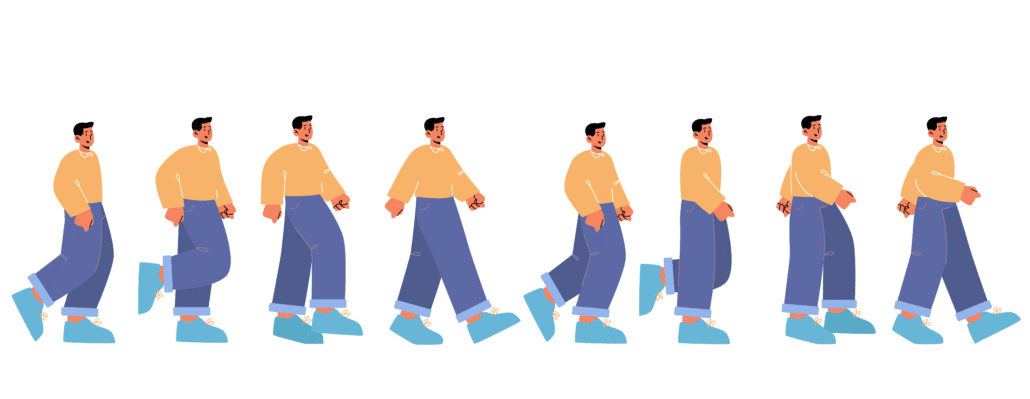
A 3D model does not automatically know how to move.
Characters and other articulated objects generally need to be rigged before they can be animated efficiently. Rigging involves creating an internal digital skeleton or control system that allows an animator to manipulate the model.
For a human character, this might include controls for the spine, arms, hands, legs, feet, neck, and facial features.
A well-designed rig gives the animator intuitive controls while helping the character move naturally. A poorly constructed rig can make even a talented animator’s job considerably more difficult.
Rigging is especially important when a project contains recurring characters. If the same character appears across multiple videos, a reusable rig can allow the production team to maintain consistency from one animation to the next.
Texturing and Materials
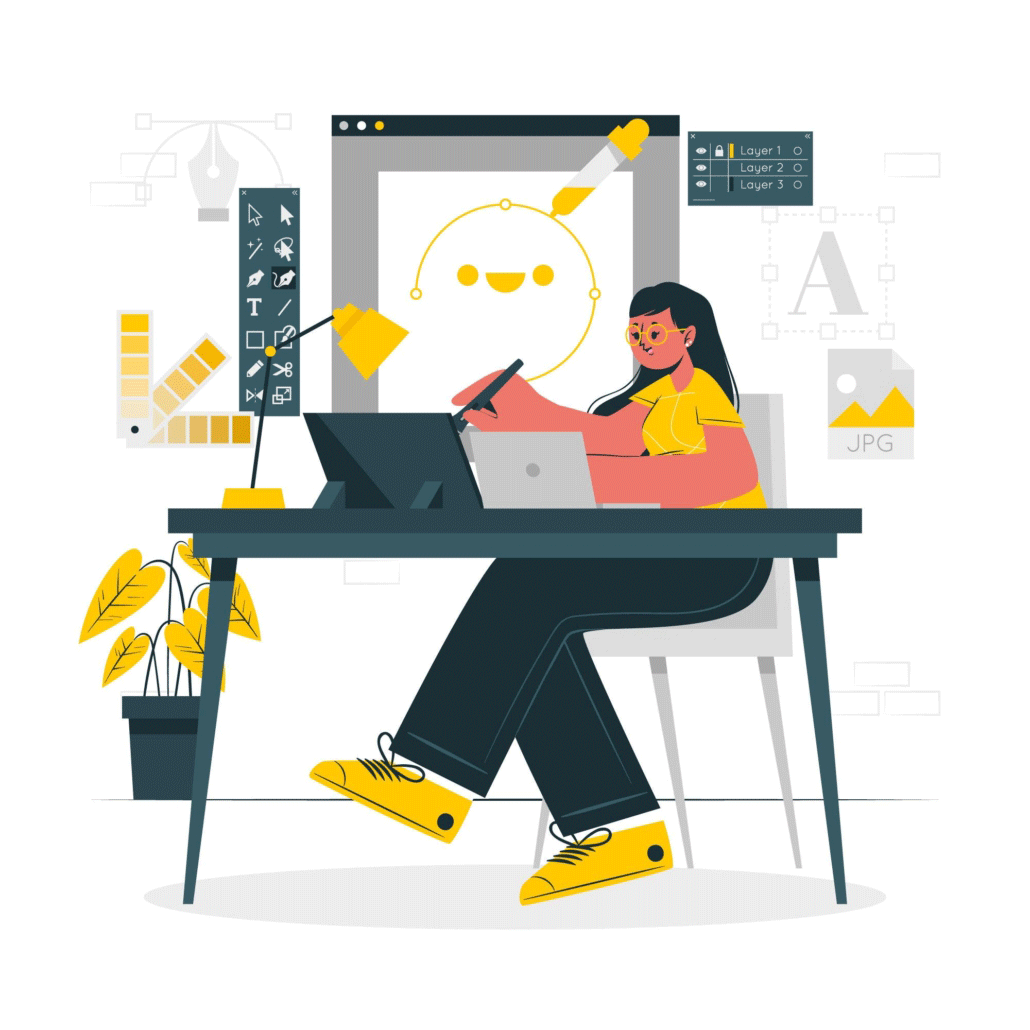
A 3D model provides the shape of an object, but geometry alone does not determine what that object looks like.
Texturing and material creation add visual characteristics such as color, roughness, reflectivity, transparency, metallic properties, patterns, and surface imperfections.
Consider the difference between a plain 3D model of a metal component and a finished version that actually looks like brushed aluminum, polished steel, painted metal, or plastic.
The material determines how the object’s surface responds to light.
This is one reason two 3D animations can use similarly shaped models but have dramatically different visual appearances. The modeling establishes the physical form, while materials and textures help establish the object’s visual identity.
For branded products, textures can also reproduce logos, labels, packaging, screens, buttons, and other visual details.
Lighting Is a Creative Tool
Lighting in 3D animation does much more than make objects visible.
A 3D animation maker can use lighting to establish mood, draw attention toward a particular object, create depth, separate foreground and background elements, or make a scene feel realistic.
A brightly lit product demonstration might use clean, controlled lighting to emphasize the product’s form. A cinematic commercial might use dramatic shadows and directional lighting to create atmosphere.
Lighting can also communicate information.
For example, a technical animation might illuminate the internal components of a machine while keeping its exterior partially transparent. A medical visualization might use carefully controlled lighting to distinguish different structures.
The lighting approach should therefore be considered part of the visual design rather than something added at the very end of production.
Character Animation and Facial Performance

Character animation introduces another layer of complexity because audiences are extremely sensitive to unnatural human movement.
A character’s performance may involve body mechanics, facial expressions, eye movement, hand gestures, posture, walking, running, lip synchronization, and interaction with other characters or objects.
Even small movements can influence whether a character feels believable.
For dialogue-heavy animation, facial animation and lip synchronization become particularly important. The animator must coordinate the character’s mouth and facial expressions with the recorded voiceover while also making the performance feel natural.
Character animation can be created manually through keyframing, with motion capture, or through combinations of different techniques.
The appropriate approach depends on the project’s desired visual style and performance requirements.
How 3D Cameras Affect the Finished Animation
One of the advantages of working in three dimensions is the ability to create virtual camera movements that would be difficult, expensive, or impossible to capture with a physical camera.
A 3D camera can move around an object, travel through an environment, zoom between extreme distances, or transition from an exterior view into an internal component.
Camera placement also affects how viewers understand the subject.
A wide shot can establish the overall environment. A close-up can emphasize an important component. A camera traveling through a product can reveal internal mechanisms that would normally be hidden.
When planning a 3D animation, think about the camera as part of the storytelling process.
Rather than asking only, “What should the object look like?” consider:
“Where should the viewer be positioned to understand this object?”
That distinction can have a major impact on the effectiveness of a 3D animation.
Physics and Simulation in 3D Animation

Some 3D animations require objects to behave according to simulated physical forces.
Physics simulations can be used for things such as:
- Water
- Smoke
- Fire
- Explosions
- Cloth
- Hair
- Falling objects
- Particles
- Destruction
- Rigid-body collisions
- Soft materials
For example, if a 3D animation shows a product falling onto a surface, a physics simulation can help create a convincing collision. If a scene involves smoke emerging from a machine, simulation can create movement that would be extremely difficult to animate manually.
Simulations can add significant realism, but they can also increase production and rendering complexity. They should therefore be used because they contribute something meaningful to the scene rather than simply because the software makes them possible.
What Is Rendering in 3D Animation?
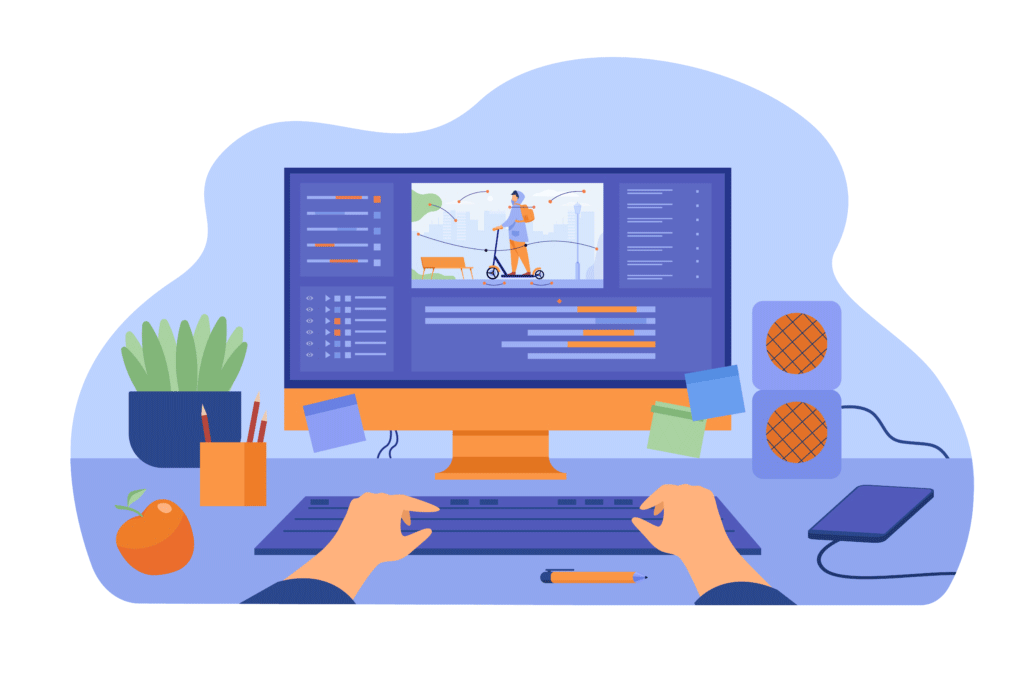
Rendering is the process of converting the 3D scene into the final images that viewers see.
The animation software contains information about the models, materials, cameras, lighting, animation, and other scene elements. The renderer calculates how those elements should appear and produces the individual frames that eventually become the finished video.
Rendering can be computationally intensive.
A simple scene may render relatively quickly, while a highly detailed scene with complex lighting, reflections, shadows, transparency, particle effects, and other simulations can require considerably more processing.
3D animation makers may use different rendering approaches depending on the project.
Real-Time Rendering
Real-time rendering is designed to produce images extremely quickly. It is commonly associated with interactive applications, games, virtual production, and workflows where creators need to see results immediately.
This approach can also be useful for certain marketing and commercial animation projects because it allows artists to preview scenes and make creative decisions more rapidly.
Offline Rendering
Offline rendering prioritizes the quality of the final image rather than immediate playback.
A renderer can spend substantially more processing time calculating lighting, reflections, shadows, materials, and other visual effects.
For cinematic projects, product visualization, and photorealistic animation, this approach can produce highly detailed results.
The choice between rendering approaches depends on the desired visual quality, project requirements, available computing resources, and deadline.
What Is Compositing in 3D Animation?

After a scene has been rendered, the production process may continue in compositing.
Compositing involves combining and adjusting different visual elements to create the final image.
A compositor might adjust color, contrast, depth, lighting effects, atmospheric effects, glows, shadows, or other visual elements. They may also combine separately rendered elements so that individual parts of the scene can be adjusted independently.
For example, a 3D animation might render the character, background, shadows, reflections, and atmospheric effects as separate layers. This gives the post-production team greater control over the final image.
Compositing is particularly useful when an animation needs to match live-action footage or when a production requires extensive visual effects.
Choosing Between Stylized and Photorealistic 3D
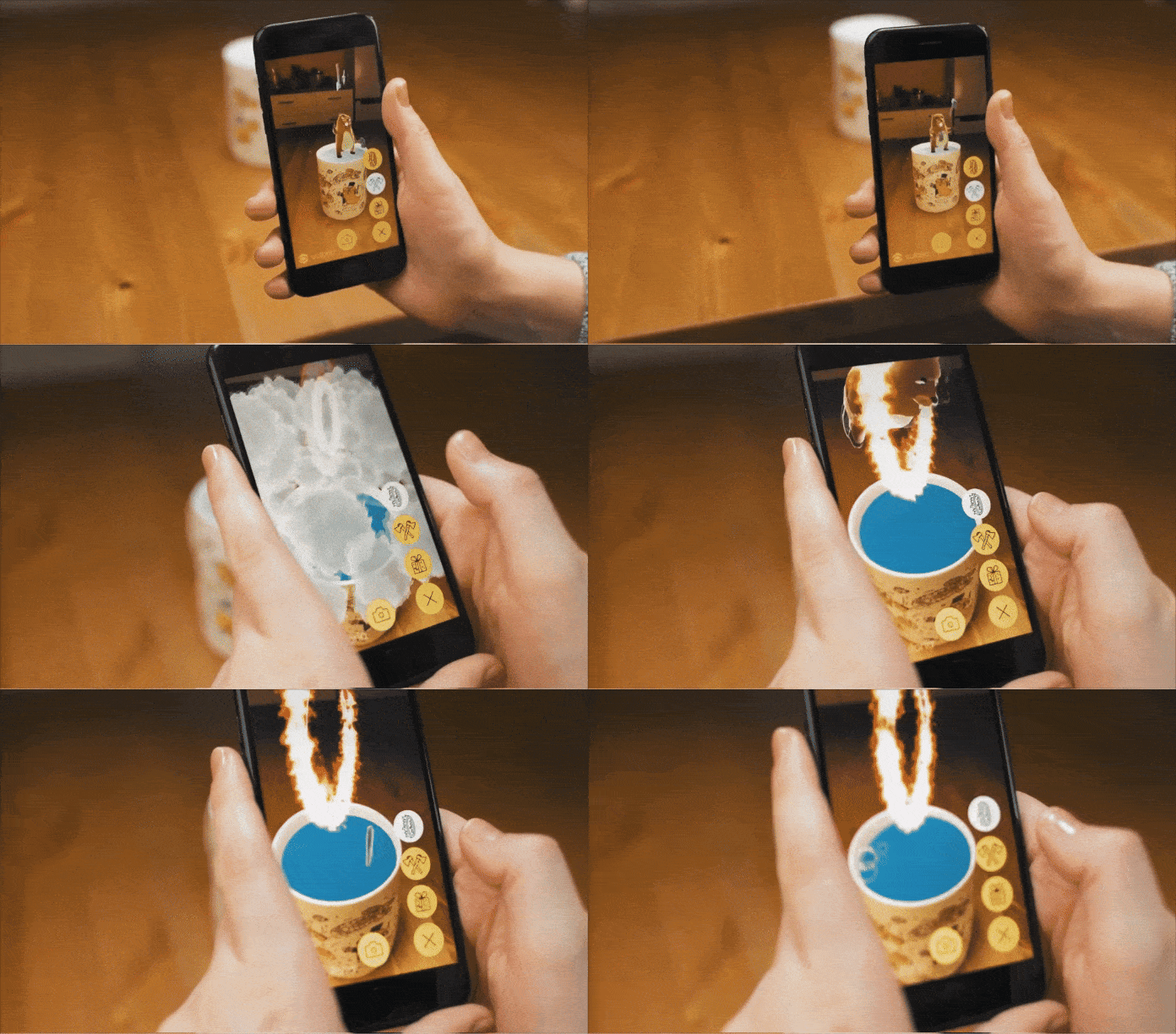
Not every 3D animation needs to look realistic.
A 3D animation maker can create everything from highly photorealistic imagery to deliberately stylized worlds with exaggerated proportions, simplified materials, unusual colors, and cartoon-like movement.
Photorealism can be useful when the goal is to demonstrate what a real product, environment, medical structure, or physical process looks like.
Stylized 3D can be more appropriate when the goal is branding, entertainment, humor, storytelling, or creating a distinctive visual identity.
The most technically realistic option is not necessarily the best option.
A stylized animation may communicate an idea more effectively because it allows the production team to exaggerate important details and remove distracting information.
How Existing 3D Assets Can Accelerate Production

Companies sometimes already have digital assets that can be useful for animation.
These might include CAD files, product models, architectural models, game assets, character models, or digital twins.
However, an existing 3D model is not necessarily ready to be animated.
A model created for engineering, manufacturing, architecture, or another application may contain extremely detailed geometry that is unnecessary for video production. It may also have materials, topology, scale, naming conventions, or file structures that need to be modified before an animator can use it efficiently.
Before assuming that an existing asset will eliminate modeling work, provide it to the production team and ask them to evaluate it.
In some cases, an existing model can save substantial production time. In others, rebuilding or optimizing the model may be the more efficient approach.
What Makes a 3D Animation Look Professional?

High-quality 3D animation is not determined by a single technical feature.
Professional results usually come from the combination of several elements working together:
- Strong composition
- Appropriate camera movement
- Believable motion
- Consistent modeling
- Convincing materials
- Effective lighting
- Appropriate depth and scale
- Good timing
- Clean rendering
- Purposeful visual effects
- Effective sound and editing
This is important when evaluating a 3D animation maker because impressive individual effects do not necessarily indicate strong overall production ability.
A portfolio may contain spectacular simulations or photorealistic renders, but what matters is whether the creator can combine technical capabilities with effective visual communication.
How to Prepare Your Assets for a 3D Animation Maker

If you already have materials for your project, organize them before production begins.
Useful assets might include:
- CAD files
- Product photographs
- Engineering drawings
- Brand guidelines
- Logos
- Existing 3D models
- Character designs
- Product specifications
- Reference videos
- Architectural plans
- Packaging artwork
- Technical diagrams
Give the production team enough information to understand which assets are authoritative.
For example, if you provide multiple product photographs showing slightly different versions of a device, identify which version should appear in the final animation.
Clear asset organization reduces unnecessary back-and-forth and helps the 3D animation maker build the project around accurate source material.
Building a Reusable 3D Asset Library

If your organization expects to produce multiple 3D animations, consider creating a reusable asset library.
A library might contain approved models of products, characters, environments, logos, materials, props, and other recurring elements.
Once these assets have been created and approved, they can potentially be reused in future animations.
This is particularly valuable for companies that regularly release new marketing videos, product demonstrations, training materials, or advertising campaigns.
Instead of starting from an empty 3D scene every time, the production team can build new content from an established collection of assets.
Over time, this can create a recognizable visual language while reducing the amount of repetitive production work required for each new animation.
Questions to Ask a 3D Animation Maker About Their Technical Capabilities

Before starting a complex project, it can be useful to ask a prospective 3D animation maker a few technical questions:
- Can you work from CAD or existing 3D models?
- Can you create custom 3D models from photographs or drawings?
- Do you provide character rigging and character animation?
- Can you create realistic materials and textures?
- What rendering approach do you typically use?
- Can you create simulations such as smoke, water, particles, or destruction?
- Can you produce photorealistic renders?
- Can you create stylized 3D animation?
- Can you integrate 3D assets with live-action footage?
- Can you provide separate render passes or source assets if needed?
- Can you create multiple camera angles or versions from the same 3D scene?
- Can existing 3D assets be reused for future videos?
These questions are particularly useful for projects involving technical products, complex environments, recurring characters, or multiple pieces of content.
The goal is not to determine whether a 3D animation maker knows every piece of software or technique. Instead, you want to understand whether their technical pipeline is appropriate for the specific demands of your project.
Why the 3D Production Pipeline Matters
The biggest advantage of understanding the 3D animation pipeline is that it allows you to make better decisions before production begins.
A request that sounds simple—such as “make a camera fly through this machine”—may involve modeling, optimization, materials, lighting, camera animation, internal components, rendering, and compositing.
Likewise, “make this character walk and talk” may require modeling, rigging, facial controls, character animation, lip synchronization, lighting, and rendering.
The more clearly you understand what happens behind the finished image, the easier it becomes to evaluate proposals, communicate your requirements, and understand why certain creative decisions affect production.
A good 3D animation maker does not simply create moving 3D objects. They combine modeling, animation, cinematography, lighting, materials, rendering, and post-production into a single visual communication system.
That combination of technical and creative disciplines is what allows 3D animation to move beyond simply showing an object and instead demonstrate how it works, how it moves, what is happening inside it, and why the viewer should care.
Do you have any questions about hiring or working with a 3D animation maker?
We’re constantly updating our FAQs. If you have any questions about 3D animation makers, use our get a quote+contact form to send us your question. We’ll send you an answer and add the response to this FAQ.

What is Video Igniter?

Video Igniter offers animated 2D and 3D animated video production services online. We modernized the experience of making 3D animated videos so you can create content faster and save money on your production budget. Video Igniter streamlines the complex process of making a custom animated video and does 99% of the work for you. All you need to do is tell us what you want us to create and review the assets we create for your video.
If you’re looking for a website to create an animated video online, Video Igniter’s custom animated video production service enables you to create any kind of animated video you can imagine. Our talented staff collaborates behind the scenes to create custom 2D and 3D animated videos so you don’t have to figure out if you have the right animator for the job. We handle all the technical and creative aspects of production including your video script and storyboard – if you haven’t already created them yourself!
Why is Video Igniter better than hiring an animation studio?
World class animation and design talent at prices startups can afford.
We can make any kind of 2D animation or 3D animated video you can imagine. Check out our animated video portfolio!
+20 reasons companies love hiring us to create animated videos.
2D & 3D Animation Demo Reel
Animation Success Stories and Testimonials
“I run a video production company and outsource animation. The team at Video Igniter did a great job in taking the concept I very crudely drew out and made it into a beautiful animation. The review process was easy and their turnaround time was very quick. I’d def recommend them if you’re looking for an animation project.”
Pat Henderson – Founder, Path8 Productions
“Video Igniter came to us with a number of creative and engaging ideas and were able to create an exciting, impactful video in a short period of time. And the best part was that it cost much less than other options of similar quality. The video they made is a great marketing tool for us.”
Alex Raymond – Founder, Kapta Systems
“I found exactly what I needed: custom animated production with lots of options, fair price and fast communication. I loved working with the Video Igniter Team. Million thanks.”
Antonina Rome, MD – Bioresona

Get In Touch About Making Your 3D Animation
Get a quote for your video.
Schedule a call with our production team to discuss your 3D animation.
Request access to our newest price sheet.
Create your Video Igniter account.
Fill out a creative brief for your 3D animation project.


