What Is The Animation Process Like For Creating A Video?

Do you want to learn about the animation process that’s used for creating custom animated videos? Video Igniter’s FAQ about the animated video production process answers all the most popular questions people have about how to create 2D animated videos and 3D animations.

animation process

In this article, we cover:

  • The animation process for creating a custom animated video.
  • Why it’s important to follow a process when creating an animated video.
  • How long does animation take?
  • Tips to save money during the animation process.
  • …and more!

animated video production process

Do you have a question about the animation process that isn’t answered in this article? Use this form to get in touch with us to ask your question or click the image below to schedule a call with a member of our production team.


Examples of Videos You Can Get From Video Igniter’s Animation Production Process

Video Igniter can create any kind of 2D or 3D animated video for you. Check out our animation portfolio here. Request access to our demo reels and price sheet here.

Contact us or schedule a call to start making your video.


What is the animation process like for creating a custom animated video?

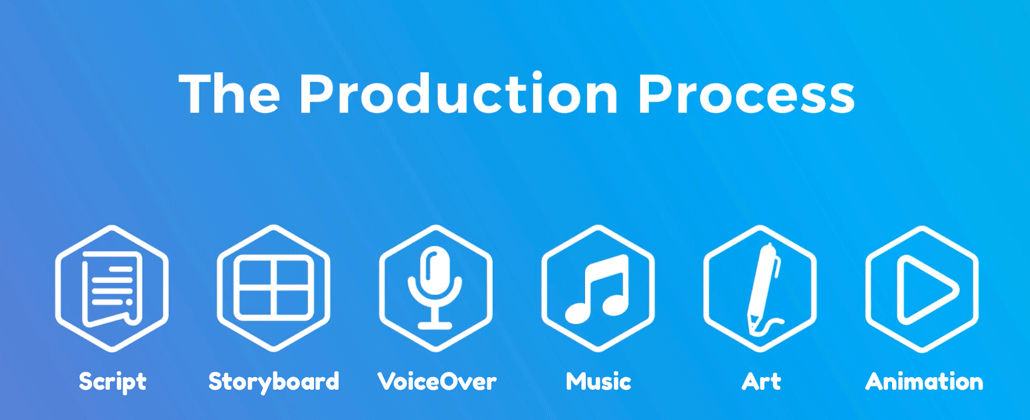
1). Get clear about what you want to create

Before you begin the animation process or think about about who is going to animate your video, you need to get clear about what you want to create in the first place! What visual style is your animation going to use? 2D animation or 3D animation? How long is your video going to be? Do you need help promoting your video? Who is going to create the script – you or them? What about the storyboard?

Once you’re clear about what you want to make, it’ll be easier for you to find the right kind of video animator for your project.

animation process questions

2). Hire an animated video production company

Now that you have a clear idea of what you want to create, the next step of the animation process is to find an animated video production company that can help you produce your style of video, on time and within your budget.

animation process hire production company

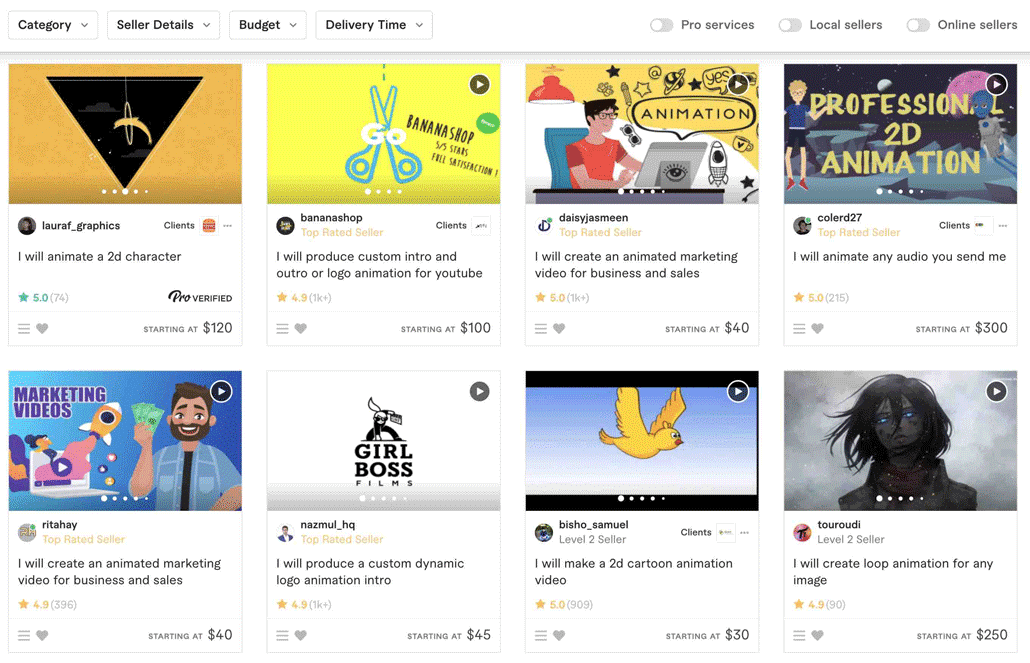
Linkedin, Fiverr, Craigslist, Google and Video Igniter are all great places to find talented animators for your project. Below are some video production resources that will help you figure out if the animators you found will be a good fit for your project:

3). Collect your assets

Before production begins, take some time to organize the assets your production team may need during production. Here’s a list of things to dig up for your production team:

  • Logo
  • Fonts
  • Icons
  • Mascot
  • Brand Guidelines
  • Style References
  • Optional: Script and Storyboard

4). Questionnaire

animation process questionnaire

After you’ve paid the production team to produce your video, the animation process officially begins with a questionnaire or a phone call to learn more details about your project. This is your opportunity to explain in detail to the animation team:

  • What key talking points you want to include in your video.
  • What visual style you want to use.
  • Any ideas you have for the visuals that you want to show during different parts of your video/script.

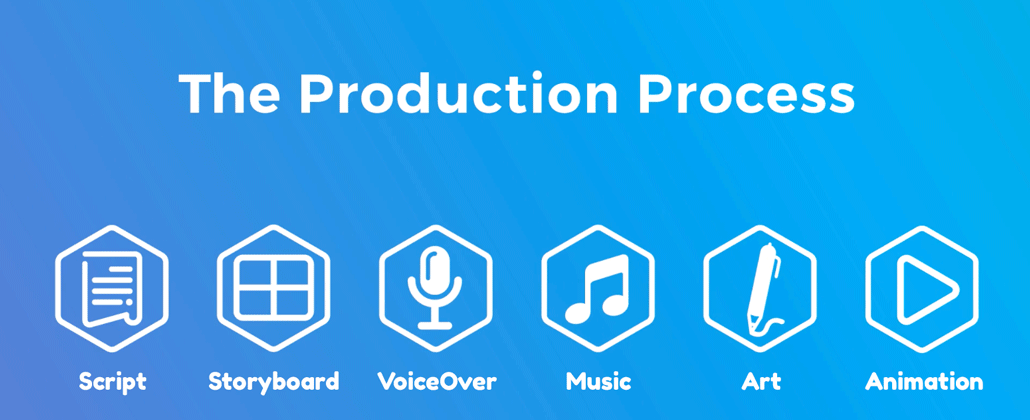
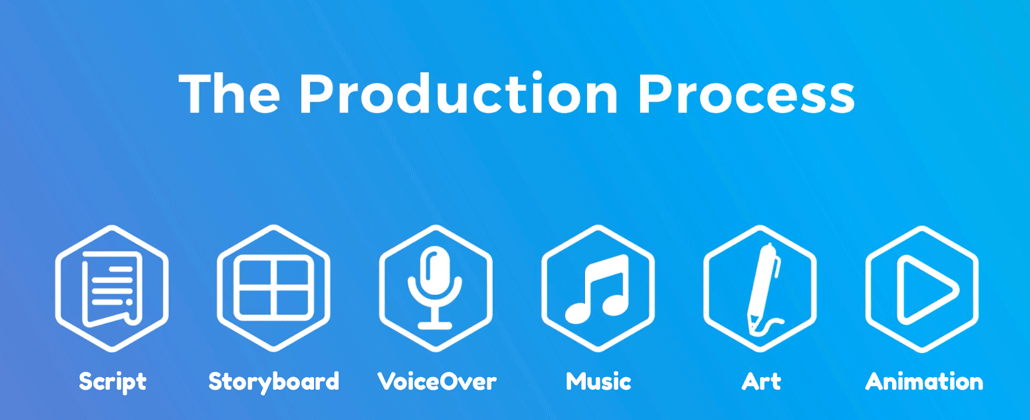
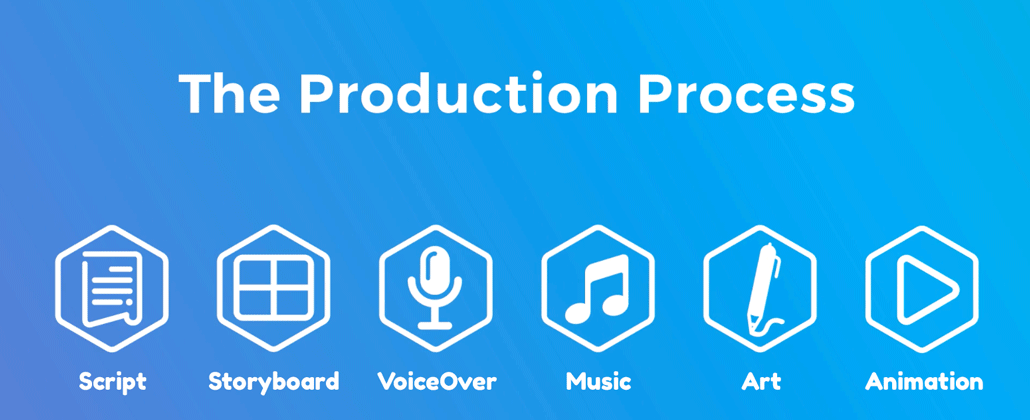
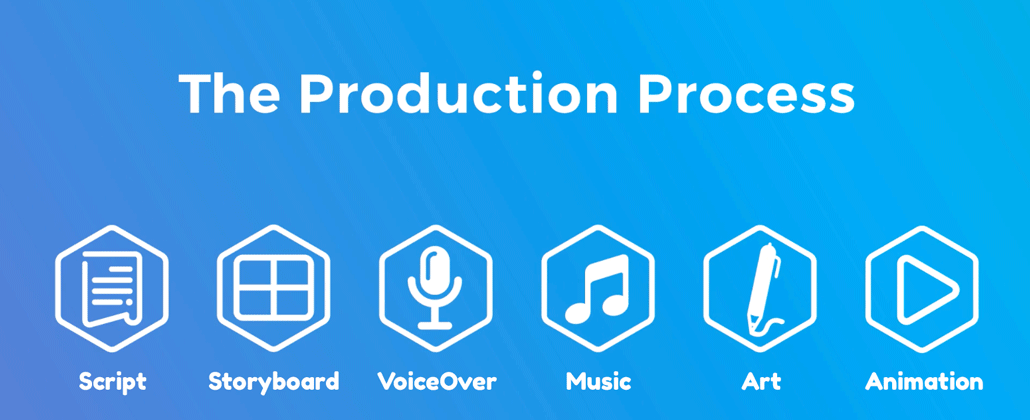
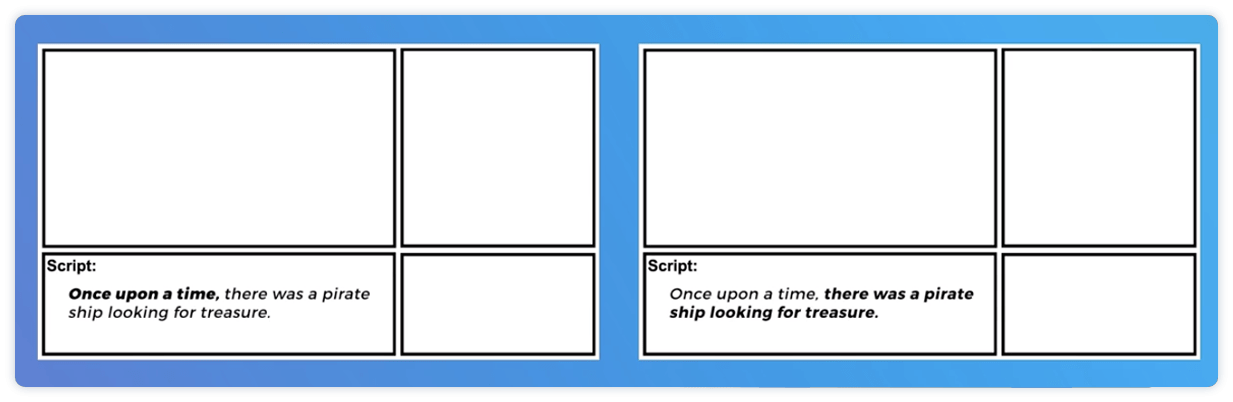
5). Script

animation process script

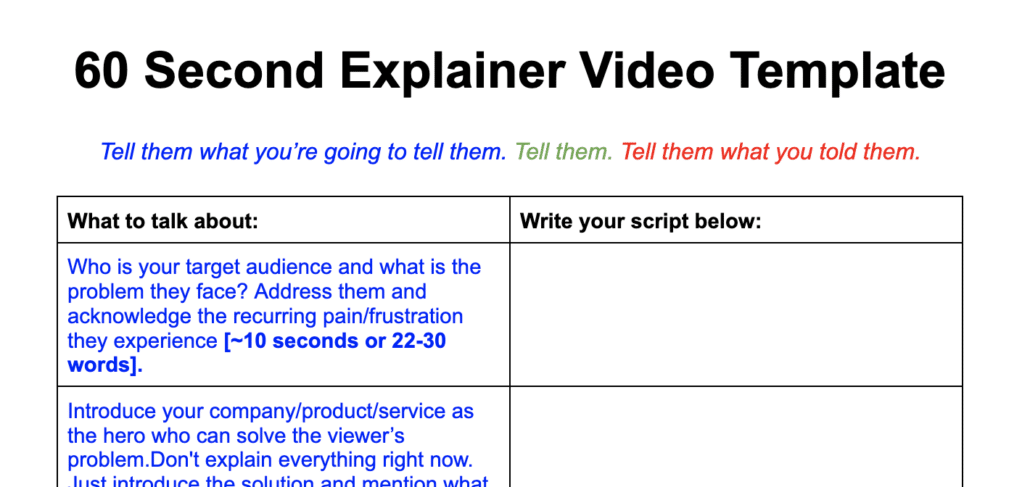
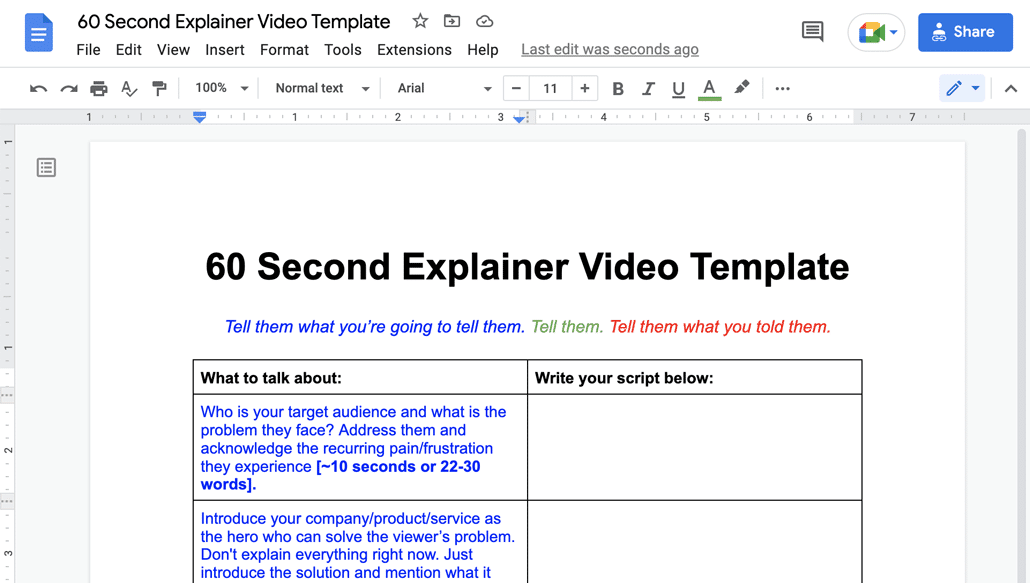
Download Video Igniter’s Free Script Writing Template

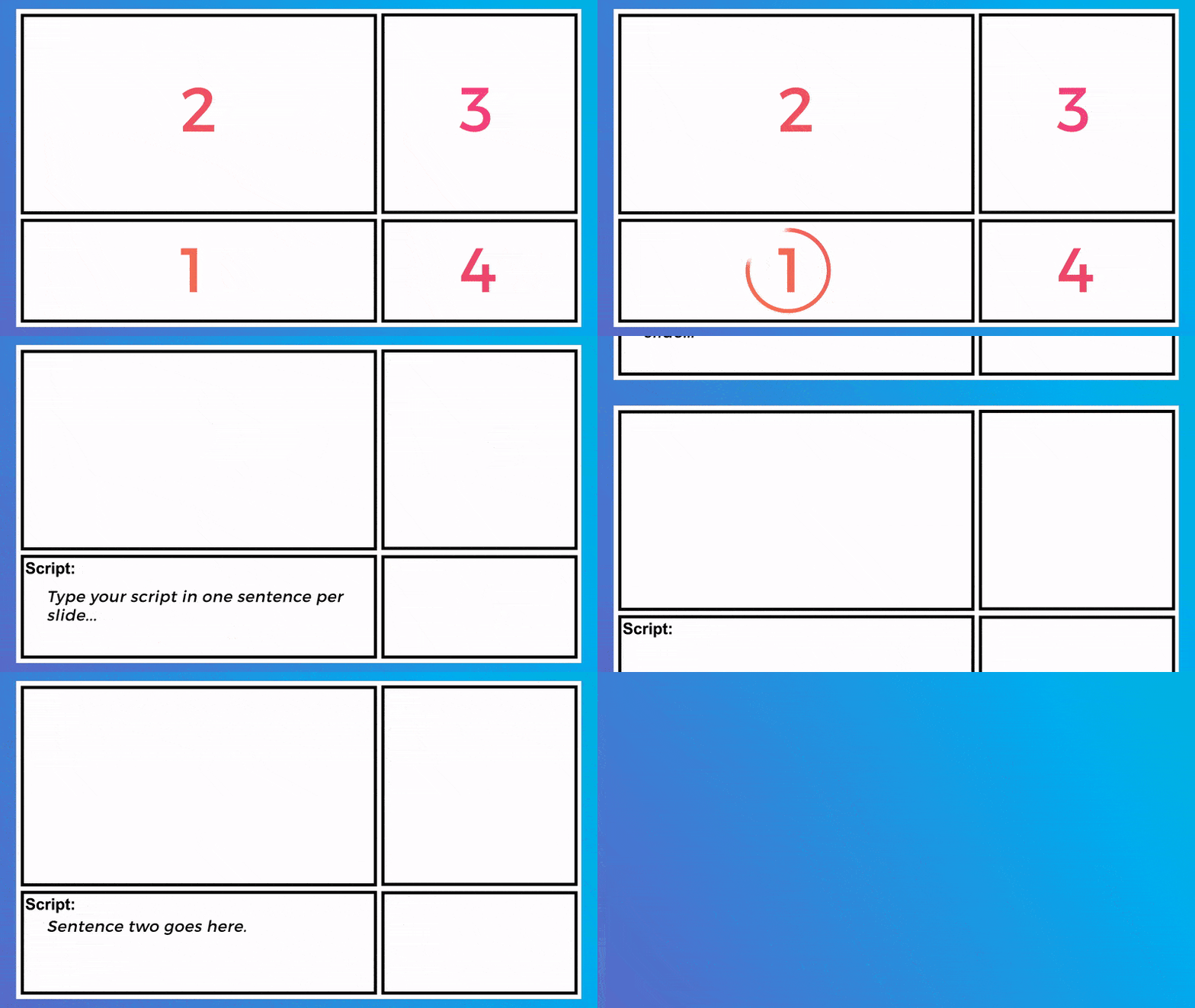
Now that the production team has an in-depth understanding of what you want to create, the next step of the animation process is to create your script. Your script provides structure for the whole project. Whether you write the script or hire the animation team to create it for you, ensure that the script clearly articulates your key talking points. Make sure the wording used speaks to your target audience in the way they’re used to communicating about the topic.

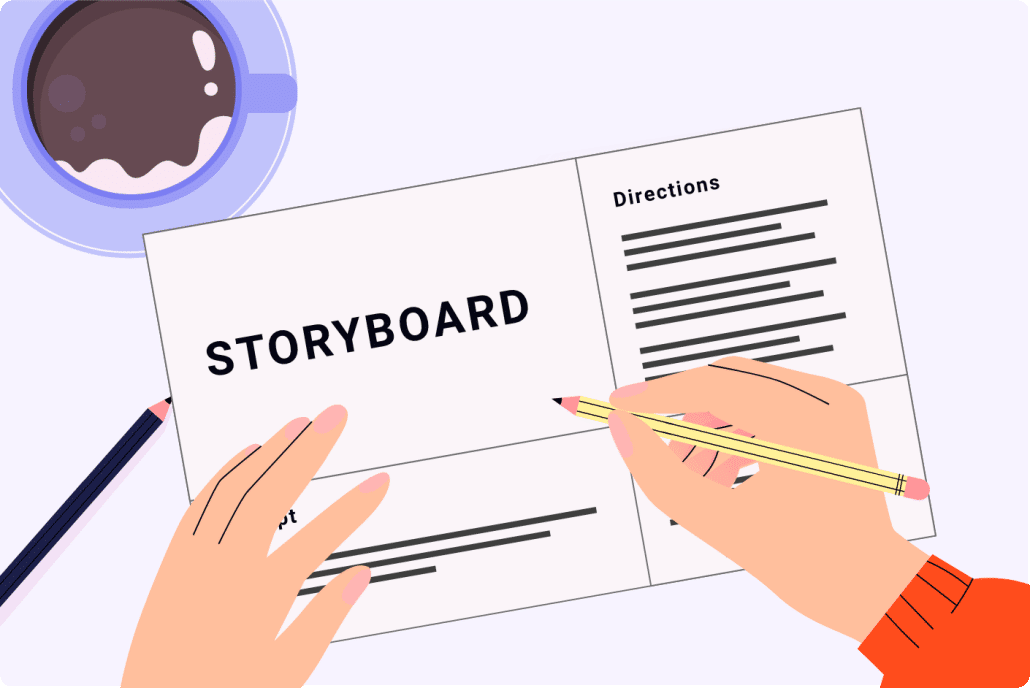
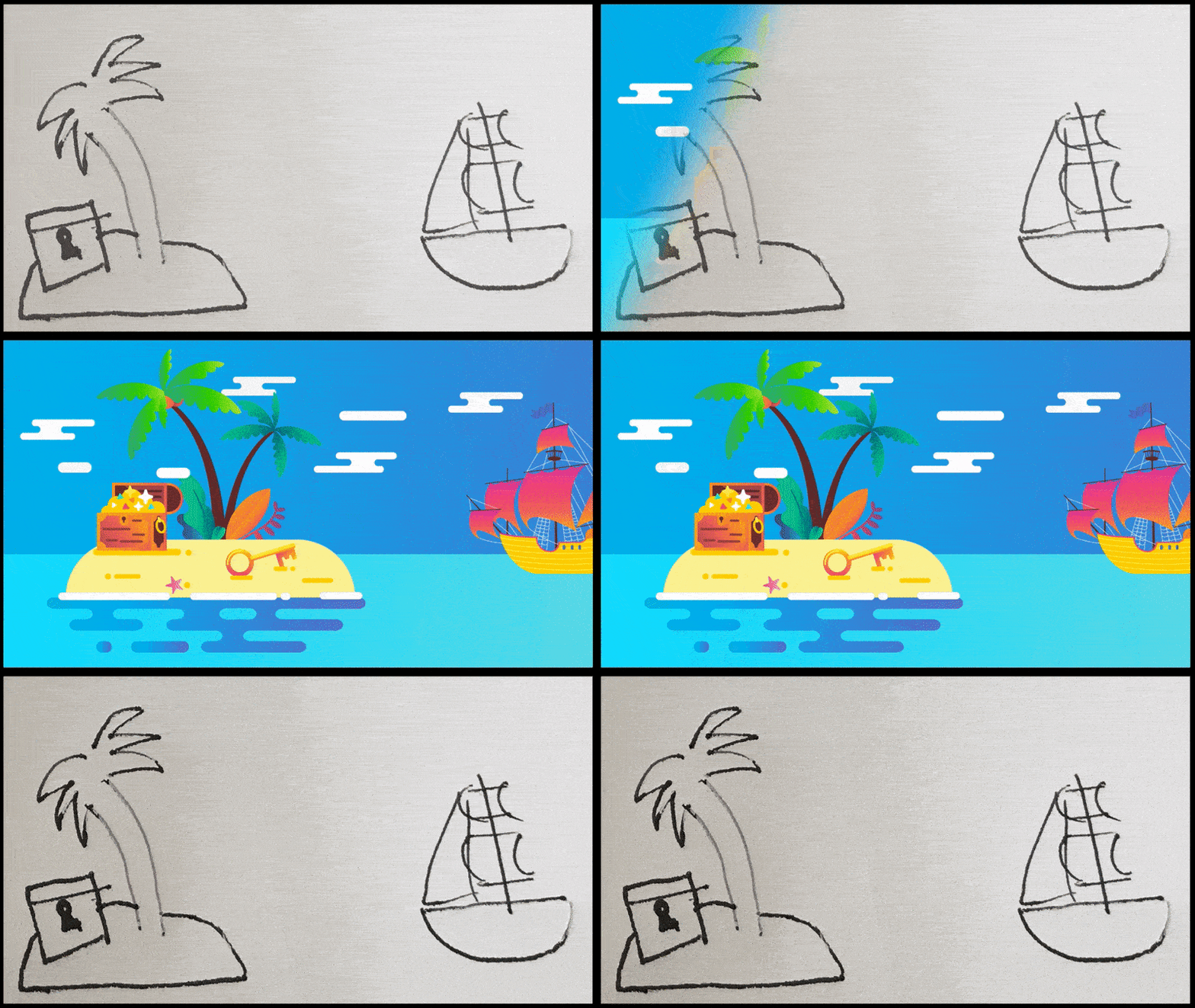
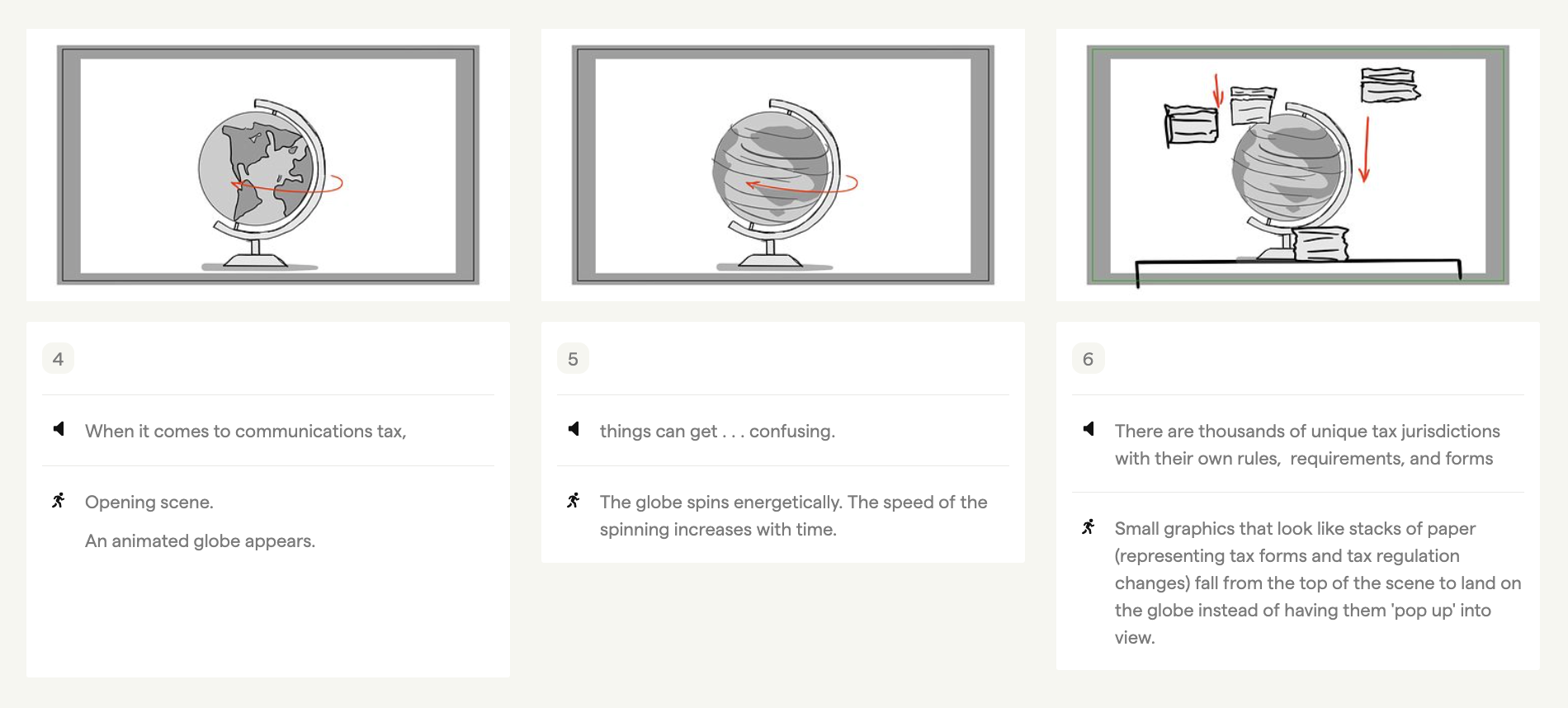
6). Storyboard

animation process storyboard

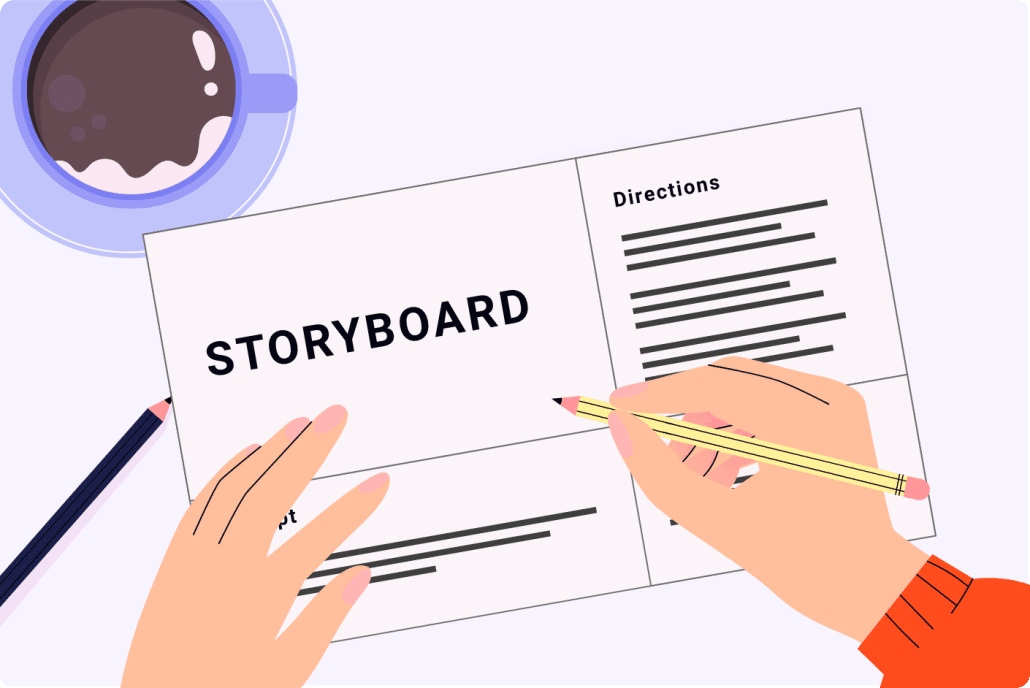
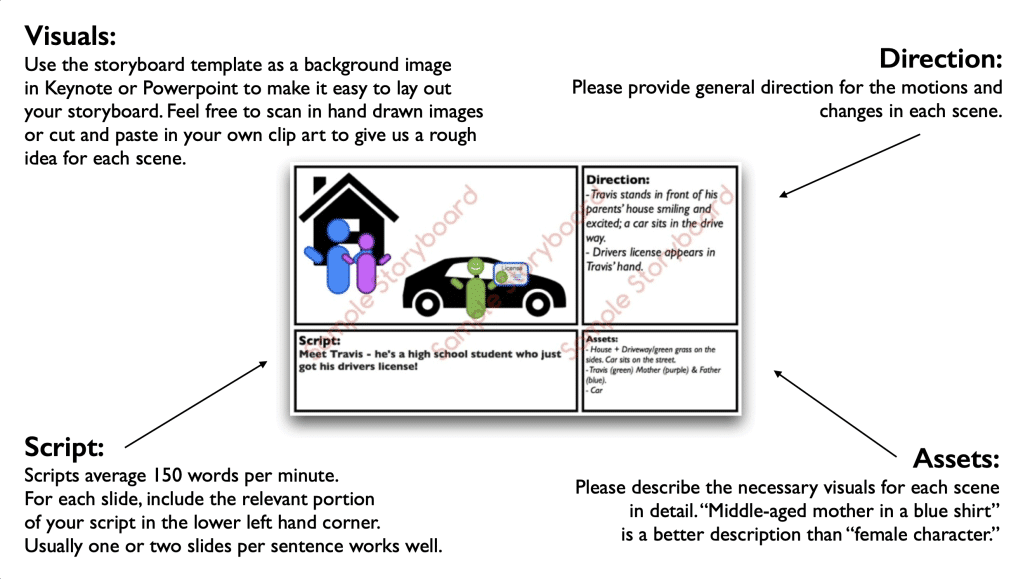
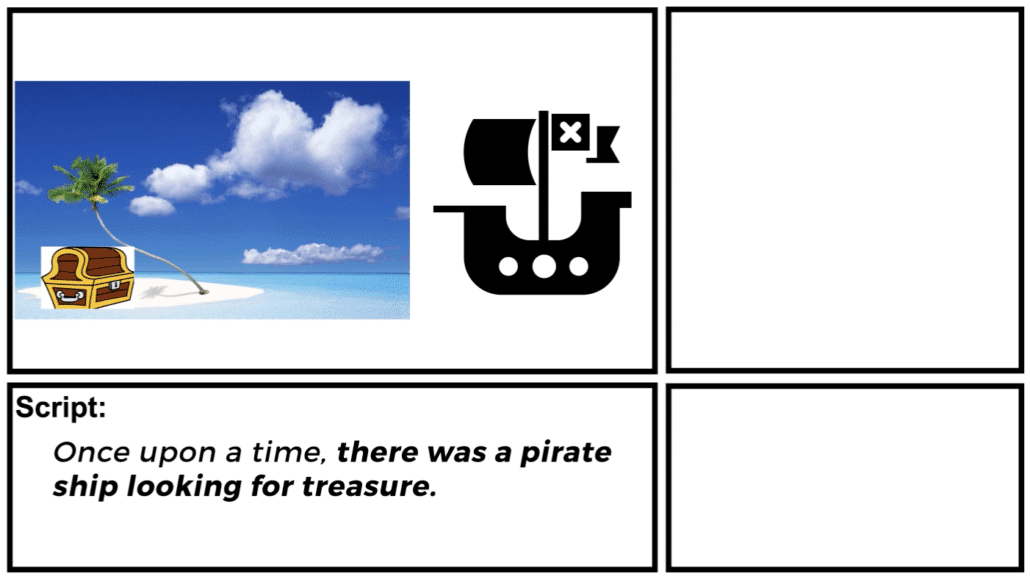
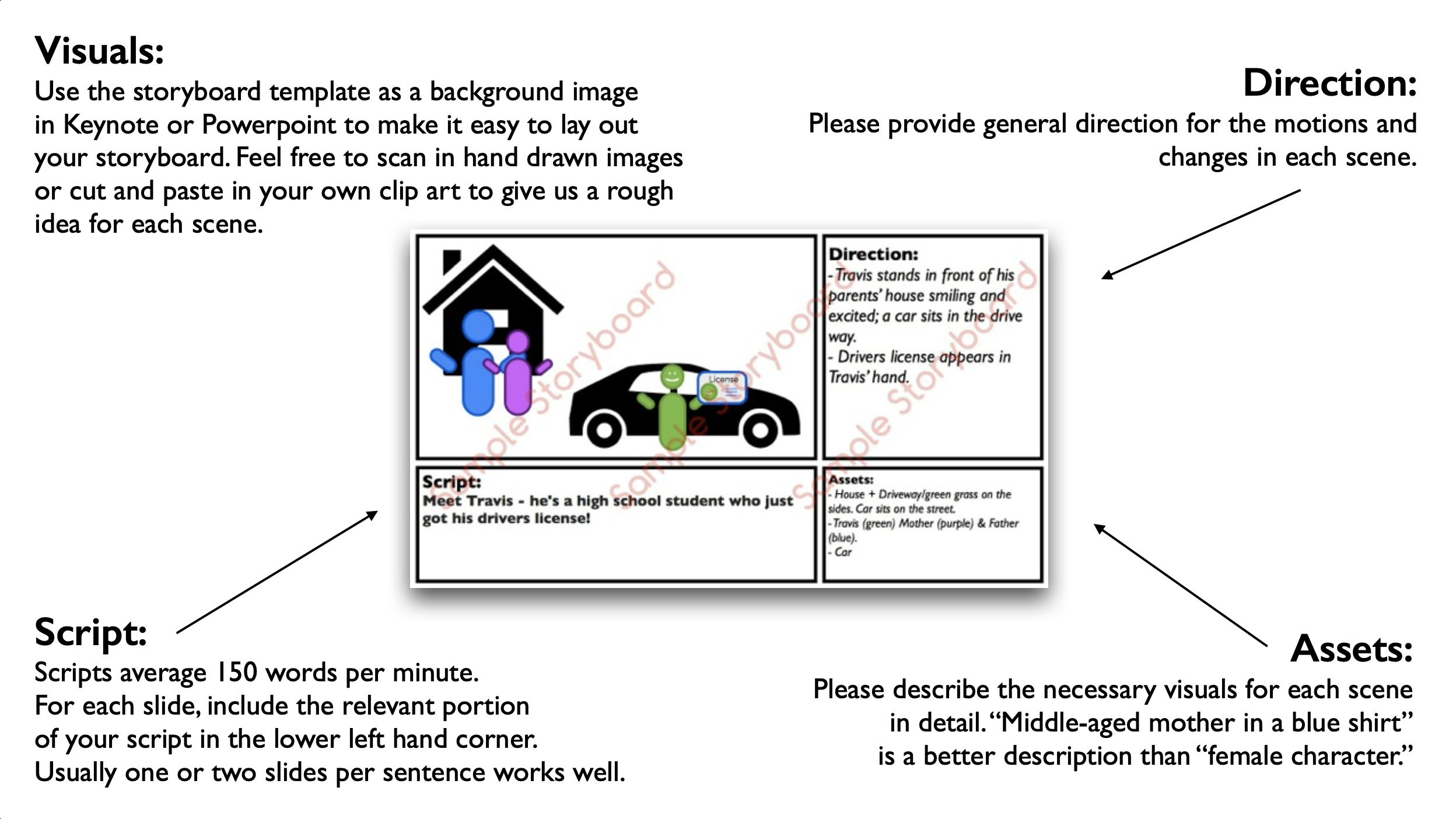
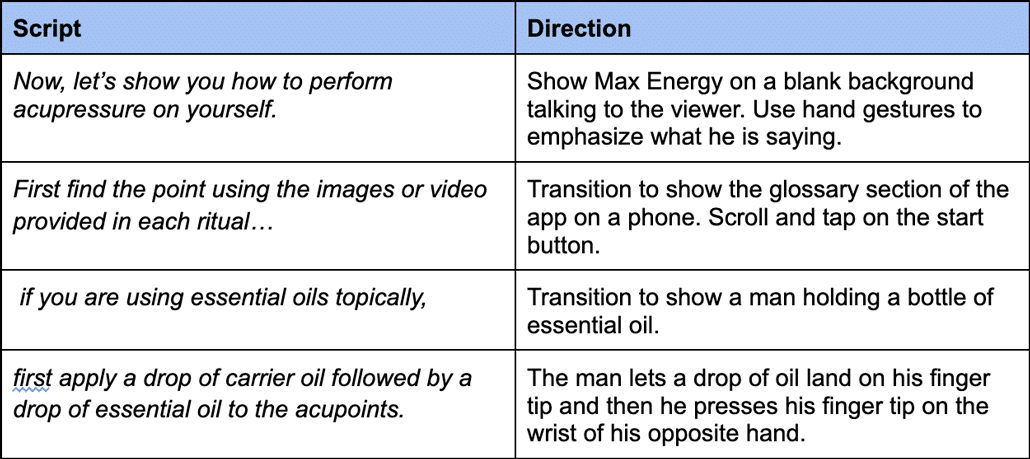
Download Video Igniter’s Free Storyboard Template

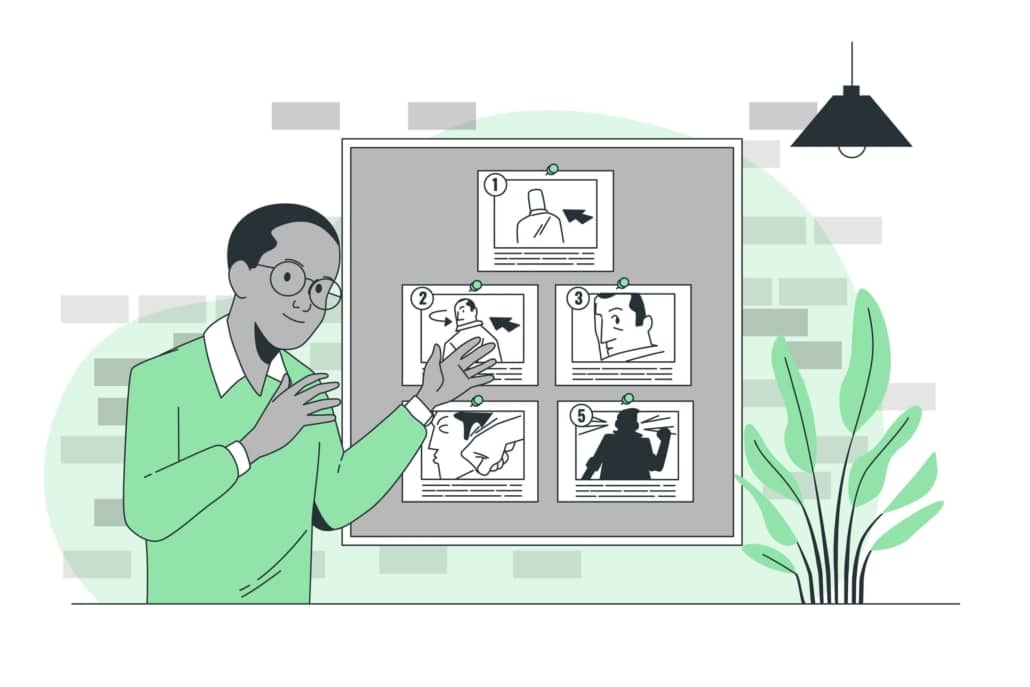
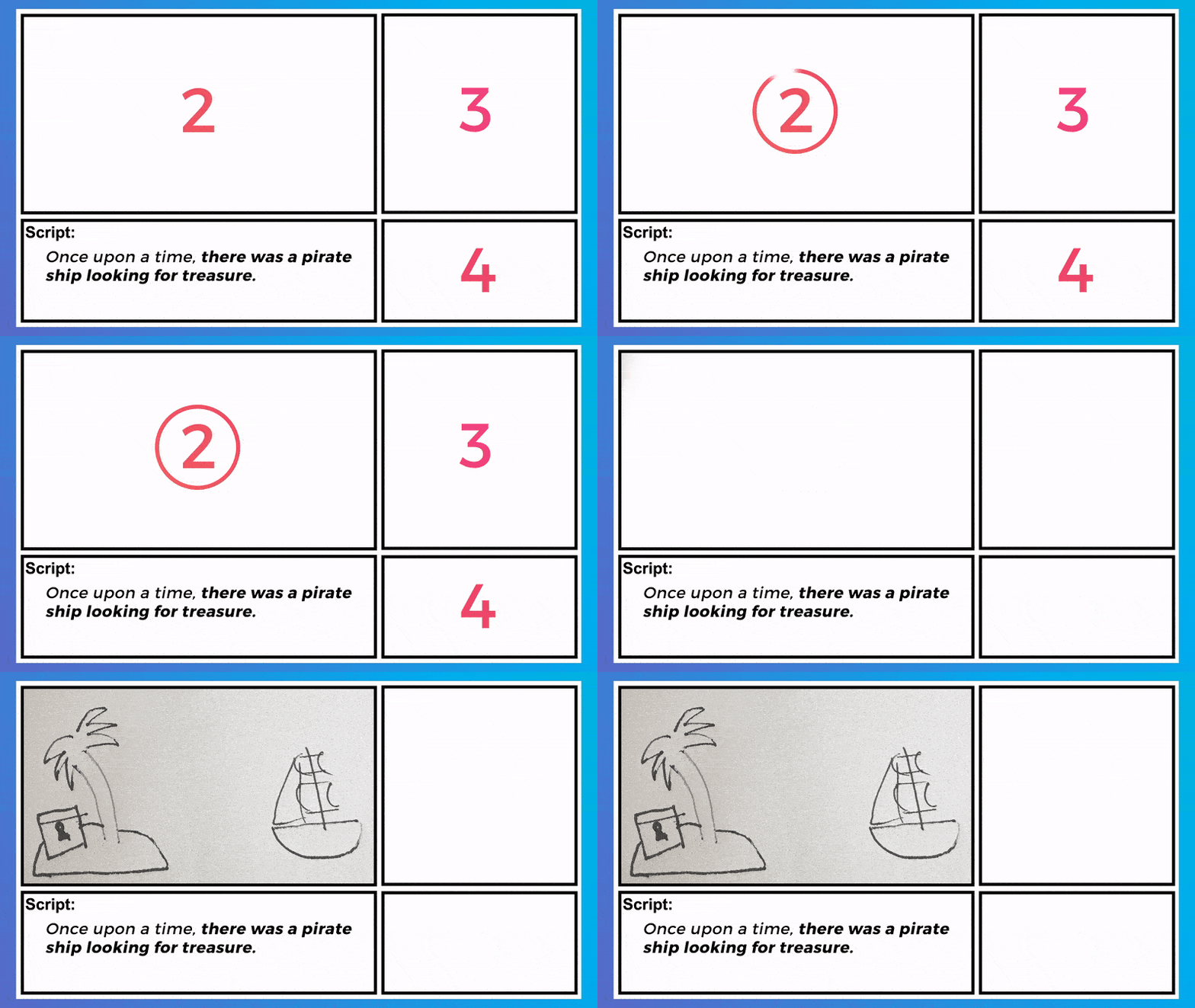
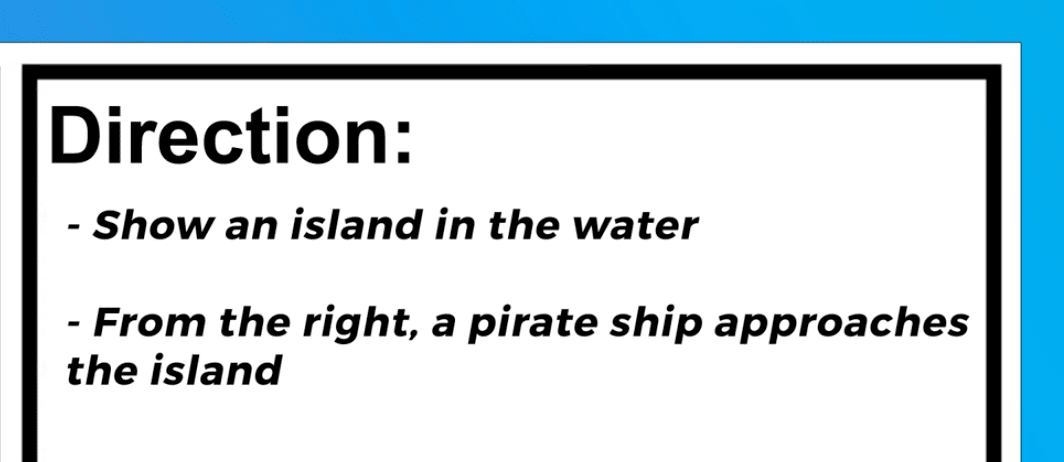
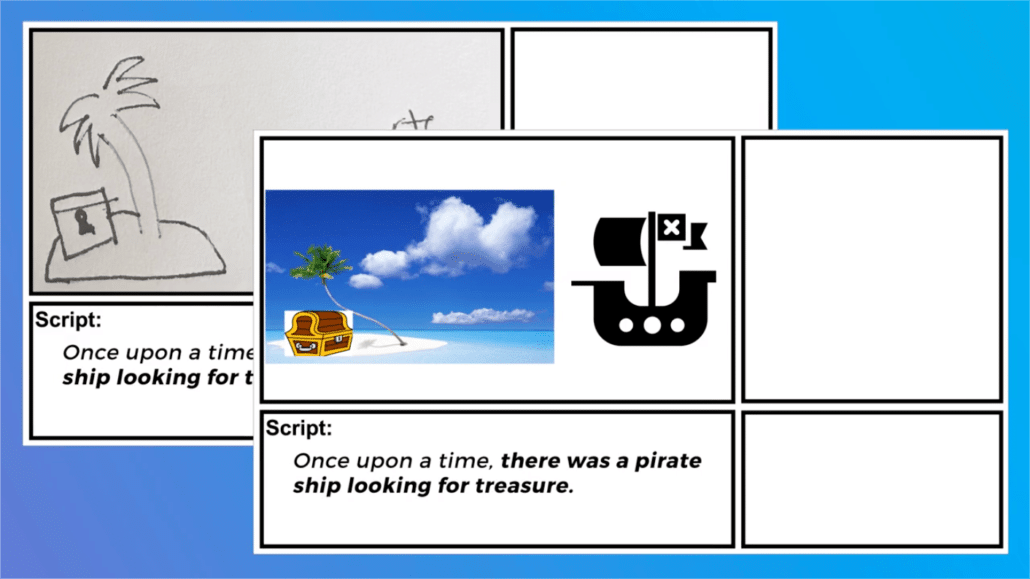
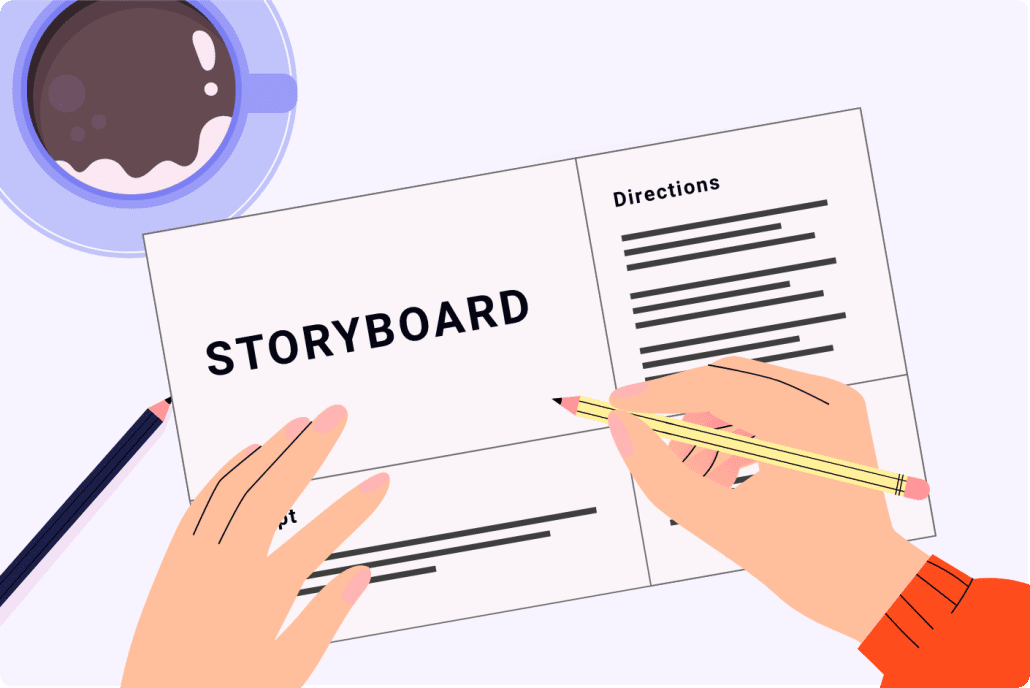
After the script is approved, the next step of the animation process is creating the storyboard. The storyboard is the blueprint for your animated video. It tells the illustrators and animators what to create. Without this document, you’d be leaving too much up to interpretation during the animation process and expensive rework may be needed to redo parts of your animation that don’t turn out the way you want to. You can avoid this by providing simple, clear instructions for the illustrators and animators in the storyboard.

You can create the storyboard using our template or hire the animation team to produce it for you. If they produce the storyboard for you, you will get an opportunity to review your storyboard and request revisions before approving it for production.

7). VoiceOver

voiceover

Once the storyboard is locked in, your production team will help you get voiceover(s) recorded for your animation. The process for getting voiceovers typically starts with recording auditions from multiple qualified VO talents. Then, you get a chance to review them and select your favorite option(s). Your production team will then oversee the recording of the full voiceover to ensure it uses the correct pacing, pronunciation, and energy. You will be given an opportunity to review the voiceover and request revisions before moving on to the next step of the animation process.

8). Soundtrack

soundtrack

While your animation team is getting the voiceover recorded, they will also help you select a soundtrack to enhance your animated video. This is an important step of the animation process because picking the right video soundtrack will set the emotional tone of your animation’s presentation; selecting the wrong track (or not using any music) will make your video feel flat and lifeless – or worse, the music could be off putting and make people stop watching. The right soundtrack will feel right. You’ll know it when you hear it and see the two playing together.

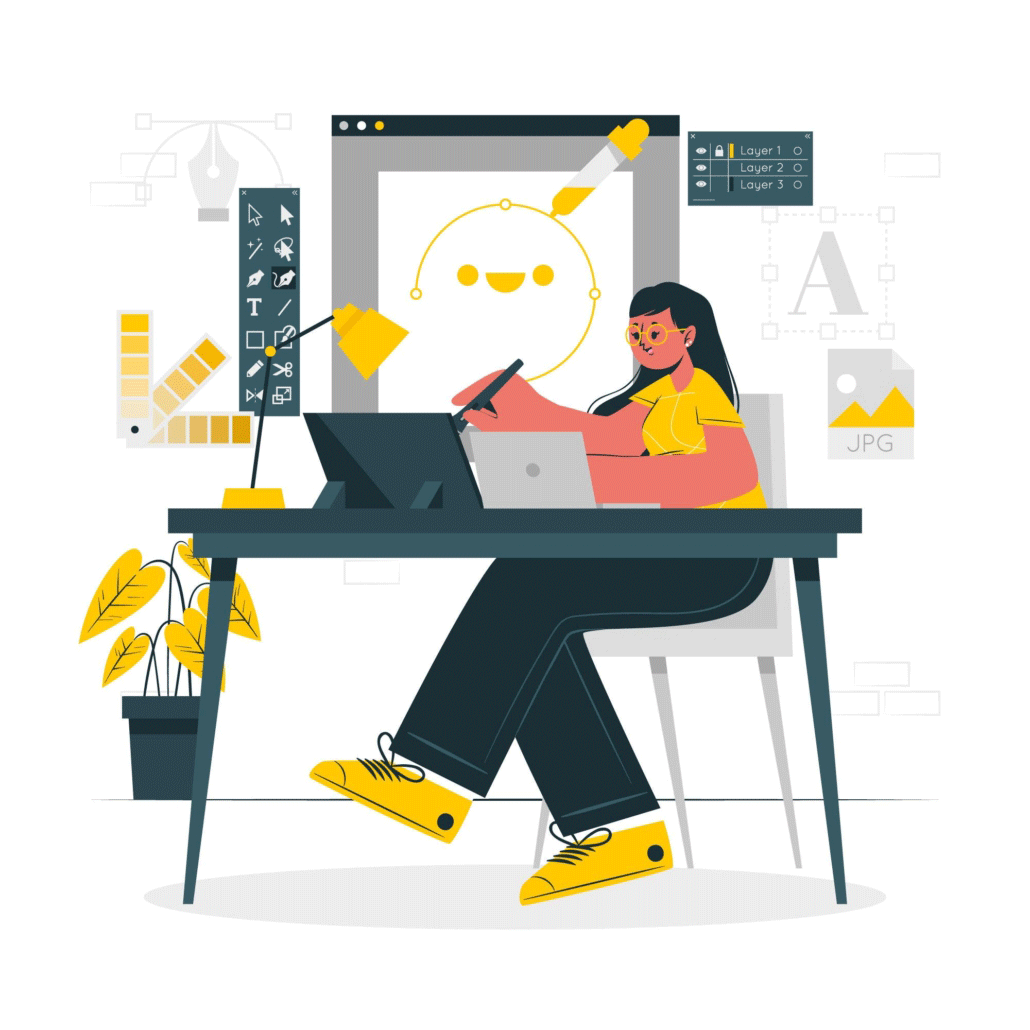
9). Illustration

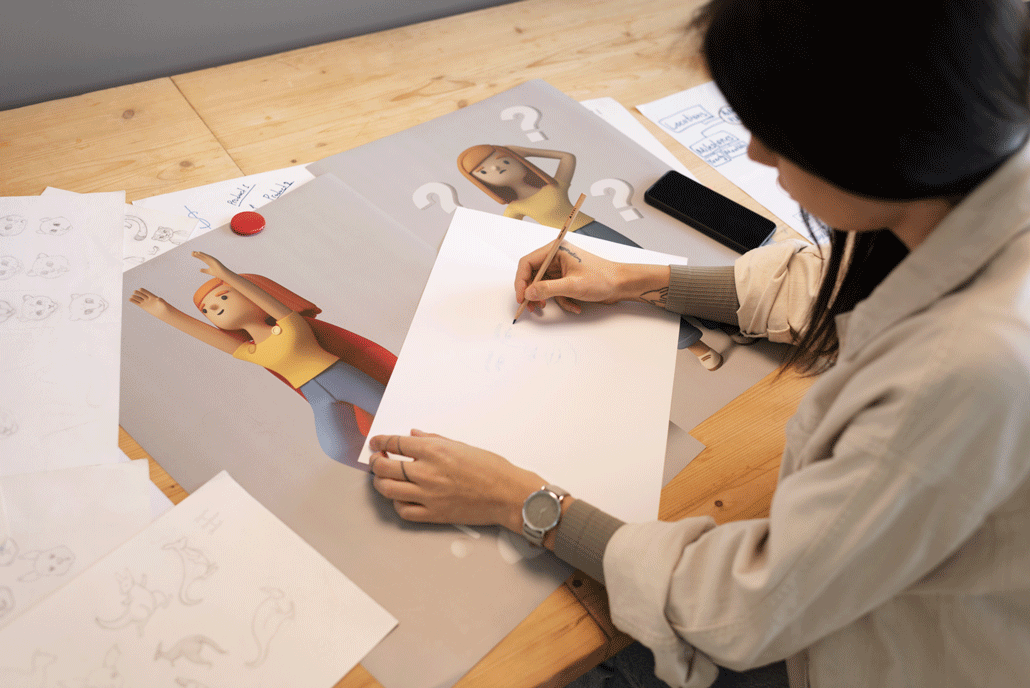
The next step of the animation process is creating the art for your animated video. Illustrations begin as concept art. The art director will take a key scene from your storyboard, review your style references/brand guidelines, and design 1 or more pieces of custom concept art.

animation process concept art

Review the concept(s) and let the art director know which one you prefer. You can also tell them that you want to refine the selected visual style first before approving the concept for production.

After the concept art is approved, the art team will follow your storyboard and design all of the custom art for your video based off of the approved concept art.

animation process illustrations

You get an opportunity to review all the illustrations and request revisions before moving on to the next stage of the animation process.

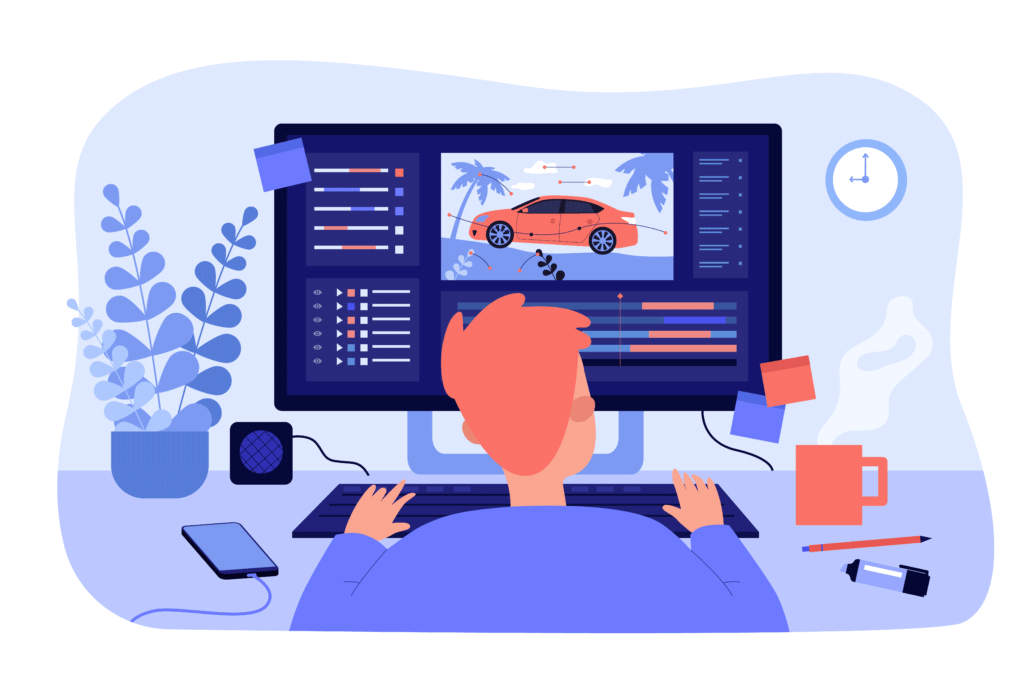
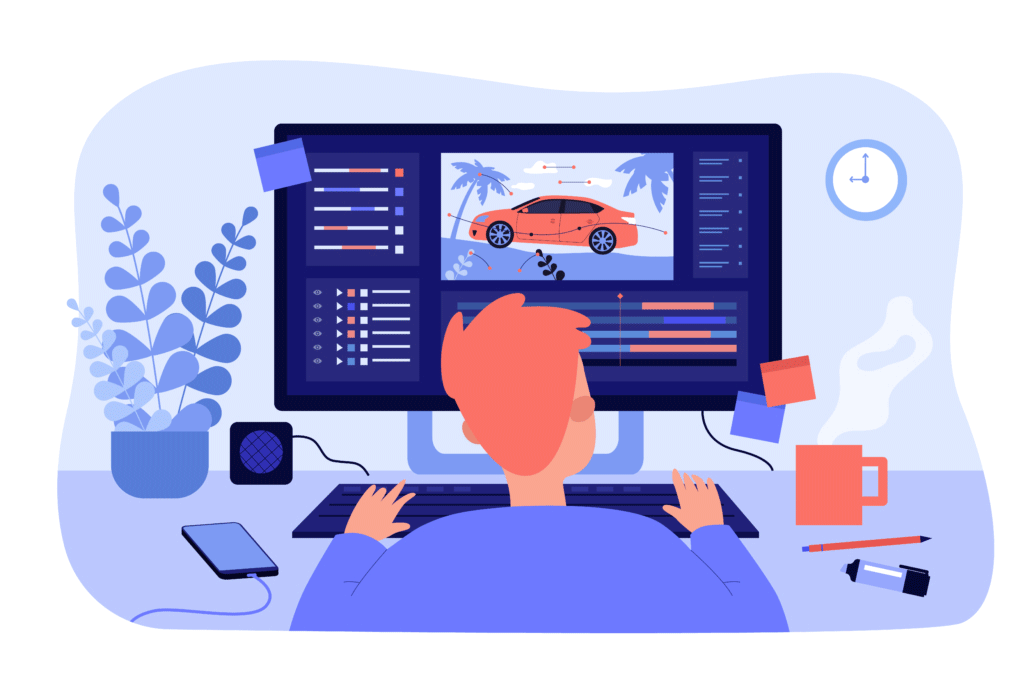
10). Animation

We’re getting close to the end of the animation process because it’s time to actually animate! After all the assets have been created and approved, it’s time to animate. It takes about 1 week to create a 60-second custom animation. 3D animations take 2-3x as much time.

animation process animator

When the first draft is ready, give it a detailed review with your team and members of your target audience. Collect everyone’s feedback and share it with your production team so they can incorporate the edits and render out the final draft.

11). Wrapping Up The Animation Production Process: Post Production & Special Edits

After the final draft is approved, it’s time to handle any special edits or requests from the client including:

  • Translating the video into another language
  • Editing down a shorter version of the video
  • Cropping the video for different aspect ratios (for social media)

Why is it important to follow a process when creating an animation?

video promotion post production

The animated video production process is structured so that a production company can understand your vision for the video and then create a set of instructions for the illustrators and animators so that they know what to create. If you try and skip creating a storyboard for your video, the whole animation process gets thrown off. It would leave too much up for interpretation with your production team. Ultimately, this would lead to budget increases and more time in order to fix the animation to make it look more like what you were imagining.

How Long Does Animation Take?

The length of the animation process varies depending on the length of the video being created and the visual style of the video. Here is a typical production schedule for a 1-2 minute 2D animated video:

  • Script Creation + Revisions: ~1 week
  • Storyboard Creation + Revisions: ~1 week
  • Concept Art, VoiceOver Auditions & Soundtrack Selection: 2 days – 1 week
  • Illustration: 1 – 2 weeks
  • Animation: 1 – 2 weeks

If you want to create a 3D animated video, expect production to take ~2-3x as much time.


animation process timeline

How much does the animation production process cost?

The answer to this question also depends on the length and style of the video being created. Here are some data points to provide context:

  • A custom 2D animated video that’s 1 minute long usually costs $1,000-$10,000 to produce.
  • Fancier frame by frame 2D animation costs at least 2X as much.
  • 3D animation costs +2-4x more than 2D animation to produce.
  • A full Pixar movie costs $30,000,000-$150,000,000 to produce.

animation process cost

How to save money during the animation process?

animation process budget saving tips

For more tips on making your animated video more affordable, check out this companion article:

Affordable Animation

Different Types of Animation Processes Explained

The animation process isn’t one-size-fits-all. Depending on your video goals, audience, timeline, and budget, you may want to pursue a specific type of animation production workflow. Here are some common animation styles and how their processes differ:

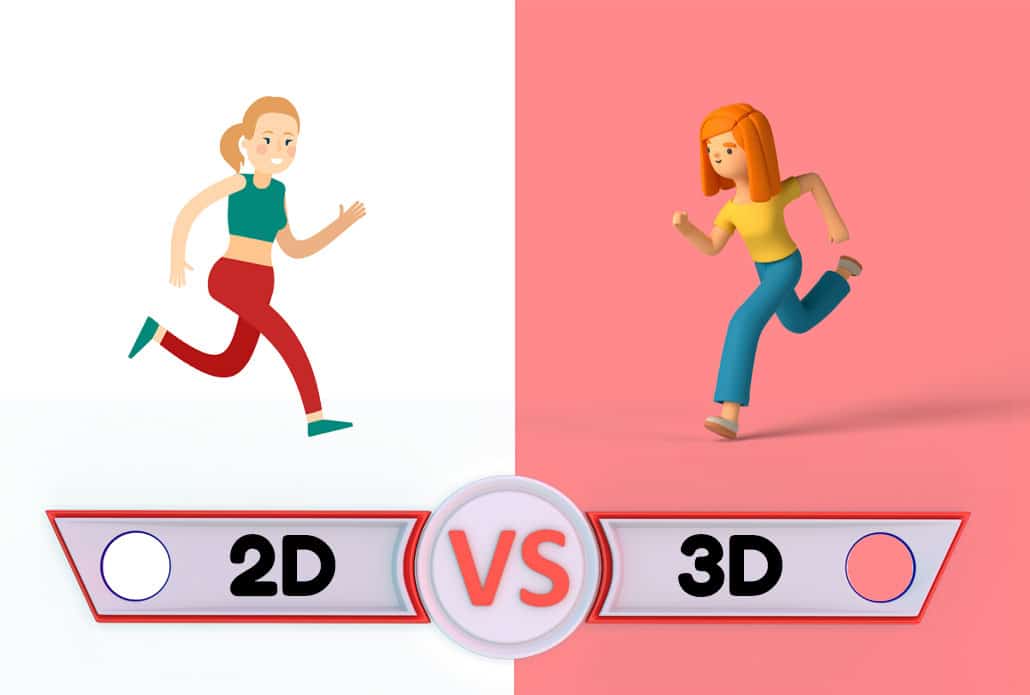
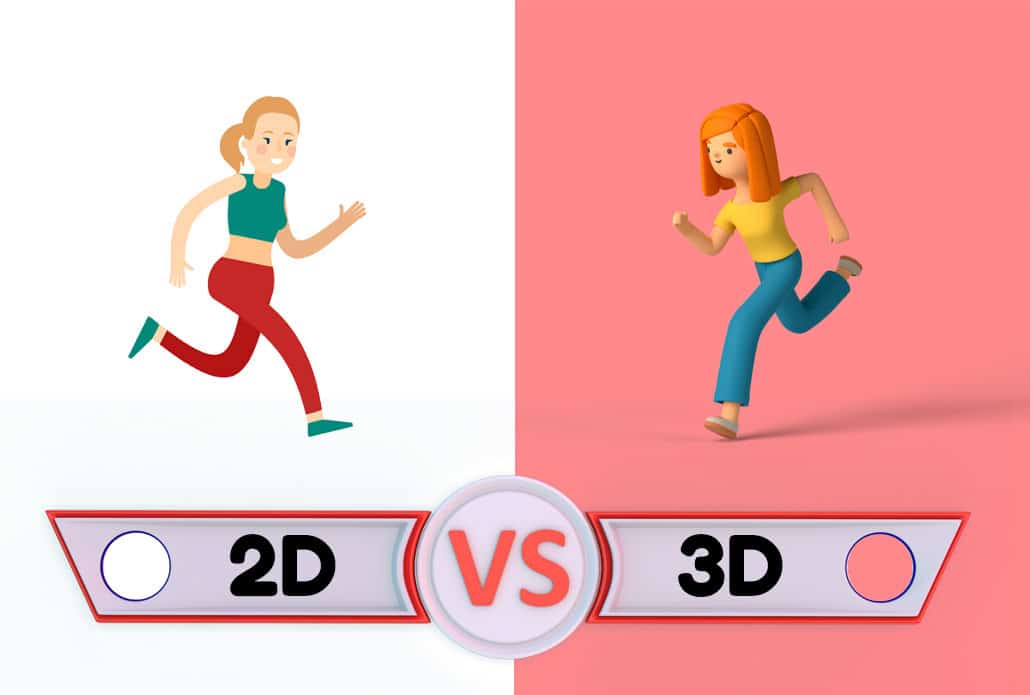
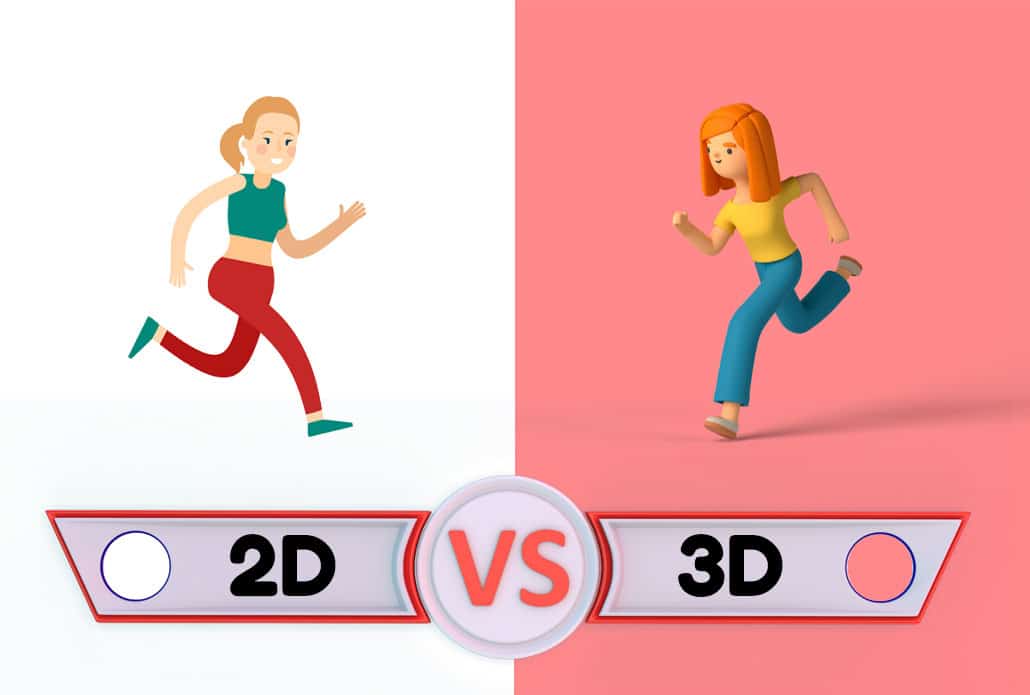
2D Animation Process

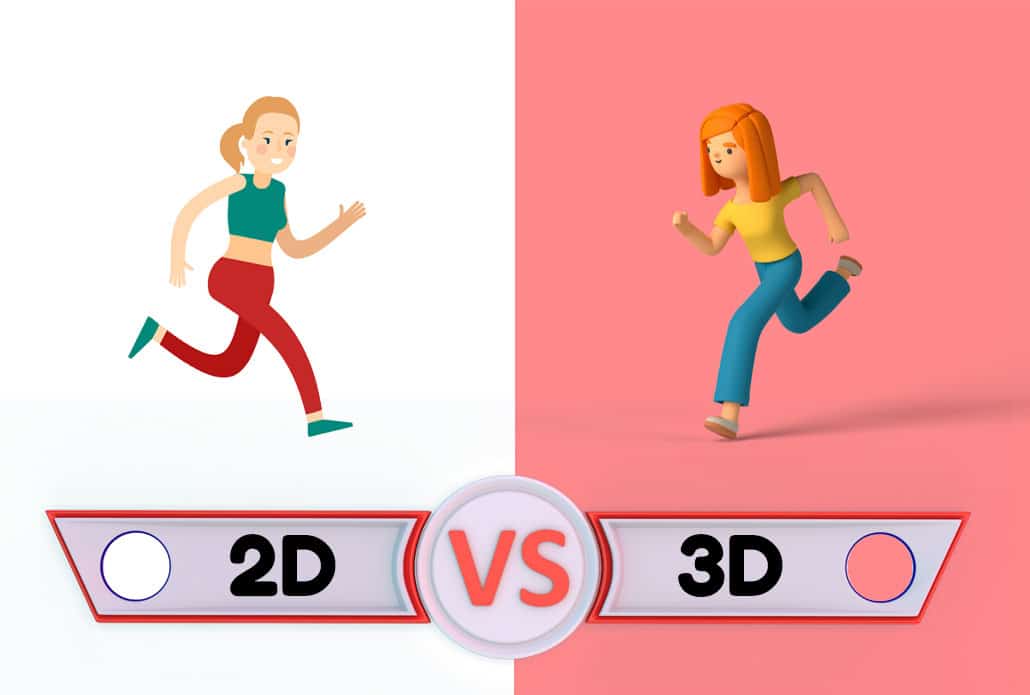
The 2D animation process is commonly used for explainer videos, commercials, and educational content. It typically involves:

  • Flat illustrations created in vector-based software like Adobe Illustrator.
  • Rigged characters using tools like Adobe After Effects, Moho, or Toon Boom.
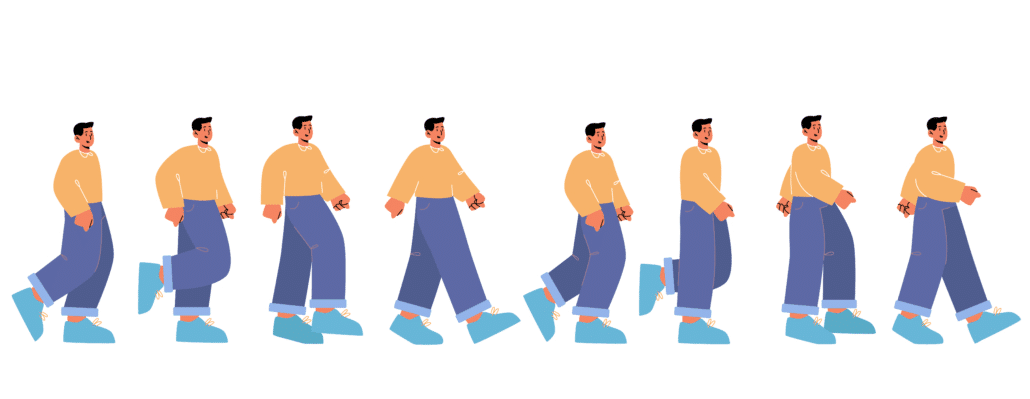
  • Limited animation techniques to save time and budget while still producing high-quality visuals.

This process is ideal for fast turnarounds and clear communication, especially when working with abstract concepts or digital products.

Different Types of Animation Processes Explained

3D Animation Process

The 3D animation process is more complex and time-intensive. It includes:

  • Modeling: Building three-dimensional characters and environments.
  • Texturing: Applying surface details like skin, fabric, or metallic finishes.
  • Rigging & Skinning: Creating a digital skeleton so characters can be animated.
  • Lighting & Rendering: Setting up scene lighting and exporting high-quality visuals frame by frame.

Because of its realism and versatility, 3D animation is popular in architecture, gaming, product demos, and entertainment.

Motion Graphics Process

Motion graphics focus on animated text, shapes, and icons to convey messages quickly. The motion graphics animation process skips character rigging and focuses on timing, transitions, and visual storytelling. It’s often used for data visualization, logo reveals, and short-form social content.

Stop Motion Animation Process

Although less common in digital production pipelines, stop motion uses real-world models and physical props. The animation process involves taking thousands of photos, moving characters incrementally between each shot. This analog method requires intense planning, set design, and post-production editing, making it a labor of love with a unique aesthetic.

Pre-Production: The Most Crucial Stage in the Animation Process

Pre-Production The Most Crucial Stage in the Animation Process

Pre-production is the foundation of a successful animated video. While many clients are eager to dive into illustration and animation, this early stage is where most creative problems are solved before they cost time and money.

During pre-production, you should:

  • Finalize your script to avoid last-minute rewrites that derail production.
  • Align on a visual style to ensure consistent art direction.
  • Confirm your core message and call to action.
  • Approve a production schedule to manage timelines and stakeholder reviews.

The more effort you put into planning the animation process upfront, the smoother the rest of the journey will be.

Check out Video Igniter’s Pre-Production Checklist.

Animation Review Cycles and Feedback Best Practices

Animation Review Cycles and Feedback Best Practices

Revisions are a natural part of the animation process—but if not managed carefully, they can create delays and unnecessary costs. Here are a few tips for giving effective feedback during your animation project:

  • Be specific: Instead of saying “make it pop,” explain what you want changed (e.g., “increase the contrast” or “use a bolder color for the call-to-action button”).
  • Consolidate feedback: Gather all notes from your team before submitting them to the animation studio.
  • Stick to the plan: Avoid making major changes to the script or visual direction once you’ve approved earlier stages like the storyboard or illustrations.

Staying organized during the review stages helps ensure a streamlined animation process from first draft to final delivery.

How to Make the Most of Your Animated Video After Production

How to Make the Most of Your Animated Video After Production

The animation process doesn’t end when the video is delivered. To maximize ROI, you need a strong distribution strategy. Here are ways to get more value out of your animated video:

  • Upload to YouTube and optimize your title, description, and tags for search.
  • Embed the video on landing pages to increase conversion rates.
  • Share it on social media with captions and hashtags to expand reach.
  • Include it in email campaigns to improve open rates and click-throughs.
  • Repurpose it into blog posts, GIFs, short social clips, or infographics.

Each additional use of your video adds value and helps reinforce your brand message across multiple touchpoints.

Animation Process for Businesses vs. Animation for Entertainment

Animation Process for Businesses vs. Animation for Entertainment

It’s worth noting that the animation process differs depending on whether you’re producing content for marketing vs. entertainment:

  • Business animation (e.g., explainer videos, product demos) is usually short-form, goal-driven, and designed to convert or inform. The process is streamlined with tight timelines and budgets.
  • Entertainment animation (e.g., cartoons, web series) often involves episodic content, deeper character development, and extended timelines. The production pipeline may also include writing rooms, sound design teams, and more complex asset libraries.

Understanding your content’s purpose will help you choose the right animation process and team.

Tips for First-Time Clients Going Through the Animation Process

Tips for First-Time Clients Going Through the Animation Process

If this is your first time commissioning an animated video, here are a few things that will help you navigate the animation process more smoothly:

  • Ask about the number of revision rounds included in the quote.
  • Request a detailed timeline with production milestones.
  • Clarify who is responsible for writing the script, sourcing music, and managing voiceover talent.
  • Discuss licensing and ownership rights for final deliverables and raw assets.

Being proactive about communication and expectations will lead to a better experience for both you and your animation team.

What Happens Behind the Scenes During the Animation Process?

What Happens Behind the Scenes During the Animation Process

The animation process involves much more than moving illustrations across a screen. Once the creative direction, storyboard, artwork, and other major production elements have been approved, an animation team has to turn those static assets into a cohesive visual experience. This involves decisions about timing, movement, transitions, composition, sound synchronization, visual consistency, and technical quality.

Understanding what happens behind the scenes can help businesses make better decisions when planning an animated video and can also make it easier to communicate with an animation production team.

Creating an Animatic Before Full Animation

One useful part of an animation process is the creation of an animatic. An animatic is essentially a rough video version of the storyboard that gives the production team an opportunity to test the timing and overall flow before committing to full animation.

Instead of fully animating every scene, the team combines storyboard frames or simplified artwork with the voiceover to determine whether the sequence works. This can reveal problems that aren’t always obvious when looking at a static storyboard.

For example, an animatic can help answer questions such as:

  • Does a particular scene stay on screen long enough to understand?
  • Does the visual change at the right moment in the voiceover?
  • Is there too much information being presented at once?
  • Does the video feel too slow or too fast?
  • Are important visual elements receiving enough attention?
  • Does the transition from one scene to another feel natural?

Making changes at the animatic stage can be considerably easier than discovering the same problems after detailed animation has already been completed. For longer, more complicated projects, an animatic can therefore become an important checkpoint in the animation workflow.

Blocking and Timing the Animation

After the overall sequence has been established, animators begin determining exactly how objects and characters will move. One of the most important considerations here is timing.

Animation timing determines how long an action takes to occur. A character turning their head in half a second communicates something very different from a character turning their head over two seconds. Similarly, a logo that appears instantly creates a different impression from one that gradually builds onto the screen.

Animators may first create a rough version of each movement before adding additional detail. This process is often referred to as blocking. The animator establishes the major poses, positions, and moments of an action first, then refines the movement between those points.

This approach allows the animation team to concentrate on the overall performance before spending time polishing individual movements.

Applying the Principles of Animation

Applying the Principles of Animation

Professional animators also rely on established principles of animation to make movement feel natural and visually appealing. These principles originated in traditional animation but remain relevant to modern 2D animation, 3D animation, character animation, and motion graphics.

Some of the principles that can influence a modern animation process include:

Anticipation: A small movement can prepare the viewer for a larger action. For example, a character might pull their arm backward before throwing an object.

Ease in and ease out: Objects generally feel more natural when they gradually accelerate and decelerate rather than moving at a constant speed.

Squash and stretch: Changing the shape of an object during movement can communicate weight, flexibility, and impact.

Follow-through: Parts of an object or character may continue moving briefly after the primary action has stopped.

Timing: The duration and spacing of movements can change how an action feels and how easily the audience understands it.

Exaggeration: Increasing a movement or expression can make an important moment easier for the audience to notice.

Not every business animation needs exaggerated character movement or traditional cartoon techniques. However, understanding these principles allows animators to make even relatively simple motion graphics feel more polished.

Designing Movement Around the Message

Designing Movement Around the Message

A strong animation process isn’t simply about making everything move. Movement should have a purpose.

For a business video, animation can direct attention toward the information the viewer needs to understand. A new graphic might enter the screen when the narrator introduces a concept. An important statistic might become larger or more prominent. An interface element might animate to demonstrate how a software product works.

This creates a visual hierarchy that helps viewers understand what matters most.

For example, if an animated explainer introduces three benefits of a product, the animation team might introduce each benefit separately rather than displaying all three simultaneously. The movement effectively guides the viewer through the information in the same way that typography, layout, and composition guide someone through a webpage.

The best animation process therefore considers why something should move before deciding how it should move.

Maintaining Consistency Across Every Scene

Maintaining Consistency Across Every Scene

Another behind-the-scenes challenge is maintaining visual consistency throughout the entire video. This becomes especially important when a project contains multiple characters, locations, illustrations, icons, or user-interface elements.

An animation team may establish rules for things such as:

  • Character proportions
  • Facial features and expressions
  • Line weights
  • Typography
  • Icon styles
  • Object proportions
  • Camera movement
  • Transition styles
  • Spacing and composition
  • Repeated visual elements

These decisions create a visual system that allows individual scenes to feel as though they belong to the same video.

Without this consistency, a video can feel like a collection of unrelated illustrations rather than one cohesive production. This is particularly important for companies using animation to communicate their brand, because inconsistent visual treatment can weaken the professional appearance of the final piece.

Asset Organization During Animation Production

Asset Organization During Animation Production

A large animation project can contain hundreds or even thousands of individual assets. These might include illustrations, character components, background elements, logos, photographs, icons, audio files, visual effects, and animation project files.

Keeping these assets organized is an important but often invisible part of the animation process.

Production teams may organize assets according to scene, character, file type, or production stage. Naming conventions and version control can also help prevent the team from accidentally using an outdated asset.

This becomes increasingly important when multiple artists are working on the same project. An organized production pipeline makes it easier for artists to locate the correct files and reduces the possibility of errors during production.

Compositing Brings the Animation Together

Once individual elements have been animated, they often need to be combined during a stage called compositing.

Compositing involves combining different visual layers into a finished shot. An individual scene may contain a background, characters, foreground objects, text, effects, lighting, shadows, and other elements on separate layers.

The compositor determines how those elements work together visually.

This can include adjusting transparency, adding effects, refining lighting, integrating shadows, creating depth, and making sure that the different elements appear to occupy the same visual environment.

In 3D production, compositing can also involve combining rendered passes and visual effects to create the final appearance of a shot. In 2D animation and motion graphics, compositing can be used to combine artwork, typography, effects, and backgrounds into a polished scene.

Color and Visual Quality Control

Color and Visual Quality Control

Color can have a significant effect on how an animated video feels. During production, the team may need to make sure that colors remain consistent between scenes and that important elements remain easy to see.

This is particularly important when animation incorporates a company’s existing brand identity. A color that looks correct in one context may become difficult to read when placed against a particular background.

Quality control can also involve checking typography, alignment, image quality, transitions, and other small details that viewers may not consciously notice but that contribute to the perceived quality of the finished video.

The animation process therefore includes a considerable amount of refinement that happens after the major creative decisions have already been made.

Synchronizing Animation With Voiceover and Sound

The relationship between animation and audio is another important part of the production workflow. Visual actions often need to happen at precise moments in relation to the voice over.

For instance, when a narrator introduces a specific feature, the corresponding graphic may appear immediately afterward. A character may react to a particular word or phrase. A transition may occur at the end of a sentence.

Sound effects can also reinforce visual actions. A button clicking, object appearing, notification arriving, or character moving can become more convincing when the appropriate sound accompanies the action.

This is why animation timing shouldn’t be considered independently from the audio track. The strongest results often come from treating the voiceover, music, sound effects, and visuals as parts of the same storytelling system.

Rendering the Final Animation

Rendering the Final Animation

After the animation has been completed and composited, the project must be rendered into a video file.

Rendering converts the production team’s working project into individual frames that can ultimately be assembled into a playable video. Depending on the complexity of the project, resolution, frame rate, visual effects, and rendering method, this can require substantial processing time.

A simple 2D motion graphics project may render relatively quickly, while a complex 3D animation containing detailed models, lighting, reflections, shadows, and effects can require considerably more computing power.

The team may also produce test renders before generating the final version. Test renders allow artists to identify technical problems before spending additional time rendering the entire project at full quality.

Quality Assurance Before Final Delivery

Quality Assurance Before Final Delivery

A final quality-control pass is one of the last safeguards in the animation process. The completed video should be reviewed from beginning to end rather than simply checking individual scenes.

A quality-assurance review may look for:

  • Spelling or grammatical errors
  • Incorrect logos or brand elements
  • Missing graphics
  • Audio synchronization problems
  • Abrupt or unintended transitions
  • Visual glitches
  • Incorrect colors
  • Audio levels that are too loud or too quiet
  • Missing frames or rendering errors
  • Problems with the final video dimensions or format

Watching the entire video as a viewer is particularly important. A scene can look correct by itself while still feeling awkward when viewed in sequence with the scenes before and after it.

Why Every Animation Process Is Slightly Different

Why Every Animation Process Is Slightly Different

There is no single animation process that works perfectly for every project. A 30-second social media advertisement may require a very different workflow from a five-minute technical training video, product demonstration, or cinematic 3D animation.

The complexity of the subject matter, number of characters, amount of custom artwork, visual style, number of deliverables, and technical requirements can all affect the production workflow.

The most effective animation process is therefore one that is designed around the goals and constraints of the specific project rather than forcing every video through exactly the same pipeline.

For businesses, understanding these behind-the-scenes stages can make the production experience much easier. Instead of viewing animation as simply “making pictures move,” it becomes easier to understand why professional animated videos require planning, design, technical expertise, creative decision-making, and multiple layers of refinement.

Ultimately, a successful animation process connects all of these elements together. The script establishes what needs to be communicated, the visual direction determines how the message should look, animation determines how viewers experience the information over time, and sound helps reinforce the story. When each part works together, the finished video can communicate complex ideas clearly while keeping the viewer engaged.

Conclusion: Mastering the Animation Process Leads to Better Videos

Mastering the Animation Process Leads to Better Videos

The animation process is a structured, step-by-step journey that transforms a rough idea into a polished, professional video. Whether you’re creating a quick explainer or a full-blown 3D production, following the proper animation workflow ensures your project stays on budget, on time, and on brand.

By understanding each stage—from script and storyboard to animation and post-production—you can make smarter decisions, give better feedback, and ultimately get a video that delivers real results for your business or brand.

Need help getting started with your animation process? Contact Video Igniter today to speak with a production specialist, get a free quote, or access our downloadable templates to plan your next video like a pro.

Still have questions about the animation process?

Do you have a question about the animation process that wasn’t included in this FAQ?  Use this form to contact us with your question. We will follow up with an answer and then we’ll post the question and answer to this page.

Still have questions about the animation process

What is Video Igniter Animation?

Video Igniter Animation is an online animated video production service. By working with our team online, you can get your custom animated video produced faster and for less than hiring a brick and mortar animation studio.

We can help you create any kind of 2D animated video or 3D animation you can imagine. Check out our animated video portfolio!

Do you want to create an animated cryptocurrency video or an animated blockchain explainer video that explains how your technology works? We can help with that too.

Watch our explainer video to learn more about how we can help you create an animated video for your business.

Animation Success Stories & Testimonials

“I am beyond satisfied with my experience with Video Igniter. The first drafts of the work were almost exactly what I had in my head when developing the concept. After that each step along the way was seamless until arriving at a perfect finished product. And all this at a tremendous value. Anyone who has considered creating a marketing video should check out Video Igniter.”

Anonymous Customer Feedback

“Video Igniter offered us the critical combination of creative value, clear communication, and patience with stakeholder feedback. We ended up with truly high-quality design assets for our video series largely due to the extra level of commitment — and the right balance of efficiencies with flexibility in the process when called for.”

Larry Schlessinger – Sr. Creative Program Manager, Amazon Web Services

“Video Igniter came to us with a number of creative and engaging ideas and were able to create an exciting, impactful video in a short period of time. And the best part was that it cost much less than other options of similar quality. The video they made is a great marketing tool for us.”

Alex Raymond – Founder, Kapta Systems

testimonials

Get In Touch!

Schedule a call with our production team to discuss your video project.

Get a quote for us to create your animated video project.

Request access to our newest price sheet.

Check out our animated video portfolio to see our latest and greatest creations.

Create your Video Igniter account, fill out a creative brief, and we’ll start your animation.

contact us

Tips and FAQ for Hiring an Animator

Whether you’re looking to hire an animator or an animation studio, there’s a laundry list of things you should look for when selecting a producer for your animation. Take a look at our checklist of recommendations to help your animated video project get off to a strong start.

Hire an animator to create a custom animated video

If you have a question about hiring an animator that isn’t answered in this article, you can use our contact form to ask your question or click the image below to with a member of our production team:

Schedule a call with Video Igniter's production team to discuss your animated video project.

Hire Video Igniter’s Animators to Create Videos Like These

Video Igniter can create any kind of 2D or 3D animated video for you. Check out the example videos below.

To start your project contact us, schedule a call with our production team or request access to our new pricing page.


Are you looking for an example of a different style of animation? Send us a message to let us know what kind of animation example you want to see and we will follow up with relevant production samples.


Top Platforms to Hire an Animator

When you’re ready to hire an animator, knowing where to look can make all the difference. There are several popular platforms where clients can find freelance animators or animation studios, each with its own strengths and considerations.

  • Video Igniter – For businesses seeking high-quality, custom animated videos with a streamlined production process, Video Igniter is a top choice. Our platform connects you directly with professional animators and manages the full animation workflow—from script to screen—so you don’t have to vet freelancers or juggle production details. If you want to hire an animator and get studio-quality results without the hassle, Video Igniter makes the process simple and effective.
  • Upwork – This popular freelance platform allows you to browse animator profiles, view portfolios, and post your job for animators to apply. It’s great for hiring freelance animators with flexible pricing, but finding a quality match can take time.
  • Fiverr – Ideal for small budgets, Fiverr lets you hire animators offering fixed-price services. However, while there are many talented animators, the quality can vary significantly, so it’s essential to vet portfolios carefully.
  • Behance – A portfolio site where many professional animators showcase their work. While you can’t hire directly through Behance, it’s a great place to find animators whose style matches your vision and then reach out directly.
  • Reddit (e.g., r/animationcareer) – Niche communities on Reddit can be helpful for finding emerging talent or getting honest feedback on where to hire an animator. Just be mindful that these forums are informal and require more manual vetting.

Top Platforms to Hire an Animator

Each platform has its own strengths, but if you’re looking for an all-in-one solution to hire an animator without spending hours on research and project management, Video Igniter is one of the most efficient and reliable options available.

What to look for when hiring an animator?

Animation Style References

The most important thing you can do when looking to hire an animator is to check out examples of previous videos they’ve created. Does their work demonstrate their ability to make good design decisions? Are they able to produce an animation similar to the style you want for your video?

Project Availability

Check to see how many projects they take on at once and how your project will be prioritized relative to other projects. Will they have enough time to complete your video before your deadline?

Animated video project availability.

Responsiveness

What are your expectations when it comes to customer service. Do you need the ability to collaborate with them in-person? Or can you work remotely? Are timezones going to be an issue?  How quickly do you expect a response from your animator? Make sure to discuss responsiveness and estimated turnaround times for your project.

Storytelling Ability

When hiring an animator, you’ll want to make sure they’re a competent storyteller. There are a lot of amazing visual artists out there that haven’t connected the dots between the art of storytelling and the art of visual design. Make sure your animator of choice is able to make images that are appropriate for your story and enhances their presentation for the viewer.

Revisions Policy

Check to see what kind of revision policy your animator offers. If you aren’t paying your animator by the hour, make sure you check to see how many revisions are included in the flat rate you were quoted for the project.

Audio

animated video soundtrack

How’s the audio in their videos? Do the voiceovers sound clean and professional? Does the background music enhance the video or distract you?

For more tips on what to look for when you want to hire an animator, check out this companion article:

https://videoigniter.com/9-things-to-look-for-when-hiring-an-animation-studio/

Essential Questions to Ask Before You Hire an Animator

Essential Questions to Ask Before You Hire an Animator

Before you hire an animator, asking the right questions can save you time, money, and headaches. Whether you’re speaking to a freelancer or a studio, here are the key questions you should always ask:

  1. Can I see your animation portfolio?
    Reviewing past work helps ensure the animator’s style matches your vision and quality expectations.
  2. Have you worked on similar projects before?
    Industry-specific experience (e.g., explainer videos, educational animations, app demos) ensures they understand your needs.
  3. What is your revision policy?
    Clarify how many rounds of revisions are included and whether additional changes cost extra.
  4. How do you handle the script and voiceover?
    Some animators only work with a finished script. If you need help with scripting or voice talent, confirm it’s part of the service.
  5. What is your timeline and availability?
    Always ask when they can start, how long the animation will take, and whether they can meet your deadline.
  6. How do you communicate during the project?
    Clear communication is critical. Ask how often you’ll receive updates and which tools they’ll use (email, Slack, Trello, etc.).
  7. Who owns the final animation?
    Confirm you’ll receive full rights to the finished video once payment is complete.

Asking these questions upfront helps ensure a smoother production experience and improves your chances of hiring the right animator for your project.

How to choose a producer for your custom animated video?

How to choose a producer to make your animated video?

Looking for someone to make a custom animated video but not sure where to start? Whether you’re looking to hire an animation studio, a freelance animator, or a production service like Video Igniter Animation, there are many factors to consider including: pricing, visual style, storytelling, customer service, production timelines and more. Here are some resources to help you figure out the right production option for your custom animated video:

– Pros and Cons of Different Animation Styles

– What’s the difference between hiring an animation studio, vs a freelance animator vs Video Igniter?

– Considering making the animated video yourself? Learn about DIY options.

– What is Video Igniter Animation?

Difference between hiring a freelance animator vs an animation studio?

Cost

What does it cost to make a custom animated video?

Freelance animators are often (but not always) cheaper to work with than a full animation studio. It all depends on the style and length of the animation you’re hiring them to create. That, and the timeline…

Speed

… speaking of timelines, how quickly do you need your animated video? If you’re looking for something relatively simple, a freelancer can create what you’re looking for in a few hours, days or weeks. Studios are typically reserved for longer projects that require multiple people illustrating and designing so that the project can be completed in a reasonable amount of time.

Customer Service

Animation studios have more staff to handle client reviews and address questions so their animators and designers can continue working with minimal interruption. Freelancers make money when they’re animating so they’re more likely to request you send your revision notes in text form so they can easily digest them and make fixes in your animation. Some freelancers are willing to get on calls with clients to have more in depth discussions about how to create specific parts of your animation.

Artistic and technical ability

Creating illustrations for a custom animated video.

Freelance animators typically specialize in a few styles of animation and get really good at those. Animation studios are staffed with art directors that can develop new unique visual styles and coordinate a team around them to help execute on that unique artistic vision.

How long does it take a freelance animator to make an animation?

How long does it take a freelance animator to make an animation

Custom animated videos take a lot of time and attention to produce. It takes about 2-4 weeks for a freelance animator to produce a 60 second animated video. To learn more about the animated video production process and how long each stage of production takes, check out this companion article.

What does an animator cost per hour?

Animators earn between $10-$150+/hr depending on their experience and technical skillsets. For your average corporate/business/startup animated promo video, expect to spend $25-$50/hr for a quality 2D animator.

How much does a 2D animator cost per hour?

Usually $20-$60/hour.

2D vs 3D Animation

How much is a 3D animator per hour?

$25-$75+/hour. 3D animators can get substantially more expensive. Highly technical, complicated and detailed animations can easily cost over $100/hour to produce.

How to pay an animator?

Payment Methods

Animators love receiving prompt payment for their hard work. But fast payments usually means they need to sacrifice 2.9%-5%+ of their earnings to cover transaction costs when they receive payment. Some animators may ask you to cover this expense. Others may be open to receiving payment via check, bank transfer or crypto to avoid losing their earnings to cover transaction costs.

Payment Terms

Most animators and animation studios use the same set of animated video payment terms: send an invoice for 50% of the estimated production cost to start production and the remainder of the project budget is due when the final draft is approved. The unwatermarked version of your animated video will be delivered after final payment is completed.

If you are hiring an animator for ongoing projects, have the animator log their hours and report them every two weeks for payment.

Pay an animator 50% up front when you hire an animator

Flat rate vs Hourly

For shorter animated projects, it’s common in the animation world for freelancers and studios to quote a flat rate for a project and instead of charging by the hour. Animations longer than a few minutes will more than likely be billed by the hour because it’s too difficult to generate an accurate estimate for the number of labor hours required to create the video.

Extra Revisions

How many revisions does the animator allow for each phase of production? Most animators will cut you off at 1-2 revisions but some will be generous and allow a 3rd round of revisions for free. Whatever the situation is, make sure you two are in agreement about the production terms before you get started so that you don’t end up with unexpected costs at the end of production.

How much does it cost to hire an animator to make an animated video?

If you’re creating a 2D animated video, expect to spend between $1,000-$4,000 to cover the cost of animating a 60 second video.  Illustration can add another $750-$2,000+ per minute of animation. 3D animated videos easily cost 2-3x as much because additional people are needed to create 3D models for characters, scenes and objects and make them look lifelike.

Tips to keep your animated video production budget low

Consider the following budget-saving tips to keep your animated video production cost down.

Tips to keep your production budget low when you hire an animator.

Create your script

You can save hundreds or thousands of dollars off your production budget by writing the script for your animated video. Freelance animators and animation studios are capable of helping you craft your script. However, as the originator of the idea for a video, the heart of the story is in your mind. You have the best chance of creating a first draft that will articulate the story you want to present. Don’t worry about making your script perfect. If you can provide the first draft of your script, your animation team can help you make it production-ready and you can still save some money on your production budget.

animation script

Here are a few resources to help you create a script for your animated video:

How To Write An Animated Video Script

7 Tips to Supercharge Your Video Script Writing

Examples Of Explainer Video Scripts + How To Write A Script

Get our free script writing template here.

Download our free template to help you write the script for your custom animated video.

Download Video Igniter’s Free Script Writing Template

Download our free template to help you write the script for your animated video.


Create your storyboard

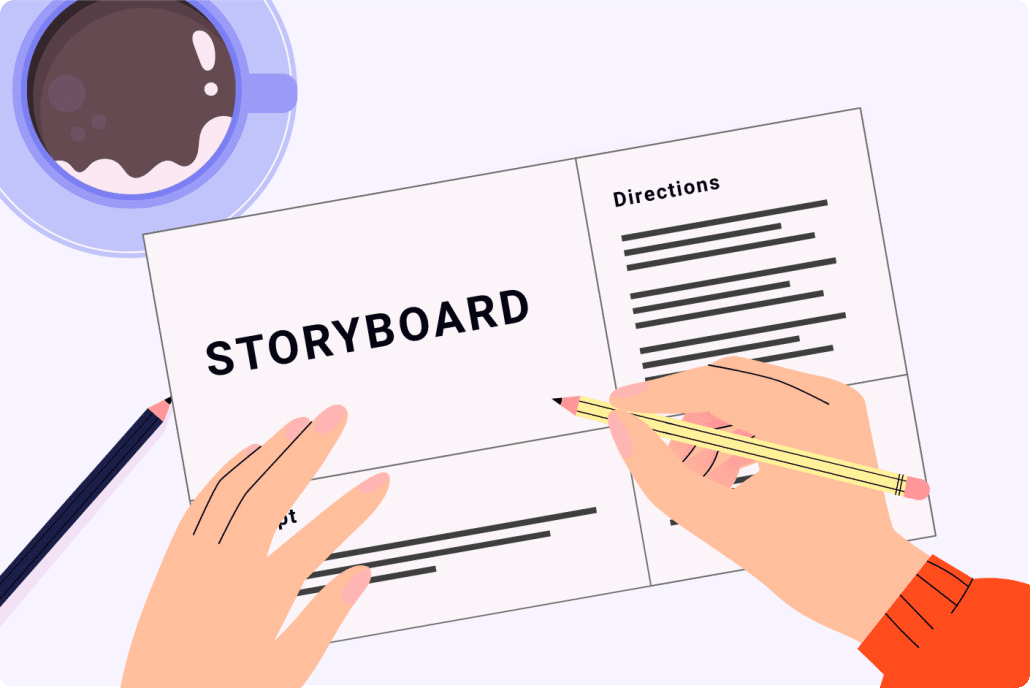
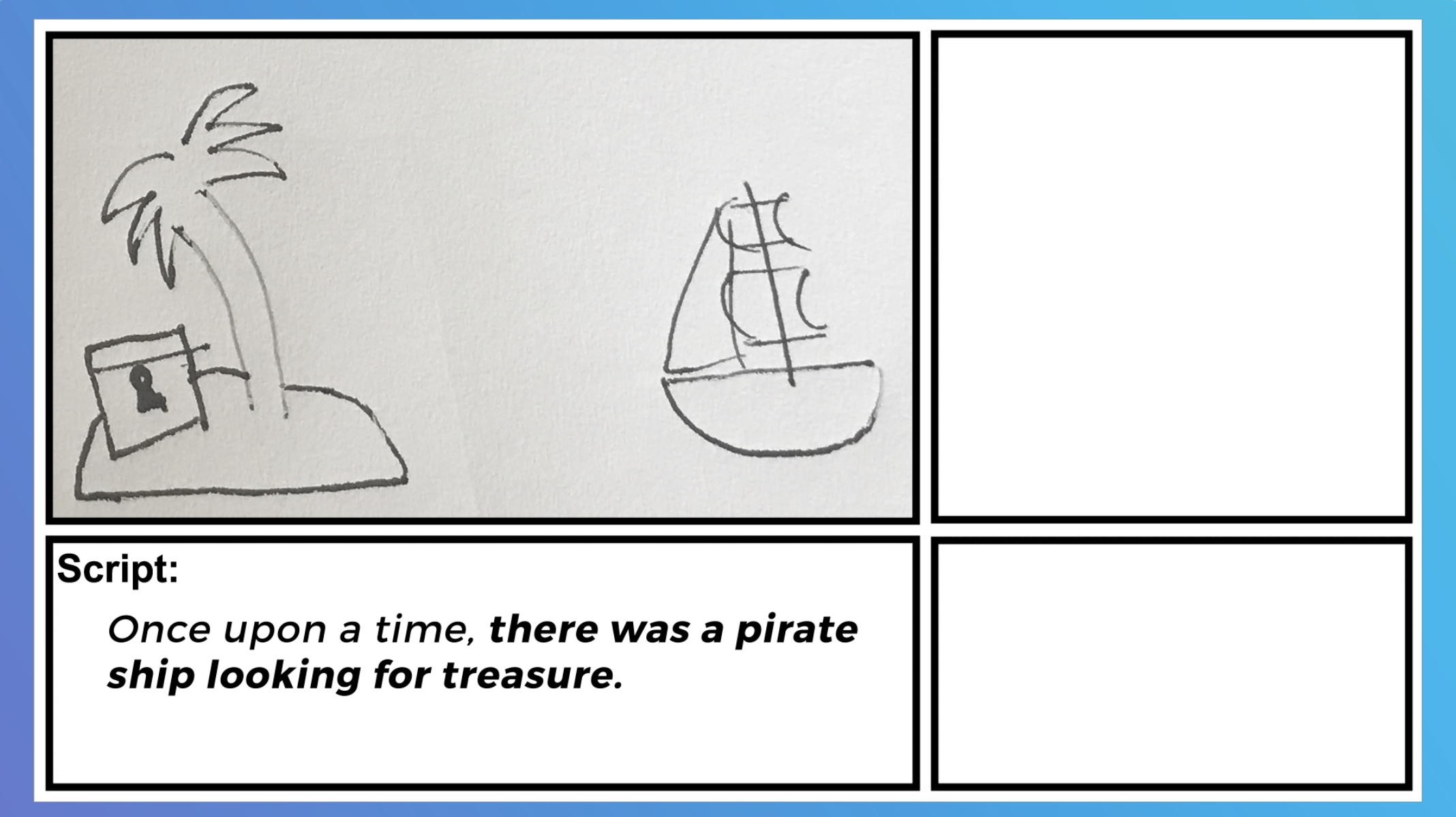
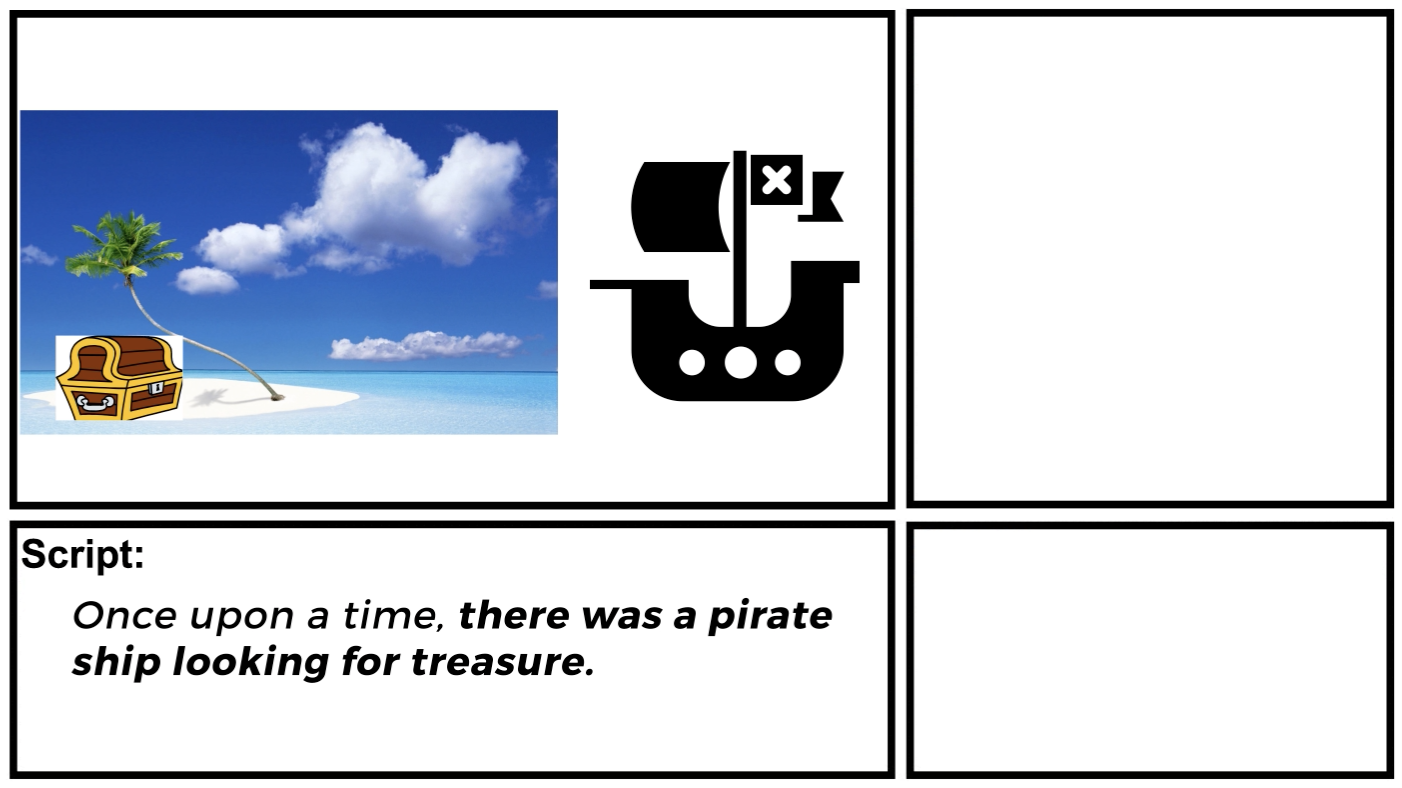
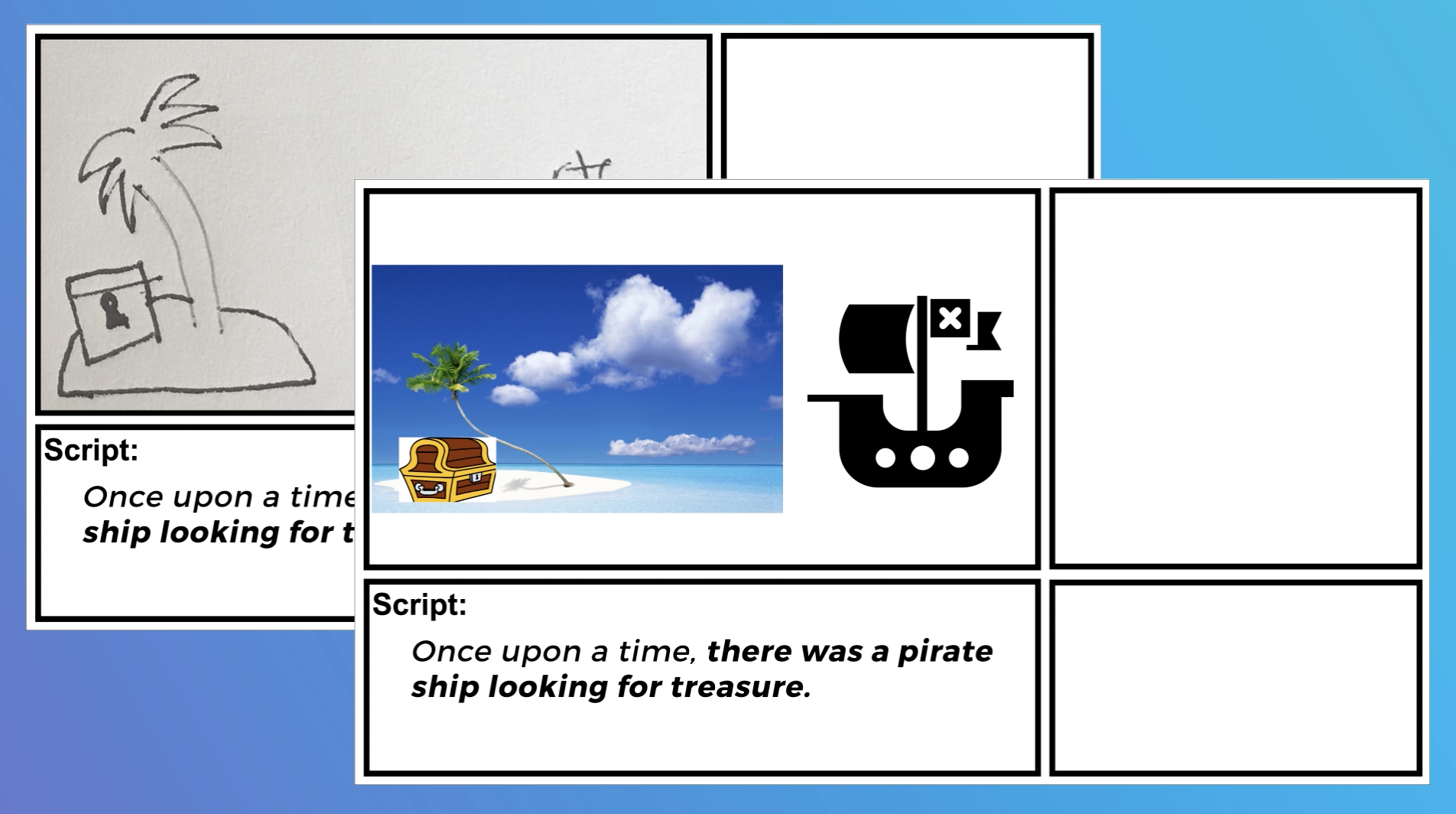
A storyboard is like a blueprint for an animated video. It tells the animators and illustrators what to create. By creating the storyboard for your custom animated video, you can save hundreds or thousands of dollars off your production budget. You don’t need any artistic ability to create a storyboard. Your job is to brainstorm visuals to correspond with each line of your script and then write simple instructions for the illustrators and animators so they understand what you want to show in each scene.

Examples of simple storyboards you can create for your animated video.

Examples of simple storyboards you can create for your animated video.

Free Download: Get our free storyboard creation template.

Deep Dive: Building a great storyboard for an animated explainer video.

Record the voiceover

You can try sourcing low cost voiceover talent from sites like Fiverr or VoiceBunny. English-speaking voiceover artists tend to charge $10-$199 for 1-2 minutes of recorded audio.

You can also record the voiceover yourself for free! Check out Episode 3 of The Video Igniter Show (at 1:31) to see how you can record the voiceover for your animated video for free without having to buy any expensive equipment or software.

Record your own voiceover to save money on your production budget.

Use stock assets

Using pre-created assets can help you keep your budget down because they usually cost less to buy or license than it would to create something comparable.  Free (or low cost) icons, clip art, stock images, fonts, graphs and video clips are available on sites like Mixkit, TheNounProject, Google Font Library and Envato Elements.

Use stock assets

Use free music

Soundtracks typically cost $10-$299 each. If you plan to promote your animation using paid media (TV and or Online), you may need to pay even more for the broadcast rights to use the soundtrack in paid promotional campaigns. Looking for free, legal music? Check out Incompetech and Facebook’s Sound Collection.

Why Businesses Choose to Hire an Animator

Why Businesses Choose to Hire an Animator

Whether you’re a startup, small business, educator, or enterprise marketing team, the decision to hire an animator can elevate your content and create a lasting impression on your audience. From explainer videos and app tutorials to brand intros and product demonstrations, animation offers a visually compelling way to simplify complex messages.

Many businesses choose to hire an animator because animated content is more engaging, memorable, and versatile compared to live-action videos. It’s also scalable: you can reuse and repurpose animated assets across social media, email marketing, websites, presentations, and more.

Hiring an animator ensures your video stands out from competitors and delivers a polished, professional finish that builds brand trust.

How to Hire an Animator for Your Specific Needs

How to Hire an Animator for Your Specific Needs

When you’re ready to hire an animator, it’s essential to consider the type of animation that aligns with your goals. Some projects benefit from traditional 2D animation, while others require the depth and realism of 3D animation. Whiteboard animation, motion graphics, and character animation are also popular formats.

Before hiring an animator, identify your project’s goals:

  • Are you trying to explain a product or service?
  • Do you want to create branded entertainment or an educational series?
  • Are you looking for an attention-grabbing ad for social media?

Different types of animation require different skill sets. Make sure to hire an animator who specializes in the kind of animation you need. You can mention your vision, brand tone, audience, and goals when reaching out to animators or filling out creative briefs.

How to Hire an Animator Without Risk

How to Hire an Animator Without Risk

Hiring an animator online can involve risks if you’re not careful. To minimize potential issues, follow these steps:

  1. Review Their Portfolio
    Always start by looking at the animator’s past work. Do they have experience creating the kind of video you want? Are their visuals polished and professionally produced?
  2. Start with a Small Project or Test Sample
    If you’re unsure, consider starting with a short 10-15 second animation. This gives you a preview of their communication, turnaround time, and quality.
  3. Get Clear Terms in Writing
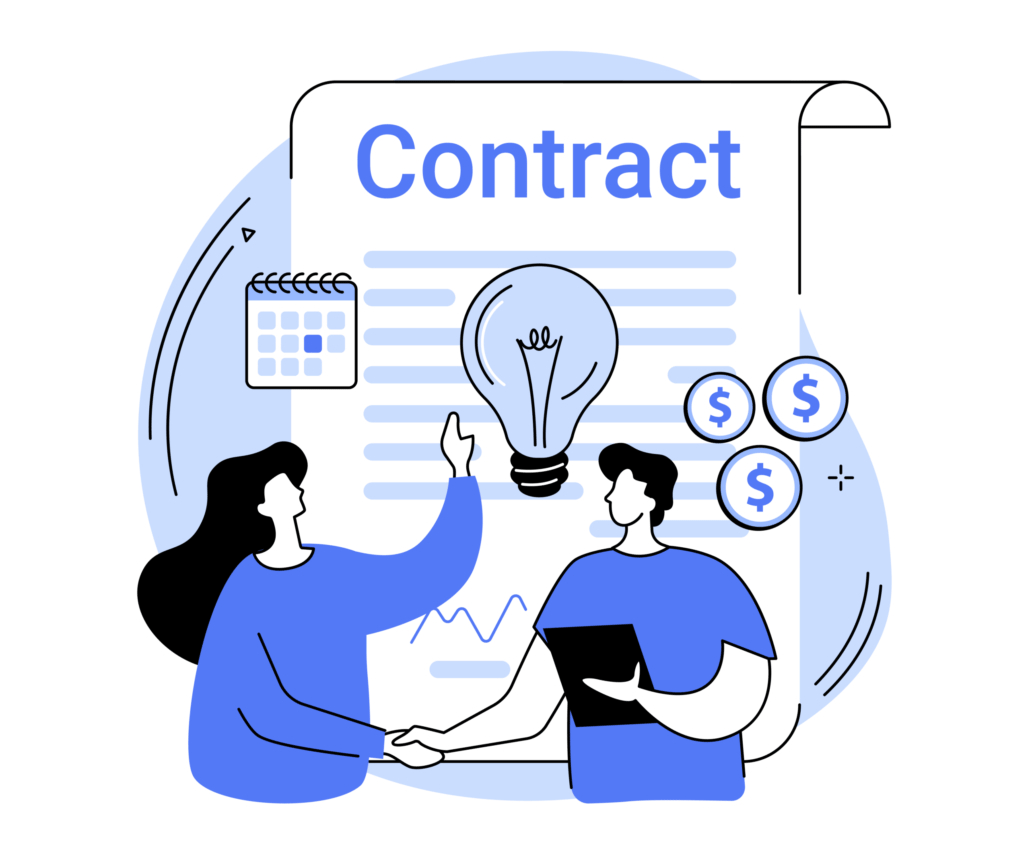
    Before you hire an animator, define deliverables, deadlines, revision policies, and payment terms. Use contracts or detailed service agreements to avoid miscommunication.
  4. Use a Secure Payment System
    Whether you hire a freelance animator or an agency, use a platform that holds funds in escrow until milestones are delivered, such as Upwork or Fiverr.
  5. Request Regular Updates
    Ask for progress updates at key stages (e.g., script, storyboard, rough animation) so you can give feedback and keep the project on track.

Why You Should Hire an Animator Instead of DIY

Why You Should Hire an Animator Instead of DIY

There are many DIY animation tools available online, but hiring a professional animator delivers better results in most cases. Here’s why:

  • Custom Design: Animators can create unique visuals tailored to your brand instead of relying on templates.
  • Technical Expertise: Animation software has a learning curve. Professional animators know how to produce smooth, appealing motion and integrate audio correctly.
  • Time Savings: Animation is time-consuming. Hiring an animator lets you focus on your business while a pro handles the creative work.
  • Script & Storytelling Support: Many animators (especially through platforms like Video Igniter) can help you craft a compelling narrative that drives results.

If your goal is to create a video that builds trust, converts viewers, and looks polished across all devices, it’s smarter to hire an animator than try to do it all yourself.

How to Hire an Animator for a Long-Term Relationship

How to Hire an Animator for a Long-Term Relationship

Many businesses benefit from developing an ongoing relationship with a trusted animator. When you find someone who understands your brand and communication style, they can quickly produce high-quality content for future campaigns.

To build a long-term working relationship when hiring an animator:

  • Provide clear feedback and appreciation for good work.
  • Be prompt with payments and responses.
  • Discuss retainer agreements or ongoing projects.
  • Introduce them to your broader marketing or creative team if you anticipate future projects.

Hiring an animator doesn’t have to be a one-time deal—it can be a strategic move that enhances your brand’s visual identity across all channels.

Common Mistakes to Avoid When Hiring an Animator

Common Mistakes to Avoid When Hiring an Animator

Many businesses run into preventable issues when they hire an animator. Here are some of the most common mistakes—and how to avoid them:

1. Skipping the Portfolio Review
Never hire an animator without thoroughly reviewing their portfolio. Make sure their animation style aligns with your brand and your project goals.

2. Providing a Vague Project Brief
Unclear direction leads to more revisions and misalignment. Always provide a detailed brief including your script (if available), visual preferences, goals, and target audience.

3. Ignoring the Revision Policy
Not all animators include unlimited revisions. Understand how many changes are allowed, what constitutes a revision, and whether changes after final delivery are permitted.

4. Hiring Based Solely on Price
While budget matters, choosing the cheapest option often results in lower quality. Look for value, not just price, when hiring an animator.

5. Overlooking Communication Skills
Great animation requires collaboration. If your animator is slow to respond or unclear in their communication, your project could suffer.

6. Rushing the Timeline
Animation is a craft that takes time. While rush delivery animation is possible, unrealistic deadlines can lead to rushed work or missed milestones. Plan ahead and allow for reasonable production time.

Avoiding these mistakes will help you hire an animator who delivers professional, impactful results—whether you’re producing a 2D explainer, product demo, or animated series.

What to Prepare Before You Hire an Animator

What to Prepare Before You Hire an Animator

Knowing what you want to create before contacting an animator can make the hiring process substantially easier. You do not need to have every creative decision figured out, but you should be able to explain the problem the animation needs to solve.

A useful starting point is a short creative brief. Your brief can be as simple as one or two pages and should give the animator enough context to understand the project before discussing creative execution.

Include information such as:

  • The purpose of the video: Explain what you want the animation to accomplish.
  • The target audience: Identify who will watch the video and what they already know about the subject.
  • The core message: State the single most important thing viewers should understand or remember.
  • The distribution channels: Explain whether the animation will appear on a website, social media, YouTube, television, an internal presentation, a trade show display, or somewhere else.
  • The approximate length: Even an estimated duration helps an animator determine the scope of the project.
  • Brand requirements: Provide logos, brand guidelines, fonts, colors, existing illustrations, product screenshots, and other assets that need to appear in the animation.
  • Required deadline: Identify when the final files need to be ready and whether there are important launch dates or marketing campaigns involved.
  • Examples you like: Share several examples of animation, design, cinematography, or motion graphics that communicate the direction you have in mind.

The more useful information you provide at the beginning, the less time an animator has to spend trying to infer what you want. A strong brief also makes it easier for multiple animators or studios to provide comparable proposals.

Determine Who Needs to Be Involved in the Project

Determine Who Needs to Be Involved in the Project

One issue that is frequently overlooked when businesses hire an animator is determining who has authority to approve the work.

Animation projects can involve multiple stakeholders. A marketing manager might oversee the project, while a brand manager, product specialist, legal department, executive, or client may also need to approve different aspects of the finished video.

If everyone is allowed to provide independent creative direction, production can become unnecessarily complicated.

Before production begins, identify:

  1. The primary project owner — the person responsible for communicating with the animator.
  2. The creative decision-maker — the person who has final authority over visual and storytelling decisions.
  3. Subject-matter experts — people responsible for verifying technical or industry-specific information.
  4. Legal or compliance reviewers — if the video contains regulated, proprietary, financial, medical, or other sensitive information.
  5. The final approver — the person who ultimately signs off on delivery.

Ideally, feedback should be consolidated before it reaches the animator. Instead of sending five separate emails containing contradictory comments, have the internal team agree on one set of notes.

This is particularly important for companies producing animation for clients. If you are an agency hiring an animator on behalf of a client, establish who on the client side has final approval before animation begins.

Ask an Animator to Explain Their Production Workflow

Ask an Animator to Explain Their Production Workflow

A portfolio shows you what an animator has produced, but it does not necessarily tell you how they work.

Before you hire an animator, ask them to walk you through what will happen after the contract is signed. A professional production workflow should have identifiable stages and approval points rather than simply progressing from “start” to “final video.”

Depending on the project, the process may include:

Creative brief → script → visual direction → storyboard → design → voiceover → animation → sound design → review → final delivery

The exact workflow will vary depending on the project, but the important thing is that you understand when major creative decisions will be made.

For example, it is much less expensive to discover that the visual concept is wrong during the storyboard stage than after an animator has already spent weeks animating the finished scenes.

Ask questions such as:

  • What happens after I approve the proposal?
  • When will I first see the visual direction?
  • At what stage do I approve the storyboard?
  • When will animation begin?
  • Will I see a rough animation before the final version?
  • How are technical issues discovered and corrected?
  • When does the project enter final production?
  • What happens immediately before delivery?

An animator who can clearly explain the workflow gives you a better understanding of how your project will be managed.

Establish Approval Milestones Before Production Starts

Establish Approval Milestones Before Production Starts

One of the best ways to keep an animation project under control is to establish formal approval milestones.

Rather than reviewing every detail continuously, divide the project into major stages. For example, you might approve the script first, then the storyboard, then the visual design, and finally the animation.

Once a stage is approved, the project moves forward.

This approach has an important advantage: it prevents major creative decisions from changing after they have already been incorporated into subsequent stages.

Imagine that you approve a finished animation and then decide that the entire visual concept should be different. The animator may need to redesign illustrations, rebuild scenes, change transitions, redo animation, and potentially re-record audio.

A milestone-based approval process reduces this risk.

Before hiring an animator, ask what constitutes approval at each stage and how feedback should be submitted. Establishing these expectations in advance can make the project significantly easier to manage.

Discuss Final File Formats and Technical Specifications

Discuss Final File Formats and Technical Specifications

Another important consideration when you hire an animator is determining exactly what you will receive at the end of production.

A video may look excellent but still create problems if it is delivered in a format that does not work for your intended distribution channel.

Before production begins, identify where the video will be used and ask the animator what technical specifications are appropriate.

Depending on your project, you may need:

  • 1920×1080 HD video
  • 4K video
  • Vertical video for mobile platforms
  • Square video for social media
  • Shorter cutdowns for advertisements
  • Different aspect ratios for different platforms
  • A version without captions
  • A version with burned-in captions
  • A clean version without text or graphics
  • Still images extracted from the animation
  • Short animated clips or GIFs
  • Different language versions

If you know that the animation will be distributed across several platforms, mention this before production begins. Designing an animation with multiple formats in mind from the beginning is generally easier than trying to convert a finished video afterward.

Plan for Multiple Versions of the Animation

Plan for Multiple Versions of the Animation

Businesses often discover after completing an animation that they need additional versions.

For example, a company may initially commission a 90-second explainer video and later realize that it needs a 30-second version for paid advertising, a 15-second version for social media, and several short clips for sales presentations.

If you anticipate needing multiple versions, tell the animator before production starts.

This can influence how scenes are designed, how text is presented, how voiceover is recorded, and how animation assets are organized.

You may also want versions aimed at different audiences. A technical product demonstration, for example, might require one version for engineers and another simplified version for prospective customers.

Thinking about repurposing during the initial production stage can make your animation library substantially more useful over time.

Consider Localization Before You Hire an Animator

Consider Localization Before You Hire an Animator

If your company operates internationally, localization should be considered before animation begins rather than after the final video has already been completed.

Translation can affect considerably more than the voiceover. Different languages may require different amounts of screen space, which can affect typography, captions, layouts, timing, and animation.

For that reason, tell your animator if you expect the video to be translated into other languages.

You may need:

  • Multiple voiceover recordings
  • Translated on-screen text
  • Subtitles
  • Re-edited scenes
  • Alternative graphics
  • Right-to-left language support
  • Different versions for regional markets

Designing the animation with localization in mind can make future versions easier and less expensive to produce.

Ask About Accessibility Requirements

Ask About Accessibility Requirements

Accessibility is another consideration that should be addressed before production.

If an animated video is being used for public-facing communication, education, training, government communication, or corporate communications, you may need to consider how viewers who are deaf, hard of hearing, blind, or have other accessibility needs will experience the content.

Depending on the application, accessibility considerations may include:

  • Accurate captions
  • Transcripts
  • Descriptive audio or audio descriptions
  • Readable typography
  • Sufficient visual contrast
  • Avoiding information that is communicated exclusively through color
  • Clear pacing for viewers who need additional time to process information

Ask your animator what accessibility requirements they can support and determine which responsibilities belong to the production team versus your internal team.

Addressing accessibility during pre-production is generally more efficient than attempting to retrofit it after the animation has been completed.

Make Sure the Animation Can Work With Your Brand

Make Sure the Animation Can Work With Your Brand

Hiring an animator is not simply about finding someone who can make attractive visuals. The finished animation should feel like it belongs to your organization.

If your company has established brand guidelines, provide them before design begins. This may include your logo, color palette, typography, illustration guidelines, photography style, iconography, and examples of existing marketing materials.

You should also explain which brand elements are mandatory and which can be interpreted creatively.

For companies that produce videos regularly, it can be useful to develop a reusable visual system rather than treating every animation as an isolated project.

For example, an animator could establish a consistent approach to characters, icons, transitions, typography, backgrounds, and motion. Future videos can then build upon that system.

This creates greater visual consistency across your marketing materials and can make future production more efficient.

Ask What Happens to Your Project Files

Ask What Happens to Your Project Files

When discussing ownership with an animator, it is worth going beyond the question of who owns the final video.

Ask what project files, source assets, and editable materials are included in the agreement.

For some projects, you may only need the finished video. In other situations, access to editable project files can be valuable if you anticipate creating future versions, changing text, updating product information, or working with another production team later.

Clarify whether the deliverables include:

  • Final rendered video files
  • Editable animation project files
  • Original illustrations
  • Character designs
  • Audio files
  • Voiceover recordings
  • Fonts or licensed assets
  • Music licenses
  • Individual scene exports

Not every project requires every source file, and source files may involve additional costs or licensing restrictions. The important thing is to establish expectations before production begins rather than discovering limitations after delivery.

Evaluate the Animator Based on Problem-Solving Ability

Evaluate the Animator Based on Problem-Solving Ability

When comparing animators, consider more than artistic ability.

A strong animator should be able to make creative decisions when the original concept does not translate perfectly into animation. They should be able to identify confusing ideas, simplify complicated information, and suggest visual solutions when something is not working.

During the hiring process, pay attention to the questions an animator asks you.

Someone who immediately says “yes” to every idea may not necessarily be the best creative partner. An experienced animator may occasionally challenge an idea because they recognize that a particular approach will be confusing, expensive, visually cluttered, or ineffective.

You want someone who can understand your objective and then determine the best way to achieve it visually.

The most valuable question is not simply, “Can this animator make the kind of animation I want?”

It is:

“Can this animator understand what I’m trying to accomplish and use animation to solve the communication problem?”

Think Beyond the First Video

Think Beyond the First Video

If animation is going to become an ongoing part of your marketing, communications, training, or sales strategy, consider the first project an opportunity to establish a repeatable production system.

A successful first project can create reusable visual assets, templates, characters, animation conventions, and brand standards that make subsequent videos easier to produce.

For example, a company creating employee training videos could establish a consistent animated character library and visual language that can be reused across an entire training series.

A software company might develop reusable animated interface components, product illustrations, transitions, and motion graphics.

An agency might develop a reliable network of animators and production partners that can support different client projects as they arise.

When you hire an animator with this larger strategy in mind, the value of the relationship extends beyond a single finished video.

How to Measure Whether Your Animation Was Successful

How to Measure Whether Your Animation Was Successful

The final animation should not be judged exclusively by whether it looks good.

If the video was created for a business purpose, determine how success will be measured before publishing it.

The appropriate metrics depend on the video’s purpose.

For a marketing video, you might monitor:

  • Video views
  • Average watch time
  • Completion rate
  • Click-through rate
  • Conversion rate
  • Leads generated
  • Cost per conversion
  • Engagement from different audience segments

For an educational or training animation, useful measures could include:

  • Completion rate
  • Quiz or assessment performance
  • Knowledge retention
  • Learner engagement
  • Support requests
  • Employee performance after training

For a product demonstration, you might evaluate whether the video helps prospects understand the product, increases demo requests, reduces repetitive sales questions, or improves conversions on a landing page.

Establishing these objectives before you hire an animator can influence creative decisions throughout production. The best animation is not necessarily the one with the most elaborate visuals. It is the one that effectively accomplishes the job it was created to do.

A Practical Pre-Hiring Checklist

A Practical Pre-Hiring Checklist

Before you hire an animator, make sure you can answer the following questions:

  • What is the primary purpose of the animation?
  • Who is the intended audience?
  • What is the single most important message?
  • Where will the video be published?
  • Approximately how long should it be?
  • What brand assets need to be incorporated?
  • Who is responsible for approving the project?
  • What is the desired launch date?
  • Will the animation need multiple versions?
  • Will it need to be translated?
  • Are there accessibility requirements?
  • What video formats and resolutions are required?
  • Do you need editable source files?
  • Will the animation become part of a larger series?
  • How will you determine whether the finished video was successful?

Having these answers prepared will make it easier to compare potential animators and receive accurate proposals. It also gives the animator the information they need to recommend an appropriate creative and production approach.

Ultimately, hiring an animator is not simply a matter of finding someone who can create attractive motion graphics. You are selecting a creative partner to transform information, ideas, products, or stories into a visual communication tool. The more clearly you define the problem, audience, distribution requirements, approval process, and desired outcome, the more likely you are to end up with an animation that provides lasting value.

How to get the most out of your animated video?

How to get the most out of your animated video.

Animated videos aren’t cheap to produce. If you’re hiring someone to make one, here are some resources to help ensure your project goes as smooth as possible. Is your animated video being created to help serve a business objective or initiative? These resources will also help you improve the marketing impact of your animation.

– 7 Tips to help you write a great script for your animated video.

– Pick the right visual style for your animated video.

– 6 Tips To Increase Viewer Engagement for your animated video.

– Review the Do’s and Don’ts of Promotional Explainer Videos.

– 7 Tips For Using and Improving Your Businesses’s Video.

– Learn how to interpret your video’s viewer stats to see if it needs improvement.

– A/B Test variations of your animated video to improve its conversion rate.

Final Thoughts: Why Hiring an Animator Is a Smart Investment

Why Hiring an Animator Is a Smart Investment

The decision to hire an animator isn’t just about creating a cool video—it’s about creating a communication asset that drives engagement, builds authority, and tells your story in a memorable way.

With so many platforms and pricing tiers available, it’s easier than ever to hire an animator who fits your style, budget, and timeline. Whether you choose Video Igniter, a freelance platform, or a boutique animation studio, taking time to find the right animator will pay off in the form of better video performance and stronger brand impact.

Ready to hire an animator? Contact Video Igniter today to get started with your next animation project.

Hire Video Igniter to create your animation

World class design talent at prices small businesses can afford.

We can make any kind of 2D or 3D animated video you can imagine.

+20 reasons companies love hiring us to create animated videos.

Do you want to create an animated cryptocurrency video or an animated blockchain explainer video that explains how your technology works? We can help with that too.

Animation Video Reel


Animator Success Stories & Testimonials

“Video Igniter came to us with a number of creative and engaging ideas and were able to create an exciting, impactful video in a short period of time. And the best part was that it cost much less than other options of similar quality. The video they made is a great marketing tool for us.”

Alex Raymond – Founder, Kapta Systems

“Video Igniter offered us the critical combination of creative value, clear communication, and patience with stakeholder feedback. We ended up with truly high-quality design assets for our video series largely due to the extra level of commitment — and the right balance of efficiencies with flexibility in the process when called for.”

Larry Schlessinger – Sr. Creative Program Manager, Amazon Web Services

“I run a video production company and outsource animation. The team at Video Igniter did a great job in taking the concept I very crudely drew out and made it into a beautiful animation. The review process was easy and their turnaround time was very quick. I’d def recommend them if you’re looking for an animation project.”

Pat Henderson – Founder, Path8 Productions

Hire an animator testimonial

Get in touch to hire an animator

Schedule a call to discuss your animated video.

Get a quote for your animated video.

Request access to our newest price sheet.

Check out our animated video portfolio to see our latest and greatest creations.

Create your Video Igniter account, fill out a creative brief, and then we’ll make an animated video for you.

contact us

What is Video Igniter Animation?

Resources For Hiring An Animator

We recommend these popular articles if you’re still looking for information about hiring animators:

Learn about animated video production.

+160 Free Resources To Help You Create Animated Videos

Learn The Animation Production Workflow To Make Animated Videos

So, you want to make an animated video, but you have no clue what the animation production workflow is like. This article will give you a breakdown of what the process of making an animated video is like so that you have an idea of what all the animation phases are and how they relate to each other.  This animation step by step guide to getting your idea turned into a custom animated video covers everything from Pre-Production to Production and all the way through Post-Production.

If you have a question about how to make animations that isn’t answered in this article, you can use our contact form to ask your question or click the image below to with a member of our production team:

contact us

Steps for the 2D animation production workflow:

Pre-Production:

1). What do you want to make?

2). Identifying an animator or studio

3). Agree on price & production terms

4). Start Production With a Production Brief

Production:

5). Script

6). Storyboard

7). Voiceover

8). Music 

9). Design

10). Animation + Polish / SFX

Post-Production:

11). Follow through / using your video / AB Testing

3D Animation:

12). Animatic (for 3D animation + VO may happen after)

Animation Pre-Production Workflow:

1). What do you want to make?

The first stage in animation is to figure out what kind of animated video you want to make. Is this going to be a short piece? Or a full on animated movie? What do you want people to feel, experience and do after they watch your video? These are the kinds of things you want to think about first so that you know what kind of animation freelancer or studio would be best suited to produce your animated video. 

Estimated time: hours, days or weeks


Animation Style Guide Different Types Of Animated Explainer Videos Video Igniter

2). Identifying an animator or studio

After you’ve thought about what it is you’re actually looking for, take some time to shop around for animation freelancers or animation studios that have experience producing the kind of animation you are looking for. Reach out to them to schedule a call to discuss their creative process, animation production workflow, pricing, and request portfolio samples to ensure they can produce content similar to what you are looking for.

Deep Dive: How to hire a 2D animation company.

Estimated time: Days to weeks


Check out our portfolio of animated explainer videos

3). Agree on price & production terms

Quality animated videos cost $1000-$25,000+ per minute for 2D animated videos and $5,000-$50,000+ for 3D animated videos. Before you move forward with any animation steps, make sure you and your animators are on the same page in terms of what the total estimated budget will be and whether or not it will cost extra if you request more than a round or two of edits. Most animators and studios require 25-50% of the budget to be paid up front. Check with them to see if there are any other production terms you should be aware of – including their policy on the # of revisions you get.

Estimated time: Hours or days.


Animated Video Production Contract and Timeline

Animation Production Workflow:

4). Start Production With A Production Brief

The next step of the animation production process is to document all your thoughts and ideas to share with the animation team so that they have as much information as possible when they create your script, storyboard and the custom art for your video. Include notes about your ideas for the script, the visuals and what kinds of people will be watching your video.

Estimated time: Hours or days

Animated Video Production Questionnaire

5). Script

The script is the foundation for the rest of the animated video production workflow. It determines the overall length (and cost) of your video and what visuals will need to be created and animated in sync with the voiceover acting or narration. For reference, a 150 word script equals about one minute of video.

Estimated time: Days to weeks

Writing the script for an animated video.

Download Video Igniter’s Free Script Writing Template

6). Storyboard

The storyboard provides blueprints for the design and animation team so that they know what to create during the animation process. Each slide of the storyboard should have a sentence from your script, a rough sketch or mockup of what you want to show in the scene, a list of the assets (audio and visual) that need to be created for this scene, and some bullet points to describe the order of operations of the animation/motion that happens on screen. 

Estimated time: Days to weeks

Download Our Free Storyboard Creation Guide And PDF Template For Your Animated Explainer Video Project

7). VoiceOver

To get a great voiceover for your video, include notes with your script that tell the voiceover artist what kind of energy you want them to use,  how to pronounce difficult words and what sort of pacing they should use. Send your script to multiple voiceover artists and have them record a few sentences so that you can hear and feel how impactful their delivery will be. Once you’ve narrowed it down to your favorite voiceover artist, have them record the full voiceover and review it to see if it needs any slight tweaks. Before you approve the final draft of your voiceover, make sure you are paying for the proper commercial rights (if applicable) to use your voiceover.

Estimated time: Several days to a week.

Recording a voiceover for an animated video.

8). Music 

One of the steps in creating an animation that you don’t want to outlook is carefully selecting the right soundtrack. Music influences the perception of every scene in your video. It sets the mood and enhances viewer perception of your content. Take some time to listen to many different options before making your decision. Sometimes you’ll need to wait until the first draft of your video is ready to get a sense of how the music actually enhances or detracts from your animated video. Other times, studios may select a handful of tracks for you to choose from and let you pick your favorite option. Either way, make sure that the music you use is properly licensed for the places you plan to show your video. Oftentimes, music requires a commercial license if you plan to use the music in a video for paid ads or on your website. 

Estimated time: Days

Soundtrack for an animated video

9). Design

Reviewing art is one of the most exciting phases of the animated video production process. Typically, the animation and design team you work with will create multiple pieces of concept art for you to review. You should pick out your favorites and let the designers know what you like best about them – and what details you may want to refine further. After the designer has perfected one scene in the style of your choosing, they will create the rest of the art for your video and then give you an opportunity to review the art and ask for edits. Ensure you are happy with the style of your art before you move forward with the next animation step in order to avoid extra production costs.

Estimated time: 1-2 weeks for a 1-2 minute long 2D animated video

Illustrator for a custom animated video

10). Animation + Polish / Sound Effects

Now that all the prep work is done, the animators are finally at the part of the animation production workflow where they start applying motion to the custom designed art and sync it to the voiceover and music. Typically, animation studios will allow you to review the first draft and request 1-2 rounds of simple edits while they add sound effects and additional visual touch ups.

Estimated time: 1-2 weeks for 1 minute of 2D animation, 2-4 weeks for frame-by-frame animation, and 2-4+ weeks for 3D animation.

Hiring an animation studio

Animation Post-Production Workflow:

11). Follow Through & Using Your Video

Now that you’ve made it through all the steps of creating an animated video, it’s time to start showing it to people.  If you are using your video for commercial or marketing purposes, we recommend creating alternate intros and ending CTAs (call to action) so that you can A/B test different variations improve the overall conversion rate of your animated video. 

Estimated time: weeks to months

Bonus Stage For 3D Animation:

12). Animatic (for 3D animation)

The 3D animation production workflow usually has an extra step called an animatic – it’s like an ultra rough draft of your animated video composed of static images that are played in sync with the existing voiceover. The purpose of this is to ensure the animation will have the right timing before animators spend time animating. This is particularly useful to gauge the speed for comedic timing and emotional draw.

Estimated Time: days to weeks

Tips for Successful Collaboration

animation process collaboration

Animation production is a collaborative process that requires input from multiple stakeholders, including you (the client), creative directors, animators, voice talent, and more. To ensure your project stays on track and meets expectations, here are a few tips for a successful collaboration:

  • Clear Communication: Set the foundation for a smooth workflow by ensuring everyone understands the project’s vision and objectives from the start. Create a shared project brief that outlines the goals, tone, style, and key deliverables to align all parties involved.
  • Feedback Loops: During the review stages, provide constructive feedback and be as specific as possible. This will help avoid misunderstandings or unnecessary revisions later in the process. Also, make sure feedback comes from the right stakeholders to prevent conflicting directions.
  • Realistic Timelines: Establish timelines early in the process and agree on deadlines for each phase of production. Consider the time needed for revisions and approvals. Proactive planning ensures that everyone’s expectations around time and scope are clear.

How Long Does the Animation Production Process Take?

One of the most common questions clients ask is:

“How long does it take to turn an idea into an animated video?”

The answer depends on the length, complexity, animation style, and approval process.

While every project is unique, most professional animated video projects follow a timeline similar to the one below:

Production Stage

Typical Timeline

Creative Brief

1-3 Days

Script Writing

2-10 Days

Storyboarding

3-10 Days

Voiceover Recording

2-7 Days

Design & Illustration

1-3 Weeks

Animation

1-4 Weeks

Revisions

3-10 Days

Final Delivery

1-3 Days

A simple 60-second motion graphics video may be completed in as little as 2-4 weeks.

A more complex character animation project may take 6-12 weeks or longer.

Large-scale productions such as animated television series, feature films, or extensive e-learning programs can take months or even years to complete.

The biggest factor affecting production timelines is often not the animation itself but the speed of stakeholder reviews and approvals. Fast feedback helps projects move quickly through each stage of production.

How Different Animation Styles Impact the Production Workflow

How Different Animation Styles Impact the Production Workflow

Not all animation projects follow exactly the same workflow.

Different animation styles require different levels of planning, design, and production effort.

Motion Graphics Animation

Motion graphics projects typically focus on:

  • Typography
  • Icons
  • Charts
  • Data visualization
  • User interface demonstrations

Because motion graphics often use simpler visual elements, they generally move through production faster than character-driven animations.

2D Character Animation

Character animation introduces additional production requirements such as:

  • Character design
  • Facial expressions
  • Lip synchronization
  • Character rigging
  • Character acting

These additional elements increase production time but can create stronger emotional engagement with viewers.

Whiteboard Animation

Whiteboard animation often requires:

  • Script development
  • Scene planning
  • Illustration
  • Hand-drawing simulation

Although visually simple, effective whiteboard animations still require detailed planning and storyboarding.

3D Animation

3D animation introduces additional production phases such as:

  • Modeling
  • Texturing
  • Rigging
  • Lighting
  • Rendering
  • Compositing

Because of these additional technical requirements, 3D animation projects often take longer and cost more than comparable 2D projects.

The Importance of Revisions During Animation Production

The Importance of Revisions During Animation Production

Many people assume revisions are a sign that something went wrong during production.

In reality, revisions are an essential part of the animation workflow.

Every major production milestone should include a review phase where stakeholders can provide feedback before production continues.

Typical review stages include:

Script Review

This is your opportunity to ensure the messaging is clear and aligned with your goals.

Storyboard Review

This stage confirms that the visuals accurately represent your vision before designers begin creating artwork.

Design Review

Stakeholders review the illustration style, color palette, and overall visual direction.

Animation Review

This is where motion, pacing, timing, and visual effects are evaluated.

Reviewing each stage carefully helps avoid expensive changes later in the production process.

For example, changing a sentence in a script is easy.

Changing an entire animated sequence after animation is complete can be costly and time-consuming.

How AI Is Changing the Animation Production Workflow

How AI Is Changing the Animation Production Workflow

Artificial intelligence is rapidly transforming how animation projects are planned and produced.

Today, AI tools can assist with:

  • Brainstorming concepts
  • Writing script drafts
  • Generating storyboard ideas
  • Creating visual references
  • Producing temporary voiceovers
  • Generating mood boards
  • Creating concept art

These tools can dramatically accelerate pre-production.

However, AI still requires human creative direction.

Successful animated videos depend on strong storytelling, strategic messaging, and a deep understanding of the audience. These are areas where experienced producers, writers, designers, and animators continue to provide significant value.

Many modern studios now use AI to speed up repetitive tasks while allowing creative professionals to focus on higher-value work such as storytelling, design, and animation quality.

How to Prepare Before Starting an Animation Project

How to Prepare Before Starting an Animation Project

Clients who invest time preparing for production typically experience faster timelines, lower costs, and better results.

Before contacting an animation studio, consider answering these questions:

What is the goal of the video?

Are you trying to:

  • Generate leads?
  • Increase sales?
  • Explain a product?
  • Train employees?
  • Educate customers?
  • Raise awareness?

Who is the target audience?

Understanding your audience influences:

  • Script tone
  • Visual style
  • Voiceover selection
  • Animation pacing
  • Music choices

Where will the video be used?

Distribution channels can influence production decisions.

Examples include:

  • Website homepage
  • YouTube
  • Social media
  • Television
  • Trade shows
  • Email campaigns
  • Sales presentations

What action should viewers take?

Every successful animated video should include a clear call-to-action (CTA).

Examples include:

  • Schedule a demo
  • Request a quote
  • Make a purchase
  • Download a guide
  • Visit a website
  • Contact your sales team

Answering these questions before production begins helps ensure the project stays focused and effective.

Why the Animation Production Workflow Matters

Why the Animation Production Workflow Matters

The animation production workflow exists for a reason.

Each stage builds upon the previous stage.

The script influences the storyboard.

The storyboard influences the artwork.

The artwork influences the animation.

The animation influences the final viewer experience.

Skipping steps or rushing approvals can create expensive problems later in production.

A well-structured workflow helps:

  • Reduce production costs
  • Minimize revisions
  • Improve communication
  • Increase efficiency
  • Produce better creative work
  • Deliver stronger marketing results

Whether you’re creating a 30-second social media advertisement, a SaaS explainer video, a healthcare animation, an employee training course, or a television commercial, following a structured animation production workflow dramatically increases the likelihood of a successful outcome.

Frequently Asked Questions About the Animation Production Workflow

Frequently Asked Questions About the Animation Production Workflow

What is the first step in animation production?

The first step is defining your goals and determining what type of animated video you want to create.

Can I skip the storyboard phase?

Technically yes, but doing so often leads to confusion, additional revisions, and higher production costs.

What is the most important stage of animation production?

Many professionals consider scripting and storyboarding the most important stages because they establish the foundation for everything that follows.

How many revisions should I expect?

Most animation projects include multiple review rounds throughout production. The exact number depends on your agreement with the studio.

What causes animation projects to go over budget?

The most common causes include scope creep, unclear project requirements, excessive revisions, and significant changes after production has already begun.

Can animation production be completed remotely?

Yes. Modern animation studios frequently work with clients around the world using video conferencing, cloud collaboration tools, online review platforms, and project management software.

Common Pitfalls in Animation Production

Common Pitfalls in Animation Production

While animation production is an exciting and creative process, there are several common challenges that can arise. Here are some pitfalls to watch out for and how to avoid them:

  • Scope Creep: As the project evolves, it’s easy for the scope to expand, whether due to new ideas, additional features, or changes in direction. To prevent this, make sure to clearly define the scope at the beginning and agree on the parameters for revisions. If changes need to be made, discuss how they may impact timeframes and budgets.
  • Miscommunication: Misunderstanding between the team and the client about project goals or expectations can derail progress. To avoid this, keep communication open and regular. It’s helpful to summarize meetings with action points or next steps in writing, so nothing gets lost in translation.
  • Unrealistic Timelines: Underestimating how long a project will take can lead to stress and subpar results. Ensure that timelines account for each stage of the process, from ideation and scripting to animation and final revisions. Be realistic about how much time will be required to deliver a polished, high-quality product.

Animation Production Cost Breakdown

Animation Production Cost Breakdown

Animation production costs can vary based on several factors. Here’s a general breakdown of what might influence pricing:

  • Style of Animation: 2D animation is generally more affordable than 3D animation. However, 2D animation can be complex depending on the level of detail, so it’s important to define your needs early on. Motion graphics tend to be more cost-effective compared to full character animation.
  • Video Length: Longer videos require more time for both animation and revisions, so they tend to cost more. Short, punchy videos (30-60 seconds) are more affordable, but for complex storytelling, longer formats may be necessary.
  • Level of Detail: Highly detailed visuals, intricate motion designs, or 3D elements will increase production time and cost. If you need a high-end, hyper-realistic design, be prepared for a higher budget.
  • Number of Revisions: The more rounds of revisions, the higher the cost. Try to consolidate feedback to minimize revisions and streamline the process. Some animators charge a flat rate for a set number of revisions, while others may charge hourly rates for extra work. You can read about Video Igniter’s unlimited revisions policy here.

Post-Production Tips

Post-Production Tips

Once your animation is complete, it’s time for the finishing touches. Here are a few key post-production tips to elevate your animation:

  • Editing: Review the animation for pacing and flow. The timing of keyframes, transitions, and effects needs to align with the video’s message. Consider tightening any unnecessary moments for maximum impact.
  • Sound Design: Audio plays a critical role in animation. Music, sound effects, and voiceovers should complement the visuals and help communicate the tone of the piece. Use royalty-free music or hire a composer to ensure you have the rights to the music.
  • Color Grading: Enhance the animation’s visual appeal with color grading. This process can make the colors more vibrant or subtle, depending on the tone you’re aiming for. It also ensures that your animation looks polished across different viewing devices.
  • Exporting for Platforms: If the animation is being shared on different platforms (social media, website, etc.), be sure to export the video in various formats and sizes to ensure it plays smoothly. For instance, a square version of the video might work best for Instagram, while a landscape format is ideal for YouTube.

Animation Production Workflow Resources

Now that you understand what the animation production workflow is like, here are some additional resources to help you get your idea turned into a custom animation:

What is Video Igniter Animation?

If you have any questions about making an animated video or the animation production workflow, with a member of Video Igniter’s production team. Check out our animated video portfolio to see our latest and greatest creations.

Interested in learning about pricing for your explainer video project? Request access to our pricing page here.

Animated Video Demo Reel

What is a storyboard? And why do you need one?

What is a storyboard? If you want to make an animated video, creating a storyboard is the second step of the animated video production process – right after creating your script.  Without a storyboard, your whole project might fall apart.

What is a storyboard?

What is a storyboard?

If you have a question about storyboards that isn’t answered in this article, you can use our contact form to ask your question or click the image below to speak with a member of our production team:

contact us

What is a story board?

So… what is a storyboard? According to dictionary.com, it’s:

“…a panel or panels on which a sequence of sketches depict the significant changes of action and scene in a planned film, as for a movie, television show, or advertisement.”

To put it another way, a storyboard is a blueprint that includes written instructions and visual mockups that explain what is going to happen for each scene of an animated or live action video. It helps keep the production information organized so that the production team knows what they are creating. You can create this document yourself using an application like PowerPoint or Keynote – or, if you don’t want to create the storyboard yourself, animation studios and freelancers are usually willing to help you create a storyboard for your animated video before they move forward with production.

Creating a storyboard for an animated video.

Download Video Igniter’s Free Storyboard Template

The purpose of a storyboard is…

It is important to create a storyboard that documents in simple terms: what art do you want the designers to create and how do you want the animators to apply motion to the art?

A storyboard is a working document that explains what to create, how to sync the voice over to the animation, and what animated sequences need to be created. By having all of this information organized together, animators and designers have a clear understanding of what they need to design and how they need to create it so that it works within the animation, without having to constantly ask the producer, “what do we create here?”

If there is ambiguity in your storyboard, illustrators or animators may create the wrong thing. Or, it could delay production while the project manager gets clarification from the client about what they intend to show in a particular scene. It’s best to over explain what you want to show using simple language. If needed, include reference images within your storyboard to help the illustrators and animators better understand the intended vision.

Storyboard Format

So, what does a storyboard include? Each slide of a storyboard is comprised of four parts:

1). Script

Each slide of the storyboard contains one sentence or a part of a sentence that will be heard by the viewer while the current visuals are displayed on screen.

What is a storyboard

Want to improve your script? Check out this article for tips to help you improve your video script writing.

2). Visual Mockup

This is a rough sketch or a mockup of whatever you want to show during this part of the script. You can create the visual mockup for your storyboard by sketching it on paper, taking a photo with your smartphone and inserting it into your storyboard. You can also use free images and icons you find online to mock up all the scenes for your animated video.

What is a storyboard

3). Directions

A bullet point list of instructions that explain what motions happen on screen in what order. Simple, clear instructions are best and should be documented in chronological order so that the animator reads it like, “first I do this, then this happens, then this.”

What is a storyboard

4). Asset List

A list of all the audio and visual assets that need to be created for this scene (i.e. red Android phone, dial tone sound effects, etc).

What is a storyboard

Deep Dive: Check out this article for additional tips to help you build a great storyboard for an explainer video.

Storyboard Diagram

The diagram below shows examples of what kinds of information should be included on each slide of your storyboard.

What is a storyboard diagram

Animated Video Storyboard Diagram

Next Steps: Want to learn what happens after you make your storyboard? Check out this article to learn how we use your storyboard to create an animated video.

How to build a storyboard

Check out this article for detailed instructions on how to create your own storyboard.

Download Our Free Storyboard Template

When you hire Video Igniter to make video animations, you can save hundreds or thousands of dollars off your animated video production budget if you create the storyboard yourself. You don’t need any artistic ability to create one. All you need to be able to do is brainstorm ideas for the visuals to correspond with each part of your script and then create simple instructions for the illustrators and animators so they understand what you want them to create. Download our free storyboard PDF template here.

What does a storyboard look like for an animated video?

Below are some examples to show you what you scene mockups may look like for your video project. Your sketches/mockups don’t need to look professional, they are just there to provide simple visual context in the instructions. The art team is responsible for taking in all your information and turning it into professional looking custom art for your animated video.

Hand Drawn Example:

Example of what a rough sketched storyboard looks like.

Example of what a hand drawn storyboard looks like.


Clip Art / Icon-Based Example:

Example of what an animated video storyboard looks like when created using clip art and stock images to mock up the scene.

Example of what an animated video storyboard looks like when you use clip art and stock images to mock up the scenes.


Either format is acceptable

Use free clip art, stock assets, icons and sketches to mock up the visuals for your animated video.

Use free clip art, stock assets, icons and sketches to mock up the visuals for your animated video.


What does the final art look like?

Don’t worry about making your storyboard mockups look professional. It’s our job to turn your mockups into professional looking art. Just focus on providing clear instructions so the illustrators and animators understand what you want them to create.

Your mockup turned into professional animated art.

Your mockup turned into professional animated art.


Example of what a storyboard looks like and the animation that was created from it

Click here to download a PDF example of a full storyboard. Below, you can see the animated video that was created from the storyboard. We recommend skimming through both to get an understanding of how much detail you need to include in your storyboard so that the designers and animators know what to create.

Storyboard Animation Example


What Are Some Other Storyboard Formats?

The storyboard format described above is the ideal format because it keeps the information organized and provides information in a written and visual format. This facilitates a more streamlined design and animation process because the designers and animators have a better idea of what they are supposed to create. That being said, there are other, easier ways to create a document similar to a storyboard that can still do a decent job of explaining your ideas to the production team.

Example 1: Written Storyboard

A written storyboard includes no visuals and relies entirely on visual description. Start by writing a sentence of the script. Then put the next line in [brackets like this] when you describe what is supposed to be happening visually on screen during this part of the script.

Example Of A Written Storyboard For An Animated Explainer Video

Example Of A Written Storyboard For An Animated Explainer Video


Example 2: Written Storyboard V2

Sometimes people will organize their written storyboard into a table to look like this:

Example of what is a written storyboard

Example of a written storyboard formatted into a table


Example 3: Sketched Storyboard

Sometimes people create storyboards by simply sketching out a scene, connecting it with the corresponding part of the script and including a little blurb about the motion design for that scene. In this case, the design and animation teams are heavily relying on detailed sketches that clearly show the details of the scene and how the visuals change from scene to scene. This type of storyboard is only recommended if the artist sketching out the scenes is capable of making sketches that are high quality.

What does a hand sketched storyboard look like?

Example of a hand drawn storyboard for an explainer video.

Benefits Of Using Storyboards

Written storyboards can be used to speed up the production process and lower production costs for simple animations. For more complex projects, they’re a requirement because they will simplify production and lower production costs in the long run once we’ve documented all of the visual details that need to be produced by the animators.

Here are the top 3 benefits of creating storyboards for your animated video project:

1). Efficient Planning: Storyboards enable teams to play around and experiment with changes in the storyline before moving the video into production. They also enable production teams to plan camera angles and figure out how scenes will transition from one scene to the next.

what is a storyboard benefits of using storyboards

2). Visualize The Narrative: Storyboards are a visual representation of the key scenes in your video’s storyline. By documenting each individual scene, we can ensure each scene is will be designed to properly fit into the story.

3). Enhanced Collaboration: Creating a storyboard makes it easier for our team to communicate with your team about what will be shown every scene. It’s the easiest way to ensure we share the same vision for the video and have group consensus locked in before the illustrators and animators get to work. Ultimately, this helps you avoid paying extra for scenes that weren’t designed properly the first time.

Tools To Help You Create A Storyboard

These digital tools come in handy to speed up the creation of your storyboard:

Slides/Keynote/Powerpoint: These popular presentation applications are a fantastic free option you can use to create your storyboard. Download our storyboard template and paste it into your favorite presentation application.

Tools To Help You Create A Storyboard

Boords: This paid service makes it easy for you to create and organize your storyboard. Upload images to the service and then type in the script and your notes for the motion design in each scene. Boords also makes it easy for your team to add comments on each slide so we can keep track of revision requests and changes to the storyboard.

AI: If you aren’t sure what kind of visual should go along with part of your script, use AI to suggest ideas.

Taking things a step further, if you don’t have the ability to draw rough sketches for each scene, you can also use AI to generate sketches or mockups of each scene to help visualize what each scene should look like.

what is a storyboard AI suggestions

Canva: Canva has their own library of storyboard templates you can use to plan and design the storyboard for your next animated video project.


Deep Dive: Check out this companion article for more tips to help you create a storyboard: How To Create a Storyboard For an Animated Video.

Common Storyboarding Mistakes and How to Avoid Them

Creating an effective storyboard is a crucial step in producing a successful animated video. However, even experienced artists and animators can fall into common pitfalls that can lead to confusion, inefficiencies, or a lackluster final product. Below, we’ll explore some of the most frequent storyboarding mistakes and how to avoid them.

Common Storyboarding Mistakes and How to Avoid Them

1. Overcomplicating the Frames

One of the biggest mistakes in storyboarding is adding excessive detail to each frame. While it’s tempting to create highly intricate sketches, the primary purpose of a storyboard is to communicate the flow of the video, not to showcase fully rendered illustrations. Overly detailed frames can clutter the visual message and slow down the production process.
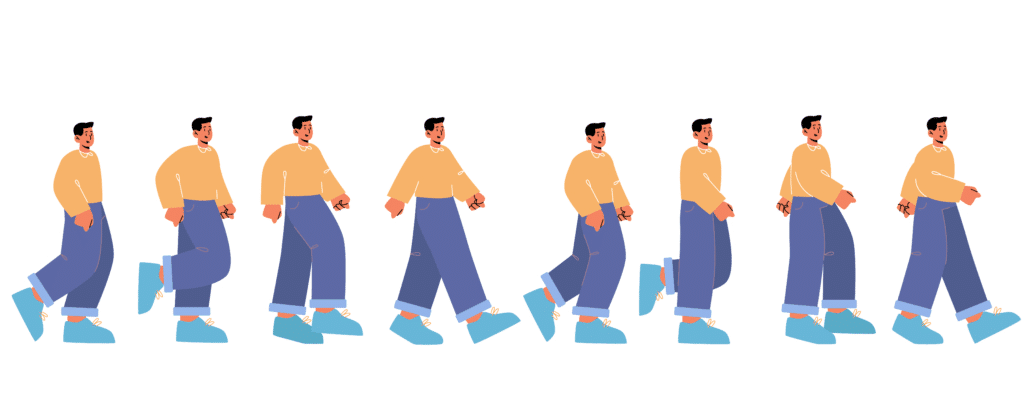
How to Avoid It: Keep your sketches simple and focused on key elements, such as character placement, primary actions, and scene composition. Stick to clear, readable compositions that help the team understand the shot without unnecessary distractions.

2. Lack of Continuity

storyboard lack of continuity

Inconsistent character positioning, improper framing, and disjointed transitions can disrupt the flow of a storyboard. When continuity mistakes go unnoticed, they can lead to confusion during animation and require costly revisions later in production.

How to Avoid It: Review each frame carefully to ensure consistency in character positioning, proportions, and background elements. Use reference guides for character placement and maintain a logical flow between scenes. Consider flipping back and forth between frames to check for continuity errors.

3. Ignoring Camera Movement

Storyboards should clearly communicate how the camera moves throughout a scene. Even though animated videos are made without camera’s, it’s still important to think through every way the viewer will see things moving through each scene.  Failing to indicate pans, zooms, tilts, or tracking shots can lead to misinterpretations, resulting in static or awkwardly framed animations.

How to Avoid It: Use arrows and notes to indicate camera movements like zooming in, panning across a scene, or shifting focus. If necessary, create an animatic—a rough animated version of the storyboard—to visualize how the camera movements will enhance the storytelling.

4. Skipping the Planning Phase

skipping the planning phase

Jumping straight into storyboarding without a well-thought-out concept can lead to disorganized scenes, unclear storytelling, and wasted effort. Without proper planning, you may find yourself revising large portions of the storyboard later, delaying the entire project.

How to Avoid It: Before sketching, outline the key beats of your story, define character actions, and establish the overall tone. Having a script or shot list in place can help guide the storyboarding process and reduce unnecessary revisions.

5. Not Considering the Audience

design your storyboard for your audience

A storyboard is more than just a visual plan—it’s a tool for communicating a story effectively to a specific audience. If the visual style, pacing, or framing doesn’t align with the target viewers’ expectations, the final animation may miss the mark.

How to Avoid It: Keep your audience in mind when designing your storyboard. Consider factors like age group, cultural background, and viewing preferences. For example, if the video is meant for young children, use bright, clear visuals with exaggerated expressions and actions to maintain engagement.

When Should You Create a Storyboard?

When Should You Create a Storyboard

One of the most common questions people ask after learning what a storyboard is concerns when they should create one.

The answer is simple: a storyboard should be created immediately after the script is approved and before any artwork or animation begins.

The production process for most animated videos follows this order:

  1. Creative Brief
  2. Script Writing
  3. Storyboard Creation
  4. Voiceover Recording
  5. Illustration & Design
  6. Animation
  7. Sound Design
  8. Final Delivery

Creating a storyboard before design and animation saves time, money, and frustration because it allows everyone involved in the project to review the visual direction before significant production resources are invested.

Imagine spending weeks designing custom illustrations only to discover that the visual concept doesn’t communicate the message effectively. With a storyboard, these issues can be identified and corrected early when revisions are inexpensive.

For this reason, professional animation studios, advertising agencies, film studios, and video production companies almost always require storyboard approval before moving into production.

Who Creates a Storyboard?

Who Creates a Storyboard

Depending on the project, several different people may be responsible for creating a storyboard.

Marketing Teams

For marketing videos, members of the marketing department often create an initial storyboard to communicate their vision to a production company.

Creative Directors

Creative directors frequently develop storyboards to ensure the visual style and storytelling align with the overall campaign objectives.

Storyboard Artists

Large productions often hire specialized storyboard artists whose entire job is to translate scripts into visual sequences.

Producers

Video producers commonly create rough storyboards to communicate ideas to designers, illustrators, animators, and clients.

Business Owners

For smaller projects, business owners may create simple storyboards themselves using sketches, screenshots, icons, or stock imagery.

The important thing to remember is that storyboards do not need to be artistic masterpieces. Their primary purpose is communication. Even simple stick figures can effectively communicate an idea when accompanied by clear instructions.

How Detailed Should a Storyboard Be?

How Detailed Should a Storyboard Be

Many people worry that their storyboard isn’t detailed enough.

In reality, the level of detail depends on the complexity of the project.

Simple Storyboards

Simple storyboards may include:

  • A script
  • Rough visual concepts
  • Basic motion directions
  • Simple scene transitions

These are often sufficient for straightforward explainer videos, social media ads, and internal training videos.

Detailed Storyboards

Complex productions may require:

  • Camera angles
  • Character expressions
  • Background designs
  • Transition notes
  • Animation timing
  • Visual effects
  • Asset references
  • Audio cues

The more complicated the project becomes, the more detailed the storyboard should be.

A useful rule of thumb is this:

If an animator or designer could misunderstand your instructions, add more detail.

Storyboard vs. Animatic: What’s the Difference?

Storyboard vs. Animatic What's the Difference

Many people use the terms storyboard and animatic interchangeably, but they are actually different production assets.

Storyboard

A storyboard is a collection of static images that illustrate what will happen in each scene.

Storyboards help teams:

  • Plan visuals
  • Organize ideas
  • Review concepts
  • Obtain stakeholder approval

Animatic

An animatic is a rough video created using storyboard frames.

The storyboard images are arranged in sequence and timed to match the voiceover or soundtrack.

Animatics help teams:

  • Review pacing
  • Evaluate scene timing
  • Test transitions
  • Identify storytelling problems

Think of it this way:

A storyboard is a blueprint. An animatic is a rough prototype.

Many professional animation studios create animatics after the storyboard is approved and before full animation production begins.

Types of Projects That Use Storyboards

Types of Projects That Use Storyboards

While storyboards are commonly associated with animation, they are used in many different industries.

Animated Videos

Animated explainers, commercials, product demos, educational content, and motion graphics projects all benefit from storyboarding.

Live-Action Videos

Film directors and cinematographers use storyboards to plan:

  • Camera angles
  • Shot composition
  • Scene transitions
  • Special effects

Television Commercials

Advertising agencies often create detailed storyboards to secure client approval before filming begins.

Video Games

Game developers use storyboards to visualize cut scenes, character interactions, and cinematic sequences.

E-Learning Content

Instructional designers frequently use storyboards to organize educational content before producing training materials.

Mobile Apps & Software

Product teams may use storyboard-style planning documents to map user experiences, onboarding flows, and software demonstrations.

How Long Does It Take to Create a Storyboard?

The amount of time required to create a storyboard depends on the length and complexity of the project.

Here are some general estimates:

Project Type

Storyboard Time

30-second video

1–3 hours

60-second explainer video

3–8 hours

2-minute animated video

1–2 days

Complex commercial campaign

Several days

Film or television production

Several weeks

The goal should not be speed.

A well-planned storyboard can prevent dozens of hours of revisions later in production.

Many production teams find that spending an extra day refining a storyboard can save weeks of rework during animation.

Can AI Create Storyboards?

Can AI Create Storyboards

Artificial intelligence has dramatically changed how storyboards are created.

Today, AI tools can help users:

  • Generate scene concepts
  • Create rough sketches
  • Brainstorm visual metaphors
  • Produce reference images
  • Explore different creative directions

AI can be especially helpful when you’re struggling to visualize a particular section of your script.

However, AI-generated storyboards still require human review.

AI may generate visuals that look impressive but fail to communicate the intended message, maintain continuity, or align with a brand’s style guidelines.

The most effective workflow combines AI-assisted ideation with human creative direction and review.

Frequently Asked Questions About Storyboards

Frequently Asked Questions About Storyboards

Do I need artistic skills to create a storyboard?

No. Stick figures, screenshots, stock images, icons, and simple sketches are usually sufficient. The goal is communication, not artistic perfection.

Can a storyboard change during production?

Yes. Storyboards are working documents and may evolve as new ideas emerge or stakeholder feedback is received.

Is a storyboard required for every video?

Not necessarily. Very simple videos may be produced without one. However, most professional productions benefit from storyboarding because it reduces misunderstandings and production risk.

How many storyboard frames do I need?

There is no fixed number. Some projects require only a few frames while others may contain dozens or even hundreds. Include enough frames to clearly explain the visual progression of the story.

Why do animation studios require storyboard approval?

Storyboard approval helps ensure everyone agrees on the creative direction before design and animation work begins. This significantly reduces costly revisions later in the production process.
What is Video Igniter?

what is video igniter

Video Igniter provides animated video production services online. We’ve modernized the experience of creating an animated video to help you create custom content fast. Our production process also helps you save money on your production costs.  We do 99% of the work for you. All you need to do is:

1). Tell us what you want us to create

2). Review the assets we create for your video (script, storyboard, voiceover, soundtrack, art and animation).

If you’re looking for a website to create an animated video online, Video Igniter’s custom animated video production service enables you to work with our animation team to create  any kind of animated video you can imagine!

Our talented staff collaborates behind the scenes to create custom 2D and 3D animated videos so you don’t have to figure out if you have the right video animator for the job. We handle all the technical and creative aspects of production – including helping you develop your script and storyboard (if you haven’t already created them yourself!)

Interested in learning more about the production process? Check out our walkthrough guide: “How To Make A Video Animation.”

Outsource Your Storyboard Creation & Animation to Video Igniter

Outsource Your Storyboard Creation & Animation to Video Igniter

– +20 reasons companies love outsourcing their animation projects to Video Igniter.

– You can use Video Igniter to outsource the production of any kind of 2D or 3D animated video you can imagine.

– Check out our portfolio!

– World class design talent at prices small businesses can afford.

Animation Demo Reel


Success Stories & Testimonials

“Video Igniter came to us with a number of creative and engaging ideas and were able to create an exciting, impactful video in a short period of time. And the best part was that it cost much less than other options of similar quality. The video they made is a great marketing tool for us.”

Alex Raymond – Founder, Kapta Systems

“Video Igniter offered us the critical combination of creative value, clear communication, and patience with stakeholder feedback. We ended up with truly high-quality design assets for our video series largely due to the extra level of commitment — and the right balance of efficiencies with flexibility in the process when called for.”

Larry Schlessinger – Sr. Creative Program Manager, Amazon Web Services

“I run a video production company and outsource animation. The team at Video Igniter did a great job in taking the concept I very crudely drew out and made it into a beautiful animation. The review process was easy and their turnaround time was very quick. I’d def recommend them if you’re looking for an animation project.”

Pat Henderson – Founder, Path8 Productions

Success Stories & Testimonials

Get in touch

Schedule a call to discuss creating a storyboard and an animated video for your company.

Get a quote for your animated video.

Check out our animated video portfolio.

Request access to our newest price sheet.

Create your Video Igniter account, fill out a creative brief, and then we’ll make your animated video for you.

contact us


How To Create A Storyboard For An Animated Video?

If you hire a video animator or an animation studio to create an explainer video, they will need to have a storyboard with your script in order to know what details to produce in your animation. Often times, animators and studios can help you take your idea or your script and turn it into a storyboard – but if you want to take on that part of creating an animated video, this article will explain how to create a storyboard for an animated video, even if you have no artistic abilities.

how to create a storyboard

Learn how to create a storyboard.

If you have a question about how to create a storyboard that isn’t answered in this article, you can use our contact form to ask your question or click the image below to with a member of our production team:

contact us

What is a storyboard?

But first, what is a storyboard? A storyboard is a document that includes text and visuals to explain two things:

1). What art do the designers need to create?

2). How should the animators make the custom designed art move around?

How do you create a storyboard for an animated video?

Each page of a storyboard has four parts and you should include all of them when you make the storyboard for your animated video:

1). Script

2). Sketch/Mockup

3). Direction

4). Asset List

Diagram Explaining How To Create A Storyboard For An Animated Video

Download Video Igniter’s Free Storyboard Template

1). Script

When you first start making the storyboard for your animation, begin by taking each sentence from your script and put one sentence on each page of your storyboard. It’s possible that when you create your storyboard, you may find that it makes sense to break up a sentence over multiple slides because there’s a lot of motion and design information to explain to the animators. Alternatively if a sentence needs multiple slides to explain all the motion design, have the full sentence on each page and highlight the active part of the sentence by making that part of the sentence bold.

How To Split A Sentence Into Multiple Slides For Your Animated Explainer Video's Storyboard

If a scene has a lot of detail, split the sentence into multiple slides.


How To Write A Script For An Animated Explainer Video Igniter

2). Sketch/Mockup

Each slide of your storyboard should contain a mockup of the scene that is going to be designed for each sentence of the script. Your sketch or mockup doesn’t have to look professional – it just has to be adequate enough to communicate your idea. It’s our job to take your ideas and turn it into something real. Stick figure sketches are perfectly fine – a simple sketch on paper goes a long way – just take a photo of it and include it on the appropriate page of your storyboard.

Too timid to try sketching out your ideas? Use freely available images and icons online to create a rough mockup of the scene you want us to design.

Examples Of Storyboards For Animated Videos That Were Created Using Sketches Or Icons And Clipart

Examples Of Storyboards For Animated Videos That Were Created Using Sketches Or Icons And Clipart.


3). Direction

This is the most important part of creating a storyboard – use simple language to clearly explain what sort of motion design you want to happen during this part of the script. The more you can break down your ideas, the easier it will be for the animators to understand what they are going to animate. Simple language with bullet points is the best way to sequentially document the order of operations that needs to happen in a scene.

If you want an action to happen at a specific moment during the voiceover, it helps to say something like, “when the voiceover says, ‘____,’ do this _______.”

Storyboard Instructions For An Animated Video

Use the upper right corner of the storyboard to explain to the animator what motion happens in the scene.


4). Asset list

In the bottom right corner of the storyboard, include a list of all the assets that are needed for that scene. Below are examples of some of the kinds of assets you should include in your list:

Scene Examples: blue bedroom, snowy mountain scene, busy shopping mall.

Characters Examples: old fireman in uniform with a white beard, a zebra with white and blue stripes.

Object Examples: digital alarm clock, an orange android phone.

Stock Footage Examples: video of a bumblebee, picture of the inside of a plant cell.

Audio Examples: cash register noise, glass shatter SFX.


5). Extra notes (Screenshots & Examples)

While you create your storyboard, you may find that it’s helpful to include additional information to explain the ideas in your storyboard. Feel free to insert additional slides that include extra descriptive or visual information for the animators and designers to reference when creating your video.

For example – maybe there are a few different styles of desks that you would like to see in a scene. You could include one in the mockup in a slide for your storyboard, and then on the slide after that, include 3 photos of other styles of desks the designers could use as a visual reference for the scene. Or, perhaps you want a character to walk a specific way in a scene and you found a YouTube video of a guy that perfectly demonstrates the type of motion you want to see conveyed in your animation – including a link to the video for the animators to watch will be very helpful for them.

Design Reference Slide For Animated Video Storyboard

Deep Dive: Want to learn more about the animated video production process? Check out this companion article to learn “How To Create An Animated Video.”

Download Our Free Storyboard Template

We have a storyboard template that you can use to create your storyboard in PowerPoint, Pages, or Slides. Click here to download our free storyboard templates and get our quick storyboard DIY guide too.

Download Our Free Storyboard Template

Animated Video Storyboard Examples

Interested in checking out some storyboards that were created for real animated video projects? Take a look at our explainer video storyboard examples.

Want Help Creating Your Storyboard?

Creating a storyboard is a fun creative process that turns your words into a visual story. That being said, we know it can be a challenging creative exercise and it’s not for everyone. If you want someone to create the storyboard for your animated video, just let us know and we’ll take care of it for you!

how to make a storyboard

Tools To Help You Create Your Storyboard

We love an old fashioned hand-drawn storyboard – but there’s a growing number of digital tools out there that speed up the storyboard creation process. Let’s explore a few options to help you speed up and streamline the storyboard creation process.

Digital Storyboard Apps

Boords is one of our favorite apps we use to create and share storyboards with our clients. After you upload your storyboard images to Boords, the app provides spaces for you to type in the script and the direction for the motion design which keeps your storyboard organized and nicely formatted.

Boords also makes it easy for clients to add their comments directly on each slide of the storyboard so we know what parts to update and revise.

youtube animation storyboard creation

Digital Sketching Devices

The old way of making a storyboard was to hand draw each scene, take a photo of it, transfer it to your computer and then format the image to fit within your storyboard. Now a days, it’s becoming more common to use an iPad or a Remarkable tablet to sketch each scene and then digitally add the image into your storyboard. This saves on time and makes it easier to update the sketches based on client feedback.

how to make a storyboard remarkable-tablet

Source: Remarkable.com


AI Generated Storyboard Scenes

We’re just starting to see AI’s that are created for the specific purpose of creating storyboards. They tend to fall into two categories:

1). AI’s that suggest content for your storyboard

These AIs can read a script and take in information about your target audience and then suggest ideas for what to show for each part of your script. This is a great way to get ideas for scenes that are difficult to visualize.

AI Storyboard Suggestions

2). AI’s that create sketches for your storyboard

Other AIs are capable of taking your script and generating sketches for each scene in your storyboard. Customization abilities are limited but you can ask the AI to keep regenerating new suggestions until it comes up with something that’s close enough.

How to Create a Professional Storyboard for an Animated Video

How to Create a Professional Storyboard for an Animated Video

Creating a storyboard for an animated video is more than putting a few sketches on a page. A good storyboard should function as a visual blueprint for the entire production. It should help everyone involved understand what the viewer will see, what they will hear, what happens next, and which artwork needs to be created.

The best storyboards also make it easier to identify problems before animation begins. It is much less expensive and time-consuming to change a storyboard than to discover after several days of animation that a scene doesn’t communicate the intended idea.

Here is a practical process you can use to create a storyboard for an animated video.

1. Start With the Final Script

Start With the Final Script

The storyboard should generally be created after the script has been developed far enough that the major ideas and voiceover are unlikely to change.

Start by breaking the script into individual beats. A sentence does not necessarily equal one scene. Some sentences can be communicated with a single visual, while other sentences may require several visual changes.

For example, imagine the voiceover says:

“Every morning, your sales team spends hours searching through spreadsheets, emails, and different software platforms just to find the information they need.”

That sentence could potentially become several storyboard panels:

  1. A salesperson opens a spreadsheet.
  2. The salesperson switches to email.
  3. They search through another application.
  4. Multiple windows begin piling up around them.
  5. The information finally comes together in one platform.

The purpose of storyboarding is not to force every sentence into exactly one picture. The purpose is to determine how the visual story should unfold while the audience hears the narration.

2. Identify the Visual Idea for Every Major Beat

Identify the Visual Idea for Every Major Beat

Before drawing anything, go through the script and identify the main visual idea for each section.

Ask:

What should the viewer see while this information is being communicated?

There are several common ways to visualize information in an animated video:

  • Character action
  • Product demonstration
  • Screen recording or UI animation
  • Diagrams
  • Charts and graphs
  • Icons and symbols
  • Text animation
  • Visual metaphors
  • Before-and-after comparisons
  • Environmental changes
  • Camera movement
  • Transitions between scenes

Try to choose the visual approach that communicates the idea most quickly.

For example, if the script says that a company is growing rapidly, you could simply display the words “rapid growth.” A stronger animation might show a small storefront transforming into a large operation, with additional employees, customers, locations, or revenue charts appearing around it.

The second approach gives the animator something to build and gives the viewer something to understand visually.

3. Create a Thumbnail Version First

You don’t have to begin by creating polished artwork.

In fact, it is often better to start with extremely rough thumbnail sketches.

Draw small boxes representing the major shots in your video. Use simple shapes to indicate characters, objects, text, and important visual elements.

At this stage, don’t worry about making the drawings attractive.

You are trying to answer questions such as:

  • Does the story make sense?
  • Is the sequence easy to follow?
  • Does the visual change when the message changes?
  • Are there too many scenes?
  • Are there sections where nothing visually interesting happens?
  • Does the ending build naturally toward the CTA?

A rough storyboard makes these problems much easier to identify.

This is especially useful because animation can involve significant design and production work. Solving a storytelling problem while the storyboard consists of rough sketches is considerably easier than solving it after the artwork has been designed and animated.

4. Establish a Consistent Visual Style

Establish a Consistent Visual Style

Before developing every storyboard frame, establish the general visual language of the video.

Your storyboard does not necessarily need finished artwork, but it should communicate the intended style.

Consider:

  • Character design
  • Color palette
  • Typography
  • Illustration style
  • Background treatment
  • Level of detail
  • Icon style
  • UI treatment
  • Camera perspective
  • Use of texture
  • Overall visual tone

For example, a technology explainer might use clean geometric illustrations, simple backgrounds, interface graphics, and restrained character animation.

A brand campaign might require a more distinctive illustration style with custom characters, unusual compositions, and more elaborate transitions.

Creating a small style reference or mood board before completing the storyboard can help prevent the visual direction from changing from scene to scene.

5. Think About Continuity

Think About Continuity

Continuity is one of the easiest things to overlook when creating an animated video storyboard.

If a character is holding a coffee cup in one scene and the next scene continues the same action, the cup should not suddenly disappear unless there is an intentional reason for it.

The same applies to:

  • Character positions
  • Clothing
  • Props
  • Screen interfaces
  • Backgrounds
  • Lighting
  • Object locations
  • Character scale
  • Direction of movement

Continuity becomes particularly important when a story follows a character through several scenes.

Create a simple asset and character reference sheet if your animation includes recurring characters or environments. Record details such as clothing, colors, accessories, important props, and other characteristics that should remain consistent throughout the video.

6. Plan Camera Movement in the Storyboard

Plan Camera Movement in the Storyboard

Animation gives you much more freedom with the camera than many people realize.

Your storyboard can indicate whether the camera should:

  • Zoom in
  • Zoom out
  • Pan
  • Track a character
  • Rotate
  • Transition between environments
  • Move from a wide shot to a close-up
  • Follow an object
  • Move through a user interface
  • Remain completely static

You don’t need to use camera movement simply because you can.

Camera movement should have a purpose.

For example, a zoom-in can direct attention toward an important detail. A camera pan can reveal additional information. A transition from a wide shot to a close-up can signal that the story is moving from a general concept to a specific example.

In a storyboard, a few arrows and a short note can communicate the intended movement.

For example:

Camera: Slowly zoom toward the dashboard as the narrator explains the three key metrics.

This is usually more useful than attempting to draw every intermediate frame.

7. Show What Moves, Not Every Frame of Motion

Show What Moves, Not Every Frame of Motion

A storyboard is not normally a frame-by-frame animation.

You do not need to draw every position a character’s arm will occupy during a movement.

Instead, show the important poses or key moments.

If a character walks across the screen, for example, you might show:

Panel 1: Character begins walking.

Panel 2: Character arrives at the destination.

Then use your direction notes to explain that the character walks from left to right between those panels.

For more complicated animation, additional storyboard panels can be useful. A character jumping, transforming, interacting with a complicated interface, or performing a specific action may require several key poses.

The level of detail should correspond to the complexity of the animation.

What Should Be Included in an Animated Video Storyboard?

What Should Be Included in an Animated Video Storyboard

A useful storyboard should answer the production team’s most important questions without requiring them to guess.

At a minimum, include:

Scene or Panel Number

Number every panel sequentially.

This makes it much easier to discuss revisions.

Instead of saying, “Can we change the part where the character is standing next to the computer?” a client can say, “Can we revise Scene 14?”

Voiceover or Dialogue

Include the exact portion of the script associated with the panel.

This establishes the relationship between the visual and the narration.

Visual Reference

Include a sketch, mockup, screenshot, photograph, icon, or other visual reference.

It doesn’t have to be beautiful. Its job is to communicate the concept.

Animation Direction

Describe what moves and when.

Keep these instructions concise and specific.

For example:

  • Character enters from the left.
  • Screen expands to fill the frame.
  • Three icons appear one at a time.
  • When the narrator says “automatically,” the three manual steps disappear.
  • Camera zooms into the dashboard.

Assets

List the artwork or materials required for the scene.

This might include:

  • Character
  • Background
  • Laptop
  • Smartphone
  • Logo
  • UI screen
  • Chart
  • Icons
  • Stock footage
  • Sound effects
  • Music
  • Photographs

A detailed asset list can save time later because the production team can identify what needs to be created before animation begins.

On-Screen Text

If text will appear in the animation, include it in the storyboard.

This includes:

  • Headlines
  • Labels
  • Statistics
  • Captions
  • Buttons
  • Product names
  • Calls to action

Avoid assuming that the animator will decide what text should appear later. If the wording is important to the message, it belongs in the storyboard.

How Detailed Should an Animation Storyboard Be?

How Detailed Should an Animation Storyboard Be

There is no single correct level of storyboard detail.

A simple motion graphics video may only need rough frames showing the major compositions and transitions.

A character-heavy animation may require more detailed drawings showing poses, expressions, interactions, and environments.

A complicated 3D animation may require even more planning because camera angles, environments, object placement, and movement can be significantly more involved.

A useful rule is:

The storyboard should be detailed enough that another person can understand what needs to happen without asking you to explain every scene verbally.

If your animator can look at the storyboard and understand the intended action, it is probably detailed enough.

If the animator has to ask questions such as “Where does the character go?” “What happens next?” or “Which screen are we showing?” then the storyboard probably needs more information.

At the same time, avoid turning the storyboard into an attempt to pre-animate the entire project. Leave room for the animation team to solve visual and motion-design problems creatively.

How to Storyboard a 60-Second Animated Video

How to Storyboard a 60-Second Animated Video

A 60-second animated video can contain a surprisingly large amount of visual information.

If the voiceover contains approximately 125–150 words, you may have several distinct visual beats within those 60 seconds.

A simple structure might look like:

0:00–0:05 — Hook

Introduce the problem with a visually interesting situation.

0:05–0:15 — Problem

Show the audience what is frustrating, inefficient, confusing, expensive, or otherwise undesirable about the current situation.

0:15–0:25 — Solution

Introduce the product or idea that changes the situation.

0:25–0:45 — Benefits

Demonstrate the two or three most important benefits.

0:45–0:53 — Proof

Show a result, statistic, customer example, or other evidence.

0:53–1:00 — CTA

Summarize the value proposition and show the viewer what to do next.

This is only a starting point. The storyboard should ultimately follow the needs of the story rather than forcing every video into exactly the same structure.

How to Review an Animated Video Storyboard Before Animation

How to Review an Animated Video Storyboard Before Animation

Before approving a storyboard, watch it as though you have never heard the company’s pitch before.

Go panel by panel and ask:

Can I understand the story from the visuals alone?

You shouldn’t necessarily be able to understand every detail without the voiceover, but the major narrative should be apparent.

Then review the storyboard together with the script.

Ask:

Do the visuals reinforce what the narrator is saying?

If the narrator says one thing while the animation shows something unrelated, the audience has to process two competing messages.

Finally, look at the pacing.

Ask:

  • Does the visual change when the topic changes?
  • Are any scenes on screen for too long?
  • Are there too many visual changes happening at once?
  • Does the most important information receive enough visual emphasis?
  • Does the ending feel rushed?
  • Is there enough time for the audience to understand important graphics or text?

These questions can reveal problems that aren’t obvious when reading the script alone.

Common Storyboarding Mistakes to Avoid

Common Storyboarding Mistakes to Avoid

Making the Storyboard Too Detailed Too Early

Don’t spend hours creating polished artwork before you know whether the overall sequence works.

Start rough and refine the visuals after the storytelling is working.

Creating Visuals That Simply Repeat the Voiceover

If the narrator says, “Our software saves time,” and the screen displays the words “Saves Time,” you’re not taking full advantage of animation.

Whenever possible, demonstrate the benefit visually.

Show the old process taking five steps and the new process taking two.

Trying to Animate Every Word

Not every word requires a visual change.

Constant movement can actually make an animation harder to understand.

Give important visual ideas enough time to register.

Including Too Much Information

A storyboard can expose a problem that was hidden in the script: there is simply too much to communicate.

If every scene contains a new feature, statistic, character, chart, and text element, the audience may have difficulty determining what matters.

Simplify.

Forgetting About the Transition Between Scenes

A storyboard should explain not only what happens inside individual scenes but also how the video moves from one idea to the next.

Some transitions can be simple cuts. Others can use an object, character, camera movement, or visual metaphor to connect two ideas.

A strong transition can make an animated video feel like one continuous story rather than a collection of unrelated slides.

Storyboard vs. Animatic: What’s the Difference?

A storyboard is a visual plan for the animation. An animatic takes those storyboard images and puts them into motion with approximate timing.

A storyboard answers:

“What should happen?”

An animatic helps answer:

“How long should it take, and does the sequence work when viewed as a video?”

This distinction is important because a storyboard can look excellent as a collection of individual images while still having pacing problems when played sequentially.

For example, a joke may look funny in a storyboard panel but fail because the reaction happens too quickly.

A product demonstration may look clear in several individual frames but become confusing when the transitions happen too rapidly.

An animatic gives the production team an opportunity to discover those problems before expensive final animation begins.

Using AI to Create an Animated Video Storyboard

Using AI to Create an Animated Video Storyboard

AI can now be useful for generating storyboard ideas, visual references, rough compositions, and alternative scene concepts.

For example, you can provide an AI tool with a script and ask it to suggest several visual approaches for each section.

This can be especially helpful when you know what you want to say but aren’t sure how to visualize an abstract concept.

However, AI-generated storyboard images should generally be treated as references rather than automatically approved final designs.

AI-generated images can introduce problems with:

  • Character consistency
  • Object continuity
  • Screen interfaces
  • Brand accuracy
  • Typography
  • Perspective
  • Repeated characters
  • Product details

For an animated video, consistency between scenes matters. If a character’s appearance changes from one panel to another, or a product interface looks different in every frame, the storyboard may become less useful as a production reference.

A practical workflow is to use AI for ideation, then refine the strongest ideas into a consistent storyboard that reflects the actual production requirements.

The same principle applies to AI-generated content generally: the technology is most useful when it helps a creative team produce something more useful and original, rather than simply generating generic material at scale.

A Simple Animated Video Storyboard Template

A Simple Animated Video Script Template Example

If you are creating your first storyboard, use this basic structure for every scene:

SCENE #:

VOICEOVER:
What does the audience hear?

VISUAL:
What does the audience see?

ANIMATION/DIRECTION:
What moves? What happens first, second, and third?

ON-SCREEN TEXT:
What words appear on screen?

ASSETS:
What characters, backgrounds, objects, graphics, screenshots, or other materials are required?

NOTES/REFERENCES:
Are there examples, screenshots, links, or additional instructions the animator should see?

For example:

SCENE 08

Voiceover:
“Now your entire team can see the status of every project in one place.”

Visual:
Show the company’s dashboard filling the screen. Several project cards appear in different stages.

Animation/Direction:

  • Dashboard slides into view.
  • Project cards populate one at a time.
  • Camera moves toward the three project-status columns.
  • Completed projects move into the “Done” column.

On-Screen Text:
“Every project. One place.”

Assets:
Dashboard UI, six project cards, company logo.

Notes:
Use the attached product screenshot as the visual reference for the dashboard layout.

This format gives an animator, designer, client, or other stakeholder enough information to understand the intended scene without requiring the storyboard creator to be an artist.

Final Storyboard Review Checklist

Final Storyboard Review Checklist

Before sending your storyboard to an animation team, review the following:

  • The script is approved or close to final.
  • Every major script beat has a corresponding visual.
  • Every scene is numbered.
  • The visual concept is clear.
  • Animation direction is included where necessary.
  • Required assets are identified.
  • Important on-screen text is included.
  • Characters and recurring objects remain visually consistent.
  • Camera movements are identified when important.
  • Transitions between major ideas are understandable.
  • The pacing works for the intended runtime.
  • The CTA has enough time to be understood.
  • References and screenshots are attached where needed.
  • The storyboard has been reviewed by someone who understands the target audience.
  • Major creative questions have been resolved before animation begins.

The goal of a storyboard isn’t to create beautiful drawings. The goal is to remove ambiguity before production starts.

A rough storyboard with clear visual ideas, timing, direction, and asset requirements can be far more useful than a beautifully illustrated storyboard that doesn’t explain how the animation should work.

When you create a storyboard for an animated video with that goal in mind, you give your animation team a much stronger blueprint—and you dramatically improve the chances that the finished animation will communicate the original idea the way you intended.

What Is An Animatic?

Some animated video projects require the creation of an animatic in addition to the storyboard. An animatic is halfway between a storyboard and the final animation. Storyboard sketches are synced up with the timing of your voiceover to create a very rough version of your video. Often times, additional images are sketched for inclusion in the animatic.

The purpose of the animatic is to create a rough timing of the animation so that everyone involved with the project can see how the timing / pacing of the visuals lines up with the pace of the voiceover. It’s helpful for identifying ‘dead’ portions of the video where very little motion is happening. It’s also useful for planning and choreographing detailed and nuanced parts of your animation to ensure the timing is right. If your animation is very detailed, it’s useful to create an animatic first to ensure your video is created properly the first time. Animatics are also useful for testing the comedic timing of jokes.

Animatics are frequently created for 3D animation projects and hand drawn animations. Standard 2D computer animation projects usually don’t require the creation of an animatic.

Here’s an example of an animatic. Below that is the video that was created from the animatic.


Still have questions about how to create a storyboard for an animated video?

Do you have a question about how to create a storyboard that wasn’t addressed in this FAQ? Use this form to send us your question and we’ll follow up with an answer. We’ll also post the question and answer to this page so other people can benefit from the knowledge.

Still have questions?

What is Video Igniter Animation?

Video Igniter Animation is an online animated video production service. By working with our team online, you can get your custom animated video produced faster and for less than hiring a brick and mortar animation studio.

We can help you create any kind of 2D animated video or 3D animation you can imagine. Check out our animated video portfolio!

Want to know more about the production process? Learn how to make a video animation.

Watch our explainer video on our home page to learn more about how we can help you create an animated video. For examples of the kinds of animation our team can produce, check out the demo reel below:


Looking For An Animation Studio In The U.S.?

Video Igniter is headquartered in Seattle, Washington.

Success Stories & Testimonials

Don’t just take our word for it – these testimonials highlight Video Igniter’s reliability, creativity, flexibility and ability to deliver animations that exceed expectations. When you choose Video Igniter to help you make video animations, you can rest assured that you are working with a trusted and reputable studio.

“Video Igniter were very easy to work with and the entire process for creating and suggesting edits was seamless and stress-free. I would work with them again and would recommend to others looking to create a modern and stylish explainer video.”

Clair Simpson – VP Marketing, Repool.com

“I run a video production company and outsource animation. The team at Video Igniter did a great job in taking the concept I very crudely drew out and making it into a beautiful animation. The review process was easy and their turnaround time was very quick. I’d def recommend them if you’re looking for an animation project.”

Pat Henderson – Founder, Path8 Productions

“Video Igniter offered us the critical combination of creative value, clear communication, and patience with stakeholder feedback. We ended up with truly high-quality design assets for our video series largely due to the extra level of commitment — and the right balance of efficiencies with flexibility in the process when called for.”

Larry Schlessinger – Sr. Creative Program Manager, Amazon Web Services

“Video Igniter came to us with a number of creative and engaging ideas and were able to create an exciting, impactful video in a short period of time. And the best part was that it cost much less than other options of similar quality. The video they made is a great marketing tool for us.”

Alex Raymond – Founder, Kapta Systems

“I am beyond satisfied with my experience with Video Igniter. The first drafts of the work were almost exactly what I had in my head when developing the concept. After that each step along the way was seamless until arriving at a perfect finished product. And all this at a tremendous value. Anyone who has considered creating a marketing video should check out Video Igniter.”

Anonymous Customer Feedback

success stories and testimonials

Need help creating your storyboard? Get in touch!

Schedule a call to discuss your animated video project.

Get a quote for us to create your animated video.

Request access to our newest price sheet.

Create your Video Igniter account, fill out a creative brief for your video and we’ll begin production as soon as we receive your production deposit.

contact us

How To Write An Animated Video Script For An Explainer Video

This explainer video guide will teach you how to write an animated video script that will help you increase sales and grow your business.

When you start making an animated explainer video, it is important to take the time to write a strong script for your video because it is the framework from which your animated video will be created. Everything from the voiceover to the visual style will be informed by the decisions that are made during the script writing process. This explainer video guide will teach you Video Igniter’s tips, tricks and best practices for writing a script that will help deliver results for your sales and marketing.

animated video script

If you have a question about animated video scripts that isn’t answered in this article, you can use our contact form to ask your question or click the image below to with a member of our production team:

contact us

Before you start writing your animated video script…

Before you even begin formulating the concept for your video script, here are a few points we ask our clients to think through (and preferably write down!):

1). What is the goal for this video?
2). Who is this video for?
3). What is the core message you want to convey? Or what is the process to get to success?
4). Why should people care?

Writing the script for an animated video.

Download Video Igniter’s Free Script Writing Template


1). What is the goal for this video?

Start by being concrete about what action you want people to take when they’ve finished watching your video. Do you want them to sign up for a free account? Should they contact you for more information? Or download your app? Whatever that thing is you want your audience to do to move one step down the funnel towards a relationship with your company, be concrete about what that goal is and then use the whole video to illustrate why it’s in the best interest of your target audience to do that thing.

What is the goal for your animated video script?

2). Who is this video for?

Being specific about who your target audience is very helpful because it informs what you say and how you should say it. If everyone is your target audience, you’re going to have a more challenging time creating a compelling message that applies to everyone. On the other hand, the more you can connect with the way your target audience talks, the more effective your video will be.

We’ve created hundreds of animated explainer videos for tech companies and we always want to know whether or not we’re creating a video for a ‘technical’ audience. If it is a technical audience, we’ll spend more time illustrating the process and the details for how a new system works. If the audience for that tech product/service is going to be purchased by someone who is less technologically savvy, then we’ll ease off the technical mumbo-jumbo and focus more on the value and benefits the service will bring about if it gets implemented.
Animated Video Script

Knowing who your specific audience is enables you to make informed decisions during the writing process because you’re able to speak directly to what resonates with them. If your company sells in multiple industries, you should consider creating different versions of your explainer video that specifically illustrate the ways you serve the problems of each industry.

3). What is the core message that should be conveyed in your animated video’s script?

It sounds obvious that you should know what you want to say in your video – after all, it is about your company/product/service. But if you don’t take the time to consider what’s really important to say in your video, there’s going to be a temptation to want to cram in as many details as possible – and that is going to clutter and distract from the parts of your message that are important.

Before you start writing your script, be specific about what key talking points need to be conveyed in the video so that you can prioritize those messages when drafting your script. In fact, we recommend you actually write them down and not keep them in your head so that you can see what key details you actually committed to before you started writing your video script.

Animated Video Script Core Message

How many words are in a 60 second script? The target is 150 words for a video that’s 1 minute long (meaning every word counts!) Focus the story of your script around these main points (2-3 are good for a 1 minute video). Anything that doesn’t support the narrative around these main talking points should be cut out so that you don’t detract from the main purpose of the video.

Aim for 125-150 when writing the script for your 60-second video.

Aim for 125-150 when writing the script for a 60-second video.


4). Why should people care?

So far, it’s all been about me in this creative exercise: how do I benefit. As you go through the script writing process, everything must be written from the perspective of your target audience – speak directly to what matters to them. You can make a good video that talks about how awesome you are, but your video will be more effective if you focus on your audience’s problems and how you can solve them to make their lives better.

Animated Video Script Structure

Now that you’ve documented the key details, here is how you should structure and organize your explainer video outline:

1). What is the problem
2). What is the solution
3). How does it help / what is the process to get success?
4). What should interested people do next?

Writing a script for an animated video

Script Writing Time

When you’re ready to write your explainer video script, don’t worry about getting it right the first time. Just follow this video script template, get your ideas on paper and come back later to refine them and make them more cohesive.

1). Introduce the problem

What is a real problem or pain point that your target audience experiences and how can you creatively illustrate that idea in a way that uniquely resonates with them? A lot of explainer video scripts start with the words, “Meet Bob…” and then go on to talk about how Bob works in <insert corporate department here> within a big company and he has this problem. This explainer video structure works because it’s simple and straightforward, but you have a bigger opportunity to connect with your target audience if you can create a unique visual scenario to illustrate their problem.

What problem does your target audience experience?

What problem does your target audience experience?


While you are writing the script for the introduction, think about how you can tell a visual story or create a visual metaphor that illustrates the nature of the problem your audience experiences, rather than just saying, “Bob hates importing contacts into his CRM.”

For a 60 second explainer video, introducing the problem typically takes about 10 seconds or roughly 25 words.

  Recommended Number of Words and Seconds To Use In Your Animated Explainer Video’s Introduction
~# of Seconds Approximate Word Count
30 Second Video 5 13
60 Second Video 10 25
90 Second Video 15 37

2). Introduce the solution (your product or service)

Here’s the moment where your company/product/service gets to shine – but don’t come on too strong like you’re an advertisement. Your product or service gets introduced to the scenario from the introduction and is presented as a solution to improve the status quo. When your product/service gets introduced, magic happens and your target audience gets the first clue that the big pain in their life or their job can be remedied.

Introduce the solution in the beginning of your video.

Introduce the solution in your animated video script.


For a 60 second explainer video, the introduction of the solution typically lasts 10 seconds or about 25 words.

Recommended Number of Words and Seconds To Use When Introducing The Solution In Your Animated Explainer Video’s Script
~# of Seconds Approximate Word Count
30 Second Video 5 13
60 Second Video 10 25
90 Second Video 15 37


3). How does it help / what is the process to get to success?

Remember when I said to be clear about what your main talking points are? Well this is the area to bring those details into your explainer video script. It’s now your job to paint a picture of how your solution improves the scenario through it’s unique value and benefits. Many companies say their product/service can “Save you time and money” – instead, you should use animation as a unique way to show a visual story about the way your product/service enables someone to save time and money.

Your animated video script should show how you are going to help save time and money for your clients.

Your animated video script should show how you are going to help save time and money for your clients.


Time-pending, we recommend you use this part of the video script to talk about your top 3 talking points. Don’t just tell people, show them 3 ways you make their life better. You get about 10 seconds for each talking point. In some cases, particularly for videos about tech products with a tech-savvy target audience, it makes more sense to spend this part of the video explaining the exact process that helps the target audience accomplish something new – how do they get from where they were to where they could be.

For a 60 second explainer video, the main section of your video typically lasts 30 seconds or about 75 words.

Recommended Number of Words and Seconds To Use When Illustrating The Benefits Your Solution Provides
~# of Seconds Approximate Word Count
30 Second Video 10 25
60 Second Video 30 75
90 Second Video 45 112


4). What should interested people do next?

Examples of popular CTAs for your explainer video.

Examples of popular CTAs for your explainer video.


Here’s where you take it all home. Summarize how life can be better for your target audience and how they take the first step to making that part of their life. Typical CTAs include signing up for a free account, contacting a sales rep, and downloading an app.

For a 60 second explainer video, the CTA section typically lasts 10 seconds or about 25 words.

Recommended Number Of Words & Seconds To Use To Summarize The Benefits & Tell Viewers How To Get Your Solution
~# of Seconds Approximate Word Count
30 second video 10 25
60 second video 10 25
90 second video 15 37


This is a tried and true animated video script template for crafting a narrative that gets people interested in learning more about your product/service/organization. For more tips and tricks to revise and improve your script, check out our article called: Supercharge Your Animated Video Script Writing.

Animated Video Script Examples

Want to see examples of animated video scripts and the videos they were turned into? Check out this guide to learn all about animated explainer video scripts and how to write explainer video scripts.

Common Mistakes to Avoid When Writing an Animated Video Script

animation script mistakes

Even with a strong structure, many businesses make common mistakes that weaken their animated video script. Avoid these pitfalls to ensure your video is clear, engaging, and results-driven:

Being Too Vague: A compelling animated video script should focus on specific benefits, not just general statements. Instead of saying, “Our software makes work easier,” explain exactly how it saves time or streamlines processes.

Overloading with Information: Your audience doesn’t need every detail—stick to 2-3 key points in your animated video script to keep it focused.

Ignoring Storytelling: A successful animated video script should tell a story, not just list features. Weave a relatable problem, solution, and transformation into your video.

Lack of a Clear Call to Action: Your animated video script should end with a strong CTA, guiding viewers on what to do next—whether it’s signing up, requesting a demo, or visiting your website.

How to Make Your Animated Video Script More Engaging

engaging animated video script

An effective animated video script captures attention and keeps viewers engaged from start to finish. Here’s how to make yours stand out:

Use Conversational Language: Your animated video script should feel like a natural conversation with your audience—avoid jargon and overly complex language.

Incorporate Humor or Emotion: People remember videos that make them feel something. Adding humor or a heartfelt story to your animated video script can make it more memorable.

Add a Hook in the First 5 Seconds: The first few seconds of your animated video script are crucial. Start with a question, an interesting fact, or a relatable problem to keep viewers watching.

Use a Unique Perspective: Your animated video script should differentiate your message from competitors. A fresh angle—such as a creative character-driven story—can make your video more compelling.

Deep Dive: For more tips to make your animated videos script more engaging, read our companion article about “How To Improve Your Animated Video Script Writing.”

Choosing the Right Voiceover Style for Your Animated Video Script

voiceover

The voiceover brings your animated video script to life. Choosing the right voice ensures your message resonates with your target audience. Consider these factors:

Casual vs. Formal Tone: A casual tone in your animated video script may work well for startups or lifestyle brands, while a formal tone is better suited for finance or legal industries.

Energetic vs. Calm Delivery: The tone of your animated video script should match your product and audience. An upbeat, high-energy voice may be great for tech startups, while a calm, reassuring tone works for healthcare or insurance videos.

Male vs. Female Voiceover: Both can be effective, but it’s worth A/B testing different voiceovers to see what resonates best with your audience. Choose a voice that complements your animated video script and brand identity.

Visual Storytelling: How to Align Animation with Your Animated Video Script

animated video script visual storytelling

Your animated video script should seamlessly translate into visuals. Here’s a few tips to ensure your script is animation-friendly:

Write with Visuals in Mind: As you draft your animated video script, consider how each scene will be visually represented. Animation allows for creative storytelling, so leverage it!

Use Metaphors and Analogies: An animated video script can simplify complex concepts using visual metaphors. For example, showing a rocket launch to symbolize business growth.

Ensure Pacing Matches the Script: Each line of your animated video script should align with smooth transitions and animations. A well-paced video ensures that viewers absorb the key message without feeling rushed.

How to Format an Animated Video Script

How to Format an Animated Video Script

Knowing what to say is only half the process of writing an effective animated video script. You also need to organize the script in a format that makes it easy for a voiceover artist, storyboard artist, animator, and client to understand exactly what should happen in each scene.

A professional animated video script usually contains more than just narration. At minimum, each section should identify:

  • Scene number: Helps everyone on the production team keep track of the video.
  • Voiceover: The exact words the narrator or character will say.
  • Visual direction: A description of what the audience should see while the voiceover is being delivered.
  • On-screen text: Any headlines, statistics, labels, captions, or other text that appears on screen.
  • Sound effects or music: Optional notes about important audio cues.
  • Timing: An estimate of how many seconds the scene should occupy.

For example, an animated video script could be formatted like this:

Scene 1 — The Problem | 0:00–0:08

Voiceover:
“Managing customer data shouldn’t require your team to spend hours jumping between spreadsheets.”

Visual:
Show an overwhelmed employee surrounded by spreadsheets and browser windows. The screens begin multiplying until the character can barely see over them.

On-screen text:
“Too much data. Too many spreadsheets.”

Sound:
Fast-paced typing and notification sounds.

This format gives the animation team something much more useful than a paragraph of marketing copy. It establishes the relationship between the words and the visuals before production begins.

Why You Should Write the Visuals Into Your Animated Video Script

Why You Should Write the Visuals Into Your Animated Video Script

One of the most common mistakes when writing an animated video script is treating the script like a piece of website copy.

A website can explain something with several paragraphs of text. An animated video has a limited amount of time and can communicate information through movement, characters, graphics, diagrams, transitions, and visual metaphors.

That means you should ask a simple question about every major sentence:

“What will the audience see while they hear this?”

If you cannot think of an interesting visual for a sentence, the sentence may need to be rewritten.

For example, consider this line:

“Our platform provides businesses with a comprehensive solution for improving operational efficiency.”

It sounds professional, but it gives an animator very little to work with.

A more visual version might be:

“Instead of switching between five different tools, your team can manage everything from one place.”

Now the animator has an obvious opportunity: show a character switching between multiple applications before bringing everything together inside a single platform.

The second version is easier to understand, easier to visualize, and more natural to hear in a voiceover.

Write an Animated Video Script for the Ear, Not the Page

Write an Animated Video Script for the Ear, Not the Page

A video script is meant to be heard.

This sounds obvious, but many scripts are written as though they are intended to be read silently. That can result in long sentences, complicated terminology, awkward transitions, and language that sounds unnatural when spoken aloud.

After writing your first draft, read the entire animated video script out loud.

If you find yourself running out of breath, stumbling over a sentence, or wanting to rephrase something while speaking, that’s a good indication that the script needs editing.

Use shorter sentences. Choose familiar words. Remove unnecessary qualifiers. Write the way an intelligent person would actually speak to another person.

For example:

Written-style version:
“Our innovative platform enables organizations to efficiently streamline their workflow management processes while simultaneously improving collaboration between team members.”

Voiceover-friendly version:
“Our platform helps your team manage workflows, stay organized, and work better together.”

The second version contains less information, but it communicates the idea faster and is considerably easier to listen to.

Avoid Writing One Sentence Per Animation

Avoid Writing One Sentence Per Animation

Your animated video script should not attempt to describe every movement an animator will make.

You do not need to write:

“Character raises right hand, moves hand toward computer, clicks button, computer screen changes, character smiles, camera zooms into screen…”

That level of direction can unnecessarily restrict the animator and make the script difficult to read.

Instead, describe the intended visual idea:

“Show the character using the platform to complete the task. The interface becomes simpler as unnecessary steps disappear.”

This gives the creative team enough information to understand the concept while leaving room for them to determine the best way to animate it.

How to Write a Strong Hook for an Animated Video

How to Write a Strong Hook for an Animated Video

The opening of your animated video script has an important job: give viewers a reason to continue watching.

Your hook does not necessarily need to be shocking or humorous. It simply needs to establish relevance quickly.

Some effective approaches include:

Start With a Problem

“Still spending hours every week manually entering customer data?”

This works because it immediately identifies a problem experienced by the intended audience.

Start With a Question

“What would your team accomplish if you got five extra hours every week?”

A question can encourage viewers to mentally participate in the story.

Start With an Unexpected Statement

“Most companies aren’t losing customers because their products are bad.”

This creates curiosity because the viewer wants to know what the actual problem is.

Start With a Visual Situation

Animation gives you an advantage that live-action video does not always have: you can immediately create an exaggerated visual scenario.

For example, instead of beginning with:

“Managing projects can be difficult.”

You could show a project manager attempting to keep dozens of spinning plates in the air while notifications, emails, spreadsheets, and deadlines pile up around them.

The voiceover can then say:

“Keeping a project on track shouldn’t feel like a circus act.”

The visual and verbal hooks reinforce each other.

Add Proof to Your Animated Video Script

Add Proof to Your Animated Video Script

Many explainer videos explain the problem and introduce a solution but never answer the viewer’s next question:

“Why should I believe you?”

Adding proof can make an animated video script more persuasive.

Depending on your business, proof could include:

  • A customer result
  • A statistic
  • A testimonial
  • The number of customers served
  • Years of experience
  • A recognizable customer or partner
  • A before-and-after comparison
  • A specific performance improvement
  • An industry certification
  • A demonstration of the product itself

For example, instead of saying:

“Our software saves businesses time.”

Consider:

“Teams using our platform have cut their weekly reporting time from five hours to less than one.”

The second statement is more specific and gives the audience something concrete to remember.

Be careful not to add statistics simply because statistics sound impressive. Every claim in your script should be accurate and supportable. A specific, credible result is more useful than a vague collection of impressive-sounding numbers.

Use Benefits Instead of Listing Features

Use Benefits Instead of Listing Features

A feature tells the viewer what your product does. A benefit explains why the viewer should care.

For example:

Feature:
“Automated reporting.”

Benefit:
“Get your weekly report without spending Friday afternoon building it.”

The benefit is more relatable because it connects the product to a real-world outcome.

A useful way to develop your animated video script is to create a simple feature-to-benefit table before writing:

Feature

Immediate Benefit

Bigger Outcome

Automated reports

Less manual work

Your team gets time back

Centralized data

Information is easier to find

Fewer mistakes and delays

Real-time notifications

Problems are identified sooner

Projects stay on schedule

This exercise can help you determine which features actually deserve space in a short animated video.

The “One Video, One Main Idea” Rule

The “One Video, One Main Idea” Rule

One of the hardest decisions in animated video script writing is deciding what not to include.

A company may have dozens of features, several target audiences, multiple differentiators, and years of history it wants to communicate. A 60- or 90-second video cannot effectively explain all of them.

Instead, identify the single idea you want viewers to remember after the video ends.

For example:

Too broad:
“Our platform helps businesses manage sales, marketing, customer service, accounting, projects, analytics, and communication.”

More focused:
“Your sales team can finally see every customer interaction in one place.”

The second message gives the video a clear purpose.

If you have several important messages, consider creating a series of shorter animated videos rather than forcing everything into one script. One video could explain the product at a high level, while additional videos could demonstrate individual features, answer common questions, or address specific industries.

How to Revise an Animated Video Script

How to Revise an Animated Video Script

The first draft should rarely be the final draft.

After completing your animated video script, perform several separate editing passes instead of trying to fix everything at once.

Pass 1: Message

Ask:

Can I summarize the entire video in one sentence?

If you cannot, the script may be trying to accomplish too much.

Pass 2: Audience

Look at every section from the perspective of the viewer.

Does the script explain why the problem matters to them? Are you using terminology they understand? Are you spending more time talking about your company than solving their problem?

Pass 3: Length

Calculate the approximate word count and compare it with your intended video length.

Do not simply cram more words into the available time. If the script is too long, remove information that is less important rather than asking the narrator to speak unnaturally fast.

Pass 4: Visuals

Read the voiceover one sentence at a time and ask:

“What can we show instead of simply saying this?”

Look for opportunities to replace abstract statements with characters, demonstrations, diagrams, visual metaphors, comparisons, or motion graphics.

Pass 5: Voiceover

Read the script aloud.

Listen for awkward phrases, repetitive words, overly long sentences, and transitions that sound unnatural.

Pass 6: Call to Action

Finally, make sure the viewer knows exactly what to do next.

A CTA such as “Learn more” can work, but a more specific action is often clearer:

“Book a free demo.”

“Start your free trial.”

“Download the guide.”

“Contact our team for a quote.”

The CTA should be appropriate for where the viewer is in the buying process.

Can AI Help You Write an Animated Video Script?

Can AI Help You Write an Animated Video Script

AI can be useful during the animated video script writing process, particularly for brainstorming ideas, creating initial outlines, identifying repetitive language, and generating alternative ways to communicate a concept.

However, an AI-generated first draft should not automatically become the final script.

AI tends to produce generic marketing language when it is given generic information. Phrases such as “revolutionize your business,” “unlock your potential,” and “streamline your workflow” may sound polished, but they do not necessarily give viewers a specific reason to care.

A better workflow is to use AI as a writing assistant rather than as a replacement for creative strategy:

  1. Define the audience and goal yourself.
  2. Gather the product information, customer pain points, and proof points.
  3. Create the core message.
  4. Use AI to brainstorm hooks, structures, or alternative phrasing.
  5. Rewrite the strongest ideas using your company’s actual voice and experience.
  6. Fact-check every specific claim.
  7. Read the finished script aloud.
  8. Review the script with someone who understands the target audience.
  9. Finalize the script before beginning animation.

The goal should not be to produce the most AI-sounding script. It should be to produce a script that contains useful information, specific examples, and a perspective that could not have been produced by simply combining generic information from dozens of other websites.

Animated Video Script Checklist

Animated Video Script Checklist

Before approving your script, use this checklist:

  • Does the video have one clearly defined goal?
  • Is the target audience specific?
  • Is the main problem introduced quickly?
  • Does the opening create curiosity or relevance?
  • Is the solution clearly connected to the problem?
  • Are benefits prioritized over features?
  • Are the most important claims supported by specific evidence?
  • Can every major voiceover point be represented visually?
  • Is the language natural when spoken aloud?
  • Is unnecessary jargon removed?
  • Does the script fit the intended runtime?
  • Is there a logical beginning, middle, and end?
  • Does the ending reinforce the main benefit?
  • Does the viewer have a clear next step?
  • Has the script been reviewed from the audience’s perspective?

If you can answer “yes” to most of these questions, your animated video script is in a much stronger position to move into storyboarding and production.

A Simple Animated Video Script Template

A Simple Animated Video Script Template

If you need a starting point, use this basic template:

HOOK — 0:00–0:05
Introduce an interesting question, problem, statement, or visual situation.

PROBLEM — 0:05–0:15
Explain the specific problem your target audience experiences.

SOLUTION — 0:15–0:30
Introduce your product, service, organization, or idea as the solution.

BENEFITS — 0:30–0:50
Show the two or three most important ways the solution improves the viewer’s situation.

PROOF — 0:50–0:55
Provide a compelling result, statistic, testimonial, customer example, or other evidence when appropriate.

CALL TO ACTION — 0:55–1:00
Tell the viewer exactly what they should do next.

This structure is not a rule that every animated video must follow. Some videos work better as character-driven stories, product demonstrations, educational narratives, case studies, or visual metaphors. The best structure is ultimately the one that communicates the message clearly to the intended audience.

The important thing is to treat the animated video script as more than narration. It is the blueprint for the story, visuals, pacing, and audience experience. When the script is strategically focused and written with animation in mind, the production team has a much stronger foundation for creating a video that is clear, memorable, and persuasive.

How to Optimize Your Animated Video Script for Different Video Lengths

animated video script length

The length of your animated video script depends on your marketing goals. Here’s how to structure your script for maximum impact:

30-Second Videos: Best for quick, high-impact brand awareness. Your animated video script should focus on a single message or value proposition.

60-Second Videos: The sweet spot for most animated video scripts. This length allows enough time to introduce a problem, present your solution, and include a CTA.

90+ Second Videos: If your product or service requires a detailed explanation, a longer animated video script may be needed. However, keep it engaging and ensure the pacing keeps viewers interested. If you have multiple key messages to convey, consider breaking up your video into multiple videos.

Wrap Up

Don’t hesitate to reach out if you have any questions about writing your script or if you want to speak with us about having one of our writers develop your script for you.

This video provides additional tips about how to write your script and shows how to get production started on your video once your script is ready.

To connect with us about improving your script or having our writers help you create your explainer video script, write to: Start@VideoIgniter.com.

script writing

Hire Video Igniter to Write Your Script & Create Your Animated Video

Video Igniter provides world class animation services at prices startups can afford.

Check out our animated video portfolio! We can make any kind of 2D or 3D animated video content you can imagine.

+20 reasons companies love hiring Video Igniter to create animated videos.

Demo Reel: 


Animated Video Success Stories & Testimonials

Video Igniter’s animated video service is used by companies large and small to create custom animated video content. Here’s what they have to say about their experience working with us:

“Video Igniter came to us with a number of creative and engaging ideas and were able to create an exciting, impactful video in a short period of time. And the best part was that it cost much less than other options of similar quality. The video they made is a great marketing tool for us.”

Alex Raymond – Founder, Kapta Systems

“I run a video production company and outsource animation. The team at Video Igniter did a great job in taking the concept I very crudely drew out and made it into a beautiful animation. The review process was easy and their turnaround time was very quick. I’d def recommend them if you’re looking for an animation project.”

Pat Henderson – Founder, Path8 Productions

“Video Igniter offered us the critical combination of creative value, clear communication, and patience with stakeholder feedback. We ended up with truly high-quality design assets for our video series largely due to the extra level of commitment — and the right balance of efficiencies with flexibility in the process when called for.”

Larry Schlessinger – Sr. Creative Program Manager, Amazon Web Services

“My whole family and everyone on Facebook thinks you are amazing. My whole office is freaking out.”

Patricia Shields – Real Estate Agent

“I am beyond satisfied with my experience with Video Igniter. The first drafts of the work were almost exactly what I had in my head when developing the concept. After that each step along the way was seamless until arriving at a perfect finished product. And all this at a tremendous value. Anyone who has considered creating a marketing video should check out Video Igniter.”

Anonymous Customer Feedback

Success Stories & Testimonials


Get in touch about making an animated video + script

Schedule a call to discuss your video project.

Get a quote for your animated video.

Check out our animated video portfolio.

Request access to our newest price sheet.

Create your Video Igniter account, fill out a creative brief, and we’ll start creating your video.

contact us

Animation For Video: How to Create And Add Animations To Your Video Content

In today’s digital age, video content has become a powerful tool for marketers and content creators to engage and captivate their audiences.

One effective way to make videos stand out is by incorporating animation into your videos. Animation adds a dynamic and visually appealing element to videos, making them more compelling and memorable.

However, creating animations can be a complex task, which is why it’s crucial to use a reliable animated video creator like Video Igniter to help you create your dream video.

In this comprehensive guide, we will explore the power of creating and adding animation for videos, how to start making your animation with Video Igniter, what it costs to make an animation online and how long the production experience will take.

Animation For Video

I. Understanding the Power of Animation in Videos

Creating and adding an animation to your video projects has a significant impact on your video content. Animated clips made for your animation enables you to convey complex ideas, create emotional connections, and deliver information in an entertaining and visually appealing way.

There are various types of animations commonly used in videos, including 2D, 3D, motion graphics, whiteboard animation, cel animation and character animation. Each style has its unique characteristics and applications, giving you the flexibility to choose the one that best suits your video’s purpose and target audience.

II. How To Create Animation For Your Video

A. Planning and Conceptualizing

How To Create Animation For Your Video

Before diving into production, it’s important to plan and conceptualize your video. Start by defining your target audience and goals. Understand who you’re trying to reach and what message you want to convey.

We recommend filling out this questionnaire to think through the important details of your project. If you have writers on your team, it’s also worth it to spend some time outlining the script and storyboard for your animation. That being said, if you don’t want to create the script or the storyboard, Video Igniter can create them for you.

B. Choosing the Right Animation Style

Animation For Video Choosing the Right Animation Style

Selecting the right animation style is crucial for ensuring that your video effectively communicates your message. Consider the tone and style you want to use to communicate with your target audience and choose a visual style that aligns with your brand and video content.

Video Igniter creates custom animated videos and can help you create any style of animation you can imagine. This variety enables you to create the perfect video that resonates with your target audience and enhances the impact of your message.

C. Creating and Customizing Animations

Animation For Video Creating and Customizing Animations

Once you have a plan and chosen an animation style, it’s time to create your animations. Video Igniter provides a streamlined animated video production service that makes the animation creation accessible to everyone, including those without prior video production experience.

Our platform walks you through the entire production process. Create an account, fill out a creative brief with information about your project and sit back while our team of animators creates your video for you. You get updates when it’s time to review the illustrations and voiceover we create for your video. After they get your approval, we animate your video for you.

III. Adding Animation Into Your Video

To add animation into your video, start by importing your video footage into a video editing app. Then, drag and drop the animated video we created for you into the video editing program.

You can layer animations on top of or in between your existing footage, ensuring a seamless blend between animations and real-world content. This integration of animation for your video creates a cohesive and professional look, enhancing the overall quality of your video.

IV. Exporting and Sharing Your Animated Video

Animation For Video Exporting and Sharing Your Animated Video

Once you have added your animated video into your video project file, it’s time to export and share it with the world. Whether you’re sharing your video on social media, embedding it on your website, or presenting it in a meeting, Video Igniter ensures your animation is compatible across all platforms and devices. With just a few clicks, you can export and share your animated video and make an impact on your audience.

Why Animation In Videos Outperforms Static Content

Why Animation In Videos Outperforms Static Content

The case for adding animation to your video content goes well beyond aesthetics. Research consistently shows that viewers retain information significantly better when it is presented as an animated video compared to text or static images alone. This is rooted in a concept called dual coding — the brain processes visual and verbal information through separate channels simultaneously, which deepens comprehension and memory.

For marketers, this translates into concrete performance advantages. Animated videos on landing pages have been shown to increase conversion rates. Animated social media posts generate higher engagement than static image posts. Email campaigns that include animated video content see improved click-through rates. These are not marginal gains — they represent a meaningful competitive edge for businesses willing to invest in quality animation for their video strategy.

Beyond retention and conversions, animation gives brands a way to communicate emotion and personality that raw footage sometimes cannot. A character’s expression, a playful transition, or a satisfying motion graphic sequence can make viewers feel something — and emotion is the primary driver of purchasing decisions.

Common Use Cases for Animation in Video Content

Common Use Cases for Animation in Video Content

Understanding where animation fits into your video content strategy helps you prioritize where to invest. Here are the most impactful applications:

Intro and Outro Sequences: Animated intros and outros give your video content a polished, professional identity. A consistent animated intro reinforces brand recognition every time a viewer watches one of your videos, whether on YouTube, Instagram, or your website. Over time, viewers begin to associate that visual signature with your brand’s quality and reliability.

Lower Thirds and Titles: Animated text overlays — commonly called lower thirds — add context, introduce speakers, and reinforce key messages without interrupting the flow of your video. These small animated elements dramatically improve the perceived production value of interview-style or talking-head videos.

Explainer Segments: Long-form videos often include sections where a concept needs deeper explanation. Cutting to a short animated segment — rather than trying to explain something purely through narration or on-screen text — holds viewer attention and communicates complex ideas more efficiently.

Product Demonstrations: For software products, physical goods with internal mechanics, or services with multi-step processes, animated product demos within a video give viewers a clearer picture of how something works than any live-action alternative.

Data Visualization: Charts and statistics presented as static slides inside a video are easily ignored. Animated data visualizations — where bars grow, lines travel across a graph, or numbers count up in real time — transform dry information into engaging storytelling moments.

Transitions and Motion Graphics: Thoughtfully animated transitions between scenes give videos a cinematic quality that keeps viewers watching. Simple cuts can feel abrupt; animated transitions signal intentionality and keep the visual experience flowing smoothly.

How to Brief an Animation Studio for Your Video Project

How to Brief an Animation Studio for Your Video Project

Getting the most out of an animation studio begins with a well-prepared creative brief. Studios work faster, revise less frequently, and produce stronger results when clients come prepared. Here is what a strong brief for an animation-for-video project should include:

Project context: What is the video for? Where will it live — a website, a paid ad, a trade show booth, an internal training portal? The intended platform shapes every creative decision, from aspect ratio to pacing to tone.

Audience description: Who will watch this? A B2B animation aimed at CFOs requires a very different visual language than a consumer animation targeting college students. The more specific your audience description, the better your animation studio can tailor the work.

Tone and style references: Gather three to five examples of animation styles you admire — even from outside your industry. These references communicate far more than written descriptions. If you want your animation to feel “energetic but professional,” show examples rather than just saying it.

Existing brand assets: Share your brand style guide, logo files, color palette, and any existing video content. Animation that matches your established visual identity integrates seamlessly into your broader video content library.

Script or key messages: Even a rough outline of what the animation needs to say is more useful than starting from scratch. If you have key messages, taglines, or call-to-action language that must appear in the video, include them in the brief.

Approval stakeholders: Let the studio know upfront how many people need to approve the work and what their roles are. Projects with multiple stakeholders benefit from clear revision rounds rather than open-ended feedback loops.

Animation for Video: Aspect Ratios and Format Considerations

Animation for Video: Aspect Ratios and Format Considerations

One of the most overlooked technical decisions in animation for video is format optimization. Animation created at the wrong aspect ratio for its intended platform delivers a weaker result — and retrofitting an animation to a new format after production is costly.

Here is a quick reference guide for common animation video formats:

16:9 (Landscape) is the standard format for YouTube, website embeds, presentations, and broadcast TV. If you are creating a primary long-form video asset, this is almost always your starting format.

9:16 (Vertical) is essential for Instagram Reels, TikTok, YouTube Shorts, and Stories. Mobile-first audiences consume enormous amounts of vertical video daily. If your animated video will run as a social ad or organic social post, vertical format is no longer optional — it is expected.

1:1 (Square) performs well in social media feeds across Instagram and Facebook, where it occupies more screen real estate than landscape video without requiring the full vertical format.

4:5 is a slight variation on square that Meta platforms favor for in-feed ads, as it takes up maximum feed space on mobile without triggering the vertical video player.

A smart animation-for-video strategy accounts for these formats upfront. Rather than creating one animation and cropping it down later, brief your studio to deliver your core animation in multiple aspect ratios simultaneously. The incremental production cost is small compared to the performance gain of format-native content.

Measuring the Performance of Your Animated Video Content

Measuring the Performance of Your Animated Video Content

Creating animation for your video is an investment — and like any investment, it deserves to be measured. Here are the key performance indicators that matter most for animated video content:

View-through rate (VTR): What percentage of viewers watch your animated video to completion? A high VTR indicates that your animation is holding attention. A low VTR — particularly if viewers drop off in the first few seconds — suggests the opening of your animation needs to hook viewers more effectively.

Engagement rate: On social platforms, engagement (likes, comments, shares, saves) relative to total views tells you how strongly your animation resonated. Highly shareable animated content multiplies your reach without additional ad spend.

Click-through rate (CTR): For animated videos with a call to action — whether embedded on a landing page or running as an ad — CTR measures how effectively the animation is motivating action.

Conversion rate: Ultimately, the purpose of most marketing animation is to drive a business outcome: a purchase, a sign-up, a demo request. Tracking conversions attributed to pages or campaigns featuring your animated video content reveals its true ROI.

Heatmaps and scroll depth: For animated videos embedded on web pages, tools that show where visitors scroll and how long they engage with your page reveal whether the animation is contributing to on-page engagement or being skipped entirely.

Reviewing these metrics after your animated video has been live for 30 to 60 days gives you actionable data to guide future animation investments — and to optimize the current video through updated calls to action, revised thumbnails, or A/B tested versions.

Storytelling Best Practices for Animation in Video

Storytelling Best Practices for Animation in Video

One of the biggest reasons animation for video succeeds is that it allows creators to tell stories that would otherwise be difficult—or even impossible—to capture with live-action footage. Whether you’re producing a marketing video, product demonstration, educational lesson, or investor presentation, storytelling should always guide your creative decisions.

Strong animated videos typically follow a simple narrative structure:

Start With a Hook

The first five seconds determine whether viewers continue watching or scroll away.

Your opening should immediately answer one of these questions:

  • What problem are we solving?
  • Why should the viewer care?
  • What surprising fact will they learn?
  • What emotional journey are they about to experience?

Animation gives you complete creative freedom during this opening. Rather than relying on stock footage, you can create eye-catching visual metaphors, animated characters, or dynamic typography that instantly captures attention.

Introduce the Problem

Once you’ve earned the viewer’s attention, explain the challenge they face.

For example:

  • Businesses waste hours on repetitive manual tasks.
  • Patients struggle to understand complex medical procedures.
  • New employees become overwhelmed during onboarding.
  • Consumers are confused by complicated financial products.

Using animation for video allows abstract problems to become visually concrete, making them easier for audiences to understand.

Present the Solution

This is where animation truly shines.

Instead of simply describing your solution, animated visuals can demonstrate:

  • How a product works
  • Before-and-after transformations
  • Step-by-step workflows
  • Internal processes
  • Software interfaces
  • Customer journeys

Showing rather than telling dramatically improves comprehension and viewer retention.

End With a Clear Call to Action

Every animated video should encourage viewers to take the next step.

Examples include:

  • Schedule a demo
  • Request a quote
  • Download a guide
  • Purchase a product
  • Subscribe to a channel
  • Contact your sales team

A compelling ending ensures the value created by your animation translates into measurable business results.

How Motion Design Improves Video Quality

How Motion Design Improves Video Quality

Many people think animation only refers to fully animated videos.

In reality, motion design can dramatically improve nearly any type of video content.

Examples include:

  • Animated logos
  • Kinetic typography
  • Motion-tracked graphics
  • Animated icons
  • Infographics
  • Lower thirds
  • Scene transitions
  • Callout graphics
  • UI animations
  • End cards

These elements help guide the viewer’s attention while making videos feel significantly more polished.

Even subtle movement can transform an average video into content that feels professionally produced.

Creating Brand Consistency Across Animated Videos

Creating Brand Consistency Across Animated Videos

Businesses rarely produce only one video.

Over time, companies build libraries containing:

  • Product demos
  • Customer testimonials
  • Sales presentations
  • Educational content
  • Social media videos
  • Recruiting videos
  • Training materials

Using a consistent animation style across all these assets strengthens brand recognition.

Consider creating animation guidelines that define:

  • Color palette
  • Typography
  • Transition styles
  • Iconography
  • Character illustration style
  • Motion behaviors
  • Logo animations
  • Intro sequences
  • Outro sequences

Maintaining consistency allows every new animated video to reinforce your brand identity.

Accessibility Considerations for Animation in Video

Accessibility Considerations for Animation in Video

Great animation should be enjoyable for as many people as possible.

When creating animation for video, consider accessibility throughout production.

Best practices include:

Add Closed Captions

Many viewers watch videos with the sound muted.

Captions improve comprehension while making videos accessible for people who are deaf or hard of hearing.

Choose Readable Typography

Avoid decorative fonts that become difficult to read on smaller mobile screens.

Instead, use clean fonts with sufficient size and contrast.

Give Viewers Enough Time

Avoid displaying important information for only a second or two.

Viewers need enough time to read:

  • Headlines
  • Statistics
  • Product names
  • Calls to action

Avoid Excessive Flashing

Rapid flashing animations may create accessibility issues for some viewers.

Smooth transitions generally provide a better viewing experience.

Localizing Animated Videos for International Audiences

Localizing Animated Videos for International Audiences

Animation is one of the easiest forms of video content to adapt for global audiences.

Instead of filming multiple live-action versions, businesses can localize existing animated videos by replacing:

  • Voiceovers
  • On-screen text
  • Captions
  • Currency
  • Measurements
  • Product imagery
  • Cultural references

Planning for localization early makes future updates much easier.

Common Mistakes When Adding Animation to Videos

Common Mistakes When Adding Animation to Videos

Even experienced content creators occasionally make mistakes when integrating animation into video projects.

Here are some of the most common issues.

Too Much Animation

Animation should support your message—not distract from it.

If every object is constantly moving, viewers may struggle to focus on the information that matters most.

Inconsistent Visual Styles

Mixing multiple illustration styles within the same project creates an unprofessional appearance.

Maintain a consistent artistic direction throughout your video.

Poor Timing

Animations should reinforce narration rather than compete with it.

Introducing graphics too early—or too late—can confuse viewers.

Ignoring Mobile Devices

Many videos are viewed on smartphones.

Always preview animations on smaller screens to ensure text remains legible and important details remain visible.

Weak Audio

High-quality animation deserves equally professional audio.

Invest in:

  • Professional voiceover
  • Clean audio mixing
  • Appropriate background music
  • Balanced sound effects

Audio quality strongly influences how viewers perceive production quality.

Building an Animation Asset Library

Building an Animation Asset Library

Organizations that regularly create video content can save significant time by maintaining reusable animation assets.

Examples include:

  • Animated logos
  • Lower thirds
  • Background loops
  • Branded icons
  • Character poses
  • UI components
  • Motion graphic templates
  • Transition packages
  • Call-to-action animations

Rather than recreating these assets for every project, they can be reused across multiple videos while maintaining consistent branding.

Over time, this library reduces production costs and accelerates future video creation.

When to Use Animation Instead of Live Action

When to Use Animation Instead of Live Action

Animation and live-action video each have unique strengths.

Animation is often the better choice when you need to:

  • Explain abstract concepts
  • Visualize software
  • Illustrate future products
  • Show microscopic processes
  • Demonstrate dangerous scenarios safely
  • Simplify technical information
  • Present confidential workflows
  • Maintain evergreen content despite product updates

Live-action video, meanwhile, excels at showcasing real people, authentic customer stories, physical locations, and emotional testimonials.

Many successful marketing campaigns combine both approaches, using animation to clarify ideas while relying on live footage to build trust and human connection.

Future-Proofing Your Animated Videos

Future-Proofing Your Animated Videos

Businesses often underestimate how frequently marketing materials change.

Pricing evolves.

Features are added.

Brand identities are refreshed.

Regulations change.

Products improve.

When planning animation for video, consider how easily the project can be updated in the future.

A well-organized production workflow should preserve editable assets so your team can:

  • Update statistics
  • Replace screenshots
  • Add new features
  • Refresh branding
  • Swap voiceovers
  • Translate content
  • Create shorter social media edits

Thinking beyond the initial launch dramatically extends the lifespan and value of your animated video investment.

Rather than treating animation as a one-time deliverable, successful organizations build a growing library of reusable video assets that evolve alongside their business.

This long-term approach maximizes return on investment while ensuring every new animated video benefits from the creative work that has already been completed.

Animation For Video Production Resources

Animation For Video Production Resources

The following guides and resources are popular among people reading about how to create an animation for an existing video project:

9 Things To Look For When Choosing An Animation Studio

How To Make Video Animations With Video Igniter

Read The Animated Video Production FAQ

How To Hire And Work With An Animation Video Company

Animation For Video Wrap Up

Animation For Video Wrap Up

Adding animation into your videos is a powerful way to engage and captivate your audience. With Video Igniter, you have a reliable animation producer that simplifies the process of creating and integrating animations into your videos.

Whether you’re a marketer, content creator, or business owner, Video Igniter offers an intuitive interface and diverse visual styles, enabling you to easily create high quality animated video clips to add to your video content.

By understanding the power of animation, you can create increase the engagement rate of your videos and leave a lasting impression on your audience. Don’t miss out on the benefits of animation. Your audience will thank you for it.

Still have questions about creating an animation for your video?

Do you have a question about creating an animation for your video that wasn’t addressed in this FAQ? Use this form to send us your question and we’ll follow up with an answer. We’ll also post the question and answer to this page so other people can benefit from the knowledge.

Still have questions?

What is Video Igniter Animation?

Video Igniter Animation is an online animated video production service. By working with our team online, you can get your custom animated video produced faster and for less than hiring a brick and mortar animation studio.

We can help you create any kind of 2D animated video or 3D animation you can imagine. Check out our animated video portfolio!

Watch our explainer video on our home page to learn more about how we can help you create an animated video. For examples of the kinds of animation our team can produce, check out the demo reel below:


Looking For An Animated Video Company In The U.S.?

Video Igniter is headquartered in Seattle, Washington.

Animation For Video Success Stories & Testimonials

Don’t just take our word for it – these testimonials highlight Video Igniter’s reliability, creativity, flexibility and ability to deliver animations that exceed expectations. When you choose Video Igniter Animation, you can rest assured that you are working with a trusted and reputable studio.

“Video Igniter were very easy to work with and the entire process for creating and suggesting edits was seamless and stress-free. I would work with them again and would recommend to others looking to create a modern and stylish explainer video.”

Clair Simpson – VP Marketing, Repool.com

“I run a video production company and outsource animation. The team at Video Igniter did a great job in taking the concept I very crudely drew out and making it into a beautiful animation. The review process was easy and their turnaround time was very quick. I’d def recommend them if you’re looking for an animation project.”

Pat Henderson – Founder, Path8 Productions

“Video Igniter came to us with a number of creative and engaging ideas and were able to create an exciting, impactful video in a short period of time. And the best part was that it cost much less than other options of similar quality. The video they made is a great marketing tool for us.”

Alex Raymond – Founder, Kapta Systems

“Video Igniter offered us the critical combination of creative value, clear communication, and patience with stakeholder feedback. We ended up with truly high-quality design assets for our video series largely due to the extra level of commitment — and the right balance of efficiencies with flexibility in the process when called for.”

Larry Schlessinger – Sr. Creative Program Manager, Amazon Web Services

Success Stories & Testimonials

Looking to create an animation for video? Get in touch!

Schedule a call to discuss your animated video project.

Get a quote for us to create your animated video.

Request access to our newest price sheet.

Create your Video Igniter account, fill out a creative brief for your video and we’ll begin production as soon as we receive your production deposit.

contact us

Choosing the Right Animation Company: A Comprehensive Guide

In today’s digital age, animation plays a pivotal role across various industries, from entertainment and advertising to education and healthcare. Hiring a professional animation company can dramatically enhance your visual content, making it more engaging, informative, and memorable. This article will guide you through the process of choosing the right animation company that can transform your ideas into captivating animations.

Animation Company Expertise and Experience

Animation Company

When selecting an animation company, the first criteria to consider is their expertise and experience. A seasoned animation company is likely to deliver high-quality work, understand your needs, and provide reliable customer service. Look for an animation company with a proven track record in your industry or project type. Review their past projects, ask about their experience with similar projects, and don’t hesitate to ask for references or case studies.

Animation Portfolio and Visual Styles

An animation company’s portfolio provides valuable insights into their creative capabilities, style, and quality of work. Different animation styles, such as 2D, 3D, motion graphics, kinetic typography or whiteboard animation, are suitable for different project types. For instance, a product-focused company might opt for 3D animation to demonstrate a new product, while an educational institution might prefer 2D animation for an explainer video. Choose an animation company whose style aligns with your project’s goals and your brand’s identity.

Video Igniter can create any kind of 2D or 3D animated video for you. Check out our animation portfolio here. Request access to our demo reels and price sheet here.

Contact us or schedule a call to start making your video.


Are you looking for an example of a different style of animation? Send us a message to let us know what kind of animation example you want to see and we will follow up with relevant production samples.


Animation Company Portfolio

Animation Company Testimonials and Reviews

Client testimonials and reviews are a reliable gauge of an animation company’s reputation and quality of work. You can find these on the company’s website, social media platforms, or third-party review sites. Positive feedback from past clients indicates the company’s commitment to delivering high-quality work and their ability to meet or exceed client expectations.

Scroll down to the bottom of this page to read testimonials from Video Igniter’s customers.

Animation Company Testimonials and Reviews

Collaboration and Communication

Effective collaboration and communication are critical to the successful execution of your animation project. The best animation companies often employ dedicated project managers or account executives to ensure seamless communication and project coordination. Evaluate how responsive and transparent the animation company is during your initial interactions. Their willingness to listen to your ideas and provide constructive feedback often indicates their approach to client collaboration.

Animation Company Collaboration and Communication

Technical Capabilities and Tools

The animation industry is constantly evolving, with new software, tools, and technologies emerging regularly. An animation company that stays abreast of the latest industry trends and uses cutting-edge tools is likely to deliver a superior final product. Ask about the software and technologies they use and how they ensure they’re up-to-date with industry advancements.

Animation Company Budget and Pricing

Animation Company Budget and Pricing

Your budget plays a significant role in determining the right animation company for your project. Different companies may offer different pricing models, such as per minute, per project, or hourly rates. While it’s essential to find a company that fits your budget, remember that quality shouldn’t be compromised for cost. It’s about finding the best value for your investment.

Access Video Igniter’s price sheet here.

How To Hire An Animation Company?

How To Hire An Animation Company

For a deep dive on hiring an animator or an animation studio, we recommend checking out this companion article: “Animator For Hire: How to Find and Hire the Right Animator for Your Video Project.”

How Do You Make A Video With An Animation Company?

Wondering what the production experience is like when you hire an animation company? Here’s a quick overview of the production process:

1). Understanding Your Project and Goals

How Do You Make A Video With An Animation Company

Production typically begins with a questionnaire and or a to learn about your video project and goals. This is your opportunity to explain what you want to communicate in your video, share details about your target audience and the visual style you want to use for your animation.

2). Script Development

Animation Company Script Development

Download Video Igniter’s Free Script Writing Template

Our team digests your information and generates a script that is designed to convey your talking points to your target audience. You get to review the script and request revisions. We update your script and send it back to you for approval.

Budget Saving Tip: Write your script yourself using our free downloadable script writing template.

3). Storyboard Creation

Animation Company Storyboard Creation

Download Video Igniter’s Free Storyboard Template

Our team turns your script into a storyboard. This way, we have a set of specific instructions for the illustrators and animators that we all agree on. You get an opportunity to review the storyboard and make sure all of the details are accurate before we move forward with production.

Budget Saving Tip: Create your storyboard yourself using our free downloadable storyboard template.

4). Creating Your Art

Animation Company Creating Your Art

The art director reviews your style preferences, brand guidelines and storyboard. Then, they select a key scene from your storyboard and develop several visual concepts for your video.

Animation Company Concept Art

Tell the art director which visual style you prefer. They will work with you to refine you preferred visual design. Once you’re 100% happy with it, we’ll develop all of the art for your animated video. You get an opportunity to review all of the illustrations and request revisions before approving the art for production.

5). VoiceOver

VoiceOver

You will receive voiceover auditions from one or more voiceover artists. Select your favorite option and we’ll oversee the recording of the full voiceover. If there are any revisions you want to make, let us know and we’ll coach the voiceover artist through the requested edits.

6). Soundtrack & SFX

Animation Company Soundtrack

We’ll select several soundtrack options and sound effects that will help enhance the presentation of your animated video.  Let us know which soundtrack you prefer and we’ll procure the license so that you can legally use the music in your animated video.

7). Animation

Animation Company Animator

Once everything is approved, our team animates your video. You get an opportunity to review the first draft with your team (and ideally members of your target audience). Collect everyone’s feedback and share it with us. We’ll incorporate your edits and render out the final draft of your video.

Sometimes people need help with additional work after their initial animation is completed. This can include translating your video, promoting your video to your target audience, improving your video’s conversion rate, editing shorter versions for social media posts, and more! Here’s a list of the other kinds of animation services Video Igniter offers.

What does it cost to hire an animation company?

What does it cost to hire an animation company

The cost of hiring an animation company varies depending on the length and complexity of your video. To give you a ballpark estimate, most 2D animated videos cost $1,500-$10,000 for each minute of animation. Note that some forms of 2D animation can cost $20,000-$50,000 or more for each minute of video that’s created. 3D animated videos cost 2-4x more to produce.

Want to figure out how much it will cost to make your animated video?

Check out our pricing page

Get a quote

Fill out this questionnaire about your project and goals

How long does it take an animation company to create an animated video?

How long does it take an animation company to create an animated video

On average, a 60-second, 2D animated video takes about 4-5 weeks to produce. 3D animated videos take 2-3x as much time to produce. If you are making a longer video and want to know how long it will take to make, we recommend or using this form to tell us about your project.

How To Evaluate Whether An Animation Company Will Deliver Results

How To Evaluate Whether An Animation Company Will Deliver Results

Finding an animation company that creates beautiful videos is only part of the decision-making process. The best animation company doesn’t just produce attractive visuals—they create videos that help businesses achieve measurable goals.

Before hiring an animation company, define what success looks like for your project. Different businesses have different objectives, including:

  • Increasing website conversions
  • Generating qualified leads
  • Explaining a complex product
  • Improving customer onboarding
  • Training employees
  • Launching a new product
  • Raising investor funding
  • Increasing social media engagement
  • Building brand awareness

An experienced animation company will ask about these goals early in the discovery process because every creative decision—from scriptwriting to pacing and visual style—should support your business objectives.

For example, a startup creating an animated investor pitch video may prioritize clarity and storytelling, while an ecommerce company may focus on product demonstrations and conversion optimization.

When evaluating an animation company, ask how they tailor creative decisions around business outcomes rather than simply asking what style of animation you want.

Questions To Ask Before Hiring An Animation Company

Questions To Ask Before Hiring An Animation Company

Many businesses compare animation companies by looking at pricing and portfolios alone. While these are important, asking the right questions can reveal much more about how the company operates.

Consider asking:

  • Who will manage my project?
  • How many rounds of revisions are included?
  • What happens if we need additional changes later?
  • Do we own all artwork and animation after completion?
  • Are source files included?
  • Can the animation be updated in the future?
  • How are project timelines managed?
  • What happens if our internal approvals take longer than expected?
  • Can you help with multiple language versions?
  • Do you have experience working in our industry?
  • Can you create shorter edits for social media?
  • What information do you need before production begins?

The answers to these questions often reveal whether an animation company has a mature production workflow capable of handling real-world business projects.

Red Flags To Watch Out For When Choosing An Animation Company

Red Flags To Watch Out For When Choosing An Animation Company

Not every animation company offers the same level of professionalism. Here are several warning signs to watch for before signing a contract.

No Defined Production Process

Professional animation companies follow a structured workflow that includes scripting, storyboarding, illustration, animation, review stages, and final delivery.

If a company can’t clearly explain its production process, projects are more likely to experience delays or unexpected revisions.

Unrealistically Low Prices

Animation is labor-intensive. Extremely low pricing often means:

  • Generic templates
  • Outsourced production with little oversight
  • Limited revisions
  • Poor communication
  • Lower quality artwork

While affordability is important, businesses should compare overall value rather than choosing the cheapest option.

Limited Portfolio Variety

If every video in a company’s portfolio looks nearly identical, they may rely heavily on templates instead of creating custom artwork.

A strong animation company should demonstrate experience with multiple visual styles, industries, and storytelling approaches.

Poor Communication

Long response times during the sales process often become even longer during production.

Communication is one of the biggest predictors of a successful animation project.

Who Owns The Animation After Production?

Who Owns The Animation After Production

One topic many businesses overlook is intellectual property ownership.

Before hiring an animation company, clarify:

  • Who owns the finished video?
  • Who owns the artwork?
  • Can the assets be reused in future marketing materials?
  • Are editable project files available?
  • Are stock assets licensed for commercial use?

Understanding ownership rights early prevents confusion later if your company wants to update or repurpose the animation.

Can An Animation Company Help With Marketing?

Can An Animation Company Help With Marketing

Creating the video is only the beginning.

Many businesses receive significantly more value when an animation company helps optimize the video for multiple marketing channels.

Examples include:

  • YouTube videos
  • Website hero videos
  • Landing pages
  • Paid advertising
  • LinkedIn campaigns
  • Instagram Reels
  • TikTok
  • Facebook ads
  • Email marketing
  • Trade show presentations
  • Sales presentations

Instead of producing one video, experienced animation companies often create multiple versions optimized for different platforms and aspect ratios.

This allows businesses to maximize the return on their animation investment.

Why Accessibility Matters In Animated Videos

Why Accessibility Matters In Animated Videos

Modern businesses increasingly prioritize accessibility.

An experienced animation company can help make videos easier for everyone to understand by incorporating accessibility best practices such as:

  • Closed captions
  • High-contrast visuals
  • Easy-to-read typography
  • Clear voiceover narration
  • Color choices that accommodate color blindness
  • Slower pacing for educational content

Accessible videos improve the viewer experience while helping organizations reach broader audiences.

Planning For Future Updates

Planning For Future Updates

Many businesses assume an animated video is a one-time project.

In reality, products evolve, pricing changes, features get added, and branding gets refreshed.

Ask your animation company how easy it will be to update your animation six months or two years later.

Planning ahead can save significant money because existing artwork and animation assets can often be reused rather than recreated from scratch.

This is especially valuable for:

  • SaaS companies
  • Healthcare organizations
  • Technology companies
  • Financial services
  • Educational institutions

Businesses with frequently changing products benefit from animation systems that are designed with future edits in mind.

Should You Choose A Specialized Animation Company?

Should You Choose A Specialized Animation Company

Some animation companies work across every industry, while others specialize in specific markets.

Depending on your project, industry expertise can provide advantages.

Examples include:

  • Healthcare animation companies familiar with medical terminology
  • SaaS animation companies experienced with software demonstrations
  • Manufacturing animation companies capable of illustrating technical equipment
  • Nonprofit animation companies focused on fundraising storytelling
  • Educational animation companies experienced with e-learning

Industry knowledge often reduces onboarding time because the production team already understands your audience and messaging challenges.

Measuring The ROI Of An Animated Video

Measuring The ROI Of An Animated Video

One of the biggest advantages of animation is that its performance can be measured over time.

After launching your video, monitor metrics such as:

  • Video completion rate
  • Click-through rate
  • Website conversion rate
  • Time spent on page
  • Social shares
  • Engagement rate
  • Lead generation
  • Sales conversions
  • Customer support ticket reduction
  • Employee training completion rates

Tracking these metrics helps determine whether your animation is delivering meaningful business value.

Many companies discover that a single animated video continues generating leads, educating customers, and supporting sales teams for years after production is complete.

Rather than thinking of animation as an expense, successful organizations view it as a long-term marketing asset that can be repurposed across websites, presentations, advertisements, email campaigns, trade shows, social media, and sales materials.

Animation Company Production Resources

Animation Company Production Resources

These resources and guides are popular among people researching and reading about animation companies:

How To Turn Your Script Into An Animation

How To Hire And Work With An Animation Video Company

List of Animation Production Companies

Video Igniter – The Animated Video Production Service Of The Future

Additional Services and Support

Many animation companies offer additional animation services including scriptwriting, voiceover, sound design, translation, video promotion, video syndication and more. These services can enhance your animation and provide a more comprehensive solution. Post-production support and revisions are also crucial, as they ensure your final product meets your expectations. When assessing an animation company, consider these additional services and their commitment to customer satisfaction.

Why do People Love Video Igniter

Video Igniter, a leading animation company, is known for its custom 2D and 3D animated videos. Clients prefer Video Igniter because of our creative expertise, attention to detail, excellent client service, unlimited revisions, and commitment to delivering high-quality animations. Our extensive portfolio showcases our ability to create engaging animations for a wide range of industries and project types.


Conclusion

Choosing the right animation company is crucial to the success of your animation project. By considering factors like expertise, portfolio, client reviews, communication, technical capabilities, pricing, and additional services, you can find a company that aligns with your project needs and budget. Remember, thorough research and evaluation are key to making an informed decision.

Still have questions about animation companies?

Do you have a question about animation companies that wasn’t addressed in this FAQ? Use this form to send us your question and we’ll follow up with an answer. We’ll also post the question and answer to this page so other people can benefit from the knowledge.

Still have questions?

What is Video Igniter Animation?

Video Igniter Animation is an online animated video production service. By working with our team online, you can get your custom animated video produced faster and for less than hiring a brick and mortar animation studio.

We can help you create any kind of 2D animated video or 3D animation you can imagine. Check out our animated video portfolio.

Watch our explainer video on our home page to learn more about how we can help you create an animated video. For examples of the kinds of animation our team can produce, check out the demo reel below:


Looking For An Animation Company In The U.S.?

Video Igniter is headquartered in Seattle, Washington.

Animation Company Success Stories & Testimonials

Don’t just take our word for it – these testimonials highlight Video Igniter’s reliability, creativity, flexibility and ability to deliver animations that exceed expectations. When you choose Video Igniter Animation, you can rest assured that you are working with a trusted and reputable studio.

“Video Igniter were very easy to work with and the entire process for creating and suggesting edits was seamless and stress-free. I would work with them again and would recommend to others looking to create a modern and stylish explainer video.”

Clair Simpson – VP Marketing, Repool.com

“I run a video production company and outsource animation. The team at Video Igniter did a great job in taking the concept I very crudely drew out and making it into a beautiful animation. The review process was easy and their turnaround time was very quick. I’d def recommend them if you’re looking for an animation project.”

Pat Henderson – Founder, Path8 Productions

“Video Igniter offered us the critical combination of creative value, clear communication, and patience with stakeholder feedback. We ended up with truly high-quality design assets for our video series largely due to the extra level of commitment — and the right balance of efficiencies with flexibility in the process when called for.”

Larry Schlessinger – Sr. Creative Program Manager, Amazon Web Services

“Video Igniter came to us with a number of creative and engaging ideas and were able to create an exciting, impactful video in a short period of time. And the best part was that it cost much less than other options of similar quality. The video they made is a great marketing tool for us.”

Alex Raymond – Founder, Kapta Systems


Success Stories And Testimonials

Ready to hire an animation company? Get in touch!

Schedule a call to discuss your animated video project.

Get a quote for us to create your animated video.

Request access to our newest price sheet.

Create your Video Igniter account, fill out a creative brief for your video and we’ll begin production as soon as we receive your production deposit.

contact us

3D Animation Maker: Software vs Done-for-You Production

A 3D animation maker can mean software you operate yourself or a production team that creates the animation for you. Blender, Maya, and Cinema 4D are professional applications for hands-on 3D work. Video Igniter is a done-for-you production service: you describe the project, review each production stage, and receive a custom finished animation.

Use this comparison to decide whether to build the animation yourself, hire an individual specialist, or work with a managed production team.

Option Type Best for What to consider
Blender Free, open-source installed 3D suite People and teams prepared to model, rig, animate, light, and render The software is free, but production still requires suitable hardware, time, and 3D skills.
Autodesk Maya Professional installed 3D software Established animation and visual-effects pipelines Commercial licensing and a substantial learning curve; verify current plans with Autodesk.
Cinema 4D Professional installed 3D software Motion design and 3D production teams Commercial licensing; verify current plans and system requirements with Maxon.
Freelancer Individual production provider A defined scope that matches a specialist’s portfolio and availability Pricing, capacity, and continuity vary by person and project.
Animation studio Managed production provider Projects requiring multiple 3D disciplines and structured production Scope, visual target, schedule, and team requirements determine the quote.
Video Igniter Done-for-you managed production service Buyers who want custom 3D animation without operating the software themselves You provide goals and feedback; the production team manages the workflow. Review the portfolio, current price sheet, or request a quote.

3D Animation Software or Done-for-You Production?

Choose software when you have the time, hardware, and skills to build the project directly. Choose a freelancer when a specific specialist fits a clearly defined scope. Choose a studio or Video Igniter when the project needs coordinated modeling, rigging, animation, lighting, rendering, sound, and review management.

3D Animation Video Maker

Examples Of 3D Animated Videos You Can Get From Video Igniter

Video Igniter can create any kind of 2D or 3D animated video for you. Check out our animation portfolio and request access to our price sheet.

Contact us or schedule a call to start making your video.

Photorealistic 3D Animation


3D Character Animation


Product Animation With 3D Rendering


3D Commercial


Are you looking for an example of a different style of animation? Send us a message to let us know what kind of animation example you want to see and we will follow up with relevant production samples.

What is a 3D animation maker?

Well, that depends what you mean – because there are a few different types of “3D animation makers.”

There are freelance animators that can make 3D animated videos….

Animation studios that create 3d animations….

… and there are new software and hardware-based ways to make 3D animations.

Pros and Cons of Hiring A Freelance 3D Cartoon Maker

There are many talented freelance animators on the Internet who can help you make 3D animations. Be sure to review their portfolio to see if they produce the style and quality of animation you are looking for.

Freelance 3D Animation Makers

Freelance 3D Animation Makers

Pros:

Freelancers can offer 3D animated video production services on demand. Their pricing, availability, and production capacity vary by person and project scope.

Cons:

3D animations take a long time to create; freelancers working by themselves will require more time to make your 3D animation.

Pros and Cons of Hiring A 3D Animation Studio

3D animation studios are fully equipped to help create specific styles of 3D animations. Their large teams are capable of collaborating to create long, detailed intricate 3D models, scenes, animations and full length movies.

Pros:

Large animation teams can take on long, complex projects.

Cons:

Studio pricing depends on the project scope, visual target, schedule, and the mix of specialists required.

Pros and Cons of Using A Technology-Based 3D Animation Creator

Professional 3D creation tools continue to add assisted workflows, while scanning tools can help turn physical objects into digital assets. DreamFusion is a 2022 text-to-3D research project, not a consumer animation-maker product. Evaluate any AI or scanning workflow by output quality, controllability, licensing, and whether the resulting assets are suitable for animation.

Pros:

Some assisted workflows can reduce the time required for particular modeling or ideation tasks.

Cons:

Output quality and control vary. Generated or scanned assets may still require cleanup, retopology, rigging, texturing, and professional animation work.

Pros and Cons of Hiring Video Igniter For 3D Animation Online

Video Igniter is a 2D and 3D animated video production service. We can help you make any kind of 2D or 3D animation you can imagine. All you have to do is describe the animation you want and we take care of everything for you. You get regular check ins during the production process so you can provide feedback and ensure the 3D animation is still on track.

Pros:

A managed remote production workflow with access to multiple creative and technical disciplines. Review our portfolio and request a scope-specific quote for your project.

Cons:

If you want to work with our team in-person, this is only possible in Washington state. Most of our animated video projects are produced remotely for clients around the world.

How do I find and hire someone to create 3D animation?

hire a 3D animation maker

If you’re interested in hiring a studio , a freelancer or Video Igniter to make a 3D animation for you, we recommend you:

  • Take a look at their video portfolio to see if they can create the level of quality you expect for your video.
  • Ask about their design process
  • Figure out their pricing structure
  • And make sure you check to see how many revisions you get when working with them (some will charge you extra for more revisions).

Additional resources to help you find and hire a 3D animation maker online:

How To Make A 3D Animation With An Online 3D Animation Maker

how to make a 3D animation

Creating a 3D animated video is a collaborative process. You will provide information to the 3D animation maker. They will create part of your video (script, storyboard/animatic, voiceover, soundtrack, illustrations, & animation). You will get a chance to review it and ask for revisions. The 3D animation maker will address your revision requests and send the file(s) back to you to review and approve so that production can move to the next stage of the production process.

Questionnaire / Phone Call

Production for a 3D animation starts with an online questionnaire and/or a phone call to learn about what you want to communicate in your video. It also gives the 3D animator an opportunity to learn about what kind of visual style you want to use in the video.

Schedule a call with our production team do discuss your 3d animation.

Script

The 3D animation maker will review the information from the call/questionnaire and use it to develop the first draft of your video script. Sometimes, they will include notes [in brackets like this] to suggest what visuals will be on screen during each part of the script.

Example Of A Written Storyboard For A 2D Animated Video

Example Of A Written Storyboard For A 2D Animated Video

As you review your script, pay attention to the content that is being presented. Does the script cover all the main talking points? Does it communicate things in a way that will resonate with your target audience?

3d animation maker script

Download Video Igniter’s Free Script Writing Template

If you want any revisions, send your requests to the 3D animation maker and they will incorporate your edits. Otherwise, let them know it’s approved and production can move forward.

Storyboard / Animatic

Now that your script is ready for production, the 3D animation team will develop your storyboard – and maybe an animatic. The storyboard is the blueprint for your 3D animated video. It tells the illustrators what to create. It also tells the animators how to make the visuals move.

3d animation maker storyboard

Download Video Igniter’s Free Storyboard Template

Sometimes, the 3D animation producer will also create an animatic after your storyboard is approved. The animatic is detailed version of the storyboard that focuses on the timing of the motion design so that the animators know what pace things should move at.

Reviewing your storyboard

When you review your storyboard, your feedback should focus on the visuals that are going to be created in each scene. Make sure each one makes sense. Ensure enough detail is included in the description so that the 3D animation makers know what to create. If certain details need to be shown a specific way, say so. Otherwise, you are providing space for the production team to create their own execution. Consider including images of specific things that need to be modeled accurately.

If you love the storyboard as-is, let the production team know it’s approved. Otherwise, send them your feedback so they can incorporate your edits.

Reviewing your animatic

The purpose of the animatic is to refine the timing of animated sequences in your video. This helps the animated video production company get accurate timing for key details before they dive in to animating your video. The animatic helps them properly time the animation for details like mouth movements, dramatic effects and comedic moments. In the long run, this extra step helps save time and money on production by ensuring the animators know exactly what to create.

VoiceOver

voiceover

After your storyboard is approved, the 3D animation maker will help audition voiceover artists for your video. You will receive sample recordings from one or more artists. Let your production team know which audition(s) you like best. They will hire the VO artists to record the full voiceovers. If you aren’t satisfied with any of the auditions, let the production team know why. Then, they can source new options for you to review.

You will get an opportunity to review the full voiceover and request revisions before you approve it for production.

Soundtrack

soundtrack

Your 3D producer will also select some soundtracks to enhance your animation. (Note, not all 3D animations include music or sound effects.) If you love one of the soundtrack options, let the 3D animation maker know.

What if you’re not a fan of any of the options? Let them know why so they can select new options for you to review.

Can’t decide which soundtrack you like best? Tell the production team and they can help you preview your favorite options when the first draft of your animation is ready to watch.

Illustrations

Creation of the illustrations begins once your storyboard is approved. The art director will review your style references and brand guidelines. Then, they will select a key scene from your storyboard and design it using one or more unique visual styles. For 3D animated videos, this usually starts with pencil concepts which are refined with your feedback.

Hand Drawn Concept Art

Hand Drawn Concept Art

After the concept art for all the characters, objects and scenes are approved, the 3D animation maker will turn them into 3D models for the animation.

The 3D models are created from the sketches and typically start as wireframes with no color or textures within the 3D animation program.

3d animation maker art example

The models are refined with your feedback.

Then color, lighting, shading and textures are added. You get another opportunity to review everything before approving the assets for production.

Animation

3d animation maker animation

Now that your assets are approved, animation can begin. Animation for 3D projects takes time and shouldn’t be rushed. It can take several weeks to animate a single minute of 3D content.

When the first draft is ready, review the animation with your internal team and members of your target audience (if available).

Collect everyone’s feedback and send it to the 3D animation maker so they can incorporate the last edits and render the final draft.

How long does it take a 3D animation maker to create a video?

Depends on the size of the team, the amount of time available for production and the complexity and length of the animation. For context, a 60 second 3D animated video takes about 6-10+ weeks to produce. Longer content (+20 min TV episodes) can take several months to produce. To figure out how long it will take to make your 3D animated video, get in touch with our team. Let us know what your deadline is (if any) and we’ll work with you to figure out a production schedule for your timeline.

3d animation maker production schedule

I need my animation fast! Is it possible to get my video faster?

Yes, rush delivery animation is possible. If you need to make your 3D animation quickly for an upcoming launch date, fill out this form to get a custom quote. Let us know you are interested in rush delivery for your 3D animation. We’ll prepare an accelerated production schedule and rush delivery production quote to get your animation made on time.

3d animation maker rush delivery

What does it cost to make 3D animation?

The cost depends on the length, visual style, modeling requirements, character or product complexity, rendering approach, revisions, schedule, and assets you can provide. Because those inputs vary, a reliable project price requires a defined scope. Review our current price sheet or request a custom quote; we will ask follow-up questions and prepare an estimate for the specific production.

3d animation maker cost

How can I save on my production budget while making a 3D animated video?

Write your script

Writing your own production-ready script may reduce the amount of script-development work included in your quote. Check out all our scriptwriting resources here.

3d animation maker video script template

Create your storyboard

Same story for your storyboard. Lots of budget saving to be had if you create your own storyboard. Check out our storyboard template and storyboard creation guide here.

3d animation maker video storyboard template

Record your own voiceover

Check out 1:31 in this video to learn how you can record your own professional sounding voiceover for free without having to buy any fancy equipment or special software.

Use stock 3D models

Not every part of your animation needs to be custom made. Consider asking your animator if it’s possible to decrease your budget by buying pre-created 3D models of common objects – instead of paying your video animator to make them from scratch.

Use free (legal) music for your 3D animation

Incompetech

Facebook Sound Collection

When To Create a 2D vs 3D Animation?

3D animated videos are able to show extra details that can’t be shown in 2D animated videos. It’s like the difference between looking at a picture of something vs having a model of that thing (or the real thing itself) to understand it. Sure, the picture shows you what something looks like, but a 3D animation shows you how something is. You can look inside it, you can go around it. It can be manipulated and changed to show how it evolves under certain conditions. These details can be abstractly represented in 2D animation with different techniques but it’s far from seeing what’s actually going on.

When To Create a 2D vs 3D Animation

3D Animation For Manufacturing & Architecture

When it really matters – when you need to see the details of what is going on, 3D animation is the best way to visualize what you want to show or communicate to people. This is particularly useful for mechanical and technical companies that want to show off how their physical creations function.

Marketers Stand Out with 3D Animations

The Internet is becoming an ocean of videos – and very few of those videos are 3D. If you want your message to stand out, investing a little more time and money in a 3D animated video can help your message rise above the noise.

3D Animation For Science & Medical Procedures

Want to demonstrate how a medical procedure works? How about demonstrating how brain neurons fire? Even if you were to get up close with a video camera, you wouldn’t be able to see all the fine details that are going on. By using 3D animation, it’s possible to visually show what’s happening at a microscopic level.

3D Entertainment

The best kind of 3D animation is the good ol’ Pixar Animated video! These animations used to require budgets in the 10’s or 100’s of millions of dollars. Now, thanks to modern animation software and virtual animation teams, the cost to produce 3D animated videos for entertainment purposes is coming down. More organizations can now afford to create entertaining 3D animated videos to extend their brand.

Avoiding Common Pitfalls When Using a 3D Animation Maker

Avoiding Common Pitfalls When Using a 3D Animation Maker

While 3D animation makers are powerful tools, they come with their own set of challenges. One common pitfall is overcomplicating designs, which can lead to unnecessary complexity and increased rendering times. It’s essential to simplify your models and focus on the core elements that will convey the message effectively. Another mistake is neglecting the importance of lighting, which can make or break the realism of your animation. Ensuring that lighting is properly set up can dramatically improve the visual quality of your work.

Additionally, many creators underestimate the hardware requirements of 3D animation software, which can lead to frustration with slow rendering speeds and system crashes. To avoid these pitfalls, always keep your hardware in mind, stay organized, and seek feedback throughout the creation process to ensure that your animation project is both effective,  high-quality, and on track with client expectations.

The Evolution of 3D Animation Makers: From Simple Tools to Advanced Software

Evolution of 3D Animation Makers From Simple Tools to Advanced Software

The journey of 3D animation makers has been an exciting evolution, from simple graphics tools to advanced software that powers high-quality animations today. Early 3D animation making software programs like Anim8or and Blender, were quite basic, offering rudimentary modeling tools and limited rendering capabilities. These early programs laid the foundation for more sophisticated tools by enabling creators to explore three-dimensional design and movement.

Over time, 3D animation makers like Maya, 3DS Max, and Cinema 4D introduced groundbreaking features including realistic textures, lighting, and advanced physics simulations. Today, modern tools not only offer intuitive user interfaces for beginners but also advanced functionalities like AI-assisted rendering and real-time feedback for professionals. As a result, 3D animation makers have become accessible for hobbyists while still providing powerful capabilities for industry experts. The future of 3D animation tools promises even more integration with virtual reality (VR) and augmented reality (AR), opening up exciting new creative possibilities.

How a 3D Animation Maker Enhances Storytelling in Digital Media

How a 3D Animation Maker Enhances Storytelling in Digital Media

A 3D animation maker is a powerful tool for enhancing storytelling, enabling creators to bring their narratives to life in visually compelling ways. Unlike traditional animation, which can be limited by physical media or time constraints, 3D animation gives storytellers the ability to create detailed worlds and characters that feel real and immersive. Whether you’re creating content for films, games, or advertisements, 3D animation enables creators to convey emotions through the movement of characters and the environment, establishing a deep connection with audiences. The intricate details of lighting, textures, and camera angles in 3D animation help craft a more dynamic and engaging story.

3D animation makers also enable interactive storytelling, allowing viewers to manipulate environments and characters for a personalized narrative experience. This versatility makes 3D animation an ideal medium for visualizing complex concepts, enhancing both entertaining and educational content.

Using a 3D Animation Maker in Advertising Campaigns

using a 3d animation maker in advertising campaigns

In today’s digital marketing landscape, 3D animation makers have become indispensable tools for crafting eye-catching and effective advertising campaigns. By using 3D animation, brands can create memorable experiences that captivate audiences and communicate their message in innovative ways. 3D animation allows marketers to visualize products in motion, highlighting their features and benefits in a way that static images or text alone cannot achieve. For example, a 3D animation can demonstrate how a product works, show its various uses, or create dynamic, cinematic advertisements that evoke emotions.

These animations are especially effective in social media campaigns, where engagement and shareability are crucial. Brands can leverage 3D animation to create a unique identity, foster consumer loyalty, and drive sales. The visual appeal of 3D animation also helps your message stand out in a crowded market, where compelling content is key to capturing the attention of potential customers.

How to Choose the Right 3D Animation Maker for Your Brand

How to Choose the Right 3D Animation Maker for Your Brand

Choosing the right 3D animation maker is a critical decision for any brand looking to create high-quality animation. The first step is to assess your project’s scope—do you need simple animations for animated social media posts, or are you working on a more complex commercial animation or film? If you’re learning hands-on 3D production, Blender provides a broad modeling, rigging, animation, and rendering toolset with extensive learning resources. Tinkercad is designed for accessible 3D design and modeling, but it should not be treated as a full professional animation package. Teams needing established production pipelines may evaluate professional tools such as Maya, 3ds Max, or Cinema 4D. You could also consider hiring Video Igniter to create your 3D animation for you.

When selecting your 3D animation maker, consider factors such as budget, the complexity of your animation, and the skill level of your team. Additionally, some tools are designed for specific industries, such as healthcare or gaming, so it’s important to choose a 3D animation maker that aligns with your brand’s goals and creative direction.

Overcoming Common Challenges with a 3D Animation Maker

Overcoming Common Challenges

While 3D animation makers offer powerful tools for creating stunning visuals, there are common challenges that creators often face. One of the biggest hurdles is the steep learning curve, especially for beginners. Many 3D animation makers feature complex interfaces and require a solid understanding of design principles, modeling, and rendering techniques.

Another common challenge is technical issues – including slow rendering times or compatibility problems with hardware. Ensuring that your computer meets the software’s system requirements is key to avoiding performance bottlenecks.

Additionally, animating realistic movements and interactions in a 3D space can be difficult, because small errors can disrupt the flow of the animation. The key to overcoming these challenges is practice, patience, and a willingness to learn. Taking advantage of online tutorials, user communities, and troubleshooting resources can help smooth the learning process and improve your final output.

Creating Social Media Content with a 3D Animation Maker

Creating Social Media Content

In the competitive world of social media video marketing, using a 3D animation maker can help your brand stand out with eye-catching, engaging content. Animated posts, such as 3D-rendered product demos or explainer videos, can show movement, product behavior, and visual details that static images cannot.

By leveraging a 3D animation maker, you can create dynamic, interactive posts that encourage users to engage with your brand. Animations can simplify complex concepts, tell a compelling brand story, and build a deeper emotional connection with your audience.

Additionally, 3D animations can be easily adapted for various platforms, from Instagram and Facebook to YouTube and TikTok. The versatility of 3D animation allows for creativity and experimentation, ensuring that your content resonates with your target audience while maintaining a professional look.

Integrating 3D Animation Maker Creations with Live Action Footage

Integrating 3D Animation Maker Creations with Live Action Footage

Combining 3D animation with live-action footage is a powerful technique that brings incredible realism and creativity to your projects. Many 3D animation makers now feature robust compositing tools that enable you to seamlessly blend computer-generated animations with real-world video.

For example, you can create 3D models of products, environments, or characters and insert them into live-action scenes to produce realistic results. The key to successful integration is careful attention to details like lighting, shadows, and camera angles to ensure the 3D elements match the live-action footage.

Professional tools like Adobe After Effects and Blender are equipped with advanced tracking and compositing features that simplify this process. By mastering these techniques, you can create visually stunning videos that combine the best of both worlds—animation and live action—perfect for commercials, films, and branded content.

Deep Dive: How to add animation to a video

Simplifying Complex Concepts Using a 3D Animation Maker

Simplifying Complex Concepts

3D animation makers are invaluable tools when it comes to simplifying complex ideas and making them more digestible for audiences. Whether you’re explaining a scientific process, demonstrating how a product works, or breaking down an abstract concept, 3D animation allows you to visualize ideas in ways that text or 2D images cannot.

For example, in the medical field, 3D animation makers are used to model human anatomy or surgical procedures, making them easier for students and patients to understand. In education, animations can bring abstract subjects like physics or chemistry to life, showing how molecules interact or how forces affect objects in motion.

3D animation can make spatial relationships and hidden processes visible, but the result still depends on accurate source material, clear narration, and purposeful visual design.

The Environmental Impact of Using a 3D Animation Maker

The Environmental Impact of 3D

As with any digital tool, there is an environmental impact associated with using a 3D animation maker, primarily due to the high energy consumption of rendering processes. Creating 3D models, textures, and animations requires significant computing power, and rendering complex scenes can take hours or even days on high-performance hardware. This energy usage contributes to carbon emissions, especially if the electricity comes from non-renewable sources. However, there are ways to mitigate this impact. Many 3D animation makers now offer cloud-based rendering, which allows you to offload processing to data centers that use energy-efficient technologies. Additionally, choosing software that supports energy-efficient workflows or using sustainable practices, such as optimizing your models for faster rendering, can help reduce your project’s environmental footprint.

Understanding the Costs of Using a 3D Animation Maker for Your Projects

Understanding the Costs of Your Projects

The cost of using a 3D animation maker can vary greatly depending on the software, project scope, and team size. Free programs like Blender are excellent for beginners or small-scale projects, while professional tools like Maya and Cinema 4D come with a higher price tag, often requiring a subscription or license purchase. In addition to software costs, there are expenses related to hardware, especially if you’re working on complex animations that require high-performance computing. Other hidden costs include rendering time, outsourcing, and the need for skilled animators or designers. However, understanding these costs upfront and planning your budget accordingly can help you achieve the desired results without overspending.

Looking for help estimating the cost for your 3D animation?

Using a 3D Animation Maker in Healthcare and Medical Visualizations

Healthcare and Medical Visualizations

The healthcare industry has increasingly adopted 3D animation makers for medical animation visualizations. These tools enable the creation of realistic, interactive representations of medical processes, such as surgical procedures or the human body’s internal systems.

With 3D animation, complex medical concepts are simplified and made more accessible, which is especially beneficial in educational settings. Medical professionals can use animations to better explain diagnoses and treatment options to patients. 3D animation also plays a vital role in the design and marketing of medical devices, where accurate representations of products in use can help with both user education and sales presentations. As technology continues to evolve, the role of 3D animation in healthcare is expected to expand, providing even more opportunities for educational, research, and clinical applications.

How to Collaborate with 3D Animators When Using a 3D Animation Maker

How to Collaborate with 3D Animators

Effective collaboration is essential when working with a team on a 3D animation project. A 3D animation maker allows multiple team members to work together by enabling features like version control, real-time updates, and project sharing. Platforms like Blender and Maya support collaborative workflows, where animators, modelers, and designers can all contribute to a project simultaneously.

To ensure smooth collaboration, it’s crucial to establish clear communication channels, set project milestones, and define roles within the team. Regular feedback sessions and revision cycles are important for refining the animation and ensuring that the final product meets expectations. By utilizing the full potential of a 3D animation maker, you can streamline the creative process and produce high-quality content more efficiently.

What Goes Into Making a 3D Animation?

What Goes Into Making a 3D Animation

A professional 3D animation is made up of much more than moving a three-dimensional object around a screen. A finished animation is the result of several interconnected disciplines, including 3D modeling, rigging, texturing, materials, lighting, camera work, animation, rendering, compositing, and post-production.

Understanding these components can help you communicate more effectively with a 3D animation maker and make better decisions about the type of animation you need.

3D Modeling

3D Modeling

3D modeling is the process of creating the digital objects that appear in an animation.

A model can represent virtually anything: a person, machine, building, vehicle, product, piece of anatomy, environment, or completely imaginary object.

The amount of modeling required depends on how prominently an object appears and how closely the camera will examine it. A simple object viewed from a distance may require relatively little geometric detail. A product shown in a close-up, however, may need highly accurate dimensions, curves, edges, and surface details.

For product visualization, accurate modeling can be particularly important. If the animation is intended to demonstrate an actual product, the 3D model may need to correspond closely to engineering drawings, CAD files, photographs, or physical reference materials.

Businesses that already have CAD models should ask whether those files can be incorporated into the production process. Existing technical assets can sometimes provide useful starting points for creating animation-ready models.

Rigging: Preparing 3D Characters and Objects for Movement

Rigging Preparing 3D Characters and Objects for Movement

A 3D model does not automatically know how to move.

Characters and other articulated objects generally need to be rigged before they can be animated efficiently. Rigging involves creating an internal digital skeleton or control system that allows an animator to manipulate the model.

For a human character, this might include controls for the spine, arms, hands, legs, feet, neck, and facial features.

A well-designed rig gives the animator intuitive controls while helping the character move naturally. A poorly constructed rig can make even a talented animator’s job considerably more difficult.

Rigging is especially important when a project contains recurring characters. If the same character appears across multiple videos, a reusable rig can allow the production team to maintain consistency from one animation to the next.

Texturing and Materials

Texturing and Materials

A 3D model provides the shape of an object, but geometry alone does not determine what that object looks like.

Texturing and material creation add visual characteristics such as color, roughness, reflectivity, transparency, metallic properties, patterns, and surface imperfections.

Consider the difference between a plain 3D model of a metal component and a finished version that actually looks like brushed aluminum, polished steel, painted metal, or plastic.

The material determines how the object’s surface responds to light.

This is one reason two 3D animations can use similarly shaped models but have dramatically different visual appearances. The modeling establishes the physical form, while materials and textures help establish the object’s visual identity.

For branded products, textures can also reproduce logos, labels, packaging, screens, buttons, and other visual details.

Lighting Is a Creative Tool

Lighting in 3D animation does much more than make objects visible.

A 3D animation maker can use lighting to establish mood, draw attention toward a particular object, create depth, separate foreground and background elements, or make a scene feel realistic.

A brightly lit product demonstration might use clean, controlled lighting to emphasize the product’s form. A cinematic commercial might use dramatic shadows and directional lighting to create atmosphere.

Lighting can also communicate information.

For example, a technical animation might illuminate the internal components of a machine while keeping its exterior partially transparent. A medical visualization might use carefully controlled lighting to distinguish different structures.

The lighting approach should therefore be considered part of the visual design rather than something added at the very end of production.

Character Animation and Facial Performance

Character Animation and Facial Performance

Character animation introduces another layer of complexity because audiences are extremely sensitive to unnatural human movement.

A character’s performance may involve body mechanics, facial expressions, eye movement, hand gestures, posture, walking, running, lip synchronization, and interaction with other characters or objects.

Even small movements can influence whether a character feels believable.

For dialogue-heavy animation, facial animation and lip synchronization become particularly important. The animator must coordinate the character’s mouth and facial expressions with the recorded voiceover while also making the performance feel natural.

Character animation can be created manually through keyframing, with motion capture, or through combinations of different techniques.

The appropriate approach depends on the project’s desired visual style and performance requirements.

How 3D Cameras Affect the Finished Animation

One of the advantages of working in three dimensions is the ability to create virtual camera movements that would be difficult, expensive, or impossible to capture with a physical camera.

A 3D camera can move around an object, travel through an environment, zoom between extreme distances, or transition from an exterior view into an internal component.

Camera placement also affects how viewers understand the subject.

A wide shot can establish the overall environment. A close-up can emphasize an important component. A camera traveling through a product can reveal internal mechanisms that would normally be hidden.

When planning a 3D animation, think about the camera as part of the storytelling process.

Rather than asking only, “What should the object look like?” consider:

“Where should the viewer be positioned to understand this object?”

That distinction can have a major impact on the effectiveness of a 3D animation.

Physics and Simulation in 3D Animation

Physics and Simulation in 3D Animation

Some 3D animations require objects to behave according to simulated physical forces.

Physics simulations can be used for things such as:

  • Water
  • Smoke
  • Fire
  • Explosions
  • Cloth
  • Hair
  • Falling objects
  • Particles
  • Destruction
  • Rigid-body collisions
  • Soft materials

For example, if a 3D animation shows a product falling onto a surface, a physics simulation can help create a convincing collision. If a scene involves smoke emerging from a machine, simulation can create movement that would be extremely difficult to animate manually.

Simulations can add significant realism, but they can also increase production and rendering complexity. They should therefore be used because they contribute something meaningful to the scene rather than simply because the software makes them possible.

What Is Rendering in 3D Animation?

What Is Rendering in 3D Animation

Rendering is the process of converting the 3D scene into the final images that viewers see.

The animation software contains information about the models, materials, cameras, lighting, animation, and other scene elements. The renderer calculates how those elements should appear and produces the individual frames that eventually become the finished video.

Rendering can be computationally intensive.

A simple scene may render relatively quickly, while a highly detailed scene with complex lighting, reflections, shadows, transparency, particle effects, and other simulations can require considerably more processing.

3D animation makers may use different rendering approaches depending on the project.

Real-Time Rendering

Real-time rendering is designed to produce images extremely quickly. It is commonly associated with interactive applications, games, virtual production, and workflows where creators need to see results immediately.

This approach can also be useful for certain marketing and commercial animation projects because it allows artists to preview scenes and make creative decisions more rapidly.

Offline Rendering

Offline rendering prioritizes the quality of the final image rather than immediate playback.

A renderer can spend substantially more processing time calculating lighting, reflections, shadows, materials, and other visual effects.

For cinematic projects, product visualization, and photorealistic animation, this approach can produce highly detailed results.

The choice between rendering approaches depends on the desired visual quality, project requirements, available computing resources, and deadline.

What Is Compositing in 3D Animation?

What Is Compositing in 3D Animation

After a scene has been rendered, the production process may continue in compositing.

Compositing involves combining and adjusting different visual elements to create the final image.

A compositor might adjust color, contrast, depth, lighting effects, atmospheric effects, glows, shadows, or other visual elements. They may also combine separately rendered elements so that individual parts of the scene can be adjusted independently.

For example, a 3D animation might render the character, background, shadows, reflections, and atmospheric effects as separate layers. This gives the post-production team greater control over the final image.

Compositing is particularly useful when an animation needs to match live-action footage or when a production requires extensive visual effects.

Choosing Between Stylized and Photorealistic 3D

Choosing Between Stylized and Photorealistic 3D

Not every 3D animation needs to look realistic.

A 3D animation maker can create everything from highly photorealistic imagery to deliberately stylized worlds with exaggerated proportions, simplified materials, unusual colors, and cartoon-like movement.

Photorealism can be useful when the goal is to demonstrate what a real product, environment, medical structure, or physical process looks like.

Stylized 3D can be more appropriate when the goal is branding, entertainment, humor, storytelling, or creating a distinctive visual identity.

The most technically realistic option is not necessarily the best option.

A stylized animation may communicate an idea more effectively because it allows the production team to exaggerate important details and remove distracting information.

How Existing 3D Assets Can Accelerate Production

How Existing 3D Assets Can Accelerate Production

Companies sometimes already have digital assets that can be useful for animation.

These might include CAD files, product models, architectural models, game assets, character models, or digital twins.

However, an existing 3D model is not necessarily ready to be animated.

A model created for engineering, manufacturing, architecture, or another application may contain extremely detailed geometry that is unnecessary for video production. It may also have materials, topology, scale, naming conventions, or file structures that need to be modified before an animator can use it efficiently.

Before assuming that an existing asset will eliminate modeling work, provide it to the production team and ask them to evaluate it.

In some cases, an existing model can save substantial production time. In others, rebuilding or optimizing the model may be the more efficient approach.

What Makes a 3D Animation Look Professional?

What Makes a 3D Animation Look Professional

High-quality 3D animation is not determined by a single technical feature.

Professional results usually come from the combination of several elements working together:

  • Strong composition
  • Appropriate camera movement
  • Believable motion
  • Consistent modeling
  • Convincing materials
  • Effective lighting
  • Appropriate depth and scale
  • Good timing
  • Clean rendering
  • Purposeful visual effects
  • Effective sound and editing

This is important when evaluating a 3D animation maker because impressive individual effects do not necessarily indicate strong overall production ability.

A portfolio may contain spectacular simulations or photorealistic renders, but what matters is whether the creator can combine technical capabilities with effective visual communication.

How to Prepare Your Assets for a 3D Animation Maker

How to Prepare Your Assets for a 3D Animation Maker

If you already have materials for your project, organize them before production begins.

Useful assets might include:

  • CAD files
  • Product photographs
  • Engineering drawings
  • Brand guidelines
  • Logos
  • Existing 3D models
  • Character designs
  • Product specifications
  • Reference videos
  • Architectural plans
  • Packaging artwork
  • Technical diagrams

Give the production team enough information to understand which assets are authoritative.

For example, if you provide multiple product photographs showing slightly different versions of a device, identify which version should appear in the final animation.

Clear asset organization reduces unnecessary back-and-forth and helps the 3D animation maker build the project around accurate source material.

Building a Reusable 3D Asset Library

Building a Reusable 3D Asset Library

If your organization expects to produce multiple 3D animations, consider creating a reusable asset library.

A library might contain approved models of products, characters, environments, logos, materials, props, and other recurring elements.

Once these assets have been created and approved, they can potentially be reused in future animations.

This is particularly valuable for companies that regularly release new marketing videos, product demonstrations, training materials, or advertising campaigns.

Instead of starting from an empty 3D scene every time, the production team can build new content from an established collection of assets.

Over time, this can create a recognizable visual language while reducing the amount of repetitive production work required for each new animation.

Questions to Ask a 3D Animation Maker About Their Technical Capabilities

Questions to Ask a 3D Animation Maker About Their Technical Capabilities

Before starting a complex project, it can be useful to ask a prospective 3D animation maker a few technical questions:

  • Can you work from CAD or existing 3D models?
  • Can you create custom 3D models from photographs or drawings?
  • Do you provide character rigging and character animation?
  • Can you create realistic materials and textures?
  • What rendering approach do you typically use?
  • Can you create simulations such as smoke, water, particles, or destruction?
  • Can you produce photorealistic renders?
  • Can you create stylized 3D animation?
  • Can you integrate 3D assets with live-action footage?
  • Can you provide separate render passes or source assets if needed?
  • Can you create multiple camera angles or versions from the same 3D scene?
  • Can existing 3D assets be reused for future videos?

These questions are particularly useful for projects involving technical products, complex environments, recurring characters, or multiple pieces of content.

The goal is not to determine whether a 3D animation maker knows every piece of software or technique. Instead, you want to understand whether their technical pipeline is appropriate for the specific demands of your project.

Why the 3D Production Pipeline Matters

Why the 3D Production Pipeline Matters

The biggest advantage of understanding the 3D animation pipeline is that it allows you to make better decisions before production begins.

A request that sounds simple—such as “make a camera fly through this machine”—may involve modeling, optimization, materials, lighting, camera animation, internal components, rendering, and compositing.

Likewise, “make this character walk and talk” may require modeling, rigging, facial controls, character animation, lip synchronization, lighting, and rendering.

The more clearly you understand what happens behind the finished image, the easier it becomes to evaluate proposals, communicate your requirements, and understand why certain creative decisions affect production.

A good 3D animation maker does not simply create moving 3D objects. They combine modeling, animation, cinematography, lighting, materials, rendering, and post-production into a single visual communication system.

That combination of technical and creative disciplines is what allows 3D animation to move beyond simply showing an object and instead demonstrate how it works, how it moves, what is happening inside it, and why the viewer should care.

Do you have any questions about hiring or working with a 3D animation maker?

We’re constantly updating our FAQs. If you have any questions about 3D animation makers, use our get a quote+contact form to send us your question. We’ll send you an answer and add the response to this FAQ.

testimonials

What is Video Igniter?

what is video igniter

Video Igniter offers animated 2D and 3D animated video production services online. We modernized the experience of making 3D animated videos so you can create content faster and save money on your production budget. Video Igniter streamlines the complex process of making a custom animated video and does 99% of the work for you. All you need to do is tell us what you want us to create and review the assets we create for your video.

If you’re looking for a website to create an animated video online, Video Igniter’s custom animated video production service enables you to create any kind of animated video you can imagine. Our talented staff collaborates behind the scenes to create custom 2D and 3D animated videos so you don’t have to figure out if you have the right animator for the job. We handle all the technical and creative aspects of production including your video script and storyboard – if you haven’t already created them yourself!

Why is Video Igniter better than hiring an animation studio?

World class animation and design talent at prices startups can afford.

We can make any kind of 2D animation or 3D animated video you can imagine. Check out our animated video portfolio!

+20 reasons companies love hiring us to create animated videos.

2D & 3D Animation Demo Reel


Animation Success Stories and Testimonials

“I run a video production company and outsource animation. The team at Video Igniter did a great job in taking the concept I very crudely drew out and made it into a beautiful animation. The review process was easy and their turnaround time was very quick. I’d def recommend them if you’re looking for an animation project.”

Pat Henderson – Founder, Path8 Productions

“Video Igniter came to us with a number of creative and engaging ideas and were able to create an exciting, impactful video in a short period of time. And the best part was that it cost much less than other options of similar quality. The video they made is a great marketing tool for us.”

Alex Raymond – Founder, Kapta Systems

“I found exactly what I needed: custom animated production with lots of options, fair price and fast communication. I loved working with the Video Igniter Team. Million thanks.”

Antonina Rome, MD – Bioresona

testimonials

Get In Touch About Making Your 3D Animation

Get a quote for your video.

Schedule a call with our production team to discuss your 3D animation.

Request access to our newest price sheet.

Create your Video Igniter account.

Fill out a creative brief for your 3D animation project.

contact us

Animated Video Production Resources

Over the last few years, Video Igniter has developed an extensive list of animated video production resources to help you produce high quality content, quicker and at the lowest budget possible. We’ve also developed a bunch of content to help you market and promote your business with your custom animated video. This page contains a list of all these resources. If there’s a resource you’d like us to create that you don’t see here, use this form to let us know!

animated video production resources

The Complete Animated Video Production Workflow

Whether you’re creating a 30-second social media advertisement or a two-minute explainer video, nearly every successful animation project follows a structured production process. Understanding each phase helps businesses plan more effectively, reduce revisions, and keep projects on schedule.

Below is a high-level overview of the complete animated video production workflow.

The Complete Animated Video Production Workflow

1. Discovery and Creative Brief

Every project begins with gathering information about the business, audience, and objectives.

A creative brief typically answers questions like:

  • Who is the target audience?
  • What problem does the video solve?
  • What action should viewers take?
  • Where will the video be published?
  • What animation style best represents the brand?
  • What is the desired timeline?
  • What budget has been allocated?

A thorough creative brief reduces misunderstandings and gives the production team a clear direction before work begins.

2. Script Writing

The script is the foundation of every animated video.

A well-written script should:

  • Capture attention quickly
  • Identify the audience’s problem
  • Present a clear solution
  • Explain benefits rather than just features
  • End with a compelling call-to-action

Most 60-second explainer videos contain approximately 125-150 spoken words.

Since every visual is built around the narration, investing time in script development often has the biggest impact on the final video’s success.
3. Storyboarding

Once the script is approved, the production team develops a storyboard.

Each storyboard panel typically includes:

  • A sentence from the script
  • A rough sketch of the scene
  • Animation notes
  • Asset requirements

Storyboards allow everyone to visualize the finished animation before expensive illustration and animation work begins.

4. Visual Development

After the storyboard is approved, artists establish the visual style.

This stage may include:

  • Character design
  • Color palette selection
  • Illustration style exploration
  • Typography choices
  • Icon development
  • Environmental design

Approving the visual direction early keeps the entire project visually consistent.

5. Asset Creation

Illustrators then create every visual asset required for production.

Depending on the project, assets might include:

  • Characters
  • Backgrounds
  • Product illustrations
  • Infographics
  • User interface mockups
  • Icons
  • Logos
  • Charts
  • Visual effects

Once approved, these assets move into animation.

6. Animation

This is where everything comes to life.

Animators add:

  • Character movement
  • Camera motion
  • Scene transitions
  • Motion graphics
  • Text animation
  • Visual effects
  • Timing adjustments

Animation often represents the most labor-intensive phase of production, especially for custom 2D and 3D projects.

7. Audio Production

Great animation deserves equally strong audio.

Audio production may include:

  • Professional voiceover recording
  • Music licensing
  • Sound effects
  • Audio cleanup
  • Final mixing

High-quality sound dramatically improves viewer engagement and perceived production value.

8. Final Delivery

After revisions are completed, the project is exported into the required formats.

Deliverables may include:

  • 4K video
  • HD video
  • Vertical social media versions
  • Square videos
  • Captioned versions
  • GIFs
  • Short teaser clips

Preparing multiple versions during production often saves time compared to recreating them later.

Essential Animated Video Production Resources for Every Stage

Essential Animated Video Production Resources for Every Stage

Creating a successful animated video requires more than animation software. The right resources can improve quality, accelerate production, and reduce unnecessary revisions.

Consider organizing your production resources into the following categories.

Creative Planning Resources

These help define your strategy before production begins.

Useful resources include:

  • Creative brief templates
  • Audience persona worksheets
  • Brand messaging documents
  • Marketing campaign plans
  • Competitive analysis

Visual Planning Resources

These help translate ideas into visuals.

Examples include:

  • Storyboard templates
  • Mood boards
  • Color palette references
  • Illustration examples
  • Character design inspiration

Production Management Resources

Larger animation projects benefit from organized project management.

Helpful tools include:

  • Revision trackers
  • Approval checklists
  • Asset libraries
  • Production calendars
  • Feedback documents

Keeping everyone organized helps projects stay on schedule.

How to Stay Organized During Animated Video Production

How to Stay Organized During Animated Video Production

One of the biggest reasons animation projects fall behind schedule is poor organization.

Before production begins, create a central location for all project assets.

This folder might include:

  • Brand guidelines
  • Logos
  • Fonts
  • Product screenshots
  • Scripts
  • Storyboards
  • Reference videos
  • Music preferences
  • Voiceover notes

Providing everything upfront helps your animation team begin work immediately without waiting for missing assets.

Animated Video Production Checklist

Animated Video Production Checklist

Before approving your animation project, review this checklist.

Strategy

✔ Defined target audience

✔ Clear marketing objective

✔ Single primary call-to-action

✔ Approved creative brief

Script

✔ Finalized script

✔ Brand messaging included

✔ Runtime appropriate

✔ Call-to-action confirmed

Storyboard

✔ Every scene reviewed

✔ Visual instructions included

✔ Stakeholder approval completed

✔ Transitions explained

Artwork

✔ Character designs approved

✔ Branding consistent

✔ Product screenshots current

✔ Color palette finalized

Animation

✔ Motion feels natural

✔ Timing matches narration

✔ Scene transitions polished

✔ Text remains readable

Audio

✔ Voiceover approved

✔ Music licensed

✔ Sound effects balanced

✔ Audio mixed correctly

Delivery

✔ Correct resolution

✔ Correct aspect ratios

✔ Captions included if needed

✔ Final quality review completed

Using a checklist like this dramatically reduces the likelihood of overlooked issues before launch.

How to Get More Value from Your Animated Video Production Investment

How to Get More Value from Your Animated Video Production Investment

One of the most overlooked animated video production resources is planning how the finished animation will be reused.

Instead of creating a single video, consider requesting additional deliverables such as:

  • 15-second social media ads
  • 30-second promotional clips
  • GIF animations
  • Website hero animations
  • Trade show loops
  • Email marketing videos
  • LinkedIn video snippets
  • Vertical versions for Instagram Reels, TikTok, and YouTube Shorts
  • Presentation assets for sales teams

Repurposing a single animation into multiple marketing assets significantly increases your return on investment.

Common Challenges During Animated Video Production (And How to Avoid Them)

Common Challenges During Animated Video Production

Nearly every animation project encounters obstacles, but many are preventable with proper planning.

Some of the most common challenges include:

Unclear Project Goals

Without clearly defined objectives, it’s difficult to determine whether the finished video is successful.

Define success before production begins.

Too Many Revision Requests

Collect feedback from all stakeholders before submitting revisions.

Multiple rounds of conflicting feedback often create unnecessary delays.

Last-Minute Script Changes

Changing the script after illustration or animation has begun often requires extensive rework.

Finalize messaging before production starts whenever possible.

Unrealistic Timelines

High-quality animation takes time.

Planning production several weeks—or even months—ahead of your launch date provides room for thoughtful revisions and quality assurance.

Why Building a Library of Animated Video Production Resources Saves Time

Why Building a Library of Animated Video Production Resources Saves Time

The most efficient marketing teams don’t start every animation project from scratch. Instead, they build a reusable library of animated video production resources that can be leveraged across future projects. This library may include brand guidelines, approved logos, fonts, icon sets, color palettes, voiceover preferences, storyboard templates, creative briefs, production checklists, and examples of previous successful videos.

Over time, these resources reduce onboarding time, improve consistency across campaigns, and make collaboration with animation studios significantly more efficient. Whether you’re producing one animated explainer video each year or dozens of product demos, training videos, and marketing campaigns, maintaining a well-organized collection of production resources helps every future project move faster while maintaining a consistently high level of quality. By investing in reusable workflows and documentation today, you’ll streamline future productions, reduce revision cycles, and maximize the value of every animated video your organization creates.

Resources For The Animated Video Production Process

Resources For The Animated Video Production Process

Script Writing Resources

storyboard creation resources

Storyboard Creation Resources

hire animator resources

Resources To Help You Pick An Animation Producer For Your Project

Animated Video Pre-Production Resources

Animated Video Pre-Production Resources

Budget Saving Video Production Resources

Pricing and Budgeting Resources

Explainer Video Production Resources

Animated Explainer Video Production Resources

Animation Production Resources

Animation Production Resources

Audio

Audio Resources

Post Production Resources

Post Production Video Resources

Sales and Marketing Animated Video Production Resources

Miscellaneous Production Resources

Animated Video Production Resource Questions?

Do you have a question or are you looking for an animated video production resource that’s not listed here? Use this form to contact us with your question.

You can also check out our updated list of +160 free resources to help you create animated videos.

Questions

What is Video Igniter Animation?

Video Igniter Animation is an online animated video production service. By working with our team online, you can get your custom animated video produced faster and for less than hiring a brick and mortar animation studio. We can help you create any kind of 2D animation or 3D animated video you can imagine.

Check out our animated video portfolio! Need help syndicating your animated video? Ask us about video promotion.

Watch our explainer video to learn more about how we can help you create an animated video for your business or check out our demo reel below.


Looking For Animated Video Production Company In The U.S.?

Video Igniter is headquartered in Seattle, Washington.

Animated Video Success Stories & Testimonials

“Video Igniter offered us the critical combination of creative value, clear communication, and patience with stakeholder feedback. We ended up with truly high-quality design assets for our video series largely due to the extra level of commitment — and the right balance of efficiencies with flexibility in the process when called for.”

Larry Schlessinger – Sr. Creative Program Manager, Amazon Web Services

“Video Igniter came to us with a number of creative and engaging ideas and were able to create an exciting, impactful video in a short period of time. And the best part was that it cost much less than other options of similar quality. The video they made is a great marketing tool for us.”

Alex Raymond – Founder, Kapta Systems

“I am beyond satisfied with my experience with Video Igniter. The first drafts of the work were almost exactly what I had in my head when developing the concept. After that each step along the way was seamless until arriving at a perfect finished product. And all this at a tremendous value. Anyone who has considered creating a marketing video should check out Video Igniter.”

Anonymous Customer Feedback

Testimonials

Get in touch!

Schedule a call to discuss your animated video project.

Get a quote for us to create your animation.

Request access to our newest price sheet.

Create your Video Igniter account, fill out a creative brief and we’ll start making your custom animation.

Contact Us