Elevate Your Brand with the Ultimate Animated Promo Video Maker

Are you looking to create an engaging and captivating animated promo video to connect with your audience? Look no further! VideoIgniter.com is the ultimate animated promo video maker. Why? Because unlike other animated promo video makers, Video Igniter enables you to make 100% custom animated videos and you don’t have to do any of the work! In this blog post, we’ll explore the benefits of using animated promo videos and how Video Igniter can be the game changing video making service you’ve been searching for.

Animated Promo Video Maker

Examples of Videos You Can Get From Video Igniter’s Animated Video Maker

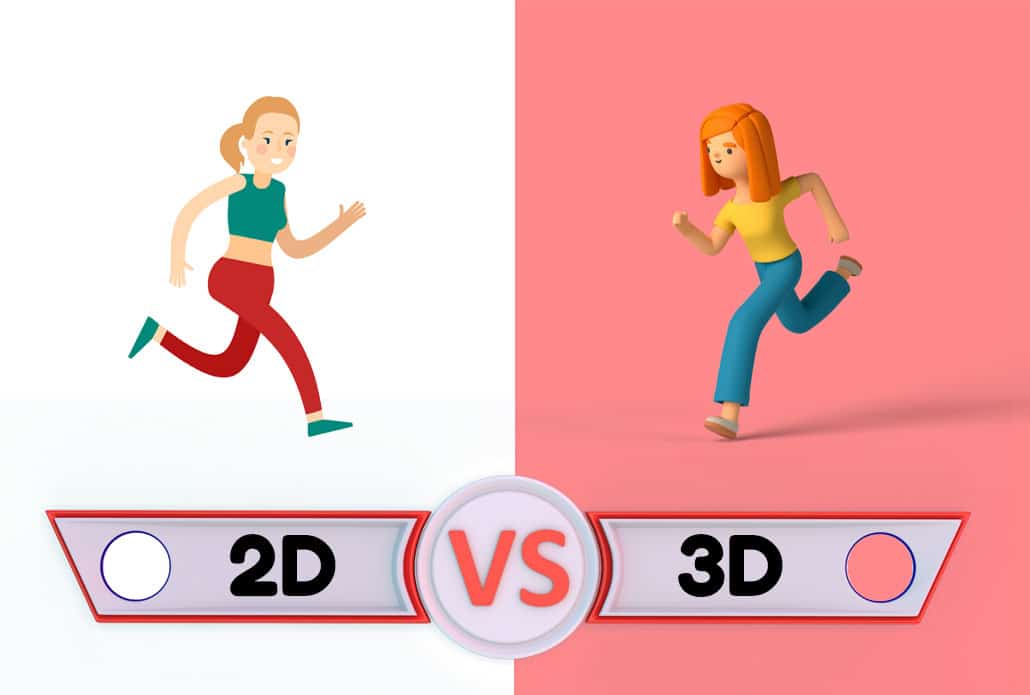
Video Igniter can create any kind of 2D or 3D animated video for you. Check out our animation portfolio here. Request access to our demo reels and price sheet here.

To start your project contact us or schedule a call with our production team.


Are you looking for an example of a different style of animation? Send us a message to let us know what kind of animation example you want to see and we will follow up with relevant production samples.

Why Use An Animated Promo Video Maker?

In the fast-paced world of digital marketing, it is important to create high quality content that stands out from the ocean mid-tier content.  Animation studios do great work – but they’re slow and expensive to work with. Freelancers can be cheap and responsive, but finding that gem of a freelancer that’s always there for you to do affordable quality work isn’t easy to find.

Hiring an animator to join your staff is another option but most people don’t have the need for a full time animator. Even if your company does, animators tend to specialize in certain styles of video production. The animator you hire may not be able to execute on all of the 2D or 3D animated video ideas you have.

Why Use An Animated Promo Video Maker

Using an animated promo video maker like Video Igniter means you always have on-demand access to professional, trusted animators that do quality work at the market rate and won’t ghost you in the middle of production. Here’s why you should consider using an animated video maker like Video Igniter to create your animated promo video:

What Makes a Great Animated Promo Video?

Before diving into the mechanics of using an animated promo video maker, it’s worth understanding what separates a forgettable promo video from one that actually converts. The best animated promo videos share a few key characteristics:

What Makes a Great Animated Promo Video

A Clear, Single Message. The most effective promo videos focus on one core idea — a product benefit, a solution to a problem, or a compelling call to action. Trying to cram too much into a single video dilutes the impact. The sweet spot for most animated promo videos is 60–90 seconds, which is enough time to hook viewers, deliver your message, and prompt action.

A Strong Hook in the First 5 Seconds. Viewers decide within the first few seconds whether to keep watching. A great animated promo video opens with a relatable problem, a surprising statistic, or a visually striking scene that earns attention immediately.

Visual Consistency with Your Brand. Colors, typography, character design, and illustration style should all feel like a natural extension of your brand identity. A disjointed visual style creates distrust and confusion — the opposite of what a promo video is meant to do.

Professional Voiceover and Sound Design. Audio is half the experience. A polished voiceover delivered in the right tone — whether authoritative, friendly, or playful — combined with a well-chosen soundtrack and crisp sound effects makes the difference between a video that feels professional and one that feels cheap.

When you work with a full-service animated promo video maker like Video Igniter, all of these elements are handled by specialists — writers, illustrators, animators, voiceover artists, and audio engineers — so you’re not left trying to manage a dozen different vendors. Reach out to the Video Igniter team to start building your next promo video the right way.

Benefits Of Video Igniter’s Animated Promo Video Maker

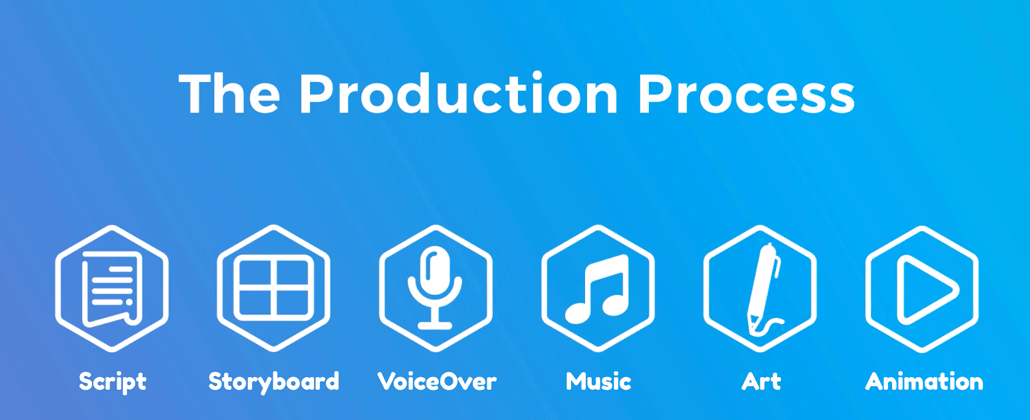
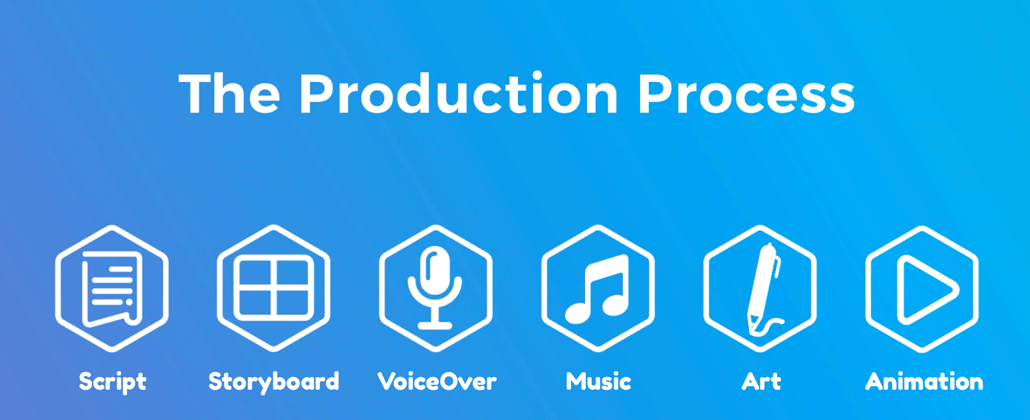
At Video Igniter, we understand the importance of creating animated promo videos that not only look great but also effectively communicate your brand’s message. That’s why our animated video making process was designed to ensure we create a promotional message that speaks directly to your target audience.

1). 2D, 3D, Anything: Get access to our team of +200 industry leading animators, illustrators, story tellers and audio technicians that can create any kind of custom animated video you can imagine. Whether it’s 2D or 3D, just let us know what you want to create and our team collaborates behind the scenes to create the exact promo video you’re looking for.

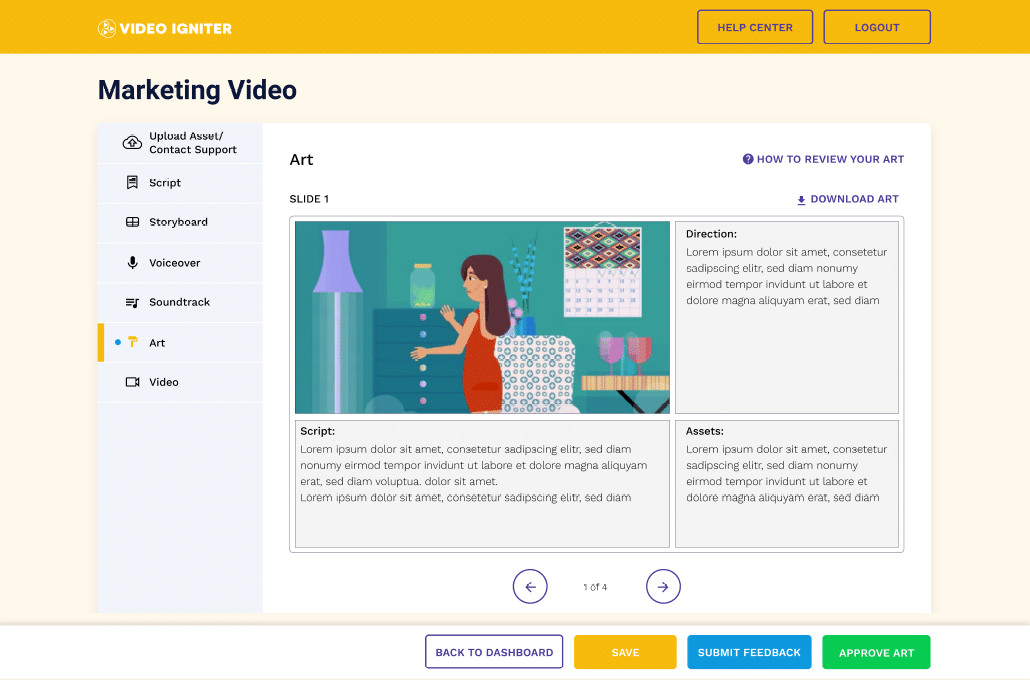
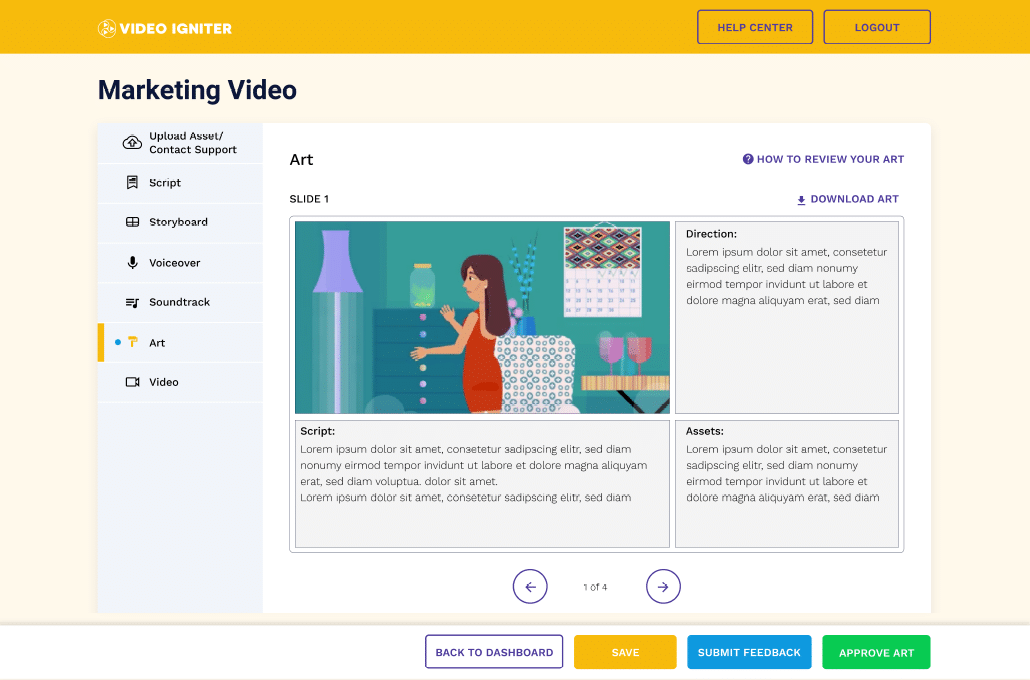
2). Online Collaboration Dashboard: There’s a lot of details to keep track of when you make an animated video. Seamlessly collaborate with Video Igniter’s production team online via our online production dashboard. Share files and feedback online instead of having them get lost in someone’s inbox.

3). Unlimited Revisions: We want to ensure you end up with an animated promo video that you’re thrilled with. That’s why we offer unlimited revisions! We’ll continue to revise your script, storyboard, voiceover, illustrations and animation until you love them!

4). Over a Decade of Experience: Since 2011, Video Igniter has created custom animated videos for the worlds largest brands and freshest startups to help them achieve their business and communication objectives.

5). White Label Video Production: We also offer white label animated video production services to video production companies and marketing and advertising agencies around the world.

Benefits Of Video Igniters Animated Promo Video Maker

How to Get Started with Video Igniter’s Animated Promo Video Maker?

Ready to create your very own animated promo video? Getting started with Video Igniter is a breeze. Simply follow these steps:

How to Get Started with Video Igniter’s Animated Promo Video Maker

  1. Sign up for a free account at VideoIgniter.com.
  2. Fill out a creative brief describing the video you want to us to create
  3. Pay 50% of your project budget.  You can access our current price sheet here.
  4. Review the script our team creates for you. We’ll revise it until you love it.
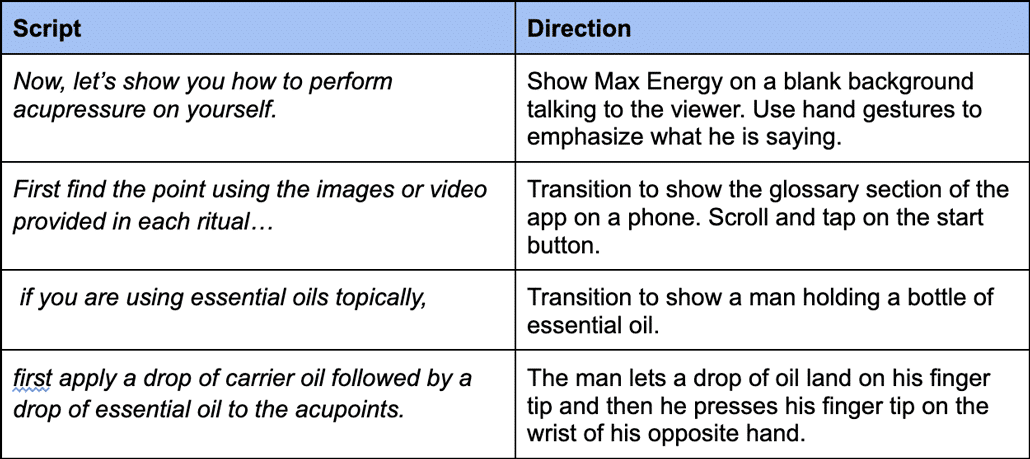
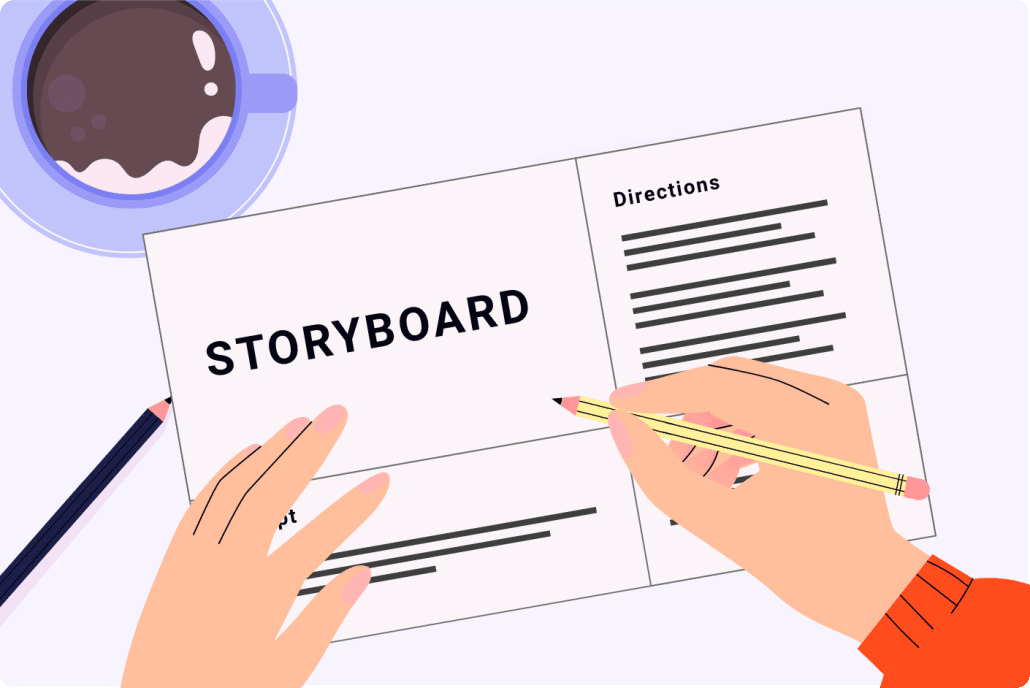
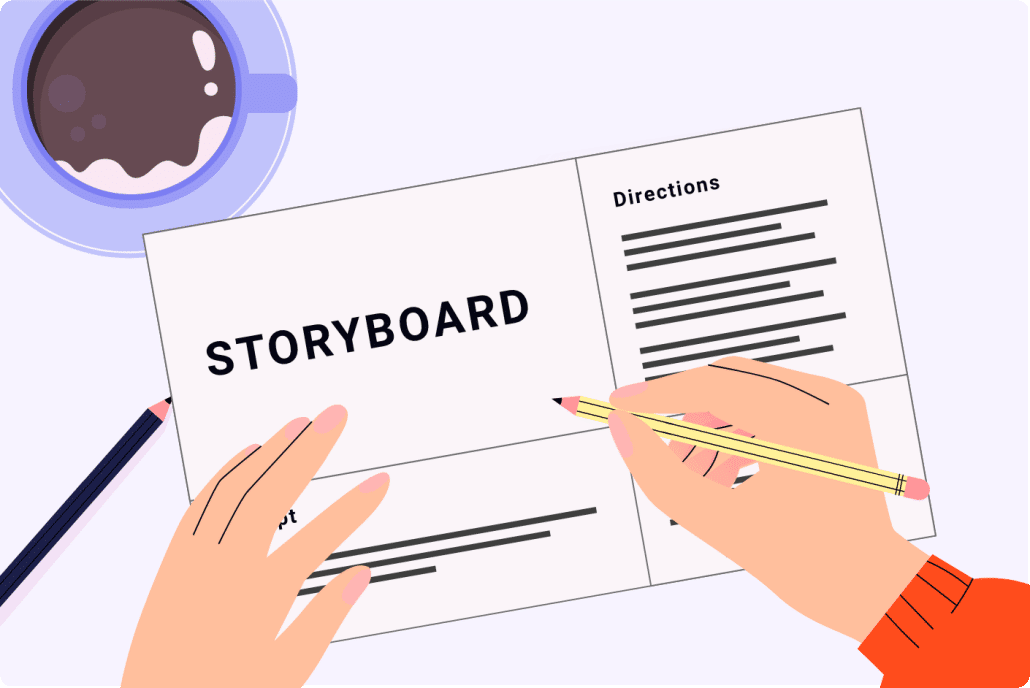
  5. Review the storyboard our team creates for you. Again, we’ll revise it until you love it.
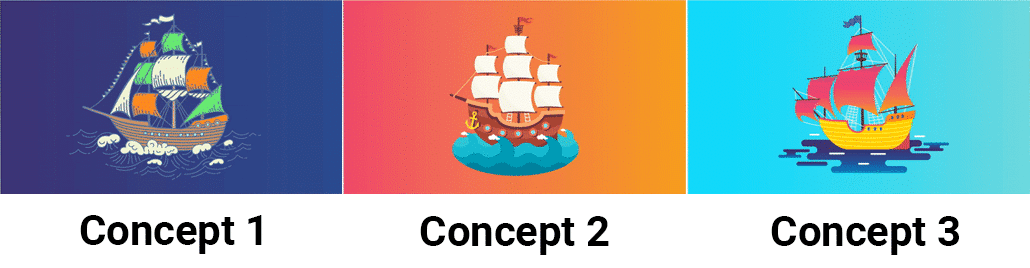
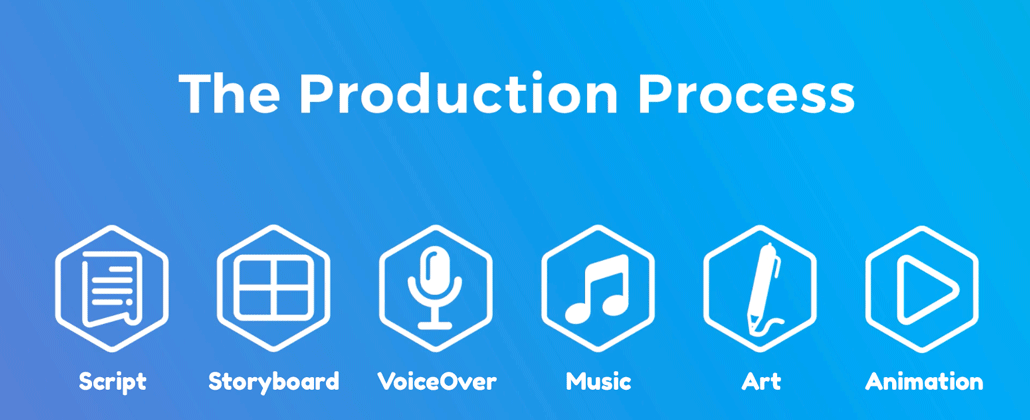
  6. Review the concept art, voiceover and soundtracks we send you. Let us know which options you like best. Our art director will continue to work with you to refine the visual style of your video until you love it.
  7. We create all of the illustrations for your video. Send us your feedback so that we can polish them up to your specifications.
  8. We animate your video and give you a chance to request final revisions.
  9. Share your animated promo video with the world!

Animated Promo Video Maker Sharing Videos

Boost Your Brand with Video Igniter’s Animated Promo Video Maker

Video Igniter’s animated promo video maker is an invaluable tool for businesses looking to create eye-catching and memorable videos that engage their audience and drive conversions. With our extensive roster of talented 2D and 3D animators, you have access to all the talent needed to create the perfect animated promo video for your brand. Sign up for a free account today and start elevating your brand’s digital presence with custom animated promo videos from Video Igniter!

Boost Your Brand with Video Igniter Animated Promo Video Maker

Types of Animated Promo Videos You Can Create

Not all animated promo videos serve the same purpose, and the best animated video makers give you the flexibility to choose the format that fits your goal. Here are the most common and effective types:

Types of Animated Promo Videos You Can Create

Product Demo Videos These show your product in action — perfect for SaaS platforms, apps, consumer goods, or any offering where seeing is believing. Animation makes it possible to visualize features that would be difficult or expensive to capture on camera.

Explainer Videos Explainer videos break down a complex idea, service, or process into simple, digestible visuals and narration. They’re widely used on homepages, in sales decks, and across social media to convert curious visitors into engaged prospects.

Brand Story Videos These promo videos focus less on a specific product and more on who your company is, what you stand for, and why you exist. Brand story animations are particularly effective for building emotional connection and trust with new audiences.

Social Media Ad Videos Short-form animated promo videos optimized for platforms like Instagram, TikTok, YouTube, and LinkedIn. These typically run 15–30 seconds and are designed to stop the scroll and drive a specific action — a click, a sign-up, or a purchase.

Testimonial and Case Study Animations A creative spin on the traditional customer testimonial, these videos use animation to illustrate a customer’s journey from problem to solution in a visually engaging way.

Onboarding and Training Videos Often overlooked as “promo” material, onboarding videos promote product adoption and reduce churn by helping new users quickly understand how to get value from your product.

Video Igniter’s animated promo video maker can produce any of these formats in 2D or 3D. Not sure which type fits your goal? Send the Video Igniter team a message and they’ll help you figure out the best approach.

Animated Promo Video Maker vs. DIY Animation Tools: What’s the Difference?

Animated Promo Video Maker vs. DIY Animation Tools What's the Difference

When people search for an “animated promo video maker,” they often land on two very different categories of tools — and understanding the difference can save you a lot of time and disappointment.

DIY Animation Software (Canva, Animaker, Vyond, etc.) These tools are template-based platforms that let non-designers drag and drop pre-made elements to assemble a video. They’re fast, inexpensive, and require no technical skill. The trade-off? Your video will look like everyone else’s. Templates are widely used and immediately recognizable, which can actually undermine your brand by making you look generic rather than distinctive.

DIY tools are fine for internal communications, quick social posts, or placeholder content — but they’re rarely the right choice for a flagship promo video representing your brand to the world.

Full-Service Animated Promo Video Makers (like Video Igniter) A full-service animated video maker pairs you with a professional production team that creates everything from scratch — custom illustrations, original character design, bespoke animation, and professionally recorded voiceover. Every element is built specifically for your brand and your message. The result is a video that looks, sounds, and feels nothing like what a competitor could produce using the same template library.

The cost difference is real, but so is the outcome difference. A custom animated promo video has a longer shelf life, a stronger brand impression, and a significantly higher conversion potential than a template-based alternative.

If you’re serious about using video to grow your business, Video Igniter’s animated promo video maker is built for that outcome. Start your project here.

Where to Use Your Animated Promo Video for Maximum Impact

Where to Use Your Animated Promo Video for Maximum Impact

Creating a great animated promo video is only half the equation. Where and how you distribute it determines how much return you get on your investment. Here are the highest-impact placements to consider:

Homepage Hero Section Studies consistently show that adding a video to your homepage increases time on page and improves conversion rates. An animated promo video above the fold immediately communicates what you do and why it matters — faster than any headline or paragraph could.

Paid Social Advertising Animated videos outperform static images in paid social ads across nearly every metric — click-through rate, cost per acquisition, and brand recall. Short animated promo videos are particularly effective on Facebook, Instagram, and YouTube pre-roll.

Email Campaigns Including the word “video” in an email subject line is proven to boost open rates. Embedding an animated promo video thumbnail linked to a landing page can dramatically increase click-through rates for product launches, promotions, and nurture sequences.

Sales Decks and Proposals Embedding an animated promo video in a sales presentation or proposal makes a strong impression in competitive situations. It signals professionalism and investment in quality — both of which build buyer confidence.

Trade Shows and Events Loop an animated promo video on a screen at your booth to attract foot traffic and give passersby an instant understanding of what your company does — no conversation required.

Product Pages and Landing Pages Adding an animated video to a product page or dedicated landing page can increase conversion rates significantly. Shoppers who watch a product video are more likely to make a purchase and less likely to return it.

Once your animated promo video is produced, Video Igniter can also help with video promotion and syndication to make sure it reaches the right audience. Ask the team about video distribution options.

Frequently Asked Questions About Animated Promo Video Makers

Frequently Asked Questions About Animated Promo Video Makers

How long does it take to make an animated promo video? Production timelines vary depending on the length, complexity, and style of animation. A standard 60–90 second 2D animated promo video typically takes 4–8 weeks from kickoff to final delivery when working with a full-service team. Rush delivery animation is sometimes available depending on team capacity.

Do I need to provide a script? Not necessarily. Many animated video makers, including Video Igniter, offer full scriptwriting services as part of the production process. You provide a creative brief describing your goals, audience, and key message — the team handles the rest.

What file formats will I receive? Most professional animated promo video makers deliver the final video in MP4 format, which is universally compatible across platforms. You can also request specific aspect ratios (16:9 for YouTube, 1:1 for Instagram, 9:16 for Stories/TikTok) and various resolution options.

Can I update the video in the future? This depends on whether you have access to the source files. When working with Video Igniter, it’s worth discussing source file ownership upfront so you have the flexibility to make edits down the road without starting from scratch.

What if I don’t love the direction the video is going? With Video Igniter’s unlimited revision policy, you’re never locked into a direction you don’t love. The team revises every element — script, storyboard, illustrations, animation — until the final product meets your expectations.

Still have questions about animated promo video makers?

Do you have a question about animated promo video makers that wasn’t addressed in this FAQ? Use this form to send us your question and we’ll follow up with an answer. We’ll also post the question and answer to this page so other people can benefit from the knowledge.

Still have questions?

What is Video Igniter Animation?

Video Igniter Animation is an online animated video production service. By working with our team online, you can get your custom animated video produced faster and for less than hiring a brick and mortar animation studio.

We can help you create any kind of 2D animated video or 3D animation you can imagine. Check out our animated video portfolio.

Need help syndicating your animated video? Ask us about video promotion.

Watch our explainer video on our home page to learn more about how we can help you create an animated video. For examples of the kinds of animation our team can produce, check out the demo reel below:


Looking For An Animated Video Company In The U.S.?

Video Igniter is headquartered in Seattle, Washington.

Success Stories & Testimonials

“Video Igniter came to us with a number of creative and engaging ideas and were able to create an exciting, impactful video in a short period of time. And the best part was that it cost much less than other options of similar quality. The video they made is a great marketing tool for us.”

Alex Raymond – Founder, Kapta Systems

“Video Igniter offered us the critical combination of creative value, clear communication, and patience with stakeholder feedback. We ended up with truly high-quality design assets for our video series largely due to the extra level of commitment — and the right balance of efficiencies with flexibility in the process when called for.”

Larry Schlessinger – Sr. Creative Program Manager, Amazon Web Services

“I am beyond satisfied with my experience with Video Igniter. The first drafts of the work were almost exactly what I had in my head when developing the concept. After that each step along the way was seamless until arriving at a perfect finished product. And all this at a tremendous value. Anyone who has considered creating a marketing video should check out Video Igniter.”

Anonymous Customer Feedback

Success Stories

Get in touch!

Schedule a call to discuss your animated video project.

Get a quote for us to create your animated video.

Request access to our newest price sheet.

Create your Video Igniter account, fill out a creative brief for your video.

contact us

Medical Animation: A Guide to Creating Engaging and Informative Visuals

Are you interested in learning how to create and use medical animations to keep your patient’s informed about upcoming medical procedures and protocols while helping them improve their patient outcomes? These highly educational medical animated videos have emerged as a powerful tool for simplifying the way people understand complex procedures while keeping the information digestible and engaging. Video Igniter, a trusted name in animation, has been instrumental in helping healthcare providers create accurate and visually stunning medical animations that resonate with patients and enhance their comprehension of their medical treatments.

In this article, we’ll explain how and why healthcare providers are creating medical animations for their patients and teach you how you can work with Video Igniter to create custom animated medical animations for your patients.

Medical Animation Animated Video

What is a Medical Animation

Medical animation is a specialized type of animation designed to illustrate medical and biological concepts. They are created using 2D or 3D computer graphics to visualize:

  • Intricate processes at a cellular level
  • Explain the mechanism of diseases
  • Illustrate how a procedure works
  • Teach patients how to follow their medical protocol at home
  • Demonstrate the functioning of medical devices

The importance of accuracy and scientific validity cannot be overstated in medical animation since these animations often serve as critical educational, training, and marketing tools within the healthcare industry.

Who Uses Medical Animation — and Why

Who Uses Medical Animation — and Why

Medical animation isn’t limited to one type of organization or audience. The range of clients and use cases has expanded dramatically over the past decade, and understanding where medical animation is being used can help you identify the right approach for your own project.

Pharmaceutical & Biotech Companies use medical animations to visualize drug mechanisms — showing exactly how a molecule interacts with a receptor, how a therapy crosses the blood-brain barrier, or how a biologic reduces inflammation at the cellular level. These animations are used in FDA submissions, investor presentations, medical conferences, and direct-to-physician marketing.

Medical Device Manufacturers rely on animation to demonstrate how their products work inside the body — something that’s nearly impossible to show with live video. Whether it’s a catheter navigating a coronary artery, an orthopedic implant being placed, or a wearable sensor transmitting data, animation makes the invisible visible and the complex simple.

Hospitals & Health Systems are increasingly using patient education animations to prepare patients for procedures, explain post-operative care instructions, and reduce pre-procedure anxiety. Research consistently shows that patients who understand what to expect have better outcomes, higher satisfaction scores, and lower rates of complications.

Medical Schools & Continuing Education Providers use animation for anatomy instruction, surgical technique training, and pharmacology coursework. A well-crafted animation can show a student the exact sequence of a laparoscopic procedure or visualize how a pathogen replicates — far more effectively than a static textbook diagram.

Digital Health & Telehealth Companies use medical animation in onboarding flows, app explainers, and marketing content to help patients understand how their platform works and why it’s trustworthy.

Insurance Companies & Health Plans use animated video to explain benefits, coverage terms, and preventive care protocols in a way that resonates with members who might otherwise tune out text-heavy communications.

Regardless of which category fits your organization, the underlying need is the same: communicating something medically complex to an audience that doesn’t have a medical degree. That’s exactly what Video Igniter specializes in. Reach out to discuss your project and our team will help you identify the right approach for your audience and goals.

Examples of Medical Animations You Can Make With Video Igniter

Video Igniter can create any kind of 2D or 3D animated video for you. Check out our animation portfolio here. Request access to our demo reels and price sheet here.

Contact us or schedule a call to start making your video.


Are you looking for an example of a different style of medical animation? Send us a message to let us know what kind of example video you want to see and we will follow up with relevant production samples.


Benefits of Medical Animation

Benefits of Medical Animation

1. Enhanced Communication and Engagement

Medical animations can depict processes and concepts that are invisible to the naked eye, thereby increasing viewer engagement and facilitating better comprehension.

2. Simplifying Complex Concepts

Medical animations break down complex medical concepts into understandable visual sequences, making them more accessible to a general audience.

3. Showcasing Medical Procedures

From demonstrating a surgical procedure to illustrating how a new drug works, medical animations provide a visually appealing and effective way to showcase medical advancements.

4. Increase Patient Compliance & Outcomes

Using medical animations to help patients understand how to take care of themselves at home leads to increased patient compliance and better medical outcomes.

Why Choose Video Igniter for Your Medical Animation Needs

Video Igniter has carved a niche for itself helping people in the healthcare industry create accurate and visually stunning medical animations. With our +8 years of experience creating animations for the medical industry, a collaborative approach to client satisfaction, and cutting-edge video production technology, Video Igniter is the go-to choice for high-quality medical animations. Check out the rest of our portfolio to see the breadth of animation styles we can use to create your medical animation.

Medical Animation Portfolio

How To Create A Medical Animation with Video Igniter

The creation of a medical animation involves several stages, each requiring meticulous attention to detail and a deep understanding of medical science.

1. Discovery Phase

How To Create A Medical Animation with Video Igniter

This initial phase involves consultation with the client to understand their goals, research, and gathering reference materials. We recommend filling out this form and or schedule a call with our production team to get the ball rolling.

2. Storyboarding and Scriptwriting

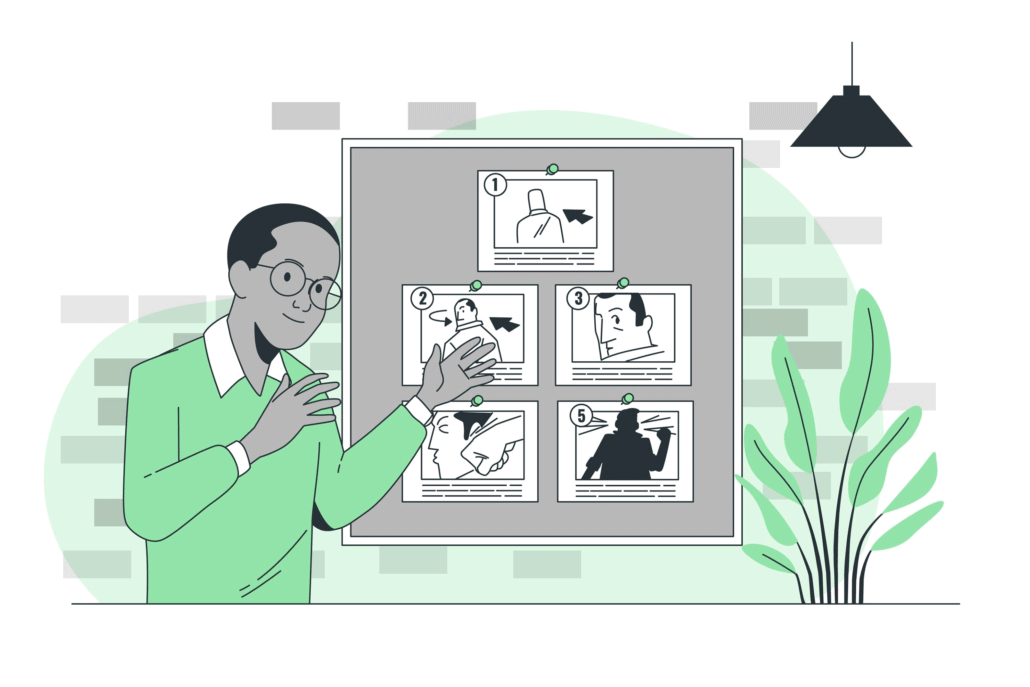
Medical Animation Storyboard

Download Video Igniter’s Free Storyboard Template

Our team will help develop a compelling narrative and visual storyboard so that we can clearly explain to the animation team what they are going to create. You will be presented with an opportunity to review the script and storyboard and request revisions before approving them for production.

3. Creating The Visuals

Our team will develop custom concept art for your medical animation. After we get your feedback on the concept(s) we’ll polish them up and then develop all of the 2D illustrations or 3D models needed for your video. You get an opportunity to give them a detailed review and request revisions before approving them for production.

4. Sound Design and Voiceover

Medical animation Sound Design And VoiceOver

Our team auditions voiceover talent and identifies sound tracks and sound effects that can enhance the presentation of your video. Let us know which options you prefer and then we’ll license the audio files to use in your medical animation.

5. Animation Production

This phase involves turning the 2D or 3D visuals into an animated video. We use the voiceover to set the pace for all of the animations in your video.

Medical Animation Production

6. Review and Revision

Give the first draft of your video a detailed review. If possible, share your video with members of your target audience to get their feedback. Then organize everyone’s notes and send them to us so that we can incorporate your edits all at once.

7. Final Delivery

The final draft of your video is rendered in a high-quality video format and delivered to your team for use.

What does it cost to make a medical animation?

What does it cost to make a medical animation

There are several factors that determine how much it costs to make a medical animation:

1. Script & Storyboard Creation

Who is creating the script and storyboard for your animated video? Are you doing it? Or are you hiring someone else to create them for you?

2. 2D or 3D Animation

2D animations take less time to create than 3D animations. 3D animations take extra steps to create require more experienced animators to produce them.

3. Length Of The Video

Medical Animation Length Of The Video

The longer your video, the work hours time will be needed to create your medical animation. This means that the script writer, storyboard artist, voiceover artist, illustrator(s) and animator(s) will need to put in more hours in order to create your video.

4. Deadline

The deadline for your video will impact the production budget for your medical animation. For example: a 60 second, 2D animated video takes about 4-6 weeks to produce. If you need your video produced quicker than that, Video Igniter offers rush delivery animation to speed up the delivery of your video.

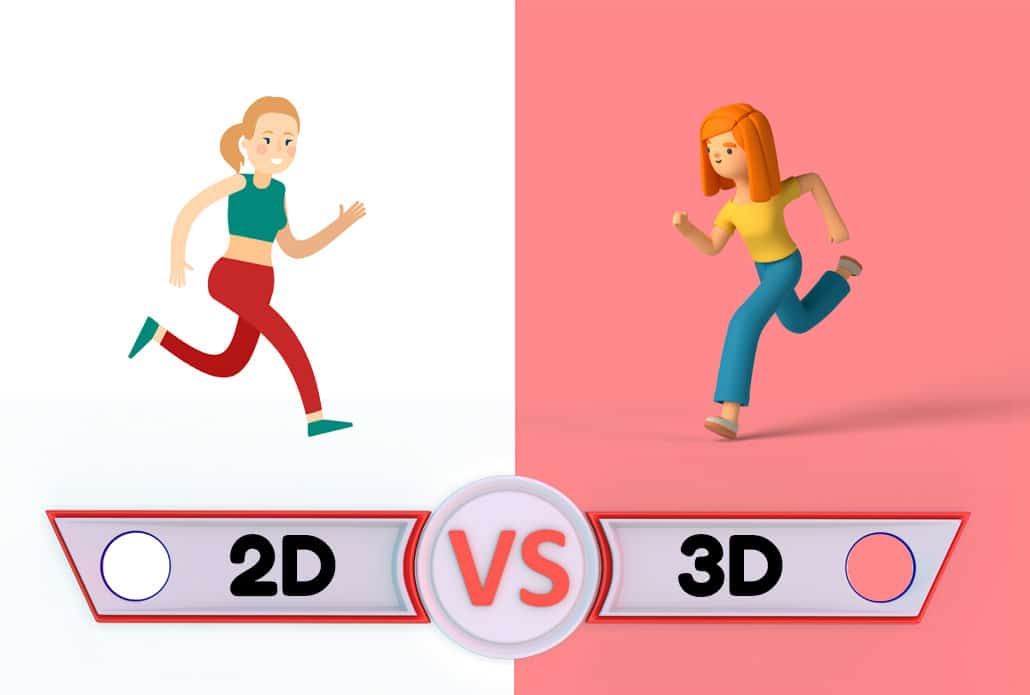
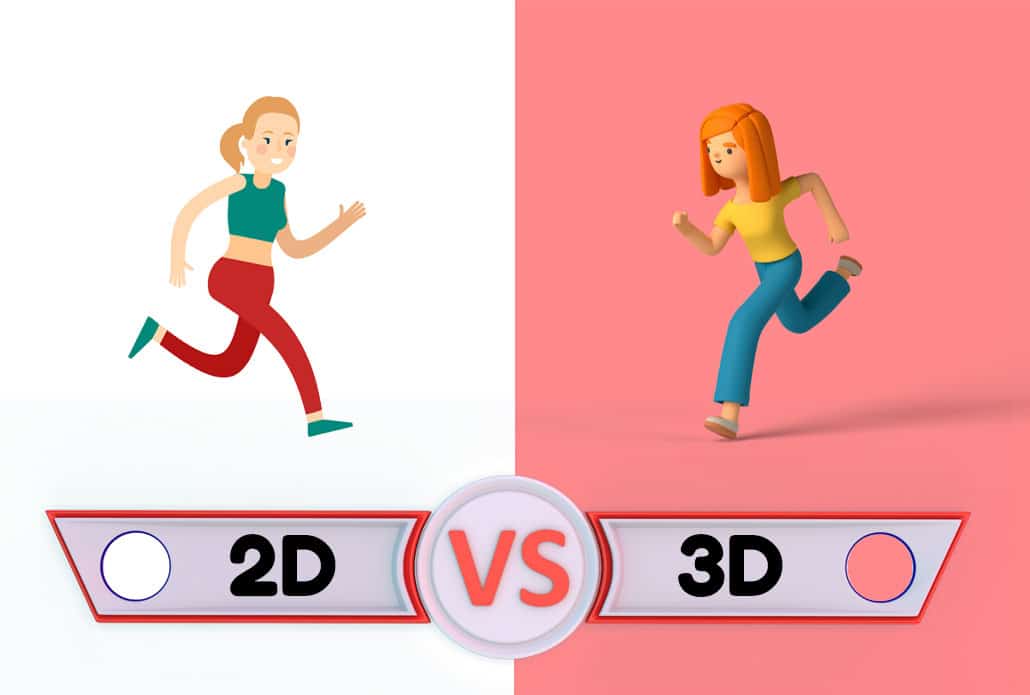
2D vs. 3D Medical Animation — Which Is Right for Your Project?

2D vs. 3D Medical Animation — Which Is Right for Your Project

One of the most common questions we hear from healthcare clients is whether to invest in 2D or 3D medical animation. The honest answer is: it depends on what you need to show and who you need to show it to.

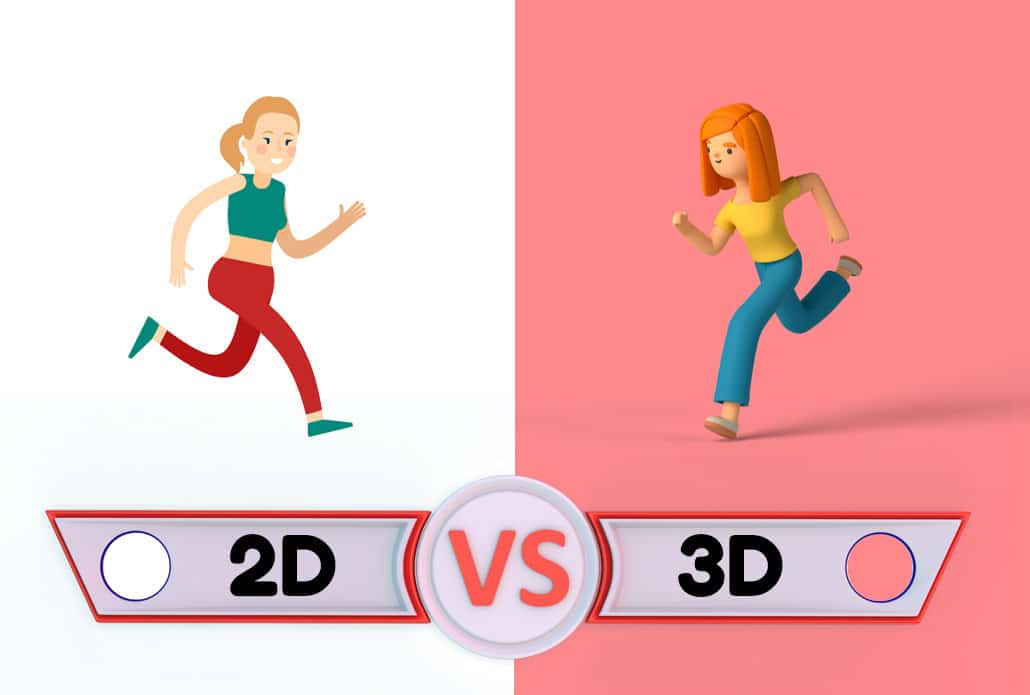
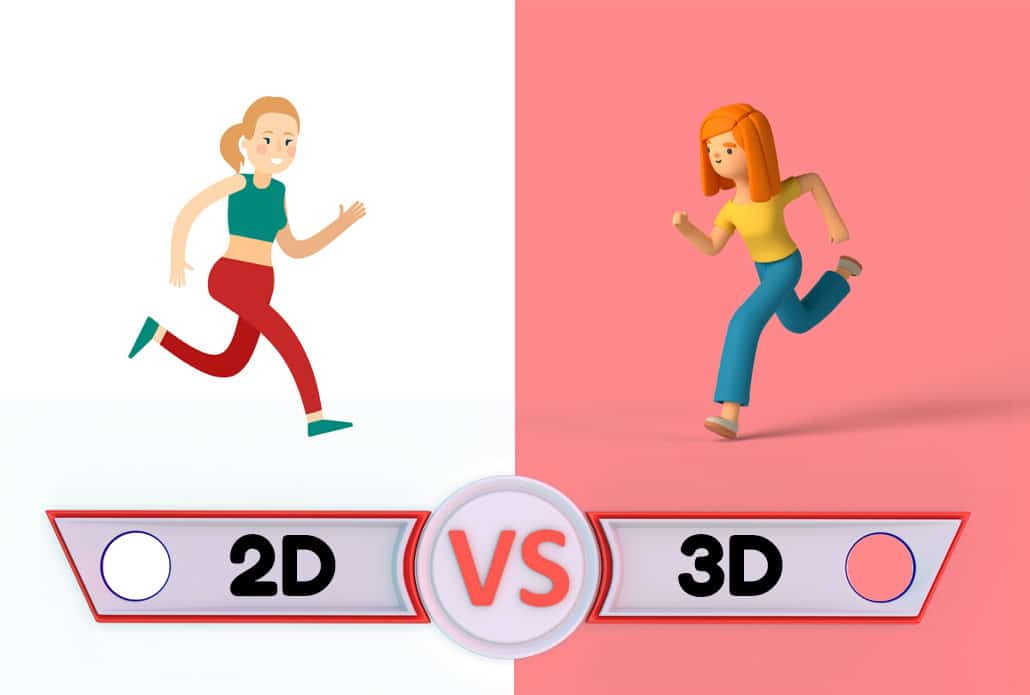
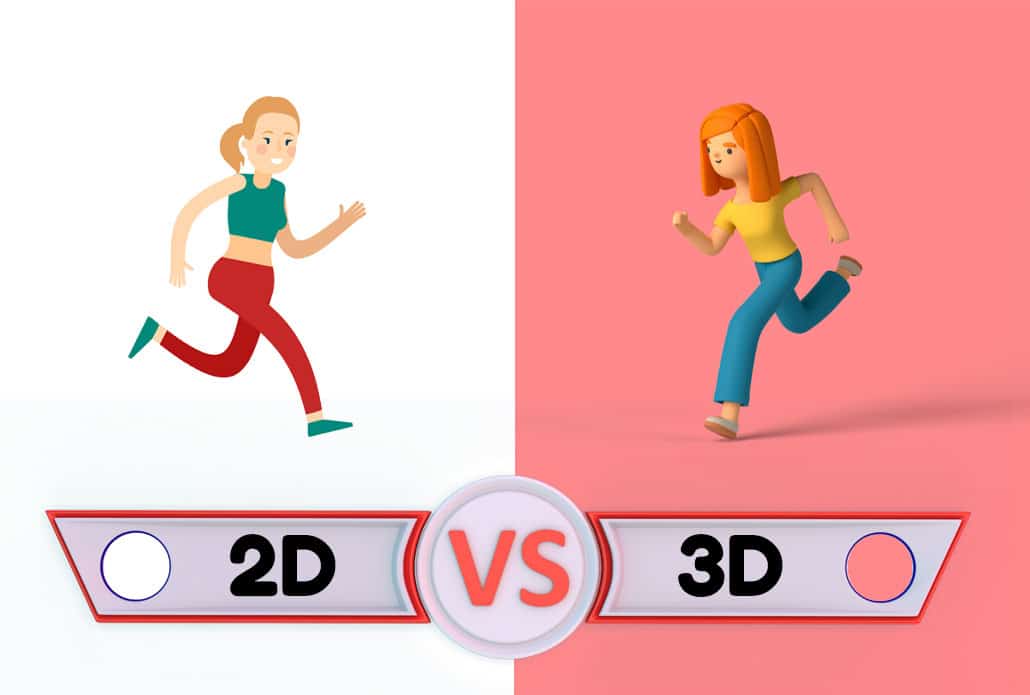
2D Medical Animation is typically faster to produce, more affordable, and works exceptionally well for explaining processes, patient education, explainer videos, and infographic-style content. If your goal is to walk a patient through the steps of their recovery protocol, explain how a condition progresses over time, or introduce your healthcare organization’s services, 2D animation delivers a clean, engaging result at a fraction of the cost of 3D.

3D Medical Animation is the right choice when physical accuracy and visual realism matter most. If you’re showing how a surgical instrument is positioned inside a joint, how a stent expands within a vessel, or how a protein misfolds to cause disease, 3D gives you the spatial depth and anatomical precision that 2D simply can’t replicate. It’s the standard for pharmaceutical mechanism-of-action videos, medical device demonstrations, and surgical training content.

A few practical guidelines:

  • If your audience is patients or general consumers → 2D is usually sufficient and more approachable
  • If your audience is physicians, surgeons, or investors → 3D often carries more credibility and impact
  • If your timeline is tight (under 6 weeks) → 2D is the more realistic choice
  • If you’re showing a physical product or internal anatomy in detail → 3D is worth the investment

Video Igniter produces both 2D and 3D medical animations, and our production team can help you evaluate which approach delivers the best results for your specific goals and budget. Request our price sheet and demo reels to see examples of both styles side by side.

How long does it take to create a medical animation?

How long does it take to create a medical animation

There are two main factors that determine how long it takes to make a medical animation:

1. The length of the video

The longer the video, the more time it takes to create your medical animation.

2. 2D or 3D animation

2D animations take less time to produce than 3D animations.

To give you a ballpark idea of how long production takes, a 60-second 2D animated video can be produced in about 4-6 weeks. 3D animations take 2-4x more time to create.  In order to figure out how long it will take to make your medical animation, you can use this page to message us about your project, you can with our production team, or you can fill out this questionnaire.

How to Ensure Scientific Accuracy in Your Medical Animation

How to Ensure Scientific Accuracy in Your Medical Animation

Accuracy is non-negotiable in medical animation. Unlike a general explainer video where creative license is welcomed, a medical animation that depicts a biological process incorrectly can mislead patients, erode physician trust, or create regulatory complications. Here’s how the best medical animation projects maintain scientific validity throughout production:

Start with a subject matter expert (SME). Before a single frame is designed, the script and storyboard should be reviewed by a clinician, researcher, or medical writer who can verify that the science is sound. Video Igniter’s workflow includes structured review checkpoints specifically designed to catch scientific inaccuracies before they make it into the visual design phase.

Use peer-reviewed references. Any mechanism of action, anatomical structure, or biological process depicted in the animation should be traceable to published literature or established clinical guidelines. Your production team should welcome — and actively request — reference materials from your scientific or medical affairs team.

Plan for regulatory review. If your medical animation will be used in an FDA submission, HCP marketing, or any claims-bearing context, build time into your production timeline for a compliance review. This is far easier to do between production stages than after final delivery.

Separate what’s known from what’s inferred. Some biological processes are still being researched, and a well-produced medical animation will make clear what is established science versus what is a simplified model or hypothesis. This protects your organization’s credibility and sets appropriate expectations for your audience.

Get feedback from your target audience before final approval. Show a draft of your animation to a small group of patients or clinicians who represent your intended viewers. Their comprehension and reactions will reveal gaps or confusing moments that your internal team may have missed.

Video Igniter’s ten-plus years of experience in medical animation production means we’ve developed a workflow that balances creative storytelling with scientific rigor. We understand that the stakes are higher in healthcare — and our process reflects that.

Using Medical Animation to Improve Patient Outcomes — The Evidence

Using Medical Animation to Improve Patient Outcomes — The Evidence

The case for investing in medical animation goes well beyond aesthetics. A growing body of research supports the use of animated video as a meaningful intervention in patient care:

Improved procedural understanding. Multiple studies have found that patients who receive animated video education prior to a procedure demonstrate significantly better comprehension of what will happen, what to expect during recovery, and what warning signs to report — compared to patients who receive only verbal or written instructions.

Higher medication adherence. When patients understand why they’re taking a medication and how it works in their body, they’re more likely to follow their prescribed protocol. Animated mechanism-of-action videos — even short, simplified ones — have been shown to improve medication adherence rates in chronic disease populations.

Reduced pre-procedure anxiety. Anxiety before a medical procedure is both a patient experience issue and a clinical one — anxious patients require more sedation, are harder to position, and report more negative post-procedure experiences. Animated patient education videos that walk patients through exactly what will happen have demonstrated measurable reductions in procedural anxiety scores.

Lower call volume and support burden. Health systems that deploy post-discharge animated instruction videos consistently report reductions in after-hours nursing calls and post-discharge patient questions. Patients who can rewatch a clear visual explanation of their wound care or medication schedule at home are less likely to call the clinic with basic questions.

Better informed consent. Informed consent is both an ethical obligation and a legal one. Animated videos that explain the risks, benefits, and alternatives of a procedure — in plain language, with clear visuals — create a more genuine informed consent experience than a dense paper document, and may reduce medico-legal exposure.

If you’re a healthcare provider, health system, or medical organization looking to improve patient outcomes and communication quality, medical animation is one of the highest-ROI investments you can make. Contact Video Igniter today to talk through your project — our team will help you build a compelling, scientifically accurate animation that makes a real difference for your patients.

Medical Animation Production Resources

Medical Animation Production Resources

The following guides and resources are popular among people reading about how to make a medical animation:

How To Make A Medical Explainer Video

How To Make A 2D Animation Video

How To Hire And Work With An Animation Video Company

Conclusion

Medical animations are a powerful communication tool that can significantly enhance the understanding of complex medical concepts, procedures, and hardware. Video Igniter’s expertise in creating accurate and visually stunning animations makes us the ideal partner for all your medical animation needs.  We encourage you to contact Video Igniter today to discuss your medical animation projects and take your medical communication to the next level.

Still have questions about medical animations?

Do you have a question about medical animations that wasn’t addressed in this FAQ? Use this form to send us your question and we’ll follow up with an answer. We’ll also post the question and answer to this page so other people can benefit from the knowledge.

Still have questions?

What is Video Igniter Animation?

Video Igniter Animation is an online animated video production service. By working with our team online, you can get your custom animated video produced faster and for less than hiring a brick and mortar animation studio.

We can help you create any kind of 2D animated video or 3D animation you can imagine. Check out our animated video portfolio!

Need help syndicating your animated video? Ask us about video promotion!

Watch our explainer video on our home page to learn more about how we can help you create an animated video. For examples of the kinds of animation our team can produce, check out the demo reel below:


Looking For A Medical Animation Video Production Company In The U.S.?

Video Igniter is headquartered in Seattle, Washington.

Success Stories & Testimonials

Don’t just take our word for it – these testimonials highlight Video Igniter’s reliability, creativity, flexibility and ability to deliver animations that exceed expectations. When you choose Video Igniter Animation, you can rest assured that you are working with a trusted and reputable studio.

“Video Igniter were very easy to work with and the entire process for creating and suggesting edits was seamless and stress-free. I would work with them again and would recommend to others looking to create a modern and stylish explainer video.”

Clair Simpson – VP Marketing, Repool.com

“I run a video production company and outsource animation. The team at Video Igniter did a great job in taking the concept I very crudely drew out and making it into a beautiful animation. The review process was easy and their turnaround time was very quick. I’d def recommend them if you’re looking for an animation project.”

Pat Henderson – Founder, Path8 Productions

“Video Igniter offered us the critical combination of creative value, clear communication, and patience with stakeholder feedback. We ended up with truly high-quality design assets for our video series largely due to the extra level of commitment — and the right balance of efficiencies with flexibility in the process when called for.”

Larry Schlessinger – Sr. Creative Program Manager, Amazon Web Services

“Video Igniter came to us with a number of creative and engaging ideas and were able to create an exciting, impactful video in a short period of time. And the best part was that it cost much less than other options of similar quality. The video they made is a great marketing tool for us.”

Alex Raymond – Founder, Kapta Systems

“I am beyond satisfied with my experience with Video Igniter. The first drafts of the work were almost exactly what I had in my head when developing the concept. After that each step along the way was seamless until arriving at a perfect finished product. And all this at a tremendous value. Anyone who has considered creating a marketing video should check out Video Igniter.”

Anonymous Customer Feedback

Success Stories And Testimonials

Get in touch!

Schedule a call to discuss your animated video project.

Get a quote for us to create your animated video.

Request access to our newest price sheet.

Create your Video Igniter account, fill out a creative brief for your video and we’ll begin production as soon as we receive your production deposit.

contact us

The Ultimate Guide to Creating an Animated Video: Everything You Need to Know

Animated videos have become a powerful tool in capturing the attention and engaging audiences across various industries. Whether you’re a business owner, marketer, or content creator, understanding the process of creating an animated video can help you effectively communicate your message and captivate your target audience. In this comprehensive guide, we will walk you through the entire process of creating an animated video and highlight the importance of hiring professionals for this task.

Create Animated Video

1. Understanding the Benefits of Animated Videos

Animated videos offer a unique and captivating way to convey messages and ideas. Here are some key benefits that make them a popular choice for businesses and content creators:

Conveying Messages Effectively

Animated videos have the ability to simplify complex concepts and ideas, making them more accessible and understandable for viewers. The combination of visuals, storytelling, and audio elements enables you to communicate your message in a concise and engaging manner.

Create Animated Video Conveying Messages Effectively

Versatility and Appeal

One of the great advantages of 2D animation is their versatility. They can be adapted to any industry or topic, making them suitable for a wide range of purposes, such as explainer videos, product demos, training videos, and marketing campaigns. Additionally, animated visuals have a universal appeal that can resonate with audiences of all ages and backgrounds.

Simplifying Complex Ideas

Animated videos can break down complicated information into easily digestible visuals. By using animated characters & graphics, you can simplify intricate concepts, making them more accessible and engaging for your audience.

Impactful Marketing Tool

Statistics show that animated videos have a significant impact on marketing campaigns. They increase website conversions, boost engagement on social media platforms, and improve overall brand awareness. With the right animated video, you can effectively grab your audience’s attention and leave a lasting impression.

2. Examples of Animated Videos You Can Create With Video Igniter

Video Igniter can create any kind of 2D or 3D animated video for you. Check out our animation portfolio here. Request access to our demo reels and price sheet here.

Contact us or schedule a call to start making your video.


Are you looking for an example of a different style of animation? Send us a message to let us know what kind of animation example you want to see and we will follow up with relevant production samples.


3. How To Create an Animated Video

How To Create an Animated Video

To create a successful animated video, there are several crucial steps that need to be followed. Let’s explore each step in detail:

Step 1: Defining the Objectives and Target Audience

Create Animated Video Defining the Objectives and Target Audience

Before diving into the creative process, it’s essential to clearly define your objectives and identify your target audience. Understanding your audience’s preferences and interests will help you tailor your video to resonate with them effectively.

Step 2: Crafting the Script and Storyboard

Create Animated Video Crafting the Script and Storyboard

Download Video Igniter’s Free Script Writing Template

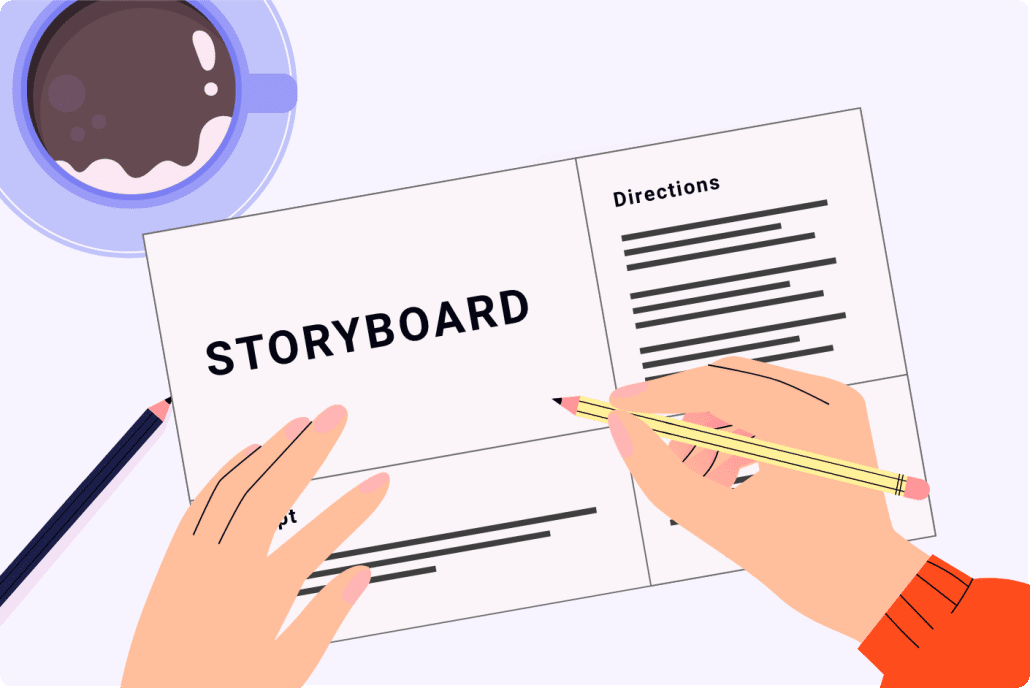
The script serves as the foundation of your animated video. It outlines the narrative, dialogue, and key points you want to convey. Once the script is finalized, creating a storyboard will help visualize the scenes and transitions, ensuring a smooth flow in the final video.

Animated Video Budget Saver: Download our script writing & storyboard templates to create your own script and storyboard so that you can save money on your video production budget.

Step 3: Designing the Visual Elements

Create Animated Video Designing the Visual Elements

Once your storyboard is approved, our art director will use it to help develop all of the visual art needed to create your animated video. This includes designing characters, backgrounds, and other graphical elements that will be animated. It’s important to align the visual style with your brand identity and the preferences of your target audience.

Step 4: VoiceOver and Sound Design

Voiceover

Selecting the right voice talent to narrate your video is crucial for creating the desired impact. A professional voiceover artist can bring your script to life and add emotion and personality to your animated characters. Additionally, sound effects and background music enhance the overall viewing experience and help convey the intended message.

Step 5: Animation and Editing

Create Animated Video Animation and Editing

Once all the visual and audio elements are ready, it’s time to bring everything together. Skilled animators will animate the scenes based on the storyboard, adding movement, transitions, and effects. After the animation is complete, the video goes through the editing process, which includes fine-tuning the timing, adding text overlays, sound effects and ensuring a polished final product.

4. Finding the Right Animated Video Production Company

Create Animated Video Finding the Right Animated Video Production Company

Hiring a professional animated video production company can make a significant difference in the quality and effectiveness of your video. Here are some factors to consider when looking for the right company:

Evaluating the Experience and Expertise of the Company

Review the company’s portfolio and client testimonials to assess their experience in creating animated videos. Look for a company that specializes in the animation style that aligns with your vision.

Pricing and Timelines

Create Animated Video Pricing and Timelines

Discuss the pricing structure with the company and ensure it aligns with your budget. Additionally, establish realistic timelines for the project to ensure a smooth production process.

Assessing the Quality and Creativity of Previous Work

Take a close look at the visual quality and attention to detail in the company’s past projects. Consider their storytelling techniques, animation skills, and overall creativity in bringing ideas to life.

Communication and Collaboration

Effective communication is key to a successful collaboration. Choose a company that actively listens to your ideas, understands your vision, and provides regular updates throughout the production process.

What Makes a Great Animated Video Script?

What Makes a Great Animated Video Script

The script is arguably the most important element when you create an animated video — and it’s also where many businesses make their biggest mistakes. A strong animated video script isn’t written like a blog post or a brochure. It’s written to be heard while being watched, which means every word needs to pull double duty.

Here are the hallmarks of a script built for animation:

Lead with the problem, not your company. Your viewer is asking “what’s in it for me?” within the first three seconds. Open with a relatable pain point before introducing your solution. For example, instead of “Hi, we’re Acme Corp and we make software,” try “Managing 47 spreadsheets every week is killing your team’s productivity.”

Write for a single viewer, not a crowd. The most effective animated videos feel like they’re speaking directly to one specific person. Use “you” and “your” frequently. The more specific and personal your script feels, the more likely viewers are to keep watching.

Match your word count to your runtime. A good rule of thumb: approximately 125–150 spoken words equals about 60 seconds of animation. If you’re aiming for a 90-second video, your script should land around 188–225 words. Tighter is almost always better — viewers rarely complain that a video was too concise.

End with one clear call to action. A common mistake is ending with a vague “learn more.” Instead, tell your viewer exactly what to do next and why: “Visit VideoIgniter.com today to get a free quote and see your idea come to life.”

If you’re not sure where to start, working with an experienced animated video production team like Video Igniter means you’ll have professional scriptwriters guiding you through the process — so your video launches on the right foot from day one.

Choosing the Right Animation Style for Your Goals

Choosing the Right Animation Style for Your Goals

When businesses decide to create an animated video, one of the most consequential decisions they’ll make is choosing the animation style. The style you choose affects your production cost, timeline, emotional tone, and how your brand is perceived. Here’s a breakdown of the most common styles and when to use each:

2D Character Animation — The most popular choice for explainer videos, SaaS products, and brand storytelling. Characters and scenes are illustrated in a flat or semi-flat style and brought to life with fluid movement. It’s versatile, cost-effective, and works well across industries from healthcare to fintech to e-commerce.

Motion Graphics & Infographic Animation — Ideal for data-heavy or abstract concepts where a human character doesn’t quite fit. Think animated charts, icons, and typography that dance across the screen. This style is especially popular for financial services, tech companies, and internal corporate communications.

Whiteboard Animation — A classic format where illustrations appear to be drawn on screen in real time. This style tends to feel educational and trustworthy, making it a strong fit for training videos, tutorial content, and nonprofit video campaigns.

3D Animation — The gold standard for product demos, architectural visualization, medical animation, and premium brand content. 3D takes longer and costs more to produce, but delivers an unmatched level of realism and visual sophistication. If your product has a physical form factor that needs to be shown from every angle, 3D is often worth the investment.

Mixed Media & Hybrid Styles — Some of the most memorable animated videos today blend 2D characters with live footage, 3D environments, or motion graphic elements. This approach can feel fresh and unexpected, and helps brands stand out in crowded feeds.

Not sure which style is right for your goals? The team at Video Igniter has produced animated videos across every major style category. Reaching out for a consultation takes just a few minutes — and it could save you thousands of dollars by getting your style choice right from the start.

Where to Use Your Animated Video Once It’s Created

Where to Use Your Animated Video Once It's Created

Many businesses put significant effort into creating a polished animated video — then only post it in one place. Getting maximum ROI from your video means distributing it strategically across multiple channels. Here are the highest-impact placements to consider:

Your Homepage (Above the Fold) — Studies consistently show that websites with an explainer video on the homepage see significantly higher conversion rates. Visitors who watch a video stay on-site longer and are more likely to take the next step.

Landing Pages — Whether you’re running paid ads or email campaigns, embedding your animated video on a dedicated landing page can dramatically improve conversion rates compared to text-only pages. Video builds trust quickly — and trust converts.

Social Media (Natively Uploaded) — Uploading your video directly to LinkedIn, Instagram, Facebook, and TikTok rather than sharing a YouTube link typically results in dramatically higher organic reach. Each platform’s algorithm favors native video content.

Email Campaigns — The word “video” in an email subject line is well-documented to boost open rates. Even a static thumbnail linking to your video can improve click-through rates substantially over text-based emails.

Sales Outreach & Proposals — Sales teams that include a personalized or product-explainer animated video in their outreach consistently report higher response rates and shorter sales cycles. Your video does the heavy lifting before the first call even happens.

Trade Show Displays & Event Screens — Looping animated videos on display screens at trade shows and live events attract attention and communicate your value proposition without requiring a sales rep to be present at every moment.

Onboarding & Training — Animated videos aren’t just for marketing. Customer onboarding videos, employee training modules, and product tutorial libraries can dramatically reduce support ticket volume and improve customer satisfaction.

The broader takeaway: once you’ve invested in creating a high-quality animated video, you should be using it in at least five to seven different contexts. If you’re only using it in one place, you’re leaving significant value on the table.

When you work with Video Igniter, you receive a video file formatted and ready for use across all major platforms — so you can start distributing your content everywhere it matters, immediately.

5. Frequently Asked Questions

Create Animated Video Frequently Asked Questions

How much does it cost to create an animated video?

Production budgets vary based on the length and style of the animation being created. Most 60-second 2D animated videos can be created for $2,000-$10,000. 3D animated videos cost 2-4x as much to create.

How much does it cost to create an animated video

Here are 4 ways you can figure out the cost for your animated video:

How long does it take to create an animated video?

Production timelines vary based on the length and style of the animation being created. A 60-second 2D animated video can be created in 4-6 weeks. 3D animated videos take 2-3x as much time to create.

How long does it take to create an animated video

Want to figure out how long it will take to create your animated video?

Want to speed up production for your animated video? We offer rush delivery animation to help speed up production for projects with short deadlines.

Can I request revisions to the video?

Simple and Standard animation projects include unlimited revisions. This means we will revise your script, storyboard, voiceover, illustrations, soundtrack selection and animation as many times as you want until you mark them as approved.

Can I request revisions to the video

Who owns the rights to the animated video?

You do.

Common Mistakes to Avoid When Creating an Animated Video

Common Mistakes to Avoid When Creating an Animated Video

Even with the best intentions, there are a handful of mistakes that consistently derail animated video projects. Being aware of them upfront can save you time, money, and frustration.

Trying to say too much in one video. It’s tempting to pack every feature, benefit, and use case into a single video. Resist this urge. The most effective animated videos have one core message and one call to action. If you have multiple messages to convey, consider a series of shorter, focused videos instead.

Ignoring the audio. Viewers will tolerate imperfect visuals far more readily than they’ll tolerate bad audio. A thin, poorly mixed voiceover or mismatched background music can undermine an otherwise great animation. Professional sound design and voice talent aren’t luxuries — they’re essential.

Skipping stakeholder alignment early. One of the most common causes of budget overruns and timeline delays is internal disagreement that surfaces late in production — after art has been created or animation has begun. Make sure all key decision-makers review and approve the script and storyboard before any animation work starts.

Optimizing for desktop only. The majority of video content is now consumed on mobile devices. Make sure your animated video is legible and impactful on a small screen — including any text overlays or fine visual details.

Treating the video as a one-time asset. An animated video can be repurposed into short social clips, GIFs, still frames for presentations, and more. Plan for this from the beginning rather than as an afterthought.

Video Igniter’s production process is specifically designed to help clients avoid all of these pitfalls — with structured review stages, experienced creative direction, and unlimited revisions included on most project types. If you want to create an animated video that delivers real results, get in touch with the Video Igniter team today.

How can I save money on my production budget when creating an animated video?

How can I save money on my production budget when creating an animated video

Check out this article for more tips on how to create affordable animation.

Resources For Creating An Animated Video

The following resources and guides are popular among people researching and reading about how to create an animated video:

Learn About Different Types Of Animation Production Companies

How To Make A Business Animation

How To Hire And Work With A 3D Animation Company

Learn All About Animated Video Production

How To Make Animated Explainer Videos

Create Animated Video Conclusion

Creating an animated video is a carefully crafted process that involves defining objectives, crafting a script and storyboard, designing visual elements, adding voiceover and sound design, and animating and editing the final product. Animated videos have numerous benefits, including effectively conveying messages, simplifying complex ideas, and serving as impactful marketing tools.

To ensure a high-quality video, it is advisable to hire a professional animated video production company that has the experience, creativity, and communication skills to bring your vision to life. By following the steps outlined in this guide and working with the right professionals, you can create an engaging and effective animated video that captivates your target audience and achieves your objectives.

Still have questions about creating an animated video?

Do you have a question about creating an animated video that wasn’t addressed in this FAQ? Use this form to send us your question and we’ll follow up with an answer. We’ll also post the question and answer to this page so other people can benefit from the knowledge.

Still have questions?

What is Video Igniter Animation?

Video Igniter Animation is an online animated video production service. By working with our team online, you can get your custom animated video produced faster and for less than hiring a brick and mortar animation studio.

We can help you create any kind of 2D animated video or 3D animation you can imagine. Check out our animated video portfolio.

Watch our explainer video on our home page to learn more about how we can help you create an animated video. For examples of the kinds of animation our team can produce, check out the demo reel below:


Looking For An Animated Video Company In The U.S.?

Video Igniter is headquartered in Seattle, Washington.

Success Stories & Testimonials

Don’t just take our word for it – these testimonials highlight Video Igniter’s reliability, creativity, flexibility and ability to deliver animations that exceed expectations. When you choose Video Igniter Animation, you can rest assured that you are working with a trusted and reputable studio.

“Video Igniter were very easy to work with and the entire process for creating and suggesting edits was seamless and stress-free. I would work with them again and would recommend to others looking to create a modern and stylish explainer video.”

Clair Simpson – VP Marketing, Repool.com

“I run a video production company and outsource animation. The team at Video Igniter did a great job in taking the concept I very crudely drew out and making it into a beautiful animation. The review process was easy and their turnaround time was very quick. I’d def recommend them if you’re looking for an animation project.”

Pat Henderson – Founder, Path8 Productions

“Video Igniter offered us the critical combination of creative value, clear communication, and patience with stakeholder feedback. We ended up with truly high-quality design assets for our video series largely due to the extra level of commitment — and the right balance of efficiencies with flexibility in the process when called for.”

Larry Schlessinger – Sr. Creative Program Manager, Amazon Web Services

“Video Igniter came to us with a number of creative and engaging ideas and were able to create an exciting, impactful video in a short period of time. And the best part was that it cost much less than other options of similar quality. The video they made is a great marketing tool for us.”

Alex Raymond – Founder, Kapta Systems


Success Stories And Testimonials

Ready to create an animated video? Get in touch!

Schedule a call to discuss your animated video project.

Get a quote for us to create your animated video.

Request access to our newest price sheet.

Create your Video Igniter account, fill out a creative brief for your video and we’ll begin production as soon as we receive your production deposit.

contact us

How Long Does It Take To Animate a 1 Minute Video?

If you’re wondering how long does it take to animate 1 minute of video, you’re in the right place. In this article, we explain how long it takes to animate different types of minute-long videos and give you an overview of the production experience.

But, to give you a quick answer: most 2D animated videos can be made in 3-6 weeks.

How Long Does It Take To Animate A 1 Minute video

How long does it take to make a 1 minute animated video?

The amount of time it takes to produce an animated video varies depending on the amount of detail and the style of the animation being produced. Here’s a quick summary of what to expect for each type of animated video:

2D Animation

2D animated videos take about 3-6 weeks to produce. Simpler animations using icons, shapes and text (and no animated characters) can be produced even quicker. If your video includes animated characters, expect for your video to take at least 4-6 weeks to create.

How Long Does It Take To Animate A 1 Minute video 2D vs 3D animation

3D Animation

If you want to make a 3D animated video, it’s going to take 2-4x as much time to create, compared to a 2D animated video. 3D animated videos have more steps in the production process compared to 2D animated videos. Additionally, each stage of the production process is more complex and requires larger teams to create the 3D models, textures, lighting/shading and special effects.

Frame By Frame Animation

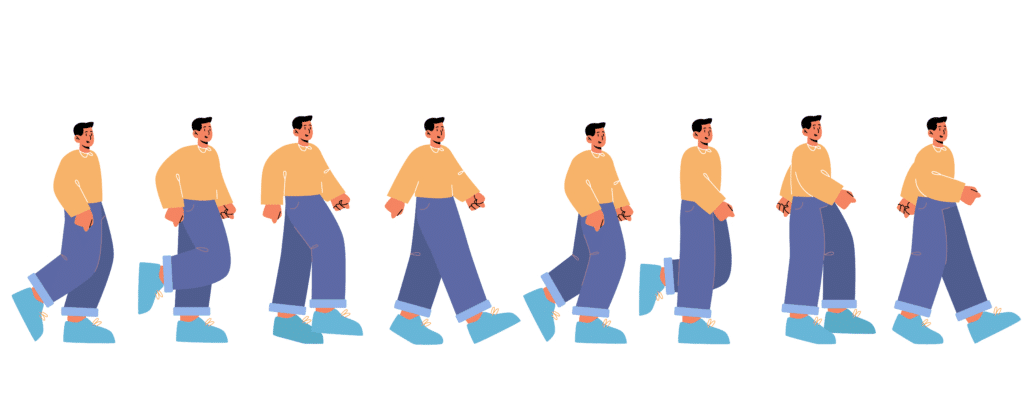
Frame by frame animation (also referred to as ‘cel animation‘) is a more detailed, fluid form of 2D animation. Think of the old Disney cartoons. These are the kinds of animations where every frame of the animation is drawn by hand. These animations look more realistic, liquid and detailed than simple 2D computer animations. As such, they take more time and effort to get the details right. It will take at least 6-8 weeks to animate a video using frame by frame animation.

How Long Does It Take To Animate A 1 Minute video Frame By Frame Animation

Motion Graphics Animation

Motion graphics animation is a simple form of animation. Most motion graphics are made using 2D animation – however, 3D motion graphics are starting to catch on more these days.

Think of motion graphics as visual accents to make your video content more engaging and interesting. They can be used to display charts and data, maps or just add some visual flair on screen while someone is speaking to the camera. It takes about 1-4 weeks to design and animate 1 minute of motion graphics, depending on the complexity of the design.

Stop Motion & Clay Animation

Stop motion animation and clay animation videos are typically created using 24 frames per second. If you multiply that by 60 seconds, that means you need to position and shoot 1,440 images (with zero mistakes!) If each photo were to take you 30 seconds to set up and shoot, it would take 12 hours to shoot all the footage. That doesn’t take into account the amount of time needed to develop the script, storyboard, record the voiceovers and edit all the footage together into a complete video.

How can I speed up animation?

1). Write the script for your video instead of hiring your animator to produce it for you.

How Long Does It Take To Animate A 1 Minute Video How can I speed up animation

Download Video Igniter’s Free Script Writing Template

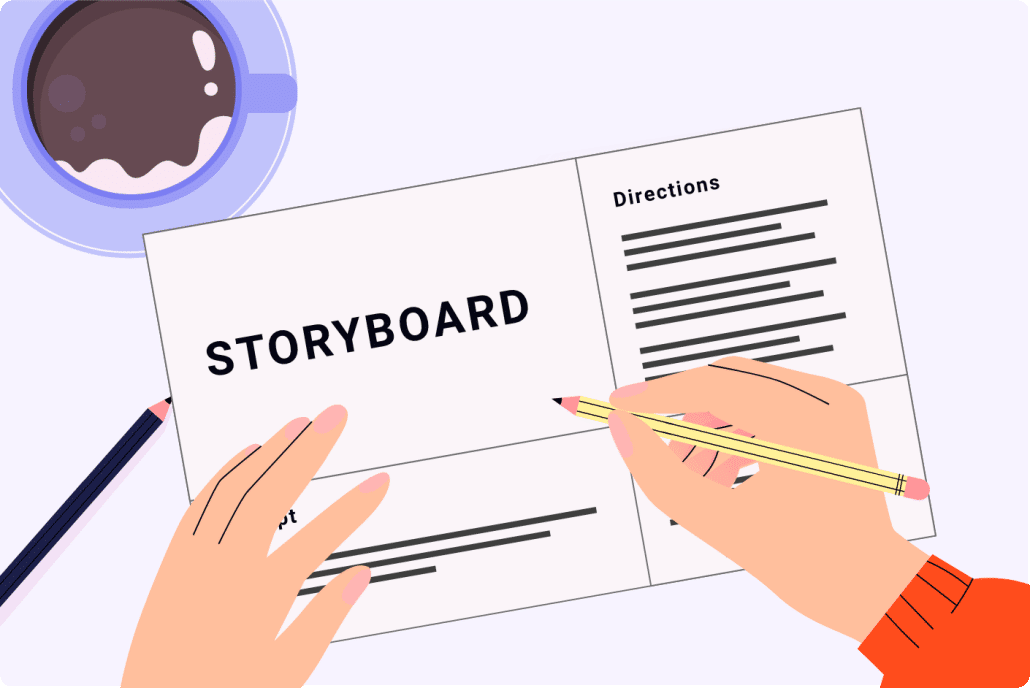
2). Create the storyboard for your animated video. Download our free storyboard creation template.

How Long Does It Take To Animate A 1 Minute Video Storyboard

Download Video Igniter’s Free Storyboard Template

3). Use our rush delivery production upgrade to speed up production for your video. Increasing your budget with rush delivery enables us to put additional illustrators, animators and project managers on your video so that it gets completed on time.

How Long Does It Take To Animate A 1 Minute Video Rush Delivery

How long does each stage of the animation process take?

Script Writing: 1 week

Storyboard Creation: 1 week

Illustrations, VoiceOver & Soundtrack Selection: 1-2 weeks

Animation: 1-2 weeks

What Actually Determines How Long It Takes To Animate A 1 Minute Video?

What Actually Determines How Long It Takes To Animate A 1 Minute Video

If you’re researching how long does it take to animate a 1 minute video, the real answer depends on more than just animation style. Production timelines are influenced by multiple behind-the-scenes factors that most first-time clients don’t initially consider.

Here are the biggest timeline drivers:

1. Script Complexity

A 60-second video is typically 125–150 words. But not all 1-minute scripts are equal.

  • A simple product overview with one core idea moves quickly.
  • A technical SaaS explainer packed with terminology takes longer to refine.
  • A story-driven commercial with emotional beats may require more scripting iterations.

If the message isn’t clear from the start, revisions can easily add 1–2 extra weeks to production.

2. Number of Scenes

A fast-paced video with 12–15 quick scene changes takes longer than a slower-paced animation with 6–8 scenes. More scenes mean more illustrations, transitions, and animation sequences.

3. Character Design Requirements

Custom character animation takes time to concept, sketch, revise, and finalize. If your brand needs unique mascots or stylized characters, that design phase can extend timelines.

4. Revision Cycles

One of the biggest factors in answering how long does it take to animate a 1 minute video is feedback speed. Delayed approvals add days—or even weeks—to production.

Working with an experienced animation team streamlines approvals because they guide you through structured review phases.

How Many Hours Does It Take To Animate 1 Minute Of Video?

How Many Hours Does It Take To Animate 1 Minute Of Video

Many people ask this slightly different version of the question:

How many hours does it take to animate one minute?

For professional-quality animation, the answer often surprises people.

For 2D animation, one minute can require:

  • 20–80+ hours of illustration work
  • 20–60+ hours of animation
  • 1–3 hours of sound design and editing
  • Additional hours for revisions

For 3D animation, the number can climb dramatically due to modeling, rigging, lighting, and rendering.

When you add it all together, a 60-second animated video can easily represent 40–100+ hours of skilled creative labor.

That’s why professional studios typically quote production timelines in weeks rather than days.

Why 1 Minute Of Animation Feels Short But Takes So Long

Why 1 Minute Of Animation Feels Short But Takes So Long

From a viewer’s perspective, one minute passes quickly. But in animation, every second contains:

  • Multiple design elements
  • Movement and timing decisions
  • Easing and transitions
  • Text placement and legibility adjustments
  • Sound synchronization

Animation is frame-based. At 24–30 frames per second, a 1 minute video contains between 1,440 and 1,800 individual frames. Even when software automates parts of the process, each scene must be carefully crafted for pacing and clarity.

This level of detail is what separates amateur animation from polished, professional work.

How Timeline Changes Based On Video Purpose

How Timeline Changes Based On Video Purpose

Another factor that affects how long it takes to animate a 1 minute video is what the video is being used for.

Internal Training Video

These are often simpler and can move faster because visual polish is less critical.

Social Media Ad

Shorter deadlines are common, but they still require tight pacing and clear messaging.

Homepage Explainer Video

These usually demand higher production value because they represent your brand to every visitor.

Investor Pitch Video

Precision and clarity are critical. These often require more revision rounds to ensure accuracy.

The higher the stakes, the more refinement is required.

Can You Animate A 1 Minute Video In A Week?

Can You Animate A 1 Minute Video In A Week

Technically, yes—but only under certain conditions:

  • Script is finalized
  • Style is simple
  • No custom character development
  • Limited revisions
  • Dedicated animation team available

Rush delivery animation is possible when more animators are assigned to a project simultaneously. However, compressing timelines increases cost because it requires reallocating resources.

If you need fast turnaround, working with a professional team is often safer than attempting DIY animation software—especially if deadlines matter.

DIY Animation Timelines vs Professional Studio Timelines

DIY Animation Timelines vs Professional Studio Timelines

Many people researching how long does it take to animate a 1 minute video are debating between doing it themselves or hiring experts.

Here’s what typically happens:

DIY Animation Software

  • Learning curve: 1–2 weeks
  • Script writing: varies
  • Trial-and-error revisions: unpredictable
  • Total time: Often longer than expected

Even simple template-based platforms require significant time investment if you’re new to animation.

Professional Animation Studio

  • Structured timeline
  • Dedicated script development
  • Professional voiceover coordination
  • Managed revisions
  • Clear production milestones

While DIY tools appear faster on the surface, professional production often results in shorter overall timelines because experienced teams avoid costly mistakes.

How To Reduce Delays When Producing A 1 Minute Animated Video

How To Reduce Delays When Producing A 1 Minute Animated Video

If speed matters, here’s how to keep production moving efficiently:

1. Clarify Your Goal Early

Know exactly what action viewers should take after watching the video.

2. Assign A Single Decision Maker

Multiple stakeholders can slow approvals.

3. Provide Brand Assets Upfront

Logos, fonts, color codes, and brand guidelines prevent redesign delays.

4. Approve In Phases

Don’t wait until the final animation to suggest major changes.

At Video Igniter, projects are structured in milestone phases—script approval, storyboard approval, design approval—so major changes happen early when they’re easiest to adjust.

Hidden Time Factors Most People Don’t Consider

Hidden Time Factors Most People Don’t Consider

When calculating how long it takes to animate a 1 minute video, many people forget about:

  • Voiceover casting and recording
  • Music licensing
  • Sound effects integration
  • Export rendering time
  • Format resizing for social platforms

Even rendering alone can take hours for high-resolution animations.

A professional team anticipates these steps and builds them into the schedule.

Is Faster Always Better?

Is Faster Always Better

While quick turnaround sounds appealing, quality should never suffer for speed.

A rushed animation can:

  • Feel choppy
  • Have weak storytelling
  • Include design inconsistencies
  • Miss emotional impact

If your video is meant to generate leads, close sales, or build brand trust, the right timeline is the one that balances speed and quality.

Planning Ahead: The Smartest Way To Approach A 1 Minute Animated Video

The Smartest Way To Approach A 1 Minute Animated Video

If you’re planning a product launch, ad campaign, or investor presentation, start production at least 4–8 weeks before your deadline. That gives room for:

  • Strategic messaging
  • Polished design
  • Thoughtful animation
  • Comfortable revision cycles

Waiting until the last minute limits creative flexibility.

Need Help Animating Your 1 Minute Video?

Need Help Animating Your 1 Minute Video

If you’re asking how long does it take to animate a 1 minute video, chances are you’re preparing for an important launch or marketing initiative.

Instead of navigating timelines, revisions, and creative decisions alone, you can work with an experienced animation team that handles everything—from script development to final delivery.

Video Igniter specializes in producing professional 2D and 3D animated videos efficiently, without sacrificing quality. Our streamlined production process keeps projects on schedule while ensuring your message is clear and compelling.

If you’d like help planning or producing your 1 minute animated video, contact Video Igniter to discuss your goals and timeline. We’re happy to walk you through your options and help you determine the smartest production schedule for your needs.

Your 60 seconds of animation can create years of impact—when it’s done right.

Still have questions about how long it takes to make an animated video?

Do you have a question about how long it takes to make an animated video that wasn’t answered in this FAQ? Use this form to send us your question and we’ll follow up with an answer. We’ll also post the question and answer to this page so other people can benefit from the knowledge.

Still have questions?

What is Video Igniter Animation?

Video Igniter Animation is an online animated video production service. We can help you create any kind of 2D animated video or 3D animation you can imagine. Check out our animated video portfolio!

Need help syndicating your animated video? Ask us about video promotion!

Watch our explainer video on our home page to learn more about how we can help you create an animated video. For examples of the kinds of animation our team can produce, check out the demo reel below:


Looking For An Animated Commercial Producer In The U.S.?

Video Igniter is headquartered in Seattle, Washington.

Success Stories & Testimonials

“Video Igniter offered us the critical combination of creative value, clear communication, and patience with stakeholder feedback. We ended up with truly high-quality design assets for our video series largely due to the extra level of commitment — and the right balance of efficiencies with flexibility in the process when called for.”

Larry Schlessinger – Sr. Creative Program Manager, Amazon Web Services

“Video Igniter came to us with a number of creative and engaging ideas and were able to create an exciting, impactful video in a short period of time. And the best part was that it cost much less than other options of similar quality. The video they made is a great marketing tool for us.”

Alex Raymond – Founder, Kapta Systems

“I am beyond satisfied with my experience with Video Igniter. The first drafts of the work were almost exactly what I had in my head when developing the concept. After that each step along the way was seamless until arriving at a perfect finished product. And all this at a tremendous value. Anyone who has considered creating a marketing video should check out Video Igniter.”

Anonymous Customer Feedback

Success Stories

Get in touch!

Now that you know how long it takes to animate 1 minute of video, let’s talk about your video project :)

Schedule a call to discuss your animated video project.

Get a quote for us to create your animated video.

Request access to our newest price sheet.

Create your Video Igniter account, fill out a creative brief for your video and we’ll begin production as soon as we receive your production deposit.

contact us

Create Stunning 2D Animations Online With The Best 2D Animation Maker

Are you looking for an easy and affordable way to make amazing 2D animations online? Look no further! Online 2D animation making services enable you to bring your ideas to life and make your message stand out. In this post, we’ll introduce you to the best 2D animation maker online that you can use to create stunning custom animations.

2D Animation Maker Online

Examples of Videos You Can Get From Video Igniter’s 2D Online Animation Maker

Video Igniter can create any kind of 2D or 3D animated video for you. Check out our animation portfolio here. Request access to our demo reels and price sheet here.

Contact us or schedule a call to start making your video.


Are you looking for an example of a different style of 2D animation? Send us a message to let us know what kind of animation example you want to see and we will follow up with relevant production samples.


Stock Library Online 2D Animation Makers

These 2D online animation makers provide templates and pre-created characters, scenes and objects you can use to make your own animated videos.

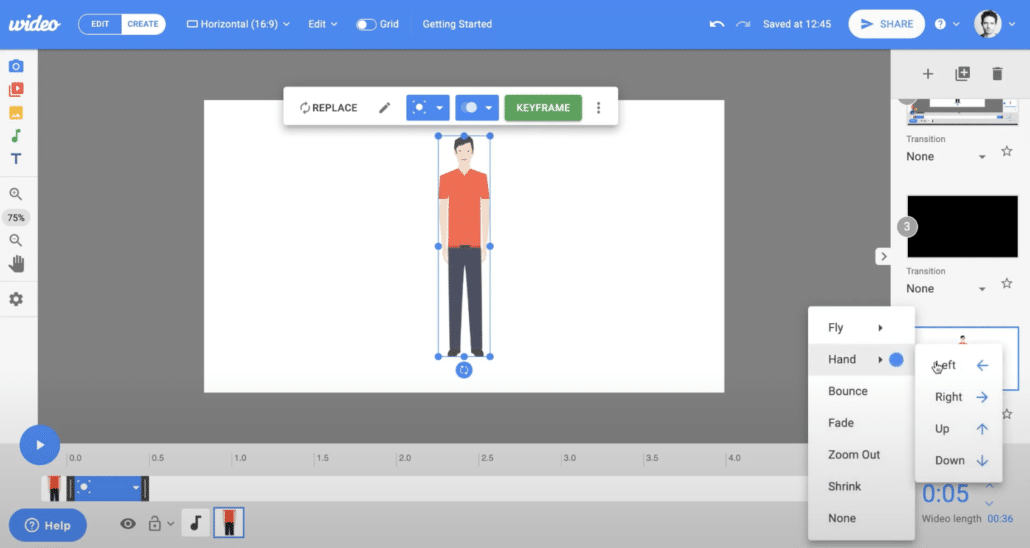
Animaker.com

2D Animation Maker Online Stock Library Online 2D Animation Makers

If you’re looking for the best 2D animation maker online that enables you to make your own animated videos with stock assets, look no further than Animaker. Animaker is an all-in-one animation and video editing tool that lets you create 2D animations and add animation to live action videos. It has a vast library of pre-built templates, characters, and backgrounds to choose from, making it easy to create professional-looking animations without any design skills.

With Animaker, you can customize your animations with text, music, sound effects, and voiceovers. It also supports collaboration, so you can work with your team to create amazing animations together.

Wideo.co 2D Animation Maker

2D Animation Maker Online Wideo

If you’re looking for a low-cost, easy to use 2D animation maker online, check out Wideo. Their online video making workflow enables you to quickly create simple animations. Or, use one of their pre-existing templates and customize elements like the colors, text and logo to make the video appear customized for your brand.

2D Animated Maker Online Wideo UI

Vyond.com Online 2D Animation Maker


2D Animation Maker Online Vyond

Vyond is another popular 2D animation maker that enables users to create professional-looking animations without any animation or design skills. It has a user-friendly interface and a vast library of pre-built templates, characters, and props to choose from. It’s up to you to lay out all the elements for each scene and then apply motion effects to the elements that move.

With Vyond, you can customize your characters, add a voiceover, and animate objects with ease.

Powtoon – Online 2D Animation Maker Platform


2D Animation Maker Online Powtoon

Powtoon is a powerful 2D animation maker that lets you create animated videos, presentations, and explainer videos. It has a user-friendly interface and a vast library of pre-built templates, characters, and backgrounds to choose from to help speed up your video creation experience.

2D Online Animated Video Makers For Custom Animated Videos

VideoIgniter.com Custom Animated Video Maker

2D Animation Maker Online Video Igniter

Unlike other animation makers, Video Igniter Animation offers custom-made animations tailored to your unique needs, making it the best option for businesses and individuals who need professional-looking animations. And the best part is – you don’t have to do any of the work! Just tell Video Igniter what you want to create and our team of animators works seamlessly behind the scenes to create your animation.


2D Animation Maker Online

Video Igniter’s team of experienced animators guides you through the entire animated video production process – from scriptwriting through delivery of the final animation. Our experts work with you to create your script, storyboard, voiceovers, illustrations, sound effects. Once they all meet your expectations, we animate your video and bring it to life for you!

In addition, Video Igniter Animation offers competitive pricing, making it the most affordable option for businesses and individuals who need to make custom designed, professional-looking animations. Access our current price sheet here.

Toon Boom Harmony – Professional DIY 2D Animation Maker Program


2D Animation Maker Online Toon Boom

With Toon Boom Harmony, you can create custom designed characters, animate objects, and add special effects with ease. It also supports collaboration, so you can work with your team to create amazing animations together.

Are there any free 2D animation makers online?

Are there any free 2D animation makers online

Yes. Services like Vyond, Go Animate and Animaker sometimes have free trials available for their animation apps. The trade off is that some of the features will be restricted and you may not be able to export your video without the company’s logo being added as a watermark. Paying for the service enables you to export your video file at full resolution without their logo watermarked on your video.

How To Choose The Right 2D Animation Maker Online For Your Goals

How To Choose The Right 2D Animation Maker Online For Your Goals

Not all 2D animation online platforms are built for the same purpose. Some are designed for quick DIY social media videos. Others are better suited for polished brand storytelling or investor presentations.

Before choosing your 2D animation maker online, ask yourself:

  • Are you creating a short social media clip or a full explainer video?
  • Do you need custom illustrations or are stock characters acceptable?
  • Will your video represent a high-value brand?
  • Do you need help with scriptwriting and messaging?
  • What level of polish does your audience expect?

DIY online animation tools are excellent for internal presentations, quick marketing tests, or simple informational videos. However, if your video is customer-facing and tied directly to revenue, brand trust, or investor confidence, quality matters significantly more.

That’s where a custom solution like Video Igniter becomes valuable. Instead of adapting your message to fit a template, your animation is built around your brand, audience, and goals.

Key Features To Look For In A 2D Animation Maker Online

Key Features To Look For In A 2D Animation Maker Online

When comparing different 2D animation maker online tools, here are the features that truly matter:

1. Customization Flexibility

Can you fully control character animation, brand colors, fonts, and layouts? Or are you limited to preset styles?

2. Voiceover & Audio Integration

Does the platform support professional voiceovers, background music, and sound design? High-quality audio dramatically improves perceived production value.

3. Export Quality

Look for HD or 4K export options without watermarks. Many “free” tools restrict resolution.

4. Commercial Licensing

If you’re using the video for advertising, make sure the platform allows commercial use of assets.

5. Collaboration Tools

For teams, review sharing, feedback features, and revision workflows are important.

6. Custom Script & Storyboarding Support

Most online 2D animation maker platforms don’t help you refine your message. That’s a major difference between DIY tools and working with a professional animation team.

If you’re unsure about script structure, pacing, or visual storytelling, it’s often more cost-effective to work with professionals from the start rather than revising multiple DIY drafts.

DIY vs. Hiring A Professional 2D Animation Team

DIY vs. Hiring A Professional 2D Animation Team

Many people search for a “2D animation maker online” because they assume it’s the cheapest route. While upfront costs may be lower, there are trade-offs.

DIY 2D Animation Maker Online Platforms

Pros:

  • Lower monthly subscription cost
  • Fast access to templates
  • Good for simple projects

Cons:

  • Limited design flexibility
  • Stock-looking visuals
  • Time-intensive learning curve
  • Script quality depends on you

Professional Custom Animation (Like Video Igniter)

Pros:

  • Fully custom visuals
  • Strategic messaging support
  • Professional scriptwriting
  • Dedicated production team
  • Higher perceived brand value

Cons:

  • Higher upfront investment

For businesses generating revenue through their videos, custom animation often delivers stronger ROI because it builds credibility and differentiates your brand.

If your animation is meant to drive conversions, explain a complex product, or impress investors, professional production typically pays for itself.

Industries That Benefit Most From Using A 2D Animation Maker Online

Industries That Benefit Most From Using A 2D Animation Maker Online

2D animated videos are used across nearly every industry. Here are some high-performing use cases:

SaaS & Tech Startups

Explain complex software quickly and clearly with engaging visuals.

Healthcare & Medical

Simplify difficult medical concepts with friendly, easy-to-understand animation.

E-Learning & Online Courses

Improve retention and engagement with animated instructional videos.

Finance & Cryptocurrency

Clarify abstract ideas like blockchain, fintech tools, or investment strategies.

Nonprofits

Tell compelling impact stories that drive donations and awareness for your nonprofit.

If your product requires explanation, animation often converts better than static content.

How Long Does It Take To Create A 2D Animation Online?

How Long Does It Take To Create A 2D Animation Online

With a DIY 2D animation maker online, you could technically create a short video in a few hours. However, a polished explainer video typically requires:

  • Script development
  • Storyboarding
  • Design
  • Voiceover recording
  • Animation
  • Sound design
  • Revisions

A professional custom 2D animation usually takes 3–6 weeks depending on complexity.

Video Igniter streamlines this process by guiding clients through a clear step-by-step production workflow. Instead of figuring everything out alone, you have experts managing timelines and ensuring quality at every stage.

Common Mistakes To Avoid When Using A 2D Animation Maker Online

Common Mistakes To Avoid When Using A 2D Animation Maker Online

Many first-time creators make similar mistakes:

1. Writing Scripts That Are Too Long

Attention spans are short. Most high-performing explainer videos are 60–90 seconds (125-225 words).

2. Overloading Scenes With Text

Animation works best when visuals carry the message.

3. Ignoring Brand Consistency

Colors, fonts, and tone should align with your brand identity.

4. Using Generic Stock Characters

If everyone uses the same templates, your brand blends in.

5. Skipping Professional Voiceover

Audio quality can make or break your video.

Working with an experienced animation team helps prevent these issues before they affect your results.

How 2D Animation Improves Marketing Performance

How 2D Animation Improves Marketing Performance

A well-produced animated video can:

Search engines increasingly reward content that keeps visitors engaged longer. Adding a high-quality 2D animation to your homepage or product page can improve behavioral signals like dwell time — which can indirectly support SEO performance.

Additionally, AI search tools prioritize content that clearly explains concepts. Animation is one of the most efficient ways to clarify complex ideas.

When Should You Upgrade From DIY To Custom Animation?

When Should You Upgrade From DIY To Custom Animation

If any of the following are true, it may be time to move beyond template-based 2D animation maker online platforms:

  • Your company is scaling
  • You’re raising funding
  • You’re launching a new product
  • Your brand looks generic compared to competitors
  • Your DIY videos aren’t converting

Custom animation allows you to create something memorable instead of something that looks like everyone else’s template video.

Why Businesses Choose Video Igniter

Why Businesses Choose Video Igniter

Video Igniter combines the accessibility of an online 2D animation maker with the quality of a professional animation studio.

Instead of forcing you to learn complex animation software, our team handles:

  • Scriptwriting
  • Storyboarding
  • Illustration
  • Animation
  • Voiceover casting
  • Sound design
  • Revisions

You get a custom animated video without the overhead of hiring an in-house team.

If you’re unsure whether a DIY 2D animation maker online platform is the right fit, we’re happy to review your goals and offer guidance. Sometimes a template tool works perfectly. Other times, a custom animation can dramatically improve results.

Ready To Create A High-Impact 2D Animation?

Ready To Create A High-Impact 2D Animation

Whether you’re exploring a DIY 2D animation maker online or considering a fully custom production, the most important step is starting with a strong strategy.

If you’d like help creating a professional animated video that reflects your brand and drives measurable results, contact Video Igniter to discuss your project. We’ll walk you through your options and help you decide the smartest path forward.

Your message deserves more than a template.

Let’s bring it to life.

Still have questions about 2D animation makers online?

Do you have a question about 2D animated online video makers that wasn’t addressed in this FAQ? Use this form to send us your question and we’ll follow up with an answer. We’ll also post the question and answer to this page so other people can benefit from the knowledge.

Still have questions?

What is Video Igniter Animation?

Video Igniter Animation is an online 2D animation maker that you can use to create custom animated videos. By working with our professional team of animators online, you can get your custom animated video produced faster and for less than hiring a brick and mortar animation studio.

We can help you create any kind of 2D animated video or 3D animation you can imagine. Check out our animated video portfolio!

Need help syndicating your animated video? Ask us about video promotion!

Watch our explainer video on our home page to learn more about how we can help you create an animated video. For examples of the kinds of animation our team can produce, check out the demo reel below:


Looking For An Animated Video Company In The U.S.?

Video Igniter is headquartered in Seattle, Washington.

2D Animation Success Stories & Testimonials

“Video Igniter came to us with a number of creative and engaging ideas and were able to create an exciting, impactful video in a short period of time. And the best part was that it cost much less than other options of similar quality. The video they made is a great marketing tool for us.”

Alex Raymond – Founder, Kapta Systems

“I am beyond satisfied with my experience with Video Igniter. The first drafts of the work were almost exactly what I had in my head when developing the concept. After that each step along the way was seamless until arriving at a perfect finished product. And all this at a tremendous value. Anyone who has considered creating a marketing video should check out Video Igniter.”

Anonymous Customer Feedback

Success Stories And Testimonials

Get in touch about making your 2D animation!

Schedule a call to discuss your animated video project.

Get a quote for us to create your animated video.

Request access to our newest price sheet.

Create your Video Igniter account, fill out a creative brief for your video and we’ll begin production as soon as we receive your production deposit.

contact us

How To Make 3D Animation: A Step-by-Step Guide

Are you interested in creating stunning 3D animations but don’t know where to start? Look no further! In this article, we’ll take you through all the steps of the production process so you can understand how to make 3D animation, how long it takes, and how much it costs. Plus, we’ll show you how to make 3D animated videos with Video Igniter, a powerful and easy way to make custom 3D animated videos – even if you have zero animation or video production experience! Let’s dive in:

Examples of 3D Animations You Can Make With Video Igniter

Video Igniter can create any kind of 3D animation video for you. Check out our animation portfolio here. Request access to our demo reels and price sheet here.

To start your project contact us or schedule a call with our production team.


Are you looking for an example of a different style of 3D animation? Send us a message to let us know what kind of animation example you want to see and we will follow up with relevant production samples.


How to Make a 3D Animation?

How To Make 3D Animation

1. Plan Your Animation

Before you start making your 3D animation, it’s essential to plan out what you want to show in your video. That way, you can figure out what kind of animation program to use or which animation studio to hire to create your particular type of 3D animation.

2. DIY or Hire An Animation Studio

There are many different 3D animation programs and 3D animation studios that you can work with to create your custom 3D animated video (including us, Video Igniter). You can use programs like Blender, Maya, and Cinema 4D to create your video. Or, you can find an animator or animation studio to hire to create the video for you. Check out this guide for more tips on how to hire an animator.

3. Develop Your Script

How To Make 3D Animation Develop Your Script

Download Video Igniter’s Free Script Writing Template

Before diving into the technical aspects of production, start by developing the script for your animation. You can write the script yourself or hire your animator to do it for you. Either way, it’s important to develop your script now so that you know what the general structure of your animation is going to look like. Check out this article for tips on how to create the script for your video.

4. Create Your Storyboard

How To Make 3D Animation Create Your Storyboard

Download Video Igniter’s Free Storyboard Template

After your script is locked in, create a storyboard for your animation. The storyboard provides a simple visual representation of what you’re going to show for each sentence of your script. You can use sketches, clip art or free images you find online to lay out your storyboard. Creating a storyboard helps the production team understand what camera angles, character movements and scene transitions to use throughout your video. Download our free storyboard creation template here.

5. Produce The VoiceOver & Source Soundtracks

VoiceOver

Now is a great time to start sourcing voiceover actors for your animation. The voiceover sets the timing and pacing of your animation which is why it’s important to get the full voiceover produced early so that it doesn’t prevent the animation team from getting started when the illustrations are finalized. Check out this article for tips on how to record the voiceover for your video. We also recommend sourcing soundtracks to play in the background of your animation to help enhance the presentation of your 3D animation.

6. Design and Model

3D Model

Using 3D modeling software, design your characters, objects, and environments. This involves sculpting, texturing, and rigging the models to prepare them for animation. This is one of the most complicated phases of production when you make a 3d animation. If you don’t have the time or skills to do this yourself, scroll down to the section in this article that explains how Video Igniter can make your 3D animation for you.

7. Animation

How To Make 3D Animation Animator

After all of the scenes, objects and characters are designed and approved for your animation, it’s time to add them all into your video animation software and add motion to them so that they are in sync with the timing of your voiceover.

8. Lighting

Set up lights in your scene to create the desired mood and atmosphere. Experiment with different light types, colors, and intensities to achieve your vision.

9. Special Effects

Now that the core of your 3d animation is created, you can add special effects to enhance key moments of your animation.

10. Rendering

Once you have your animation, lighting, and camera angles set, render the final output. This process involves converting the 3D scenes into a 2D video or image sequences.

11. Post Production

Now we can edit the rendered footage by adding sound effects, music and any final touches to make your 3D animation pop!

How long does it take to do 3D animation?

How long does it take to do 3D animation

Now that you know how to make a 3D animation, you’re probably wondering: how long does it take to make a 3D animation?

The time it takes to create a 3D animation varies depending on factors like the complexity of the project, the level of detail, the skill of the animator, and the software and hardware used. A simple animation can take a few days to create, while a more complex project can take weeks or even months. Feature-length animated movies can take years to make. Remember that practice and experience can significantly reduce the time needed for future projects.

To give you a rough idea of how long it takes to make a 3D animation, here are some ballpark figures for a 60-second animated video:

  • Script Writing: 1-2 weeks
  • Storyboard Creation: 1-2 weeks
  • VoiceOver & Music Selection: 1 week (happens simultaneously while concept art is being developed)
  • Concept Art: 1-2 weeks
  • Creating 3D Models: 1-3 weeks
  • Coloring & Rigging Models For Animation: 1-3 weeks
  • Animation: 1-3 weeks
  • Post-Production: >1 week

How Much Does it Cost to Make 3D Animations?

How Much Does it Cost to Make 3D Animations

If you are making a 3D animation yourself, then the cost comes down to your time + the cost of the animation software (free – $1200/yr), hiring voiceover actors ($50-$500) and paying for a license for stock music to use in your video ($9-$399).

On the flip side, if you’re hiring an animation studio to make your 3D animation for you, the cost depends on several factors, including the length and complexity of the animation, the skill level of the animator, and the software used. A basic animation might cost a few hundred dollars, while a high-quality, professional 3D animation costs thousands to hundreds of thousands of dollars to produce. Keep in mind that investing in the right tools, talent and expertise can save you time and yield better results in the long run.

Get a quote for your 3D animated video.

How to Make 3D Animated Videos with Video Igniter

How to Make 3D Animated Videos with Video Igniter

Video Igniter is an animated video production service that you can use to create 3D animated videos quickly and easily – even if you have no experience creating 3D animations. Video Igniter does all the work for you – all you have to do is describe what you want and provide feedback during the production process. Our team of professional animators does all the work for you behind the scenes to turn your idea into a real 3D animation.

Follow these steps to make a 3D animated video with Video Igniter:

1. Get a Quote

Get a quote for your project to make sure Video Igniter is a good fit for your project budget. You can request access to our current price sheet here.

How To Make 3D Animation Get A Quote

2. Create Your Video Igniter Account

Video Igniter’s video production service runs in your web browser in order to make it easier to share files and feedback between you and your 3D animated video production team. Create your account here.

3. Fill Out a Creative Brief

Describe the animated video you want Video Igniter to create for you using the online creative brief. Here’s an example of the types of questions you will be asked.

4. Pay 50% of Your Production Budget

Production begins after you pay 50% of your estimated production budget.

5. Review Your Script

Video Igniter’s script writing team will review your creative brief and develop the first draft of the script for your 3D animation. If needed, a member of our production team will reach out with questions to help us write your script. When your script is ready, give it a detailed review and share your feedback via Video Igniter’s online production dashboard.

How To Make 3D Animation Review Your Script

6. Review Your Storyboard

After you approve the script for your animation, our storyboard team will develop ideas for what to show during each part of your animation. 3D animations can be more technical and detailed than 2D animations. As such, a member of our production team may reach out to ensure we have clarity around all the details that we need to include in your storyboard. You get an opportunity to review the storyboard and request revision before approving your storyboard for production.

7. Review Your VoiceOver(s)

Video Igniter will audition voiceover talent for your video and send you some audio files to review. Let us know how you feel about the option(s) we send you. From there, we’ll get the full voiceover produced and give you a chance to request edits before approving the voiceover for production.

8. Review Your Concept Art

Video Igniter will develop some custom concept art for your 3D animation. Give it a detailed review and share your feedback with us so that our art director can refine the visual style and make it perfect for your brand.

Concept Art

9. Review Your 3D Models

After the concept art is approved, Video Igniter will create 3D models for every scene, object, and character featured in your 3D animation. These models will eventually have color, texture and rigging added to them so that they can be animated in your video. You get an opportunity to review the models and request edits.

10. Review Your Animation

Once the models and voiceovers have been approved, it’s time for us to animate! Video Igniter’s production team will animate your video, add lighting, special effects and music to enhance the presentation of your video. Give it a detailed review (ideally with members of your target audience). Collect everyone’s feedback and send us your notes so that we can make final revisions and render out the final draft of your 3D animated video.

Deep Dive: Learn More About 3D Animation

Check out this article for a more in depth look at ways to make 3D animated videos. Interested in outsourcing the production of your video? Check out our companion article to learn more about 3D animation outsourcing.

Advanced Tips to Improve Your 3D Animation Quality

Now that you understand how to make 3D animation from start to finish, let’s explore professional-level techniques that elevate your animation from “good” to “studio quality.”

1. Focus on Strong Previsualization (Previs)

Advanced Tips to Improve Your 3D Animation Quality

Before committing to full animation, many professional studios create a rough animated draft called a previsualization or animatic. This is a simplified 3D version of your storyboard using basic shapes, temporary camera moves, and placeholder animation.

Why this matters when learning how to make 3D animation:

  • It helps test pacing before heavy rendering begins
  • Identifies camera problems early
  • Prevents expensive rework
  • Allows stakeholders to approve structure before details are finalized

Previs dramatically reduces production risks — especially for commercial or marketing 3D animation projects.

2. Master Camera Movement in 3D Space

One advantage of learning how to make 3D animation (instead of 2D animation) is full control of camera movement.

You can:

  • Orbit around characters
  • Create cinematic push-ins
  • Add depth-of-field blur
  • Simulate handheld motion
  • Build immersive product fly-throughs

When designing camera movement, remember:

  • Slow and intentional is better than overly complex.
  • Movement should support the story — not distract from it.
  • Avoid excessive spinning or floating unless stylistically justified.

If your animation feels “flat,” it’s often a camera issue — not a modeling issue.

3. Optimize Your 3D Models for Performance

Optimize Your 3D Models for Performance

Many beginners learning how to make 3D animation create models that are far too complex. High polygon counts dramatically increase render times and slow down production.

Professional workflows focus on:

  • Clean topology
  • Efficient polygon counts
  • Proper edge flow for animation
  • Reusable assets

If you’re creating a 60-second 3D animation for marketing, you don’t need feature-film-level modeling detail. Optimize for speed and clarity.

4. Understand Keyframe Interpolation & Graph Editors

Understand Keyframe Interpolation & Graph Editors

One of the most important skills when learning how to make 3D animation is controlling motion curves.

When you animate, you place keyframes. But what happens between those keyframes is determined by interpolation curves.

Professional animators refine movement using:

  • Ease-in and ease-out curves
  • Bezier handles
  • Motion smoothing
  • Anticipation and follow-through

If your animation feels robotic or stiff, the problem usually isn’t the keyframes — it’s the curve refinement.

Spending time mastering the graph editor can instantly upgrade your animation quality.

5. Lighting Principles That Make 3D Animation Look Cinematic

Lighting Principles That Make 3D Animation Look Cinematic

Lighting is one of the biggest differentiators between amateur and professional 3D animation.

When learning how to make 3D animation, experiment with:

  • Three-point lighting setups
  • Rim lighting for subject separation
  • HDRI environment lighting
  • Volumetric lighting for atmosphere
  • Color temperature contrast

Pro tip: Avoid evenly lighting everything. Strong animations use contrast to guide viewer attention.

Good lighting:

  • Directs the eye
  • Creates depth
  • Establishes mood
  • Enhances realism

Many beginners over-focus on modeling and under-focus on lighting — when lighting often has a bigger visual impact.

How to Make 3D Animation for Different Use Cases

How to Make 3D Animation for Different Use Cases

The process of how to make 3D animation changes depending on your goal. Here’s how workflows differ across industries:

1. 3D Product Animation

Ideal for:

  • Tech startups
  • Consumer products
  • Medical devices
  • SaaS platforms

Focus areas:

  • Clean materials
  • Smooth camera movements
  • Accurate proportions
  • Realistic lighting

Product animation often prioritizes polish over character performance.

2. 3D Character Animation

Used for:

Focus areas:

  • Rigging quality
  • Facial animation
  • Expressive timing
  • Body mechanics

Character animation takes significantly longer than product animation due to rig complexity and performance nuance.

3. 3D Architectural Visualization

Used for:

  • Real estate marketing
  • Construction previews
  • Urban development projects

Focus areas:

  • Real-world scale accuracy
  • Environmental lighting
  • Camera fly-through realism
  • Material realism

Architectural 3D animation often requires advanced rendering for photorealistic output.

Common Mistakes to Avoid When Learning How to Make 3D Animation

Common Mistakes to Avoid When Learning How to Make 3D Animation

Avoiding these pitfalls will accelerate your progress:

Skipping Planning

Jumping straight into modeling without a script or storyboard leads to wasted time.

Overcomplicating Early Projects

Start simple. Master fundamentals before attempting hyper-realistic simulations.

Ignoring Sound Design

Even the best 3D animation feels incomplete without sound effects and music.

Rendering at Maximum Settings Too Early

Test render small sections first. Don’t waste hours rendering drafts.

Neglecting Audience Perspective

Always ask: Who is this animation for? What action should they take?

When learning how to make 3D animation for marketing purposes, clarity always beats complexity.

Should You Learn 3D Animation or Outsource It?

Should You Learn 3D Animation or Outsource It

A common question after researching how to make 3D animation is whether it’s worth learning internally.

Learn It Yourself If:

  • You want long-term in-house creative control
  • You’re passionate about animation
  • You have time to invest in skill development

Outsource If:

  • You need high-end results quickly
  • Your team lacks technical expertise
  • Deadlines are tight
  • The animation impacts revenue directly

Many companies start by attempting DIY 3D animation before realizing the learning curve is steep. Outsourcing to professionals often reduces long-term cost, especially when brand perception matters.

The Future of 3D Animation

The Future of 3D Animation

If you’re researching how to make 3D animation today, you’re entering a rapidly evolving industry.

Emerging trends include:

  • Real-time rendering engines
  • AI-assisted animation tools
  • Virtual production pipelines
  • Motion capture democratization
  • Interactive 3D web experiences

3D animation is no longer limited to film studios. Brands, startups, educators, and content creators are all using 3D animation to stand out in competitive digital spaces.

Understanding how to make 3D animation now positions you ahead of the curve as demand continues to grow.

Final Thoughts on Mastering How to Make 3D Animation

Final Thoughts on Mastering How to Make 3D Animation

Learning how to make 3D animation is both technical and creative. It requires planning, modeling, animation principles, lighting mastery, rendering knowledge, and strong storytelling.

Whether you decide to produce animations yourself or partner with professionals, understanding the full process empowers you to:

  • Make smarter creative decisions
  • Avoid production pitfalls
  • Manage budgets effectively
  • Deliver visually compelling content

3D animation is one of the most powerful storytelling tools available today — and mastering the process unlocks limitless creative possibilities.

Still have questions about how to make a 3D animation?

Do you have a question about how to make 3D animation that wasn’t addressed in this FAQ? Use this form to send us your question and we’ll follow up with an answer. We’ll also post the question and answer to this page so other people can benefit from the knowledge.

Still have questions?

What is Video Igniter Animation?

Video Igniter Animation is an animated video maker service that uses real animators to turn your ideas into reality. By working with our team online, you can get your custom animated video produced faster and for less than hiring a traditional brick and mortar animation studio.

We can help you create any kind of 2D animated video or 3D animation you can imagine. Check out our animated video portfolio!

Do you want to create an animated cryptocurrency video or an animated blockchain explainer video that explains how your technology works? We can help with that too.

Need help syndicating your animated video? Ask us about video promotion!

Watch our explainer video on our home page to learn more about how we can help you create an animated video. For examples of the kinds of animation our team can produce, check out the demo reel below:


Looking For An Animated Video Company In The U.S.?

Video Igniter is headquartered in Seattle, Washington.

Success Stories & Testimonials

“Video Igniter offered us the critical combination of creative value, clear communication, and patience with stakeholder feedback. We ended up with truly high-quality design assets for our video series largely due to the extra level of commitment — and the right balance of efficiencies with flexibility in the process when called for.”

Larry Schlessinger – Sr. Creative Program Manager, Amazon Web Services

“Video Igniter came to us with a number of creative and engaging ideas and were able to create an exciting, impactful video in a short period of time. And the best part was that it cost much less than other options of similar quality. The video they made is a great marketing tool for us.”

Alex Raymond – Founder, Kapta Systems

“I am beyond satisfied with my experience with Video Igniter. The first drafts of the work were almost exactly what I had in my head when developing the concept. After that each step along the way was seamless until arriving at a perfect finished product. And all this at a tremendous value. Anyone who has considered creating a marketing video should check out Video Igniter.”

Anonymous Customer Feedback

Testimonials

Get in touch!

Schedule a call to discuss your animated video project.

Get a quote for us to create your animated video.

Request access to our newest price sheet.

Create your Video Igniter account, fill out a creative brief for your video and we’ll begin production as soon as we receive your production deposit.

contact us

Create Engaging Learning Experiences with an Animated Educational Video Maker

In today’s digital age, educators are always on the lookout for innovative ways to engage students and enhance their learning experience. One tool that has gained immense popularity in recent times is the animated educational video maker. These video making services enable you to create captivating and interactive animations that simplify complex concepts and keep your audience engaged. In this blog post, we will discuss the benefits of using an animated video making service to help you create educational animated videos. We’ll also discuss the key features to look for, and introduce you to the best options available on the market.

Animated Educational Video Maker

Examples Of Videos You Can Get From Video Igniter’s Animated Educational Video Maker

Video Igniter can make any kind of 2D or 3D animated video for you. The video below showcases a wide range of unique visual styles we can use to create your educational animated videos.

To start your project contact us or schedule a call with our production team. You can also request access to our demo reels and price sheet here.


Are you looking for an example of a different style of animation? Send us a message to let us know what kind of animation example you want to see and we will follow up with relevant production samples.

What is an Animated Educational Video Maker?

An animated educational video maker is a software-based service that enables educators to create animated videos for educational purposes. These services consist of a simple online video editing application with video templates and vast libraries of pre-created characters, scenes and objects that you can use to create all the scenes for your video. You can add a voiceover and customize aspects of the video’s design. These videos can be used to explain complex concepts while engaging students in a fun and interactive way. With an animated educational video maker, educators can create videos that are visually appealing, easy to understand, and help students retain the information they’re taught.

What is an Animated Educational Video Maker

Benefits of an Animated Educational Video Maker

Visual Representation Enhances Learning: Animated videos are a great tool for enhancing learning as they can simplify complex topics and make them more accessible to students. By using visual aids and animations, educators can help students understand difficult concepts and retain information more effectively.

Appeals to Different Learning Styles: Students have different learning styles, and some may find it easier to learn through visual aids rather than relying on text alone. Animated educational videos can cater to these different learning styles, making it easier for students to grasp the concepts being taught.

Benefits of an Animated Educational Video Maker

Increases Engagement: Animated videos are engaging and can capture students’ attention more effectively than traditional teaching methods. They can make learning a fun and interactive experience, encouraging students to participate and ask questions.

Easy to Share: Animated educational videos can be shared easily through online platforms like YouTube and Vimeo. This makes them accessible to a wider audience, including students who may miss class and those who need extra support.

Saves Time: Creating animated educational videos can be time-consuming process. However, when you use an animated educational video maker, educators can create videos quickly and easily. This saves time and allows educators to focus on other aspects of teaching. Additionally, animated educational videos can cover a lot of information in a short amount of time, making it a time-saving tool for educators & students.

Why Use an Animated Educational Video Maker?

When it comes to creating animated educational videos, an using animation video making service can help you shorten the amount of time it takes to create high quality videos. They are specifically designed to cater to the needs of educators and provide a range of features that help simplify the video creation experience. Some of the key features of an animation video making service include:

Pre-built templates: Animated video making services provide pre-built templates that educators can use to create videos quickly and easily. These templates are designed specifically for educational purposes and can be customized to fit the needs of the video lessons you create.

Drag-and-drop interface: An animation video maker for education typically has a drag-and-drop interface that makes it easy for educators to add text, images, and animations to their videos. No professional video production experience needed!

Why Use an Animated Educational Video Maker

Built-in animation tools: Animated video maker services provides built-in animation tools that enable educators to easily add animated characters, objects, and backgrounds for their videos. Simply lay out your scenes, right click on the characters/objects you want to animate and then select the type of movement you want that character/object to do.

VoiceOver recording: Animated video making services typically have a built-in voiceover recording feature that enables educators to record their own voice add a pre-recorded voiceover to the videos they create.

Lower Cost: Subscribing to an animated video making service costs less than hiring a freelance animator or animation studio to make your video(s) for you.

Animated Educational Video Maker Lower Cost

Customizable: An animated educational video maker allows you to create content tailored to your specific needs, ensuring that your videos align with your curriculum and objectives.

Animation Video Maker for Education: Key Features to Consider

When you shop around for an animated educational video maker, be sure to look into the following features:

  • User-friendly interface: The video maker should be easy to navigate and use, allowing educators to create videos without any extensive training or technical knowledge.
  • Wide range of templates and assets: A good video maker should offer a variety of templates, characters, and props to create engaging and visually appealing videos.
  • Customization options: The ability to customize colors, fonts, and other design elements ensures that your videos align with the content you’re teaching.
  • VoiceOver and audio support: Adding voiceovers and background music can make your videos more engaging and immersive.
  • Collaboration tools: Look for a video maker that supports collaboration, allowing multiple users to work together on a project and streamline the video creation process.
  • Export options: Ensure that the video making service supports exporting videos in various formats and resolutions to cater to different devices and platforms.

Animation Video Maker for Education

Top Animated Educational Video Makers

Here are some of the most popular animated educational video makers available on the market today:

Animated Educational Video App Vyond

Vyond: An easy-to-use platform that offers various templates and characters suitable for educational purposes. It provides a drag-and-drop interface, making it simple for educators to create engaging videos.

Animated Educational Video Maker Animaker

Animaker: Animaker is another popular choice, offering a vast library of templates, characters, and props. Its user-friendly interface and robust customization options make it a top choice for educators.

Animated Educational Video Maker Powtoon

Powtoon: A versatile animated video maker that excels in creating explainer videos. It offers various pre-built templates and characters, making it easy to create educational videos in just a few hours.

Animated Educational Video Maker Moovly

Moovly: Moovly is an online video maker with a vast collection of templates and assets, catering to various educational needs. It also offers collaboration features, making it an excellent option for team projects.

Animated Educational Video Maker Video Igniter

Video Igniter: Unlike the rest of these options, Video Igniter enables you to make custom animated educational videos and you don’t have to do any of the work to make the videos. Video Igniter uses real animators to turn your idea into a custom designed educational video. If you need to create a video that shows something very specific or detailed (something you can’t do with most animated video makers) Video Igniter is the right option for you! Use this form to tell us about your project and we’ll help you develop a quote for your educational video.

How to Create High-Impact Lessons with an Animated Educational Video Maker

Using an animated educational video maker isn’t just about adding motion to your lessons — it’s about designing more effective learning experiences. When used strategically, animated videos can improve retention, increase comprehension, and boost student motivation.

To maximize results, educators should approach animated video creation through the lens of instructional design.

Align Your Animated Educational Video with Learning Objectives

Align Your Animated Educational Video with Learning Objectives

Before opening your animated educational video maker, define the outcome you want learners to achieve.

Ask yourself:

  • What should students know after watching this video?
  • What should they be able to do?
  • What misconceptions need clarification?
  • What level of Bloom’s Taxonomy am I targeting (remembering, understanding, applying, analyzing)?

When your animated educational video is aligned with specific learning objectives, it becomes a targeted teaching tool instead of just a visual supplement.

For example:

  • A math explainer video may focus on procedural understanding.
  • A science animation may illustrate cause-and-effect relationships.
  • A history video may focus on sequencing and contextual understanding.

Clarity of purpose makes your animation more effective and easier to produce.

Break Complex Topics into Microlearning Modules

Break Complex Topics into Microlearning Modules

One of the biggest advantages of using an animated educational video maker is the ability to create short, focused lessons.

Rather than producing one 20-minute animation, consider breaking content into 3–5 minute microlearning modules.

Benefits of microlearning:

  • Improves knowledge retention
  • Reduces cognitive overload
  • Increases completion rates
  • Allows easier updates later
  • Supports self-paced learning environments

Students are more likely to rewatch short animated lessons when they need reinforcement.

Search engines also favor modular content when embedded on webpages with focused topic keywords.

Use Storytelling to Improve Knowledge Retention

Use Storytelling to Improve Knowledge Retention

Academic topics benefit from narrative structure.

When using an animated educational video maker, structure your content like a story:

  1. Introduce a problem
  2. Present a relatable scenario
  3. Demonstrate the solution
  4. Reinforce the takeaway

For example, instead of explaining a physics concept abstractly, create a character facing a real-world challenge that requires applying the principle.

Story-based learning:

  • Increases emotional engagement
  • Improves recall
  • Makes abstract concepts tangible
  • Enhances motivation

Animation makes storytelling especially powerful because you can visualize scenarios that would be impossible in a live classroom setting.

Improve Accessibility in Your Animated Educational Videos

Improve Accessibility in Your Animated Educational Videos

Accessibility is increasingly important in digital education. A high-quality animated educational video maker should allow you to implement inclusive design principles.

Best practices include:

  • Adding accurate closed captions
  • Using high-contrast colors
  • Avoiding rapid flashing elements
  • Including descriptive narration
  • Providing downloadable transcripts
  • Translating the video into multiple languages

Accessible videos:

  • Support diverse learners
  • Meet compliance standards
  • Improve SEO through searchable transcripts
  • Increase watch time and engagement

Search engines can index transcripts, which helps your animated educational video rank for additional long-tail queries.

Add Interactive Elements to Reinforce Learning

Add Interactive Elements to Reinforce Learning

While animated educational video makers primarily create video content, you can pair your videos with interactive components to increase effectiveness.

After the video:

  • Include quizzes
  • Add reflection questions
  • Embed discussion prompts
  • Provide downloadable worksheets
  • Link to practice exercises

Interactive reinforcement increases retention and transforms passive viewing into active learning.

If your animated educational video maker supports embedded hotspots or clickable elements, use them strategically to pause the video and prompt engagement.

Using Animated Educational Videos for Different Audiences

Using Animated Educational Videos for Different Audiences

An animated educational video maker isn’t limited to K–12 education. These tools are increasingly used across industries.

K–12 Classrooms

  • Concept explanations
  • Curriculum support
  • Homework review
  • Flipped classroom models

Higher Education

  • Lecture summaries
  • Research visualizations
  • Online course modules
  • Lab demonstrations

Corporate Training

  • Compliance training
  • Safety procedures
  • Onboarding programs
  • Software walkthroughs

Healthcare Education

  • Patient education
  • Medical device training
  • Continuing education

Nonprofit & Public Awareness

  • Advocacy campaigns
  • Educational outreach
  • Community training

This versatility makes animated educational video makers valuable for organizations beyond traditional schools.

Measuring the Success of Your Animated Educational Videos

Measuring the Success of Your Animated Educational Videos

To determine whether your animated educational video maker is delivering real value, track measurable outcomes.

Key performance indicators (KPIs) include:

  • Student quiz scores before vs. after viewing
  • Completion rates
  • Watch time
  • Replay frequency
  • Engagement metrics (comments, shares, discussion participation)
  • Reduced support questions

In online learning environments, analytics provide powerful insight into how learners interact with your videos.

If students consistently drop off at a specific timestamp, you may need to adjust pacing or clarity in that section.

Data-driven iteration helps improve the long-term effectiveness of your animated educational content.

The Psychology Behind Animated Learning

The Psychology Behind Animated Learning

Why does an animated educational video maker work so well?

Because animation activates multiple cognitive channels simultaneously.

According to multimedia learning theory:

  • Visual processing and auditory processing occur in separate pathways.
  • When both are activated strategically, retention improves.
  • Animation reduces abstract thinking load by visualizing concepts directly.

Animation also helps learners build mental models faster.

Instead of imagining molecular movement, historical timelines, or geometric transformations, students see them unfold visually.

This reduces cognitive strain and improves comprehension.

How AI is Changing Animated Educational Video Makers

How AI is Changing Animated Educational Video Makers

Modern animated educational video makers are incorporating AI-driven features to speed up production.

Emerging capabilities include:

  • Automated script generation
  • AI voiceover synthesis
  • Smart scene suggestions
  • Auto-captioning
  • Text-to-animation conversion

These tools lower the technical barrier for educators while maintaining high production value.

However, human creativity and instructional strategy remain essential for producing effective learning content.

AI accelerates production — but strong pedagogy ensures impact.

SEO Benefits of Using Animated Educational Videos on Your Website

SEO Benefits of Using Animated Educational Videos on Your Website

If you are embedding animated educational videos on your website, they can improve your search visibility when optimized correctly.

Best practices include:

  • Adding keyword-rich titles and descriptions
  • Embedding transcripts below the video
  • Writing detailed supporting blog content
  • Adding schema markup for video content
  • Optimizing thumbnail images

Search engines prioritize pages with:

  • Higher dwell time
  • Engaging multimedia
  • Structured content
  • Clear topic authority

By using an animated educational video maker and embedding that content strategically, you improve both learning outcomes and organic traffic.

When to Use a Custom Animated Educational Video Service

When to Use a Custom Animated Educational Video Service

While DIY animated educational video makers are powerful, there are situations where a custom animation service may be better.

Consider outsourcing when:

  • You need complex 3D visualization
  • Your topic requires precise scientific accuracy
  • Your branding needs to be highly polished
  • You’re creating a flagship educational campaign
  • You lack internal design resources

Custom educational animation ensures your content stands out in competitive educational markets.

Final Thoughts on Using an Animated Educational Video Maker

Final Thoughts on Using an Animated Educational Video Maker

An animated educational video maker is more than a convenience tool — it’s a strategic asset for modern learning.

When used intentionally, it can:

  • Improve student comprehension
  • Increase engagement
  • Support multiple learning styles
  • Expand access to education
  • Strengthen digital content strategy
  • Improve SEO visibility
  • Scale learning programs efficiently

Whether you’re an educator, instructional designer, corporate trainer, or nonprofit leader, animated educational videos provide a powerful way to communicate complex ideas clearly and memorably.

The key is not just creating animation — but designing purposeful, learner-centered animated experiences.

Still have questions about animated educational video makers?

Do you have a question about animated educational video makers that wasn’t addressed in this FAQ? Use this form to send us your question and we’ll follow up with an answer. We’ll also post the question and answer to this page so other people can benefit from the knowledge.

Success Stories

What is Video Igniter Animation?

Video Igniter Animation is an animated video making service that can be used to create educational animations. By working with our team online, you can get your custom animated video produced faster and for less than hiring a brick and mortar animation studio.

Watch our explainer video on our home page to learn more about how we can help you create an animated video. For examples of the kinds of animation our team can produce, check out the demo reel below:


Looking For An Animated Video Company In The U.S.?

Video Igniter is headquartered in Seattle, Washington.

Success Stories & Testimonials

“Video Igniter offered us the critical combination of creative value, clear communication, and patience with stakeholder feedback. We ended up with truly high-quality design assets for our video series largely due to the extra level of commitment — and the right balance of efficiencies with flexibility in the process when called for.”

Larry Schlessinger – Sr. Creative Program Manager, Amazon Web Services

“Video Igniter came to us with a number of creative and engaging ideas and were able to create an exciting, impactful video in a short period of time. And the best part was that it cost much less than other options of similar quality. The video they made is a great marketing tool for us.”

Alex Raymond – Founder, Kapta Systems

“I am beyond satisfied with my experience with Video Igniter. The first drafts of the work were almost exactly what I had in my head when developing the concept. After that each step along the way was seamless until arriving at a perfect finished product. And all this at a tremendous value. Anyone who has considered creating a marketing video should check out Video Igniter.”

Anonymous Customer Feedback

Still have questions?

Get in touch!

Schedule a call to discuss your animated video project.

Get a quote for us to create your animated video.

Request access to our newest price sheet.

Create your Video Igniter account, fill out a creative brief for your video and we’ll begin production as soon as we receive your production deposit.

contact us

2D Explainer Video

2D explainer videos have proven track record as a powerful marketing tool helping businesses communicate their value proposition in a concise and engaging way. If you’re considering creating a 2D explainer video, you’ve come to the right place. In this comprehensive guide, you’ll learn everything you need to know about 2D explainer videos, including how to make them, examples, costs, timelines and more. Let’s dive in!

2D Explainer Video

2D Explainer Videos You Can Get From Video Igniter

Video Igniter can create any kind of 2D or 3D explainer video for you. Check out our animation portfolio here. Request access to our demo reels and price sheet here.

Contact us or schedule a call to start making your video.


Are you looking for an example of a different kind of 2D explainer video? Send us a message to let us know what kind of animation example you want to see and we will follow up with relevant production samples.

How Do You Make a 2D Explainer Video?

Creating a 2D animated explainer video involves several steps, each requiring a unique set of skills and expertise. Below is a step-by-step guide to help you understand the process:

Conceptualize

Start by defining the purpose of your explainer video. What message do you want to convey? What problem do you solve for your customers? This will help you develop a script that resonates with your target audience. These are the kinds of question you should think through before starting production.

Identify An Animation Producer

How Do You Make a 2D Explainer Video

Look around for a 2D explainer video producer on Video Igniter, Google and Fiverr. Ultimately, you’re looking for a video producer that has a portfolio of video examples that match the quality and budget you’re aiming for.

Scriptwriting

Your animated video creator can help you develop a clear, concise, and compelling script for your explainer video. Remember to keep it short and engaging (~125-150 words/min). Focus on the most important aspects of your message.

Storyboarding

2D Explainer Video Storyboarding

Download Video Igniter’s Free Storyboard Template

The storyboard is a visual blueprint for your 2D explainer video. It helps you visualize each of the scenes for your video and includes instructions for the illustrators and animators so that they know what to create. Our team will create the storyboard for you or you can reduce your production budget by creating it yourself (download our free storyboard template).

VoiceOver

VoiceOver

We will audition voiceover talent for your explainer video and you pick the voice you like best. Our team will oversee the recording of the full voiceover to ensure it uses the proper pacing, pronunciation and energy.

Sound Design

Sound

We’ll identify music and sound effects that we can use to enhance key moments of your explainer video.  We can use royalty-free music or we can hire a composer to create an original soundtrack.

Illustration

2D Explainer Video Illustration

Our art director will develop multiple pieces of concept art based off your storyboard, style references and brand guidelines. You then collaborate with the art director to refine your preferred visual concept until you love it. Then, we create all of the scenes, characters and objects for your video and give you a chance to request revisions before we animate your video.

Animation

2D Explainer Video Animation

Now that everything is approved, we can bring your illustrations to life by animating the characters and scenes. Our team uses special animation software to help speed up the process. When the first draft is ready, we recommend you review it with members of your target audience. Collect their feedback and send us your revisions at the same time. We’ll incorporate all of your edits and send you the final draft of your 2D explainer video.

Examples of 2D Explainer Videos

Here are some examples of 2D explainer videos that showcase different styles and approaches:

Youtube video

Dropbox: Dropbox’s explainer video is an excellent example of a simple yet effective 2D animation. It uses basic illustrations and a clear, concise script to explain the benefits of using Dropbox for file storage and sharing. If you want to make a cheap explainer video, this style of animation is easy to do yourself with a phone camera and a few pieces of paper.

Youtube video

Spotify: This 2D explainer video uses character animation and a catchy soundtrack to showcase Spotify’s features and advantages over traditional ways to listen to music.

Youtube video

Slack: Slack’s 2D explainer video uses humor and a clever visual design to explain how the platform can help teams collaborate more efficiently.

Want to see examples of 2D explainer videos that Video Igniter’s team has produced? Check out our animation portfolio.

What does it cost to make a 2D explainer video?

The cost of producing a 2D explainer video can vary greatly depending on several factors, including:

  • The complexity of the illustrations & animation
  • The length of the video
  • The quality of the voiceover, music, and sound design
  • The experience and expertise of the professionals involved
  • The overall quality of the story and presentation

What does it cost to make a 2D explainer video

As a rough estimate, you can expect to pay anywhere from $1,500 to $15,000+ for a professionally produced 2D explainer video. Keep in mind that you can save costs by handling some aspects of the production process in-house or by using pre-made templates and assets.

How long does it take to make a 2D explainer video?

The timeline for creating a 2D explainer video varies depending on the complexity of the project and the availability of resources. On average, you can expect the entire process to take anywhere from 4 to 6 weeks. Here’s an approximate schedule for a 1-2 minute explainer video:

  • Scriptwriting (1 week)
  • Storyboarding (1 week)
  • Illustration, voiceover & soundtrack selection (1-2 weeks)
  • Animation (1-2 weeks)
  • Final Revisions (1 day-1 week)

How long does it take to make a 2D explainer video

It’s important to begin production with plenty of time to create your 2D explainer video before your deadline.  If your deadline is less than 4 weeks away, we offer a rush delivery option to speed up production.

What are the advantages of making 2D videos?

2D explainer videos offer several advantages over other types of marketing content, making them a popular choice for businesses across all industries. Some of the key benefits include:

Cost-effective

Compared to 3D animation, live-action videos, print and broadcast media, 2D explainer videos are generally more affordable to produce. This makes them an excellent option for businesses with limited budgets or those looking to create multiple videos.

Simplicity

2D animation allows you to present complex ideas in a straightforward and easy-to-understand manner. By stripping away unnecessary details, you can focus on the most important aspects of your message, making it more accessible to your audience.

Memorability

What are the advantages of making 2D videos

The use of engaging visuals and storytelling in 2D explainer videos helps to capture the attention of viewers and make your message easier to remember. This can lead to increased brand awareness and recall, ultimately lead to more conversions and sales.

Shareability

Due to their short length and engaging nature, 2D explainer videos are highly shareable, making them perfect for social media and other digital marketing channels. A well-crafted explainer video can quickly go viral, reaching a wide audience and generate valuable organic traffic for your business.

2D Explainer Video Share Animation

Where To Use a 2D Explainer Video for the Best Results

Many companies focus heavily on the production of their 2D explainer video but don’t put enough thought into how and where it will be used. Distribution plays a major role in the success of any marketing video. A well-placed 2D explainer video can significantly increase engagement, conversions, and brand awareness.

One of the most effective places to use a 2D explainer video is on your homepage. Visitors who land on your site often want to quickly understand what your product or service does. A short, clear explainer video can communicate your value proposition in seconds and keep visitors from bouncing.

Where To Use a 2D Explainer Video for the Best Results

Landing pages are another high-impact placement. Whether you’re running paid ads, email campaigns, or organic social promotions, directing traffic to a page with a 2D explainer video can improve conversion rates. Prospects are more likely to take action when they fully understand what you offer.

Additional high-value placements for your 2D explainer video include:

  • Product or feature pages

  • App store listings

  • Email marketing campaigns

  • Social media profiles

  • YouTube channel banners or playlists

  • Sales presentations

  • Trade show displays

By planning distribution early, you can ensure your 2D explainer video is formatted correctly for each platform.

How to Repurpose a 2D Explainer Video Into Multiple Marketing Assets

How to Repurpose a 2D Explainer Video Into Multiple Marketing Assets

A professionally produced 2D explainer video is not just a single piece of content—it can become the foundation for an entire marketing campaign. Because the visuals are created digitally, it’s easy to modify, shorten, or reformat them.

From one 60–90 second 2D explainer video, you can create:

  • Short social media clips (5–15 seconds)

  • Vertical versions for mobile platforms

  • Silent autoplay versions with captions

  • GIFs for email or display ads

  • Still images for blog posts and thumbnails

  • Looping animations for website backgrounds

  • Short retargeting ads

Repurposing your 2D explainer video helps extend the life of your content while maintaining consistent branding across all channels. It also reduces the cost of creating new visuals for every campaign.

Ideal Length for a 2D Explainer Video

Ideal Length for a 2D Explainer Video

While there’s no single “perfect” duration, most successful 2D explainer videos fall within a specific time range depending on their purpose.

30–45 seconds:
Ideal for social media ads or simple product introductions.

60–90 seconds:
The most common length for a 2D explainer video. This gives you enough time to introduce the problem, present the solution, and end with a call-to-action.

2–3 minutes:
Best for more complex products, technical services, or internal training content.

Shorter videos tend to perform better for cold audiences, while longer videos work well for prospects who are already interested in your offer.

Key Metrics to Track for a 2D Explainer Video

Key Metrics to Track for a 2D Explainer Video

To get the most value from your 2D explainer video, it’s important to measure performance. Tracking the right metrics helps you understand how viewers interact with your content and where improvements can be made.

Common performance metrics include:

Play rate:
The percentage of visitors who click play on your 2D explainer video.

Watch time:
How long viewers stay engaged with the video.

Completion rate:
The percentage of viewers who watch your 2D explainer video from start to finish.

Click-through rate (CTR):
How many viewers click your call-to-action after watching.

Conversion rate:
The percentage of viewers who complete your desired action, such as signing up or making a purchase.

Analyzing these metrics can reveal valuable insights. For example, if viewers drop off early, your opening may need a stronger hook or clearer message.

Best Industries for 2D Explainer Videos

Best Industries for 2D Explainer Videos

While nearly any business can benefit from a 2D explainer video, certain industries see especially strong results because they often need to communicate complex or abstract ideas.

Some of the top industries using 2D explainer videos include:

Technology and SaaS
Software products often have features that are difficult to demonstrate with live-action video. A 2D explainer video can visualize processes, data flows, and user interfaces in a clear, engaging way.

Healthcare and medical services
2D animation can simplify complicated procedures, treatments, or medical concepts, making them easier for patients to understand.

Finance and fintech
Financial services often involve abstract concepts like investments, insurance, or digital payments. A 2D explainer video can turn these ideas into clear visual stories.

Education and e-learning
Schools, training companies, and online course providers use 2D explainer videos to break down complex lessons into digestible visual content.

Manufacturing and industrial services
Even highly technical or behind-the-scenes processes can be explained with simple 2D visuals, helping potential clients understand the value of a product or service.

How to Optimize a 2D Explainer Video for Search and AI Discovery

How to Optimize a 2D Explainer Video for Search and AI Discovery

If you want your 2D explainer video to attract organic traffic, it’s important to optimize both the video and the surrounding page content.

Start by including the keyword “2D explainer video” in:

  • The page title

  • Meta description

  • Video title

  • Headings and subheadings

  • Image alt text

  • Video file name

Next, add a written transcript of the video on the page. This gives search engines more text to index and helps AI search tools understand the content of your video.

You should also:

  • Embed the video near the top of the page

  • Use structured data (video schema)

  • Add internal links to related pages

  • Include a clear call-to-action below the video

These steps help search engines and AI systems better understand your content, which can improve your rankings for the keyword “2D explainer video.”

Wrap Up

2D explainer videos are a powerful marketing tool that can help you communicate your brand’s message in a clear, engaging, and memorable way. By understanding the process of creating a 2D animated video, exploring examples, considering costs, timelines, and recognizing the advantages, you’ll be well-equipped to leverage this medium for your business’s success. So go ahead, let’s get start planning your 2D explainer video and help your business soar!

Still have questions about 2D explainer videos?

Do you have a question about 2D explainer videos that wasn’t addressed in this FAQ? Use this form to send us your question and we’ll follow up with an answer. We’ll also post the question and answer to this page so other people can benefit from the knowledge.

Still have questions?

What is Video Igniter Animation?

Video Igniter Animation is an online animated video production service. By working with our team online, you can get your custom animated video produced faster and for less than hiring a brick and mortar animation studio.

We can help you create any kind of 2D animated video or 3D animation you can imagine. Check out our animated video portfolio!

Watch our explainer video on our home page to learn more about how we can help you create an animated video. For examples of the kinds of animation our team can produce, check out the demo reel below:


Looking For An Animated Video Company In The U.S.?

Video Igniter is headquartered in Seattle, Washington.

2D Explainer Video Success Stories & Testimonials

“Video Igniter offered us the critical combination of creative value, clear communication, and patience with stakeholder feedback. We ended up with truly high-quality design assets for our video series largely due to the extra level of commitment — and the right balance of efficiencies with flexibility in the process when called for.”

Larry Schlessinger – Sr. Creative Program Manager, Amazon Web Services

“Video Igniter came to us with a number of creative and engaging ideas and were able to create an exciting, impactful video in a short period of time. And the best part was that it cost much less than other options of similar quality. The video they made is a great marketing tool for us.”

Alex Raymond – Founder, Kapta Systems

“I am beyond satisfied with my experience with Video Igniter. The first drafts of the work were almost exactly what I had in my head when developing the concept. After that each step along the way was seamless until arriving at a perfect finished product. And all this at a tremendous value. Anyone who has considered creating a marketing video should check out Video Igniter.”

Anonymous Customer Feedback

Testimonials

Get in touch!

Schedule a call to discuss your animated video project.

Get a quote for us to create your animated video.

Request access to our newest price sheet.

Create your Video Igniter account, fill out a creative brief for your video and we’ll begin production as soon as we receive your production deposit.

contact us

How To Make Memorable Animated Commercials

Animated commercials are a powerful way to engage audiences and communicate your brand message. They are fun, engaging, and can help you stand out in a crowded market. In this guide, we’ll explore the benefits of making animated commercials, provide examples, and answer common questions about how much they cost, how long they take to make and how to make animated commercials that are memorable.

Animated Commercials

Hire Video Igniter’s Animators To Create Animated Commercials Like This

Video Igniter can create any kind of 2D or 3D animated video for you. Check out our animation portfolio here. Request access to our demo reels and price sheet here.

Contact us or schedule a call to start making your video.


Are you looking for an example of a different kind of animated commercial? Send us a message to let us know what kind of animation example you want to see and we will follow up with relevant production samples.


How to make an animated commercial?

Here’s a brief overview of the process to make an animated commercial:

Animated Commercials How to make an animated commercial

Determine your target audience and marketing objective

Before you start creating your animated commercial, it’s important to specify your target audience, what you want to communicate, what you want to show and what you want to achieve with the advertisement.

Animated Commercials Determine your target audience and marketing objective

Hire An Animator, A Studio, or VideoIgniter.com

Now that you know what kind of commercial you want to make, you can start looking for an animator that’s capable of producing the type of animation you envision.

Check out this companion article for more tips on how to hire an animator.

Animated Commercials Hire An Animator A Studio or Video Igniter

Develop The Script

After you’ve hired an animator to help with your project, it’s time to develop your script. You can write it yourself and save some money on your production budget. Or you can hire your animator to create it for you. In either case, your script should be concise, engaging, and convey your message clearly.

Animated Commercials Determine your target audience and marketing objective

Create A Storyboard

A storyboard is a sequence of sketches and instructions that explain what sorts of visuals our production team will create for each part of your script. You can create the storyboard yourself using our storyboard template or you can hire an animator create it for you.

Animated Commercials Create A Storyboard

Download Video Igniter’s Free Storyboard Template

Develop Concept Art

There are many different animation styles to choose from, including 2D, 3D, motion graphics, frame-by-frame and stop-motion. Our art team will help you design custom concept art that suits your brand and budget.

Animated Commercials Develop concept Art

Create Illustrations

After the concept art is approved, our art team will create all of the custom illustrations for your animated commercial. You get an opportunity to review them and request revisions before approving the art for production.

Animated Commercials Create Illustrations

VoiceOver & Music

Our team will audition voiceover talent and identify soundtracks that will enhance the presentation of your animated commercial. Let us know which voiceover artist you prefer and we’ll oversee the recording of the full voiceover. You get a chance to listen to it and request revisions before approving the recording for production.

VoiceOver Music

Animate

Now that the voiceover and illustrations are approved, we can animate your commercial!

Animated Commercials Animate

Review & Edit

Once the animation is complete, give it a detailed review (ideally with members of your target audience) and send us your feedback. We’ll incorporate your revisions and render out the final draft for you to use.

What are the benefits of making animated commercials?

1). Increased engagement: Animated commercials are visually appealing and can capture the viewer’s attention quickly. They are more likely to be shared on social media, increasing your brand’s exposure.

What are the benefits of making animated commercials

2). Cost-effective: Compared to live-action commercials, animated commercials are often less expensive to produce. You don’t need to hire actors, rent locations, or purchase expensive equipment.

3). Flexibility: Animated commercials allow for flexibility in visual storytelling, making it easier to convey complex ideas in a simple and easy-to-understand way.

4). Brand recognition: Animated commercials can help increase brand recognition and build brand loyalty through memorable characters and visuals.

Animated Commercials Brand Recognition

5). Versatility: Animated commercials can be used in various marketing channels, including TV, social media, and your website. They can also be repurposed into shorter clips, GIFs, or memes, extending their reach.

How To Make Your Animated Commercial Memorable

Earlier, we explained how to make an animated commercial – but how to you make an animate commercial that is effective and memorable? Here are some tips to keep in mind when developing the script, storyboard and visual style for your animated commercial:

Keep it simple

A clear and concise message is key to making a memorable animated commercial. Keep the storyline simple. Stay focused on the main message you want to communicate.

Focus on storytelling

Develop a narrative that connects with your target audience emotionally and keeps them engaged.

How To Make Your Animated Commercials Memorable

Use music and sound effects

Music and sound effects enhance the overall impact of your animated commercial. Watch a commercial with just a voiceover and no music and you’ll feel how awkward, empty and lifeless the commercial is without music and light sound effects.

Use memorable characters

Animated characters can make your commercial more memorable and relatable. If you don’t already have a mascot for your brand, develop a custom character that embodies your brand’s values & personality in a way that your audience can connect with.

Animated Commercials Use memorable characters

Create a unique visual style

An animated commercial with a unique visual style can help your message stand out from the rest. Develop a distinct look and feel that reflects your brand’s personality and captures the audience’s attention.

Use humor

Humor is a great way to make your animated commercial memorable. Use humor that is relatable to your target audience and that aligns with your brand’s values.

Keep it short

A shorter animated commercial is more likely to be remembered. Keep the commercial under 30 seconds if possible to ensure it’s memorable and impactful.

Animated Commercials Keep It Short

What does it cost to make an animated commercial?

The cost of creating an animated commercial varies depending on several factors like: animation style, length, complexity, and production quality.

A simple 2D animated commercial can cost as little as $5,000-$15,000, while a complex 3D animated commercial can cost upwards of $100,000.

What does it cost to make an animated commercial

How long does it take to make an animated commercial?

The time it takes to make an animated commercial depends on the project’s complexity and length. On average, a 30-second 2D animated commercial can take anywhere from 3 to 6 weeks to complete. A 3D animated commercial takes 2-3x more time to produce.

Animated Commercials How long does it take to make an animated commercial

What does it cost to run an animated advertisement media campaign?

The cost of running an animated media ad campaign depends on several factors, including:

  • The platforms you advertise on…
  • The duration of the campaign…
  • And your target audience.

On average, a social media campaign can cost between $2,500-$25,000/month while a TV commercial can cost upwards of $100,000 for a single placement.

Check out these companion articles for a deep dive on video marketing and video promotion services Video Igniter can help you with.

What does it cost to run an animated advertisement media campaign

Where To Use Your Animated Commercial For Maximum Impact

Creating a great animated commercial is only half the battle. To get the best return on your investment, you need to distribute it strategically across the channels where your audience already spends time. An animated commercial isn’t just for TV—it can be adapted and deployed across dozens of digital touchpoints.

Start with your website. Placing your animated commercial on your homepage or key landing pages can instantly improve engagement and conversion rates. Visitors understand your offer faster when they see it explained visually.

Where To Use Your Animated Commercial For Maximum Impact

Next, consider social media platforms like LinkedIn, Instagram, TikTok, Facebook, and YouTube. Each platform has its own optimal video length, aspect ratio, and style. For example:

  • Square or vertical animated commercials perform better on mobile-first platforms.

  • Short, punchy versions work well for TikTok and Instagram Reels.

  • Slightly longer, more informative cuts can succeed on YouTube and LinkedIn.

You can also use animated commercials in email marketing campaigns. Adding the word “video” to an email subject line often increases open rates, and including a short animated commercial can improve click-through rates.

Other high-impact placements include:

  • Trade show displays and event screens

  • Sales presentations

  • App store listings

  • Digital billboards

  • Pre-roll ads on streaming platforms

By planning distribution ahead of production, you can design your animated commercial in multiple formats and lengths, ensuring it performs well everywhere it appears.

How To Adapt One Animated Commercial Into Multiple Ads

How To Adapt One Animated Commercial Into Multiple Ads

One of the biggest advantages of animated commercials is how easy they are to repurpose. A single 30-second animated commercial can be transformed into a full suite of marketing assets.

For example, you can create:

  • A 6-second bumper ad for YouTube

  • A 10-second social media teaser

  • A silent, captioned version for autoplay feeds

  • A vertical cut for Instagram Stories or TikTok

  • GIFs or short loops for display ads

  • Still frames for banner ads or thumbnails

Because everything is created digitally, your animation team can quickly re-edit scenes, adjust timing, or swap text to create multiple variations. This makes animated commercials especially efficient for campaigns that require frequent testing or updates.

Repurposing also improves brand consistency. Instead of creating separate visuals for each channel, you maintain the same characters, colors, and messaging across all touchpoints.

Key Metrics To Track For Animated Commercial Performance

Key Metrics To Track For Animated Commercial Performance

To improve the effectiveness of your animated commercial over time, it’s important to track performance metrics. These insights help you understand what’s working and what needs adjustment.

Common metrics include:

View-through rate (VTR):
The percentage of viewers who watch your animated commercial to completion. A higher VTR usually means your content is engaging.

Click-through rate (CTR):
Measures how many viewers clicked your call-to-action after watching the animated commercial.

Conversion rate:
Tracks how many viewers completed your desired action—such as signing up, purchasing, or requesting a demo.

Cost per conversion:
Helps you understand the financial efficiency of your animated commercial campaign.

Engagement metrics:
Likes, shares, comments, and watch time can reveal how your audience feels about your content.

By analyzing these numbers, you can create improved versions of your animated commercial. For example, if viewers drop off early, you may need a stronger hook in the first few seconds.

Best Lengths For Animated Commercials By Platform

Best Lengths For Animated Commercials By Platform

While many animated commercials are around 30 seconds long, the ideal length depends on where the ad will run. Tailoring the duration to each platform can significantly improve results.

6 seconds:
Best for YouTube bumper ads and quick retargeting campaigns.

10–15 seconds:
Ideal for Instagram, TikTok, and short social media placements.

20–30 seconds:
A standard length for most online ads, pre-roll placements, and TV spots.

45–60 seconds:
Works well for more complex products or brand storytelling on YouTube, websites, or landing pages.

When planning your animated commercial, it’s smart to design a master version that can easily be trimmed into shorter cuts. This approach maximizes flexibility and extends the lifespan of your campaign.

How Animated Commercials Support Brand Consistency

How Animated Commercials Support Brand Consistency

Animated commercials are especially effective for brands that want a consistent, recognizable identity across all marketing materials.

With animation, you can define:

  • A signature color palette

  • A custom character or mascot

  • A unique motion style

  • Consistent typography and iconography

Once these elements are established, they can be reused in future animated commercials, explainer videos, social posts, and presentations. Over time, audiences begin to recognize your visual style instantly, even before they see your logo.

This level of consistency is harder to achieve with live-action commercials, where lighting, locations, actors, and production crews can vary from shoot to shoot.

Common Mistakes To Avoid When Creating Animated Commercials

Common Mistakes To Avoid When Creating Animated Commercials

Even well-intentioned animated commercials can fall flat if certain mistakes are made. Avoiding these pitfalls will help you produce a stronger, more effective ad.

Overloading the message
Trying to communicate too many ideas at once can confuse viewers. Focus on one clear takeaway.

Weak opening hook
If the first few seconds aren’t compelling, viewers may scroll past your animated commercial.

Inconsistent branding
Using colors, fonts, or styles that don’t match your brand identity weakens recognition.

No clear call-to-action
Every animated commercial should tell the viewer what to do next—visit a website, download an app, or make a purchase.

Ignoring captions
Many people watch videos without sound, especially on social media. Captioning ensures your message is understood.

By planning carefully and working with experienced animators, you can avoid these common issues and produce an animated commercial that delivers measurable results.

Conclusion

Animated commercials are an effective marketing tool that can help you achieve your marketing objectives. By following the steps outlined in this blog post, you can create an engaging and visually appealing commercial that resonates with your target audience. Remember to choose an animation style that aligns with your brand and marketing objective, and don’t forget to measure the campaign’s success to refine your approach in the future.

Still have questions about animated commercials?

Do you have a question about animated commercials that wasn’t addressed in this FAQ? Use this form to send us your question and we’ll follow up with an answer. We’ll also post the question and answer to this page so other people can benefit from the knowledge.

Still have questions?

What is Video Igniter Animation?

Video Igniter Animation is an online animated video production service. By working with our team online, you can get your custom animated video or explainer video produced faster and for less than hiring a brick and mortar animation studio.

We can help you create any kind of 2D animated video or 3D animation you can imagine. Check out our animated video portfolio!

Watch our explainer video on our home page to learn more about how we can help you create an animated video. For examples of the kinds of animation our team can produce, check out the demo reel below:


Looking For An Animated Commercial Producer In The U.S.?

Video Igniter is headquartered in Seattle, Washington.

Success Stories & Testimonials

“Video Igniter offered us the critical combination of creative value, clear communication, and patience with stakeholder feedback. We ended up with truly high-quality design assets for our video series largely due to the extra level of commitment — and the right balance of efficiencies with flexibility in the process when called for.”

Larry Schlessinger – Sr. Creative Program Manager, Amazon Web Services

“Video Igniter came to us with a number of creative and engaging ideas and were able to create an exciting, impactful video in a short period of time. And the best part was that it cost much less than other options of similar quality. The video they made is a great marketing tool for us.”

Alex Raymond – Founder, Kapta Systems

“I am beyond satisfied with my experience with Video Igniter. The first drafts of the work were almost exactly what I had in my head when developing the concept. After that each step along the way was seamless until arriving at a perfect finished product. And all this at a tremendous value. Anyone who has considered creating a marketing video should check out Video Igniter.”

Anonymous Customer Feedback

Testimonials

Get in touch!

Schedule a call to discuss your animated video project.

Get a quote for us to create your animated video.

Request access to our newest price sheet.

Create your Video Igniter account, fill out a creative brief for your video and we’ll begin production as soon as we receive your production deposit.

contact us

White Label Video Production For Animated Videos

Table of Contents

You understand the importance of delivering high-quality videos that meet your clients’ expectations. However, producing videos is time-consuming, costly, and you may not have all the expertise or resources in-house to handle every project. That’s where Video Igniter’s white label video production services come in. In this post, we’ll explore the benefits of white label video production, the kinds of services we offer, and discuss cost and timeline considerations.

White Label Video Production

Examples of White Label Animated Video Production You Can Get From Video Igniter

Video Igniter can create any kind of 2D or 3D animated video for you. Check out our animation portfolio here. Request access to our demo reels and price sheet here.

Contact us or Schedule a call to start making your video.


Are you looking for an example of a different style of animation? Send us a message to let us know what kind of animation example you want to see and we will follow up with relevant production samples.


What is the white label animated video production process like?

Kick Off Call / Questionnaire

What is the white label animated video production process like

To begin the production process, our team will set up a kick off call and send you a questionnaire to learn about the video content we are creating for your client. The call will be used to help us fill in any gaps in our understanding of the project and your client’s needs. From there, we’ll begin work on the video script.

Script

White Label Video Production Script

Download Video Igniter’s Free Script Writing Template

We will send you the first draft of the script to review with your client. Collect their feedback and send it to us to revise. We’ll update the script and send it back to you to review and approve with your client.

Storyboard

White Label Video Production Storyboard Diagram

Download Video Igniter’s Free Storyboard Template

Next, we’ll develop a storyboard for the video. The storyboard is the blueprint for the whole video. It’s made up of written and visual instructions for the illustrators and animators. We will send you the storyboard to review with your client so that they can request revisions before we proceed with production.

Art

After the storyboard is approved, our art director will develop custom concept art for your client’s video.

White Label Video Production Concept Art

Have your client select their preferred option and let us know if they’d like to refine the visual style at all.

Once the concept art is exactly to their liking, we’ll create all of the illustrations for their video using the approved concept art as a visual reference for the rest of your video’s illustrations.

We’ll send all of the illustrations over to you to review with your client so they can request revisions before we animate.

VoiceOver

VoiceOver

Our team will audition several voiceover artists for your client’s video and send you the recordings to review with your client. Once they’ve selected their favorite option, we will oversee the recording of the full voiceover to ensure it uses the proper pacing, tone and pronunciation. Your client will get an opportunity to review the full recording and request revisions before we use it in their video.

Sound Design

Sound

We’ll also select several soundtrack options that we feel will enhance the presentation of key moments in your client’s video. After they select their preferred option, we’ll purchase the soundtrack license for them to use in their animated video.

Animation

White Label Video Production Animation

Now that everything is approved, we can animate! A simple 2D animated video takes about a week to animate. When it’s ready, we’ll send it to you to review with your client. Collect their feedback and send it to us so that we can incorporate their revisions and render out the final draft.

What about revisions?

Our simple and standard animation projects include unlimited revisions. If we’re creating a very high end project or offering a discount to lower your white label video production cost, we may reduce this to 1-2 rounds of revisions.

White Label Video Production Revisions

What are the benefits of white label video production

White label video production is a service where a production company (like us, VideoIgniter.com)  creates videos on behalf of another company (aka you) that sells the videos under its own brand to their clients. The videos are customized to your client’s needs, and we, the production company, remain anonymous. Here are some of the benefits of white label video production:

White Label Video Production Is Cost-Effective:

White Label Video Production Cost Effective

White label video production can be more cost-effective than staffing up for an in-house video team or outsourcing to a traditional brick and mortar animation studio.

White Label Video Production Is High-Quality:

Video Igniter’s production team has experience producing top tier content for the world’s greatest brands. Whether it’s 2D, 3D, designed for your phone or your TV, we’ve developed high performing content and can deliver those same results for you too. If you can imagine it, we have someone on our team that can create it. You can be confident that your clients will receive high-quality videos that meet their expectations.

White Label Video Production Has A Fast Turnaround:

White Label Video Production Fast Turnaround Time

Video Igniter can handle multiple projects simultaneously and we have streamlined our processes to ensure fast turnaround times without compromising quality.

White Label Video Production Is Scalable:

White label video production allows you to scale your business without worrying about hiring and training new employees or expanding your office space. Whether you need to produce one video a year or one a day, our team can develop a production pipeline that suits you and your client’s needs.

What kinds of white label video production services does Video Igniter offer?

Video Igniter can help you produce any kind of 2D or 3D animated video you can imagine. If it doesn’t require us to set up a film crew, we can make it for you. This includes working with live action / filmed footage that you send to us to edit and or add animation to your video.

Our wide range of white label video production services, includes:

Animated explainer videos: Our team has created hundreds of engaging and informative animated videos that explain complex concepts in a simple and easy-to-understand way.

Promotional videos: We can help you produce a promotional video that showcases your clients’ products or services and help them attract more awareness, leads and sales.

Social media videos: We create short-form videos that are optimized for social media platforms like Instagram, Facebook, TikTok and Twitter.

Corporate videos: Help your clients explain their corporate messages and strategies and showcase their brand culture and values with custom animated videos.

Training videos: We can help you create instructional videos that help your clients train their employees on new processes, systems, or products.

2D Animation: Whether you’re looking to create a simple motion graphic, 2D vector animation or high end frame-by-frame animation, our team has decades of experience we can leverage for your project.

White Label Video Production 2D and 3D Animation

3D Animation: Need to add another dimension to tell your story properly? Our 3D animation creators can work with your existing 3D models or create everything from scratch for your custom 3D animated video.

Medical Videos/Healthcare Videos: Do you work with healthcare providers, pharmaceutical companies or medical care suppliers and want to help them explain their offerings with video? Our team has helped dozens of companies in the medical industry create 2D and 3D animated videos to showcase what they can do.

Blockchain and Cryptocurrency Videos: Cryptocurrency and blockchain technology can be difficult to understand. Our team has helped dozens of these companies develop custom animated videos that make it easier for people to understand their benefits.

White Label Video Production Animated Blockchain Videos Cryptocurrency Video

How much does white label video production cost?

The cost of white label animated video production varies depending on the type of video, the complexity of the project, and the scope of work. At Video Igniter, we work with you to understand your clients’ needs and provide a customized quote. We offer competitive pricing without compromising on quality. Curious what our normal rates are? Request access to our price sheet here.

How much does white label video production cost

How long does white label video production take?

The timeline for white label video production depends on the type of video, the complexity of the project, and the scope of work. At Video Igniter, we work with you to establish a timeline that meets your clients’ needs. We have streamlined our processes to ensure fast turnaround times without compromising quality.

How long does white label video production take

Who Is White Label Video Production Best For?

White label video production is especially valuable for service-based businesses that want to offer video without building an internal production team. Agencies that benefit the most include:

  • Marketing and digital agencies that want to upsell video services

  • Web design and development firms adding motion to websites

  • PR and branding agencies that need visual storytelling

  • SaaS consultants and growth teams producing product videos

  • E-learning and training providers delivering scalable content

  • In-house marketing teams with limited animation resources

If your business already manages client relationships but lacks in-house video execution, white label video production allows you to expand your offerings instantly—without hiring, training, or overhead.

White Label Video Production vs Outsourcing: What’s the Difference?

White Label Video Production vs Outsourcing

While white label video production and outsourcing are sometimes used interchangeably, they are not the same.

Traditional outsourcing typically involves:

  • Visible third-party vendors

  • Limited brand control

  • One-off or transactional projects

White label video production, on the other hand:

  • Keeps your agency as the face of the work

  • Fully aligns with your brand and client communication

  • Is designed for repeatable, long-term partnerships

With white label video production, your clients never know another team is involved—everything appears to come directly from you.

How White Label Video Production Improves Client Retention

How White Label Video Production Improves Client Retention

One of the most overlooked benefits of white label video production is client retention.

Video content:

  • Increases engagement and time-on-page

  • Improves conversion rates across marketing funnels

  • Adds perceived value to retainers and ongoing contracts

By offering video as a recurring or add-on service, agencies reduce churn and increase lifetime client value—without increasing internal workload.

Customization and Brand Control in White Label Video Production

Customization and Brand Control in White Label Video Production

A common concern agencies have is whether white label video production can truly feel custom. High-quality white label partners allow for:

  • Fully custom visual styles

  • Brand-specific color palettes and typography

  • Tone and pacing tailored to each client

  • Multiple versions of the same video for different audiences

This ensures your agency maintains full creative control while leveraging an experienced production team behind the scenes.

White Label Video Production for Ongoing Content and Retainers

White Label Video Production for Ongoing Content and Retainers

White label video production works especially well for monthly retainers and ongoing content needs, including:

  • Social media video series

  • Product updates and feature releases

  • Sales enablement videos

  • Training libraries

  • Customer onboarding videos

Instead of selling single projects, agencies can package video into predictable monthly deliverables—creating stable revenue streams.

Security, Confidentiality, and NDAs in White Label Video Production

Security, Confidentiality, and NDAs in White Label Video Production

Professional white label video production partners understand the importance of confidentiality. Best practices typically include:

  • Signed NDAs

  • No direct client contact

  • Secure file sharing and asset management

  • Clear IP ownership terms

This ensures your client relationships remain fully protected while production stays efficient.

How White Label Video Production Supports Scaling Agencies

How White Label Video Production Supports Scaling Agencies

As agencies grow, video production often becomes a bottleneck. White label video production removes that constraint by offering:

  • Flexible production capacity

  • Consistent quality at scale

  • Faster turnaround during busy periods

  • No need to expand internal teams

Whether you’re managing two clients or fifty, white label video production allows you to grow without operational friction.

Common Mistakes Agencies Make With White Label Video Production

Common Mistakes Agencies Make With White Label Video Production

To get the most value from white label video production, avoid these common pitfalls:

  • Underestimating the importance of clear creative briefs

  • Over-promising timelines to clients without confirming capacity

  • Choosing partners based on price alone

  • Not clarifying revision limits or delivery formats

  • Treating white label production as transactional instead of strategic

Strong communication and long-term alignment lead to the best results.

Frequently Asked Questions About White Label Video Production

Frequently Asked Questions About White Label Video Production

Can white label video production match my agency’s creative style?
Yes. Professional partners adapt to your brand guidelines and client expectations.

Will my clients ever interact with the production team?
No. All communication flows through your agency.

Can white label video production support multiple clients at once?
Yes. Scalability is one of its core advantages.

Is white label video production suitable for enterprise clients?
Absolutely. Many agencies use white label production for Fortune 500 and enterprise accounts.

Why White Label Video Production Is a Long-Term Growth Strategy

Why White Label Video Production Is a Long-Term Growth Strategy

White label video production isn’t just a fulfillment solution—it’s a growth strategy. It allows agencies to:

  • Increase revenue per client

  • Expand service offerings instantly

  • Deliver higher-quality work consistently

  • Focus on strategy, sales, and relationships

For agencies serious about scaling without sacrificing quality, white label video production is one of the smartest moves available.

White Label Animated Video Production Wrap Up

White label video production is a cost-effective and efficient way to create more video content for your clients. Video Igniter offers a wide range of white label video production services, competitive pricing, and fast turnaround times. Contact us today to learn more about how we can help you produce more content for your clients and grow your business.

Still have questions about white label video production?

Do you have a question about white label video production that wasn’t addressed in this FAQ? Use this form to send us your question and we’ll follow up with an answer. We’ll also post the question and answer to this page so other people can benefit from the knowledge.

Still have questions?

What is Video Igniter Animation?

Video Igniter Animation is an online animated video production service. By working with our team online, you can get your custom animated video produced faster and for less than hiring a brick and mortar animation studio.

We can help you create any kind of 2D animated video or 3D animation you can imagine. Check out our animated video portfolio.

If you’re looking for an explainer video company to make an explainer video, we make those too!

Need help syndicating your animated video? Ask us about video promotion.

Watch our explainer video on our home page to learn more about how we can help you create an animated video. For examples of the kinds of animation our team can produce, check out the demo reel below:


Looking For An Animated Video Company In The U.S.?

Video Igniter is headquartered in Seattle, Washington.

Success Stories & Testimonials

“Video Igniter offered us the critical combination of creative value, clear communication, and patience with stakeholder feedback. We ended up with truly high-quality design assets for our video series largely due to the extra level of commitment — and the right balance of efficiencies with flexibility in the process when called for.”

Larry Schlessinger – Sr. Creative Program Manager, Amazon Web Services

“Video Igniter came to us with a number of creative and engaging ideas and were able to create an exciting, impactful video in a short period of time. And the best part was that it cost much less than other options of similar quality. The video they made is a great marketing tool for us.”

Alex Raymond – Founder, Kapta Systems

“I am beyond satisfied with my experience with Video Igniter. The first drafts of the work were almost exactly what I had in my head when developing the concept. After that each step along the way was seamless until arriving at a perfect finished product. And all this at a tremendous value. Anyone who has considered creating a marketing video should check out Video Igniter.”

Anonymous Customer Feedback

Testimonials

Get in touch!

Schedule a call to discuss your animated video project.

Get a quote for us to create your animated video.

Request access to our newest price sheet.

Create your Video Igniter account, fill out a creative brief for your video and we’ll begin production as soon as we receive your production deposit.

contact us