The Power of Digital Animation: Transform Your Ideas into Captivating Videos

If you want to create a custom digital animation, you’re in the right place! Video Igniter’s guide to creating digital animations teaches everything you need to know about working with an animator to create them including:

✅ What it costs to make a digital animation?

✅ How long it takes to create a digital animation?

✅ What to expect during the production process?

✅ How to save money on your digital video production budget?

✅ and more!

Let’s dive in.

Examples of Digital Animations You Can Get From Video Igniter

Video Igniter can create any kind of 2D or 3D animated video for you. Check out the example videos below.

To start your project contact us, schedule a call with our production team or request access to our new pricing page.


Are you looking for an example of a different style of animation? Send us a message to let us know what kind of animation example you want to see and we will follow up with relevant production samples.


What is Digital Animation?

What Is Digital Animation

Digital animation is the process of creating moving images using computer-generated graphics or manipulating digital assets. It relies on the principles of traditional animation and leverages advanced technology and software to streamline the production process and achieve stunning visual effects. By combining artistry and technical skills, digital animation allows for the creation of lifelike characters, environments, and narratives that captivate audiences.

Digital animation enables endless creative possibilities, allowing animators to bring your imagination to life. It offers flexibility in visual styles, ranging from cartoonish and whimsical to photorealistic and immersive. Animators can manipulate characters, objects, and environments in ways that defy the limitations of the physical world, opening up opportunities for storytelling in fantastical settings or complex scenarios.

By understanding the core principles of digital animation and exploring the different techniques available, businesses and individuals can harness the power of animation to tell compelling stories, engage audiences, and bring their ideas to life. The creative possibilities are limited only by the imagination of the animators.

Benefits of Digital Animation for Businesses

Most businesses create live action videos to promote themselves. These days, a growing number of businesses are starting to leverage the power of digital animation because it gives their content a few distinct advantages to help them get their messages out into the world:

Increased Chance Of Engaging With Content

Digital Animation Increased Chance Of Engaging With Content

Most digital videos are live action content. When someone produces animated content, the colorful thumbnail and animated visuals stand out visually and increase the odds of your target audience clicking play and watching your video.

Enhanced Storytelling

Digital animation enhances storytelling by using custom designed visuals that help convey complex ideas and narratives. Animation enables businesses to visually tell stories that wouldn’t be possible with a video camera.

Increased Comprehension + Retention

Animation utilizes simplified visuals that make it quicker and easier for people to understand and remember what they’re being told.

Increased Conversion Rate

Digital Animation Increased Conversion Rate

Because animated videos keep viewers engaged longer and increase their retention of the information presented, viewers are more likely to watch to the end of your digital animated video and engage with the Call To Action (CTA) at the end of your video.

How to Create A Digital Animation Video

Video Igniter has developed an online workspace that streamlines the digital animation production process to make it faster, easier and more cost effective to produce custom animated videos online. Here’s an overview of the production experience so that you can get an idea of what to expect during each stage of production:

Digital Animation Kick Off

How to Create A Digital Animation Video

Production begins with a kickoff call and or a questionnaire to help us learn:

✅ Who is your target audience?

✅ What do you want to communicate in your video?

✅ What do you want viewers to do after they finish watching your digital animation?

✅ What visual style do you want to use for your digital animation?

Script

Digital Animation Script

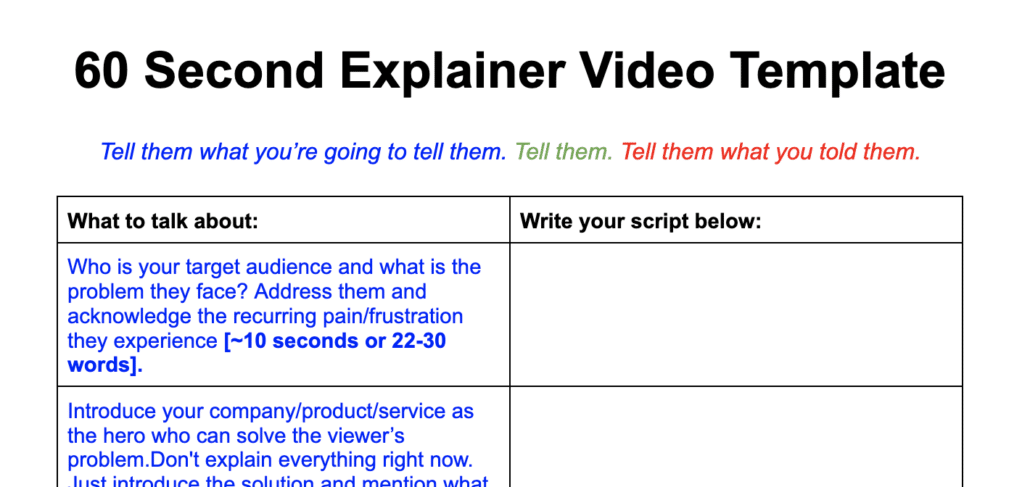
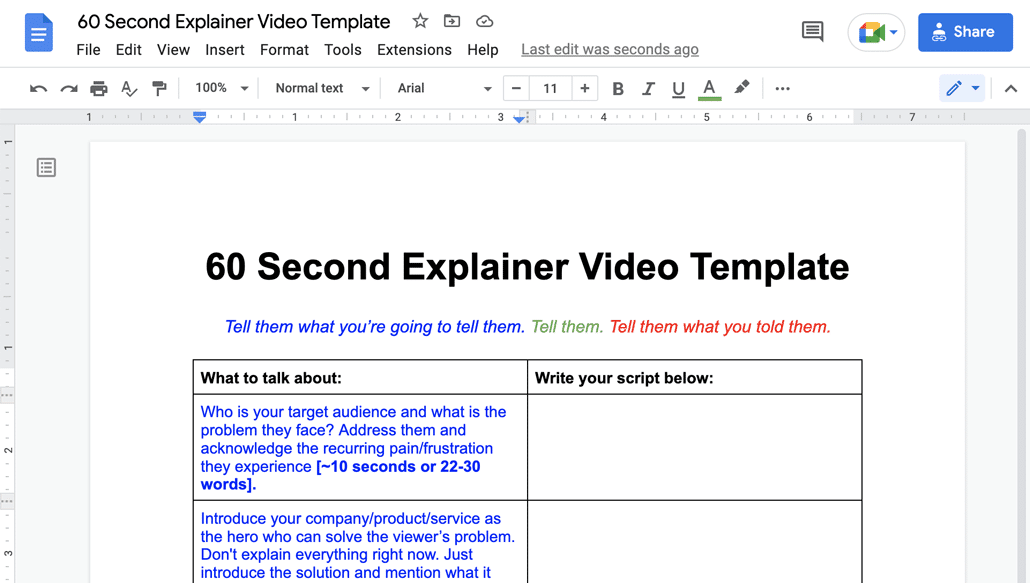
Download Video Igniter’s Free Script Writing Template

Next, our team will develop the script for your digital animation. You will receive the draft of the script to review and request edits. Our script writing team will integrate your feedback and share the updated script with you to review and approve for production.

Need more edits? No worries! Our standard projects include unlimited revisions so we’ll continue to work with you until you love the script at no extra cost.

Storyboard

Digital Animation Storyboard

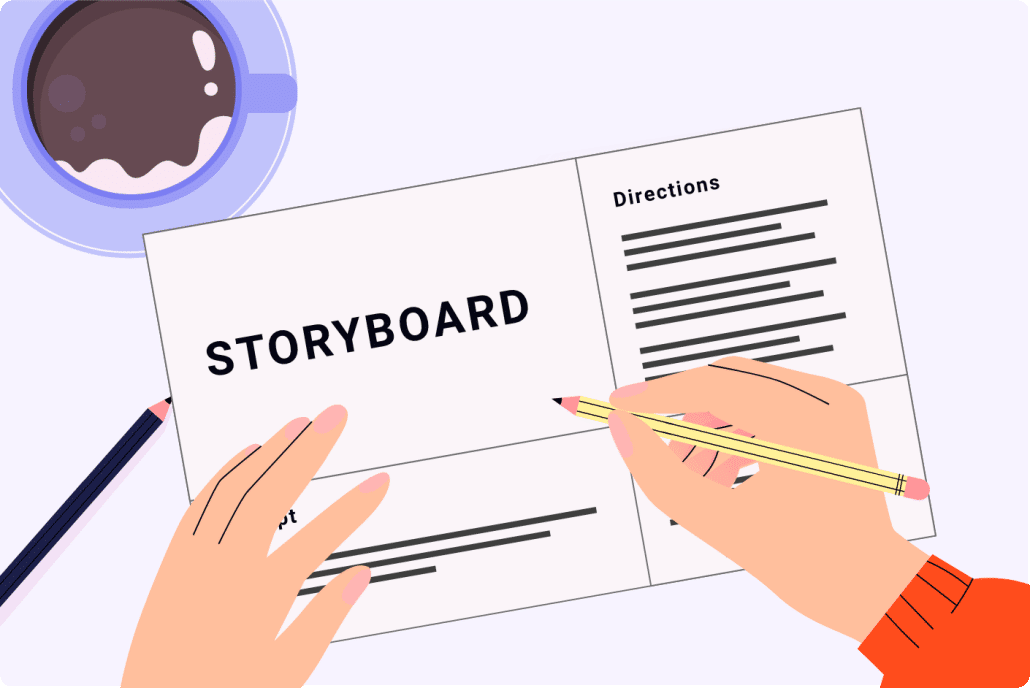
Download Video Igniter’s Free Storyboard Template

Now, we’ll turn your script into a storyboard. The storyboard is the blueprint for your digital animation. It is a document that describes what the illustrators need to create for each sentence in your script. It also includes instructions for the animators so they understand how to make the visuals move in each scene. We will send you the first draft of the storyboard to review and request edits. After we integrate your feedback, we’ll send the storyboard back to you to review and approve for production.

VoiceOver

VoiceOver

You will receive several voiceover auditions. Give them a listen and let us know which one you prefer. Then, we’ll oversee the recording of the full voiceover. You get to review the voiceover and request edits before approving it for production.

Soundtrack

Soundtrack

We will identify several soundtracks that will enhance the presentation of your digital animation. Let us know which one you prefer and then we’ll acquire the broadcast rights for the music so that you can legally use it in your digital animation.

Illustrations

Digital Animation Illustrator

Our art director will develop custom concept art for your digital animation. Let us know which concept you prefer and whether or not you want to make any refinements to your preferred visual concept. Once you are satisfied with the concept art, we will create all of the illustrations for your digital animation. You will get an opportunity to review all of the art and request revisions before approving the art for production.

Animation

Digital Animation Animator

Now that everything is approved, we can create your digital animation. When the first draft is ready, we recommend reviewing it with your internal team and members of your target audience. Collect everyone’s feedback and send it to us. We’ll incorporate your edits and render out the final draft of your digital animation.

What does it cost to create a digital animation?

What does it cost to create a digital animation

Digital animation production costs range widely from a few hundred dollars to over $1,000,000 to create just 1 minute of a Pixar animated film. Most 2D digital animated videos can be produced for $1,500-$10,000 for each 60 seconds of animation. 3D digital animations cost 2-4x more to produce.

Get a quote for your digital animation.

How long does it take to create a digital animation?

How long does it take to create a digital animation

Digital animations can take weeks, months or years to produce. Pixar-quality digital animations can take years to produce. Shorter 2D content can be produced in a few weeks. Most 60-second 2D animated videos can be produced in 3-6 weeks. 3D digital animations take 2-4x more time to create.

to figure out how long it will take to create your digital animation.

How to save money on your digital animation production budget?

Here are 5 tips to help reduce your digital animation production budget:

How to save money on your digital animation production budget

1). Write the script for your digital animation. Our team can write the script for your video but you can save $500 or more if you write the script for your video. Download our free script writing template to get the ball rolling. We’ll happily review your script for best practices before moving your script into production.

2). Create the storyboard for your digital animation instead of hiring us to create it for you. You can save $500 or more if you create the storyboard for your digital animation. Download our free storyboard template. You don’t need to have any artistic ability to create a storyboard. Just document your ideas and we’ll review your storyboard to ensure you included enough detail for our production team to know what you want us to create.

Digital Animation Create Storyboard

3). Record the voiceover for your digital animation. You can record professional quality voiceover’s at home or in the office for free. No expensive software or fancy equipment needed. Check out 1:31 in this video to learn how to record your own voiceover.

4). Use free, legal music in your digital animation. Music licensing costs can add hundreds or thousands of dollars to your production budget. Websites like Incompetech and Facebook’s Sound Collection offer free music that you can legally use in your digital animation.

Digital Animation Free Music

5). Use stock assets. Instead of creating your video 100% from scratch, consider using stock assets like icons, clip art, and 3D models to help save money on your production cost.

For more tips on keeping your production budget low, check out our companion article about creating affordable animations.

Types of Digital Animation
Types of Digital Animation

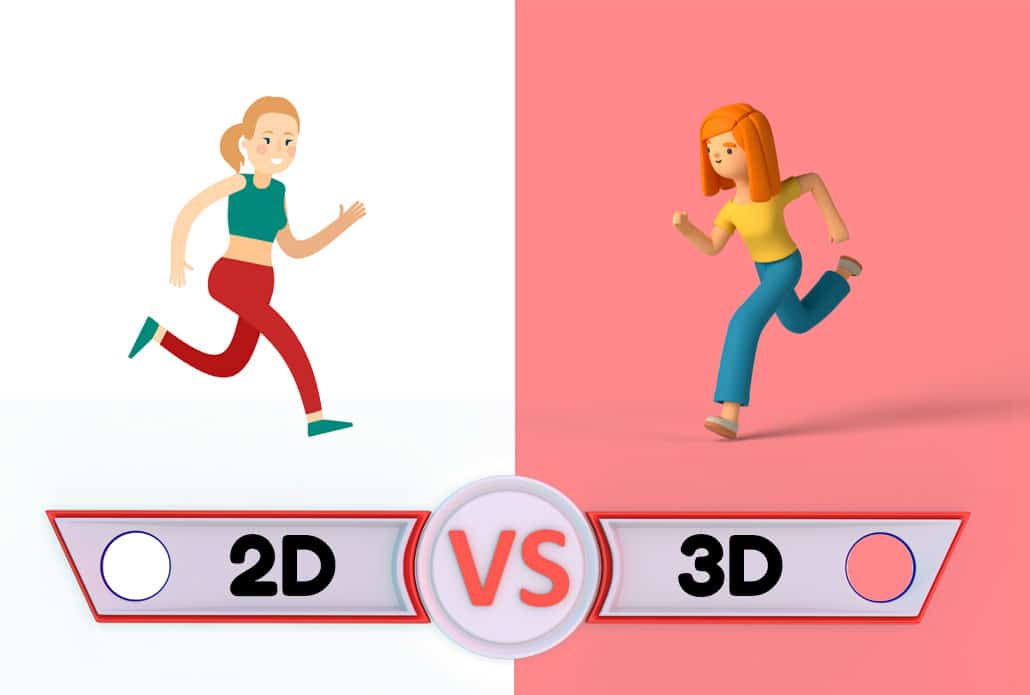
Digital animation encompasses many different techniques and visual styles. While some digital animations are designed to look like traditional cartoons, others can be highly realistic, cinematic, abstract, or completely graphic. Understanding the different types of digital animation can help you determine which approach is best suited to your project.

2D Digital Animation

2D digital animation creates movement within a two-dimensional visual space. Characters, illustrations, objects, backgrounds, text, and other graphic elements can all be animated to create a finished video.

Because virtually any illustration style can be used, 2D digital animation is popular for explainer videos, advertisements, educational content, social media videos, product demonstrations, and corporate communications.

2D animation can range from simple graphic movements to highly detailed character animation. It can also incorporate motion graphics, typography, visual effects, and other techniques to create a unique visual style.

3D Digital Animation

3D digital animation creates objects and environments within a three-dimensional digital space. Instead of appearing as flat illustrations, objects can have depth, realistic lighting, textures, shadows, and camera perspectives.

3D animation is particularly useful when a project needs to demonstrate how a physical product works or show an object from multiple angles. It can also be used to create realistic environments, architectural visualizations, product advertisements, simulations, and cinematic sequences.

A major advantage of 3D animation is the ability to control the virtual camera. Animators can move the camera around a digital object or environment in ways that would be difficult, expensive, or impossible to accomplish with traditional video production.

Motion Graphics

digital animation motion graphics

Motion graphics animation combines graphic design and animation to create movement using text, shapes, icons, illustrations, charts, logos, and other visual elements.

Unlike character-focused animation, motion graphics does not necessarily require characters or a traditional narrative. It can instead use movement to emphasize statistics, explain a process, highlight product features, or direct the viewer’s attention to important information.

Digital animation and motion graphics are often combined within the same project. For example, an animated character might interact with charts, diagrams, interface designs, or typography to create a more dynamic presentation.

Stop Motion and Digital Stop-Motion Styles
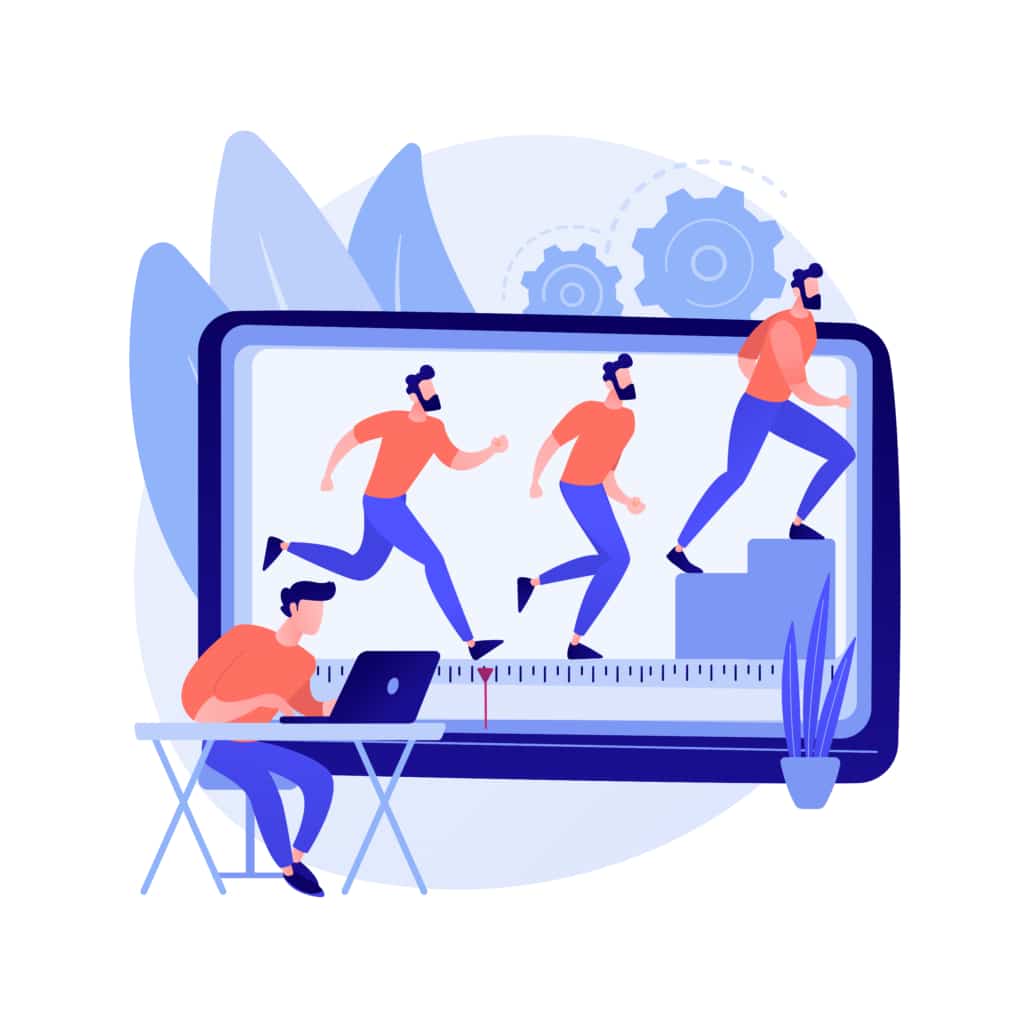
Stop Motion and Digital Stop-Motion Styles

Stop motion traditionally involves photographing physical objects one frame at a time and moving them slightly between photographs. Digital production techniques can also be used to recreate or enhance a stop-motion aesthetic.

A digital animation can be designed to mimic the handmade appearance of paper cutouts, clay animation, puppets, or physical objects while being produced entirely or partially using digital tools. This can give a project a tactile and handcrafted appearance without requiring a physical stop-motion set.

Different animation techniques produce different types of movement. Choosing the right technique can influence the appearance, production requirements, and flexibility of the finished animation.

Keyframe Animation

Keyframe animation establishes important positions at specific points in time. Animation software then calculates the movement between those positions.

For example, an animator could place a logo on the left side of the screen at the beginning of a scene and place it on the right side several seconds later. The software creates the movement between those two keyframes.

Keyframe animation is commonly used for objects, characters, text, logos, camera movements, and visual effects.

Rigging
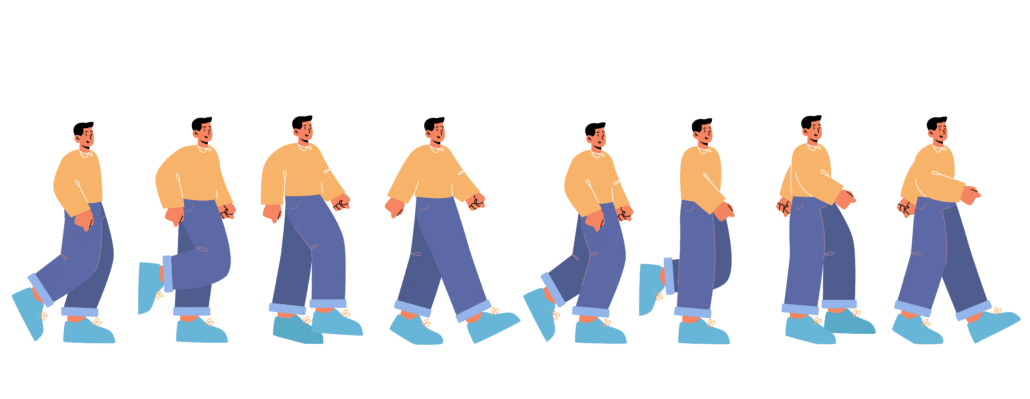
digital animation rigging

Rigging creates a digital control system that allows an animator to manipulate a character or object. A character can be given controls for its arms, legs, head, eyes, hands, and other parts.

Rigged animation can make recurring characters easier to animate and maintain consistency across multiple scenes. It can also be useful for businesses developing a series of digital animated videos featuring the same characters.

Visual Effects

Digital animation can be combined with visual effects to create elements that would be difficult to capture with a camera. These can include particles, smoke, fire, explosions, glowing objects, environmental effects, simulated physics, and other visual elements.

Visual effects can also be subtle. Lighting changes, transitions, shadows, reflections, and animated textures can make a digital scene feel more dynamic without becoming the focus of the video.

Digital Animation for Different Platforms
Digital Animation for Different Platforms

The way an animation will be viewed should influence how it is designed. A video created for a website may have different requirements than one created for social media, digital advertising, television, or a presentation.

Website Animation

Digital animation Website Animation

Website animations can be used to explain a product, introduce a company, demonstrate software, or communicate a complex concept. Short animations can also be incorporated into landing pages and other digital experiences to guide visitors toward important information.

Social Media Animation

Social Media Animation

Social platforms often require viewers to make a decision about whether to keep watching within the first few seconds. Digital animation can use movement, visual contrast, text, and distinctive artwork to immediately establish what a video is about.

Square, vertical, and widescreen formats can be created depending on the platform and intended placement. Designing the animation for the final viewing environment from the beginning can prevent important visual elements or text from being cropped later.

Digital Advertising

Digital Advertising with Digital Animation

Animated advertisements can communicate a product’s value proposition quickly while maintaining control over the visual environment. Instead of relying on locations, actors, props, or physical demonstrations, a digital animation can create whatever environment is needed to present the product or idea.

This makes animation particularly useful when the subject of an advertisement is abstract, highly technical, expensive, microscopic, futuristic, or otherwise difficult to film.

Choosing the Right Digital Animation Style

Choosing the Right Digital Animation Style

The right digital animation style should support the purpose of the video rather than simply look impressive. Before selecting a visual approach, consider the audience, message, brand personality, distribution channel, and desired action.

A technology company might benefit from clean motion graphics and interface animation, while an educational organization could use illustrated characters and diagrams. A consumer product might benefit from 3D animation that demonstrates its physical features.

It is also worth considering whether the animation will be used once or become part of a larger content library. Developing reusable characters, environments, illustrations, 3D models, or motion graphics templates can make future videos more efficient to produce.

The most effective digital animation is ultimately the one that makes the intended message easier to understand and more memorable. Technology provides the tools, but creative decisions about design, movement, pacing, composition, and storytelling determine how well those tools communicate with an audience.

Digital Animation Production Resources

Digital Animation Production Resources

These articles are popular among people researching and reading about digital animation:

Still have questions about digital animation?

Do you have a question about digital animation that wasn’t addressed in this FAQ? Use this form to send us your question and we’ll follow up with an answer. We’ll also post the question and answer to this page so other people can benefit from the knowledge.

Still have questions?

What is Video Igniter Animation?

Video Igniter is an online animated video production service. By working with our team online, you can get your custom animated video produced faster and for less than hiring a brick and mortar animation studio.

Watch our explainer video on our home page to learn more about how we can help you create an animated video. For examples of the kinds of animation our team can produce, check out the demo reel below:


Looking For A Digital Animation Video Production Company In The U.S.?

Video Igniter is headquartered in Seattle, Washington.

Digital Animation Success Stories & Testimonials

Don’t just take our word for it – these testimonials highlight Video Igniter’s reliability, creativity, flexibility and ability to deliver animations that exceed expectations. When you choose Video Igniter Animation, you can rest assured that you are working with a trusted and reputable studio.

“Video Igniter were very easy to work with and the entire process for creating and suggesting edits was seamless and stress-free. I would work with them again and would recommend to others looking to create a modern and stylish explainer video.”

Clair Simpson – VP Marketing, Repool.com

“I run a video production company and outsource animation. The team at Video Igniter did a great job in taking the concept I very crudely drew out and making it into a beautiful animation. The review process was easy and their turnaround time was very quick. I’d def recommend them if you’re looking for an animation project.”

Pat Henderson – Founder, Path8 Productions

“Video Igniter offered us the critical combination of creative value, clear communication, and patience with stakeholder feedback. We ended up with truly high-quality design assets for our video series largely due to the extra level of commitment — and the right balance of efficiencies with flexibility in the process when called for.”

Larry Schlessinger – Sr. Creative Program Manager, Amazon Web Services

“Video Igniter came to us with a number of creative and engaging ideas and were able to create an exciting, impactful video in a short period of time. And the best part was that it cost much less than other options of similar quality. The video they made is a great marketing tool for us.”

Alex Raymond – Founder, Kapta Systems


Success Stories & Testimonials

Get in touch!

Schedule a call to discuss your animated video project.

Get a quote for us to create your animated video.

Request access to our newest price sheet.

Create your Video Igniter account, fill out a creative brief for your video and we’ll begin production as soon as we receive your production deposit.

contact us

2D Animation Examples

Are you looking for 2D animation examples to inspire your next animated video project? Or maybe you’re looking for fresh design inspiration? In either case, here’s a collection of 18 modern 2D animation examples for a variety of industries and use cases.

2D Video Animation Examples

Video Igniter can create any kind of 2D or 3D animated video for you. Check out our animation portfolio here. Request access to our demo reels and price sheet here.

Contact us or schedule a call to start making your video.

2D Animation Examples For Businesses


Partner with this company to reduce your business’s monthly utility costs.

T-Mobile uses animation to explain a company initiative designed to help improve the environment.

2D Animation Examples For Startups


2D animations for startups help them get more awareness, leads and sales.

This novel agri-tech startup helps farmers manage their business more efficiently.

Securely identify any person from anywhere in the world.


Online marketplace uses animation to introduce customers to the wordpress themes they sell.


2D Animation Examples For Marketing


2D animation marketing example used to promote a new product that keeps garbage out of the ocean.

Online gaming site uses 2D animated video to remind people to opt in to continue to receive email messages from them.

Tradeshow marketing video helps draw visitors in while educating them about the product.

2D Animation Examples For Education


Running your exams online saves you time and money + your tests can automatically grade themselves!

Learn how to quickly pay for your parking ticket so that you don’t get late fees too!

2D Animation Examples For Healthcare Companies


2D animation makes it easy to share the benefits of your medical device with hospitals and healthcare providers.

Never lose your medical records again when you back them up on the blockchain!

2D Animation Examples For Blockchain Companies


2D animation makes it easier to understand how complicated blockchain services work.

Streamline your banana purchases with this banana-focused cryptocurrency.

If you want to buy cryptocurrency, you’ll need to use an exchange to buy cryptocurrencies off the blockchain.

Learn what a stable coin is and how it is different from other cryptocurrencies.

Looking for a different kind of 2D animation example?

Are you looking for an example of a different style of 2D animation? Send us a message to let us know what kind of animation example you want to see and we will follow up with relevant production samples.

Still have questions about 2D animation examples?

Are you looking for a 2D animation example using a visual style that wasn’t shown here? We have hundreds of 2D animated video examples in our offline portfolio. Use this form to get in touch. Let us know what kind of visual style you’re interested in and we’ll dig up some 2d animated video examples from our archive.

Still have questions?

Want to learn more about 2D animated videos?

We have a comprehensive guide that answers all the questions we receive about 2D animated videos. The guide answers popular questions like:

  • How do you make a 2d animated video?
  • How long does it take to make a 2d animated video?
  • Why do businesses make 2D animated videos?
  • And more!

Check out the 2D animated video guide here!

Looking For A 2D Animation Company In The U.S.?

Video Igniter is headquartered in Seattle, Washington. Check out our demo reel below:


Success Stories & Testimonials

“Video Igniter came to us with a number of creative and engaging ideas and were able to create an exciting, impactful video in a short period of time. And the best part was that it cost much less than other options of similar quality. The video they made is a great marketing tool for us.”

Alex Raymond – Founder, Kapta Systems

“Video Igniter offered us the critical combination of creative value, clear communication, and patience with stakeholder feedback. We ended up with truly high-quality design assets for our video series largely due to the extra level of commitment — and the right balance of efficiencies with flexibility in the process when called for.”

Larry Schlessinger – Sr. Creative Program Manager, Amazon Web Services

testimonials

Get in touch!

Now that you’ve checked out our 2D animation examples, get in touch with our production team to discuss your 2D animated video project.

Schedule a call to discuss your animated video project.

Get a quote for us to create your animated video.

Request access to our newest price sheet.

Fill out a creative brief for your video, we’ll generate a quote for the project and begin production as soon as we receive your production deposit.

contact us

100 Ways Animation Can Improve The World

To celebrate Video Igniter’s 100th blog post, we brainstormed a list of 100 ways animation can improve the world. Here, you’ll find creative new ways animation can be used to improve education, entertain people, make life a little easier, more delightful and even a few ways to help save the environment. Other ideas presented in here are tried and true use cases for companies to create and use custom animated videos to grow their businesses.  After seeing all these examples of animations being used in our every day lives, it makes us think we’re only scratching the surface of what’s possible with animation.

100 Ways Animation Can Improve The World

1). Illustrate and animate an inside joke between your friends to share and remember the memory.

2). Animated video wedding invitations are more memorable, less expensive to produce and ship, and it’s environmentally friendly.

3). Animated instructions could show how to assemble IKEA furniture. It would make it easier for people to visually see and understand how the pieces are assembled, it would reduce support calls and it would eliminate the need to cut down trees to print paper booklets of instructions in multiple languages.

4). Animated street signs can communicate directions to all people including people who are illiterate people and who don’t speak the local language.

5). A shooting range with animated targets to shoot at would save the range from having to buy and replace physical moving targets that get destroyed after use.

6). An animated overview of your day or week ahead can show you your schedule of activities so that you know what to anticipate in your life. Animated visual reminders aid in recall and establishing a memory for the upcoming events of the day/week.

7). Instead of receiving a paper bill in the mail, you can receive a custom animated video that shows and explains all the costs associated with your bill. Animated infographics help visualize how your monthly usage changes over time and could even include tips to help save on utilities.

8). Animation is the fastest and easiest way to learn, understand and remember new information. Seems like the top search result for many questions on Google could eventually be various animated videos.

9). Instead of using static image posts, animated concert, tour, event and festival posters are becoming the norm because their subtle eye-catching animations are a new extension of the event’s personality, energy and excitement.

10). Animated screensavers for TVs, desktop computers and projectors have extended the usable life of the devices by helping to avoid burning pixels in the display. Of course, the best option is to just the devices off when you’re not using them.

11). During the peak of COVID, many people wanted to understand exactly what the virus did inside the body to make it so dangerous and contagious. People also wanted to understand how the new vaccines worked to protect people. If you were to have a scientist speak directly to people on camera and explain what was happening, most people would be lost. You can’t film what’s going on because it’s too small to see with a normal camera. But animation can be used to show exactly what’s happening in the body while the scientist narrates what is happening in simple, user-friendly science terms.

12). Instead of answering the same customer support questions again and again, create animated videos that explain the answers to your most commonly asked questions to help reduce your customer support costs. This video we helped produce for Bridjit helps customers understand how to set the product up at home.

13). Children’s ebooks designed for colorful tablets can make use of the powerful screen to add subtle motion design to the illustrations on each page to enhance the viewer’s perception of the world they’re reading about.

14). If you run a medical practice, creating animated videos that explain procedures and your clinic’s policies will help your patients be better informed about what their procedure entails. Your team will also have their time freed up from having to explain things like payment details again and again.

15). Animation can show the history of countries and cultures around the world.

16). Animation can be used to tell visual stories during DJ sets.

17). Watching animated visuals can help you pace your breathing and induce a state of relaxation.

18). Create a short animated intro for your video podcast or YouTube series to heighten the production value of your content.

19). Concert sized animated holograms. By displaying animations on massive transparent screens, you create the effect of a larger than life hologram.

20). Looping animations can give users of your app something to watch while they are forced to be patient for content to load or for a process to complete. This helps placate users and keeps more of them in your app while the process completes instead of losing their attention to another app on their phone.

21). Projecting animations onto buildings can make the buildings look like they are moving and changing form.

22). Animated diagrams can be posted as animated GIFs or videos to help people understand processes. Anticipate seeing more of these in educational textbooks within the coming years.

23). Animated e-learning courses teach content fast and efficiently while making it easier for people to remember the content (compared to watching a lecturer drone on).

24). Use animation to run interactive scenarios. Animated scenarios in VR enable people to have a more immersive experience when getting exposure to new or dangerous experiences.

25). Modern robots use a digital screen to display fake eyes that can animate and express emotion and information. What’s more, the full screen can be overtaken to display full screen animations to help the user understand information like recipes or what the weather is going to be.

Animated Robot Eyes

26). Animations of 3D models can be used to show the inner workings of a product in a way that a camera couldn’t possibly film.

27). 3D animation enables real estate developers and investors to see the building designs they’re developing. This makes it easier feel and explore what the places would be like so that changes can be made before the project begins. It also gives them the ability to visualize what kind of impact those changes will have before committing them to the official design.

28). Instead of hiring extra sales people to travel and pitch your business, develop an animated sales video to act as a virtual demo presenter. Send your video to eligible prospects, follow up with all of them and use your experienced sales people to close the deal.

29). Animation can be used to show users of your website or app what to do next. Animation guides their attention to the next step and shows them what to do.

30). Projecting animations on your dinner creates a fun, memorable interactive experience.

31). Motion graphics animations are used to bring attention to details you want to highlight while keeping your video content engaging.

32). Animation costs used to be out of reach for most companies. Now, it’s possible to afford to produce your own animated video series for your brand.

33). Animated light up shirts that react to music.

34). Augmented reality enables you to see something through your phone or tablet’s screen that doesn’t exist in reality. Some new tech-forward fashion companies are creating clever ways to integrate augmented reality features into your clothing.

35). Spinning LED fans can give the appearance of 3D animated objects floating in the air.

36). While you are standing in an elevator, an animated screen can display upcoming events in the building, nearby and what the weather and traffic are like for the day.

37). Animated diagrams display health tracking stats on phones, tablets and smart watches to show you how your health stats change over time.

38). Lightform animated murals.

39). When AR hits the masses, we’ll have animated navigation instructions projected in front of us.

40). Thousands of drones flying together can produce 3D animated visuals in the sky.

41). Animated maps in malls and subways can help visually direct people in the right direction and show when trains are entering and leaving the station in real time.

42). Comic books for ebook readers can now include animated panels!

43). The jury is still out on this one but we think we’ll still some interesting things happen in the world of animated NFTs.

44). Museums use animated videos to enhance museum displays by helping to explain the historic, artistic or scientific contribution each piece delivered to the world.

45). Meow Wolf.

46). Short animated motion graphics can be used to explain the pros and cons of each side of an argument on a voting ballot. A lot of people don’t take the time to read and understand both sides of the things they vote for. Using animated visuals to quickly explain the change that would happen on either side of the voting initiative would increase the number of well informed voters.

47). Animated infographics can help people understand data, information and trends because visualizing that content helps people become able appreciate something they couldn’t fathom without some sort of visual context.

48). Animated marketing videos can help drive awareness for your business. Using proper video marketing and video promotion techniques, you can get millions of people to visit your website in a short amount of time. Better still, when you work with a team like Video Igniter, we have the technical skills to see which videos and audiences are driving the most sales so you can optimize your promotion budget to rapidly grow your sales. Get in touch if you’re interested in video promotion for your company.

49). Animated cartoon mascots are now easier to develop and include across your various media assets. Bring a consistent personality to your content and make your brand instantly recognizable when people see your character.

50). Animated sheet music can automatically progress so that the right notes are always displayed directly in front of the musician. No more need for your eyes to keep track of the music across different lines or pages. Best part is: no more turning pages in the middle of playing a song.

51). Creating an animated corporate video is a cost-effective, high impact to explain what your business does, what your values are and how you can help your customers.

52). Animated product videos can help you show off what your product looks like and how it functions. Adding one to your sales page helps to educate customers and ultimately leads to more sales.

53). Creating an app explainer video helps people quickly evaluate if your app is right for them – or at least if worth downloading it and giving it a try.

54). This glass keyboard displays interactive animations beneath the keys that can respond your touch when you type.

55). Animated lyric videos enable people to understand the words of their favorite songs. It’s an artistic animated sing along.

56). Improve the conversion rate of your landing pages and sales page with an animated video. Here’s how.

Improve your conversion rate with animated videos

57). Animated lights on runways enable pilots to see where they’re supposed to land – even when visibility is poor.

58). Animation is great for adding eye catching content to your sizzle reel to quickly attract people’s interest and motivate them to want to learn more about your agency, video production company, event production company, etc.

59). The Metaverse is 100% powered by animation. Fully immersive VR interactive worlds are created entirely through animation!

60). Services like Bitable enable to create video resumes with eye-catching animated infographics and statistics about he individual to help them stand out.

61). In the ocean of live action social media content filmed on smartphone camera, animated content stands out from the rest. Eye-candy thumbnails encourage more people to tap on your video to see what it’s all about.

62). Created an animated Christmas or holiday card to show what your family has been up to over the last year.

63). Animated trail maps can show different hiking routes and dynamically display images of plants, animals and scenic lookouts to anticipate on each route.

64). Instead of bugging your clients by sending them marketing emails once a week, contact them less often and send them higher quality content when you do reach out. Consider sending a short educational animated video to your clients once a month or once each quarter to share value with them and provide a soft reminder that your company exists.

65). It’s possible to help speed up long lines at T.S.A. security checkpoints, voting booths, theme parks, baseball stadiums etc, by displaying messages to people on animated screens by informing people to have their tickets and ID ready for scanning. Displaying a list of prohibited items can also help speed up lines and save security teams from having to explain policies to each individual that comes through the line.

66). New Years Eve countdowns around the world are powered by custom animated videos projected on large buildings or displayed on gigantic screens.

67). What if the graphic design on your shirt could move? Maybe it’s an angel with wings that flap. Or a cyborg whose eye blinks at you. But how does it work? A specially designed shirt contains a special pocket to hold your phone. Your phone’s screen animates through a hole in the front of the shirt making it look like the shirt’s printed design is actually animated and moving!

68). LaserCubes can animate designs and patterns on buildings far away.

69). Pixel sticks are LED bars that produce animations when you move them. Beautiful for live performances and time lapse photography.

70). Specially designed mechanical lightbulbs can make it look like snowflakes are animating down the face of your home during the holiday season.

71). Projectors can be used to project animated shadow puppet shows.

72). Send a personalized animated video to your clients to thank them for all the business they did with you over the previous year. It’s possible to create an animated video template and provide custom data to render out an individual video for each person so that it includes their name in the presentation of the video. Here are some examples:

73). Decorative water fountains and pulsed light can be animated together to display animated images falling through the air.

74). Your bank could send you an animated infographic instead of a paper statement. The animated infographic could show trends in your spending habits to help you understand where your money is going, where you can save money, and how much your money could earn if you invested $X/month.

75). Projectors can beam animated guidance in real time onto a pool table to help you see how you should line up your shot.

76). Dental clinics could send animated stop motion videos of their patient’s mouth X-rays to show how they’ve changed over time.

77). Animated 3D models enable people to zoom around and explore the universe from the comfort of their local planetarium.

78). Gyms and quick serve restaurants have monitors that display animated motion graphics to educate, entertain and inform people during their idle moments in the venue.

79). The Pepper’s Ghost Illusion is an old but very clever way to create animated holograms that look like a ghost.

80). Animation is what enables us to play 2D, 3D, AR and VR games!

81). 3D Zoetropes are some of the coolest moving objects you can ever look at. It’s like a physical 3D animated flip book:

82). Programmable animated LED shirt lets you type out and sketch images on your phone that are shown on an animated marquee display built into the shirt.

83). Animated flipbooks are fun to play with and mesmerizing to watch. A company called Flipboku designed some cool new animated flip books that you can color in yourself and another kind of flipbook that can display up to 6 different animations, depending how you flip through the book.


84). Animation is even used in magic tricks! Japanese magician Katsuda Masuda has developed several amazing animated magic tricks that need to be seen to believe. Check out this one where he punctures a hole into a picture and makes it animate and move across the picture:

85). Indoor galaxy lights can simulate the effect of projecting an animated galaxy light and star pattern across your ceiling.

86). Your credit card company could send an animated infographic each month to explain your statement and show you how much money you can save by paying off your credit card debt quicker.

87). Animated lights projected on the ground inform airplane passengers when it’s their turn to line up to get on the plane.

88). Pseudo 3D animated billboards. More of this, please.

89). Interactive animated flooring.

90). Creating an explainer video for your startup can help your leads and prospects quickly understand what your company does and how it can benefit them if they use it. If you want to help attract new users and customers for your startup, contact us about creating a startup explainer video.

91). Old appliances used to use liquid crystal displays to produce digital images of the time and settings on a device. Now a days, seamless digital animations are part of the aesthetic of modern appliances:

92). Animations aren’t just digital projections. Physical objects can also animate. Check out these artistic animations:

93). Creating an animated logo for your brand is a creative way to articulate your brand’s personality with visual motion design.

94). Animated language learning programs can make language learning fun. Animated visuals can help the viewer enhance their memory recall and retention to speed up the learning process.

95). The internet technology “CSS” and the “SVG” file format are used to create crisp animations that can be displayed on websites to delight visitors. There’s one at the top of almost all the blog posts on our site.

96). Abstract psychedelic animated visuals are becoming their own form of hypnotic art:

97). Animated traffic lights countdown to show drivers when the signal is going to change. This design isn’t legal in the US but countries around the world are experimenting to see what impact this design can offer.

98). Audi’s ‘Swarm’ lighting concept reimagines what the light system on the back of passenger vehicles would look like if they were replaced with a solid screen. Animated visuals not only show when the turn signal is on or when the driver is breaking, they also inform drivers behind the Audi how hard the driver is hitting the brakes by showing a dramatic increase in the amount of red animated lines on the back of the vehicle.

99). BMW’s color changing concept car uses e-ink displays on the exterior to display 32 different colors. The newest prototype can even display multiple colors at a time which animate across the surface of the car.

100). Project LFX – animated projection mapping for games, movies, and checking apps like email, the weather and your calendar. Unfortunately, the company shut down but hopefully this project gets revived some day.


100 Ways Animation Can Improve The World Summary

If you’ve made it this far, you can now see that animation is everywhere! From games to education and beyond, animation’s presence in our world isn’t just limited to movies on our screens. Animation is becoming an integrated and interactive part of the physical world around us. Something tells us this is just the beginning…

What is Video Igniter Animation?

Video Igniter Animation is an online animated video production service. By working with our team online, you can get your custom animated video produced faster and for less than hiring a brick and mortar animation studio.

We can help you create any kind of 2D animation or 3D animated video you can imagine. Check out our video portfolio!

Need help syndicating your animated video? Ask us about video promotion!

Watch our explainer video to learn more about how we can help you create an animated ad for your business or check out our demo reel below:


Looking For An Animated Video Company In The U.S.?

Video Igniter is headquartered in Seattle, Washington.

Success Stories & Testimonials

“Video Igniter offered us the critical combination of creative value, clear communication, and patience with stakeholder feedback. We ended up with truly high-quality design assets for our video series largely due to the extra level of commitment — and the right balance of efficiencies with flexibility in the process when called for.”

Larry Schlessinger – Sr. Creative Program Manager, Amazon Web Services

“Video Igniter came to us with a number of creative and engaging ideas and were able to create an exciting, impactful video in a short period of time. And the best part was that it cost much less than other options of similar quality. The video they made is a great marketing tool for us.”

Alex Raymond – Founder, Kapta Systems

“I am beyond satisfied with my experience with Video Igniter. The first drafts of the work were almost exactly what I had in my head when developing the concept. After that each step along the way was seamless until arriving at a perfect finished product. And all this at a tremendous value. Anyone who has considered creating a marketing video should check out Video Igniter.”

Anonymous Customer Feedback

Success Stories & Testimonials

Looking to make an animated video? Get in touch with our team!

Thanks for reading our list of 100 Ways Animation Can Improve The World. We’d love to help you create your own custom animated video.

Schedule a call to discuss your animated video project.

Get a quote for us to create your animated video.

Request access to our newest price sheet.

Sign up and create your Video Igniter account, fill out a creative brief, and we’ll start your animated video.

contact us

Animated Video Payment Terms

Do you have questions about animated video payment terms? This article explains Video Igniter’s payment terms for the production of custom animated videos and answers the most frequently asked questions we get about paying for production.

Video Igniter’s Animated Video Payment Terms

We collect 50% of your production budget up front before we begin production. The remainder of your production budget must be paid before we deliver the final, unwatermarked version of your animated video.

Simple Animation and Standard Animation projects include unlimited revisions. For all other animated video projects – including projects that received a discounted production budget, your project does not include unlimited revisions and will be capped at 2 or 3 rounds of edits for each stage of the production process.

What does it cost to make an animated video?

Check out our companion article: “How much does animation cost?” to learn about all the factors that go into calculating your production budget.

You can request access our latest price sheet here.

Or, contact us if you want to get a custom quote.

Animated Video Payment FAQ:


What does flat rate pricing mean?

For most projects we quote a flat rate for the project based off of your specific criteria. The price includes unlimited revisions which means we will continue to revise your script, storyboard, voiceover, soundtrack options, illustrations and animation until you mark them as approved.

Are there any hidden costs?

No

Is there anything that may change my production budget?

Yes! And we will discuss any production budget changes with you before proceeding. Sometimes, when we’re in the middle of production, clients will get a new idea for something different from what they already approved or specified in their production brief.

What does “Unlimited Revisions” mean?

Read our article about the unlimited revisions policy to learn which types projects are eligible for unlimited revisions.

Increasing the length of the video

If you decide to add new scenes or extend the voiceover of your animated video longer than the original length we quoted for, we will discuss with you how much the production budget will need to increase in order to accommodate your requests.

What services do you use to collect payment?

In the past we have used services like PayPal and Payoneer to collect payments via debit and credit cards. Moving forward we prefer to take payment via bank transfer, Venmo or USDC cryptocurrency because PayPal’s transaction fees eat into our budget which is supposed to go towards producing your amazing video. Using these non-PayPal services to collect payment enables us to offer lower rates to save you money on your production budget.

Adding a rush delivery deadline

We ask that you plan for at least 4-5 weeks to create a 60 second custom animated video. If we start the project with the expectation that the project doesn’t need to be rushed for a deadline and then, out of the blue, a rush delivery deadline appears, we will discuss with you what sorts of resources will be required in order to fast track the production of your animated video. To learn more about rush delivery animation and how rush delivery cost increases go towards expediting your video, check out this companion article:

https://videoigniter.com/rush-delivery-animation/


Decreasing the length of your video

If you decide to shorten your video during production, it’s possible, but not always guaranteed to result in a lower final production budget. Example: Let’s say we deliver the first draft of your 60 second animated video and then you decide you want to cut out 15 seconds; you will still pay the rate for a 60 second animated video. On the other hand, if we’re early in the production process and you tell us to take the 60 second animated video and shorten it to a 30 second script, the final production price you pay for the video will be closer to a 30 second animated video instead of a full minute.

Special Edits

Example: If you hire our animators to create a 60 second animated video and then ask if we can create shorter 15 and 30 second versions for your social media, we will discuss with you what extra budget is required to accomplish this. In some cases, the edits are very simple – just a matter of cutting out certain parts of the animation and sticking them next to each other. On the flip side, animation uses beautiful complex transitions to go from scene to scene, so it’s not always as straightforward as cutting video clips apart and sticking them together in a new order. In type of scenario, a slightly larger budget increase would be needed to create the shorter variations of your animation so that the animation motion design remains consistent.

Adding 3D

If you hire us to create a 2D animated video and then ask us to create some 3D animations to insert within it, we will need to assess how much extra it costs to produce the 3D animated segment(s).

Translating your animated video into other languages

Let’s say we’re working on a Spanish-language animated video for you and then you tell us you want to create a Portuguese version as well… here’s what we’d need to figure out to see what the added production cost would be:

1). Will you be providing the translated script or do you want us to use one of our certified translation partners to translate the script and test the script with native speakers for accuracy in the translation?

2). Can you provide the voiceover or do you want us to be responsible for hiring the voiceover artist?

3). How will the visuals of the animation be affected by the change of language? Do we need to change a bunch of text and images on screen to match the new language?

4). Have any of the character’s mouths been animated in sync with the original voiceover and now require adjustments so the mouth movements line up with the new voiceover?

These are the types of the details we’ll look over when assessing what sort of budget increase is required to translate your animated video into another language.

Adding animated characters to a non-character project

Our lowest pricing option “Simple Animation” can be produced with or without animated characters for the same price. If we are producing more detailed animations (Standard Animation or High End Animation), we offer lower pricing for your animated video if it doesn’t include animated characters.

If you indicate you don’t want animated characters in your standard animation or high end animation project and then decide at some point during production that you do want to add animated characters, mascots, animals, etc in the video, we will need to assess how much of a production budget increase is required for your animation – based on the # of custom animated characters being created and the amount of movement they will do on screen.

Questions about animated video payment terms?

– Access our current price sheet here.

– How much does animation cost and what goes into the price?

– How does rush delivery animation affect my production budget?

– Get a custom quote.

– Schedule a call with our production team to discuss pricing for your custom animated video.

Miscellaneous Production Questions

What does the animated video production workflow look like?

Learn about the animated video production workflow including how long each stage of production takes and what to expect at each stage of the production process.

How do I create the script for my animated video?

Download our free scriptwriting template.

How do I create the storyboard for my animated video?

How to create a storyboard for an animated video?

Download our Free Storyboard PDF Template.

Can I provide the voiceover for my animated video?

Yes! Check out 1:31 in this voiceover video for tips on how to make a pro-sounding VO at home for free

How Do I Use Video Igniter To Make An Explainer Video?

Check out our comprehensive guide about our explainer video production company.

How do I make cheap animated videos?

See our: Cheap Animated Explainer Video Production Guide. We also have +160 free resources to help you create animated videos.

Does Video Igniter Offer White Label Pricing?

Yes! This guide explains our white label pricing and payment terms for animated videos.

Where else can I look for an animator for hire?

This article has a list of places you can find an animator for hire.

Hire Video Igniter For Your Next Animated Video Project

– World class design talent at prices small businesses can afford.

– You can use Video Igniter to outsource the production of any kind of 2D or 3D animated video you can imagine.

– Check out our animated video portfolio!

– +20 reasons why companies love hiring Video Igniter to make animated videos.

Animated Video Demo Reel


Are you looking for an example of a different style of animation? Send us a message to let us know what kind of animation example you want to see and we will follow up with relevant production samples.

Animated Video Success Stories & Testimonials

“Video Igniter offered us the critical combination of creative value, clear communication, and patience with stakeholder feedback. We ended up with truly high-quality design assets for our video series largely due to the extra level of commitment — and the right balance of efficiencies with flexibility in the process when called for.”

Larry Schlessinger – Sr. Creative Program Manager, Amazon Web Services

“I run a video production company and outsource animation. The team at Video Igniter did a great job in taking the concept I very crudely drew out and made it into a beautiful animation. The review process was easy and their turnaround time was very quick. I’d def recommend them if you’re looking for an animation project.”

Pat Henderson – Founder, Path8 Productions


Get in touch

Get a quote for your video project.

Schedule a call with our production team to discuss your project.

Check out our animated video portfolio to see our latest and greatest creations.

Request access to our newest price sheet.

Create your Video Igniter account and fill out a creative brief to start the production process.

contact us


What is Video Igniter Animation?

Explainer Video Templates & Resources

We’ve created a few explainer video templates and miscellaneous resources to help you make the most amazing custom animated video possible. Looking for help writing your script? Or creating your storyboard? This article includes links to all of the free explainer video templates and resources we have created.

Templates and resources to help create explainer videos

If you have a question about our explainer video templates that isn’t answered in this article, you can use our contact form to ask your question or click the image below to with a member of our production team:

contact us

Explainer Video Template & Resources For Scriptwriting

Writing the script is the foundation for your entire explainer video. You can save time and money on production by creating the script yourself. Even if you aren’t confident with your writing, you can still save money by using our explainer video scriptwriting template to write the first draft. Then, we can help you polish it and make it production-ready! Download our free scriptwriting template below and check out our explainer video script examples.

Explainer Video Template & Resources For Scriptwriting

Download our free explainer video script template here:

https://videoigniter.com/script-template/

Download our free scriptwriting explainer video template.

Download our free scriptwriting explainer video template.


Free Explainer Video Scriptwriting Guides:

– How to write a script for an animated explainer video?

– 7 Tips to help you write a great explainer video script for your animated video.

– Examples of explainer video scripts and how to write them.

Explainer Video Template & Resources For Storyboarding

The storyboard is like the blueprint for your animated video. It tells the illustrators and animators what to create. By downloading our explainer video storyboard template, you can easily create your own storyboard using Microsoft PowerPoint, Apple Keynote or Google Slides. This will help you save 1-2 weeks off your production timeline and can save you hundreds or thousands of dollars off the cost of your custom animated video.

Download our free explainer video storyboard template here:

https://videoigniter.com/storyboard-template/

animation storyboard

Free Explainer Video Storyboard Creation Guides:

VoiceOver Resources

VoiceOvers are included in almost every explainer video (but not always!) If your animated video includes a voiceover, you can save money on your production budget by recording your own voiceover at home. In the video linked below, we show you (at 1:31) how to record your own professional sounding voiceover at home for free – without needing to buy any fancy equipment or expensive software.

VoiceOver Resources

Free Animated Video Voiceover Resources:

Where to get a voiceover for your animated video and how to record a professional voiceover for free?

Soundtrack Resources

Sound enhances the experience of watching your animated explainer video. The right soundtrack can make (or break) your whole video. It’s worth spending an hour or more looking for various tracks you can test with your animation. Check out the resources below to learn where to find soundtracks for your explainer video and how to pick the right one for your project.

Soundtrack Resources

Explainer Video Soundtrack Resources:

How to pick the right animated video soundtrack for your explainer, where to buy them and where can you find free, legal music to use in your explainer video?

How to Hire an Animator?

Selecting the right animated video producer is a key decision in the animated video production workflow. While there’s no template for hiring an explainer video producer, these resources will help you figure out the right animation producer and animation style for your timeline and budget:

How to Hire an Animator?

Sales & Marketing Templates & Resources

Is your explainer video being created to support a business objective? If so, the following templates and resources will help you maximize the impact your explainer video has on your business outcomes:

Sales & Marketing Templates & Resources

Pre-Production Resources

Some things to think about before you hire an animation studio, freelancer or Video Igniter to create your explainer video:


Thank you for looking at our explainer video templates & resources!


Want To Make An Animated Video?

Hire Video Igniter!

World class animation and design talent at prices startups can afford.

Check out our animated video portfolio! We can make any kind of 2D or 3D explainer video you can imagine.

+20 reasons companies love hiring us to create animated videos.

Check out our list of +160 free resources to help you create animated videos.

Explainer Video Demo Reel


Are you looking for an example of a different style of animation? Send us a message to let us know what kind of animation example you want to see and we will follow up with relevant production samples.

Looking For An Explainer Video Company In The U.S.?

Video Igniter is headquartered in Seattle, Washington.

Explainer Video Success Stories and Testimonials

“Video Igniter came to us with a number of creative and engaging ideas and were able to create an exciting, impactful video in a short period of time. And the best part was that it cost much less than other options of similar quality. The video they made is a great marketing tool for us.”

Alex Raymond – Founder, Kapta Systems

“Video Igniter offered us the critical combination of creative value, clear communication, and patience with stakeholder feedback. We ended up with truly high-quality design assets for our video series largely due to the extra level of commitment — and the right balance of efficiencies with flexibility in the process when called for.”

Larry Schlessinger – Sr. Creative Program Manager, Amazon Web Services

success stories and testimonials

Need help making an explainer video?

Here’s how you can hire us for your explainer video project:

Get a quote for us to create your explainer video.

Schedule a call to discuss your video project.

Request access to our newest price sheet.

Check out our animated video portfolio to see our latest and greatest creations.

Create your Video Igniter account, fill out a creative brief, and we’ll start creating your explainer video.

contact us


What is Video Igniter Animation?

Explainer Video Script Examples, Template, and Writing Guide

Planning an animated explainer video? This guide gives you three real explainer video script examples, a copyable 60-second template, and a practical process for writing the voiceover, visuals, timing, and call to action. After more than a decade of writing scripts for animated videos, the Video Igniter team uses this structure to turn complex ideas into clear, production-ready stories.

60-Second Explainer Video Script Template

Use this four-part structure as a starting point. Replace each bracketed prompt with language that is specific to your audience, product, and verified proof.

Time Purpose Voiceover prompt Visual direction
0–10 sec Hook and problem [Audience], are you struggling with [specific problem]? Show the audience experiencing the problem.
10–20 sec Solution Meet [product or service], a [plain-language description] that helps you [outcome]. Introduce the product or service.
20–45 sec How it works and benefits With [feature or process], you can [benefit 1], [benefit 2], and [benefit 3]. Demonstrate the key steps and outcomes.
45–55 sec Proof [Customer, result, or proof point] shows [credible outcome]. Show an approved result or proof point.
55–60 sec Call to action To [desired next step], [specific action]. Display the URL, button, or contact method.

Need an editable version? Open the free explainer video script template. If you would rather have our team write the script and produce the video, request a custom quote.

Explainer Video Script Length by Runtime

Runtime Working word-count range
30 seconds About 60–75 words
60 seconds About 125–150 words
90 seconds About 190–225 words

These are planning ranges, not rigid limits. Pauses, technical language, and visual complexity affect pacing. See how many words fit in a 60-second script for the detailed calculation.

1). The Importance of Good Script Writing

Script writing is like creating the skeleton of your video. It provides the outline for the entire explainer video. It also helps you identify what visuals need to be created, in what order to tell your story.

Good storytelling will keep your viewer engaged. If the pacing and presentation of the ideas goes in a logical order, all the pieces of information you explain in your video will help the viewer get a better understanding of the big new topic you are presenting to them in the video. Without good storytelling, you have nothing. Don’t rush this step because it’s hard to go back and fix a video that started with bad storytelling.

Writing the script for an explainer video.

After the script is approved, you can proceed to storyboard creation. The script and storyboard are necessary so the design and animation teams know what they are supposed to create.

Want to save on your production budget? Check out our script writing guide and storyboard template. Creating your own script and storyboard can save you hundreds or thousands of dollars off the cost of your explainer video.

Download our free script writing template.

Download our free script writing template.

2). Explainer Video Script Examples:

If you’re wondering “what is a good explainer video script” – we compiled some examples for you to review. We also included the videos that were created from those scripts so you can see how they looked when they were turned into custom animated videos. Most of these examples are 60 second explainer video scripts. The last example is a 30 second explainer video script.

60 Second Explainer Video Script Example:

Meet Aver – the simple, effective identity verification provider.

What if it was possible to safely identify someone from different countries? Regions? And cities, across the globe – with just a selfie!?

Aver’s DNA is built on facial recognition and artificial intelligence.

This enables you to perform instantaneous, complex identity checks which are displayed through an easy to use dashboard.

Smartwatch AML enables visual watchlist searching – which ensure people can not hide under an alias anymore.

Aver’s ease of integration enables you to catch all the bad actors without needing an army of analysts and developers.

Our mission is to change the way the world shares their identity.

We’re creating a global compliance standard for all businesses.

Aver – Identity that works. To learn more, visit www.goaver.com.

Resulting Video:


B2B Explainer Video Script Example:

Do you think you are overpaying for worker’s comp?

If you run a business with responsible, well trained employees, you deserve a break on your worker’s compensation premiums…

…and Approach Management Services is here to help!

Washington State’s Retrospective Rating Program incentivizes businesses to create safer work environments, by giving you a refund on your premium if you reduce workplace injuries and lower claim costs.

Approach helps thousands of Washington state companies reduce their worker’s comp premiums, earn refunds, and navigate the complex claims process.

With Approach, you’ll have your own dedicated claims coordinator to guide you every step of the way.

You’ll also have access to our highly acclaimed safety team who can help create safety programs and assist if L&I is ever at your workplace.

Since 1992, we have saved our clients over $565 million dollars!

If you want to improve your workplace safety and learn how much money you could be saving, fill out our interest form at www.approachms.com.

Resulting Video:


Example Script For a 30 Second Animated Explainer:

Tired of noise near the lab limiting your research?

Herzan helps researchers improve their measurements by removing environmental noise through its acoustic, vibration and EMI isolation solutions.

Herzan’s active vibration control platforms protect the world’s most advanced microscopes from low- frequency vibration noise.

Our custom enclosure delivers the quietest working environment possible, and magnetic field cancellation systems shield electron microscopes from disruptive AC/DC fields.

To learn how Herzan can support your research and achieve better measurements, contact Sales@Herzan.com.

Resulting Video:


3). How to Write an Explainer Video Script

Before you write your script, you may want to create an explainer video outline. Start by creating a list of all the talking points you want to cover within your explainer video. Then organize the points into categories. Identify the main topic and supporting topics to organize your thoughts.

If you’re writing a script for a corporate explainer video, a business or a startup, we recommend using the following outline when drafting your script. This will help you organize the presentation of your ideas in a way that will encourage the viewer to take action after they finish watching your explainer video.

How to write an explainer video script.

1). Explain the status quo.

What problem is your target audience dealing with?  Use the first 10 seconds (~22-30 words) of your script to address your target audience and the pain they experience with a common problem they encounter.

What is the status quo?

What is the status quo?

2). What is the solution?

Now, you can introduce your company’s product/service as the hero to the viewer’s problem. Don’t explain everything right now. Just use the next 10 seconds of the script to introduce the solution and mention what they do to alleviate the problem.

3). Talk about the ways your solution will help solve the viewer’s problem.

Next, we recommend illustrating the top 3 ways your product/service can help the viewer. Spend about 30 seconds providing an overview of the benefits the viewer can experience if they decide to start using the product/service.

4). Remind them to take action

Include a call to action at the end of your explainer video script.

Include a call to action at the end of your explainer video script.

Wrap up the script with a reminder that the viewer can experience all these amazing benefits if ________. The “_______” should be whatever is the next step the viewer needs to take in order to get your product/service. This could be creating a free online account or downloading an app. Other times it’s an email address or a phone number to get in touch with the sales team. Whatever you do, don’t forget to include this “call to action” at the end of the video. This way, no matter where someone sees your video, they will know how to buy from you.

For a more detailed explanation on how to write a script for an explainer video, check out this companion article.

4). Explainer Video Script Template

We created an explainer video script template you can use to write your own script and save money on your production budget. You can view the Google Docs version of the explainer video script template here. You can also download it as a free explainer video script PDF template.

Explainer Video Scripts PDF Template 60 Second Version

5). Explainer Video Scriptwriting FAQ:

How long should my script be?

Typically, explainer video scripts are 30 seconds-3 minutes for corporate explainer videos. These get the point across quickly before the audience loses attention. Other non-commercial forms of education and entertainment can produce explainer videos that are 5-10 minutes or longer.

When you write the script for your explainer video, aim for about 150 words per minute. You could go up to 180 words but after that, the narration is going to sound rushed. Don’t be afraid to have a shorter script closer to 120 words per minute. This allows for time to add pauses and vary the pace of your presentation which ultimately helps keep the viewer’s attention engaged.

Aim for 125-150 when writing the script for a 60-second explainer video.

Aim for 125-150 when writing the script for a 60-second explainer video.


How long does it take to write a script?

Scriptwriting can be a fast process if your timeline is tight and your team is nimble. Usually the script writing process takes 1-2 weeks. After the client sends all the background information to the writing team, the writer(s) identify key talking points to include in the video. Additionally, they spend time researching and understanding your target audience to figure out how to best convey the main talking points in your explainer video script. The first draft takes 1-3 days to complete. After you do an internal review and send us your feedback, our writers typically revise scripts and send them back to you within 24-48 hours.

It takes a few weeks to make an explainer video.

It takes a few weeks to make an explainer video.

What does it cost to write a script for an animated explainer video?

Scriptwriting fees vary based on the research required, script length, audience testing, subject complexity, and revision scope. Some animation studios include scriptwriting in a full production quote, while others price it separately. You can request Video Igniter’s current price sheet for our scriptwriting rates and scope.

Want to know what goes into the cost of an explainer video?

6). How to Maximize Your Scriptwriting

Want even more tips to improve the script for your animated explainer video? Check out this companion article: “7 Tips to Supercharge Your Explainer Video Script Writing.”


7). Want To See More Explainer Video Script Writing Examples?

Would you like to see more video script examples for a type of video or industry you didn’t see here? Use this page to message us and let us know what type(s) of explainer video script examples you would like to see.

Explainer Video Resources

These popular explainer video resources are recommended for your video production journey:

How long does it take to make an animated explainer video?

What explainer video services does Video Igniter provide?

How to create a 3D explainer video?

How do I hire and collaborate with an animated explainer video company to create my video?

Hire Video Igniter To Write Your Script And Make Your Explainer Video!

We write scripts and make custom explainer videos for world-class brands like T-Mobile, Amazon Web Services and Linkedin @ prices startups can afford.

Check out our portfolio.

Interested in getting some pricing info? Get yourself a copy of our latest rate sheet.

+20 reasons companies love hiring Video Igniter to create animated videos.

Explainer Video Demo Reel


Explainer Video Success Stories & Testimonials

“I run a video production company and outsource animation. The team at Video Igniter did a great job in taking the concept I very crudely drew out and made it into a beautiful animation. The review process was easy and their turnaround time was very quick. I’d def recommend them if you’re looking for an animation project.”

Pat Henderson – Founder, Path8 Productions

“Video Igniter came to us with a number of creative and engaging ideas and were able to create an exciting, impactful video in a short period of time. And the best part was that it cost much less than other options of similar quality. The video they made is a great marketing tool for us.”

Alex Raymond – Founder, Kapta Systems

“I found exactly what I needed: custom animated production with lots of options, fair price and fast communication. I loved working with the Video Igniter Team. Million thanks.”

Antonina Rome, MD – Bioresona

Explainer Video Success Stories & Testimonials

Explainer Video Success Stories & Testimonials

Get An Animated Explainer Video For Your Business!

Schedule a call to discuss script writing and your animated explainer video project.

Get a quote for your explainer video.

Request access to our newest price sheet.

Create your Video Igniter account and we’ll start writing the script for your explainer video.


What is Video Igniter Animation?