Animated Video Production FAQ

Welcome to Video Igniter’s comprehensive FAQ about animated video production. If you have a question about animated video production, odds are we have an answer for you right here!

The animated video production FAQ answers popular questions like:

1). How to make an animated video?

2). What does animated video production cost?

3). How long does it take to make an animated video?

4). Where can I find a producer for my animated video?

5). How can I save money on my animated video production budget?

Answers to all these questions and so much more! Let’s dive in.

animated video production

Examples Of Animated Videos You Can Get From Video Igniter

Video Igniter can create any kind of 2D or 3D animated video for you. Check out our animation portfolio here. Request access to our demo reels and price sheet here.

Contact us or schedule a call to start making your video.


Are you looking for an example of a different style of animation? Send us a message to let us know what kind of animation example you want to see and we will follow up with relevant production samples.


How much does animated video production cost?

TL;DR: there’s a wide range and you get what you pay for.

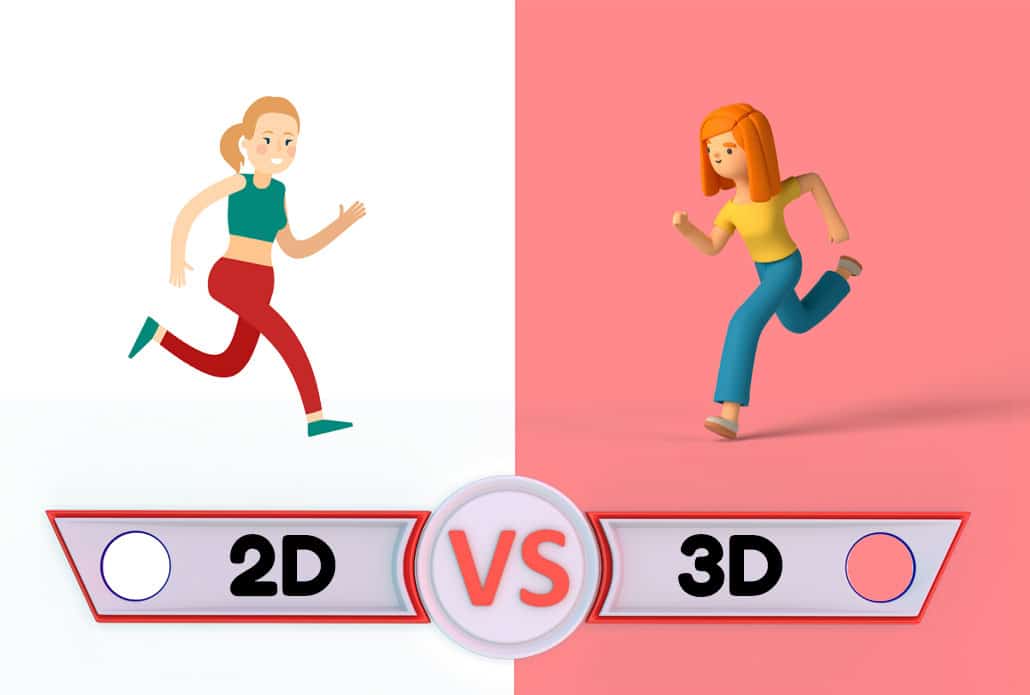
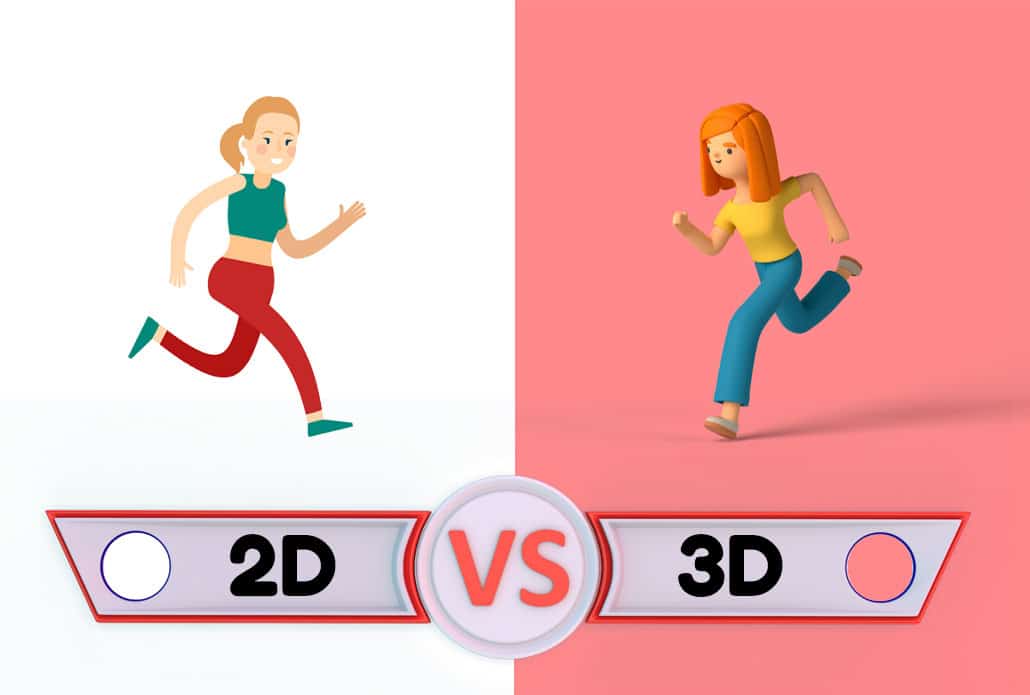
It’s possible to find animators that will make a 60 second video for under $500. You can also spend millions on an single minute of animation. But what is a realistic budget for animated video production and what factors change the cost? The average cost to make a 60 second animated video is between $1,500-$5,000 for 2D animation. 3D animation costs 3-5x more.

animated video production cost

The cost of animated video production is determined by factors like:

  • How long is the video?
  • How much time is there to create the video?
  • Who is creating the script and the storyboard?
  • What kind of visual style will be used?

Animated Video Length

The longer your video, the more illustrators and animators that’ll be needed to complete production on your animated video in a reasonable amount of time.

animated video production length

Animated Video Production Timeline

How much time is available to complete production of your animated video? It takes 3-8 weeks to create a 1-2 minute animated video. If you need your video fast, a rush delivery budget increase may be needed to get additional animators, designers and project managers involved to expedite production. Rush delivery animation can add +10%-50% to your existing project budget.

Pre-Production (Script + Storyboard)

animated video production pre production

Writing the script and storyboard for your animated video can save you $1,000 or more! If you are hiring a video animator or Video Igniter Animation, we can help you develop your idea into a script and then turn it into a storyboard.

Creating your own script and storyboard can also save you extra time if you have quick internal review cycles. Thinking of giving it a shot and making your own? Check out our free scriptwriting template and resources and download our free storyboard template.

animated video production script template

Animated Video Visual Style

The visual style of your project has a big impact on your animated video production budget. Simple 2D animations can be produced for under $4,500/minute. Fancier, detailed frame by frame animation and 3D animation costs more to produce. Contact us to get a custom quote.

Trying to figure out the right visual style? Check out this companion article:

How To Pick The Right Visual Style For Your Animated Explainer Video

VoiceOver & Soundtrack

VoiceOvers and soundtracks are usually built into the cost of animated video production. However, if you’re looking to save money on your production cost, you can record your own voiceover for free and download free legal music from these sites: Facebook Sound Collection & Incompetech.

Where can I find a good animated video production company?

Video Igniter Animation is an animated video production company – if you want to read more about us, check out this article about our animated video service or visit our homepage.

But enough about us. If you’re looking for more options, check out Fiverr, Freelancer, Linkedin.com/Jobs and Craigslist to find other animated video production companies and freelancers.

What is the animated video production process like?

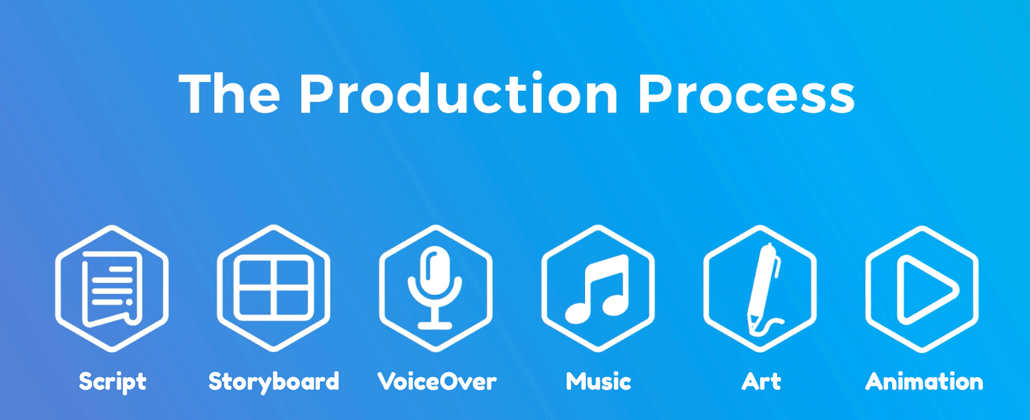
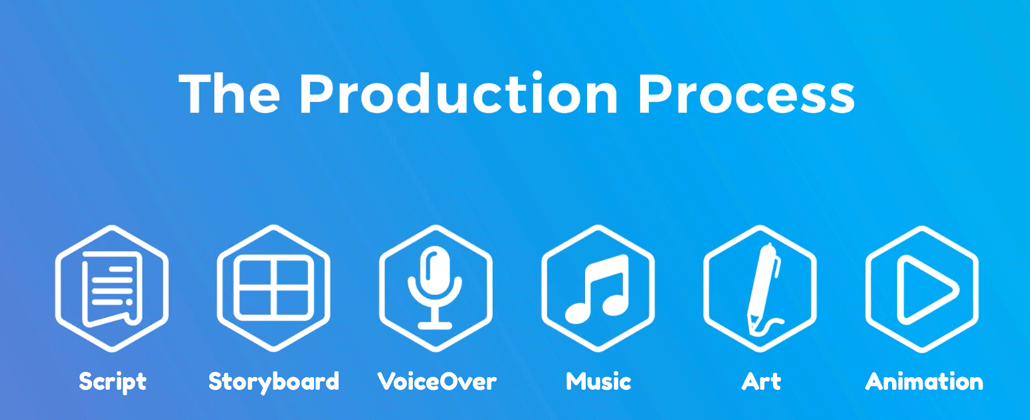
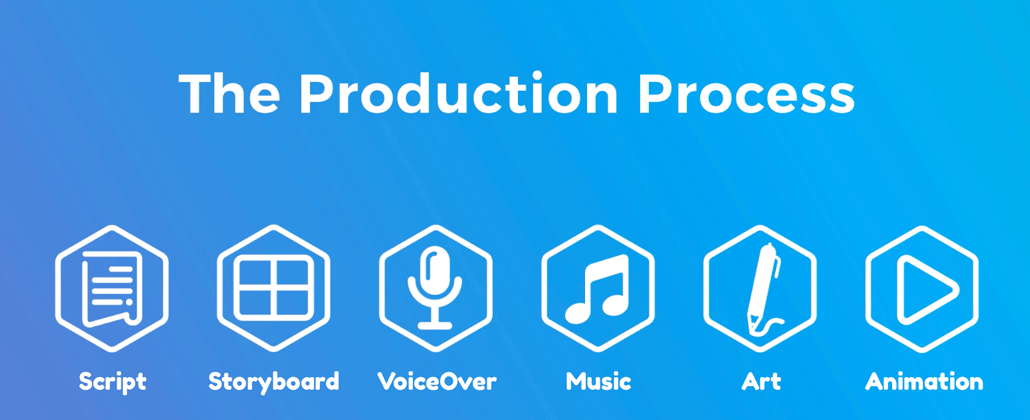
After you’ve hired someone to help with your animated video production project, there are seven phases of production to go through to get the idea in your head turned into a custom animated video.

1). Questionnaire

animated video production questionnaire

Production kicks off with a questionnaire to learn about what information you want to convey in your video. It gives you an opportunity to talk about your target audience and how this video will help them learn or understand something new. It also give you an opportunity to talk about the visual ideas you want to show and share examples of the visual style(s) you’d like to use to create your video.

2). Script

animated video production script

Download Video Igniter’s Free Script Writing Template

The next step of the animated video production process is writing the script. The script is the skeleton for your entire project. Whether you’re writing it or your animated video production partner is, make sure that your script includes all your main talking points. Ensure they are easy to understand by members of your target audience before approving the script.

3). Storyboard

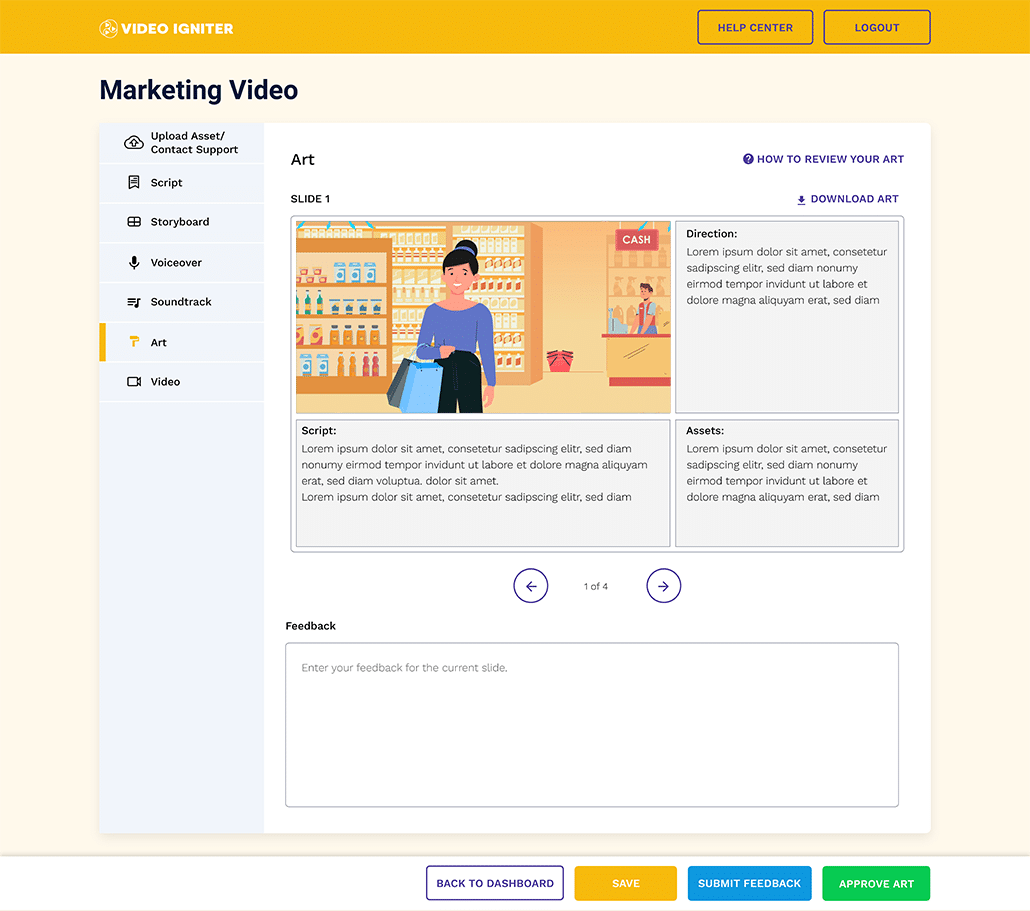
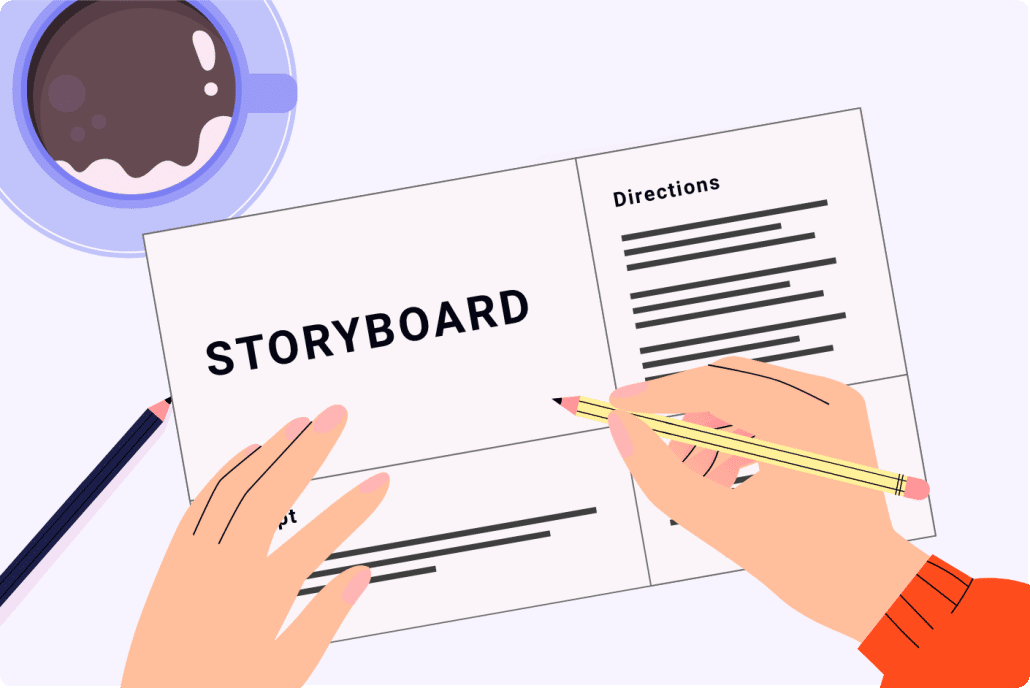
After the script is approved, it’s time to create your storyboard. The storyboard is the blueprint for your animated video. It tells the illustrators and animators what to create. Before you approve the storyboard for production, you want to make sure that all the important details are documented in your storyboard.

animated video production storyboard

Download Video Igniter’s Free Storyboard Template

If the illustrators and animators making your video only had this document and no other information, would they be able to create your entire animated video? If the answer is no, then you need to add more information to the storyboard.

4). VoiceOver

Now that the script and storyboard are locked in the next step of the animated video production process is to get the voiceover(s) recorded. It’s important to get the voiceovers recorded and approved before the illustrations are approved because it is difficult to animate without a voiceover. The voiceover is used to set the timing and pacing of the animation. Without the voiceover, the animators will be wasting their time because they can’t get the visuals to move in sync with the timing of the voiceover.

voiceover

Procuring a voiceover happens in two phases. First, your video production partner will audition several voiceover artists and share the auditions with you so you can hear how they sound. Let your producer know which one you like best and then they will coach the voiceover talent through the full recording – ensuring they pronounce things properly, with the right energy and timing.

You will get an opportunity to review the full voiceover and request revisions before approving the voiceover for production.

5). Soundtrack

Your animated video production partner will also identify several soundtracks that will enhance the mood and presentation of your animated video. Give them a listen and tell your producer which soundtrack you like best so that they can secure the license to use the soundtrack in your video.

soundtrack

6). Illustration

Once the storyboard is approved, the art team begins process of creating the illustrations for your animated video. First, they will review your storyboard, your branding and any style references you provided. Then, they will select a key scene from your storyboard and develop one or more pieces of custom concept art for that scene.

animated video production illustrations

Review the concepts and let the art director know how you feel about the concept(s). From there, they will refine your favorite concept until you love it. Then, they will create all of the illustrations for your animated video and give you a chance to requst revisions before approving the art for production.

7). Animation

animated video production animator

Now that everything is approved, it’s time to animate! The animation production process itself takes about one week to animate one minute of video for 2D animation. 3D animated videos take 2-4x longer to produce. When the first draft is ready, review it with your internal team and members of your target audience (if available). Collect everyone’s feedback and share it with your animated video production partner to incorporate the edits and render out the final draft.

How long does it take to make an animated video?

It takes about 3-8 weeks to create a 1-2 minute 2D animated video. 3D animated videos and frame by frame animations require more time to produce. If you need a estimate on your production timeline, contact us with details of your project and we’ll prepare a production plan for your project.

animated video production schedule

How can I speed up the animated video production process?

Yes! We offer rush delivery animation to speed up the animated video production process. Contact us with details about your project and we’ll help you figure out rush delivery pricing to get your project produced on time.

Rush Delivery Animation Available

What styles of animated video production do you offer?

We offer 2D, 3D and frame by frame animation. If you can imagine it and it doesn’t require a film crew, we can make it!

Why Invest in Professional Animated Video Production?

Why Invest in Professional Animated Video Production

When you invest in professional animated video production, you’re doing more than just creating a video — you’re creating a powerful communication asset that can drive awareness, engagement, and conversion. Animation allows you to explain complex ideas in an easy-to-understand way, using visuals that capture attention and emotion.

Animated videos are proven to increase viewer retention compared to static visuals or text-based content. According to marketing studies, viewers retain up to 95% of a message when it’s delivered in a video format compared to only 10% when reading it as text. That’s why more brands — from startups to Fortune 500 companies — are turning to animated video production to communicate their value clearly and memorably.

Professional studios like Video Igniter handle every part of the process — from script development to illustration, animation, and sound design — ensuring your final video aligns perfectly with your brand’s goals and visual identity. A professional touch also means cleaner transitions, smoother animation, and better storytelling that connects with your audience.

Benefits of Animated Video Production for Business Growth

Benefits of Animated Video Production for Business Growth

Animated video production offers a wide range of business benefits, especially for marketing and brand communication. Here are some of the biggest advantages:

1. Stronger Brand Identity
Custom animated videos allow you to express your brand personality through color, tone, and motion. Every design element can be tailored to your company’s unique look and feel, reinforcing your identity across digital platforms.

2. Simplifying Complex Topics
Animation is ideal for breaking down complex ideas — whether you’re explaining a new technology, product, or service. With animation, you can use metaphors, diagrams, and storytelling techniques that make abstract ideas tangible.

3. Increased Engagement
Animated videos are far more likely to be shared on social media, helping brands increase organic reach. Platforms like YouTube, LinkedIn, and Instagram favor video content in their algorithms, making animated video production an effective way to boost visibility.

4. Better Conversion Rates
Landing pages featuring an explainer or animated demo video can boost conversion rates by up to 80%. When customers clearly understand what you offer, they’re more likely to take action.

5. Long-Term ROI
Unlike live-action footage, animated assets don’t become outdated due to wardrobe, fashion, or location changes. You can easily update or repurpose animations in future campaigns, giving your investment a long lifespan.

Types of Animated Video Production Services

Types of Animated Video Production Services

While most people associate animation with explainer videos, the world of animated video production includes a wide variety of formats and styles. Understanding your options helps you choose the right kind of animation for your project.

1. Explainer Videos
These short, engaging videos are perfect for explaining products, services, or processes. They often combine narration, text on screen, and animated characters to make complex ideas clear and entertaining.

2. Product Demos
Animated product videos are great for showing how something works without needing a camera crew. They’re especially useful for apps, software tools, and tech hardware that benefit from visual demonstrations.

3. Educational & Training Videos
Animation can turn dry internal training content into engaging learning experiences. Complex procedures or compliance topics become easy to follow and more memorable when explained visually.

4. Brand Videos
Brand videos help communicate your company’s story, mission, and values. Through custom animated video production, you can build emotional connections and inspire loyalty in your target audience.

5. Social Media Animations
Short animated clips are powerful tools for social media advertising and engagement. Motion graphics and looping GIFs can grab attention within seconds and drive clicks.

6. 3D Animation & Product Visualization
For companies in tech, architecture, or manufacturing, 3D animated video production offers photorealistic renders and immersive visuals that help customers visualize products before they exist.

Key Trends in Animated Video Production

Key Trends in Animated Video Production

The animated video production industry is evolving rapidly thanks to advances in technology and shifting audience expectations. Staying on top of these trends helps businesses produce videos that feel fresh and relevant:

1. AI-Assisted Animation
AI tools are now streamlining parts of the animation process, helping studios speed up rendering, lip-syncing, and scene composition. However, human creativity remains essential for storytelling and design.

2. 3D and Hybrid Animation
Mixing 2D and 3D elements can create dynamic visuals that stand out. Hybrid animation styles are becoming more popular in product explainers, commercials, and educational content.

3. Interactive Animated Videos
Interactive video technology allows viewers to make choices or explore different story paths, increasing engagement. This is especially useful for eLearning and sales presentations.

4. Motion Graphics for Data Visualization
Animated infographics and kinetic typography make statistics and data-driven insights easier to digest. Brands are using motion graphics to turn numbers into compelling visual stories.

5. Personalized Animated Content
Marketers are now using animated video production to create personalized video messages for customers, boosting click-through and conversion rates in email campaigns.

How to Plan an Animated Video Production Strategy

How to Plan an Animated Video Production Strategy

Before jumping into production, it’s important to think strategically about how your animated video will be used and measured. A well-planned approach ensures your video achieves its goals and reaches the right audience.

1. Define Your Objective
Decide whether your animated video is meant to explain, educate, sell, or entertain. The objective will shape your script, tone, and visual style.

2. Know Your Audience
Consider the demographics, pain points, and viewing habits of your audience. A startup’s explainer video might use humor and bold colors, while a financial firm’s animation might focus on trust and clarity.

3. Craft a Distribution Plan
Where will your video live — your website, YouTube, email campaigns, or social ads? Optimizing your animated video production for multiple platforms helps maximize visibility.

4. Measure Performance
Use analytics to track engagement metrics such as view rate, watch time, and conversions. These insights will help refine future animations for better ROI.

Common Mistakes to Avoid in Animated Video Production

Common Mistakes to Avoid in Animated Video Production

Even the best ideas can fall flat if key steps are overlooked during production. Here are some mistakes to avoid:

1. Skipping Pre-Production
Jumping straight into animation without a clear script or storyboard often leads to confusion, delays, and extra costs. Pre-production planning saves time and money.

2. Overloading the Script
Too much information can overwhelm viewers. Keep your message focused and concise — ideally one clear idea per video.

3. Ignoring Branding Guidelines
Your video should look and feel like your brand. Be sure your animated video production company uses your official color palette, fonts, and logo correctly.

4. Forgetting About Sound Design
High-quality voiceovers, music, and sound effects elevate your animation. Poor audio quality can make even the best visuals feel unprofessional.

5. Neglecting Distribution
A great video won’t deliver results if no one sees it. Include promotion and syndication as part of your animated video production strategy.

How to Get the Most Value from Your Animated Video Production Partner

How to Get the Most Value from Your Animated Video Production Partner

When working with a studio like Video Igniter, communication and collaboration are key. Provide detailed feedback at each stage of production — from concept art to final animation — to ensure your vision comes to life exactly as you imagined it.

Ask your production team for reusable assets, such as individual animations or character files, so you can repurpose them in future campaigns. This can dramatically increase the long-term value of your investment in animated video production.

Final Thoughts

Animated video production is one of the most versatile and effective tools available for modern brands. Whether you’re launching a new product, onboarding customers, or building brand awareness, animation allows you to express your message in a visually compelling and emotionally resonant way.

When you’re ready to bring your ideas to life, Video Igniter can handle every step of the process — from concept to completion — ensuring your animated video looks amazing, performs well, and helps your brand stand out.

Still have questions about animated video production?

Do you have a question about animated video production that wasn’t answered in this FAQ? Contact us with your question. We’ll follow up via email with an answer and we’ll post the question and answer on this FAQ.

questions

Looking for help with animated video production? Hire Video Igniter!

World class animation and design talent at prices startups can afford.

We can make any kind of 2D animated video or 3D animation you can imagine. Check out our animated video portfolio!

+20 reasons companies love hiring us to create animated videos.

Animated Video Production Demo Reel


Animated Video Production Success Stories And Testimonials

“Video Igniter came to us with a number of creative and engaging ideas and were able to create an exciting, impactful video in a short period of time. And the best part was that it cost much less than other options of similar quality. The video they made is a great marketing tool for us.”

Alex Raymond – Founder, Kapta Systems

“Video Igniter offered us the critical combination of creative value, clear communication, and patience with stakeholder feedback. We ended up with truly high-quality design assets for our video series largely due to the extra level of commitment — and the right balance of efficiencies with flexibility in the process when called for.”

Larry Schlessinger – Sr. Creative Program Manager, Amazon Web Services

“I am beyond satisfied with my experience with Video Igniter. The first drafts of the work were almost exactly what I had in my head when developing the concept. After that each step along the way was seamless until arriving at a perfect finished product. And all this at a tremendous value. Anyone who has considered creating a marketing video should check out Video Igniter.”

Anonymous Customer Feedback

testimonials

Hire Video Igniter For Your Animated Video Production Project

Schedule a call to discuss your animated video project with our team.

Get a quote for us to create your animated video.

Request access to our newest price sheet.

Create your Video Igniter account, fill out a creative brief, and we’ll start producing your animated video.

contact us

What is Video Igniter?

YouTube video

How To Syndicate Your Animated Video Online

If you want to learn how to syndicate your animated video to get more eyeballs on it, this resource breaks down the different platforms you can use. We’ll explain which platforms are best for different use cases. We’ll talk about different tools that you can use to help automate the syndication of your animated videos.

syndicate your animated video

Why syndicate your animated videos?

It’s not just about racking up the most views for your videos. It’s about getting the right views on your videos. If you run a waste management plant, Snapchat is not the right platform for you.

Syndicating your videos increases the odds that the right people will see your video and get intrigued enough to check out your website and your social media. If you just post your video on your website and your email list, you’re only reaching people who already know what you do.

When you syndicate your animated videos to video hosting sites like YouTube and Vimeo, you increase the odds of the platform recommending your videos to other people interested what you’re talking about.

syndicate animated social media content

When you syndicate your animated videos to social media platforms like Instagram, TikTok, SnapChat, Twitter, Facebook and Linkedin, you increase the odds of people outside your network seeing your content and sharing it to dramatically increase the number of people exposed to your marketing content.

We recommend syndicating your animated videos to video hosting sites and social media platforms to maximize your total potential reach. But don’t use a shotgun approach and post on every service. Focus your efforts on the social media apps and video hosting sites that your target audience actually watches.

How to syndicate animated videos online


Manual Syndication
how to syndicate animated videos online

You can syndicate your animated videos by manually uploading them to the various video hosting and social media sites out there. But that takes up a lot of time. In addition to uploading the file, you also need to:

  • Pick out or upload a thumbnail
  • Add a description
  • Research and add hash tags
  • (optional) Add subtitles.

Automated Syndication

automated animated video syndication

It takes a lot of time to manually add all that content when you’re individually uploading your animated videos to different sites and apps. In order to get around this, you can use software tools to upload your animated videos once and select which sites you want to post the videos to. You can schedule multiple videos to get posted at different days and times and you can fill in the description and hashtags once and have them applied to all your posts.

Partnership Syndication
animated video syndication partnership

One of the best forms of syndication is a partnership you have with another publication that caters to your target market. Publications are always looking for fresh visual content. If you produce educational content that isn’t overtly a sales pitch in disguise, sites are more likely to be interested in regularly posting your content. Reach out to digital publications, connect with their editors and let them know what unique perspectives and expertise you can share with their audience through syndicating your animated videos on their website.

Lists of platforms to syndicate your animated videos on


where to syndicate your animated videos

Video hosting sites and social media platforms to syndicate your animated video on if you have a B2C audience:

  • Instagram
  • TikTok
  • YouTube
  • SnapChat
  • Reddit
  • Twitter

Social media platforms and video hosting sites to syndicate your animated video on if you have a B2B audience:

  • YouTube
  • Linkedin
  • Reddit
  • Twitter

Websites and social media platforms to syndicate your animated video on if your audience is under 30:

  • Instagram
  • SnapChat
  • TikTok
  • Reddit
  • YouTube

Sites and social media platforms to syndicate your animated video on if your audience is over 30:

  • YouTube
  • Linkedin

Social media platforms to syndicate on if your animated videos are vertical (instead of horizontal):

  • SnapChat
  • TikTok
  • YouTube Shorts
  • Instagram Reels

Sites and social media platforms to syndicate your animated videos if they are educational:

  • YouTube
  • Vimeo
  • Linkedin
  • Reddit

Sites and social media platforms to syndicate your animated videos on if they are entertaining:

  • Instagram
  • TikTok
  • YouTube
  • Reddit
  • Facebook

Tools to syndicate your animated videos

If you’re looking for tools to syndicate your animated videos, check out Buffer and Hootsuite.

hootsuite animated video content syndication

Both services enable you to schedule and syndicate your animated videos to multiple sites. Buffer is mostly meant for scheduling posts. Hootsuite includes these features and additional features to help you monitor and engage with your brand’s social media activity.

Buffer animated video content syndication

Buffer currently offers a free tier that enables you to schedule up to 10 posts at a time for 3 of your social media channels.

Advanced Strategies to Syndicate Animated Video Content Effectively

When you syndicate animated video content, the goal isn’t just to upload your video everywhere—it’s to create a coordinated publishing strategy that amplifies reach, engagement, and conversions. Successful syndication requires consistency, analytics, and strategic repurposing. Here are some next-level strategies to help your business syndicate animated videos more effectively.

1. Develop a Cross-Platform Syndication Plan

Advanced Strategies to Syndicate Animated Video Content Effectively

Before you syndicate animated video content, define your distribution strategy across multiple channels. Every platform has a unique audience and algorithm, so tailor your message accordingly. For example, you might post the full version of your animated video on YouTube, a 30-second teaser on Instagram Reels, and a silent, captioned version on LinkedIn.

Cross-platform syndication helps build a consistent brand story while maximizing impressions across different viewer demographics. When planning your syndication strategy, consider these three things:

  • Format: Resize your video for vertical or horizontal playback.
  • Timing: Post during each platform’s peak engagement times.
  • Tone: Adjust captions or titles to match the platform’s culture (e.g., professional for LinkedIn, conversational for TikTok).

2. Repurpose and Repackage Your Animated Videos

Repurpose and Repackage Your Animated Videos

One of the smartest ways to syndicate animated videos is by repurposing your content. Instead of simply reposting the same video, break it into bite-sized clips, GIFs, or motion graphics to extend its reach.

Here are creative ways to repurpose your animated video content:

  • Cut your 2-minute explainer video into five 20-second social clips.
  • Create looped GIFs of key visuals for Twitter and email campaigns.
  • Add subtitles and upload short clips as YouTube Shorts or TikTok videos.
  • Turn a series of animated videos into a compilation or educational playlist.
  • Extract still frames from your animation to use in blog headers, thumbnails, or social posts.

Repurposing ensures your animated content continues generating value across multiple marketing touchpoints without needing to start from scratch.

Syndicate Animated Video Content for SEO Benefits

Syndicate Animated Video Content for SEO Benefits

Video syndication isn’t only about social media reach—it also strengthens your brand’s search visibility. When you syndicate animated videos to multiple sites with backlinks to your website, you increase your domain authority and improve SEO rankings.

Optimize Each Syndicated Post for Search Engines

Optimize Each Syndicated Post for Search Engines

When uploading your video, make sure to:

  • Use keyword-rich titles and descriptions – include your main keywords in the title and description.
  • Include transcripts or captions to help search engines index your video.
  • Add UTM tracking links in your video description so you can monitor which syndication sources drive the most traffic.
  • Create custom thumbnails that visually reinforce your brand.
  • Add call-to-action overlays linking to your landing pages or demo requests.

Even though each platform hosts your video, those metadata details create SEO signals that point back to your brand.

Timing and Frequency: When to Syndicate Animated Videos

When to Syndicate Animated Videos

Another overlooked factor in syndication success is timing. Different platforms have different peak engagement hours and frequency thresholds. Posting too often can lead to diminishing returns, while posting too little reduces visibility.

As a general rule:

  • YouTube: 1–2 uploads per week is optimal for consistent growth.
  • LinkedIn: Post 2–3 times per week during weekday business hours.
  • Instagram Reels & TikTok: Daily or every other day maintains high algorithmic momentum.
  • Twitter: Syndicate short animated clips 3–5 times per week with varied captions or hashtags.

Use built-in analytics or tools like Buffer and Hootsuite to schedule and test different posting times. Then, analyze engagement patterns and refine your schedule accordingly.

Tracking the Results of Your Animated Video Syndication

Tracking the Results of Your Animated Video Syndication

If you syndicate animated video content but don’t track the outcomes, you’re missing out on valuable insights. Analytics help you identify which platforms perform best so you can prioritize your efforts.

Key metrics to track include:

  • Impressions & views: Measure reach across platforms.
  • Engagement rate: Track likes, comments, and shares.
  • View duration: See how long people watch before dropping off.
  • Referral traffic: Use UTM links to see how many visitors come to your site from each platform.
  • Conversion rate: Determine how many viewers complete desired actions like signing up or requesting a quote.

Tools like YouTube Studio, Meta Business Suite, and LinkedIn Analytics provide detailed insights into audience behavior. Combine that with Google Analytics to connect viewership data to website conversions for a complete performance picture.

Collaborate With Partners to Syndicate Animated Video Content

Collaborate With Partners to Syndicate Animated Video Content

Collaboration is a powerful way to syndicate animated videos beyond your own channels. Partner with businesses, influencers, or publishers that share your target audience.

For example, a financial software company might team up with an accounting education site to syndicate animated explainer videos about money management. In exchange, both parties gain exposure to new audiences.

Partnership syndication can include:

  • Guest content exchanges: Publish your video on their platform and feature their video on yours.
  • Influencer reposting: Work with creators who share your video with their followers.
  • Joint campaigns: Produce a co-branded animated video that benefits both brands.

These partnerships expand your reach while establishing credibility through trusted associations.

How to Build a Sustainable Syndication Workflow

How to Build a Sustainable Syndication Workflow

To consistently syndicate animated videos at scale, build a repeatable workflow that keeps your content pipeline moving.

  1. Create a syndication checklist for every video release.
  2. Set up scheduling templates in your automation tools for each platform.
  3. Maintain a content library with various video formats (square, vertical, horizontal) for quick uploads.
  4. Use AI-powered tagging tools to generate relevant hashtags and SEO descriptions automatically.
  5. Regularly audit your syndicated channels to remove outdated or duplicate uploads.

A sustainable workflow ensures you don’t just syndicate animated video content once—you maintain a long-term presence across all relevant channels.

Common Mistakes to Avoid When You Syndicate Animated Videos

Common Mistakes to Avoid

Even experienced marketers make mistakes when syndicating animated video content. Avoid these pitfalls to maximize your results:

  • Posting without context: Always add captions or short descriptions to explain your video’s value.
  • Ignoring platform-specific requirements: Each site has its own ideal dimensions, lengths, and compression settings.
  • Failing to engage: Don’t just post and disappear—reply to comments and interact with your audience.
  • Neglecting analytics: Without tracking, you won’t know which syndication efforts are worth repeating.
  • Duplicate metadata: Avoid using the same exact title and description on every platform; minor variations help each post rank better.

By addressing these common issues, your syndicated animated videos will perform better and stay relevant longer.

Final Thoughts: Turning Syndicated Animated Videos Into Long-Term Assets

Long-Term Assets

When you syndicate animated videos strategically, they become more than just marketing content—they become long-term digital assets that continue to attract, educate, and convert viewers over time.

A single animated video can generate thousands of views, backlinks, and leads if it’s properly optimized and syndicated across the right platforms. Whether you handle the process manually or use automation tools, consistent syndication helps your brand stay visible in a crowded digital landscape.

If you’re ready to expand your reach and need help producing high-quality animated videos for syndication, Video Igniter can help. Our team can script, design, and animate videos specifically tailored for cross-platform distribution—making it easier for your business to syndicate animated video content that gets results.

Still have questions about animated video syndication?

Do you have a question about syndicating animated video content that wasn’t addressed in this FAQ? Use this form to send us your question and we’ll follow up with an answer. We’ll also post the question and answer to this page so other people can benefit from the knowledge.

questions

What is Video Igniter Animation?

Video Igniter Animation is an online animated video production service. By working with our team online, you can get your custom animated video produced faster and for less than hiring a brick and mortar animation studio.

We can help you create any kind of 2D animated video or 3D animation you can imagine. Check out our animation portfolio!

Watch our explainer video to learn more about how we can help you create an animated ad for your business or check out our demo reel below:


Looking For An Animated Video Company In The U.S.?

Video Igniter is headquartered in Seattle, Washington.

Success Stories & Testimonials

“Video Igniter offered us the critical combination of creative value, clear communication, and patience with stakeholder feedback. We ended up with truly high-quality design assets for our video series largely due to the extra level of commitment — and the right balance of efficiencies with flexibility in the process when called for.”

Larry Schlessinger – Sr. Creative Program Manager, Amazon Web Services

“Video Igniter came to us with a number of creative and engaging ideas and were able to create an exciting, impactful video in a short period of time. And the best part was that it cost much less than other options of similar quality. The video they made is a great marketing tool for us.”

Alex Raymond – Founder, Kapta Systems

“I am beyond satisfied with my experience with Video Igniter. The first drafts of the work were almost exactly what I had in my head when developing the concept. After that each step along the way was seamless until arriving at a perfect finished product. And all this at a tremendous value. Anyone who has considered creating a marketing video should check out Video Igniter.”

Anonymous Customer Feedback

testimonials

Get in touch!

Looking for help producing an animated video and or syndicating your animated video so that your target audience sees it? Get in touch – our team is ready to help!

Schedule a call with our team.

Get a quote for us to create your animated video.

Request access to our newest price sheet.

Create your Video Igniter account, fill out a creative brief, and we’ll start your animated video.

contact us

Video For Business Marketing

Are you looking into creating a marketing video for your business? At Video Igniter, we get a lot of questions about making animated marketing videos. So we decided to create a comprehensive FAQ to answer all the questions we received to help you create a video for business marketing.

video for business marketing

In this FAQ, we answer questions like:

  • What are the benefits of using an animated video to market your business?
  • How do I create an animated video for my business’s marketing?
  • What does it cost to make a marketing video?
  • How long does it take to make a marketing video?
    + tips to save money on your production budget!

Examples Of Business Marketing Videos You Can Get From Video Igniter

Video Igniter can create any kind of 2D or 3D animated video for you. Check out our animation portfolio here. Request access to our demo reels and price sheet here.

Contact us or schedule a call to start making your video.


Are you looking for an example of a different style of animation? Send us a message to let us know what kind of animation example you want to see and we will follow up with relevant production samples.

Why should I create an animated video to market my business?

To get the ball rolling, what marketing benefits do businesses get from animated marketing videos?

Increased Awareness

Animated videos make use of colorful imagery put in motion to stand out in the Internet’s ocean of text, photo and video-based content. If you want to increase your odds of pausing someone’s social media scrolling to watch your content – we highly recommend creating animated video content.

video for business marketing awareness

Customer Education: Improved Comprehension And Retention

Animated videos make it easier for people to learn and understand new information. The use of animated visual metaphors and stories helps viewers retain the information longer than if they’d watched your CEO yammer at the camera.

Improves Every Stage Of The Marketing Funnel

Animated videos can be used to improve conversions at every phase of your marketing funnel. From awareness, customer education and nurturing through closing sales, animated marketing videos for your business can help improve your bottom line.video for business marketing funnel

How do I maximize the business outcomes of my marketing video?

There are a lot of things you can do to improve the business outcomes of your marketing video. We recommend reviewing the following resources before you start your next video marketing campaign:

video for business marketing impact

How to create a video for business marketing

After you select a producer for your business marketing video, it will take about 3-8 weeks to create a 1-2 minute video. Here’s an overview of what the production workflow looks like:

Questionnaire

Production starts with a questionnaire to understand what talking points need to be included in the marketing video for your business. It’s also an opportunity to explain who your target audience is. This helps the animated video production company understand how to write your script and how to present the key ideas in your marketing video so that they appeal to your target audience.
video for business marketing questionnaire

Script

The production team will review your answers and create the first draft of your video script. A 60-second animated video ends up being about 120-180 words long. It’s not a lot of words so it’s important to be concise.

When you review the script, focus your feedback on the messages being presented. Are they clear? Are they memorable? Will they resonate with your target audience?

If you want to revise the script, send your notes to the production team. Otherwise, let them know it’s approved so they can start working on your storyboard.

Free Download: download our free script writing template.

video for business marketing script template

Download Video Igniter’s Free Script Writing Template

Storyboard

The storyboard is the blueprint for your animated video. It provides instructions for the illustrators and animators so they understand what to create. Each page of your storyboard includes a sentence from your script, a rough mockup of the scene, a list of instructions for the animators and a list of assets that are needed to create the scene.

video for business marketing storyboard

Download Video Igniter’s Free Storyboard Template

When you’re making an animated video for business marking, it’s important to focus your feedback on the visual ideas that are being considered for each part of your script. Do the visual concepts make sense? Will your target audience appreciate them? Do they help make your message memorable?

If you love the storyboard as-is, let the production team know so production can move forward. Otherwise, send them your notes to let them know what parts you want to change.

Free Download: download our free storyboard template.

VoiceOver

Your production team will procure voiceover auditions for you to review. Let them know which one you prefer. If you aren’t a fan of any of the options, let them know why so they can record new auditions for you to consider.

voiceover

The production team will oversee the voiceover recording and coach the VO artist through the pronunciation, pacing and energy of the recording. You get an opportunity to review the full recording and request edits before approving the voiceover for production.

Soundtrack

soundtrack

Adding a soundtrack will enhance the presentation for your animated business marketing video. Your production team will select some stock soundtracks for you to review. Let them know if you love one of the options. If you’re not a fan, let them know why so they can select better options.

Can’t decide which soundtrack is your favorite? Let the production team know and they will help you preview your favorite options when the first draft of the marketing video is ready to review.

Illustrations

Colorful eye candy visuals will help set your business marketing video up for success! The illustration process starts after your storyboard is approved. The art director will review your visual style references and brand guidelines. Then they will select a key scene from your storyboard and design custom illustration(s) of that scene using one or more unique animated visual styles.

video for business marketing concept art

Share your feedback with the production team. If you love one of the concepts as-is, the art team will use that as a style reference and make the rest of the art look like that.

Suppose you like multiple concepts…. you could let the production team know what you like about each of the different concepts and have them combine the best parts into a new piece of concept art.

Not a fan of any of the concepts? Let the production team know why and they will develop new concept art for you to review.

After all the illustrations have been created, give them a detailed review and send clear instructions back to the production team. It’s important to be happy with the visual illustrations before production begins – otherwise, it may result in added production costs if you ask to go back and change art that you already approved.

Animation

video for business marketing animation

Now that the script, storyboard, voiceover, illustrations and soundtrack are locked in, it’s finally time to animate! Animation takes 1-2 weeks to animate a 60 second animated video. 3D animated videos take 2-4x more time to animate.  When the first draft is ready, review it with your internal team and members of your target audience (if possible). If you’re creating an animated video for business marketing, it’s highly worthwhile to preview the video with members of your target audience before you spend a lot of money promoting it to them. Now’s the time to make sure the message is clear and memorable.

Collect everyone’s feedback and share it with your 2D animation studio so they can incorporate the edits and render out the final draft.

How long does it take to make a video for business marketing?

video for business marketing production schedule

The whole production process to make a video for business marketing takes 3-8 weeks for a 1-2 minute video. 3D animated videos require 2-3x as much time to make. You can speed up production a little by creating the script and or the storyboard yourself. Check out this article for a more in depth look at the animated video production workflow and what to expect at each stage of the production process:

Understanding The Animation Production Workflow How To Turn Your Idea Into A Custom Animated Video Igniter Animation

How fast can you make a marketing video for my business?

It typically takes 3-8 weeks to create a 1-2 minute video. 30 second animated videos still take 2-4 weeks to produce. Rush delivery animation is available if you need to speed up production for a deadline that’s fast approaching. You can also shave some time off your production timeline by creating the script and storyboard yourself.

video for business marketing rush delivery

What does it cost to make a marketing video for my business?

Most 2D animated marketing videos for businesses can be created for a budget between $1,000-$10,000 for a 60 second video. 3D animated videos easily cost 2-4x as much. For context, animated TV shows cost $20,000-$200,000/60 seconds of animation.

video for business marketing cost

Here are the factors that contribute to the cost of making a marketing video for your business:

  • Are you writing the script? Or hiring your animation team to write it?
  • Are you creating the storyboard – or is your production team handling it?
  • Are you providing the voiceover or do you need to buy one?
  • How soon do you need your video? Is rush delivery animation needed?
  • What style of animation do you want for your video?
  • How long is the animated video?

Looking for pricing information for your video?  Schedule a call with our production team, contact us to get a quote, or request access to our newest price sheet.

Check out this companion article to learn more about what goes into the cost of an animated video for business marketing.

How can I save money on my video marketing production budget?

Write your own script

You can save hundreds or even thousands of dollars off your video marketing budget by writing your own script. Use our free scriptwriting resources.

Make your storyboard

You can also save hundreds or thousands of dollars off your production budget by making the storyboard yourself. Download our free storyboard template and storyboard creation guide here.

Bonus tips for building a great storyboard here.

video for business marketing storyboard diagram

Use free (legal) music

Incompetech

Facebook Sound Collection

Record your voiceover

It’s possible to record your own professional voiceover at home – for free! Check out 1:31 in this video to learn how you can record your own voiceover for free, without having to buy any professional equipment or expensive software.

Consider using stock assets

Your video doesn’t need to be 100% custom made. Stock assets can be used to slightly decrease your production budget. Consider using:

  • stock images
  • stock videos
  • text
  • icons
  • clip art
  • pre-made 3D models

Free and cheap stock assets are available on sites like: MixkitTheNounProjectGoogle Font Library and Envato Elements.


video for business marketing stock icons

Resources to make cheap animated videos

How to make cheap animated videos.

How to Build a Winning Strategy Around Video for Business Marketing

How to Build a Winning Strategy Around Video for Business Marketing

Creating a great video for business marketing is just the beginning. To generate real results, you need a distribution strategy that gets your content in front of the right audience. Before launching your video, take time to identify your marketing goals—awareness, engagement, or conversions—and tailor your distribution plan accordingly.

For brand awareness, focus on organic and paid reach. Upload your marketing video to YouTube, Facebook, Instagram, LinkedIn, and TikTok. Each platform has unique strengths. For example, LinkedIn is perfect for B2B storytelling and product explainers, while TikTok and Instagram excel at short, eye-catching motion graphics that drive consumer interest.

If conversions are your priority, use your video on landing pages, product pages, and email campaigns. Studies show that embedding a video on a landing page can increase conversions by more than 80%. Video communicates value faster than text and builds trust by showing rather than telling.

Video for Business Marketing: Key Types You Should Know

Video for Business Marketing Key Types You Should Know

There’s more than one way to use video for business marketing. Here are several strategic formats to help you expand your reach and impact:

1. Product Demos
Show, don’t tell. Demonstrate your product’s value in action to help potential customers visualize the benefits. These videos reduce hesitation and are especially powerful for software and tech solutions.

2. Customer Testimonials
Nothing builds credibility like social proof. Animated testimonial videos or motion-graphic case studies allow you to highlight customer results in an engaging, brand-consistent way.

3. Brand Story Videos
Tell your origin story. Why was your business created? What problem do you solve? Brand story videos humanize your company and make customers feel emotionally connected.

4. Explainer Videos
Explainer videos are one of the most effective types of video for business marketing. They simplify complex ideas and guide potential customers through your offering in under two minutes.

5. Educational or “How-To” Videos
Show your expertise by sharing useful insights, tutorials, or best practices. Educational videos position your brand as a trusted authority and boost SEO since they often attract organic traffic.

6. Event and Culture Videos
Give audiences a glimpse behind the scenes. Culture videos strengthen employer branding, while event recaps can promote future attendance and show industry leadership.

How Video for Business Marketing Drives ROI

How Video for Business Marketing Drives ROI

Businesses often ask: “How do I know if my marketing video is working?” The answer lies in tracking the right performance metrics. Here are the key data points to monitor:

  • View-through rate (VTR): Measures how many viewers watch your video all the way through. A high VTR indicates engaging content.
  • Click-through rate (CTR): Tells you how many viewers took action after watching your video.
  • Conversion rate: Tracks whether those clicks turned into sales, signups, or other key goals.
  • Engagement metrics: Likes, shares, and comments provide valuable qualitative feedback about what resonates with your audience.

For the best results, pair your video campaign with A/B testing. Try different thumbnails, headlines, and video lengths to see which versions generate higher engagement. Continuous testing and optimization are key to improving your ROI from video marketing.

Optimizing Videos for Search Engines

Optimizing Videos for Search Engines

Search engines are increasingly prioritizing video content, which makes SEO a critical part of your business marketing strategy. To help your video rank higher:

  • Use keyword-rich titles and descriptions. Include your main keywords in the descriptions and titles.
  • Add transcripts and captions. This improves accessibility and helps search engines understand your video’s content.
  • Use custom thumbnails. A visually striking thumbnail boosts click-through rates.
  • Embed your video on your website. Optimized embeds can increase page dwell time, which signals quality to search engines.
  • Leverage schema markup. Adding video schema to your page’s HTML helps search engines display your video more prominently in results.

By combining on-page SEO with consistent publishing, your business can steadily build long-term visibility and traffic through video marketing.

Video for Business Marketing Trends to Watch

Video for Business Marketing Trends to Watch

Video marketing is constantly evolving. Here are a few current trends shaping the future of business video:

1. Short-Form Video Dominance
Short, snackable videos under 60 seconds are driving engagement across social media. Brands are using these quick clips to capture attention fast and drive viewers to longer-form content.

2. Personalized Video Campaigns
Advances in automation make it possible to personalize videos at scale—like including a viewer’s name or business in the video itself. Personalized content dramatically boosts engagement and response rates.

3. Interactive and Shoppable Videos
Clickable hotspots and in-video purchase buttons are transforming how viewers interact with content. Shoppable video experiences reduce friction and directly connect viewers to your products.

4. AI-Assisted Production
AI tools now help businesses script, edit, and even voice their videos faster. While nothing replaces human creativity, AI accelerates workflows and helps small teams produce more marketing content.

5. Vertical and Silent-Optimized Videos
With most users watching on mobile devices, vertical formatting and captioning are now essential. Optimize for no-sound playback by using on-screen text and clear visuals to communicate key messages.

Integrating Video Across Your Business Marketing Funnel

Integrating Video Across Your Business Marketing Funnel

A well-crafted video for business marketing can be repurposed across multiple stages of your funnel:

  • Top of funnel: Use brand or explainer videos on social media ads and landing pages to capture attention.
  • Middle of funnel: Deploy customer testimonials, webinars, and case studies to build trust.
  • Bottom of funnel: Share product demos or personalized offers to help close the deal.
  • Post-purchase: Create onboarding or thank-you videos to improve customer experience and retention.

By tailoring different video types to each funnel stage, your marketing team can maintain engagement, nurture leads, and turn customers into advocates.

Boosting Engagement With Storytelling and Emotion

Boosting Engagement With Storytelling and Emotion

The most successful videos for business marketing don’t just inform—they connect. Storytelling helps your audience relate to your brand on an emotional level. When writing your script, structure your story around a simple narrative arc: problem, solution, and result. Show transformation, not just features.

Adding emotional triggers—like humor, empathy, or inspiration—encourages viewers to share your video. The more your content gets shared organically, the more reach and visibility your business gains.

Final Thoughts: Make Video the Heart of Your Marketing

Make Video the Heart of Your Marketing

No matter your industry, video for business marketing is one of the most powerful tools for growth. It builds awareness, simplifies complex ideas, and helps your audience trust your brand faster. Whether you’re using animation, live action, or a mix of both, the key is consistency—producing a steady stream of valuable, relevant video content that supports your marketing goals.

If you’re ready to create high-quality videos that convert, Video Igniter can help. From script to animation, our team specializes in producing affordable, effective animated videos for business marketing that get results.

How do I find & hire an animator to create my marketing video?

How do I find & hire an animator to create my marketing video

If you’re interested in hiring someone to make an animated video for business marketing, we recommend you:

Take a look at their video portfolio to see if they can make the type of animation you want for your video.

Ask about their design process.

Learn about their pricing structure.

Ask how many revisions you get – some charge extra for more than 1-2 rounds of edits.

Additional resources to help you find and hire an animator:

9 Things to look for when hiring an animator.

How do you outsource an animated video project?

How do you hire a video animator?

What’s it like working with a 2D animation studio?

What is Video Igniter Animation?

What’s the difference between hiring an animation studio, a freelance animator and Video Igniter?

What goes into production cost of an animated video?

Looking for a 3D animation maker?

Pros and Cons of Different Animation Styles

Need your video fast? Learn about rush delivery.

Where can I find an animator to create my business marketing video?

Video Igniter

Fiverr

Craigslist

Questions about video marketing for business?

Do you have any questions about video marketing that wasn’t answered in this FAQ? Use this form to contact us. We’ll send you an answer and add the Q+A to this FAQ.
questions

What is Video Igniter?

Video Igniter provides animated video production services online. We’ve modernized the experience of creating an animated video to help you create custom content fast. Our production process also helps you save money on your animation production cost.  We do 99% of the work for you. All you need to do is:

1). Tell us what you want us to create

2). Review the assets we create for your video (script, storyboard, voiceover, soundtrack, art and animation).

If you’re looking for a website to create an animated video online, Video Igniter’s custom animated video production service enables you to work with our animation team to create  any kind of animated video you can imagine!

Our talented staff collaborates behind the scenes to create custom 2D and 3D animated videos so you don’t have to figure out if you have the right animator for the job. We handle all the technical and creative aspects of production – including helping you develop your script and storyboard (if you haven’t already created them yourself!)

Why hire Video Igniter to make a marketing video for your business?

World class animation and design talent at prices startups can afford.

We can make any kind of 2D animated video or 3D animation you can imagine.

Check out our animated video portfolio!

+20 reasons companies love hiring us to create animated videos.

Do you want to create an animated cryptocurrency video or an animated blockchain explainer video that explains how your technology works? We can help with that too.

Examples of Videos for Business Marketing (Demo Reel)


Marketing Video Success Stories and Testimonials

“I found exactly what I needed: custom animated production with lots of options, fair price and fast communication. I loved working with the Video Igniter Team. Million thanks.”

Antonina Rome, MD – Bioresona

“Video Igniter came to us with a number of creative and engaging ideas and were able to create an exciting, impactful video in a short period of time. And the best part was that it cost much less than other options of similar quality. The video they made is a great marketing tool for us.”

Alex Raymond – Founder, Kapta Systems

“I run a video production company and outsource animation. The team at Video Igniter did a great job in taking the concept I very crudely drew out and made it into a beautiful animation. The review process was easy and their turnaround time was very quick. I’d def recommend them if you’re looking for an animation project.”

Pat Henderson – Founder, Path8 Productions

testimonials

Get in touch about making a marketing video for your business

Schedule a call with our production team to discuss your video project.

Get a quote for your video.

Request access to our newest price sheet.

Create your Video Igniter account.

Fill out a questionnaire about your video project.

contact us

2D Animator For Hire + FAQ

Hiring a 2D animator, studio or animation production company to make a custom animated video is much easier than trying to figure out how to make it yourself. We at Video Igniter get a lot of questions about working with 2D animators so we created this FAQ to answer the most commonly asked questions. In this guide, you will learn how to hire a 2D animator, how to work with them to create an animated video, how much it costs to make a 2D animated video, tips to save money on your production budget, and more!

2d animator

2D Video Animator Examples

Check out these examples of 2D animated videos you can get from Video Igniter. Video Igniter can create any kind of 2D or 3D animated video for you. Check out the example videos below.

To start your project contact us, schedule a call with our production team or request access to our new pricing page.


Are you looking for an example of a different style of animation? Send us a message to let us know what kind of animation example you want to see and we will follow up with relevant production samples.


How To Hire A 2D Video Animator?

If you’re interested in hiring someone to make a 2d animated video, take a look at their video portfolio to see if they can do the level of quality work you expect for your video. It’s also worth asking about their design process, pricing structure and the amount of revisions you get when working with them. Here are some additional animated video production resources to help you find and hire a 2d animator for your project:

Where Can I Hire A 2D Video Animator?

Video Igniter

Fiverr

Upwork

Craigslist

How To Make A 2D Animation With Video Igniter’s 2D Animator?

1). Questionnaire

2d animator make an animation

Once you’ve selected a 2D animator for your project and paid to start production, the animator will send you a questionnaire. The questionnaire helps the animator collect information about the animated video you want them to create.

2). Script

The 2D animator will review your questionnaire and draft the script for your video. You will get an opportunity to review the script and request edits before approving it for production.

2d animator script

Download Video Igniter’s Free Script Writing Template

Deep Dive: Check out our animated video asset review guide for tips on how to review your script and other assets for your animated video.

3). Storyboard

Next, the animator will create the storyboard. The storyboard contains instructions for the illustration and animation team so they know what to create for each part of your script. You will get an opportunity to review the storyboard and request revisions before moving on to the next stage of production.

2d animator storyboard

Download Video Igniter’s Free Storyboard Template

Insider Tip: Video Igniter’s simple and standard animation projects include unlimited revisions which means we will continue to work with you to revise your storyboard until you love it!

4). VoiceOver

After your storyboard is approved, the 2d animator will help you audition voiceover talent for your video. If you love one of the voiceover auditions, the animator will procure and license the full recording for your animated video. You will get an opportunity to review the full recording and request edits before approving the voiceover for production.

voiceover

5). Soundtrack

Your 2D animator will also help identify soundtracks for your animated video that will enhance the presentation of your animation. The animator will help secure the broadcast license for the soundtrack you approve for your animated video.

soundtrack

6). Illustrations

Illustrations are a two phase production process. First, the artist will create custom concept art based on a scene from your storyboard, your branding and style references.

2d animator illustrations

After you send your feedback to the art team, the illustrators will create all the custom art for your video. You will get an opportunity to review and approve all the art for your video before it moves into production.

7). Animation

Now that your storyboard, voiceover and illustrations are approved, it’s time for the 2D animator to really get to work. It will take them about a week to animate a 60 second video. When the first draft is ready, we recommend reviewing it with your internal team and members of your target audience (if available). Collect everyone’s feedback and send it back to the 2D animator to complete the final draft.

2d animator animation

2D Animation Deep Dive

For a more in-depth explanation, check out this companion article that explains how to make a 2D animation and our FAQ guide about 2D animated videos.

How Long Does It Take A Video Animator To Create A 2D Animation?

The 2D animated video production process takes about 3-6 weeks to produce a 1-2 minute animated video.

2d animator production schedule

What Does A 2D Animator Actually Do?

When you hire a 2D animator, you’re not just hiring someone to make things move. A professional animator wears many creative hats throughout the production process. Their job is to bring ideas, characters, and stories to life through motion — whether for a commercial, explainer video, training content, or entertainment.

What Does A 2D Animator Actually Do

A 2D animator is often responsible for:

  • Interpreting the script and storyboard into visual sequences
  • Creating motion that feels natural and expressive
  • Ensuring visual consistency across every scene
  • Collaborating with voiceover artists, illustrators, and sound designers
  • Meeting deadlines while maintaining a high level of quality

They also play a key role in maintaining the rhythm and emotional tone of a video. Good animation isn’t just about movement — it’s about timing, pacing, and storytelling.

Key Skills To Look For In A 2D Animator

Key Skills To Look For In A 2D Animator

When you’re evaluating a 2D animator for hire, it’s helpful to understand the core skills that separate a good animator from a great one:

1. Strong Drawing and Design Skills

Even if the project uses digital tools, strong drawing fundamentals help an animator create smoother, more expressive movement. Look for someone with a solid understanding of anatomy, perspective, and gesture.

2. Animation Principles Mastery

The best animators have a firm grasp of classic principles like squash and stretch, anticipation, and timing. These techniques help animations look polished, fluid, and believable.

3. Storytelling Ability

A 2D animator isn’t just a technician — they’re a storyteller. They should be able to translate complex ideas into engaging sequences that communicate clearly to your audience.

4. Software Proficiency

Most professional animators are proficient in industry-standard tools like Adobe After Effects, Toon Boom Harmony, Adobe Animate, or TVPaint. Some projects may also involve vector illustration or motion graphics tools.

5. Communication & Collaboration

Since animation involves multiple creative contributors, it’s important to hire someone who can take feedback constructively and work well in a collaborative environment.

Tools Commonly Used By Professional 2D Animators

Tools Commonly Used By Professional 2D Animators

The tools a 2D animator uses can influence the style, workflow, and turnaround time of your project. Here are a few of the most popular software platforms used in professional production:

  • Adobe After Effects: Ideal for motion graphics, compositing, and explainer videos.
  • Toon Boom Harmony: A favorite for high-quality frame-by-frame character animation.
  • Adobe Animate: Widely used for vector-based animation and web content.
  • TVPaint: Known for its hand-drawn animation capabilities.
  • Procreate + compositing tools: Great for concept art and hybrid workflows.

When hiring, it can be helpful to ask your animator what tools they use and why. This can give you insight into their technical approach and the visual quality you can expect.

How To Collaborate Effectively With A 2D Animator

How To Collaborate Effectively With A 2D Animator

Clear communication can make the difference between a smooth production and a stressful one. Here are some best practices for working effectively with your 2D animator:

  1. Start With A Clear Creative Brief
    Define your goals, tone, target audience, and key messages. A strong brief ensures your animator understands your vision from the start.
  2. Establish A Feedback Process
    Animation is iterative. Plan specific review checkpoints (e.g., script, storyboard, illustrations, animation draft) and provide consolidated feedback to avoid confusion or delays.
  3. Use References Wisely
    Sharing reference videos or animation styles can help your animator visualize what you want — and avoid unnecessary revisions later.
  4. Respect The Production Timeline
    Good animation takes time. Rush projects are possible, but giving your animator adequate time ensures better results and fewer errors.
  5. Encourage Creative Input
    Your animator brings valuable expertise. Be open to their ideas — they may find creative ways to elevate your concept beyond what you initially imagined.

Different Types of 2D Animators You Can Hire

Different Types of 2D Animators You Can Hire

Not all 2D animators specialize in the same type of work. Knowing the distinctions can help you find the right fit for your project:

  • Character Animators: Focus on bringing characters to life with personality, emotion, and movement.
  • Motion Graphics Animators: Specialize in clean, professional transitions, typography, icons, and abstract visuals.
  • Storyboard Artists / Pre-Production Animators: Help plan and visualize your scenes before production begins.
  • Cel Animators: Create frame-by-frame hand-drawn animation for a more traditional look.
  • Compositing Animators: Focus on assembling animated elements into a cohesive, polished final piece.

How To Find The Right 2D Animator For Your Project

How To Find The Right 2D Animator For Your Project

There are many platforms where you can hire a 2D animator, but finding the right one depends on your timeline, budget, and creative goals.

  • If you need high-end, polished work with a structured process, hiring through a professional animation studio can be a great fit.
  • If you’re on a smaller budget, freelance platforms can connect you with talented individuals worldwide.
  • If you want to save time vetting and managing multiple contractors, working with a platform like Video Igniter can simplify everything by handling the entire production process for you.

When reviewing potential animators, focus on:

  • The quality and style of their portfolio
  • Client testimonials and reliability
  • Communication skills and professionalism
  • Their ability to meet deadlines without sacrificing quality

How A 2D Animator Fits Into The Bigger Production Pipeline

How A 2D Animator Fits Into The Bigger Production Pipeline

Many people think of a 2D animator as someone who just “makes things move.” In reality, they’re part of a larger team that includes scriptwriters, illustrators, designers, editors, and producers.

Here’s how a 2D animator typically fits into the workflow:

  1. Pre-Production: Script and storyboard are developed.
  2. Illustration & Asset Creation: Visual elements are designed.
  3. Animation: The animator brings the assets to life.
  4. Compositing & Sound Design: Everything is layered together with voiceover, music, and sound effects.
  5. Revisions & Delivery: The final video is polished and approved.

This collaborative pipeline is what turns a static idea into a compelling animated story.

Future Trends In 2D Animation

Future Trends In 2D Animation

The role of the 2D animator is evolving quickly as new tools and technologies emerge. While the fundamentals of animation remain timeless, these trends are shaping the future of the industry:

  • Hybrid Animation Styles: Mixing 2D and 3D elements for richer storytelling.
  • AI-Assisted Workflows: Tools that speed up in-betweening, lip sync, and cleanup without replacing creative direction.
  • Interactive Animation: Animations designed for immersive experiences, AR, and interactive media.
  • Global Collaboration: More teams are working remotely, opening access to a global pool of animation talent.
  • Short-Form Branded Content: Animators are increasingly creating fast-turnaround micro-videos for platforms like TikTok and Instagram.

Staying aware of these trends can help you make smarter decisions about your project and hire animators who are ahead of the curve.

Why Hiring A 2D Animator Is A Smart Investment

Why Hiring A 2D Animator Is A Smart Investment

A skilled 2D animator can help you explain complex ideas, enhance your marketing strategy, and make your content more memorable. Unlike live-action videos, 2D animation gives you full creative control over every element — which makes it ideal for brands, startups, educators, and storytellers alike.

  • It’s cost-effective compared to high-end live-action shoots.
  • It’s easy to localize for different audiences.
  • It has a longer shelf life since animated content doesn’t age as fast as filmed footage.
  • It can be adapted and repurposed into multiple content formats.

If you want your message to stand out, working with the right animator can make a measurable difference in how your audience perceives and remembers your brand.

I need my animated cartoon fast! Do you offer rush delivery?

Yes we do offer rush delivery animation. If you need to get your 2D animation video produced quickly for an upcoming deadline or launch date, fill out this form to get a custom quote and let us know you are interested in rush delivery for your cartoon video project. We’ll prepare an accelerated production schedule and rush delivery quote to get your video produced on time.

2d animator rush delivery

What Does 2D Video Animation Cost?

2D animators charge between $1,000-$10,000 to create a custom animated 60 second video. Your production budget is function of the following criteria:

  • Are you creating the script or are you hiring the animator to write it for you?
  • Will you create the storyboard or do you want to hire the 2d animator to make it for you?
  • Are you providing the voiceover?
  • How quickly do you need the animation produced?
  • What style of animation do you want for your video?
  • How long is the video going to be?

If you want to dial in the production budget for your video,  schedule a call with our production team, contact us to get a quote, or request access to our newest price sheet.

Deep Dive: How Much Does It Cost To Hire An Animator?

What are some tips to save money on my video animation budget?


1). Write your script

2d animator script template

You can save hundreds-thousands of dollars off your production budget by writing your own script. Check out all our scriptwriting resources here.

2). Create your storyboard

Same story for your storyboard. Lots of budget saving to be had if you create your own storyboard. Check out our storyboard template and storyboard creation guide here.

2d animator creator storyboard

3). Record your own voiceover

Check out 1:31 in the video below to learn how you can record your own professional sounding voiceover for free without having to buy any fancy equipment or special software:


4). Use stock assets

Not every part of your animation needs to be custom made. Consider asking your animator if they can help reduce your production cost a little by using some stock images, videos, text, icons, clip art and pre-made 3D models. Free (or low cost) icons, clip art, stock images, fonts, graphs and video clips are available on sites like MixkitTheNounProjectGoogle Font Library and Envato Elements.

2d animator stock assets

4). Download free (legal) music from these sites for your animation

Incompetech

Facebook Sound Collection

5). Resources for cheap animated videos

How to make cheap animated explainer videos.

6). Can I make animated videos for free?

Yes, there are some ways… Check out: How to make animated videos for free.

Final Thoughts: Finding The Right 2D Animator

Whether you need a character animation for a product launch, a motion graphics explainer for your business, or a full animated series, the right 2D animator can bring your ideas to life with clarity and impact.

To get the most value out of your investment:

  • Take time to vet your animator’s skills and style.
  • Communicate clearly throughout the process.
  • Build in review milestones to keep the project on track.
  • Trust their creative expertise to elevate your vision.

Animation is one of the most powerful storytelling tools available today — and a talented 2D animator can turn your concept into something unforgettable.

What is the Video Igniter animated video creation platform?

Video Igniter provides animated video production services online. We modernized the experience of creating an animated video to help you create custom content faster and save on your production costs. Video Igniter streamlines the complex process of making a custom animated video and does 99% of the work for you. All you need to do is tell us what you want us to create and review the assets we create for your video (script, storyboard, voiceover, soundtrack, art and animation).

If you’re looking for a website to create an animated video online, Video Igniter’s custom animated video production service enables you to create any kind of animated video you can imagine. Our talented staff collaborates behind the scenes to create custom 2D and 3D animated videos so you don’t have to figure out if you have the right animator for the job. We handle all the technical and creative aspects of production including helping you develop your video script and storyboard – if you haven’t already created them yourself!

Where to find a 2D animator for hire?

This topic deserves its own article – so we wrote one: Where to find 2D animators for hire?

Hire Video Igniter To Animate Your Video

World class animation and design talent at prices startups can afford.

We can make any kind of 2D animated video or 3D animation you can imagine. Check out our animated video portfolio!

+20 reasons companies love hiring us to create animated videos.

Video Animation Demo Reel


2D Animator Success Stories and Testimonials

“I run a video production company and outsource animation. The team at Video Igniter did a great job in taking the concept I very crudely drew out and made it into a beautiful animation. The review process was easy and their turnaround time was very quick. I’d def recommend them if you’re looking for an animation project.”

Pat Henderson – Founder, Path8 Productions

“I found exactly what I needed: custom animated production with lots of options, fair price and fast communication. I loved working with the Video Igniter Team. Million thanks.”

Antonina Rome, MD – Bioresona

“Video Igniter came to us with a number of creative and engaging ideas and were able to create an exciting, impactful video in a short period of time. And the best part was that it cost much less than other options of similar quality. The video they made is a great marketing tool for us.”

Alex Raymond – Founder, Kapta Systems

testimonials

Get in touch to collaborate with our 2D animators

Get a quote for your video.

Schedule a call with our production team to discuss your project.

Request access to our newest price sheet.

Create your Video Igniter account

Fill out a creative brief for your 2D animation.

contact us


Animated Explainer Video

This is Video Igniter‘s comprehensive FAQ about how to make and use an animated explainer video. We get a lot of questions about how to make and use animated explainer videos. So, we decided to create a writeup with answers to the questions everyone is asking.

Video Igniter’s Animated Explainer Video FAQ answers questions like:

  1. What is an animated explainer video?
  2. Why do businesses use animated explainer videos?
  3. How do you make an animated explainer video?
  4. How do you hire an animator to make an animated explainer video?
  5. How can I save money on my animated explainer video production budget?

Examples Of Explainer Videos You Can Get From Video Igniter

Video Igniter can create any kind of 2D or 3D animated video for you. Check out our animation portfolio here. Request access to our demo reels and price sheet here.

Contact us or schedule a call to start making your explainer video.


Are you looking for an example of a different style of animation? Send us a message to let us know what kind of animation example you want to see and we will follow up with relevant production samples.


What Is An Animated Explainer Video?

Animated explainer videos are short entertaining educational videos that make it easy to learn and remember new information. Businesses, publications and organizations create animated explainer videos because they simplify complex topics and use beautiful animated images to hold the viewer’s attention while teaching them something new.

When should I use an animated explainer video?

Animated explainer videos can improve business outcomes at every level of your sales and marketing funnel. We recommend using animated explainer videos if you want to:

Gain Awareness

animated explainer video gain awareness

Animated explainer videos are great for grabbing people’s attention because they’re colorful, they move, and they concisely articulate your brand’s key messages. If people are intrigued by your short 15 – 30 second explainer video, they’re more likely to visit your website to watch a longer more in depth video.

Increase Conversions, Acquire More Leads and Close More Sales


animated explainer videos increase conversions

Animated explainer videos have been shown to increase conversion rates on landing pages. Explainer videos can be used to increase sales on your website or increase the % of people who opt to give you their email address for future marketing messages.

Educate Customers

Animated video explainers hold people’s attention better than regular, live-action videos. The combination of colorful animated images synced with a voiceover creates a self-reinforcing educational experience. Viewers are more likely to understand the information and remember it longer than if they had merely read it.

How can I make an animated explainer video online?

Pick Your Producer

Before production can begin, you need to figure out who is going to produce your animated video. Are you going to make it? Or do you want to hire an animated video production company like Video Igniter? You could also hire an animation studio or a freelancer. For more tips on how to pick a video animator, scroll down to the section titled: “How do I find an animator to make my animated explainer video?”

We also recommend checking out this article on the different types of Online Animated Video Makers.

Script

Production starts with a questionnaire to learn about the video you want to create. Your production team will review your responses and then draft a script for your animated explainer video.  If you want, you can write the script yourself to save some money on your explainer video production cost.

animated explainer video script

Download Video Igniter’s Free Script Writing Template

When the first draft of your script is ready, review it with your internal team and members of your target audience (if available). Collect everyone’s feedback and send it to your animation team. They will revise your script and send it back to you to review and approve. Video Igniter will continue to work with you to refine your script until you are completely satisfied with it.

Free Download: Thinking of writing the script yourself? Our free scriptwriting resources teach you how to write your script + you can download our free explainer video script writing template.

animated explainer video script template


Storyboard

Once the script is approved, we will create your storyboard. The storyboard is the blueprint for your animated explainer video. It contains all the production instructions the illustrators and animators need in order to know what they are creating.

animated explainer video storyboard

Give the storyboard a detailed to review to make sure all your ideas and key talking points are clearly articulated in the storyboard. It’s important to get all the details documented in the storyboard before production moves forward. If your storyboard isn’t complete or lacks enough detail, it could lead to a budget increase because important production details weren’t specified in the storyboard before the illustrators and animators got to work.

animated explainer video storyboard diagram

Download Video Igniter’s Free Storyboard Template

VoiceOver

After the script and storyboard are signed off, we will get the voiceover(s) recorded. We’ll start by getting voiceover auditions from several voiceover artists that we feel will deliver the right tone and energy for your animated video.

voiceover

Tell us which audition(s) you prefer and we’ll get the full voiceover(s) recorded.

What if you’re not in love with any of the auditions? Just let us know why! We’ll happily order up some new voiceover auditions.

When the full voiceover is recorded, we’ll send it to you to review. You will get an opportunity to request revisions before you approve the voiceover for production.

Soundtrack

We will also help select some soundtracks that will enhance the presentation of your animated explainer video.

soundtrack

If one of the soundtrack options stands out to you, let us know and we’ll buy the license so you can legally use the music in your video. If you can’t decide which soundtrack you like best, let us know. We’ll help you preview them when the first draft of your animated explainer video is ready.

For more tips on soundtrack selection, check out this guide for selecting an animated video soundtrack.

Illustrations

animated explainer video illustrations

Now it is time to illustrate! After the storyboard is approved, our art director will start creating concept art for your animated video. The art director will review your company‘s branding and style references you provided. Then, they will select a key scene from your storyboard and create concept art for it using one or more different visual styles. They will send you the concepts to review and wait for your feedback.

Create a storyboard

If you love one of the concepts exactly as it is, tell the art director. They will get the illustration team started on creating all of the art for your video, using the selected concept art as a style reference.

Suppose you like aspects of multiple pieces of concept art? Just let us know which parts you like and we will combine your favorite parts into a new piece of concept art. We will continue to work with you to refine aspects of the visual style until you love it. Then, we’ll create all of the illustrations for your video using the same visual style.

What if you aren’t satisfied with any of the concepts? That’s ok. Just let us know your honest feedback. We’ll use it to create a completely new concept for you to review and iterate on until you love it.

Animation

animated explainer video animation

Now that everything is approved, it’s time to animate! It takes about 1 week to animate a 60 second animation. If your project is longer than a few minutes, we will add additional animators to the project to speed up the production process. Once the first draft is ready, we recommend you give it a review with your internal team and members of your target audience (if available). Organize everyone’s feedback and send it to your animation production team to incorporate your edits and render out the final draft.

How do I find an animator to make my animated explainer video?

Picking the right producer for your explainer video is a key decision in the animated video production workflow. Here are some resources to help you find the right animated explainer video producer to produce your animation’s ideal visual style, project deadline and budget:

– 9 Things to Look For When Hiring An Animator to create an animated explainer video.

– How do you hire an animator?

– How do you outsource an animated explainer video project?

– Pros and Cons of Different Animation Styles

– What goes into production cost of an explainer video?

– Learn the types of online animated video makers.

– What’s the difference between hiring an animation studio, a freelance animator and Video Igniter?

– What is Video Igniter Animation?

– Need your video fast? Learn about rush delivery.

Where can I hire an animated explainer video producer?

VideoIgniter.com

Fiverr

Linkedin.com/Jobs

Craigslist.com

Are there different types of animated explainer videos?

There are many types of animated videos you can create. We’ve written FAQ guides for most of them. To learn more about how to make and use specific types of animated explainer videos, check out the following animated video production resources:

Corporate Explainer Videos

How To Make Animated Corporate Videos:

https://videoigniter.com/animated-corporate-video/

How To Make An Animated Advertisement:

https://videoigniter.com/how-to-make-animated-advertisement-video/

How To Make An Animated Company Video:

https://videoigniter.com/animated-company-video/

Educational Videos

How To Make Animated Educational Videos:

https://videoigniter.com/animated-educational-video/

Cartoon Explainer Video

How To Make An Animated Cartoon Video:

https://videoigniter.com/animated-cartoon-video/

Free / Cheap Explainer Video

How to make animated videos for free:

https://videoigniter.com/free-animated-video/

Animated Infographic Explainer Video

How To Make An Animated Infographic Video:

https://videoigniter.com/animated-infographic-video/

Animated Product Explainer Video

How To Make An Animated Product Video:

https://videoigniter.com/animated-product-video/

2D Animated Explainer Video

How To Make A 2D Animated Video:

https://videoigniter.com/2d-animated-video/

3D Explainer Video

How To Make A 3D Animated Video:

https://videoigniter.com/3d-animation-maker/

Marketing Templates & Resources

animated explainer video marketing templates

Is your animation being created for a business objective? If so, the following templates and resources will help you maximize the impact your explainer video has on your business outcomes:

– 6 Ways to get high viewer engagement for your animated videos.

– How to use animated videos to improve your sales and marketing efforts.

– 7 Tips for using and improving your business’ explainer video.

– How to grow your business with visual content marketing.

– Learn how to interpret your video’s viewer stats to see if it needs improvement.

– How to use a sales animation video to increase sales.

– A/B Test variations of your animated video to improve its conversion rate.

– How to use animated videos to generate leads.

– Learn how an animated sales video can improve your bottom line.

– What are the benefits of using animated videos for digital marketing?

What does a high end animated explainer video look like?

This is the kind of quality you can expect if your budget is over $7500/minute:

YouTube video

What does a low cost animated explainer video look like?

This is the kind of quality you can expect if your budget is in the $1250-$2000/min range:

YouTube video

What does production quality look like for an ‘average’ production budget?

The average production budget for an animated explainer video is $3,000-$5,000 for a 60 second animation. Here are some examples to see what level of production quality you can expect for this budget level.

YouTube video

How Long Does Take To Make An Animated Video Explainer?

It takes 3-8 weeks to create a 1-2 minute 2D animation. It takes about twice as long to make a 3D animated video.

Need to speed up production for a deadline? You can save some time by writing your script and building your storyboard. Rush delivery animation is available if you need to speed up production even more. Use our ‘get a custom quote‘ form to contact us and let us know you are interested in rush delivery.

animated explainer video production schedule

How long should my animated explainer video be?

If your goal is to get awareness

Aim for a length of 5-60 seconds. Most awareness videos are in the 5-30 second range. The purpose isn’t to tell people your whole story. It’s just to get them intrigued enough to want to learn more and share your story. In many cases, the shorter the better.

animated explainer video awareness

If your goal is to educate your leads and prospective clients

For leads and prospects that have already heard about you and want to learn more, your videos should be about 1-2 minutes long.

Long videos are usually reserved for customer education and retention. Longer videos can be used to give an in depth look at your product/service to show how it works. It can also be longer feature-length content that would be of interest to your target market. Consequently, this feature-length content could be used to gain awareness among new potential customers as well as delighting your existing clients.

educational animated explainer video

Is it possible to speed up production for an animated explainer video?

Do you need to make your animation fast? Video Igniter offers rush delivery animation to help speed up production for your deadline.

animated explainer video rush delivery

What Does It Cost To Make An Animated Explainer Video?

Animated explainer videos cost between $1,500-$7,500 to create a standard 60 second 2D animated video. 3D animated explainer videos cost about 2-4x as much. It is possible to make cheap animated explainer videos but the reduced production quality can lead to a poor educational experience for the viewer and decreases the perception of your brand. For a detailed overview of animated video production costs, this article teaches what goes into the cost of an animated video.

Interested in pricing information for your animated explainer video?

Get a custom quote.

Request access to our current price sheet.

animated explainer video cost

How many revisions do I get on my animated explainer video project?

In general, 2D animation studios and freelance animators offer 1-2 rounds of revisions in the price they quote. If you are paying by the hour instead of the project, you get as many revisions as you want – but the price keeps going up.

Video Igniter offers unlimited revision on our Simple and Standard Animation projects. This means your project won’t go over budget if you ask for more than 1-2 rounds of revisions. We will revise any asset we create for your project an unlimited number of times until you mark it as approved.

Check out the FAQ about our unlimited revisions policy to learn more about it.

How can I keep my video production costs down?

Write Your Script

Write the script for your video to save money on your production budget

You can save hundreds or thousands of dollars off of your explainer video’s production cost by writing the script yourself. Your script doesn’t have to be perfect; if you can write the first draft of your script, your animation production team can help you polish it to make it production ready. Here are some resources to help you write the script for your animated explainer video:

How to write a script for an animated explainer video.

Examples of explainer video scripts.

Tips to supercharge your video script writing.

Download our free script writing template.

animated explainer video script template

Create Your Storyboard

Making the storyboard for your animated video is another way you can save hundreds or thousands of dollars off the cost of your video. Use our free downloadable storyboard creation PDF and check out these resources to help you create your own storyboard:

What is a storyboard? And why do you need one?

How to create a storyboard for an animated video?

Tips for building a great storyboard for your video.

Download our free storyboard creation template.

animated explainer video storyboard

Record The VoiceOver

Did you know you can record professional sounding voiceovers in the office or at home for free?  You don’t need to buy any expensive equipment or fancy software. Just watch 1:31 in this episode of The Video Igniter Show about voiceovers to learn how you can record your own high quality voiceover for free.

Consider Using Stock Assets

animated explainer video stock assets

Video Igniter makes custom animated videos. But your animated explainer video doesn’t need to be 100% custom made. It’s possible to use stock assets like icons, text, 3D models, stock images and videos to decrease your production budget.

Use Free (Legal) Music

Incompetech lets people to use their songs in their videos for free – as long as you credit the artist. Facebook’s Sound Collection also offers free music you can use in your animated promotional videos.

free music for animated explainer video

What should I be aware of before I start production on an animated explainer video?

Some things to think about before you hire an animation studio, freelancer or Video Igniter to create your animated explainer video:

– Review our explainer video explainer video tips.

– Learn about the different styles of animation.

– Pick the right visual style for your animated video.

– How to figure out the right pricing option for your animated video.

– 9 Things to look for when hiring an animation studio, freelancer or Video Igniter.

How To Use Your Animated Explainer Video After It’s Produced

How To Use Your Animated Explainer Video After It’s Produced

Creating an animated explainer video is only the first step. To get the most value from your investment, you need to strategically distribute and promote it. A well-designed distribution strategy ensures your video reaches your ideal audience and generates measurable business results.

Add It To Your Website

Your website is one of the most powerful places to showcase your animated explainer video. Placing it prominently on your homepage or a key landing page can increase engagement and conversion rates. Viewers who watch an explainer video are more likely to stay on your site longer, understand your offer faster, and take the next step in your sales funnel.

Pro tip: Include a clear call-to-action (CTA) near or directly after the video. This could be a “Get Started” button, a sign-up form, or a link to book a demo.

Use It In Paid Ad Campaigns

Animated Explainer Video Use It In Paid Ad Campaigns

Animated explainer videos perform exceptionally well in paid advertising campaigns. Their ability to quickly capture attention makes them ideal for social media ads, display ads, and pre-roll placements on platforms like YouTube.

Keep in mind that ads should be short and punchy. If your explainer video is longer than 30 seconds, consider editing it into shorter teaser cuts to boost performance in paid channels.

Embed It In Email Campaigns

Video can increase email engagement dramatically. Adding an animated explainer video (or even a static thumbnail with a play button that links to your video) can boost click-through rates and reduce unsubscribe rates.

For maximum impact, place the video near the top of the email and pair it with a short, benefit-driven headline.

Share It On Social Media

animated explainer video Share It On Social Media

Social platforms reward engaging content, and an animated explainer video is perfect for sparking conversation. Post it natively on platforms where your audience is most active — for example, LinkedIn for B2B campaigns, Instagram and TikTok for consumer audiences.

Add relevant hashtags, tag your company, and include a short caption that reinforces your main value proposition. If you have multiple versions of your video, experiment with different cuts and headlines to see what performs best.

Optimizing Your Animated Explainer Video For SEO

Optimizing Your Animated Explainer Video For SEO

Search engine optimization isn’t just for written content — videos can be powerful SEO assets too. With the right optimization steps, your animated explainer video can bring in organic traffic from search engines and video platforms alike.

Add A Keyword-Optimized Title & Description

Use your primary keyword in your video’s title, description, and tags. Write a clear, benefit-driven description that tells viewers what they’ll learn and why they should watch.

Include Transcripts & Closed Captions

Adding transcripts or captions improves accessibility and helps search engines better understand your content. This can boost your ranking in both web and video search results.

Create A Dedicated Landing Page

Instead of just embedding your video anywhere, build a dedicated landing page optimized for your keyword. Include supporting copy, screenshots, FAQs, and links to related resources. This gives search engines more content to index — and it gives visitors a reason to stick around.

Use Schema Markup

Adding video schema markup to your landing page increases your chances of getting a rich snippet in search results. That means your animated explainer video could show up with a thumbnail preview, boosting your click-through rate.

Measuring The Success Of Your Animated Explainer Video

Measuring The Success Of Your Animated Explainer Video

An effective animated explainer video should drive real results — not just views. To optimize your investment, it’s important to track key performance metrics that show how your video is performing across channels.

Key Metrics To Watch

  • View Count: A simple but useful indicator of how many people are seeing your content.
  • Engagement Rate: How long are people watching before they drop off? If most viewers don’t make it past the first 10 seconds, consider tightening your opening hook.
  • Click-Through Rate (CTR): If your video includes a CTA, track how many viewers take action afterward.
  • Conversion Rate: The ultimate measure of impact — how many viewers turn into leads, signups, or customers.
  • Share Rate: Social shares indicate your message is resonating with your audience.

A/B Testing Your Explainer Video

A:B Testing Your Animated Explainer Video

If your animated explainer video isn’t performing as well as expected, don’t scrap it — experiment. Try different versions of your thumbnail, title, opening animation, or CTA. Small adjustments can significantly increase engagement and conversions.

Tips For Creating A High-Impact Animated Explainer Video

Tips For Creating A High-Impact Animated Explainer Video

Even with a solid script and great animation, some videos convert better than others. That’s often because they follow proven best practices during production.

Start With A Strong Hook

The first 5–10 seconds of your animated explainer video are critical. If viewers aren’t intrigued immediately, they’ll scroll away. Start with a bold statement, a surprising fact, or a relatable problem to grab attention fast.

Keep It Focused

Avoid cramming too much information into your explainer video. Focus on one clear message — the single biggest thing you want your audience to remember. Supporting details can be shared through follow-up videos, landing pages, or nurturing campaigns.

Show, Don’t Just Tell

The power of animation lies in visual storytelling. Use visuals to simplify complex ideas, illustrate processes, and highlight benefits. Every movement on screen should support your message.

End With A Clear Call To Action

Your animated explainer video should leave viewers with a clear next step. Whether it’s signing up for a free trial, scheduling a demo, or downloading a guide — make your CTA obvious and easy to act on.

Repurposing Your Animated Explainer Video Content

Repurposing Your Animated Explainer Video Content

One of the best things about producing an animated explainer video is its versatility. With a few smart edits, you can turn a single asset into multiple marketing tools.

  • Short Social Clips: Trim key sections into 10–15 second clips for ads or posts.
  • GIFs: Convert key scenes into animated GIFs for email campaigns or social media.
  • Presentation Assets: Use your animated graphics in sales decks, webinars, and live demos.
  • Blog Content: Turn your script and visuals into a supporting blog post for additional SEO value.
  • Training Materials: If your video educates, repurpose it for internal training or customer onboarding.

This multiplies the value of your original investment and ensures your message is reinforced across multiple touchpoints.

Why Animated Explainer Videos Work So Well

Why Animated Explainer Videos Work So Well

There’s a reason businesses continue to invest in animated explainer videos year after year — they’re uniquely effective at breaking down complex topics and building trust.

  • They simplify complexity: Animation allows you to visualize abstract concepts in a way that’s easy to understand.
  • They hold attention: Motion, color, and storytelling keep people watching longer.
  • They build brand personality: A custom animation style lets your company stand out.
  • They’re cost-effective over time: A well-made animated video can stay relevant for years with minimal updates.
  • They’re easy to localize: You can swap out voiceovers or captions to target different markets without reshooting.

Choosing The Right Style For Your Animated Explainer Video

Choosing The Right Style For Your Animated Explainer Video

The visual style you choose can dramatically affect how your message lands. Here are a few popular styles to consider:

  • Whiteboard Animation: Ideal for educational content and step-by-step explanations.
  • 2D Character Animation: Great for storytelling and brand personality.
  • Motion Graphics: Perfect for modern, professional-looking explainer videos.
  • 3D Animation: Excellent for product demos or immersive storytelling.
  • Hybrid Styles: Mixing illustration, photos, or live-action elements with animation can create unique results.

When selecting a style, think about your target audience, your budget, and the tone of your brand.

Final Thoughts: Getting The Most From Your Animated Explainer Video

Getting The Most From Your Animated Explainer Video

A well-crafted animated explainer video isn’t just another piece of marketing content — it’s a powerful storytelling tool. When used strategically, it can increase brand awareness, educate customers, and drive measurable growth.

To maximize results:

  • Invest time upfront in your script and storyboard.
  • Choose a style that aligns with your message.
  • Distribute your video across multiple channels.
  • Optimize it for search and conversions.
  • Track performance and iterate for improvement.

Whether you’re launching a new product, clarifying your service, or simplifying a complex idea, an animated explainer video can help you communicate your message clearly and effectively — and leave a lasting impression.

Still have questions about animated explainer videos?

Do you have a question about animated explainer videos that wasn’t answered in this FAQ? Use this form to contact us with your question. We’ll send you a response via email and post the question + answer to this FAQ.

animated explainer video questions

Why Hire Video Igniter To Make Your Custom Animated Explainer Video?

World class animation and design talent at prices startups can afford.

We can make any kind of 2D or 3D animated video you can imagine. Check out our portfolio!

+20 reasons companies love hiring us to create animated videos.

Animated Explainer Video Demo Reel


Looking For An Animated Explainer Video Company In The U.S.A.?

Video Igniter is headquartered in Seattle, Washington.

Custom Explainer Video Production Success Stories And Testimonials

“Video Igniter offered us the critical combination of creative value, clear communication, and patience with stakeholder feedback. We ended up with truly high-quality design assets for our video series largely due to the extra level of commitment — and the right balance of efficiencies with flexibility in the process when called for.”

Larry Schlessinger – Sr. Creative Program Manager, Amazon Web Services

“Video Igniter came to us with a number of creative and engaging ideas and were able to create an exciting, impactful video in a short period of time. And the best part was that it cost much less than other options of similar quality. The video they made is a great marketing tool for us.”

Alex Raymond – Founder, Kapta Systems

“I am beyond satisfied with my experience with Video Igniter. The first drafts of the work were almost exactly what I had in my head when developing the concept. After that each step along the way was seamless until arriving at a perfect finished product. And all this at a tremendous value. Anyone who has considered creating a marketing video should check out Video Igniter.”

Anonymous Customer Feedback

animated explainer video testimonials

How To Hire Video Igniter: The Animated Explainer Video Production Company

Get a quote for us to create your animated explainer video.

Schedule a call to discuss your video project with our team.

Request access to our newest price sheet.

Create your Video Igniter account, fill out a creative brief, and we’ll start creating your animated explainer video.

contact us

Video Igniter’s Animated Explainer Video

YouTube video

Explainer Video Examples & How To Make One

This article is Video Igniter‘s comprehensive guide for explainer videos. Here, we’ll answer the most frequently asked questions we get about making explainer videos including what to expect during the production process, how much it costs to make an explainer video and how to keep your production budget low.

What Is An Explainer Video?

Explainer videos are short entertaining videos that make it easy to learn and remember new information. Lots of companies and publications are creating video explainers because they simplify complex topics and use colorful animated images to hold the viewers attention while helping them learn something new.

Animated Explainer Video Examples

Video Igniter can create any kind of 2D or 3D animated explainer video for you. Check out the example videos below.

To start your project contact us, schedule a call with our production team or request access to our new pricing page.


Are you looking for an example of a different style of animation? Send us a message to let us know what kind of animation example you want to see and we will follow up with relevant production samples.


When To Use Animated Explainer Videos?

Animated explainer videos can help your company improve it’s business outcomes at every level of your marketing and sales funnel. We recommend using animated videos if you want to:

Gain Awareness

Explainer videos help increase awareness.

Animated explainer videos are fantastic at grabbing people’s attention because they are colorful, they move, and they are concise. If people are intrigued by your short 15 – 30 explainer video, they’re more likely to visit your website to watch a longer more in depth video.

Increase Conversions, Acquire More Leads and Close More Sales

Animated explainer videos have been shown to increase conversion rates on landing pages and can be used to increase sales on a landing page or increase the % of people who opt to give you their email address for future marketing contact.

Increase Conversions, Acquire More Leads and Close More Sales

Educate Customers

Animated video explainers hold people’s attention longer than regular videos. The combination of colorful animated images synced with a voiceover creates a self-reinforcing educational learning experience. Viewers are more likely to understand the information better and remember the information longer than if they had merely read it.

How To Make An Explainer Video

Find Your Producer

The first step is to figure out who is going to produce your video. Are you going to make the animated video? Or are you going to hire Video Igniter, an old-school animation studio or a freelance animator to make it for you? For tips, information and resources on how to pick out an animator for your video, scroll down to the next section titled, “How To Find An Explainer Video Animator.”

Find Your Producer

We also recommend checking out this article on the different types of Online Animated Video Makers.

Write The Script For Your Video Explainer

Once production is underway, it’s time to create the script. You can write the script yourself to save money on your production budget or your video producer can write it for you. When the first draft of the script is ready, we’ll send it to you to review and collect your feedback. Then, we will revise your script and send it back to you to review and approve. We will continue to work with you to refine your script until you are 100% satisfied with it.

Explainer video script

Download Video Igniter’s Free Script Writing Template

Script Writing Resource: Want to write your script yourself? Check out our scriptwriting resources to learn how to write your script and download our free explainer video script writing template. Also, check out these explainer video script examples.

Download our free template to help you write the script for your explainer video.

Download our free template to help you write the script for your explainer video.


Create The Storyboard For Your Animated Explainer

After the script is approved, we will create the storyboard. The storyboard is like the blueprint for your animated video – it tells the animators and illustrators what they are supposed to create. It’s important we agree on all the details that are specified in the storyboard before we proceed with production. Otherwise, it could lead to budget increases because details weren’t specified in the storyboard before the illustrators and animators got to work. You will get an opportunity to review the storyboard and send us your feedback so that we can revise your storyboard before moving forward with production.

storyboard diagram

Download Video Igniter’s Free Storyboard Template

VoiceOver

Now that the script and storyboard are locked in, we can get the voiceover(s) recorded for your explainer video. We’ll start by ordering voiceover auditions from several voiceover artists that we feel will bring the right tone and energy to your animated video. Let us know which voice you prefer and we’ll get the full voiceover recorded. Not in love with any of the auditions? We’ll happily order up some fresh auditions after you let us know how the first examples missed the mark. When the full voiceover is recorded, you will get an opportunity to review it and request revisions before approving it for production.

Recording the voiceover for an explainer video.

Soundtrack

We’ll also select some soundtrack options that we feel would be appropriate for your video explainer. If you love one of them, we’ll secure the license for the platforms you plan to use your video on. Can’t decide which soundtrack would be best? We’ll help you preview the options alongside your explainer video when the first draft is ready to review so that you can hear which one feels right within the context of your video.

Read this guide for more tips on selecting an animated video soundtrack.

Illustrations

Time to illustrate! After the storyboard is approved, our art director will start creating concept art for your explainer video. The process starts by reviewing your company’s branding and any style references you provided. Then, the art director will select a key scene from your storyboard and design it using one or more unique visual styles, based off of the branding examples you provided. We’ll send you the concept art and wait for your feedback.

If you love one of the concepts as-is, let us know and we’ll create the rest of the art using that image as the style reference for the whole video.

What if you like aspects of multiple pieces of concept art? Just let us know which aspects you like from each piece of concept art and we’ll develop a new piece of concept art for your explainer video. We can continue to work with you to refine the details of the style until you are completely happy with it – then we’ll create the rest of the art for your video.

Not satisfied with any of the concepts? That’s ok – just let us know your honest feedback and we’ll use it to create a completely new concept for you to review and iterate on until you are happy.

Animation

Animating an explainer video

Now that the illustrations and the voiceover are locked in, our animators can get to work. It takes about a week to animate each minute of video. Longer videos will use more animators to speed up the production process. When the first draft is ready, give it a review with your internal team and members of your target audience to ensure everything makes sense. Collect everyone’s feedback and send it to your animation team to polish up the final draft.

Types Of Explainer Videos:

There are many types of explainer videos you can create and we’ve written FAQ guides for most of them. To learn more about how to make and use specific types of video explainers, check out the following resources:

Corporate Explainer Videos

How To Make Animated Corporate Videos:

https://videoigniter.com/animated-corporate-video/

How To Make An Animated Company Video:

https://videoigniter.com/animated-company-video/

How To Make An Animated Advertisement:

https://videoigniter.com/how-to-make-animated-advertisement-video/

Free / Cheap Explainer Video

How to make animated videos for free:

https://videoigniter.com/free-animated-video/

Educational Videos

How To Make Animated Educational Videos:

https://videoigniter.com/animated-educational-video/

Cartoon Explainer Video

How To Make An Animated Cartoon Video:

https://videoigniter.com/animated-cartoon-video/

Animated Product Explainer Video

How To Make An Animated Product Video:

https://videoigniter.com/animated-product-video/

Animated Infographic Explainer Video

How To Make An Animated Infographic Video:

https://videoigniter.com/animated-infographic-video/

2D Animated Explainer Video

How To Make A 2D Animated Video:

https://videoigniter.com/2d-animated-video/

3D Explainer Video

How To Make A 3D Animated Video:

https://videoigniter.com/3d-animation-maker/

2D vs 3D Animation

How To Find An Explainer Video Animator

If you’re interested in ordering an explainer video, here’s some resources to help you find a video animator or an animation company to help you produce your video:

How Long Does Take To Make Video Explainers?

How Long Does Take To Make A Video Explainer?

It takes about 3-8 weeks to create a 1-2 minute 2D animated video. It takes about twice as long to make a 3D animated video. Need your video produced quicker? You can save some time by writing your script and building your storyboard.  Need it quicker? Read about our rush delivery animation option and then contact us to get a custom quote with rush delivery.

What Does It Cost To Make An Explainer Video?

It costs between $1,500-$7,500 to create a 60 second 2D animated video. 3D animations cost about twice as much. It is possible to make cheap animated explainer videos but the reduced production quality can lead to a poor educational experience for the viewer and decreased perception of your brand. Check out this companion article to learn what goes into the cost of an explainer video.

What does it cost to make an explainer video?

Interested in pricing information for your explainer video?

Get a custom quote.

Request access to our current price sheet.

How To Keep Your Explainer Video Production Costs Down?


Write Your Script

how to write animation script

You can save several weeks and several hundred (or thousand) dollars off your explainer video production cost by writing the script yourself. It doesn’t have to be perfect; if you can write the first draft of your script, your animation producer can help you polish it to make it production ready. Check out these resources to help you write the script for your video:

How to write a script for an animated explainer video.

Examples of explainer video scripts.

Tips to supercharge your video script writing.

Download our free script writing template.

Create Your Storyboard

Create the storyboard to save money on your explainer video production budget.

Creating the storyboard for your explainer video is another way you can save hundreds-thousands of dollars off the cost of your video. Download our free storyboard creation PDF and check out the following resources to help you create your own storyboard:

What is a storyboard? And why do you need one?

How to create a storyboard for an animated video?

Tips for building a great storyboard for your video.

Download our free storyboard creation template.

Record The VoiceOver

Recording a voiceover

Would you believe me if I told you that you can record your own professional sounding voiceover at home or in your office for free? There’s no need to buy any fancy equipment or expensive software. Check out 1:31 in the Video Igniter Show episode about voice overs to learn how you can record your own high quality voiceover for free.

Consider Using Stock Assets

Video Igniter specializes in making custom animated videos. But every detail of your video doesn’t need to be custom designed. To help save on cost, consider using stock assets like icons, text, 3D models, stock images and videos.

Consider using icons to save money on your production budget.

Use Free (Legal) Music

Incompetech allows people to use their music for free when you credit the artist. Facebook’s Sound Collection offers free music to use in your animated promotional videos.

Benefits of Using an Explainer Video in Your Marketing Strategy

Benefits of Using an Explainer Video in Your Marketing Strategy

Adding an explainer video to your marketing funnel can be one of the most effective ways to improve communication with your audience, build trust, and drive action. Unlike static content, an explainer video combines visuals, audio, and storytelling to clearly communicate your message in a short amount of time.

1. Improved Audience Engagement
Explainer videos are specifically designed to grab attention in the first few seconds. Whether they’re displayed on your website’s homepage, your landing page, or your social media ads, they quickly engage your audience and encourage them to keep watching. This is especially valuable in a digital landscape where attention spans are short.

2. Better Retention of Information
People tend to retain information better when they both hear and see it. By combining voiceover, animated visuals, and text callouts, your explainer video creates a multi-sensory learning experience. This makes it easier for viewers to remember your message and act on it.

3. Increased Conversion Rates
Adding a short animated explainer video to a landing page can increase conversion rates dramatically. Viewers who watch an explainer video understand your value proposition faster, making them more likely to sign up, book a demo, or make a purchase.

4. Cost-Effective Marketing Asset
Unlike live-action commercials, animated explainer videos can be updated easily over time. Need to change your pricing or update your product features? Instead of reshooting, you can simply revise the voiceover, update illustrations, and re-render your video at a fraction of the cost of a full reshoot.

5. Versatility Across Platforms
One of the biggest advantages of an explainer video is that it can be repurposed for multiple platforms. A single 90-second animation can be edited into shorter clips for social media, looped as a trade show booth video, embedded in sales emails, or included in presentations.

Where to Use an Explainer Video in Your Funnel

Where to Use an Explainer Video in Your Funnel

If you’ve invested in producing an animated explainer video, you’ll want to make sure it gets maximum exposure. Here are the most strategic places to use it:

1. Homepage or Landing Page

This is one of the most common placements. When new visitors land on your site, an explainer video can quickly clarify what your product or service does and why they should care. This reduces bounce rates and increases the likelihood that users will take the next step.

2. Paid Advertising Campaigns

Short, punchy animated videos perform well on ad platforms like YouTube, Meta (Facebook and Instagram), LinkedIn, and even display networks. A well-crafted explainer can stand out in the feed and encourage users to click through.

3. Email Marketing

Including a thumbnail or GIF preview of your explainer video in your email campaigns can increase click-through rates. People are more likely to engage with a short video than a long block of text.

4. Sales Calls and Demos

Explainer videos can act as a powerful sales enablement tool. Your team can play the video at the start of a meeting or send it ahead of time to help prospects better understand your offer before the conversation even begins.

5. Onboarding and Training

Explainer videos aren’t just for marketing. They can also help onboard new customers or employees by clearly explaining processes, products, or company values.

Explainer Video Best Practices

Explainer Video Best Practices

To maximize the impact of your explainer video, it’s essential to follow a few key best practices:

1. Keep It Short and Focused

The sweet spot for most explainer videos is between 60–90 seconds. That’s usually enough time to explain the problem, introduce your solution, and include a clear call to action—without losing your viewer’s attention.

2. Lead With the Problem

Start by addressing a pain point your audience can relate to. This immediately establishes relevance and makes your solution more compelling.

3. Use Simple, Clear Language

Avoid jargon or overly technical terms. The goal is to make your message easy to understand for someone encountering your product for the first time.

4. Include a Strong Call to Action (CTA)

End your video with a specific action you want viewers to take. This could be “Sign up for a free trial,” “Book a demo,” or “Visit our website.”

5. Design for Your Target Audience

The tone, animation style, and voiceover should align with your brand and resonate with your ideal customer. A playful cartoon explainer may work well for a children’s app, but a clean, professional style may be better suited for a B2B SaaS platform.

Popular Explainer Video Styles

Popular Explainer Video Styles

Choosing the right animation style for your explainer video can help communicate your message more effectively. Here are a few common styles to consider:

1. 2D Animated Explainer Video
This is one of the most popular formats. It’s cost-effective, fast to produce, and versatile enough to suit most brands.

2. 3D Explainer Video
More dynamic and visually stunning than 2D, 3D animations can help make complex concepts more tangible. They’re ideal for product demos, architectural visualizations, and technical explanations.

3. Whiteboard Explainer Video
These videos mimic a hand drawing on a whiteboard while the narrator explains the concept. They’re simple, clear, and excellent for educational content.

4. Motion Graphics Explainer Video
This style uses animated shapes, icons, and typography to present information in a clean, modern way. It’s popular among tech companies, startups, and corporate brands.

5. Character-Driven Cartoon Explainer
Using custom characters can help humanize your message and build an emotional connection with your audience.

SEO Tips to Boost Your Explainer Video’s Reach

SEO Tips to Boost Your Explainer Video’s Reach

Since explainer videos are often used online, optimizing them for search is essential. Here’s how you can make sure your animated video reaches a larger audience:

  1. Include Keywords in Your Video Title and Description
    Use relevant keywords like “explainer video,” “animated explainer,” or your product’s name. This helps platforms like Google and YouTube understand your content.
  2. Add Transcripts and Captions
    Search engines can’t “watch” videos, but they can read text. Adding transcripts improves accessibility and helps your video get indexed properly.
  3. Use a Custom Thumbnail
    A strong thumbnail image can significantly increase your click-through rates. Choose a clear, eye-catching frame that communicates what your video is about.
  4. Embed the Video on Relevant Web Pages
    Adding your explainer video to your homepage, product pages, and blog posts can increase dwell time and improve SEO performance.
  5. Promote Across Multiple Channels
    Don’t just upload your video to one platform. Share it on social media, in email newsletters, and even as part of your paid ad campaigns to increase exposure and backlinks.

How to Measure the Success of Your Explainer Video

How to Measure the Success of Your Explainer Video

Once your explainer video is live, it’s important to track how it performs. Here are some metrics to keep an eye on:

  • View Count – Total number of people who watched your video.
  • Engagement Rate – How long viewers watched before dropping off.
  • Conversion Rate – The percentage of viewers who completed the desired action after watching.
  • Click-Through Rate (CTR) – How many people clicked on your CTA.
  • Shares and Comments – A strong signal of how well your message resonates.

By monitoring these metrics, you can identify what’s working and make data-driven decisions for future campaigns.

Future Trends in Explainer Videos

Future Trends in Explainer Videos

Explainer videos continue to evolve. Here are a few trends shaping the future of the format:

  • Interactive Explainer Videos that let users click, explore, and control their viewing experience.
  • AI-Assisted Personalization, where videos are customized for different audience segments.
  • Short-Form Explainers optimized for vertical viewing on mobile platforms like TikTok and Instagram Reels.
  • Hybrid Formats combining live action and animation for a more dynamic storytelling experience.

Keeping up with these trends ensures your content remains fresh, relevant, and impactful.

Final Thoughts: Why Explainer Videos Work

Why Explainer Videos Work

An explainer video isn’t just a marketing asset — it’s a storytelling tool that simplifies complex ideas and drives real business results. Whether you’re trying to build awareness, educate your customers, or boost conversions, a well-crafted animated explainer video can be one of the smartest investments in your marketing toolkit.

By following best practices, optimizing for SEO, and placing your video strategically throughout your marketing funnel, you can ensure it reaches the right people at the right time — and inspires them to take action.

Explainer Video Production Resources

Explainer Video Production Resources

These resources are popular among people interested in creating an explainer video:

How long does it take to make an animated explainer video?

Learn how to create a 3D explainer video.

Which explainer video services does Video Igniter offer?

Still have questions about explainer video animation?

Still have questions about explainer video animation

Do you have a question about how to make an animated explainer videos that wasn’t addressed in this FAQ? Use this form to send us your question and we’ll follow up with an answer. We’ll also post the question and answer to this page so other people can benefit from the knowledge.

Why Hire Video Igniter To Make Your Custom Animated Explainer Video?

World class animation and design talent at prices startups can afford.

Check out our portfolio – we can make any kind of 2D or 3D animated video you can imagine.

+20 reasons companies love hiring us to create animated videos.

Do you want to create an animated cryptocurrency video or an animated blockchain explainer video that explains how your technology works? We can help with that too.

Explainer Video Production Reel


Looking For An Animation Explainer Video Company In The U.S.A.?

Video Igniter is headquartered in Seattle, Washington.

Explainer Animation Success Stories And Testimonials

“Video Igniter offered us the critical combination of creative value, clear communication, and patience with stakeholder feedback. We ended up with truly high-quality design assets for our video series largely due to the extra level of commitment — and the right balance of efficiencies with flexibility in the process when called for.”

Larry Schlessinger – Sr. Creative Program Manager, Amazon Web Services

“Video Igniter came to us with a number of creative and engaging ideas and were able to create an exciting, impactful video in a short period of time. And the best part was that it cost much less than other options of similar quality. The video they made is a great marketing tool for us.”

Alex Raymond – Founder, Kapta Systems

“I am beyond satisfied with my experience with Video Igniter. The first drafts of the work were almost exactly what I had in my head when developing the concept. After that each step along the way was seamless until arriving at a perfect finished product. And all this at a tremendous value. Anyone who has considered creating a marketing video should check out Video Igniter.”

Anonymous Customer Feedback

Custom Explainer Video Production Success Stories And Testimonials

How To Hire Video Igniter – The Animated Explainer Video Company:

Get a quote for us to create your explainer video.

Schedule a call with our production team.

Request access to our newest price sheet.

Create your Video Igniter account, fill out a creative brief, and we’ll start creating your explainer video.

contact us

 Video Igniter’s Explainer Video

How to Review Your Animated Video & Project Assets

The animated video production process is broken into 6 stages: Scriptwriting, Storyboarding, Recording VoiceOvers, Creating Illustrations, Sound Design and Animating your video. Each of them requires a different type of review process to ensure you are happy with what we create for you before we proceed further with the animated video production process. In this article we teach you how to review your animated video and project assets so that you can provide feedback on the relevant details that will move production forward and ensure we create the custom animated video you are aiming to produce.

how to review your animated video and project assets
Examples of Videos You Can Create With Video Igniter

Video Igniter can create any kind of 2D or 3D animated video for you. Check out the example videos below.

To start your project contact us, or schedule a call with our production team or request access to our new pricing page.

How to review the script for an animated video

When you receive the first draft of your script is ready to review, your goal is to make sure it includes all of your main talking points and ensure that those talking points are communicated in a way that resonates with your target audience. After you’ve reviewed the script, we recommend annotating the document with your feedback using short concise language so that your instructions are clear and unambiguous.

If your project is a Simple Animation or a Standard Animation project, your project includes unlimited revisions which means we will continue to revise your script until you love it.

How to review the script for an animated video

Download Video Igniter’s Free Script Writing Template

Budget & Time Saving Tip #1:

Want to save time and money on production and create the script yourself? Download our free scriptwriting template and guides.

Download our free scriptwriting template.


How to review the storyboard for an animated video

After your script is approved, we will develop the storyboard for your animated video. The storyboard is like the blueprint for your animated video. It tells the animators and designers what to create. Each page of your storyboard includes:

  • A sentence from your script
  • A rough visual mockup of the scene
  • A list of assets that are needed to create the scene
  • Instructions so the animators know how they are supposed to make things move
storyboard template

Download Video Igniter’s Free Storyboard Template

When it’s your turn to supply feedback, you want to focus on the visuals that are being described for each scene. Are the details accurate? Do they make it easy for the viewer to understand what is being communicated? These are the kinds of things to focus on when reviewing and requesting edits for your storyboard.

What about the visuals? The visuals in your storyboard are not considered official art. They’re usually mockups made of clip art, icons or hand drawn sketches. In either case, the purpose isn’t to show what the scene is going to actually look like. The point is to just create a rough mockup to help make it easier to picture what is happening in a particular scene. If there are specific details that need to be included, ask your production team to include those details in the notes, even if they aren’t specified in the visual mockup.

Budget & Time Saving Tip #2:

You can save hundreds or thousands of dollars and 1-2 weeks of production time if you create the storyboard for your animated video yourself. Get our free storyboard creation PDF template here and read our storyboard creation guide to build the best storyboard for an animated video.

Animation Storyboard Template Download

How to review the voiceover for an animated video

VoiceOver reviews happen in two phases.

Phase 1 is to review the voiceover auditions. Our team will identify a handful of voiceover artists and hire them to record a sample from your script. We will send you the auditions and give you a chance to listen to them to feel which one conveys the right tone and energy for your animated video. If you love one of the VO artists, we’ll proceed to phase 2. Otherwise, we’ll order up some new voiceover auditions for you to review until we find one you love.

Phase 2 is where we hire the voiceover artist and work with them to record the full script with the proper pacing, energy and pronunciation. We will send you the full recording to review. When you review the voiceover you want to listen for the following things:

– Did they pronounce everything correctly?
– Does their tone/energy/pacing feel right?
– Do pauses happen at the right moment?
– Are there any unintended background noises or ‘mouth sounds’ from the VO artist speaking too closely to the mic?

Recording a voiceover

Collect all your feedback and organize it in chronological order like this:

0:03: VO sounds too loud when they say the company name; dial it down a little.

0:10: Feels like there should be a pause here

1:22-1:35: Sounds like there’s some unintended background noise during this part.

After you send us your feedback, we will work with the VO artist to have them rerecord those parts of the script. You will get another opportunity to review the updated voiceover and request revisions if necessary.

Budget & Time Saving Tip #3:

You can record the voiceover for your animated video and save $60-$300+ on your video production budget. Best part is, you don’t even need to buy any fancy equipment or software. Check out 1:31 on this episode of The Video Igniter Show.

How to review the soundtrack for an animated video

The right soundtrack can enhance the emotional component of your animated video. Sounds are used to draw people into your world.

The wrong sounds and soundtrack will be distracting and clash with the presentation of your video.

Our team will select a handful of soundtrack options for you to review. Give them a listen and let us know if one of them stands out or if they don’t seem like they fit the energy you’re trying to present in your video.

How to review the soundtrack for an animated video

What if there’s a few soundtracks you like but can’t settle on which one is the best for your animated video? In that case, we recommend waiting until the first draft of your animated is ready to review. Then, you can listen to the soundtrack options on low volume while watching your animated video. This enables you to listen to the voiceover and soundtrack while watching the visuals so you can see and feel which soundtrack option fits best within the context of your video.

For more tips about how to pick the right soundtrack for your animated video, check out this video.

How to review the concept art & illustrations for an animated video

Creating the art for your custom animated video is one of the longest phases of the animated video production workflow.

Illustration Review Phase 1

The first part of this stage of production is creating and refining the concept art. Our our art director will review your brand guidelines, style references and storyboard. Then, they will take a key scene from your storyboard and design a custom illustration for that scene using one or more unique visual styles.

script to animation concept art

This concept art is going to set the visual style for the entire video so it’s very important that you love the style before you approve it – because we then use the approved concept art as the visual reference for all the art that needs to be created for your animated video.

If you love one of the concepts as-is, great! We’ll start creating all the art and give you a chance to review it and request edits before we move forward with production. We’re happy to revise and refine the selected style before creating all the illustrations.

Suppose you like aspects from multiple pieces of concept art. Let us know what those are and we will combine the best of both worlds into a new piece of concept art. Our team will work with you to refine the visual until you love it.

But what happens if you aren’t thrilled with any of the visual concepts? That’s ok! Just let us know why and what you want to see instead. Our team will take your notes and use it to develop some brand new concept art. We will continue to work with you to design and refine the visual style until you are thrilled with it. Then, we’ll create all the art for your animated video.

Illustration Review Phase 2

Now we can move on to the second phase of creating the illustrations. After the style frame is approved and all the illustrations are created for your video, it’s time to give them a detailed review. Make sure all the visual details are accurate and that there are no mistakes (i.e. maybe a character is missing a finger or one of the layers of one of the images is overlapping something the wrong way).

How to review the concept art & illustrations for an animated video

At this stage of production, when you are reviewing the illustrations, your goal is to help refine the details. This is not the time to make significant changes. Asking the illustrator to change the blue car to a red car is a fair change. Asking the illustrator to change the car into an airplane is a much bigger change. Think about it… not only does the vehicle need to change, but the scenes need an update, the voiceover may need a change and the storyboard instructions may need some updates as well.

As long as your revision requests don’t contradict something that was previously specified in your storyboard, we will continue to help you revise and refine the details of your illustrations until you are satisfied. If you request edits outside the scope of what has been approved, your project manager will discuss what is needed to make your requests possible.

We recommend providing feedback in a format like this:

Slide 1: Make the logo 50% larger

Slide 4: Can we show a blue phone instead of a red phone?

Slides 10-13: The car is on the wrong side of the road in these slides.

How to review your custom animated video

When the first draft of your animated video is ready, we recommend reviewing it with your internal teams and members of your target audience (if possible). Collect everyone’s feedback and send it to us to create the final draft.

How to review your custom animated video

At this stage in the production process, the visuals and voiceover should already be locked in. Now, it’s more about approving the timing, pacing and movement of the elements on screen. Ensure everything is displayed properly throughout the video. While it is possible to make more substantial edits at this phase of production, it’s possible that revision requests may result in an increased production cost. It depends whether the requests are within the scope of the work that was already approved or if something radically new is being requested. If your team wants to change a sentence in the video, that might require that we hire the voiceover artist again, design new illustrations, and animate the new sequence. Our production team will contact you if your requested edits require a budget increase.

When you prepare your edits, it makes sense to organize them in chronological order and to write with clear, concise language so that the animators aren’t ambiguous about the edits that you are requesting. Example edits look like this:

0:10: It looks like the character’s hand is moving the wrong way.

0:15-0:20: Please speed up the logo appearance so that it finishes animating into view before 0:17 – that way the logo can sit on screen for 3 seconds.

Deep Dive: How To Create An Animated Video.

Why Reviewing Your Animated Video Thoroughly Matters

Why Reviewing Your Animated Video Thoroughly Matters

Learning how to review your animated video effectively can make the difference between a polished final product and one that misses the mark. The review process is not just about spotting errors — it’s about ensuring clarity, accuracy, and emotional impact. Every stage of production builds on the previous one, which means catching problems early prevents expensive or time-consuming fixes later.

Here are a few key reasons why reviewing your animated video carefully is essential:

  • Maintaining message clarity: Making sure your message is communicated clearly and concisely helps your target audience stay engaged.
  • Ensuring brand consistency: Colors, logos, typography, tone, and visual style should align with your brand identity throughout the video.
  • Saving time and budget: Identifying misalignments in early stages (like script or storyboard) avoids costly rework later in the animation stage.
  • Improving viewer experience: A smooth, cohesive, well-paced animated video feels professional and trustworthy — critical for marketing and educational content.

How to Prepare for Each Review Stage

How to Prepare for Each Review Stage

Before jumping into revisions, set yourself up for success with a structured review process. Whether you’re working with an animation studio or managing production in-house, a few preparatory steps make the process faster and clearer:

  1. Centralize feedback: Use a single document or review platform to collect notes from all stakeholders. This helps avoid conflicting feedback.
  2. Define review goals: Each phase of the animation production has different objectives. For example, script review focuses on messaging, while illustration review focuses on accuracy and style.
  3. Assign clear roles: Decide who on your team is responsible for creative feedback vs. brand compliance vs. technical sign-off.
  4. Review in context: Whenever possible, view storyboards, voiceovers, or animation drafts in sequence, not as isolated pieces. This gives you a better sense of flow.
  5. Keep a feedback deadline: Establish firm review timelines to keep production on schedule and avoid bottlenecks.

Common Mistakes to Avoid When Reviewing Your Animated Video

Common Mistakes to Avoid When Reviewing Your Animated Video

Even experienced teams can run into issues during the review process. Avoid these common pitfalls to keep production efficient and smooth:

  • Leaving feedback vague: Instead of saying “make it pop,” specify what exactly should be changed (e.g., “increase brightness of background” or “add motion to logo on beat”).
  • Making major changes too late: Changing the script or visual direction during final animation often requires multiple elements to be redone.
  • Skipping stakeholder alignment: If one team member approves an asset but another objects later, it can derail timelines.
  • Focusing on personal preference: Always review based on objectives and target audience, not just individual taste.
  • Ignoring pacing and emotional flow: A technically perfect animation can still feel flat if timing and emotion are off. Watch the entire video with sound to ensure the right mood and energy.

How to Review an Animated Video Frame by Frame

How to Review an Animated Video Frame by Frame

When the first draft of your animated video is delivered, don’t just watch it once. Here’s a step-by-step method to make sure nothing slips through the cracks:

  1. First viewing — holistic impression: Watch the full video without taking notes. Pay attention to the tone, pacing, and emotional flow. Does it communicate your message clearly?
  2. Second viewing — detailed analysis: Watch again and pause frequently. Take time-stamped notes for anything that needs to be adjusted.
  3. Third viewing — brand alignment: Check colors, logos, fonts, and character designs against your brand guidelines.
  4. Fourth viewing — technical quality: Look for glitches like inconsistent frame rates, audio sync issues, or awkward transitions.
  5. Fifth viewing — sound check: Listen carefully to the voiceover, soundtrack, and sound effects together to make sure they blend seamlessly.

Pro tip: Slow down playback speed to catch subtle issues in animation timing or transitions that might not be noticeable at normal speed.

Creating an Effective Feedback Document

Creating an Effective Feedback Document

To give your animation team clear and actionable notes, structure your feedback like this:

  • Timestamp: Indicate the exact point in the video (e.g., 0:42–0:46).
  • Description of issue: Be concise and objective (“The text animation is too fast to read”).
  • Desired change: Clearly specify what you want (“Slow down text animation by 1 second”).
  • Priority: Mark if the note is critical or optional.

This structure helps the production team prioritize and execute revisions efficiently.

How to Review Animation Timing, Transitions & Motion

How to Review Animation Timing, Transitions & Motion

Animation isn’t just about beautiful visuals — it’s also about how things move. When reviewing the animation stage of your project:

  • Check pacing: Does the movement of each scene match the voiceover and soundtrack? If it’s too fast, viewers may miss key information; too slow, and attention may drop.
  • Watch transitions: Make sure scene changes feel smooth and intentional. Hard cuts can be jarring unless they serve a creative purpose.
  • Review easing & anticipation: Elements should accelerate and decelerate naturally. Sudden movements can feel robotic or rushed.
  • Character motion: If your video features characters, watch for natural body language, lip sync accuracy, and consistency between scenes.

How to Review Sound Design & Final Mix

How to Review Sound Design & Final Mix

When learning how to review your animated video, sound is often the most overlooked element — but it’s one of the most powerful tools to set mood and pacing. Here’s what to listen for:

  • Voiceover clarity: Ensure the voice is clear, evenly leveled, and synchronized with on-screen actions.
  • Soundtrack balance: The music should complement, not overpower, the voiceover.
  • SFX timing: Sound effects should match actions precisely (e.g., clicks, swishes, whooshes).
  • Audio consistency: Check volume levels across the entire video. Avoid spikes or sudden drops.
  • Emotional tone: Make sure the audio choices support the intended emotion of each scene.

Tip: Try listening to the video without visuals once. This helps identify audio inconsistencies that might be masked by visuals.

How to Collaborate with Your Animation Team During Reviews

How to Collaborate with Your Animation Team During Reviews

The review process works best when it’s a collaborative conversation, not just a list of demands. Here are a few ways to collaborate effectively:

  • Acknowledge what’s working well: Positive reinforcement helps the creative team understand what to keep.
  • Ask questions, don’t just make demands: For example, “Would it be possible to slow this scene slightly?” opens up creative solutions.
  • Batch your feedback: Instead of sending dozens of scattered emails, compile everything into one document or comment thread.
  • Use video annotation tools: These can make feedback clearer than written notes alone.
  • Stay aligned on priorities: Not every note needs to be implemented if it doesn’t serve the core objective.

Final Review Checklist Before Approval

Here’s a quick checklist to use during the final review phase of your animated video:

✅ Script and voiceover are perfectly synchronized
✅ All brand elements are accurate and consistent
✅ Pacing and timing support message clarity
✅ Sound effects and music enhance, not distract
✅ All transitions are smooth and intentional
✅ Visuals are polished with no rendering glitches
✅ No spelling or grammar errors in on-screen text
✅ Captions or subtitles (if included) are properly timed
✅ Stakeholders have signed off on each stage
✅ Final export settings match your distribution platform (resolution, aspect ratio, file type)

If your animated video passes this checklist, it’s ready to publish confidently.

Why a Smooth Review Process Strengthens Your Final Video

Why a Smooth Review Process Strengthens Your Final Video

The smoother your review process, the faster your team can move through production and deliver a professional, effective video. By knowing how to review your animated video strategically, you minimize revisions, reduce costs, and end up with a final product that captures attention and converts.

This structured approach works whether you’re producing short social media videos, explainer animations, educational content, or full-scale commercial campaigns. It gives your animation team clarity and allows creative energy to go into making the video great — not redoing preventable mistakes.

What is the Video Igniter animated video creation platform?

how to review your video What is the Video Igniter animated video creation platform

Video Igniter offers animated video production services online. We modernized the experience of creating a custom animated video to help you save on your production costs and create high quality custom animated content faster. Video Igniter streamlines the complex process of making a custom animated video and does 99% of the work for you. All you need to do is tell us what you want us to create and review the assets we create for your video (script, storyboard, voiceover, soundtrack, art and animation).

If you’re looking for a website to create an animated video online, Video Igniter’s custom animated video production service enables you to create any kind of animated video you can imagine. Our talented staff collaborates behind the scenes to create custom 2D and 3D animated videos so you don’t have to figure out if you have the right video animator for the job. We handle all the technical and creative aspects of production including helping you develop your video script and storyboard (if you haven’t already created them yourself).

Hire Video Igniter To Create Your Animated Video

– World class design talent at prices small businesses can afford.

– You can use Video Igniter to outsource the production of any kind of 2D or 3D animated video you can imagine.

Check out our portfolio!

– +20 reasons companies love outsourcing their animated video projects to Video Igniter.

Animated Video Demo Reel


Success Stories & Testimonials

“Video Igniter came to us with a number of creative and engaging ideas and were able to create an exciting, impactful video in a short period of time. And the best part was that it cost much less than other options of similar quality. The video they made is a great marketing tool for us.”

Alex Raymond – Founder, Kapta Systems

“Video Igniter offered us the critical combination of creative value, clear communication, and patience with stakeholder feedback. We ended up with truly high-quality design assets for our video series largely due to the extra level of commitment — and the right balance of efficiencies with flexibility in the process when called for.”

Larry Schlessinger – Sr. Creative Program Manager, Amazon Web Services

“I run a video production company and outsource animation. The team at Video Igniter did a great job in taking the concept I very crudely drew out and made it into a beautiful animation. The review process was easy and their turnaround time was very quick. I’d def recommend them if you’re looking for an animation project.”

Pat Henderson – Founder, Path8 Productions

Success Stories & Testimonials

Get in touch

Get a quote for your animated video project.

Request access to our newest price sheet.

Check out our animated video portfolio to see our latest and greatest creations.

Schedule a call to discuss how Video Igniter’s animated video service can help you create custom animated videos.

contact us


How do agencies make and use animated videos for their clients?

Interested in learning about animation for agencies? Maybe your agency wants to start offering animated video production services for your clients? Or maybe you’ve been offering them already but want to learn about other ways your agency can provide animation services faster, for less or at a higher level of production quality? animation video for agencies If you have a question about animation for agencies that isn’t answered in this article, you can use our contact form to ask your question or click the image below to with a member of our production team:

contact us

How are agencies making and using animation and live action video content?

Video Igniter Animation contacted 99 agencies in Seattle to learn:

  • Why do agencies recommend using video content?
  • How are agencies making videos and animated video content for their clients?
  • What types of video content are agencies making for their clients?
  • What prevents agencies from making more live action & animated video content?
  • And how much do agencies charge to make videos for their clients?

Our findings are summarized in the video and images below:  


We called 99 agencies to learn how they make and market video content for their clients.

We called 99 agencies to learn how they make and market video content for their clients.


The top 5 reasons agencies recommend using video as a medium are: 1). Video is great at conveying emotion. 2). Short attention spans means that people are more likely to watch a video over reading a page. 3). Video has a strong engagement rate. 4). Video is great for storytelling. 5). Video is the medium shared most often online. Honorable mention: Agencies also mentioned video is great for improved search rankings, brand awareness and concisely explaining complicated things.    The top 5 reasons agencies recommend using video for marketing.
So how are agencies making videos for their clients? – 69% of agencies use a combination of in-house talent and partnerships with multiple studios to help them produce videos. – 19% of agencies outsource all of their video production. – Only 11% of agencies do all of their video production in-house.

How do agencies make videos for their clients?

How do agencies make videos for their clients?


Ready to start production? Check out this guide if you’re thinking of hiring an animation studio.

Why are agencies using animation and live video content for their clients?

Most of the videos are used for:Advertising – Internal Communications – Educational Sales Material – Landing Page Videos – Education   What are the videos used for?
What kinds of videos are agencies making on behalf of their clients? – 11% of agencies primarily produce animations & motion graphics. – 17% mostly produce smartphone and user generated content video campaigns. – 22% mostly produce live action videos. – 50% of agencies are producing an even mix of animations and live action videos.

What kinds of videos are agencies making on behalf of their clients?

What kinds of videos are agencies making on behalf of their clients?

Why don’t agencies make more live video and animation content?

Many of the agencies we spoke with expressed interest in utilizing video more often. Here’s what they say is holding back their ability to do more:

– Production costs are too high or clients can’t budget for it.

– Production costs are unpredictable.

– It’s faster and cheaper to make short videos for social media.

– The video production workflow is too slow and a major hassle.

Project deadlines are usually very short and the feedback/review/approval process is too long. – Clients are still shifting their understanding of the ROI from TV to online video.

What prevents agencies from creating more video content for their client's marketing initiatives?

What prevents agencies from creating more video content for their client’s marketing initiatives?


With that in mind, what are most agencies paying to produce live action and animated video? Most are paying between $5,000 and $125,000 to produce live action videos… … and between $5,000 and $35,000 for animated and motion graphics videos.

What do agencies pay to produce live action and animated videos for their clients?

What do agencies pay to produce live action and animated videos for their clients?

Deep Dive:  What is an animation agency?


Thanks for watching this short video research report. Video Igniter offers computer animation for agencies and businesses through a web app designed to simplify your production and lower your production costs. When you want to speed up production timelines and lower your cost to producing custom animations, create an account at VideoIgniter.com and upload your creative spec to get started.

Overcoming Common Challenges in Agency Animation Workflows

Overcoming Common Challenges in Agency Animation Workflows

While many agencies understand the value of animated video content, they often struggle to scale production efficiently. Below are some advanced strategies and process optimizations that agencies can adopt to overcome common bottlenecks:

1. Establish a Modular Animation Asset Library

Establish a Modular Animation Asset Library

One of the biggest inefficiencies in animation is recreating core elements (e.g. character rigs, icons, transitions, lower thirds) for every project. Agencies can build modular, reusable animation libraries:

  • Pre‑rig characters in styles consistent with your brand aesthetic.
  • Build a library of motion presets (e.g. fade, slide, pop) tied to your style guide.
  • Save reusable templates for text intros, lower thirds, and transitions.
  • Maintain a versioning system for updates and tweaks.

When new client projects come in, your team can assemble the video quickly by combining prebuilt modules, then only customizing where the narrative demands. This method reduces iteration time and helps most projects land under aggressive deadlines.

2. Formalize a Feedback & Approval System

Formalize a Feedback & Approval System

The biggest drag on animation projects is usually client feedback loops. A structured feedback system can save days or weeks:

  • Use timestamped feedback tools (Frame.io, Wipster, LookAt) so clients comment directly on frames.
  • Limit rounds of revisions (e.g. “two rounds max”) and clarify what counts as a “revision.”
  • Use version control naming like v1_a, v1_b so you avoid confusion about which file is current.
  • Require clients to provide consolidated feedback in one document per round, instead of piecemeal emails.

By putting in place clear gates (concept → rough animatic → first pass → final pass), you reduce back‑and‑forth and keep the production pipeline flowing.

3. Leverage Hybrid Production Methods

Leverage Hybrid Production Methods

Not all agency videos need 100% custom animation. Blending animation with live footage or stock assets can yield high impact with less cost and risk:

  • Use animated overlays on top of client video footage.
  • Incorporate motion graphics into talking head or live B‑roll footage.
  • Use animated text or kinetic typography for explainer segments.
  • Blend real product shots with animated infographics to simplify complexity.

Hybrid methods allow you to use your core animation competencies while saving time on parts that don’t need full custom treatment.

4. Introduce Tiered Service Packages for Clients

Introduce Tiered Service Packages for Clients

Often, agency clients balk at high perceived cost. Offering tiered service levels helps them pick what fits their budget:

  • Basic Animation Package: simple 2D animations or motion graphics with minimal custom illustrations.
  • Standard Animation Package: custom character work, transitions, more scenes, some sound design.
  • Premium Animation Package: full custom character animation, visual effects, 3D elements, complex scenes, premium sound and voiceover.

This structure allows you to meet clients at different budget points, upsell where appropriate, and manage internal expectations about scope and cost.

5. Streamline Voiceover & Sound Design Integration

Streamline Voiceover & Sound Design Integration

Sound is often under‑estimated in animation. But a strong voiceover, music, and effects can radically elevate the final piece—and if mismanaged, drag timelines. Best practices:

  • Establish a roster of vetted voice talent (male, female, multiple accents) and maintain relationships.
  • Use serialized contracts to speed turnaround (e.g. blanket VO agreements for multiple videos).
  • Preselect music libraries or custom composers and store approved tracks in your asset library.
  • Fit sound design early into your timeline (don’t leave it as the final step).
  • Use multitrack audio workflows so voice, music, SFX can be independently remixed if needed.

6. Monitor & Report Impact with Analytics

Monitor & Report Impact with Analytics

To help clients see ROI—and justify future animation spend—agencies should embed analytics and tracking:

  • Use UTM and campaign tracking for animated video landing pages.
  • Track engagement metrics (play rate, dropoff) in platforms like Wistia, Vimeo, YouTube.
  • Run A/B tests (animated vs live, different intros) to see what works best.
  • Include heatmap tools to track scroll / viewer behavior around video.
  • Provide clients periodic reports showing lift in conversions, time on page, or engagement.

When clients see real, attributable results, they are more likely to approve future animated budgets.

Emerging Trends in Animation That Agencies Should Embrace

Emerging Trends in Animation That Agencies Should Embrace

To stay competitive and deliver cutting-edge work, agencies should consider adopting or experimenting with the following trends:

Generative AI & Motion Style Transfer

AI tools are evolving fast. Some agencies are using machine learning to generate in-between frames, stylize animations (e.g. turning live footage into “toon” style), or automatically animate character speech. While not yet perfect for full production, these tools can accelerate certain tasks, reduce manual labor, or serve as ideation support.

Interactive Animated Videos

Rather than passive viewing, modern audiences expect interactivity. Consider building videos with clickable hotspots, branching narrative paths, or even mini-games embedded in the video experience. These can be particularly powerful for training, onboarding, e-commerce product demos, or immersive storytelling.

3D & Isometric Motion Graphics

2D remains dominant, but 3D elements—especially isometric design—are trending in explainer and corporate video. These give a sense of depth while remaining stylistically clean and modern. Incorporating subtle 3D motion graphics layered with 2D elements can give your animations a premium feel.

AR / VR Animation Integration

As augmented reality and virtual reality platforms mature, agencies can push into creating animated assets for AR filters, embedding animations in 3D scenes, or preparing work that translates to immersive environments. Forward-looking agencies are already starting to package assets with AR/VR in mind.

How to Scale an Internal Animation Offering Without Blowing Budget

How to Scale an Internal Animation Offering Without Blowing Budget

If your agency is serious about offering in-house animation but wants to avoid ballooning costs or project debt, consider these scaling strategies:

  • Train core staff in hybrid skill sets (animator + motion designer + illustration) so resources can flex.
  • Hire freelancers or micro‑studios on retainer rather than large full-time teams.
  • Adopt cloud rendering services (e.g. RenderMan Cloud, AWS Thinkbox) to scale rendering without owning clusters.
  • Use version control + asset backup systems (e.g. Perforce, Git LFS) to prevent workflow time loss.
  • Hold “animation sprints” where per week, small teams commit to delivering a batch of short animations (e.g. for social) to build efficiency.
  • Benchmark ROI per animated minute (cost vs client return) to know what types of animation you should do more or less of.

Final Thoughts: Elevating Agency Value with Animation

Elevating Agency Value with Animation

Animation gives agencies powerful leverage: the ability to explain complex ideas, invoke emotion, and tell stories visually. But it’s not enough to just do it — you must do it fast, high quality, and with predictable costs. By applying modular asset libraries, robust feedback systems, hybrid workflows, and future-forward technologies, agencies can scale animation services in a way that delights clients and delivers measurable ROI.

If your team would like help launching or scaling an agency animation offering—whether designing your first modular library, vetting AI tools, or establishing a feedback pipeline—Video Igniter’s production team is here to consult and collaborate.

Hire Video Igniter to Create An Animation For Your Agency

World class animation services at prices small businesses can afford.

We can make any kind of 2D or 3D animated video you can imagine.

+20 reasons companies love hiring us to create animated videos.

Animation Video Reel


Animation Success Stories & Testimonials

“Video Igniter came to us with a number of creative and engaging ideas and were able to create an exciting, impactful video in a short period of time. And the best part was that it cost much less than other options of similar quality. The video they made is a great marketing tool for us.”

Alex Raymond – Founder, Kapta Systems

“I run a video production company and outsource animation. The team at Video Igniter did a great job in taking the concept I very crudely drew out and made it into a beautiful animation. The review process was easy and their turnaround time was very quick. I’d def recommend them if you’re looking for an animation project.”

Pat Henderson – Founder, Path8 Productions

“My whole family and everyone on Facebook thinks you are amazing. My whole office is freaking out.”

Patricia Shields – Real Estate Agent

“Video Igniter offered us the critical combination of creative value, clear communication, and patience with stakeholder feedback. We ended up with truly high-quality design assets for our video series largely due to the extra level of commitment — and the right balance of efficiencies with flexibility in the process when called for.”

Larry Schlessinger – Sr. Creative Program Manager, Amazon Web Services
Testimonials

Get in touch about animation for your agency’s next project.

Schedule a call to discuss your animated video.

Get a quote for your animated video.

Request access to our newest price sheet.

Check out our animated video portfolio to see our latest and greatest creations.

Create your Video Igniter account, fill out a creative brief, and then we’ll make an animated video for you.

contact us

What is Video Igniter?


Visual Content Marketing: Grow your business with visual assets

Linkedin’s (former) Sr. Manager of Content Marketing Jason Miller explains why it’s important to make beautiful, visually engaging marketing content. If you want to grow your business, it’s time to invest in great designers to create custom images, infographics, animated videos, memes, slide decks and more! Video Igniter distilled Jason’s wisdom into a short animated video below.

If you have a question about visual content marketing that isn’t answered in this article, you can use our contact form to ask your question or click the image below to with a member of our production team:

contact us


Animated Video Transcript:


1). Introduction – why does visual content matter?


visual content
We are all visual thinkers.

75% of the sensory neurons in our brains process visual information.


2). What is changing in the world of content marketing?

content marketing examples

Types of visual content marketing assets you can create to grow your business.


The rise of visual content marketing is forcing marketers everywhere to reevaluate their approach to content marketing.


content marketing with text


No longer can a marketer rely solely on white papers and blog posts to get their message to prospective buyers and customers.

The visual is the new headline.

And it’s vital to include a compelling visual element across all marketing campaigns.


branded visual marketing content

Examples of branded visual marketing content.


Doing so will help to differentiate your content from the masses, while giving your customers and prospects a quick snapshot of the main points and drawing them in to the bigger conversation.


Differentiate your marketing content by making it visual.


3). Wondering how you can create visual content for your marketing?

How do I create visual content?


How do I create visual content, you ask?

The best way is to reimagine the content you already have into a visual format, such as an infographic or slide share deck.


Reimagine your existing marketing content into a visual format.


4). How does visual content improve your marketing?

Visual language helps with:
– Decision Making
– Persuasion
– Retaining information longer


Visual content improves marketing.

Visual content improves marketing.


In this fast paced attention economy, visual content wins!

End of video transcript.

5). Why are animated videos a great form of visual marketing content?

Animated videos are one of the best forms of visual content today. You can create visuals to show anything you want. This can be used to educate people about things that are difficult to understand. It can also be used to tell wild, crazy and memorable stories to help people understand and remember what your product or service does. Everything in the “Visual Language” diagram above holds true for animated content. Animated videos aid in decision making, they’re more persuasive than text alone and they leave a longer lasting impression in your target customer’s mind.

For a deep dive on the benefits of using animated videos to improve your digital marketing, check out this companion article:

https://videoigniter.com/digital-marketing-animated-video/

6). How to create animated video content

– Learn how to make a 2D animated video.

– How do you get a 3D animated video made?

– Looking for a DIY option? Check out cheap ways to make animated videos.

– How much does animation cost?

How long does it take to make an animated explainer video?

What Is Visual Content Marketing?

What Is Visual Content Marketing

Visual content marketing is the strategic use of visual assets—like images, infographics, videos, memes, GIFs, slide decks, and data visualizations—to communicate your brand’s message, engage your audience, and drive business results. In today’s digital-first world, where attention spans are shorter than ever, visual content stands out and conveys information faster than text alone.

Consumers are bombarded with content every day. Visual content not only helps cut through the noise but also makes information more digestible, memorable, and shareable. According to HubSpot, content with relevant images gets 94% more views than content without.

Why Visual Content Marketing Works

Why Visual Content Marketing Works

There’s a reason why visual content marketing has become a staple in modern digital strategy:

  • Increased Engagement: Visuals are more likely to be shared, liked, and commented on. Platforms like Instagram, TikTok, Pinterest, and YouTube exist solely for visual content.
  • Faster Processing: The human brain processes visuals 60,000 times faster than text, allowing viewers to absorb your message instantly.
  • Improved Retention: People retain 65% of visual information three days later, compared to only 10% when reading text alone.
  • Stronger Brand Recall: Consistent use of brand colors, typography, and design in visual content helps reinforce brand identity.
  • Boosted Conversions: Landing pages with visuals or explainer videos can increase conversion rates by over 80%, according to Unbounce.

Visual Content Marketing Strategies That Work

Visual Content Marketing Strategies That Work


If you’re ready to level up your visual content marketing, consider using these strategies:

1. Create a Visual Content Calendar

Plan your visual content just like you plan your blog or social media calendar. Identify what visuals are needed for upcoming campaigns, blog posts, product launches, and seasonal promotions.

2. Repurpose Existing Content

Convert blog posts into infographics. Turn webinars into short animated videos. Repackage customer testimonials into quote cards. Repurposing saves time and gets more mileage out of your content.

3. Use Storytelling in Visuals

Don’t just post random visuals. Tell a story—use characters, scenarios, and emotion to convey your message. Animated videos excel at this by letting you control every frame to align with your message.

4. Incorporate Branded Elements

Your visuals should feel like they’re coming from your brand. Use your brand colors, logo, fonts, and tone consistently across all visual content to strengthen recognition.

5. Prioritize Mobile-Friendly Formats

Over 80% of social media usage happens on mobile. Make sure your visuals are legible and optimized for small screens—especially for vertical videos and square posts.

Popular Types of Visual Content for Marketing

Popular Types of Visual Content for Marketing

There are many formats you can use in your visual content marketing efforts:

  • Infographics: Great for summarizing data-heavy blog posts or industry research.
  • Explainer Videos: Short, engaging videos that introduce your product or service.
  • Slide Decks: Useful for B2B audiences on platforms like LinkedIn or SlideShare.
  • Memes and GIFs: Good for humanizing your brand and boosting engagement.
  • Custom Illustrations: Adds a unique, branded feel to your website and social media.

Pro Tip: Animated explainer videos are particularly effective because they combine movement, storytelling, and sound to deliver complex information in a simple, memorable way.

Visual Content Marketing Trends to Watch

Visual Content Marketing Trends to Watch

To stay competitive, here are the latest trends in visual content marketing worth paying attention to:

  • Short-Form Video Dominance: TikTok, Reels, and YouTube Shorts are leading the charge. Marketers are using short-form videos to grab attention and funnel viewers into longer content.
  • AI-Generated Visuals: Tools like DALL·E and MidJourney are enabling marketers to create custom visuals at scale.
  • Interactive Visuals: Quizzes, clickable infographics, and shoppable videos are driving deeper user engagement.
  • Augmented Reality (AR): Brands are leveraging AR filters and experiences on social media for immersive marketing.

SEO Tips for Visual Content Marketing

SEO Tips for Visual Content Marketing

Visual content can boost your SEO rankings—if optimized properly. Here’s how:

  • Use Descriptive File Names: Rename image files with keywords (e.g., visual-content-marketing-infographic.png).
  • Add Alt Text: Describe each image with relevant alt tags to help search engines understand the content.
  • Compress Images: Ensure fast load times by reducing file sizes without compromising quality.
  • Create Video Transcripts: Just like in this post, adding a transcript helps Google index your video content.
  • Embed Videos from YouTube: It helps drive more traffic, increases time on site, and can improve bounce rates.

FAQs About Visual Content Marketing

FAQs About Visual Content Marketing

What industries benefit from visual content marketing?

All industries can benefit—from tech and finance to fashion, healthcare, and education. If your audience uses the internet (hint: they do), they’re more likely to engage with visuals over plain text.

How often should I publish visual content?

Consistency is key. Depending on your resources, aim for at least one visual content piece per week—whether it’s an infographic, a short video, or a custom social media graphic.

Do I need to hire a designer for visual content marketing?

Not always. While a professional designer will elevate your brand, many tools like Canva, Adobe Express, and Lumen5 make it easy to create visual content yourself. But for high-impact content like animated videos or branded motion graphics, hiring a studio like Video Igniter is a smart investment.

Visual Content Marketing Resources

Visual Content Marketing Resources

These popular visual content resources are recommended for your video production journey:

How to create animation videos for marketing?

How to create a video animation?

Video Marketing 101

How to create high-performing animated video content?

Hire Video Igniter to Create An Animated Video

World class design talent at prices startups can afford.

We can make any kind of 2D or 3D animated video content you can imagine.

+20 reasons companies love hiring us to create animated videos.

Demo Reel: 


Visual Marketing Content Success Stories & Testimonials

“I run a video production company and outsource animation. The team at Video Igniter did a great job in taking the concept I very crudely drew out and made it into a beautiful animation. The review process was easy and their turnaround time was very quick. I’d def recommend them if you’re looking for an animation project.”

Pat Henderson – Founder, Path8 Productions

“Video Igniter came to us with a number of creative and engaging ideas and were able to create an exciting, impactful video in a short period of time. And the best part was that it cost much less than other options of similar quality. The video they made is a great marketing tool for us.”

Alex Raymond – Founder, Kapta Systems

“My whole family and everyone on Facebook thinks you are amazing. My whole office is freaking out.”

Patricia Shields – Real Estate Agent

“I am beyond satisfied with my experience with Video Igniter. The first drafts of the work were almost exactly what I had in my head when developing the concept. After that each step along the way was seamless until arriving at a perfect finished product. And all this at a tremendous value. Anyone who has considered creating a marketing video should check out Video Igniter.”

Anonymous Customer Feedback

Visual Marketing Content Success Stories & Testimonials

Get in touch about making an animated video to support your visual content marketing efforts

Schedule a call to discuss your content marketing goals.

Get a quote for your animated visual content.

Request access to our newest price sheet.

Check out our animated video portfolio to see our latest and greatest creations.

Create your Video Igniter account, fill out a creative brief, and we’ll start creating your visual content.


What is Video Igniter?

Thinking Of Hiring An Animation Studio, Freelancer or Video Igniter?

Now that you’ve thought through the criteria for picking an animator for your video project, what types of animation producers are available to you? Lots of people plan on hiring an animation studio to work with – but these days, there are many more options available that are more affordable and can offer a wider array of unique visual styles for your animated video.

If you have a question about hiring an animated video producer that isn’t answered in this article, you can use our contact form to ask your question or click the image below to with a member of our production team:

contact us

Hiring A Freelance Animator

Good for smaller projects (under 2 minutes); not necessarily recommended for large or difficult projects because there’s only so much they can do by themselves and production would be slow.

Hire a freelance animator

Freelance animator.

Price Range: $50-$10,000+

Pros: Typically faster and less expensive to work with.

Cons: Limited range of artistic styles they can produce based on the types of animation programs they have proficiency in. They may or may not have storytelling capabilities to help create or improve your script or storyboard. Although it is rare, there is a risk that a freelance video animator can ghost you in the middle of your project.

Hiring An Animator From a Marketplace

Searching an online market place of digital animation studios and freelancers can yield hundreds of options. Many of these studies and freelancers are competing to be the cheapest option and the quality shows. You can get excellent service if you’re the only project they’re working on – but many of these freelancers price their projects so low that they have to take on many projects at once which can result in extended production timelines.

You can hire an animator from an online marketplace.

Price Range: $100-$7,500+

Pros: Studios and freelancers that have been vetted by the marketplace are less likely to ghost you mid-way through production. The marketplace also enables you to compare the price and quality of different animators.

Cons: While you can find good quality animators and animation studios to work with through a video production marketplace website, often times, people are seeking the cheapest option which means animators compete to submit the lowest bid and then they may not provide quality service or work.

Hiring an Animation Studio

If you’re thinking about hiring an animation studio to make your animated video, you should plan on having a budget of at least $5,000 but likely a lot more. Animation studios are best suited for big budget projects. You can usually get a better range of animation production styles when you work with a larger studio.

Hiring an animation studio

Hiring an animation studio is a great idea if you are making a long (+20 minute) animated video.

Price Range: $5,000-$500,000+

Pros: Hiring an animation studio means you’ll get high quality work, professionally managed, and there’s a good chance they have good in-house storytellers.

Cons: Studios typically have a speciality – 2D or 3D, commercial or long form for TV, etc so you’ll need to dig around for a studio that specializes in the type of animated video you you want to produce.

Hiring a Marketing Agency

Good for one-off videos since the agency probably already knows a lot about your product/service/brand and can be very helpful when it comes to crafting your script and storyboard. If you plan to do multiple videos, consider hiring a freelancer, getting someone in-house to join your team, or try Video Igniter to save on your production budget.

Hire an advertising agency to make your custom animated video.

Hire an advertising agency to make your custom animated video.

Price Range: $5,000-$50,000+

Pros: Agencies typically have a network of animation studios, video production companies and animation freelancers they outsource the work to; their network means they can help connect you with a variety of different types of illustrators and animators. Agencies provide a high degree of client management and can help you craft a good script and storyboard for your animated video.

Cons: high markup – the marketing agency typically builds in a margin of several thousand dollars above what the animation studio or freelancer is charging them.

Hiring Video Igniter Animation Studio

Great for large and small projects. Our diverse team means there’s a wide range of aesthetic possibilities available for your video. We offer 24/7 support and unlimited revisions because we believe you should be 100% thrilled with the way your animated video looks.


Price Range: $500-$100,000+

Pros: Unlimited revisions. Our large team means we can produce longer videos and any kind of 2D or 3D animation you can imagine. We use technology to streamline the production experience which means it’s faster and easier for you to get custom animated content produced on your behalf and more of your budget is put into creativity, design and production rather than expensive overhead costs.

Cons: We work 100% virtually but we’re always available to jump on a video call to go over details of your video.

Why Hiring an Animation Studio is a Smart Investment

hiring an animation studio investment

Hiring an animation studio ensures you get a professional, high-quality video that engages your audience, strengthens your brand, and conveys your message effectively. Animation studios have experienced teams that specialize in scriptwriting, storyboarding, animation, and post-production, ensuring every aspect of your video is polished and impactful.

Steps to Hiring an Animation Studio

1. Define Your Goals and Budget

define your goals and budget

Before you start searching for an animation studio, clarify your objectives. Ask yourself:

Having a clear vision and budget will help you communicate effectively with animation studios and find one that aligns with your needs.

2. Research and Shortlist Animation Studios

research and shortlist animation studios

When hiring an animation studio, take time to research and compare different options. Look for studios that have:

Search online for “best animation studios for [your industry]” and check directories like Clutch, Upwork, and Behance to find reputable animation studios.

3. Review Portfolios and Case Studies

hire an animation studio review portfolio

A studio’s past work is a strong indicator of their capabilities. When reviewing portfolios:

  • Look for videos with high production value.
  • Check if their animation style matches your brand’s identity.
  • Pay attention to storytelling, voiceover quality, and attention to detail.

Many studios also showcase case studies that detail their animation process and results, which can help you gauge whether they’re a good fit for your project.

4. Ask the Right Questions

ask the right questions

Once you’ve shortlisted animation studios, reach out and ask questions like:

  • What is your animation production process?
  • What is the estimated timeline for completion?
  • How many revisions are included in the pricing?
  • Do you provide scriptwriting and voiceover services?
  • Can you provide references from past clients?

Their responses will help you determine their professionalism, communication skills, and ability to meet your expectations.

5. Understand the Animation Process

understand the animation process

Hiring an animation studio means working through a structured process that includes:

  • Concept Development: Brainstorming ideas and defining the video’s core message.
  • Scriptwriting: Crafting a compelling script tailored to your audience.
  • Storyboarding: Creating visual frames to map out the video’s flow.
  • Animation & Production: Bringing the storyboard to life with illustrations, animation and a voiceover.
  • Editing & Final Delivery: Refining the video, adding sound effects, and exporting the final product.

Understanding this process ensures you know what to expect and can collaborate efficiently with the studio.

Common Mistakes to Avoid When Hiring an Animation Studio

1. Choosing Based on Price Alone

Choosing Based on Price Alone

While budget is important, opting for the cheapest option often leads to lower-quality animations, missed deadlines, and limited revisions. Instead, focus on value—choose a studio that offers the best balance of price and quality.

2. Not Defining Your Vision Clearly

Providing vague instructions can lead to multiple revisions and delays. Clearly outline your goals, preferred style, and brand guidelines before production begins.

3. Not Checking Reviews and Testimonials

check reviews and testimonials

A reputable animation studio should have positive client reviews and case studies. If they lack reviews or have mixed feedback, proceed with caution.

4. Ignoring Communication and Collaboration

Regular communication with the studio ensures a smooth production process. Choose a studio that keeps you updated and values your feedback.

Finding the Right Animation Studio for Your Needs

finding the right animation studio for your needs

When hiring an animation studio, consider their expertise, portfolio, communication style, and pricing. A great studio will not only deliver a high-quality animation but also make the process enjoyable and stress-free.

At VideoIgniter.com, we specialize in creating custom animated videos tailored to your unique needs. If you’re ready to bring your vision to life, contact us today for a free consultation!

By following these tips, you’ll be well on your way to hiring an animation studio that helps you create an engaging, professional, and effective animated video.

Types of Animation Studios to Consider

Types of Animation Studios to Consider

When hiring an animation studio, it’s important to recognize that not all studios are the same. Some specialize in corporate explainer videos, while others focus on character-driven storytelling or high-end 3D production. Broadly speaking, you’ll encounter three types of studios:

  • Boutique Studios – Smaller teams that provide personalized service and unique visual styles. They’re great if you want a more artistic or custom look.
  • Mid-Sized Studios – Offer a balance between affordability and scale. They usually provide a wide range of animation styles and have the bandwidth to handle complex projects.
  • Large-Scale Studios – Typically handle high-budget productions like TV commercials, films, or extended campaigns. They have larger teams and can manage multiple projects simultaneously.

Knowing which type of animation studio best fits your project will save you time during your search.

Hidden Costs to Watch Out For

Hidden Costs to Watch Out For

When hiring an animation studio, the headline price doesn’t always reflect the total cost of production. Some studios charge extra for services like:

  • Multiple rounds of revisions (most of Video Igniter’s projects include unlimited revisions).
  • Voiceover recording in different accents or languages
  • Music licensing fees
  • Scriptwriting and storyboarding
  • Rush delivery timelines

Before you sign a contract, ask the studio for a detailed breakdown of what’s included in their quote. A transparent studio will explain exactly what you’re paying for and flag potential add-ons.

How to Compare Animation Studios Fairly

How to Compare Animation Studios Fairly

Many businesses make the mistake of comparing animation studios only on price. Instead, use these criteria to ensure a fair comparison:

  • Consistency of Quality: Do they produce polished work across different projects, or just have one standout demo reel?
  • Project Management: Will they assign a dedicated producer to guide your project?
  • Creative Collaboration: How open are they to your ideas and feedback?
  • Scalability: Can they handle follow-up projects, or do they only take on one-offs?

A side-by-side comparison chart of two or three studios you’re considering can help you visualize which partner is the right fit.

Signs You’ve Found the Right Animation Studio

Signs You’ve Found the Right Animation Studio

The process of hiring an animation studio can feel overwhelming, but here are a few green flags that indicate you’ve found the right one:

  • They ask thoughtful questions about your audience and goals before giving a quote.
  • Their contract clearly outlines timelines, deliverables, and revision policies.
  • They’re proactive with communication, offering updates without you having to chase them.
  • Their creative suggestions elevate your initial idea instead of just executing it literally.

If you find a studio that checks all these boxes, chances are they’ll deliver a high-quality video and a smooth experience.

Red Flags to Avoid

Red Flags to Avoid

Just as there are signs you’ve found a great studio, there are warning signs that should make you reconsider:

  • Vague or incomplete contracts.
  • Overpromising results (e.g., guaranteeing viral success).
  • Unwillingness to show references or case studies.
  • Poor communication during the initial consultation.

If something feels off, trust your instincts and keep searching.

Industry Expertise Matters

Industry Expertise Matters

Hiring an animation studio that has experience in your industry can save you significant time and effort. For example, a studio that frequently produces healthcare animations will already understand HIPAA compliance and medical terminology. Similarly, a studio with fintech experience will know how to explain complex concepts clearly without oversimplifying. Industry expertise ensures faster production, fewer revisions, and a final video that resonates with your audience.

The Role of Storytelling in Animation

The Role of Storytelling in Animation

Animation isn’t just about visuals—it’s about telling a story. When hiring an animation studio, pay close attention to how they approach storytelling. Do they craft narratives that hook viewers in the first 10 seconds? Do they create emotional connections, even in explainer videos? The best studios combine design and narrative to keep audiences engaged and make your brand memorable.

Custom vs. Template-Based Animation

Custom vs. Template-Based Animation

Not all animated videos are created from scratch. Some studios use pre-made templates to reduce costs. While this can be budget-friendly, it often results in generic videos that don’t stand out. If originality is important to your brand, make sure the animation studio you hire specializes in fully custom work. Ask them directly whether your project will be built from templates or designed uniquely for you.

Why Long-Term Relationships With Animation Studios Pay Off

Why Long-Term Relationships With Animation Studios Pay Off

Hiring an animation studio doesn’t have to be a one-time collaboration. Building a long-term relationship with a studio has benefits:

  • Brand Consistency: They’ll understand your visual identity and messaging tone.
  • Efficiency: Future projects will move faster since the studio already knows your process.
  • Cost Savings: Some studios offer discounted rates for ongoing partnerships.
  • Scalability: They can support you with a video series, training modules, or campaign rollouts.

Thinking long-term can help you maximize the value of your investment.

Emerging Trends in Animation to Keep in Mind

Emerging Trends in Animation to Keep in Mind

When hiring an animation studio, it helps to know where the industry is heading. Some of the current trends include:

  • 3D Explainers and Motion Graphics Hybrids: Combining 2D and 3D elements for a modern, eye-catching style.
  • Interactive Animations: Allowing viewers to engage with the video, often used in e-learning and sales tools.
  • Short-Form Vertical Content: Optimized for TikTok, Instagram Reels, and YouTube Shorts.
  • AI-Assisted Animation: Some studios are adopting AI tools to speed up production while maintaining creative oversight.

Choosing a studio that stays ahead of trends ensures your video won’t feel outdated the moment it launches.

Final Thoughts: Make Hiring an Animation Studio Work for You

Make Hiring an Animation Studio Work for You

Hiring an animation studio isn’t just about finding someone who can animate—it’s about finding a creative partner who understands your brand, audience, and goals. By taking the time to compare studios, checking for industry expertise, and focusing on storytelling, you’ll set yourself up for success.

Whether you need a one-off explainer video or an ongoing series of animations, the right studio can become an extension of your team, helping you create content that captivates and converts.

Why Do People Love Hiring Video Igniter Animation?

World class design talent at prices small businesses can afford.

We can make any kind of 2D or 3D animated video you can imagine.

Check out our portfolio!

+20 reasons companies love hiring us to create animated videos.

Do you want to create an animated cryptocurrency video or an animated blockchain explainer video that explains how your technology works? We can help with that too.

Demo Reel


Video Animation Success Stories & Testimonials

“Video Igniter offered us the critical combination of creative value, clear communication, and patience with stakeholder feedback. We ended up with truly high-quality design assets for our video series largely due to the extra level of commitment — and the right balance of efficiencies with flexibility in the process when called for.”

Larry Schlessinger – Sr. Creative Program Manager, Amazon Web Services

“My whole family and everyone on Facebook thinks you are amazing. My whole office is freaking out.”

Patricia Shields – Real Estate Agent

“Video Igniter came to us with a number of creative and engaging ideas and were able to create an exciting, impactful video in a short period of time. And the best part was that it cost much less than other options of similar quality. The video they made is a great marketing tool for us.”

Alex Raymond – Founder, Kapta Systems

“I am beyond satisfied with my experience with Video Igniter. The first drafts of the work were almost exactly what I had in my head when developing the concept. After that each step along the way was seamless until arriving at a perfect finished product. And all this at a tremendous value. Anyone who has considered creating a marketing video should check out Video Igniter.”

Anonymous Customer Feedback

Video Animation Success Stories & Testimonials

Get in touch if you want to hire an animator

Schedule a call to discuss your animated video.

Get a quote for your animated video.

Request access to our newest price sheet.

Create your Video Igniter account, fill out a creative brief, and we’ll create your animation.

contact us

Resources for Hiring An Animation Studio

Here are some popular articles we recommend for your video production journey:

What is an online animated video maker and how do you use one to create a video?

What is an animation agency?

Animation services for agencies.

How do I hire and collaborate with a 2D animation studio to create my video?