100 Ways Animation Can Improve The World

To celebrate Video Igniter’s 100th blog post, we brainstormed a list of 100 ways animation can improve the world. Here, you’ll find creative new ways animation can be used to improve education, entertain people, make life a little easier, more delightful and even a few ways to help save the environment. Other ideas presented in here are tried and true use cases for companies to create and use custom animated videos to grow their businesses.  After seeing all these examples of animations being used in our every day lives, it makes us think we’re only scratching the surface of what’s possible with animation.

100 Ways Animation Can Improve The World

1). Illustrate and animate an inside joke between your friends to share and remember the memory.

2). Animated video wedding invitations are more memorable, less expensive to produce and ship, and it’s environmentally friendly.

3). Animated instructions could show how to assemble IKEA furniture. It would make it easier for people to visually see and understand how the pieces are assembled, it would reduce support calls and it would eliminate the need to cut down trees to print paper booklets of instructions in multiple languages.

4). Animated street signs can communicate directions to all people including people who are illiterate people and who don’t speak the local language.

5). A shooting range with animated targets to shoot at would save the range from having to buy and replace physical moving targets that get destroyed after use.

6). An animated overview of your day or week ahead can show you your schedule of activities so that you know what to anticipate in your life. Animated visual reminders aid in recall and establishing a memory for the upcoming events of the day/week.

7). Instead of receiving a paper bill in the mail, you can receive a custom animated video that shows and explains all the costs associated with your bill. Animated infographics help visualize how your monthly usage changes over time and could even include tips to help save on utilities.

8). Animation is the fastest and easiest way to learn, understand and remember new information. Seems like the top search result for many questions on Google could eventually be various animated videos.

9). Instead of using static image posts, animated concert, tour, event and festival posters are becoming the norm because their subtle eye-catching animations are a new extension of the event’s personality, energy and excitement.

10). Animated screensavers for TVs, desktop computers and projectors have extended the usable life of the devices by helping to avoid burning pixels in the display. Of course, the best option is to just the devices off when you’re not using them.

11). During the peak of COVID, many people wanted to understand exactly what the virus did inside the body to make it so dangerous and contagious. People also wanted to understand how the new vaccines worked to protect people. If you were to have a scientist speak directly to people on camera and explain what was happening, most people would be lost. You can’t film what’s going on because it’s too small to see with a normal camera. But animation can be used to show exactly what’s happening in the body while the scientist narrates what is happening in simple, user-friendly science terms.

YouTube video

12). Instead of answering the same customer support questions again and again, create animated videos that explain the answers to your most commonly asked questions to help reduce your customer support costs. This video we helped produce for Bridjit helps customers understand how to set the product up at home.

YouTube video

13). Children’s ebooks designed for colorful tablets can make use of the powerful screen to add subtle motion design to the illustrations on each page to enhance the viewer’s perception of the world they’re reading about.

14). If you run a medical practice, creating animated videos that explain procedures and your clinic’s policies will help your patients be better informed about what their procedure entails. Your team will also have their time freed up from having to explain things like payment details again and again.

15). Animation can show the history of countries and cultures around the world.

YouTube video

16). Animation can be used to tell visual stories during DJ sets.

17). Watching animated visuals can help you pace your breathing and induce a state of relaxation.

YouTube video

18). Create a short animated intro for your video podcast or YouTube series to heighten the production value of your content.

19). Concert sized animated holograms. By displaying animations on massive transparent screens, you create the effect of a larger than life hologram.

YouTube video

20). Looping animations can give users of your app something to watch while they are forced to be patient for content to load or for a process to complete. This helps placate users and keeps more of them in your app while the process completes instead of losing their attention to another app on their phone.

21). Projecting animations onto buildings can make the buildings look like they are moving and changing form.

YouTube video

22). Animated diagrams can be posted as animated GIFs or videos to help people understand processes. Anticipate seeing more of these in educational textbooks within the coming years.

23). Animated e-learning courses teach content fast and efficiently while making it easier for people to remember the content (compared to watching a lecturer drone on).

YouTube video

24). Use animation to run interactive scenarios. Animated scenarios in VR enable people to have a more immersive experience when getting exposure to new or dangerous experiences.

25). Modern robots use a digital screen to display fake eyes that can animate and express emotion and information. What’s more, the full screen can be overtaken to display full screen animations to help the user understand information like recipes or what the weather is going to be.

Animated Robot Eyes

26). Animations of 3D models can be used to show the inner workings of a product in a way that a camera couldn’t possibly film.

YouTube video

27). 3D animation enables real estate developers and investors to see the building designs they’re developing. This makes it easier feel and explore what the places would be like so that changes can be made before the project begins. It also gives them the ability to visualize what kind of impact those changes will have before committing them to the official design.

28). Instead of hiring extra sales people to travel and pitch your business, develop an animated sales video to act as a virtual demo presenter. Send your video to eligible prospects, follow up with all of them and use your experienced sales people to close the deal.

29). Animation can be used to show users of your website or app what to do next. Animation guides their attention to the next step and shows them what to do.

30). Projecting animations on your dinner creates a fun, memorable interactive experience.

YouTube video

31). Motion graphics animations are used to bring attention to details you want to highlight while keeping your video content engaging.

32). Animation costs used to be out of reach for most companies. Now, it’s possible to afford to produce your own animated video series for your brand.

33). Animated light up shirts that react to music.

YouTube video

34). Augmented reality enables you to see something through your phone or tablet’s screen that doesn’t exist in reality. Some new tech-forward fashion companies are creating clever ways to integrate augmented reality features into your clothing.

YouTube video

35). Spinning LED fans can give the appearance of 3D animated objects floating in the air.

YouTube video

36). While you are standing in an elevator, an animated screen can display upcoming events in the building, nearby and what the weather and traffic are like for the day.

37). Animated diagrams display health tracking stats on phones, tablets and smart watches to show you how your health stats change over time.

38). Lightform animated murals.

YouTube video

39). When AR hits the masses, we’ll have animated navigation instructions projected in front of us.

YouTube video

40). Thousands of drones flying together can produce 3D animated visuals in the sky.

YouTube video

41). Animated maps in malls and subways can help visually direct people in the right direction and show when trains are entering and leaving the station in real time.

YouTube video

42). Comic books for ebook readers can now include animated panels!

43). The jury is still out on this one but we think we’ll still some interesting things happen in the world of animated NFTs.

44). Museums use animated videos to enhance museum displays by helping to explain the historic, artistic or scientific contribution each piece delivered to the world.

45). Meow Wolf.

46). Short animated motion graphics can be used to explain the pros and cons of each side of an argument on a voting ballot. A lot of people don’t take the time to read and understand both sides of the things they vote for. Using animated visuals to quickly explain the change that would happen on either side of the voting initiative would increase the number of well informed voters.

YouTube video

47). Animated infographics can help people understand data, information and trends because visualizing that content helps people become able appreciate something they couldn’t fathom without some sort of visual context.

48). Animated marketing videos can help drive awareness for your business. Using proper video marketing and video promotion techniques, you can get millions of people to visit your website in a short amount of time. Better still, when you work with a team like Video Igniter, we have the technical skills to see which videos and audiences are driving the most sales so you can optimize your promotion budget to rapidly grow your sales. Get in touch if you’re interested in video promotion for your company.

49). Animated cartoon mascots are now easier to develop and include across your various media assets. Bring a consistent personality to your content and make your brand instantly recognizable when people see your character.

50). Animated sheet music can automatically progress so that the right notes are always displayed directly in front of the musician. No more need for your eyes to keep track of the music across different lines or pages. Best part is: no more turning pages in the middle of playing a song.

51). Creating an animated corporate video is a cost-effective, high impact to explain what your business does, what your values are and how you can help your customers.

52). Animated product videos can help you show off what your product looks like and how it functions. Adding one to your sales page helps to educate customers and ultimately leads to more sales.

53). Creating an app explainer video helps people quickly evaluate if your app is right for them – or at least if worth downloading it and giving it a try.

54). This glass keyboard displays interactive animations beneath the keys that can respond your touch when you type.

YouTube video

55). Animated lyric videos enable people to understand the words of their favorite songs. It’s an artistic animated sing along.

56). Improve the conversion rate of your landing pages and sales page with an animated video. Here’s how.

Improve your conversion rate with animated videos

57). Animated lights on runways enable pilots to see where they’re supposed to land – even when visibility is poor.

YouTube video

58). Animation is great for adding eye catching content to your sizzle reel to quickly attract people’s interest and motivate them to want to learn more about your agency, video production company, event production company, etc.

59). The Metaverse is 100% powered by animation. Fully immersive VR interactive worlds are created entirely through animation!

60). Services like Bitable enable to create video resumes with eye-catching animated infographics and statistics about he individual to help them stand out.

61). In the ocean of live action social media content filmed on smartphone camera, animated content stands out from the rest. Eye-candy thumbnails encourage more people to tap on your video to see what it’s all about.

62). Created an animated Christmas or holiday card to show what your family has been up to over the last year.

63). Animated trail maps can show different hiking routes and dynamically display images of plants, animals and scenic lookouts to anticipate on each route.

64). Instead of bugging your clients by sending them marketing emails once a week, contact them less often and send them higher quality content when you do reach out. Consider sending a short educational animated video to your clients once a month or once each quarter to share value with them and provide a soft reminder that your company exists.

65). It’s possible to help speed up long lines at T.S.A. security checkpoints, voting booths, theme parks, baseball stadiums etc, by displaying messages to people on animated screens by informing people to have their tickets and ID ready for scanning. Displaying a list of prohibited items can also help speed up lines and save security teams from having to explain policies to each individual that comes through the line.

66). New Years Eve countdowns around the world are powered by custom animated videos projected on large buildings or displayed on gigantic screens.

YouTube video

67). What if the graphic design on your shirt could move? Maybe it’s an angel with wings that flap. Or a cyborg whose eye blinks at you. But how does it work? A specially designed shirt contains a special pocket to hold your phone. Your phone’s screen animates through a hole in the front of the shirt making it look like the shirt’s printed design is actually animated and moving!

YouTube video

68). LaserCubes can animate designs and patterns on buildings far away.
YouTube video

69). Pixel sticks are LED bars that produce animations when you move them. Beautiful for live performances and time lapse photography.

70). Specially designed mechanical lightbulbs can make it look like snowflakes are animating down the face of your home during the holiday season.

71). Projectors can be used to project animated shadow puppet shows.

72). Send a personalized animated video to your clients to thank them for all the business they did with you over the previous year. It’s possible to create an animated video template and provide custom data to render out an individual video for each person so that it includes their name in the presentation of the video. Here are some examples:

73). Decorative water fountains and pulsed light can be animated together to display animated images falling through the air.

YouTube video

74). Your bank could send you an animated infographic instead of a paper statement. The animated infographic could show trends in your spending habits to help you understand where your money is going, where you can save money, and how much your money could earn if you invested $X/month.

75). Projectors can beam animated guidance in real time onto a pool table to help you see how you should line up your shot.

YouTube video

76). Dental clinics could send animated stop motion videos of their patient’s mouth X-rays to show how they’ve changed over time.

77). Animated 3D models enable people to zoom around and explore the universe from the comfort of their local planetarium.

YouTube video

78). Gyms and quick serve restaurants have monitors that display animated motion graphics to educate, entertain and inform people during their idle moments in the venue.

79). The Pepper’s Ghost Illusion is an old but very clever way to create animated holograms that look like a ghost.

YouTube video

80). Animation is what enables us to play 2D, 3D, AR and VR games!

81). 3D Zoetropes are some of the coolest moving objects you can ever look at. It’s like a physical 3D animated flip book:

YouTube video

82). Programmable animated LED shirt lets you type out and sketch images on your phone that are shown on an animated marquee display built into the shirt.
YouTube video

83). Animated flipbooks are fun to play with and mesmerizing to watch. A company called Flipboku designed some cool new animated flip books that you can color in yourself and another kind of flipbook that can display up to 6 different animations, depending how you flip through the book.

YouTube video

84). Animation is even used in magic tricks! Japanese magician Katsuda Masuda has developed several amazing animated magic tricks that need to be seen to believe. Check out this one where he punctures a hole into a picture and makes it animate and move across the picture:
YouTube video

85). Indoor galaxy lights can simulate the effect of projecting an animated galaxy light and star pattern across your ceiling.
YouTube video

86). Your credit card company could send an animated infographic each month to explain your statement and show you how much money you can save by paying off your credit card debt quicker.

87). Animated lights projected on the ground inform airplane passengers when it’s their turn to line up to get on the plane.

YouTube video

88). Pseudo 3D animated billboards. More of this, please.

YouTube video

89). Interactive animated flooring.

YouTube video

90). Creating an explainer video for your startup can help your leads and prospects quickly understand what your company does and how it can benefit them if they use it. If you want to help attract new users and customers for your startup, contact us about creating a startup explainer video.

91). Old appliances used to use liquid crystal displays to produce digital images of the time and settings on a device. Now a days, seamless digital animations are part of the aesthetic of modern appliances:

YouTube video

92). Animations aren’t just digital projections. Physical objects can also animate. Check out these artistic animations:

YouTube video

93). Creating an animated logo for your brand is a creative way to articulate your brand’s personality with visual motion design.

94). Animated language learning programs can make language learning fun. Animated visuals can help the viewer enhance their memory recall and retention to speed up the learning process.

95). The internet technology “CSS” and the “SVG” file format are used to create crisp animations that can be displayed on websites to delight visitors. There’s one at the top of almost all the blog posts on our site.

96). Abstract psychedelic animated visuals are becoming their own form of hypnotic art:

YouTube video

97). Animated traffic lights countdown to show drivers when the signal is going to change. This design isn’t legal in the US but countries around the world are experimenting to see what impact this design can offer.

YouTube video

98). Audi’s ‘Swarm’ lighting concept reimagines what the light system on the back of passenger vehicles would look like if they were replaced with a solid screen. Animated visuals not only show when the turn signal is on or when the driver is breaking, they also inform drivers behind the Audi how hard the driver is hitting the brakes by showing a dramatic increase in the amount of red animated lines on the back of the vehicle.

YouTube video

99). BMW’s color changing concept car uses e-ink displays on the exterior to display 32 different colors. The newest prototype can even display multiple colors at a time which animate across the surface of the car.

YouTube video

100). Project LFX – animated projection mapping for games, movies, and checking apps like email, the weather and your calendar. Unfortunately, the company shut down but hopefully this project gets revived some day.

YouTube video


100 Ways Animation Can Improve The World Summary

If you’ve made it this far, you can now see that animation is everywhere! From games to education and beyond, animation’s presence in our world isn’t just limited to movies on our screens. Animation is becoming an integrated and interactive part of the physical world around us. Something tells us this is just the beginning…

What is Video Igniter Animation?

Video Igniter Animation is an online animated video production service. By working with our team online, you can get your custom animated video produced faster and for less than hiring a brick and mortar animation studio.

We can help you create any kind of 2D animation or 3D animated video you can imagine. Check out our video portfolio!

Need help syndicating your animated video? Ask us about video promotion!

Watch our explainer video to learn more about how we can help you create an animated ad for your business or check out our demo reel below:


Looking For An Animated Video Company In The U.S.?

Video Igniter is headquartered in Seattle, Washington.

Success Stories & Testimonials

“Video Igniter offered us the critical combination of creative value, clear communication, and patience with stakeholder feedback. We ended up with truly high-quality design assets for our video series largely due to the extra level of commitment — and the right balance of efficiencies with flexibility in the process when called for.”

Larry Schlessinger – Sr. Creative Program Manager, Amazon Web Services

“Video Igniter came to us with a number of creative and engaging ideas and were able to create an exciting, impactful video in a short period of time. And the best part was that it cost much less than other options of similar quality. The video they made is a great marketing tool for us.”

Alex Raymond – Founder, Kapta Systems

“I am beyond satisfied with my experience with Video Igniter. The first drafts of the work were almost exactly what I had in my head when developing the concept. After that each step along the way was seamless until arriving at a perfect finished product. And all this at a tremendous value. Anyone who has considered creating a marketing video should check out Video Igniter.”

Anonymous Customer Feedback

Success Stories & Testimonials

Looking to make an animated video? Get in touch with our team!

Thanks for reading our list of 100 Ways Animation Can Improve The World. We’d love to help you create your own custom animated video.

Schedule a call to discuss your animated video project.

Get a quote for us to create your animated video.

Request access to our newest price sheet.

Sign up and create your Video Igniter account, fill out a creative brief, and we’ll start your animated video.

contact us

What Is The Animation Process Like For Creating A Video?

Do you want to learn about the animation process that’s used for creating custom animated videos? Video Igniter’s FAQ about the animated video production process answers all the most popular questions people have about how to create 2D animated videos and 3D animations.

animation process

In this article, we cover:

  • The animation process for creating a custom animated video.
  • Why it’s important to follow a process when creating an animated video.
  • How long does animation take?
  • Tips to save money during the animation process.
  • …and more!

animated video production process

Do you have a question about the animation process that isn’t answered in this article? Use this form to get in touch with us to ask your question or click the image below to schedule a call with a member of our production team.


Examples of Videos You Can Get From Video Igniter’s Animation Production Process

Video Igniter can create any kind of 2D or 3D animated video for you. Check out our animation portfolio here. Request access to our demo reels and price sheet here.

Contact us or schedule a call to start making your video.


What is the animation process like for creating a custom animated video?

1). Get clear about what you want to create

Before you begin the animation process or think about about who is going to animate your video, you need to get clear about what you want to create in the first place! What visual style is your animation going to use? 2D animation or 3D animation? How long is your video going to be? Do you need help promoting your video? Who is going to create the script – you or them? What about the storyboard?

Once you’re clear about what you want to make, it’ll be easier for you to find the right kind of video animator for your project.

animation process questions

2). Hire an animated video production company

Now that you have a clear idea of what you want to create, the next step of the animation process is to find an animated video production company that can help you produce your style of video, on time and within your budget.

animation process hire production company

Linkedin, Fiverr, Craigslist, Google and Video Igniter are all great places to find talented animators for your project. Below are some video production resources that will help you figure out if the animators you found will be a good fit for your project:

3). Collect your assets

Before production begins, take some time to organize the assets your production team may need during production. Here’s a list of things to dig up for your production team:

  • Logo
  • Fonts
  • Icons
  • Mascot
  • Brand Guidelines
  • Style References
  • Optional: Script and Storyboard

4). Questionnaire

animation process questionnaire

After you’ve paid the production team to produce your video, the animation process officially begins with a questionnaire or a phone call to learn more details about your project. This is your opportunity to explain in detail to the animation team:

  • What key talking points you want to include in your video.
  • What visual style you want to use.
  • Any ideas you have for the visuals that you want to show during different parts of your video/script.

5). Script

animation process script

Download Video Igniter’s Free Script Writing Template

Now that the production team has an in-depth understanding of what you want to create, the next step of the animation process is to create your script. Your script provides structure for the whole project. Whether you write the script or hire the animation team to create it for you, ensure that the script clearly articulates your key talking points. Make sure the wording used speaks to your target audience in the way they’re used to communicating about the topic.

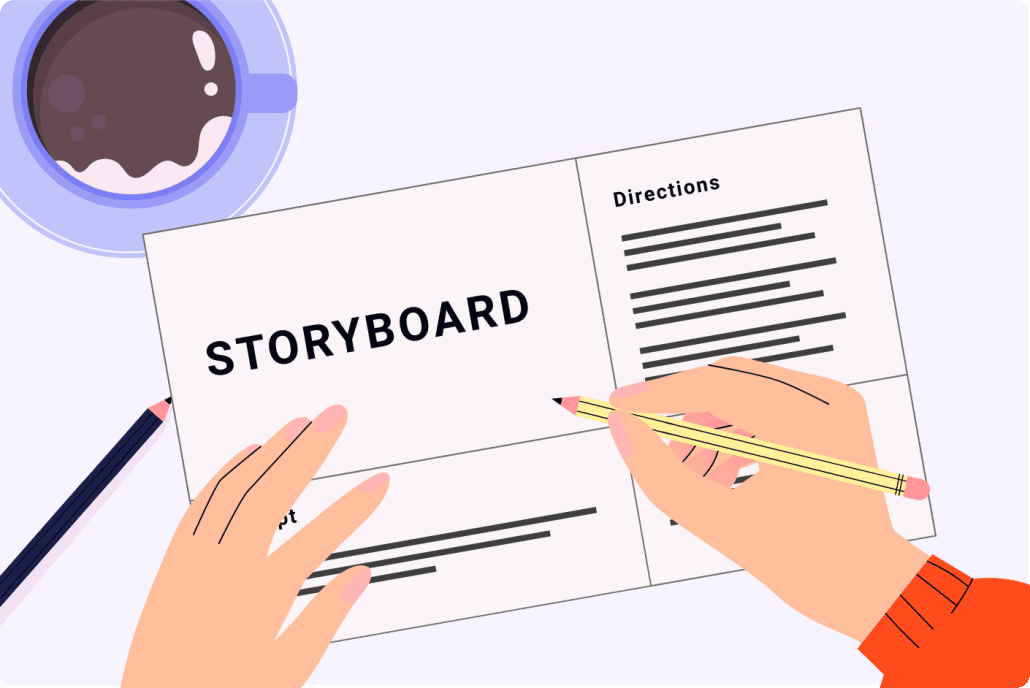
6). Storyboard

animation process storyboard

Download Video Igniter’s Free Storyboard Template

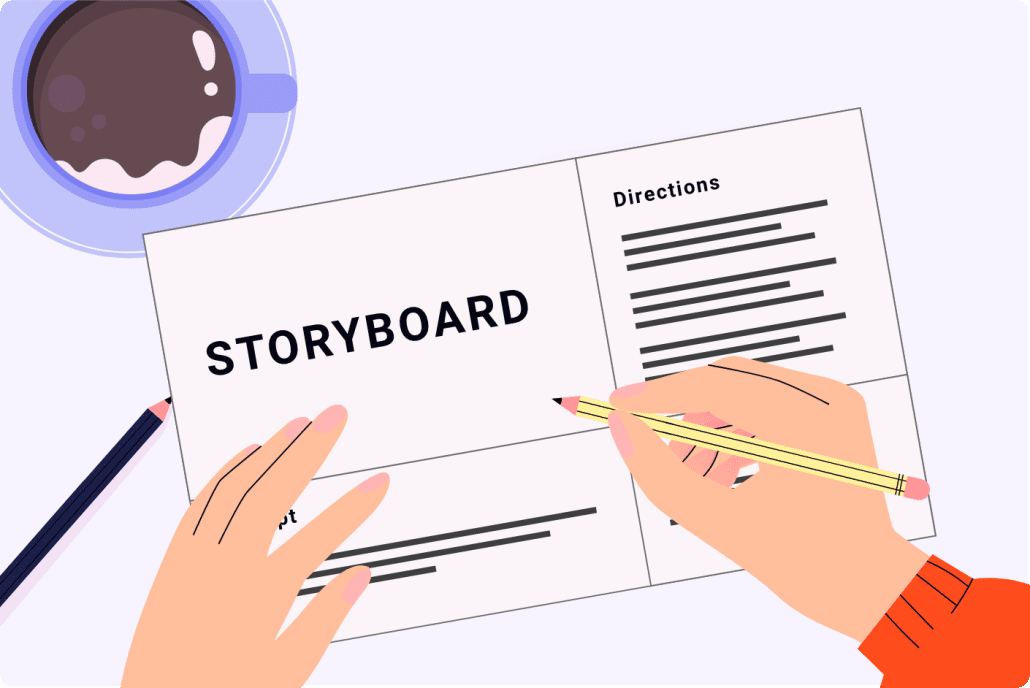
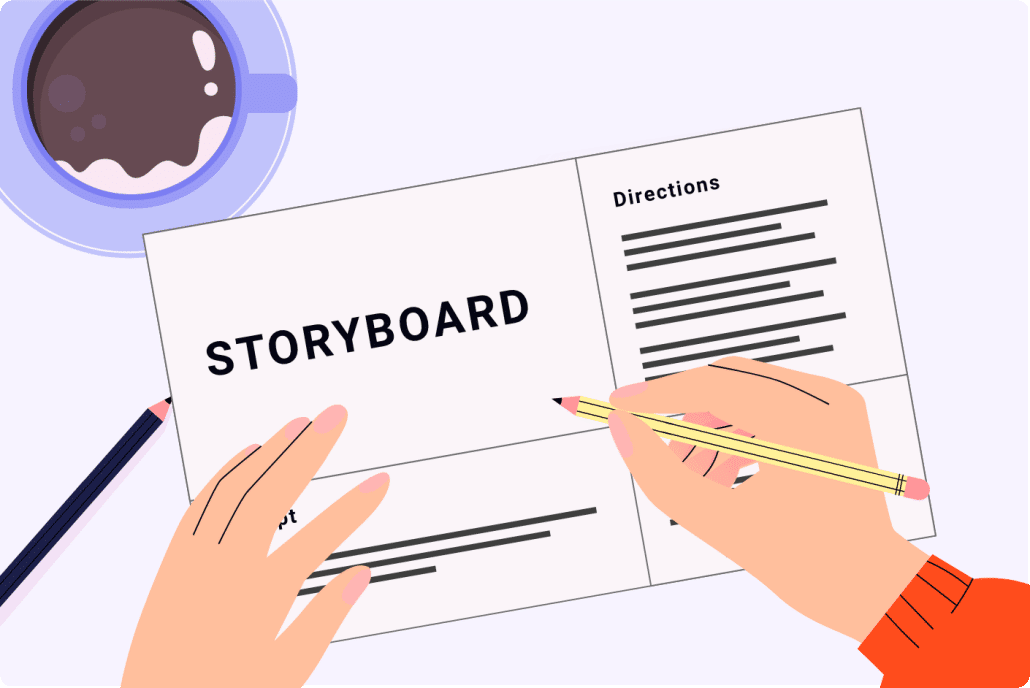
After the script is approved, the next step of the animation process is creating the storyboard. The storyboard is the blueprint for your animated video. It tells the illustrators and animators what to create. Without this document, you’d be leaving too much up to interpretation during the animation process and expensive rework may be needed to redo parts of your animation that don’t turn out the way you want to. You can avoid this by providing simple, clear instructions for the illustrators and animators in the storyboard.

You can create the storyboard using our template or hire the animation team to produce it for you. If they produce the storyboard for you, you will get an opportunity to review your storyboard and request revisions before approving it for production.

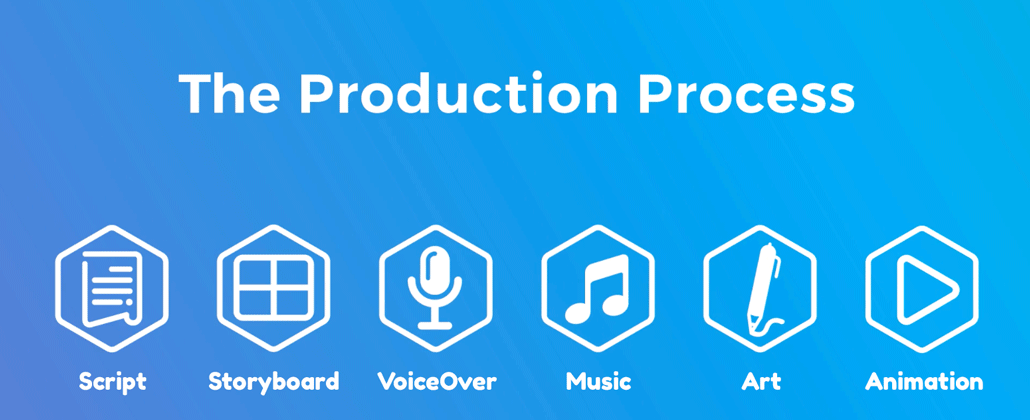
7). VoiceOver

voiceover

Once the storyboard is locked in, your production team will help you get voiceover(s) recorded for your animation. The process for getting voiceovers typically starts with recording auditions from multiple qualified VO talents. Then, you get a chance to review them and select your favorite option(s). Your production team will then oversee the recording of the full voiceover to ensure it uses the correct pacing, pronunciation, and energy. You will be given an opportunity to review the voiceover and request revisions before moving on to the next step of the animation process.

8). Soundtrack

soundtrack

While your animation team is getting the voiceover recorded, they will also help you select a soundtrack to enhance your animated video. This is an important step of the animation process because picking the right video soundtrack will set the emotional tone of your animation’s presentation; selecting the wrong track (or not using any music) will make your video feel flat and lifeless – or worse, the music could be off putting and make people stop watching. The right soundtrack will feel right. You’ll know it when you hear it and see the two playing together.

9). Illustration

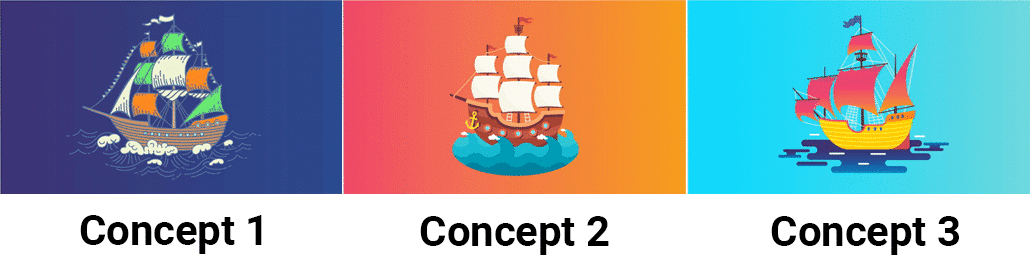
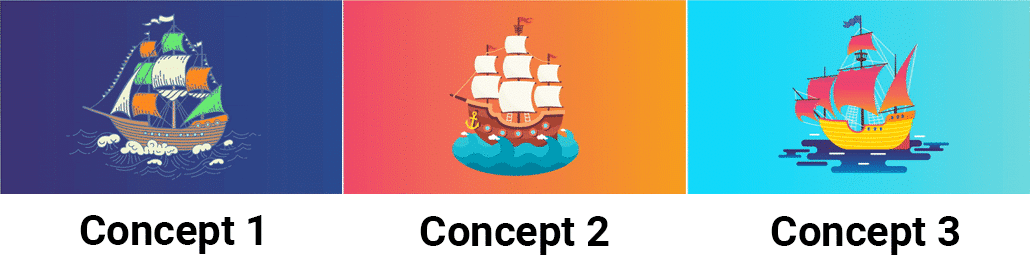
The next step of the animation process is creating the art for your animated video. Illustrations begin as concept art. The art director will take a key scene from your storyboard, review your style references/brand guidelines, and design 1 or more pieces of custom concept art.

animation process concept art

Review the concept(s) and let the art director know which one you prefer. You can also tell them that you want to refine the selected visual style first before approving the concept for production.

After the concept art is approved, the art team will follow your storyboard and design all of the custom art for your video based off of the approved concept art.

animation process illustrations

You get an opportunity to review all the illustrations and request revisions before moving on to the next stage of the animation process.

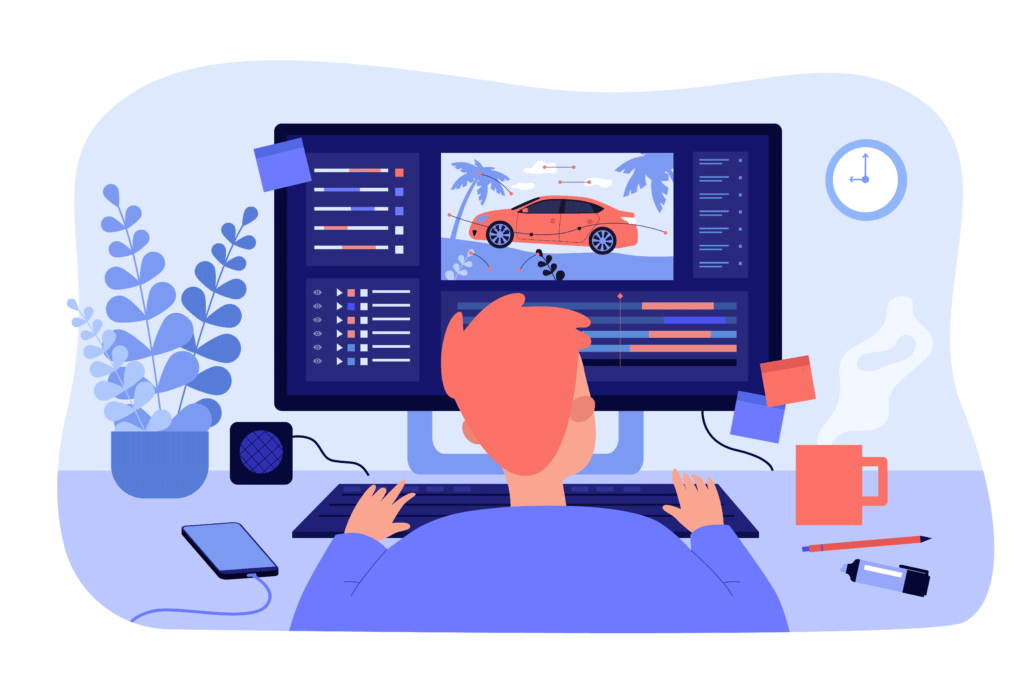
10). Animation

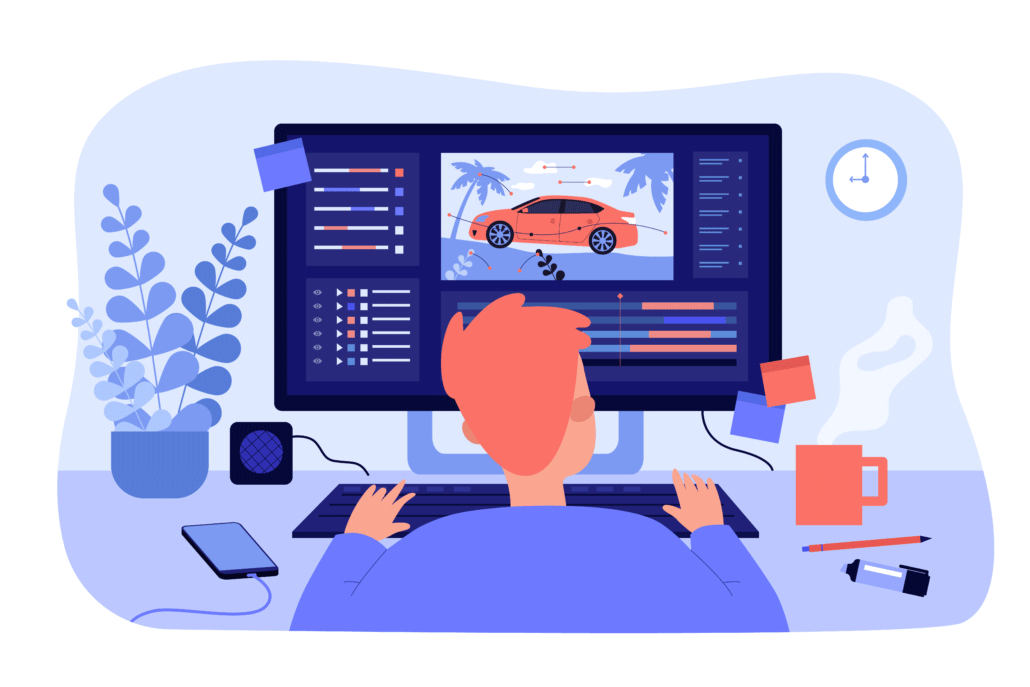
We’re getting close to the end of the animation process because it’s time to actually animate! After all the assets have been created and approved, it’s time to animate. It takes about 1 week to create a 60-second custom animation. 3D animations take 2-3x as much time.

animation process animator

When the first draft is ready, give it a detailed review with your team and members of your target audience. Collect everyone’s feedback and share it with your production team so they can incorporate the edits and render out the final draft.

11). Wrapping Up The Animation Production Process: Post Production & Special Edits

After the final draft is approved, it’s time to handle any special edits or requests from the client including:

  • Translating the video into another language
  • Editing down a shorter version of the video
  • Cropping the video for different aspect ratios (for social media)

Why is it important to follow a process when creating an animation?

video promotion post production

The animated video production process is structured so that a production company can understand your vision for the video and then create a set of instructions for the illustrators and animators so that they know what to create. If you try and skip creating a storyboard for your video, the whole animation process gets thrown off. It would leave too much up for interpretation with your production team. Ultimately, this would lead to budget increases and more time in order to fix the animation to make it look more like what you were imagining.

How Long Does Animation Take?

The length of the animation process varies depending on the length of the video being created and the visual style of the video. Here is a typical production schedule for a 1-2 minute 2D animated video:

  • Script Creation + Revisions: ~1 week
  • Storyboard Creation + Revisions: ~1 week
  • Concept Art, VoiceOver Auditions & Soundtrack Selection: 2 days – 1 week
  • Illustration: 1 – 2 weeks
  • Animation: 1 – 2 weeks

If you want to create a 3D animated video, expect production to take ~2-3x as much time.


animation process timeline

How much does the animation production process cost?

The answer to this question also depends on the length and style of the video being created. Here are some data points to provide context:

  • A custom 2D animated video that’s 1 minute long usually costs $1,000-$10,000 to produce.
  • Fancier frame by frame 2D animation costs at least 2X as much.
  • 3D animation costs +2-4x more than 2D animation to produce.
  • A full Pixar movie costs $30,000,000-$150,000,000 to produce.

animation process cost

How to save money during the animation process?

animation process budget saving tips

For more tips on making your animated video more affordable, check out this companion article:

Affordable Animation

Different Types of Animation Processes Explained

The animation process isn’t one-size-fits-all. Depending on your video goals, audience, timeline, and budget, you may want to pursue a specific type of animation production workflow. Here are some common animation styles and how their processes differ:

2D Animation Process

The 2D animation process is commonly used for explainer videos, commercials, and educational content. It typically involves:

  • Flat illustrations created in vector-based software like Adobe Illustrator.
  • Rigged characters using tools like Adobe After Effects, Moho, or Toon Boom.
  • Limited animation techniques to save time and budget while still producing high-quality visuals.

This process is ideal for fast turnarounds and clear communication, especially when working with abstract concepts or digital products.

Different Types of Animation Processes Explained

3D Animation Process

The 3D animation process is more complex and time-intensive. It includes:

  • Modeling: Building three-dimensional characters and environments.
  • Texturing: Applying surface details like skin, fabric, or metallic finishes.
  • Rigging & Skinning: Creating a digital skeleton so characters can be animated.
  • Lighting & Rendering: Setting up scene lighting and exporting high-quality visuals frame by frame.

Because of its realism and versatility, 3D animation is popular in architecture, gaming, product demos, and entertainment.

Motion Graphics Process

Motion graphics focus on animated text, shapes, and icons to convey messages quickly. The motion graphics animation process skips character rigging and focuses on timing, transitions, and visual storytelling. It’s often used for data visualization, logo reveals, and short-form social content.

Stop Motion Animation Process

Although less common in digital production pipelines, stop motion uses real-world models and physical props. The animation process involves taking thousands of photos, moving characters incrementally between each shot. This analog method requires intense planning, set design, and post-production editing, making it a labor of love with a unique aesthetic.

Pre-Production: The Most Crucial Stage in the Animation Process

Pre-Production The Most Crucial Stage in the Animation Process

Pre-production is the foundation of a successful animated video. While many clients are eager to dive into illustration and animation, this early stage is where most creative problems are solved before they cost time and money.

During pre-production, you should:

  • Finalize your script to avoid last-minute rewrites that derail production.
  • Align on a visual style to ensure consistent art direction.
  • Confirm your core message and call to action.
  • Approve a production schedule to manage timelines and stakeholder reviews.

The more effort you put into planning the animation process upfront, the smoother the rest of the journey will be.

Check out Video Igniter’s Pre-Production Checklist.

Animation Review Cycles and Feedback Best Practices

Animation Review Cycles and Feedback Best Practices

Revisions are a natural part of the animation process—but if not managed carefully, they can create delays and unnecessary costs. Here are a few tips for giving effective feedback during your animation project:

  • Be specific: Instead of saying “make it pop,” explain what you want changed (e.g., “increase the contrast” or “use a bolder color for the call-to-action button”).

  • Consolidate feedback: Gather all notes from your team before submitting them to the animation studio.
  • Stick to the plan: Avoid making major changes to the script or visual direction once you’ve approved earlier stages like the storyboard or illustrations.

Staying organized during the review stages helps ensure a streamlined animation process from first draft to final delivery.

How to Make the Most of Your Animated Video After Production

How to Make the Most of Your Animated Video After Production

The animation process doesn’t end when the video is delivered. To maximize ROI, you need a strong distribution strategy. Here are ways to get more value out of your animated video:

  • Upload to YouTube and optimize your title, description, and tags for search.
  • Embed the video on landing pages to increase conversion rates.
  • Share it on social media with captions and hashtags to expand reach.
  • Include it in email campaigns to improve open rates and click-throughs.
  • Repurpose it into blog posts, GIFs, short social clips, or infographics.

Each additional use of your video adds value and helps reinforce your brand message across multiple touchpoints.

Animation Process for Businesses vs. Animation for Entertainment

Animation Process for Businesses vs. Animation for Entertainment

It’s worth noting that the animation process differs depending on whether you’re producing content for marketing vs. entertainment:

  • Business animation (e.g., explainer videos, product demos) is usually short-form, goal-driven, and designed to convert or inform. The process is streamlined with tight timelines and budgets.
  • Entertainment animation (e.g., cartoons, web series) often involves episodic content, deeper character development, and extended timelines. The production pipeline may also include writing rooms, sound design teams, and more complex asset libraries.

Understanding your content’s purpose will help you choose the right animation process and team.

Tips for First-Time Clients Going Through the Animation Process

Tips for First-Time Clients Going Through the Animation Process

If this is your first time commissioning an animated video, here are a few things that will help you navigate the animation process more smoothly:

  • Ask about the number of revision rounds included in the quote.
  • Request a detailed timeline with production milestones.
  • Clarify who is responsible for writing the script, sourcing music, and managing voiceover talent.
  • Discuss licensing and ownership rights for final deliverables and raw assets.

Being proactive about communication and expectations will lead to a better experience for both you and your animation team.

Conclusion: Mastering the Animation Process Leads to Better Videos

Mastering the Animation Process Leads to Better Videos

The animation process is a structured, step-by-step journey that transforms a rough idea into a polished, professional video. Whether you’re creating a quick explainer or a full-blown 3D production, following the proper animation workflow ensures your project stays on budget, on time, and on brand.

By understanding each stage—from script and storyboard to animation and post-production—you can make smarter decisions, give better feedback, and ultimately get a video that delivers real results for your business or brand.

Need help getting started with your animation process? Contact Video Igniter today to speak with a production specialist, get a free quote, or access our downloadable templates to plan your next video like a pro.

Still have questions about the animation process?

Do you have a question about the animation process that wasn’t included in this FAQ?  Use this form to contact us with your question. We will follow up with an answer and then we’ll post the question and answer to this page.

questions

What is Video Igniter Animation?

Video Igniter Animation is an online animated video production service. By working with our team online, you can get your custom animated video produced faster and for less than hiring a brick and mortar animation studio.

We can help you create any kind of 2D animated video or 3D animation you can imagine. Check out our animated video portfolio!

Do you want to create an animated cryptocurrency video or an animated blockchain explainer video that explains how your technology works? We can help with that too.

Watch our explainer video to learn more about how we can help you create an animated video for your business.

Animation Success Stories & Testimonials

“I am beyond satisfied with my experience with Video Igniter. The first drafts of the work were almost exactly what I had in my head when developing the concept. After that each step along the way was seamless until arriving at a perfect finished product. And all this at a tremendous value. Anyone who has considered creating a marketing video should check out Video Igniter.”

Anonymous Customer Feedback

“Video Igniter offered us the critical combination of creative value, clear communication, and patience with stakeholder feedback. We ended up with truly high-quality design assets for our video series largely due to the extra level of commitment — and the right balance of efficiencies with flexibility in the process when called for.”

Larry Schlessinger – Sr. Creative Program Manager, Amazon Web Services

“Video Igniter came to us with a number of creative and engaging ideas and were able to create an exciting, impactful video in a short period of time. And the best part was that it cost much less than other options of similar quality. The video they made is a great marketing tool for us.”

Alex Raymond – Founder, Kapta Systems

testimonials

Get In Touch!

Schedule a call with our production team to discuss your video project.

Get a quote for us to create your animated video project.

Request access to our newest price sheet.

Check out our animated video portfolio to see our latest and greatest creations.

Create your Video Igniter account, fill out a creative brief, and we’ll start your animation.

contact us

Explainer Video Storyboard Examples

Ready to make a storyboard for your explainer video but aren’t sure how to get started? We thought it might be helpful to share some explainer video storyboard examples from past projects so that you can see what a completed storyboard looks like. We’ll also show you the video that resulted from the storyboard so you can see how the storyboard gets translated into a custom animated video.

Content:

1). The Importance of Creating A Storyboard

2). Explainer Video Storyboard Examples

3). How to Create A Storyboard For an Explainer Video

4). Animated Explainer Video Storyboard Template

5). Explainer Video Storyboard Creation FAQ

1). The Importance Of Creating A Storyboard

The storyboard is like the blueprint for your explainer video. It provides instructions to the illustrators and animators so that they understand what you want them to create. Otherwise, you’re leaving too much up for interpretation and it may require expensive rework to fix the video and make it look the way you want.

Each page of a storyboard includes four parts:

  1. A sentence from your script
  2. A mockup or rough sketch of the scene
  3. A bullet point list of the animation instructions
  4. A list of assets needed to create the scene

Here’s an example of what that looks like:

explainer video storyboard examples


Want to save $ on your production budget? Download our free storyboard template to create your explainer video storyboard right on your computer. Creating your storyboard can save you hundreds or thousands of dollars off the cost of your explainer video.

explainer video storyboard

Download Video Igniter’s Free Storyboard Template

2). Explainer Video Storyboard Example

If you’re wondering “what does a good explainer video storyboard look like…” – we started digging up some examples for you to check out. We also included the video that was created from the storyboard so you can see what it looks like after it’s turned into a custom animated video.

Explainer Video Storyboard Example:

Resulting Video:


3). How to Create A Storyboard For an Explainer Video

Once the script for your explainer video is approved, you can use it to create your storyboard.

First, download our free storyboard creation template and paste it into Google Slides, Keynote or Powerpoint.

Then, duplicate that page one time for every sentence in your script. Paste one sentence on each slide of the storyboard.

Use clip art to create a mockup of each scene. Or, create a rough sketch on paper, take a photo with your phone and paste it into your storyboard.

Create Storyboard For Explainer Video

Create a list of instructions for the animators so they understand how everything is supposed to move in the scene.

Finally, include a list of assets that are needed to create the scene. This is where you should provide specific detailed instructions for what assets are needed to create the scene. For example: Main character should be female with red hair. She is holding a kayak paddle in her left hand and wearing river rafting gear, including a helmet. Water SFX. Mountain river scene in the background.

Creating an explainer video storyboard

Extra resources to help you create the storyboard for your explainer video

4). Animated Explainer Video Storyboard Template

We created an explainer video storyboard template you can download to create your own storyboard on your computer so you can save money on your production budget. Creating your own storyboard can help you save hundreds or thousands of dollars off your explainer video cost.

Animated Explainer Video Storyboard Template

5). Explainer Video Storyboard Creation FAQ

How long should my storyboard be?

Typically, a storyboard has one page for each sentence in the script. If there is a more detailed sequence you are trying to explain in your storyboard, it makes sense to break a sentence up into multiple pages to make it easier to explain and visualize what is supposed to happen during each part of your explainer video script.

Explainer video scripts typically have 125-150 words for each 60 seconds of content. This ends up being about 8-12 sentences or 8-12+ pages for your storyboard.

explainer video storyboard script word count

Each 60 seconds of an explainer video is about 125-150 words long

What does it cost to create a storyboard for an animated explainer video?

Animation studios typically charge a few hundred dollars up to tens of thousands of dollars to create a storyboard for an explainer video.  Most studios don’t charge on the high end and rely on information you provide them to inform the creation of the storyboard. High end storyboard creation services include detailed research programs to understand the target audience and test which visual messages resonate with them to ensure the message is understandable and memorable.

Deep Dive: Want to know what else goes into the cost of an explainer video?

How long does it take to create a storyboard?

Storyboard creation can be a fast process if your timeline is tight and your team is nimble. Usually the storyboard creation process takes 1-2 weeks. After the client approves the script, the storyboard artists will create the first draft in 2-3 days. Then, you get an opportunity to review the storyboard and request revisions. The animated video production company will review your notes, incorporate the revisions and send back an updated version of the storyboard within a few business days.

storyboard creation timeline

It takes a few weeks to make an explainer video.

Hire Video Igniter To Create Your Storyboard And Produce Your Explainer Video!

We write scripts and make custom explainer videos for world-class brands like T-Mobile, Amazon Web Services and Linkedin @ video production prices startups can afford.

Check out our portfolio.

Interested in getting some pricing info? Get yourself a copy of our latest rate sheet.

+20 reasons companies love hiring Video Igniter to create animated videos.

Explainer Video Demo Reel


Explainer Video Success Stories & Testimonials

“I run a video production company and outsource animation. The team at Video Igniter did a great job in taking the concept I very crudely drew out and made it into a beautiful animation. The review process was easy and their turnaround time was very quick. I’d def recommend them if you’re looking for an animation project.”

Pat Henderson – Founder, Path8 Productions

“Video Igniter came to us with a number of creative and engaging ideas and were able to create an exciting, impactful video in a short period of time. And the best part was that it cost much less than other options of similar quality. The video they made is a great marketing tool for us.”

Alex Raymond – Founder, Kapta Systems

“I found exactly what I needed: custom animated production with lots of options, fair price and fast communication. I loved working with the Video Igniter Team. Million thanks.”

Antonina Rome, MD – Bioresona

Success Stories & Testimonials

Get An Animated Explainer Video For Your Business!

Schedule a call to discuss creating a storyboard for your animated video.

Get a quote for your explainer video & storyboard.

Request access to our newest price sheet.

Check out our animated video portfolio to see our latest and greatest creations.
contact us


What is Video Igniter Animation?

Unlimited Revisions

Unlimited revisions for a custom animated video? Sounds too good to be true… Here’s what we mean by that:

unlimited revisions animation


What does the unlimited revisions policy mean?

Unlimited revisions means we will revise each major deliverable of your animated video an unlimited number of times until you mark it as approved. That includes the script, storyboard, voiceover (and auditions), soundtrack options, illustrations (and concept art) plus the final animation.

If you request a revision that was not previously specified earlier in the production process, your revision request may require a budget increase. A member of our production team will reach out and discuss options with you before proceeding.

Read this companion article to learn more about animated video payment terms and how production budget increases (or decreases) are assessed.

Why do we offer unlimited revisions?

Nobody likes getting nickel and dimed. We don’t want to have to bug you for more money if you keep asking for more edits. Unlimited revisions makes things work better for everyone.

By paying our animators and designers competitive market rates, it motivates our team to do their best work the first time. This minimizes the number of revisions and extra work we have to do.  It’s about making a great production experience and having great production outcomes for everyone. By charging what we need to charge to a good job, we’re able to get your content produced and polished faster and for less than hiring a full animation studio.

Most importantly, we want to do everything we can to ensure your animated video project doesn’t go over budget.

Questions?

If you have a question about the unlimited revisions policy that isn’t answered in this article, you can use our contact form to ask your question or click the image below to with a member of our production team:

contact us

Which assets does Video Igniter allow unlimited revisions?


Script

Get unlimited revisions on the script for your animated video.

Download Video Igniter’s Free Script Writing Template

We will continue to revise your script until you love it. We can increase or decrease the length at your request and will notify you if these changes will result in a larger or smaller final budget. Even though we offer unlimited revisions, most scripts are reviewed and approved after 1-2 rounds of edits.

Storyboard

animation storyboard

Download Video Igniter’s Free Storyboard Template

Just like the script, we will create and revise your storyboard as many times as you want until you mark it as approved. If you ask us to go back and rewrite the script at this phase of production, it may result in a budget increase. Otherwise, if you are sending edits for our storyboard artists to continue revising and refining what visuals we should show for each part of your animated video, we will continue to work with you to generate new original ideas for every part of your storyboard until you are completely satisfied with it.

How to send your storyboard revisions

It’s best to send feedback for each page of your storyboard, in order. If there’s no revisions needed for a particular page, you can leave it blank or say: “N/A.” Even though we offer unlimited revisions, most storyboards are reviewed and approved with 1-2 rounds of edits. Here’s some examples for how you can submit your storyboard revision requests:

Slide 7: We want to see lots of characters in this scene. 7-8 is good but can we make it look like a whole crowd of people cheering?

Slides 9-13: We love the concept for this motion graphic. Can you add more design accents to it so that it will compliment our logo?

VoiceOver

The first phase of getting voiceover(s) recorded for an animated video is to audition voiceover talent. When you hire an animator or Video Igniter we will identify multiple voiceover talents that will sound great for your animated video and have them record a few sentences from your script. This way, you can hear what kind of energy they will breathe into your script. This is better than relying on their demo reels. Let us know if you aren’t in love with any of the auditions. We’ll happily order up a new wave of auditions for you to review… and will continue to do so until we’ve nailed it!

Recording a voiceover

After you select the voiceover artist of choice, we will hire them to record the full voiceover for your animated video. You will get a chance to review it and sign off on it before we move forward with production. If there are any parts of the voiceover you want to get rerecorded, let us know and we’ll get those parts rerecorded. We will continue to let you request revisions until you approve the voiceover.

What if you want to change voiceover artists after selecting one? This may incur a budget increase.

If we get beyond the VO phase of production and we receive a request to change part of the script or the voiceover, we will get in touch with a quote to cover the cost of re-hiring the voiceover artist to make the changes.

How to send your voiceover revisions

It helps if you send your voiceover revisions in chronological order and include the timestamp to indicate which part of the voiceover you are referring to. Even though we offer unlimited revisions, most voiceovers are reviewed and approved with 0-1 rounds of edits. Here are some example revisions you might send:

“0:09: The VO artist mispronounced the word ‘cacophony.’

0:58-1:10: Sounds like there is some background noise or the VO artist bumped something. Please have them rerecord this section. Otherwise it sounds perfect!

Concept Art

After the storyboard is signed off, our design team reviews your brand guidelines & design inspiration for the animation and selects a key scene from your storyboard to create multiple pieces of concept art.

concept art


How to send revision notes for your concept art

When you review the concept art, it’s your job to tell the illustration team what you like and dislike about each piece of concept art. Maybe one of the designs is perfect and just needs a few refinements. Or maybe you like a few ideas from multiple pieces of concept art and want them pulled together. If you’re not in love with any of them, let us know what isn’t working for you and we’ll to discuss what you want. Either way, we’ll take your feedback and use it to refine the concept art as many times as it takes to nail the visual design. Normally concept art gets nailed down with 0-3 rounds of revisions.

Illustrations

Now that the concept art is approved, the illustration team will use it as a style reference and create all the remaining art for your animated video. You can request as many edits as you want for the illustrations as long as it’s within the scope of what was already agreed upon in the storyboard.

Suppose you request something simple – like changing a car’s design from red to black. That’s what we would consider a simple revision that doesn’t cost extra.

Get unlimited revisions on the illustrations for your animated video.

But what if you wanted to change that car into an airplane. That requires a bunch of redesigns. The airplane wouldn’t make sense driving on the ground so we’d need to redesign scenes showing the airplane in the sky. Or maybe you want to change the main character of your animation from a human to a dog. These types of edits are possible at this phase in the production process. However, they require additional rework outside the scope of what was defined in the storyboard. A member of our production team would reach out in a case like this to discuss how the production budget would need to be modified in order to address these types of revision requests.

How to send your revision notes for the art.

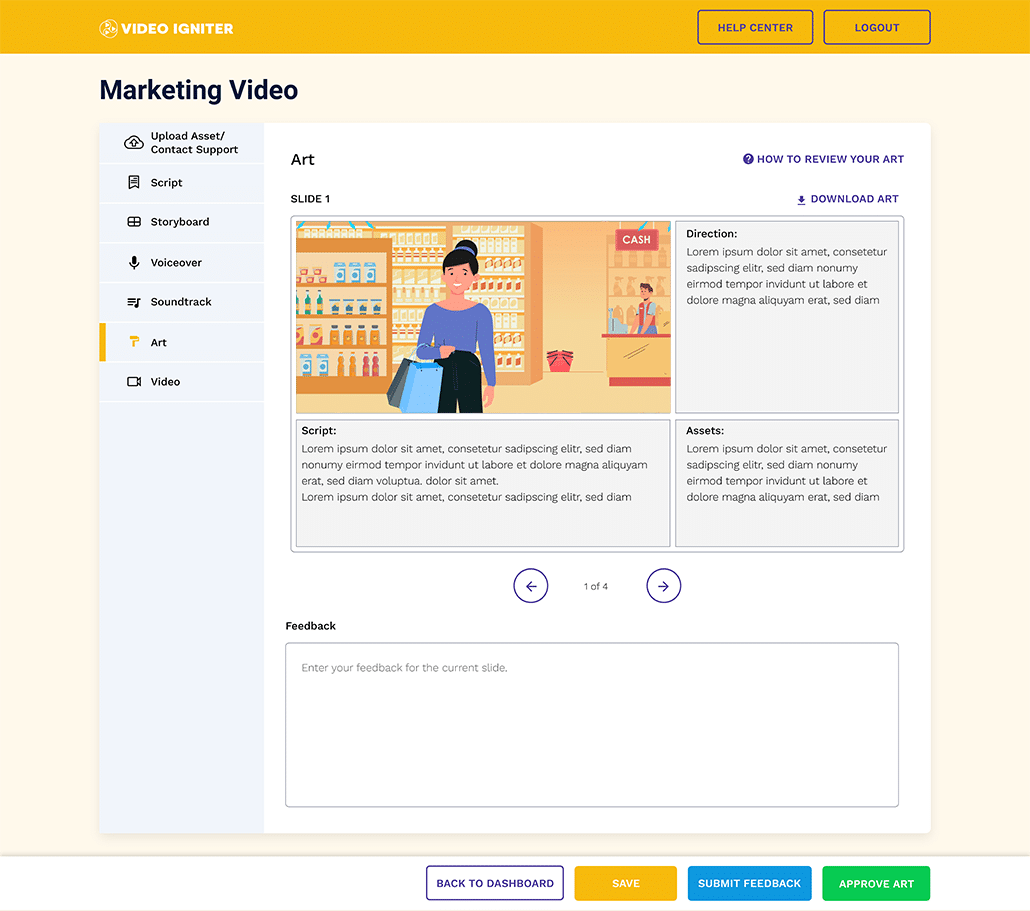
It’s best to send feedback for each slide in order. If no revisions are needed for a particular illustration, you can leave it blank or say: “N/A.” Even though we offer unlimited revisions, most illustrations are reviewed and approved with 0-2 rounds of edits. Here’s some examples showing how you can share your revision requests:

Slide 3: Please change the color of the phone from red to black.

Slides 5-8: Can you add more clouds throughout this sequence?

Animation

By this point, most revisions are related to the motion design since the voiceover and illustrations have already been signed off. If you want to make more substantial edits at this phase of production – something like adding a scene or changing the visuals or the voiceover – we would set up a discussion with our production team to figure out the minimum budget needed to address these particular requests.

Get Unlimited Revisions for your animation

How to send your animated video revision notes

It’s best if you organize your feedback in chronological order. This keeps everything organized and helps the animation team process your requests in chronological order. Even though we offer unlimited revisions, most animations are reviewed and revised just one time. Here are some examples of how to share your revision requests:

0:11-0:14: Please speed up the appearance of the logo by ~1 second.

2:42: Looks like there’s a slight glitch that appears in the upper right corner.

Good News!

Luckily, we almost never need to have a discussion with our clients about charging extra for their projects. As long as your project stays within the guidelines that were prescribed when the project started (namely: visual style, video length and deadline), you should not expect to receive a request for a budget increase just because you requested an edit to the video thanks to the unlimited revisions policy and our streamlined production process.

We designed the production process in a way that minimizes the odds we will need to revert back to a previous stage of the production process to address any revision requests that may come up.

Which types of projects does Video Igniter not allow unlimited revisions?

3D animation, hand drawn frame-by-frame animations, rush delivery animation, and high end 2D animations.  Basically, anything that we consider a Premium Animation project, a rush delivery project, or a discounted project is not eligible for unlimited revisions.

What if my custom quoted project goes over the maximum number of revisions allowed?

If your project doesn’t include unlimited revisions and you request more than 2-3 rounds of revisions for your script, storyboard, voiceover, soundtrack selections, illustrations or animation, we will consider a few factors before discussing with you whether or not your particular revision requests requires a budget increase. If your project requires a budget increase we will discuss options with you before proceeding.

Exceptions:

– If you request an edit multiple times and for whatever reason it was overlooked… We will address it at no extra charge.

– If the animator or designer did not follow or understand the specific revision request you previously asked for.

Note: Not all projects include unlimited revisions. If you were issued a custom quote, offered a discount or you’re making a 2D or 3D premium animation, your project is capped at 2 – 3 rounds of revisions. Contact your project manager if you are unsure if your project has unlimited revisions. If your animated video is being created using the Simple Animation or Standard Animation production option and no discount was given, your project includes unlimited revisions.

Hire Video Igniter For Your Next Animated Video Project

In addition to getting unlimited revisions on your Simple Animation and Standard Animation projects, you get:

– World class design talent at prices small businesses can afford.

– The ability to outsource the production of any kind of 2D or 3D animated video you can imagine.

+ 20 reasons why companies love hiring Video Igniter for their animation projects.

P.S. Check out our animation portfolio!

Animated Video Demo Reel


Are you looking for an example of a different style of animation? Send us a message to let us know what kind of animation example you want to see and we will follow up with relevant production samples.

Animated Video Success Stories & Testimonials

“Video Igniter came to us with a number of creative and engaging ideas and were able to create an exciting, impactful video in a short period of time. And the best part was that it cost much less than other options of similar quality. The video they made is a great marketing tool for us.”

Alex Raymond – Founder, Kapta Systems

“I run a video production company and outsource animation. The team at Video Igniter did a great job in taking the concept I very crudely drew out and made it into a beautiful animation. The review process was easy and their turnaround time was very quick. I’d def recommend them if you’re looking for an animation project.”

Pat Henderson – Founder, Path8 Productions

Animated Video Production Resources

These popular articles are recommended for people that have been reading about Video Igniter’s unlimited revision production policy:

How To Make A Video Animation

How To Review Your Animated Video

Should You Hire A Freelance Animator Or Video Igniter?

Get in touch about pricing and unlimited revisions for your video

Schedule a call to discuss pricing and unlimited revisions for your animated video.

Get a quote for your video project.

Check out our animated video portfolio to see our latest and greatest creations.

Request access to our newest price sheet.

To get your animated video created as fast as possible, create your Video Igniter account and fill out a creative brief to start the production process.

contact us


Animated Video Payment Terms

Do you have questions about animated video payment terms? This article explains Video Igniter’s payment terms for the production of custom animated videos and answers the most frequently asked questions we get about paying for production.

Video Igniter’s Animated Video Payment Terms

We collect 50% of your production budget up front before we begin production. The remainder of your production budget must be paid before we deliver the final, unwatermarked version of your animated video.

Simple Animation and Standard Animation projects include unlimited revisions. For all other animated video projects – including projects that received a discounted production budget, your project does not include unlimited revisions and will be capped at 2 or 3 rounds of edits for each stage of the production process.

What does it cost to make an animated video?

Check out our companion article: “How much does animation cost?” to learn about all the factors that go into calculating your production budget.

You can request access our latest price sheet here.

Or, contact us if you want to get a custom quote.

Animated Video Payment FAQ:


What does flat rate pricing mean?

For most projects we quote a flat rate for the project based off of your specific criteria. The price includes unlimited revisions which means we will continue to revise your script, storyboard, voiceover, soundtrack options, illustrations and animation until you mark them as approved.

Are there any hidden costs?

No

Is there anything that may change my production budget?

Yes! And we will discuss any production budget changes with you before proceeding. Sometimes, when we’re in the middle of production, clients will get a new idea for something different from what they already approved or specified in their production brief.

What does “Unlimited Revisions” mean?

Read our article about the unlimited revisions policy to learn which types projects are eligible for unlimited revisions.

Increasing the length of the video

If you decide to add new scenes or extend the voiceover of your animated video longer than the original length we quoted for, we will discuss with you how much the production budget will need to increase in order to accommodate your requests.

What services do you use to collect payment?

In the past we have used services like PayPal and Payoneer to collect payments via debit and credit cards. Moving forward we prefer to take payment via bank transfer, Venmo or USDC cryptocurrency because PayPal’s transaction fees eat into our budget which is supposed to go towards producing your amazing video. Using these non-PayPal services to collect payment enables us to offer lower rates to save you money on your production budget.

Adding a rush delivery deadline

We ask that you plan for at least 4-5 weeks to create a 60 second custom animated video. If we start the project with the expectation that the project doesn’t need to be rushed for a deadline and then, out of the blue, a rush delivery deadline appears, we will discuss with you what sorts of resources will be required in order to fast track the production of your animated video. To learn more about rush delivery animation and how rush delivery cost increases go towards expediting your video, check out this companion article:

https://videoigniter.com/rush-delivery-animation/


Decreasing the length of your video

If you decide to shorten your video during production, it’s possible, but not always guaranteed to result in a lower final production budget. Example: Let’s say we deliver the first draft of your 60 second animated video and then you decide you want to cut out 15 seconds; you will still pay the rate for a 60 second animated video. On the other hand, if we’re early in the production process and you tell us to take the 60 second animated video and shorten it to a 30 second script, the final production price you pay for the video will be closer to a 30 second animated video instead of a full minute.

Special Edits

Example: If you hire our animators to create a 60 second animated video and then ask if we can create shorter 15 and 30 second versions for your social media, we will discuss with you what extra budget is required to accomplish this. In some cases, the edits are very simple – just a matter of cutting out certain parts of the animation and sticking them next to each other. On the flip side, animation uses beautiful complex transitions to go from scene to scene, so it’s not always as straightforward as cutting video clips apart and sticking them together in a new order. In type of scenario, a slightly larger budget increase would be needed to create the shorter variations of your animation so that the animation motion design remains consistent.

Adding 3D

If you hire us to create a 2D animated video and then ask us to create some 3D animations to insert within it, we will need to assess how much extra it costs to produce the 3D animated segment(s).

Translating your animated video into other languages

Let’s say we’re working on a Spanish-language animated video for you and then you tell us you want to create a Portuguese version as well… here’s what we’d need to figure out to see what the added production cost would be:

1). Will you be providing the translated script or do you want us to use one of our certified translation partners to translate the script and test the script with native speakers for accuracy in the translation?

2). Can you provide the voiceover or do you want us to be responsible for hiring the voiceover artist?

3). How will the visuals of the animation be affected by the change of language? Do we need to change a bunch of text and images on screen to match the new language?

4). Have any of the character’s mouths been animated in sync with the original voiceover and now require adjustments so the mouth movements line up with the new voiceover?

These are the types of the details we’ll look over when assessing what sort of budget increase is required to translate your animated video into another language.

Adding animated characters to a non-character project

Our lowest pricing option “Simple Animation” can be produced with or without animated characters for the same price. If we are producing more detailed animations (Standard Animation or High End Animation), we offer lower pricing for your animated video if it doesn’t include animated characters.

If you indicate you don’t want animated characters in your standard animation or high end animation project and then decide at some point during production that you do want to add animated characters, mascots, animals, etc in the video, we will need to assess how much of a production budget increase is required for your animation – based on the # of custom animated characters being created and the amount of movement they will do on screen.

Questions about animated video payment terms?

Access our current price sheet here.

How much does animation cost and what goes into the price?

– How does rush delivery animation affect my production budget?

Get a custom quote.

Schedule a call with our production team to discuss pricing for your custom animated video.

Miscellaneous Production Questions

What does the animated video production workflow look like?

Learn about the animated video production workflow including how long each stage of production takes and what to expect at each stage of the production process.

How do I create the script for my animated video?

Download our free scriptwriting template.

How do I create the storyboard for my animated video?

How to create a storyboard for an animated video?

Download our Free Storyboard PDF Template.

Can I provide the voiceover for my animated video?

Yes! Check out 1:31 in this voiceover video for tips on how to make a pro-sounding VO at home for free

How Do I Use Video Igniter To Make An Explainer Video?

Check out our comprehensive guide about our explainer video production company.

How do I make cheap animated videos?

See our: Cheap Animated Explainer Video Production Guide. We also have +160 free resources to help you create animated videos.

Does Video Igniter Offer White Label Pricing?

Yes! This guide explains our white label pricing and payment terms for animated videos.

Where else can I look for an animator for hire?

This article has a list of places you can find an animator for hire.

Hire Video Igniter For Your Next Animated Video Project

– World class design talent at prices small businesses can afford.

– You can use Video Igniter to outsource the production of any kind of 2D or 3D animated video you can imagine.

– Check out our animated video portfolio!

+20 reasons why companies love hiring Video Igniter to make animated videos.

Animated Video Demo Reel


Are you looking for an example of a different style of animation? Send us a message to let us know what kind of animation example you want to see and we will follow up with relevant production samples.

Animated Video Success Stories & Testimonials

“Video Igniter offered us the critical combination of creative value, clear communication, and patience with stakeholder feedback. We ended up with truly high-quality design assets for our video series largely due to the extra level of commitment — and the right balance of efficiencies with flexibility in the process when called for.”

Larry Schlessinger – Sr. Creative Program Manager, Amazon Web Services

“I run a video production company and outsource animation. The team at Video Igniter did a great job in taking the concept I very crudely drew out and made it into a beautiful animation. The review process was easy and their turnaround time was very quick. I’d def recommend them if you’re looking for an animation project.”

Pat Henderson – Founder, Path8 Productions


Get in touch

Get a quote for your video project.

Schedule a call with our production team to discuss your project.

Check out our animated video portfolio to see our latest and greatest creations.

Request access to our newest price sheet.

Create your Video Igniter account and fill out a creative brief to start the production process.

contact us


What is Video Igniter Animation?

Explainer Video Templates & Resources

We’ve created a few explainer video templates and miscellaneous resources to help you make the most amazing custom animated video possible. Looking for help writing your script? Or creating your storyboard? This article includes links to all of the free explainer video templates and resources we have created.

Templates and resources to help create explainer videos

If you have a question about our explainer video templates that isn’t answered in this article, you can use our contact form to ask your question or click the image below to with a member of our production team:

contact us

Explainer Video Template & Resources For Scriptwriting

Writing the script is the foundation for your entire explainer video. You can save time and money on production by creating the script yourself. Even if you aren’t confident with your writing, you can still save money by using our explainer video scriptwriting template to write the first draft. Then, we can help you polish it and make it production-ready! Download our free scriptwriting template below and check out our explainer video script examples.

Explainer Video Template & Resources For Scriptwriting

Download our free explainer video script template here:

https://videoigniter.com/script-template/

Download our free scriptwriting explainer video template.

Download our free scriptwriting explainer video template.


Free Explainer Video Scriptwriting Guides:

– How to write a script for an animated explainer video?

– 7 Tips to help you write a great explainer video script for your animated video.

– Examples of explainer video scripts and how to write them.

Explainer Video Template & Resources For Storyboarding

The storyboard is like the blueprint for your animated video. It tells the illustrators and animators what to create. By downloading our explainer video storyboard template, you can easily create your own storyboard using Microsoft PowerPoint, Apple Keynote or Google Slides. This will help you save 1-2 weeks off your production timeline and can save you hundreds or thousands of dollars off the cost of your custom animated video.

Download our free explainer video storyboard template here:

https://videoigniter.com/storyboard-template/

animation storyboard

Free Explainer Video Storyboard Creation Guides:

VoiceOver Resources

VoiceOvers are included in almost every explainer video (but not always!) If your animated video includes a voiceover, you can save money on your production budget by recording your own voiceover at home. In the video linked below, we show you (at 1:31) how to record your own professional sounding voiceover at home for free – without needing to buy any fancy equipment or expensive software.

VoiceOver Resources

Free Animated Video Voiceover Resources:

Where to get a voiceover for your animated video and how to record a professional voiceover for free?

Soundtrack Resources

Sound enhances the experience of watching your animated explainer video. The right soundtrack can make (or break) your whole video. It’s worth spending an hour or more looking for various tracks you can test with your animation. Check out the resources below to learn where to find soundtracks for your explainer video and how to pick the right one for your project.

Soundtrack Resources

Explainer Video Soundtrack Resources:

How to pick the right animated video soundtrack for your explainer, where to buy them and where can you find free, legal music to use in your explainer video?

How to Hire an Animator?

Selecting the right animated video producer is a key decision in the animated video production workflow. While there’s no template for hiring an explainer video producer, these resources will help you figure out the right animation producer and animation style for your timeline and budget:

How to Hire an Animator?

Sales & Marketing Templates & Resources

Is your explainer video being created to support a business objective? If so, the following templates and resources will help you maximize the impact your explainer video has on your business outcomes:

Sales & Marketing Templates & Resources

Pre-Production Resources

Some things to think about before you hire an animation studio, freelancer or Video Igniter to create your explainer video:


Thank you for looking at our explainer video templates & resources!


Want To Make An Animated Video?

Hire Video Igniter!

World class animation and design talent at prices startups can afford.

Check out our animated video portfolio! We can make any kind of 2D or 3D explainer video you can imagine.

+20 reasons companies love hiring us to create animated videos.

Check out our list of +160 free resources to help you create animated videos.

Explainer Video Demo Reel


Are you looking for an example of a different style of animation? Send us a message to let us know what kind of animation example you want to see and we will follow up with relevant production samples.

Looking For An Explainer Video Company In The U.S.?

Video Igniter is headquartered in Seattle, Washington.

Explainer Video Success Stories and Testimonials

“Video Igniter came to us with a number of creative and engaging ideas and were able to create an exciting, impactful video in a short period of time. And the best part was that it cost much less than other options of similar quality. The video they made is a great marketing tool for us.”

Alex Raymond – Founder, Kapta Systems

“Video Igniter offered us the critical combination of creative value, clear communication, and patience with stakeholder feedback. We ended up with truly high-quality design assets for our video series largely due to the extra level of commitment — and the right balance of efficiencies with flexibility in the process when called for.”

Larry Schlessinger – Sr. Creative Program Manager, Amazon Web Services

success stories and testimonials

Need help making an explainer video?

Here’s how you can hire us for your explainer video project:

Get a quote for us to create your explainer video.

Schedule a call to discuss your video project.

Request access to our newest price sheet.

Check out our animated video portfolio to see our latest and greatest creations.

Create your Video Igniter account, fill out a creative brief, and we’ll start creating your explainer video.

contact us


What is Video Igniter Animation?

Video Animated Production FAQ

Looking for someone to help with video animated production? Video Igniter Animation is an online animated video production company that makes custom animated videos for businesses, brands, agencies, video production companies, startups, non profits and anyone that thinks it would be fun to see their idea turned into an animated video.

What is video animated production?

If you have a question about animated video production that isn’t answered in this article, you can use our contact form to ask your question or click the image below to with a member of our production team:

contact us

What is animated video production?

Animation – aka animated video production is the art of hand drawing images or using computers to create custom illustrations that create the illusion that the images are in motion. Movies are created by displaying 10-60 images per second in rapid succession to seemingly create a picture that looks like it is moving.

Hand drawn animations require large teams of talented illustrators to individually draw and add color and texture to every scene.

Modern computer animation dramatically simplifies the animated video production process by providing tools to animators so they can digitally manipulate a smaller number of images in order to create an animation – as opposed to hand drawing every single frame individually.

How do I find animated video producers

How do I find animated video producers

Websites like Upwork and Fiverr can help you find cheap freelance animators. YouTube, Behance, Vimeo, Instagram and Google are all great places to find beautiful animations and connect with studios and creatives.

Shameless Plug: Video Igniter was designed to provide outsourced animation production services through the Internet to clients around the world. Here are 20+ reasons companies love outsourcing animated video projects to us.

What to look for when hiring an explainer video company


Animation Style References

The most important thing you can do when hiring an animator is to review samples of other videos they’ve created. Does their work demonstrate the ability to make good design decisions? Are they able to produce an animated video similar to the visual style you want for your video?

Project Availability

How many projects they take on at once and how your project will be prioritized relative to their other projects? Is there enough time to complete your animation on time before the deadline? Maybe you’ll need to explore rush delivery animation to speed up production.

Video animated production availability

Responsiveness

What are your expectations when it comes to customer service? Do you need the to collaborate with your animator in-person? Or can you work remotely? Are timezones going to be an issue?  How quickly do you expect a response from your animator? Make sure to discuss responsiveness and estimated turnaround times for your project.

Storytelling Ability

When you hire an animator, you’ll want to make sure they’re a competent storyteller. There are a lot of amazing visual artists out there that haven’t connected the dots between the art of storytelling and the art of visual design. If you love their artistic ability but you aren’t a fan of their story telling skills, consider writing the script and making the storyboard for your animated video and just rely on them to create the animations for your video.

Storytelling ability

Revisions Policy

Check to see what kind of revision policy your video animator offers. If you aren’t paying your animator by the hour, make sure you check to see how many revisions are included in the flat rate you were quoted for the project. Most animators and studios only offer 1-3 rounds of revisions before they will need to charge you extra.

Audio

How’s the audio in their videos? Do the voiceovers sound clean and professional? Does the background music enhance the video or distract you?

More Tips

For more tips on what to look for when you want to hire an animator, check out this companion article:

9 Things To Look For When Hiring An Animation Studio Video Igniter


How do I hire an animated video production company?

Looking for someone to produce your animated video but not sure where to start? Whether you’re looking to hire an animation studio, a freelance animator, or a production service like Video Igniter Animation, there are many factors to consider including: pricingvisual style, storytelling, customer serviceproduction timelines and more.

How do I hire an animated video production company?

Here are some resources to help you figure out the right production option for your video:

What animated video services does Video Igniter offer?

Video Igniter Animation can help you create any kind of custom 2D or 3D animated video you can imagine. We can help you:

See this page for a comprehensive list of services Video Igniter offers.

Looking help with animated corporate video production?

Visit: https://videoigniter.com/animated-corporate-video/

How does the animated explainer video production process work?

If you’re like us and prefer learning by watching videos instead of reading, we created a video that explains what the animated video production process is like. Below is a more detailed writeup about what to expect during each stage of the production process:

Script

The first step of the production process is writing the script for your animated video. You can hire Video Igniter or your animated video producer to write the script for you. Or you can write the script yourself to speed up production and save money on your production budget.

Writing the script for a video animated production project.

If we’re writing your script, we’ll start by sending you a questionnaire to learn about what you want us to talk about in your video and who the intended audience is. We’ll use this information to draft a script that is designed to speak to your target audience.

We’ll send you the first draft so that you can review it and let us know if we need to make any changes to the script. If you love it as-is, we’ll proceed to creating the storyboard. Otherwise we’ll continue to work with you to revise the script until you are thrilled with it.

Script Writing Downloadable Resource

If you want to write the script yourself, check out our script writing resources and download our script writing template.

Download our free template to help you create the script for your animated video.

Download Video Igniter’s Free Script Writing Template

Storyboard

Now that your script is production-ready, it’s time to create the storyboard. The storyboard is like the blueprint for your animated video. It tells the illustrators what they are supposed to create and it explains to the animators how they are supposed to make the images move.  Video Igniter (or your animated video creator) can help you develop the storyboard or you create it yourself to speed up production and save money on your production budget. Storyboards are important for production because if the production team doesn’t have consensus with you about what they’re supposed to create, it can lead to extra production costs and more time needed to finish your animated video.

Here’s a diagram of what each page of your storyboard will look like:

storyboard diagram

Download Video Igniter’s Free Storyboard Template

Each slide contains:

– a sentence from your script

– a rough mockup of the scene

– directions for the animators

– a list of all the assets needed to create the scene (audio and visual)

After we create the first draft of your storyboard, you will get a chance to review it and send us feedback. We will continue to work with you to revise your storyboard until you are 100% satisfied with the direction of your animated video project.

Creating the storyboard for a video animated production.

Animated Video Production Budget Saver

Want to save hundreds of dollars off the cost of your production budget? Download our free storyboard creation template and storyboard creation guide.

VoiceOver

After your script and storyboard are locked in, we can audition voiceover talent for your animated video. For most projects, we’ll order auditions from multiple voiceover talents so that you can listen to what each of them sound like while they read a few sentences from your voiceover. If you love one of the auditions, we’ll hire them to record the full voiceover and coach them through the energy, pacing and pronunciation of your script. Not in love with any of the auditions? Let us know why and we’ll happily order up some new auditions for you to listen to.

Recording the voiceover for a video.

Soundtrack

Our sound team will identify several soundtracks that we can license for your animated video and run them by you to review. If you’re in love with one of the options, we’ll procure the appropriate broadcast rights for the soundtrack. Not a fan of any of the soundtracks? Let us know what you’re feeling and we’ll select some new options for you to consider. Or, maybe you like several of the soundtrack options and can’t decide which one is best? In that case, we’ll help you preview each of your selected soundtracks alongside your animated video when the first draft is ready. This way, you can hear which soundtracks feels right within the context of your animated video.

Select the soundtrack for your video animated production project.

For more tips on soundtrack selection, read our animated video soundtrack selection guide.

Illustrations

As soon as your storyboard is approved, the art team will begin the process of creating the custom illustrations for your animated video. First, the art director will review your branding and any style references you provided. Then, they will select a key scene from your animated video and design that scene one or more times using a custom designed visual style. The art director will send the concept art to you and wait for your feedback.

script to animation concept art

If you love one of the pieces of concept art as-is, let the art director know and they will begin creating the rest of the art for your animated video using the approved concept art as a style reference.

If you love aspects of multiple pieces of concept art, let the art director know. They will use your feedback to integrate the best aspects of all the concept art you loved and create a new piece of concept art for you to approve or send additional feedback on.

Not in love with any of the concept art? That’s totally ok! Just let us know your honest feedback and we’ll continue working with you to create the perfect visual style for your animated video before we produce the rest of the art.

Creating illustrations for a video animated production.

Once the illustration team has finished creating all the custom art for your video, they’ll send it over to you and give you a chance to send feedback and revision notes for each scene. We’ll review your notes, incorporate the revisions and send the art back to you to review and sign off before we move on to animation.

Animation

Animating a video animated production

Finally – the art and voiceover are approved and we can dive into animation! It takes about a minute to animate each minute of video. If we’re making a longer video for you, we’ll discuss options for speeding up animation by adding additional animators to the project. When the first draft is ready, we recommend giving it a detailed internal review and previewing it with members of your target audience to ensure the content is easy to understand, memorable and relatable.  Collect all your feedback, send us your revisions and we’ll incorporate them into the final draft of your custom animated video.

Examples of videos created with our animated video production services:


Are you looking for an example of a different style of animation? Send us a message to let us know what kind of animation example you want to see and we will follow up with relevant production samples.


How long does it take to make an animated video?

How long does it take to make an animated video

It takes 3-8 weeks to create a 1-2 minute 2D animated video. 3D animated videos take about twice as much time to produce. Want to learn more about what’s involved at each stage of the production process and how long each part of production takes? Check out this companion article.

How much does video animated production cost?

How much does video animated production cost

Most animated videos cost between $1500-$7500 to create each 60 seconds of custom 2D animation. 3D animated videos easily cost twice as much to produce. To learn more about what goes into the cost of making an animated video, check out this companion article: What goes into the cost of an explainer video?

For the latest production rates from Video Igniter, request access to our price sheet here.

Benefits of Video Animated Production for Businesses

Benefits of Video Animated Production for Businesses

Video animated production is more than just a creative process—it’s a strategic tool for businesses. Unlike traditional live-action video, animation gives brands the flexibility to explain complex topics in a simple, engaging way. Animated videos can condense technical processes, product demonstrations, or data-driven insights into easy-to-digest visuals that audiences actually enjoy watching.

For startups, animated production helps them look polished and professional without the heavy costs of a live-action shoot. Larger companies use animated video to maintain brand consistency across global markets, since visuals can be easily updated and localized. Nonprofits and educational organizations benefit from video animated production because it keeps audiences emotionally engaged and inspired to take action.

Types of Video Animated Production

Types of Video Animated Production

Not all animated videos are created the same. Depending on your goals, different production styles may be more effective:

  • 2D Animation – A cost-effective and versatile choice for explainer videos, tutorials, and storytelling.
  • 3D Animation – Offers depth, realism, and cinematic quality for product demos, architectural walkthroughs, or immersive experiences.
  • Motion Graphics – Perfect for presenting data, infographics, and professional presentations.
  • Whiteboard Animation – Great for step-by-step explanations or educational content.
  • Cel Animation – A hand-drawn style that feels organic and artistic, ideal for brands seeking a unique identity.

When considering video animated production, it’s important to align the animation style with your message and target audience.

Why Video Animated Production Outperforms Static Content

Why Video Animated Production Outperforms Static Content

In today’s crowded digital landscape, static content often gets ignored. Animated video, on the other hand, captures attention within the first few seconds. Eye-catching motion, vibrant colors, and dynamic storytelling keep viewers engaged longer than text or still images.

Studies show that people retain up to 95% of a message when it’s delivered through video, compared to just 10% from text. That makes animated video production one of the most powerful tools for boosting brand recall, driving conversions, and improving overall marketing ROI.

Video Animated Production for Marketing Campaigns

Video Animated Production for Marketing Campaigns

Animation isn’t just for explainer videos—it can power every stage of a marketing campaign. Brands use animated production for:

  • Social Media Ads – Short, punchy animated clips are perfect for TikTok, Instagram, and YouTube.
  • Email Campaigns – Adding animated GIFs or micro-videos increases click-through rates.
  • Website Landing Pages – An animated hero video immediately captures interest and reduces bounce rates.
  • Event Promotions – Animated teasers build hype for webinars, trade shows, or product launches.

With its adaptability, video animated production ensures that your content can be repurposed across multiple platforms without losing impact.

Common Mistakes to Avoid in Video Animated Production

Common Mistakes to Avoid in Video Animated Production

Even with a talented team, animated video projects can go off track if you’re not careful. Here are common pitfalls to avoid:

  1. Skipping Pre-Production Planning – Jumping into animation without a solid script and storyboard can lead to miscommunication and costly revisions.
  2. Overcomplicating the Message – Too much detail can overwhelm viewers. Keep scripts simple and concise.
  3. Ignoring the Target Audience – A highly polished animation is useless if it doesn’t connect with the people you’re trying to reach.
  4. Underestimating Timelines – High-quality animated production takes time. Rushed deadlines often result in lower-quality output.
  5. Neglecting Audio – Crisp voiceovers and carefully chosen music tracks make as much impact as the visuals.

Video Animated Production for Training and Education

Video Animated Production for Training and Education

Beyond marketing, animated videos are incredibly effective for learning and development. Training employees through animation increases engagement and reduces costs compared to traditional seminars or printed manuals.

E-learning platforms often rely on video animated production to simplify technical content and keep learners motivated. Complex concepts—such as compliance policies, software tutorials, or medical procedures—become easier to understand when paired with animated visuals and step-by-step narration.

Future Trends in Video Animated Production

Future Trends in Video Animated Production

The animation industry is constantly evolving, and businesses that stay ahead of trends can maximize their impact:

  • AI-Assisted Animation – Artificial intelligence is speeding up the production process while reducing costs.
  • Interactive Animated Videos – Viewers can now click, choose, and influence the story path.
  • AR and VR Integration – Animated production is expanding into immersive experiences for training, sales, and entertainment.
  • Personalized Animation – Custom-tailored animated content, such as videos that include a viewer’s name or industry, creates stronger emotional connections.
  • Hybrid Production – Combining live-action footage with animated elements is becoming increasingly popular for unique storytelling.

By embracing these trends, brands can future-proof their video marketing strategies.

How to Maximize ROI from Video Animated Production

How to Maximize ROI from Video Animated Production

Producing an animated video is just the first step. To maximize your investment, it’s essential to distribute your video strategically. Upload it to your website, share it on social platforms, include it in email campaigns, and consider running paid ads to extend its reach.

Additionally, track performance metrics such as watch time, click-through rates, and conversions. This data not only proves ROI but also provides insights for refining future animated video productions.

Looking for cheap animated video production?

Looking for cheap animated video production

Custom animated videos require many hours to produce by a talented of multiple designers, animators, story tellers, voiceover artists and project managers. This is the main reason animated videos cost a few thousand dollars to produce. That being said, if you are looking for a cheap way to make an animated video, there are a few options to consider. Check out this resource guide to learn about the different ways you can make cheap animated videos. There are even some ways to make animated videos for free!

What Is The Video Igniter Animated Video Production Site?

What Is The Video Igniter Animated Video Production Site

Video Igniter offers animated video production services online. We’re modernizing the experience of creating a custom animated video to help you create high quality original content quickly while helping you save $ on your production costs. We streamlined the complex production process for making an animated video and do all the work for you. All you need to do is tell us what you want us to create. We’ll make everything for your video and you tell us what you like and what you want us to revise.

If you’re looking for a website to make an animated video, Video Igniter is a new kind of custom animated video production service that enables you to create any kind of animated video you can imagine. Our talented staff collaborates behind the scenes to create custom 2D and 3D animated videos so you don’t have to figure out if you have the right animator or studio for the kind of animation you want to get created. We handle all the technical and creative aspects of production for you including helping you develop your script and storyboard (if you haven’t already created them yourself).

Hire Video Igniter To Produce Your Animated Video

Video Igniter can make video animations using 2D, 3D or Cel Animation.

Check out our animation portfolio.

+20 reasons companies love hiring us to create custom animated videos.

Animated Video Production Demo Reel


Animated Video Production Success Stories and Testimonials

“I am beyond satisfied with my experience with Video Igniter. The first drafts of the work were almost exactly what I had in my head when developing the concept. After that each step along the way was seamless until arriving at a perfect finished product. And all this at a tremendous value. Anyone who has considered creating a marketing video should check out Video Igniter.”

Anonymous Customer Feedback

“Video Igniter came to us with a number of creative and engaging ideas and were able to create an exciting, impactful video in a short period of time. And the best part was that it cost much less than other options of similar quality. The video they made is a great marketing tool for us.”

Alex Raymond – Founder, Kapta Systems

“Video Igniter offered us the critical combination of creative value, clear communication, and patience with stakeholder feedback. We ended up with truly high-quality design assets for our video series largely due to the extra level of commitment — and the right balance of efficiencies with flexibility in the process when called for.”

Larry Schlessinger – Sr. Creative Program Manager, Amazon Web Services

Get In Touch About Making Your Animated Video

Get a quote for us to create your animated video.

Schedule a call with our production team.

Request access to our newest price sheet.

Create your Video Igniter account, fill out a creative brief, and we’ll start creating your animated video.

contact us


Examples Of Explainer Video Scripts & How To Write A Script

Planning on making an animated explainer video and want to learn more about explainer video scripts? In this article, we’ll cover explainer video script writing. You’ll also get to see some explainer video script examples. We’ll even teach you about how to organize an explainer video’s structure and provide an explainer video template you can use to write your script.  After writing explainer video scripts for over a decade, the team at Video Igniter has compiled and included include our tips and best practices to write a great script for your video.

Content:

1). The Importance of Good Script Writing

2). Explainer Video Script Examples

3). How to Write an Explainer Video Script

4). Animated Explainer Video Script Template

5). Explainer Video Script Writing FAQ

6). How to Maximize Your Script Writing

If you have a question about explainer video scripts that isn’t answered in this article, you can use our contact form to ask your question or click the image below to with a member of our production team:

contact us


1). The Importance of Good Script Writing

Script writing is like creating the skeleton of your video. It provides the outline for the entire explainer video. It also helps you identify what visuals need to be created, in what order to tell your story.

Good storytelling will keep your viewer engaged. If the pacing and presentation of the ideas goes in a logical order, all the pieces of information you explain in your video will help the viewer get a better understanding of the big new topic you are presenting to them in the video. Without good storytelling, you have nothing. Don’t rush this step because it’s hard to go back and fix a video that started with bad storytelling.

Writing the script for an explainer video.

After the script is approved, you can proceed to storyboard creation. The script and storyboard are necessary for the design and animation teams know what they are supposed to create.

Want to save on your production budget? Check out our script writing guide and storyboard template. Creating your own script and storyboard can save you hundreds or thousands of dollars off the cost of your explainer video.

Download our free script writing template.

Download our free script writing template.

2). Explainer Video Script Examples:

If you’re wondering “what is a good explainer video script” – we compiled some examples for you to review. We also included the videos that were created from those scripts so you can see how they looked when they were turned into custom animated videos. Most of these examples are 60 second explainer video scripts. The last example is a 30 second explainer video script.

60 Second Explainer Video Script Example:

Meet Aver – the simple, effective identity verification provider.

What if it was possible to safely identify someone from different countries? Regions? And cities, across the globe – with just a selfie!?

Aver’s DNA is built on facial recognition and artificial intelligence.

This enables you to perform instantaneous, complex identity checks which are displayed through an easy to use dashboard.

Smartwatch AML enables visual watchlist searching – which ensure people can not hide under an alias anymore.

Aver’s ease of integration enables you to catch all the bad actors without needing an army of analysts and developers.

Our mission is to change the way the world shares their identity.

We’re creating a global compliance standard for all businesses.

Aver – Identity that works. To learn more, visit www.goaver.com.

Resulting Video:


B2B Explainer Video Script Example:

Do you think you are overpaying for worker’s comp?

If you run a business with responsible, well trained employees, you deserve a break on your worker’s compensation premiums…

…and Approach Management Services is here to help!

Washington State’s Retrospective Rating Program incentivizes businesses to create safer work environments, by giving you a refund on your premium if you reduce workplace injuries and lower claim costs.

Approach helps thousands of Washington state companies reduce their worker’s comp premiums, earn refunds, and navigate the complex claims process.

With Approach, you’ll have your own dedicated claims coordinator to guide you every step of the way.

You’ll also have access to our highly acclaimed safety team who can help create safety programs and assist if L&I is ever at your workplace.

Since 1992, we have saved our clients over $565 million dollars!

If you want to improve your workplace safety and learn how much money you could be saving, fill out our interest form at www.approachms.com.

Resulting Video:


Example Script For a 30 Second Animated Explainer:

Tired of noise near the lab limiting your research?

Herzan helps researchers improve their measurements by removing environmental noise through its acoustic, vibration and EMI isolation solutions.

Herzan’s active vibration control platforms protect the world’s most advanced microscopes from low- frequency vibration noise.

Our custom enclosure delivers the quietest working environment possible, and magnetic field cancellation systems shield electron microscopes from disruptive AC/DC fields.

To learn how Herzan can support your research and achieve better measurements, contact Sales@Herzan.com.

Resulting Video:


3). How to Write an Explainer Video Script

Before you write your script, you may want to create an explainer video outline. Start by creating a list of all the talking points you want to cover within your explainer video. Then organize the points into categories. Identify the main topic and supporting topics to organize your thoughts.

If you’re writing a script for a corporate explainer video, a business or a startup, we recommend using the following outline when drafting your script. This will help you organize the presentation of your ideas in a way that will encourage the viewer to take action after they finish watching your explainer video.

How to write an explainer video script.

1). Explain the status quo.

What problem is your target audience dealing with?  Use the first 10 seconds (~22-30 words) of your script to address your target audience and the pain they experience with a common problem they encounter.

What is the status quo?

What is the status quo?

2). What is the solution?

Now, you can introduce your company’s product/service as the hero to the viewer’s problem. Don’t explain everything right now. Just use the next 10 seconds of the script to introduce the solution and mention what they do to alleviate the problem.

3). Talk about the ways your solution will help solve the viewer’s problem.

Next, we recommend illustrating the top 3 ways your product/service can help the viewer. Spend about 30 seconds providing an overview of the benefits the viewer can experience if they decide to start using the product/service.

4). Remind them to take action

Include a call to action at the end of your explainer video script.

Include a call to action at the end of your explainer video script.

Wrap up the script with a reminder that the viewer can experience all these amazing benefits if ________. The “_______” should be whatever is the next step the viewer needs to take in order to get your product/service. This could be creating a free online account or downloading an app. Other times it’s an email address or a phone number to get in touch with the sales team. Whatever you do, don’t forget to include this “call to action” at the end of the video. This way, no matter where someone sees your video, they will know how to buy from you.

For a more detailed explanation on how to write a script for an explainer video, check out this companion article.

4). Explainer Video Script Template

We created an explainer video script template you can use to write your own script and save money on your production budget. You can view the Google Docs version of the explainer video script template here. You can also download it as a free explainer video script PDF template.

Explainer Video Scripts PDF Template 60 Second Version

5). Explainer Video Scriptwriting FAQ:

How long should my script be?

Typically, explainer video scripts are 30 seconds-3 minutes for corporate explainer videos. These get the point across quickly before the audience looses attention. Other non-commercial forms of education and entertainment can produce explainer videos that are 5-10 minutes or longer.

When you write the script for your explainer video, aim for about 150 words per minute. You could go up to 180 words but after that, the narration is going to sound rushed. Don’t be afraid to have a shorter script closer to 120 words per minute. This allows for time to add pauses and vary the pace of your presentation which ultimately helps keep the viewer’s attention engaged.

Aim for 125-150 when writing the script for a 60-second explainer video.

Aim for 125-150 when writing the script for a 60-second explainer video.


How long does it take to write a script?

Scriptwriting can be a fast process if your timeline is tight and your team is nimble. Usually the script writing process takes 1-2 weeks. After the client sends all the background information to the writing team, the writer(s) identify key talking points to include in the video. Additionally, they spend time researching and understanding your target audience to figure out how to best convey the main talking points in your explainer video script. The first draft takes 1-3 days to complete. After you do an internal review and send us your feedback, our writers typically revise scripts and send them back to you within 24-48 hours.

It takes a few weeks to make an explainer video.

It takes a few weeks to make an explainer video.

What does it cost to write a script for an animated explainer video?

Animation studios typically charge a few hundred dollars up to tens of thousands of dollars to write scripts for explainer videos. Most studios don’t charge on the high end and rely on information you provide them to create the script. High end script writing services include detailed research programs to understand the target audience and test which language and messages resonate with them. You can request a copy of Video Igniter’s newest price sheet for our current script writing rates.

Want to know what goes into the cost of an explainer video?

6). How to Maximize Your Scriptwriting

Want even more tips to improve the script for your animated explainer video? Check out this companion article: “7 Tips to Supercharge Your Explainer Video Script Writing.


7). Want To See More Explainer Video Script Writing Examples?

Would you like to see more video script examples for a type of video or industry you didn’t see here? Use this page to message us and let us know what type(s) of explainer video script examples you would like to see.

Explainer Video Resources

These popular explainer video resources are recommended for your video production journey:

How long does it take to make an animated explainer video?

What explainer video services does Video Igniter provide?

How to create a 3D explainer video?

How do I hire and collaborate with an animated explainer video company to create my video?

Hire Video Igniter To Write Your Script And Make Your Explainer Video!

We write scripts and make custom explainer videos for world-class brands like T-Mobile, Amazon Web Services and Linkedin @ prices startups can afford.

Check out our portfolio.

Interested in getting some pricing info? Get yourself a copy of our latest rate sheet.

+20 reasons companies love hiring Video Igniter to create animated videos.

Explainer Video Demo Reel


Explainer Video Success Stories & Testimonials

“I run a video production company and outsource animation. The team at Video Igniter did a great job in taking the concept I very crudely drew out and made it into a beautiful animation. The review process was easy and their turnaround time was very quick. I’d def recommend them if you’re looking for an animation project.”

Pat Henderson – Founder, Path8 Productions

“Video Igniter came to us with a number of creative and engaging ideas and were able to create an exciting, impactful video in a short period of time. And the best part was that it cost much less than other options of similar quality. The video they made is a great marketing tool for us.”

Alex Raymond – Founder, Kapta Systems

“I found exactly what I needed: custom animated production with lots of options, fair price and fast communication. I loved working with the Video Igniter Team. Million thanks.”

Antonina Rome, MD – Bioresona

Explainer Video Success Stories & Testimonials

Explainer Video Success Stories & Testimonials

Get An Animated Explainer Video For Your Business!

Schedule a call to discuss script writing and your animated explainer video project.

Get a quote for your explainer video.

Request access to our newest price sheet.

Create your Video Igniter account and we’ll start writing the script for your explainer video.


What is Video Igniter Animation?

3D Animated Video FAQ + How To Make a 3D Animated Video?

3D animated video pushes the boundary of what digital artists can create for the screen. We can look at things we could never see with the naked eye. 3D animation transports us to entirely new immersive worlds. They can even show us photorealistic renders of our own world. While they are complicated and take more time and talent to produce than other kinds of videos, this guide provides an overview of some of the most frequently asked questions about making 3D animated videos to help you figure out how to get a 3D animation produced for your own needs.

3D Animation And Design

3D Animation And Design


If you have a question about 3D animated videos that isn’t answered in this article, you can use our contact form to ask your question or click the image below to with a member of our production team:

contact us

When To Create a 2D vs 3D Animation?

3D animated videos are able to show extra details that can’t be shown in 2D animated videos. It’s like the difference between looking at a picture of something vs having a model of that thing (or the real thing itself) to understand it. Sure, the picture shows you what something looks like, but a 3D animation shows you how something is. You can look inside it, you can go around it. It can be manipulated and changed to show how it evolves under certain conditions. These details can be abstractly represented in 2D animation with different techniques but it’s far from seeing what’s actually going on.

Industries That Use 3D Animation

3D animated videos are used in many industries to initiate new business connections.

3D Animation For Manufacturing & Architecture

When it really matters – when you need to see the details of what is going on, 3D animation is the best way to visualize what you want to show or communicate to people. This is particularly useful for mechanical and technical companies that want to show off how their physical creations function.

Marketers Stand Out with 3D Animations

The Internet is becoming an ocean of videos – and very few of those videos are 3D. If you want your message to stand out, investing a little more time and money in a 3D animated video can help your message rise above the noise.

3D Animation For Science & Medical Procedures

Want to demonstrate how a medical procedure works? How about demonstrating how brain neurons fire? Even if you were to get up close with a video camera, you wouldn’t be able to see all the fine details that are going on. By using 3D animation, it’s possible to visually show what’s happening at a microscopic level.

3D Entertainment

The best kind of 3D animation is the good ol’ Pixar Animated video! These animations used to require budgets in the 10’s or 100’s of millions of dollars. Now, thanks to modern animation software and virtual animation teams, the cost to produce 3D animated videos for entertainment purposes is coming down. More organizations can now afford to create entertaining 3D animated videos to extend their brand.

Examples of 3D Animated Videos


3D Animated TV Ad Example


3D Product Render Video Example


Photorealistic 3D Animated Video Example


Are you looking for an example of a different style of animation? Send us a message to let us know what kind of animation example you want to see and we will follow up with relevant production samples.

Animated 3D Online Promo Video Example


How To Make a 3D Animated Video

1). Pick Your Animator

3D animated videos are complicated to produce. Unless you’re feeling particularly inspired to learn how to create them yourself, we recommend hiring an animation studio, freelancer, or us, Video Igniter Animation to create your animated video. Here are 9 things to look for when hiring an animator for your 3D video project.

2). Script

Writing the script for a 3D video animation
First, create a script for your video. This will become the skeleton for your entire animated video. When you create the first draft of your script, include notes about what visuals should correspond with each part of the script. The more detailed you can be with your visual notes, the easier it will be for the animators to figure out what you want them to show in each scene.

Deep Dive: Writing a script for a 3d animated explainer video? Check out our explainer video script writing guide.

3). Storyboard

Next, you’ll want to turn your script into a storyboard. A storyboard is like a blueprint for the design and animation teams so that they know: 1). what to create and 2). how things should move in each scene. You create the storyboard yourself or hire Video Igniter (or some other freelancer/studio) to turn your script into a storyboard for you.

Creating a storyboard for a 3D animated video.

Each page of the storyboard contains
1). A sentence from your script.

2). A rough mockup of the visuals you want to show in that scene.

3). A list of instructions for the animation team so they know how to animate the scene in sync with the voiceover.

4). A list of all the assets needed for that scene (background design, characters, items, sound effects, etc).

storyboard diagram

Want to save money on your production budget by creating your own storyboard? Download our storyboard creation creation guide and template.

4). VoiceOver

Now that your storyboard is approved, it’s time to hire some voiceover talent to record the narration or character’s voices for your animated video. You can hire voiceover talent from websites like Voicebunny, Fiverr and Voices123. We recommend hiring them to record a few sentences from your voiceover first to see if you like they way they bring energy to your specific script. If you love it, you can proceed to hire them for the full recording.

You can also record your own professional sounding voiceover for free at home or in your office without having to buy any expensive equipment.

Recording the voiceover for a 3D animated video.


5). 3D Concept Art

If you hire an animation studio to create your storyboard, the concept art may be created during the storyboard phase of production. Typically concept art starts as black and white sketches. Once the design is refined, color is added and polished until the client is happy with the 2D visualization of the art style.

From there, 3D artists will develop a grayscale 3D model of the assets needed for the animation. Here are some examples of 3D models for animated videos:

3d model of a car for an animated video

Image by PIRO from Pixabay

3d concept art for animated video two people shaking hands
Image by Peggy and Marco Lachmann-Anke from Pixabay

After the 3D model is approved, the artist will add color, textures and background scenery to complete the visual. The visual style gets refined through back and forth conversations between the animation studio and the client. Not all scenes get created during this phase of production – just enough to prove the concept and establish the visual (and sometimes the movement style) of a few key parts of the 3D video.

6). Animatic

The animatic is an advanced version of the storyboard. The animatic maps out the timing and framing of each shot of the video. This provides the animators a detailed reference to work from when designing and animating the video.

The example below shows how the original animatic for an episode of SpongeBob SquarePants evolved into the final animation.

YouTube video

7). Creating 3D Models and Adding Color

Next, it’s time to create all the 3D models for your 3D animation. First, the models get created without color like the concept art shown above. The animation studio will give you an opportunity to refine the models for all the characters, objects and scenes used in your video.

Creating art for a 3D animated video.

After that, the artists will apply color and texture layers to the 3D models. You will get another opportunity to review the models and request revisions to finalize their designs for production.

8). Animation

Animating Your Video

Finally, it’s time for animation! Your voiceovers have been recorded. All the 3D art has been created and colored. Now, the animators bring everything to life. Animation will take several weeks (or months) depending how long your 3D animated video is. When the first draft is finished rendering, you will get a chance to review the animation and request final revisions for your 3D animation.

9). SFX + Music

Don't forget to add a soundtrack to your 3D animated video.

Don’t forget to add a soundtrack to your 3D animated video.

Sound FX and music may get added after you approve the final draft of the animation. This is done to avoid expensive rework. If you see your animation and want to make changes to the timing, it’s better to wait to add the music and sound effects once the timing of the animation has been locked in.

What does it cost to create a 3D explainer video?

Usually north of $10,000/60 seconds of animation. The visual style and level of detail you want for your animation determines your production budget. so they can generate a quote for your 3D animation. You can also write to us about your project to generate a custom quote for your 3D animated video.

How long does it take to make a 3D explainer video?

Depends on the complexity. Anticipate at least 8+ weeks for a 1-2 minute animation. We can produce your animation faster with a rush delivery upgrade. 

How long does it take to make a 3D explainer video?

3D Animated Video Production Resources

These popular articles are recommended for people interested in creating 3D animated videos:

How to create a 3D explainer video?

How to hire and work with a 3D animation studio?

What does 3D animation cost?

How to make 3D animation?

How to use Video Igniter’s 3D animation maker to create a 3D animation?


Hire Video Igniter To Make Your Video!

We produce custom animated videos for world-class brands like T-Mobile, Amazon Web Services and Snoop Dogg @ prices startups can afford. Check out our portfolio here.

Interested hearing about pricing? Get yourself a copy of our latest rate sheet.

Our team has made all kinds of 3D animations and we have the talent to create anything you can imagine. TV ads, educational tutorials, custom visuals for concerts and more!

+20 reasons companies love hiring Video Igniter to create animated videos.

Our team can create any 2D or 3D animated video you can imagine.

Our team can create any 2D or 3D animated video you can imagine.


Get In Touch With Our Production Team

Want to create a 3D animated video? Use the following resources to get in touch with our production team:

Schedule a call with our production team.

Get a Quote. 

Access our price sheet.

Fill out a questionnaire about your video to help us understand what you want to create.

contact us

What is Video Igniter Animation?

Instead of hiring an expensive brick and mortar 2D animation studio, Video Igniter Animation can help you produce original custom animated videos quickly!

…and for quite a bit less than what an old school animation studio would charge you!


Tips and FAQ for Hiring an Animator

Whether you’re looking to hire an animator or an animation studio, there’s a laundry list of things you should look for when selecting a producer for your animation. Take a look at our checklist of recommendations to help your animated video project get off to a strong start.

Hire an animator to create a custom animated video

If you have a question about hiring an animator that isn’t answered in this article, you can use our contact form to ask your question or click the image below to with a member of our production team:

Schedule a call with Video Igniter's production team to discuss your animated video project.

Hire Video Igniter’s Animators to Create Videos Like These

Video Igniter can create any kind of 2D or 3D animated video for you. Check out the example videos below.

To start your project contact us, schedule a call with our production team or request access to our new pricing page.


Are you looking for an example of a different style of animation? Send us a message to let us know what kind of animation example you want to see and we will follow up with relevant production samples.


Top Platforms to Hire an Animator

When you’re ready to hire an animator, knowing where to look can make all the difference. There are several popular platforms where clients can find freelance animators or animation studios, each with its own strengths and considerations.

  • Video Igniter – For businesses seeking high-quality, custom animated videos with a streamlined production process, Video Igniter is a top choice. Our platform connects you directly with professional animators and manages the full animation workflow—from script to screen—so you don’t have to vet freelancers or juggle production details. If you want to hire an animator and get studio-quality results without the hassle, Video Igniter makes the process simple and effective.
  • Upwork – This popular freelance platform allows you to browse animator profiles, view portfolios, and post your job for animators to apply. It’s great for hiring freelance animators with flexible pricing, but finding a quality match can take time.
  • Fiverr – Ideal for small budgets, Fiverr lets you hire animators offering fixed-price services. However, while there are many talented animators, the quality can vary significantly, so it’s essential to vet portfolios carefully.
  • Behance – A portfolio site where many professional animators showcase their work. While you can’t hire directly through Behance, it’s a great place to find animators whose style matches your vision and then reach out directly.
  • Reddit (e.g., r/animationcareer) – Niche communities on Reddit can be helpful for finding emerging talent or getting honest feedback on where to hire an animator. Just be mindful that these forums are informal and require more manual vetting.

Top Platforms to Hire an Animator

Each platform has its own strengths, but if you’re looking for an all-in-one solution to hire an animator without spending hours on research and project management, Video Igniter is one of the most efficient and reliable options available.

What to look for when hiring an animator?

Animation Style References

The most important thing you can do when looking to hire an animator is to check out examples of previous videos they’ve created. Does their work demonstrate their ability to make good design decisions? Are they able to produce an animation similar to the style you want for your video?

Project Availability

Check to see how many projects they take on at once and how your project will be prioritized relative to other projects. Will they have enough time to complete your video before your deadline?

Animated video project availability.

Responsiveness

What are your expectations when it comes to customer service. Do you need the ability to collaborate with them in-person? Or can you work remotely? Are timezones going to be an issue?  How quickly do you expect a response from your animator? Make sure to discuss responsiveness and estimated turnaround times for your project.

Storytelling Ability

When hiring an animator, you’ll want to make sure they’re a competent storyteller. There are a lot of amazing visual artists out there that haven’t connected the dots between the art of storytelling and the art of visual design. Make sure your animator of choice is able to make images that are appropriate for your story and enhances their presentation for the viewer.

Revisions Policy

Check to see what kind of revision policy your animator offers. If you aren’t paying your animator by the hour, make sure you check to see how many revisions are included in the flat rate you were quoted for the project.

Audio

animated video soundtrack

How’s the audio in their videos? Do the voiceovers sound clean and professional? Does the background music enhance the video or distract you?

For more tips on what to look for when you want to hire an animator, check out this companion article:

https://videoigniter.com/9-things-to-look-for-when-hiring-an-animation-studio/

Essential Questions to Ask Before You Hire an Animator

Essential Questions to Ask Before You Hire an Animator

Before you hire an animator, asking the right questions can save you time, money, and headaches. Whether you’re speaking to a freelancer or a studio, here are the key questions you should always ask:

  1. Can I see your animation portfolio?
    Reviewing past work helps ensure the animator’s style matches your vision and quality expectations.
  2. Have you worked on similar projects before?
    Industry-specific experience (e.g., explainer videos, educational animations, app demos) ensures they understand your needs.
  3. What is your revision policy?
    Clarify how many rounds of revisions are included and whether additional changes cost extra.
  4. How do you handle the script and voiceover?
    Some animators only work with a finished script. If you need help with scripting or voice talent, confirm it’s part of the service.
  5. What is your timeline and availability?
    Always ask when they can start, how long the animation will take, and whether they can meet your deadline.
  6. How do you communicate during the project?
    Clear communication is critical. Ask how often you’ll receive updates and which tools they’ll use (email, Slack, Trello, etc.).
  7. Who owns the final animation?
    Confirm you’ll receive full rights to the finished video once payment is complete.

Asking these questions upfront helps ensure a smoother production experience and improves your chances of hiring the right animator for your project.

How to choose a producer for your custom animated video?

How to choose a producer to make your animated video?

Looking for someone to make a custom animated video but not sure where to start? Whether you’re looking to hire an animation studio, a freelance animator, or a production service like Video Igniter Animation, there are many factors to consider including: pricingvisual style, storytelling, customer service, production timelines and more. Here are some resources to help you figure out the right production option for your custom animated video:

– Pros and Cons of Different Animation Styles

– What’s the difference between hiring an animation studio, vs a freelance animator vs Video Igniter?

– Considering making the animated video yourself? Learn about DIY options.

– What is Video Igniter Animation?

Difference between hiring a freelance animator vs an animation studio?

Cost

What does it cost to make a custom animated video?

Freelance animators are often (but not always) cheaper to work with than a full animation studio. It all depends on the style and length of the animation you’re hiring them to create. That, and the timeline…

Speed

… speaking of timelines, how quickly do you need your animated video? If you’re looking for something relatively simple, a freelancer can create what you’re looking for in a few hours, days or weeks. Studios are typically reserved for longer projects that require multiple people illustrating and designing so that the project can be completed in a reasonable amount of time.

Customer Service

Animation studios have more staff to handle client reviews and address questions so their animators and designers can continue working with minimal interruption. Freelancers make money when they’re animating so they’re more likely to request you send your revision notes in text form so they can easily digest them and make fixes in your animation. Some freelancers are willing to get on calls with clients to have more in depth discussions about how to create specific parts of your animation.

Artistic and technical ability

Creating illustrations for a custom animated video.

Freelance animators typically specialize in a few styles of animation and get really good at those. Animation studios are staffed with art directors that can develop new unique visual styles and coordinate a team around them to help execute on that unique artistic vision.

How long does it take a freelance animator to make an animation?

Custom animated videos take a lot of time and attention to produce. It takes about 2-4 weeks for a freelance animator to produce a 60 second animated video. To learn more about the animated video production process and how long each stage of production takes, check out this companion article:

https://videoigniter.com/understanding-the-animation-production-workflow-how-to-turn-your-idea-into-an-animated-video/

What does an animator cost per hour?

Animators earn between $10-$150+/hr depending on their experience and technical skillsets. For your average corporate/business/startup animated promo video, expect to spend $25-$50/hr for a quality 2D animator.

How much does a 2D animator cost per hour?

Usually $20-$60/hour.

2D vs 3D Animation

How much is a 3D animator per hour?

$25-$75+/hour. 3D animators can get substantially more expensive. Highly technical, complicated and detailed animations can easily cost over $100/hour to produce.

How to pay an animator?

Payment Methods

Animators love receiving prompt payment for their hard work. But fast payments usually means they need to sacrifice 2.9%-5%+ of their earnings to cover transaction costs when they receive payment. Some animators may ask you to cover this expense. Others may be open to receiving payment via check, bank transfer or crypto to avoid losing their earnings to cover transaction costs.

Payment Terms

Most animators and animation studios use the same set of animated video payment terms: send an invoice for 50% of the estimated production cost to start production and the remainder of the project budget is due when the final draft is approved. The unwatermarked version of your animated video will be delivered after final payment is completed.

If you are hiring an animator for ongoing projects, have the animator log their hours and report them every two weeks for payment.

Pay an animator 50% up front when you hire an animator

Flat rate vs Hourly

For shorter animated projects, it’s common in the animation world for freelancers and studios to quote a flat rate for a project and instead of charging by the hour. Animations longer than a few minutes will more than likely be billed by the hour because it’s too difficult to generate an accurate estimate for the number of labor hours required to create the video.

Extra Revisions

How many revisions does the animator allow for each phase of production? Most animators will cut you off at 1-2 revisions but some will be generous and allow a 3rd round of revisions for free. Whatever the situation is, make sure you two are in agreement about the production terms before you get started so that you don’t end up with unexpected costs at the end of production.

How much does it cost to hire an animator to make an animated video?

If you’re creating a 2D animated video, expect to spend between $1,000-$4,000 to cover the cost of animating a 60 second video.  Illustration can add another $750-$2,000+ per minute of animation. 3D animated videos easily cost 2-3x as much because additional people are needed to create 3D models for characters, scenes and objects and make them look lifelike.

Tips to keep your animated video production budget low

Consider the following budget-saving tips to keep your animated video production cost down.

Tips to keep your production budget low when you hire an animator.

Create your script

You can save hundreds or thousands of dollars off your production budget by writing the script for your animated video. Freelance animators and animation studios are capable of helping you craft your script. However, as the originator of the idea for a video, the heart of the story is in your mind. You have the best chance of creating a first draft that will articulate the story you want to present. Don’t worry about making your script perfect. If you can provide the first draft of your script, your animation team can help you make it production-ready and you can still save some money on your production budget.

animation script

Here are a few resources to help you create a script for your animated video:

How To Write An Animated Video Script

7 Tips to Supercharge Your Video Script Writing

Examples Of Explainer Video Scripts + How To Write A Script

Get our free script writing template here.

Download our free template to help you write the script for your custom animated video.

Download Video Igniter’s Free Script Writing Template

Download our free template to help you write the script for your animated video.


Create your storyboard

A storyboard is like a blueprint for an animated video. It tells the animators and illustrators what to create. By creating the storyboard for your custom animated video, you can save hundreds or thousands of dollars off your production budget. You don’t need any artistic ability to create a storyboard. Your job is to brainstorm visuals to correspond with each line of your script and then write simple instructions for the illustrators and animators so they understand what you want to show in each scene.

Examples of simple storyboards you can create for your animated video.

Examples of simple storyboards you can create for your animated video.

Free Download: Get our free storyboard creation template.

Deep Dive: Building a great storyboard for an animated explainer video.

Record the voiceover

You can try sourcing low cost voiceover talent from sites like Fiverr or VoiceBunny. English-speaking voiceover artists tend to charge $10-$199 for 1-2 minutes of recorded audio.

You can also record the voiceover yourself for free! Check out Episode 3 of The Video Igniter Show (at 1:31) to see how you can record the voiceover for your animated video for free without having to buy any expensive equipment or software.

Record your own voiceover to save money on your production budget.

Use stock assets

Using pre-created assets can help you keep your budget down because they usually cost less to buy or license than it would to create something comparable.  Free (or low cost) icons, clip art, stock images, fonts, graphs and video clips are available on sites like MixkitTheNounProjectGoogle Font Library and Envato Elements.

Use stock assets

Use free music

Soundtracks typically cost $10-$299 each. If you plan to promote your animation using paid media (TV and or Online), you may need to pay even more for the broadcast rights to use the soundtrack in paid promotional campaigns. Looking for free, legal music? Check out Incompetech and Facebook’s Sound Collection.

Why Businesses Choose to Hire an Animator

Why Businesses Choose to Hire an Animator

Whether you’re a startup, small business, educator, or enterprise marketing team, the decision to hire an animator can elevate your content and create a lasting impression on your audience. From explainer videos and app tutorials to brand intros and product demonstrations, animation offers a visually compelling way to simplify complex messages.

Many businesses choose to hire an animator because animated content is more engaging, memorable, and versatile compared to live-action videos. It’s also scalable: you can reuse and repurpose animated assets across social media, email marketing, websites, presentations, and more.

Hiring an animator ensures your video stands out from competitors and delivers a polished, professional finish that builds brand trust.

How to Hire an Animator for Your Specific Needs

How to Hire an Animator for Your Specific Needs

When you’re ready to hire an animator, it’s essential to consider the type of animation that aligns with your goals. Some projects benefit from traditional 2D animation, while others require the depth and realism of 3D animation. Whiteboard animation, motion graphics, and character animation are also popular formats.

Before hiring an animator, identify your project’s goals:

  • Are you trying to explain a product or service?
  • Do you want to create branded entertainment or an educational series?
  • Are you looking for an attention-grabbing ad for social media?

Different types of animation require different skill sets. Make sure to hire an animator who specializes in the kind of animation you need. You can mention your vision, brand tone, audience, and goals when reaching out to animators or filling out creative briefs.

How to Hire an Animator Without Risk

How to Hire an Animator Without Risk

Hiring an animator online can involve risks if you’re not careful. To minimize potential issues, follow these steps:

  1. Review Their Portfolio
    Always start by looking at the animator’s past work. Do they have experience creating the kind of video you want? Are their visuals polished and professionally produced?
  2. Start with a Small Project or Test Sample
    If you’re unsure, consider starting with a short 10-15 second animation. This gives you a preview of their communication, turnaround time, and quality.
  3. Get Clear Terms in Writing
    Before you hire an animator, define deliverables, deadlines, revision policies, and payment terms. Use contracts or detailed service agreements to avoid miscommunication.
  4. Use a Secure Payment System
    Whether you hire a freelance animator or an agency, use a platform that holds funds in escrow until milestones are delivered, such as Upwork or Fiverr.
  5. Request Regular Updates
    Ask for progress updates at key stages (e.g., script, storyboard, rough animation) so you can give feedback and keep the project on track.

Why You Should Hire an Animator Instead of DIY

Why You Should Hire an Animator Instead of DIY

There are many DIY animation tools available online, but hiring a professional animator delivers better results in most cases. Here’s why:

  • Custom Design: Animators can create unique visuals tailored to your brand instead of relying on templates.
  • Technical Expertise: Animation software has a learning curve. Professional animators know how to produce smooth, appealing motion and integrate audio correctly.
  • Time Savings: Animation is time-consuming. Hiring an animator lets you focus on your business while a pro handles the creative work.
  • Script & Storytelling Support: Many animators (especially through platforms like Video Igniter) can help you craft a compelling narrative that drives results.

If your goal is to create a video that builds trust, converts viewers, and looks polished across all devices, it’s smarter to hire an animator than try to do it all yourself.

How to Hire an Animator for a Long-Term Relationship

How to Hire an Animator for a Long-Term Relationship

Many businesses benefit from developing an ongoing relationship with a trusted animator. When you find someone who understands your brand and communication style, they can quickly produce high-quality content for future campaigns.

To build a long-term working relationship when hiring an animator:

  • Provide clear feedback and appreciation for good work.
  • Be prompt with payments and responses.
  • Discuss retainer agreements or ongoing projects.
  • Introduce them to your broader marketing or creative team if you anticipate future projects.

Hiring an animator doesn’t have to be a one-time deal—it can be a strategic move that enhances your brand’s visual identity across all channels.

Common Mistakes to Avoid When Hiring an Animator

Common Mistakes to Avoid When Hiring an Animator

Many businesses run into preventable issues when they hire an animator. Here are some of the most common mistakes—and how to avoid them:

1. Skipping the Portfolio Review
Never hire an animator without thoroughly reviewing their portfolio. Make sure their animation style aligns with your brand and your project goals.

2. Providing a Vague Project Brief
Unclear direction leads to more revisions and misalignment. Always provide a detailed brief including your script (if available), visual preferences, goals, and target audience.

3. Ignoring the Revision Policy
Not all animators include unlimited revisions. Understand how many changes are allowed, what constitutes a revision, and whether changes after final delivery are permitted.

4. Hiring Based Solely on Price
While budget matters, choosing the cheapest option often results in lower quality. Look for value, not just price, when hiring an animator.

5. Overlooking Communication Skills
Great animation requires collaboration. If your animator is slow to respond or unclear in their communication, your project could suffer.

6. Rushing the Timeline
Animation is a craft that takes time. While rush delivery animation is possible, unrealistic deadlines can lead to rushed work or missed milestones. Plan ahead and allow for reasonable production time.

Avoiding these mistakes will help you hire an animator who delivers professional, impactful results—whether you’re producing a 2D explainer, product demo, or animated series.

How to get the most out of your animated video?

How to get the most out of your animated video.

Animated videos aren’t cheap to produce. If you’re hiring someone to make one, here are some resources to help ensure your project goes as smooth as possible. Is your animated video being created to help serve a business objective or initiative? These resources will also help you improve the marketing impact of your animation.

– 7 Tips to help you write a great script for your animated video.

– Pick the right visual style for your animated video.

– 6 Tips To Increase Viewer Engagement for your animated video.

– Review the Do’s and Don’ts of Promotional Explainer Videos.

– 7 Tips For Using and Improving Your Businesses’s Video.

– Learn how to interpret your video’s viewer stats to see if it needs improvement.

– A/B Test variations of your animated video to improve its conversion rate.

Final Thoughts: Why Hiring an Animator Is a Smart Investment

Why Hiring an Animator Is a Smart Investment

The decision to hire an animator isn’t just about creating a cool video—it’s about creating a communication asset that drives engagement, builds authority, and tells your story in a memorable way.

With so many platforms and pricing tiers available, it’s easier than ever to hire an animator who fits your style, budget, and timeline. Whether you choose Video Igniter, a freelance platform, or a boutique animation studio, taking time to find the right animator will pay off in the form of better video performance and stronger brand impact.

Ready to hire an animator? Contact Video Igniter today to get started with your next animation project.

Hire Video Igniter to create your animation

World class design talent at prices small businesses can afford.

We can make any kind of 2D or 3D animated video you can imagine.

+20 reasons companies love hiring us to create animated videos.

Do you want to create an animated cryptocurrency video or an animated blockchain explainer video that explains how your technology works? We can help with that too.

Animation Video Reel


Animator Success Stories & Testimonials

“Video Igniter came to us with a number of creative and engaging ideas and were able to create an exciting, impactful video in a short period of time. And the best part was that it cost much less than other options of similar quality. The video they made is a great marketing tool for us.”

Alex Raymond – Founder, Kapta Systems

“Video Igniter offered us the critical combination of creative value, clear communication, and patience with stakeholder feedback. We ended up with truly high-quality design assets for our video series largely due to the extra level of commitment — and the right balance of efficiencies with flexibility in the process when called for.”

Larry Schlessinger – Sr. Creative Program Manager, Amazon Web Services

“I run a video production company and outsource animation. The team at Video Igniter did a great job in taking the concept I very crudely drew out and made it into a beautiful animation. The review process was easy and their turnaround time was very quick. I’d def recommend them if you’re looking for an animation project.”

Pat Henderson – Founder, Path8 Productions

Hire an animator testimonial

Get in touch to hire an animator

Schedule a call to discuss your animated video.

Get a quote for your animated video.

Request access to our newest price sheet.

Check out our animated video portfolio to see our latest and greatest creations.

Create your Video Igniter account, fill out a creative brief, and then we’ll make an animated video for you.

contact us

What is Video Igniter Animation?

Resources For Hiring An Animator

We recommend these popular articles if you’re still looking for information about hiring animators:

Learn about animated video production.

+160 Free Resources To Help You Create Animated Videos